

How AI Transforms Code Comments and Documentation?
Nov 6, 2025
Nov 6, 2025
Introduction
“Writing documentation” or “adding comments” are probably the worst parts of development. Maintaining documentation is often neglected in favor of pull requests, bug fixes, and sprint deadlines.
Outdated documentation and unclear code comments slow everything down. New developers take longer to onboard, reviewers ask for more context, and teams lose knowledge when people leave. Lack of clarity builds technical debt that productivity tools cannot fix. That’s where AI comes in.
Research shows 84% of developers now use or plan to use AI tools in their coding process.
This article will discuss how AI is making code documentation and comments an intelligent, continuous part of the development process.
Key Takeaways
Tools that document and comment code with AI keep comments, READMEs, and API refs continuously in sync with real code.
IDE-native suggestions provide inline explanations, summaries, and links so developers stay in flow.
Up-to-date, plain-English summaries accelerate ramp-up and reduce reliance on senior engineers.
Context-aware comments surface risks (missing tests, edge cases, vulnerabilities) earlier in the lifecycle.
AI enforces structure, tone, and completeness across teams, repos, and services.
Natural-language diffs help PMs/QA/, and leaders understand what changed, why it matters, and its impact on timelines.
What are Code Comments and Code Documentation?
Code comments are short, descriptive notes written directly within the source code. Their purpose is to explain why a piece of code exists or how a specific function works. They help developers, reviewers, and future maintainers quickly grasp the logic behind decisions without having to reverse-engineer the code itself. Instead of repeating code, a good comment provides context.
For example: # Caches API responses for 10 minutes to reduce server load.
This gives clarity to anyone reading the function later and saves time during reviews or debugging.
However, code documentation goes beyond inline notes. It covers architecture, APIs, modules, dependencies, and setup guides. Documentation helps teams onboard faster, debug issues, and maintain consistency as a project's shared knowledge base.
Both are essential for scaling engineering teams. Without them, developers spend more time guessing than building.
Must Read: AI Code Review Techniques and Top Tools
The Documentation Challenge in Modern Engineering Teams
Let’s look deeper at the main challenges that modern engineering teams face:
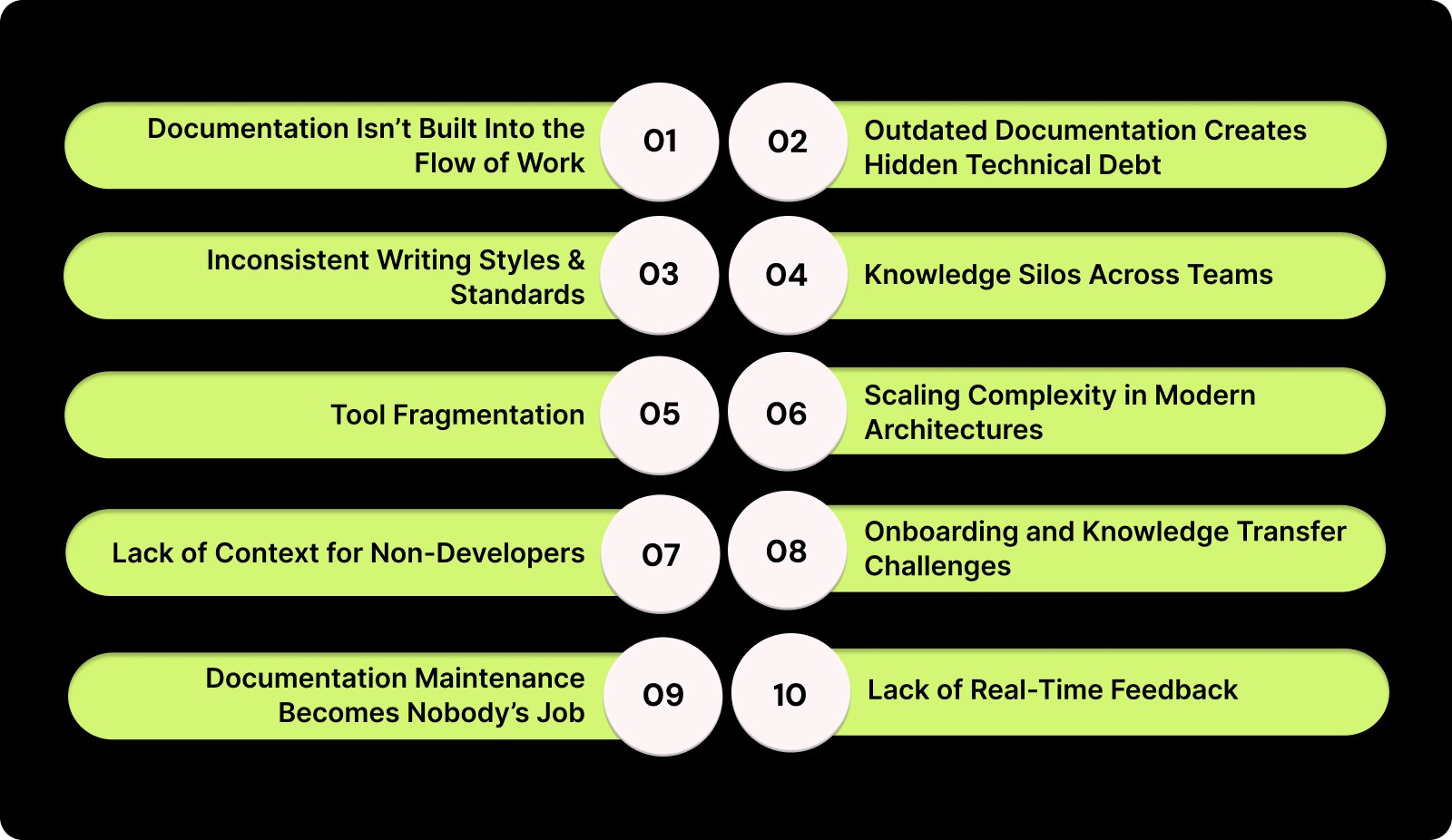
1. Documentation Isn’t Built Into the Flow of Work
Developers often view documentation as a post-coding task. Since documentation tools are usually outside the IDE, updating them requires switching contexts, breaking momentum. That extra step is easily skipped in busy sprint cycles.
2. Outdated Documentation Creates Hidden Technical Debt
Even with good documentation, teams rarely maintain it. Old descriptions, architecture diagrams, and API references become misleading as the codebase evolves. Teams make incorrect assumptions, introduce redundant logic, and spend unnecessary time debugging due to silent decay.
3. Inconsistent Writing Styles and Standards
Every developer on a distributed team documents in a different way. Some people write short notes or none at all, while others add long explanations. This makes files and modules less consistent over time. Without consistent standards, comments become less clear, and documentation becomes fragmented.
4. Knowledge Silos Across Teams
In big companies, essential data is often stored in people's heads or in private channels, not in places where everyone can see it. When developers quit or switch projects, the insights they haven't written down go with them. This loss of knowledge means new team members have to relearn what was already known, slowing progress and causing bugs that could have been avoided.
5. Tool Fragmentation
Documentation is often spread out among many tools, such as IDEs, Confluence, Notion, Google Docs, and GitHub READMEs. When there isn't a central source of truth, versions don't match up, and it's hard to stay consistent. It takes teams longer to look for the "latest" document than to read it.
6. Scaling Complexity in Modern Architectures
Microservices, distributed systems, and multi-repo setups make documentation exponentially harder. When a single feature spans several services, each with its own dependencies, the documentation load multiplies. Without automation, it’s nearly impossible to keep everything up to date as codebases scale.
7. Lack of Context for Non-Developers
Documentation gives product managers, QA teams, and even executives a way to understand what engineers are doing. Technical documents are often written in developer speak. This makes it hard for teams from different departments to understand.
8. Onboarding and Knowledge Transfer Challenges
For new developers, outdated or missing documentation can turn onboarding into weeks of trial and error. They depend heavily on senior engineers for explanations. As teams grow, this lack of scalable knowledge sharing becomes a severe productivity bottleneck.
9. Documentation Maintenance Becomes Nobody’s Job
It's not clear who is responsible for what when documentation isn't directly linked to sprint KPIs. Developers assume technical writers will handle it, but writers might not have enough information. This leads to a cycle in which everyone makes a small contribution and no one takes full responsibility.
10. Lack of Real-Time Feedback or Quality Checks
Unlike code, documentation rarely goes through review pipelines or quality checks. This means even minor inaccuracies can persist unnoticed. Without automation or visibility, teams have no way to measure the quality or completeness of their documentation efforts.
Docs generated by AI are very helpful because they address deeper structural issues. As AI is built into the workflow, it makes sure that documentation and comments change at the same rate as the codebase. The engineer in charge and everyone else on the team can see the same thing and know what's going on.
Must Read: How to Use AI for Code Reviews on GitHub?
How AI is Revolutionizing Code Comments and Documentation?
The way teams document and comment code hasn’t changed much in decades. Developers write explanations manually, update READMEs when they have time, and hope their teammates remember to do the same. But as codebases grow larger and teams become more distributed, this manual approach can’t keep up. That's where AI comes in.
Let’s break down exactly how AI is transforming the documentation process.
1. Context-Aware Code Understanding
What it is
AI models can now read and understand code more comprehensively than just line by line. They know about dependencies, how to name things, architecture patterns, and what functions are supposed to do.
How it works
By analyzing your codebase and commit history, AI generates meaningful inline comments and summaries that explain not only what the code does, but why it does it. It recognizes relationships between modules, APIs, and classes, allowing it to produce explanations that mirror human reasoning.
Why it matters
This saves developers hours of manual effort while maintaining accuracy. Instead of writing repetitive comments, engineers can focus on problem-solving, while AI ensures every new commit includes built-in clarity.
2. Continuous, Auto-Updating Documentation
What it is
AI-powered documentation tools keep your code and explanations of how things work in sync, making what is often called "living documentation."
How it works
When developers make code changes, the AI instantly updates the accompanying documentation. Without any help from a person, it can make and update READMEs, API references, changelogs, and architecture diagrams.
Why it matters
This ensures that documentation never goes stale. Teams no longer have to spend entire sprints updating old documents or tracing outdated diagrams. The documentation evolves as the product does, reducing technical debt and confusion.
3. Natural-Language Summarization for Non-Technical Teams
What it is
AI can take complex technical changes and summarize them in plain English that everyone can understand, from engineering managers to people with a stake in the product.
How it works
By analyzing code diffs and commits, AI explains updates in plain English, highlighting what changed, why it matters, and how it impacts functionality. These summaries can be shared in pull requests, Slack updates, or sprint retrospectives.
Why it matters
It bridges the gap between technical and non-technical teams. Product managers gain visibility into progress without asking developers for explanations, and engineering leaders get a clear, narrative view of system evolution.
4. Intelligent Linking and Cross-Referencing
What it is
AI can automatically link related code snippets, tickets, and documentation sections to provide complete context.
How it works
When documenting a function or class, AI references related modules, dependencies, or issue-tracking items (such as JIRA tickets). This creates a connected documentation system that eliminates information silos.
Why it matters
Developers can quickly trace logic across files and understand the bigger picture without jumping between multiple tools. It also ensures that project documentation stays structured and searchable.
5. Embedded Documentation Directly in the IDE
What it is
Instead of forcing developers to leave their environment, AI integrates directly into IDEs like VS Code, Cursor, or Windsurf.
How it works
Developers get documentation and comment suggestions in real time as they code. This includes information about the architecture, summaries of functions, and inline explanations.
Why it matters
This keeps developers in flow. They can review, edit, or accept AI-generated documentation instantly, eliminating the friction of switching between tools or tabs.
So what changes day to day when AI is in the loop? Here are the practical benefits of using AI.
Must Read: Comprehensive Guide to Secure Code Review Practices
Benefits of Using AI to Document and Comment Code
Using AI to document and comment code creates a system that evolves with your codebase, ensuring accuracy and clarity without manual effort.
Here are the key benefits AI brings to documentation and comments across modern engineering teams:
1. Saves Time and Reduces Manual Overhead
Explaining, updating, and fixing outdated sections in READMEs can take hours each week. AI automates many repetitive tasks. It automatically updates docs, generates inline comments, and summarizes code changes in seconds.
2. Keeps Documentation Always Up to Date
Outdated documentation is a major issue in software engineering. AI fixes this by syncing documentation with live code. When a function, API, or module changes, the AI automatically updates the explanations.
3. Improves Clarity and Accuracy
AI models understand code logic, dependencies, and naming conventions, enabling them to generate context-aware explanations rather than generic comments.
4. Accelerates Onboarding and Knowledge Transfer
Codebases can take new developers weeks to understand. AI-generated documentation streamlines this process. As a built-in mentor, AI provides clear, up-to-date explanations and architecture summaries to help new team members learn without senior engineers.
5. Ensures Consistency Across Teams and Projects
Each developer writes documentation in their own way. Some write too little, while others write too much. AI ensures that all documentation and comments maintain the same tone, structure, and level of detail.
6. Enhances Collaboration Beyond Engineering
AI-generated documentation is useful to more than just developers. It takes complex code and turns it into summaries that product managers, QA engineers, and even non-technical stakeholders can understand.
7. Reduces Errors and Improves Code Quality
When used with AI-powered code review systems like Entelligence.ai, documentation adds another level of quality control, showing any missing tests, security holes, or unhandled conditions before the code goes live.
8. Turns Documentation into a Continuous, Living Asset
AI's up-to-date documentation doesn't consist of static pages that become stale over time. It changes all the time along with the code, reflecting every change, refactoring, and improvement as they happen.
While engineering documentation has always been necessary, its utility has never been greater. With AI, it becomes an accurate, up-to-date, and scalable part of the development process.
For developers, it removes busywork. For managers, it brings clarity. For leaders, it builds confidence that the entire organization is learning and improving together.
Must Read: Exploring PR Review AI Tools: Boost Code Quality Fast
How Entelligence.ai Helps Teams Document and Comment Code with AI?
Most development teams struggle with one universal pain point, keeping documentation accurate, updated, and consistent with the ever-changing codebase. Manual documentation is time-consuming, often neglected, and quickly becomes outdated.
Developers spend hours explaining intent through comments or post-facto documentation instead of focusing on innovation. As projects scale, the lack of synchronization between code, documentation, and team understanding creates confusion, inefficiency, and knowledge gaps across the organization.
Entelligence.ai eliminates this problem by making documentation intelligent, automatic, and context-aware. It ensures your team’s documentation stays up to date, comprehensive, and aligned with ongoing code changes, without any extra manual work. By integrating directly into your IDE, repositories, and CI/CD pipeline, it transforms documentation from a chore into a seamless, always-on part of your workflow.
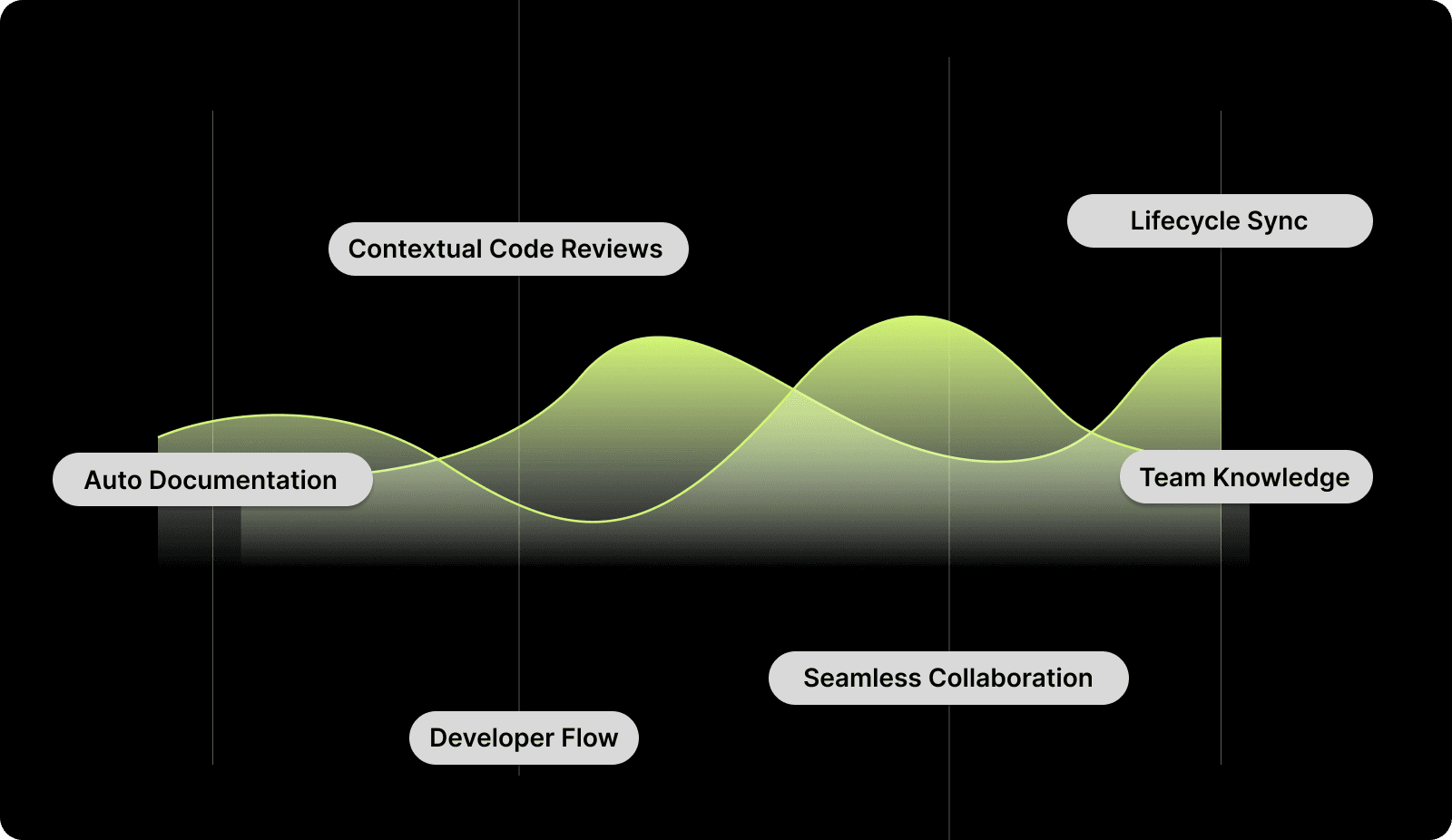
Here’s how Entelligence.ai helps your teams document and comment code with AI:
1. AI-Powered Documentation That Writes Itself
The platform automatically generates architecture summaries, API references, and inline code explanations from your repositories, so you don't have to do anything extra.
2. Contextual Code Reviews with Intelligent Comments
Entelligence provides context-rich insights in your IDE instead of generic AI comments. It analyzes your code structure, dependencies, and project standards to generate meaningful comments that explain intent and suggest improvements.
3. Continuous Syncing Across the Development Lifecycle
Entelligence syncs changes between your IDE, repositories, and documentation platforms, ensuring that every refactor, feature, or bug fix is reflected everywhere. The real-time synchronization eliminates outdated documents and fragmented information, giving teams a single source of truth for every project.
4. Integrated Knowledge for Teams and Leaders
Entelligence makes documentation an organizational asset. Engineering managers see how documentation quality affects team velocity, onboarding, and PR turnaround. Leaders can identify underdocumented areas of the codebase for targeted improvements. This transparency ensures that documentation boosts team productivity.
5. Seamless Collaboration and Communication
Entelligence helps developers, product managers, and QA teams communicate more effectively. This helps cross-functional teams align on features, timelines, and technical risks without code dives.
6. Built for Developers, Designed for Flow
Developer tools like VS Code, Windsurf, and Cursor integrate with Entelligence. Documentation occurs naturally during workflow, not afterward. Developers can focus on writing great code while the platform generates comments, syncs updates, and maintains consistency.
Entelligence AI makes your documentation a living, evolving system, not a forgotten file in a repository. It continuously reflects the evolution of your product, codebase, and team.
Conclusion
Good documentation has always underpinned great engineering, but keeping it accurate, consistent, and useful has been difficult. That's changing with AI. Helping teams document and comment code with context, speed, and intelligence makes documentation a competitive advantage.
Platforms like Entelligence.ai embed documentation intelligence directly into the development lifecycle.
Developers are becoming clearer, creative, and collaborative with AI. Clarity drives progress in a world where speed is meaningless without understanding.
Ready to see it in action? Start your free trial of Entelligence.ai today and see how easy it is to document when AI works with you instead of against you.
Frequently Asked Questions
Q1. How does AI help document and comment code automatically?
AI analyzes your code's structure, logic, and dependencies to ensure that the explanations and inline comments are correct. It can summarize functions, keep documentation up to date as code changes, and automatically share these changes with other tools like Notion or Confluence.
Q2. Can AI-generated documentation replace developers or technical writers?
No, not really. AI can do boring, repetitive tasks, but humans are still needed for context, tone, and accuracy in certain fields. AI is like a team player; it drafts and updates while engineers and writers improve and confirm.
Q3. How reliable is AI documentation for large or complex codebases?
When integrated with your repositories and IDEs, AI documentation is highly reliable. Platforms like Entelligence.ai learn from your project structure, coding conventions, and version history, ensuring that every comment or document reflects real-time accuracy.
Q4. What tools does Entelligence.ai integrate with for AI documentation?
Entelligence connects directly to popular IDEs like VS Code, Windsurf, and Cursor, as well as collaboration tools such as Slack, Notion, and Confluence. This ensures that documentation, comments, and insights stay in sync across every platform your team already uses.
Introduction
“Writing documentation” or “adding comments” are probably the worst parts of development. Maintaining documentation is often neglected in favor of pull requests, bug fixes, and sprint deadlines.
Outdated documentation and unclear code comments slow everything down. New developers take longer to onboard, reviewers ask for more context, and teams lose knowledge when people leave. Lack of clarity builds technical debt that productivity tools cannot fix. That’s where AI comes in.
Research shows 84% of developers now use or plan to use AI tools in their coding process.
This article will discuss how AI is making code documentation and comments an intelligent, continuous part of the development process.
Key Takeaways
Tools that document and comment code with AI keep comments, READMEs, and API refs continuously in sync with real code.
IDE-native suggestions provide inline explanations, summaries, and links so developers stay in flow.
Up-to-date, plain-English summaries accelerate ramp-up and reduce reliance on senior engineers.
Context-aware comments surface risks (missing tests, edge cases, vulnerabilities) earlier in the lifecycle.
AI enforces structure, tone, and completeness across teams, repos, and services.
Natural-language diffs help PMs/QA/, and leaders understand what changed, why it matters, and its impact on timelines.
What are Code Comments and Code Documentation?
Code comments are short, descriptive notes written directly within the source code. Their purpose is to explain why a piece of code exists or how a specific function works. They help developers, reviewers, and future maintainers quickly grasp the logic behind decisions without having to reverse-engineer the code itself. Instead of repeating code, a good comment provides context.
For example: # Caches API responses for 10 minutes to reduce server load.
This gives clarity to anyone reading the function later and saves time during reviews or debugging.
However, code documentation goes beyond inline notes. It covers architecture, APIs, modules, dependencies, and setup guides. Documentation helps teams onboard faster, debug issues, and maintain consistency as a project's shared knowledge base.
Both are essential for scaling engineering teams. Without them, developers spend more time guessing than building.
Must Read: AI Code Review Techniques and Top Tools
The Documentation Challenge in Modern Engineering Teams
Let’s look deeper at the main challenges that modern engineering teams face:

1. Documentation Isn’t Built Into the Flow of Work
Developers often view documentation as a post-coding task. Since documentation tools are usually outside the IDE, updating them requires switching contexts, breaking momentum. That extra step is easily skipped in busy sprint cycles.
2. Outdated Documentation Creates Hidden Technical Debt
Even with good documentation, teams rarely maintain it. Old descriptions, architecture diagrams, and API references become misleading as the codebase evolves. Teams make incorrect assumptions, introduce redundant logic, and spend unnecessary time debugging due to silent decay.
3. Inconsistent Writing Styles and Standards
Every developer on a distributed team documents in a different way. Some people write short notes or none at all, while others add long explanations. This makes files and modules less consistent over time. Without consistent standards, comments become less clear, and documentation becomes fragmented.
4. Knowledge Silos Across Teams
In big companies, essential data is often stored in people's heads or in private channels, not in places where everyone can see it. When developers quit or switch projects, the insights they haven't written down go with them. This loss of knowledge means new team members have to relearn what was already known, slowing progress and causing bugs that could have been avoided.
5. Tool Fragmentation
Documentation is often spread out among many tools, such as IDEs, Confluence, Notion, Google Docs, and GitHub READMEs. When there isn't a central source of truth, versions don't match up, and it's hard to stay consistent. It takes teams longer to look for the "latest" document than to read it.
6. Scaling Complexity in Modern Architectures
Microservices, distributed systems, and multi-repo setups make documentation exponentially harder. When a single feature spans several services, each with its own dependencies, the documentation load multiplies. Without automation, it’s nearly impossible to keep everything up to date as codebases scale.
7. Lack of Context for Non-Developers
Documentation gives product managers, QA teams, and even executives a way to understand what engineers are doing. Technical documents are often written in developer speak. This makes it hard for teams from different departments to understand.
8. Onboarding and Knowledge Transfer Challenges
For new developers, outdated or missing documentation can turn onboarding into weeks of trial and error. They depend heavily on senior engineers for explanations. As teams grow, this lack of scalable knowledge sharing becomes a severe productivity bottleneck.
9. Documentation Maintenance Becomes Nobody’s Job
It's not clear who is responsible for what when documentation isn't directly linked to sprint KPIs. Developers assume technical writers will handle it, but writers might not have enough information. This leads to a cycle in which everyone makes a small contribution and no one takes full responsibility.
10. Lack of Real-Time Feedback or Quality Checks
Unlike code, documentation rarely goes through review pipelines or quality checks. This means even minor inaccuracies can persist unnoticed. Without automation or visibility, teams have no way to measure the quality or completeness of their documentation efforts.
Docs generated by AI are very helpful because they address deeper structural issues. As AI is built into the workflow, it makes sure that documentation and comments change at the same rate as the codebase. The engineer in charge and everyone else on the team can see the same thing and know what's going on.
Must Read: How to Use AI for Code Reviews on GitHub?
How AI is Revolutionizing Code Comments and Documentation?
The way teams document and comment code hasn’t changed much in decades. Developers write explanations manually, update READMEs when they have time, and hope their teammates remember to do the same. But as codebases grow larger and teams become more distributed, this manual approach can’t keep up. That's where AI comes in.
Let’s break down exactly how AI is transforming the documentation process.
1. Context-Aware Code Understanding
What it is
AI models can now read and understand code more comprehensively than just line by line. They know about dependencies, how to name things, architecture patterns, and what functions are supposed to do.
How it works
By analyzing your codebase and commit history, AI generates meaningful inline comments and summaries that explain not only what the code does, but why it does it. It recognizes relationships between modules, APIs, and classes, allowing it to produce explanations that mirror human reasoning.
Why it matters
This saves developers hours of manual effort while maintaining accuracy. Instead of writing repetitive comments, engineers can focus on problem-solving, while AI ensures every new commit includes built-in clarity.
2. Continuous, Auto-Updating Documentation
What it is
AI-powered documentation tools keep your code and explanations of how things work in sync, making what is often called "living documentation."
How it works
When developers make code changes, the AI instantly updates the accompanying documentation. Without any help from a person, it can make and update READMEs, API references, changelogs, and architecture diagrams.
Why it matters
This ensures that documentation never goes stale. Teams no longer have to spend entire sprints updating old documents or tracing outdated diagrams. The documentation evolves as the product does, reducing technical debt and confusion.
3. Natural-Language Summarization for Non-Technical Teams
What it is
AI can take complex technical changes and summarize them in plain English that everyone can understand, from engineering managers to people with a stake in the product.
How it works
By analyzing code diffs and commits, AI explains updates in plain English, highlighting what changed, why it matters, and how it impacts functionality. These summaries can be shared in pull requests, Slack updates, or sprint retrospectives.
Why it matters
It bridges the gap between technical and non-technical teams. Product managers gain visibility into progress without asking developers for explanations, and engineering leaders get a clear, narrative view of system evolution.
4. Intelligent Linking and Cross-Referencing
What it is
AI can automatically link related code snippets, tickets, and documentation sections to provide complete context.
How it works
When documenting a function or class, AI references related modules, dependencies, or issue-tracking items (such as JIRA tickets). This creates a connected documentation system that eliminates information silos.
Why it matters
Developers can quickly trace logic across files and understand the bigger picture without jumping between multiple tools. It also ensures that project documentation stays structured and searchable.
5. Embedded Documentation Directly in the IDE
What it is
Instead of forcing developers to leave their environment, AI integrates directly into IDEs like VS Code, Cursor, or Windsurf.
How it works
Developers get documentation and comment suggestions in real time as they code. This includes information about the architecture, summaries of functions, and inline explanations.
Why it matters
This keeps developers in flow. They can review, edit, or accept AI-generated documentation instantly, eliminating the friction of switching between tools or tabs.
So what changes day to day when AI is in the loop? Here are the practical benefits of using AI.
Must Read: Comprehensive Guide to Secure Code Review Practices
Benefits of Using AI to Document and Comment Code
Using AI to document and comment code creates a system that evolves with your codebase, ensuring accuracy and clarity without manual effort.
Here are the key benefits AI brings to documentation and comments across modern engineering teams:
1. Saves Time and Reduces Manual Overhead
Explaining, updating, and fixing outdated sections in READMEs can take hours each week. AI automates many repetitive tasks. It automatically updates docs, generates inline comments, and summarizes code changes in seconds.
2. Keeps Documentation Always Up to Date
Outdated documentation is a major issue in software engineering. AI fixes this by syncing documentation with live code. When a function, API, or module changes, the AI automatically updates the explanations.
3. Improves Clarity and Accuracy
AI models understand code logic, dependencies, and naming conventions, enabling them to generate context-aware explanations rather than generic comments.
4. Accelerates Onboarding and Knowledge Transfer
Codebases can take new developers weeks to understand. AI-generated documentation streamlines this process. As a built-in mentor, AI provides clear, up-to-date explanations and architecture summaries to help new team members learn without senior engineers.
5. Ensures Consistency Across Teams and Projects
Each developer writes documentation in their own way. Some write too little, while others write too much. AI ensures that all documentation and comments maintain the same tone, structure, and level of detail.
6. Enhances Collaboration Beyond Engineering
AI-generated documentation is useful to more than just developers. It takes complex code and turns it into summaries that product managers, QA engineers, and even non-technical stakeholders can understand.
7. Reduces Errors and Improves Code Quality
When used with AI-powered code review systems like Entelligence.ai, documentation adds another level of quality control, showing any missing tests, security holes, or unhandled conditions before the code goes live.
8. Turns Documentation into a Continuous, Living Asset
AI's up-to-date documentation doesn't consist of static pages that become stale over time. It changes all the time along with the code, reflecting every change, refactoring, and improvement as they happen.
While engineering documentation has always been necessary, its utility has never been greater. With AI, it becomes an accurate, up-to-date, and scalable part of the development process.
For developers, it removes busywork. For managers, it brings clarity. For leaders, it builds confidence that the entire organization is learning and improving together.
Must Read: Exploring PR Review AI Tools: Boost Code Quality Fast
How Entelligence.ai Helps Teams Document and Comment Code with AI?
Most development teams struggle with one universal pain point, keeping documentation accurate, updated, and consistent with the ever-changing codebase. Manual documentation is time-consuming, often neglected, and quickly becomes outdated.
Developers spend hours explaining intent through comments or post-facto documentation instead of focusing on innovation. As projects scale, the lack of synchronization between code, documentation, and team understanding creates confusion, inefficiency, and knowledge gaps across the organization.
Entelligence.ai eliminates this problem by making documentation intelligent, automatic, and context-aware. It ensures your team’s documentation stays up to date, comprehensive, and aligned with ongoing code changes, without any extra manual work. By integrating directly into your IDE, repositories, and CI/CD pipeline, it transforms documentation from a chore into a seamless, always-on part of your workflow.

Here’s how Entelligence.ai helps your teams document and comment code with AI:
1. AI-Powered Documentation That Writes Itself
The platform automatically generates architecture summaries, API references, and inline code explanations from your repositories, so you don't have to do anything extra.
2. Contextual Code Reviews with Intelligent Comments
Entelligence provides context-rich insights in your IDE instead of generic AI comments. It analyzes your code structure, dependencies, and project standards to generate meaningful comments that explain intent and suggest improvements.
3. Continuous Syncing Across the Development Lifecycle
Entelligence syncs changes between your IDE, repositories, and documentation platforms, ensuring that every refactor, feature, or bug fix is reflected everywhere. The real-time synchronization eliminates outdated documents and fragmented information, giving teams a single source of truth for every project.
4. Integrated Knowledge for Teams and Leaders
Entelligence makes documentation an organizational asset. Engineering managers see how documentation quality affects team velocity, onboarding, and PR turnaround. Leaders can identify underdocumented areas of the codebase for targeted improvements. This transparency ensures that documentation boosts team productivity.
5. Seamless Collaboration and Communication
Entelligence helps developers, product managers, and QA teams communicate more effectively. This helps cross-functional teams align on features, timelines, and technical risks without code dives.
6. Built for Developers, Designed for Flow
Developer tools like VS Code, Windsurf, and Cursor integrate with Entelligence. Documentation occurs naturally during workflow, not afterward. Developers can focus on writing great code while the platform generates comments, syncs updates, and maintains consistency.
Entelligence AI makes your documentation a living, evolving system, not a forgotten file in a repository. It continuously reflects the evolution of your product, codebase, and team.
Conclusion
Good documentation has always underpinned great engineering, but keeping it accurate, consistent, and useful has been difficult. That's changing with AI. Helping teams document and comment code with context, speed, and intelligence makes documentation a competitive advantage.
Platforms like Entelligence.ai embed documentation intelligence directly into the development lifecycle.
Developers are becoming clearer, creative, and collaborative with AI. Clarity drives progress in a world where speed is meaningless without understanding.
Ready to see it in action? Start your free trial of Entelligence.ai today and see how easy it is to document when AI works with you instead of against you.
Frequently Asked Questions
Q1. How does AI help document and comment code automatically?
AI analyzes your code's structure, logic, and dependencies to ensure that the explanations and inline comments are correct. It can summarize functions, keep documentation up to date as code changes, and automatically share these changes with other tools like Notion or Confluence.
Q2. Can AI-generated documentation replace developers or technical writers?
No, not really. AI can do boring, repetitive tasks, but humans are still needed for context, tone, and accuracy in certain fields. AI is like a team player; it drafts and updates while engineers and writers improve and confirm.
Q3. How reliable is AI documentation for large or complex codebases?
When integrated with your repositories and IDEs, AI documentation is highly reliable. Platforms like Entelligence.ai learn from your project structure, coding conventions, and version history, ensuring that every comment or document reflects real-time accuracy.
Q4. What tools does Entelligence.ai integrate with for AI documentation?
Entelligence connects directly to popular IDEs like VS Code, Windsurf, and Cursor, as well as collaboration tools such as Slack, Notion, and Confluence. This ensures that documentation, comments, and insights stay in sync across every platform your team already uses.
Your questions,
Your questions,
Decoded
Decoded
What makes Entelligence different?
Unlike tools that just flag issues, Entelligence understands context — detecting, explaining, and fixing problems while aligning with product goals and team standards.
Does it replace human reviewers?
No. It amplifies them. Entelligence handles repetitive checks so engineers can focus on architecture, logic, and innovation.
What tools does it integrate with?
It fits right into your workflow — GitHub, GitLab, Jira, Linear, Slack, and more. No setup friction, no context switching.
How secure is my code?
Your code never leaves your environment. Entelligence uses encrypted processing and complies with top industry standards like SOC 2 and HIPAA.
Who is it built for?
Fast-growing engineering teams that want to scale quality, security, and velocity without adding more manual reviews or overhead.

What makes Entelligence different?
Does it replace human reviewers?
What tools does it integrate with?
How secure is my code?
Who is it built for?


