
Top SonarQube Alternatives in 2025: The Complete Guide

Nov 27, 2025

Nov 27, 2025

Still relying on SonarQube for your code reviews? You might be missing out on better, faster options. 84% of software developers are now using AI to supercharge their workflows, and SonarQube just isn’t keeping up with the demand for real-time feedback, smarter security, and seamless integration. 

If you're ready to move beyond static analysis and step into the future of code quality, you're in the right place. 

In this blog, we'll dive into the top SonarQube alternatives in 2025: AI-powered tools that bring real-time insights, security scanning, and much more to the table. 

Overview

  • SonarQube is widely used for static code analysis, but lacks real-time feedback and scalability for modern development needs.

  • Alternatives like Entelligence AI, Codacy, and Snyk offer more advanced features, such as real-time insights and better integration with CI/CD workflows.

  • AI-driven tools are increasingly essential for delivering actionable feedback in real-time, improving productivity, and ensuring code quality.

  • Security features like SAST, DAST, and automated vulnerability detection are important when choosing an alternative to SonarQube.

  • When selecting an alternative, factors like integration flexibility, security capabilities, and pricing should be carefully considered.

What Is SonarQube?

SonarQube is one of the most widely used static code analysis tools, offering a comprehensive approach to finding bugs, vulnerabilities, and code smells. It’s often favored by development teams prioritizing high code quality standards. However, despite its long-standing reputation, SonarQube has limitations that may not suit your needs in 2025. These shortcomings highlight the need for more flexible, real-time, and security-focused alternatives.

Challenges with SonarQube:

  • Limited Real-Time Feedback: SonarQube generally processes code after it’s committed, which can slow down the development flow, especially for agile projects.

  • Complex Setup: While SonarQube provides extensive functionality, setting it up and maintaining it can be resource-intensive if you are inexperienced.

  • Static Analysis Focus: It relies heavily on static analysis, meaning it lacks some of the dynamic capabilities offered by newer AI-driven tools.

Also Read: Eliminating Code Redundancy for Efficiency and Simplicity

Why Look for Alternatives?

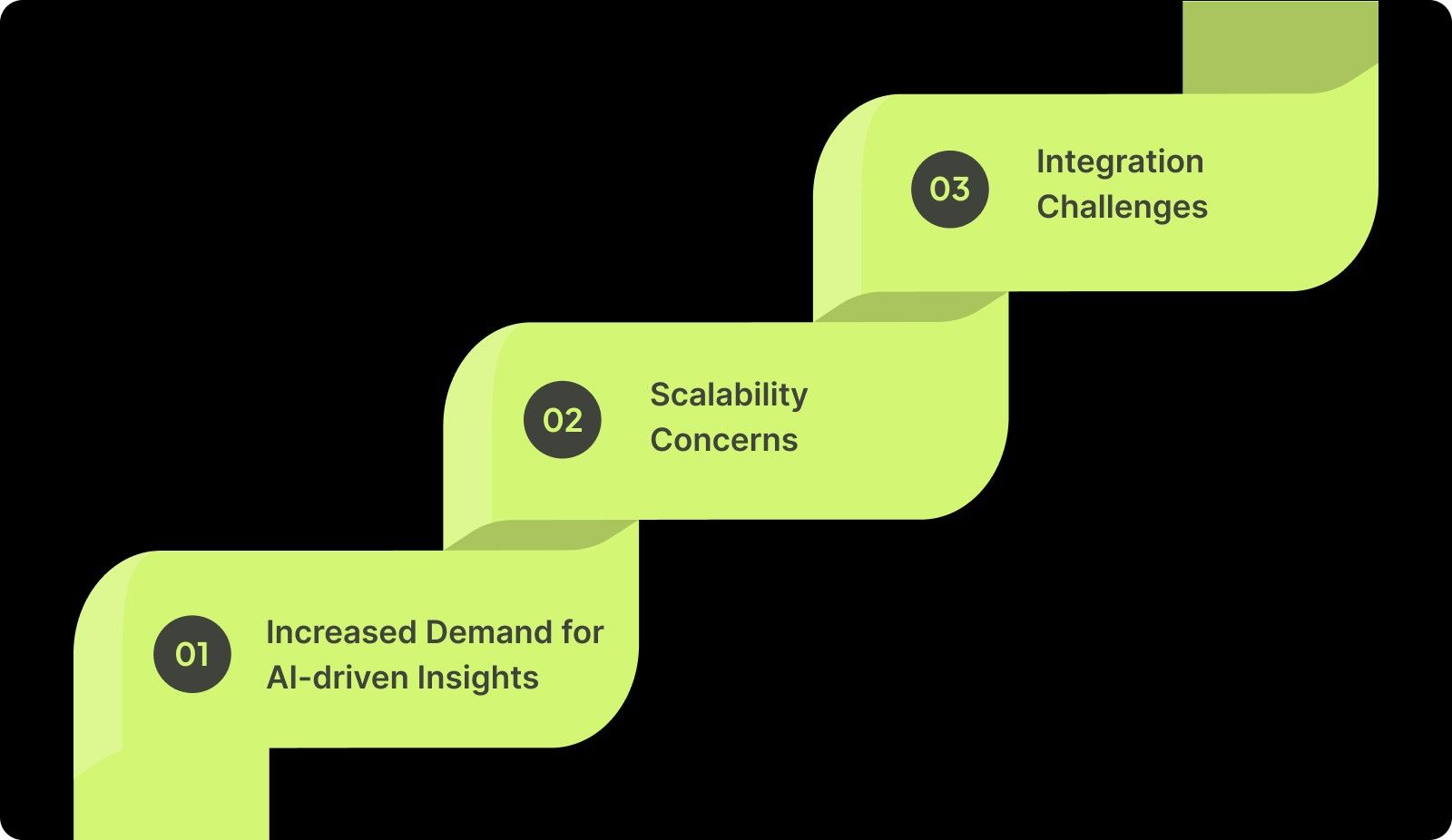
As development cycles shorten and software environments become more intricate, you might wish to seek tools that help you work smarter. These key trends have driven the demand for alternatives to SonarQube:
Why Look for Alternatives?

1. Increased Demand for AI-driven Insights

SonarQube provides useful insights into code quality, but as development becomes more fast-paced, AI-driven tools that deliver actionable feedback in real time are becoming essential. Tools like Entelligence AI are designed to provide context-aware code reviews that help you resolve issues before they arise.

2. Scalability Concerns

While SonarQube is effective for smaller or mid-sized projects, it can struggle with scalability for larger teams or more complex codebases. Alternatives can offer more simplified and scalable solutions to manage high volumes of code.

3. Integration Challenges

Integrating SonarQube with other parts of the development pipeline can sometimes require extra configuration and maintenance. Several tools offer smoother integrations with existing CI/CD workflows and version control systems, reducing the time spent on integration.

However, to effectively choose the right alternative, it's essential to evaluate specific factors that will ensure the tool aligns with your and your team's needs and development goals. Let's explore the key criteria to consider when selecting a SonarQube alternative.

Key Criteria for Choosing an Alternative

When selecting a SonarQube alternative, consider the following criteria to ensure the tool meets your needs:

1. Real-Time Feedback

Look for tools that offer real-time feedback, allowing you to spot issues immediately. This feature helps reduce delays, improving overall code quality by providing actionable insights as the code is written and tested.

2. Integration Flexibility

Choose alternatives that seamlessly integrate with your existing CI/CD pipeline, IDE, and version control systems. This ensures a smoother development workflow, reduces manual setup, and allows for continuous code quality checks without interruptions to your process.

3. Security Focus

Advanced security features like SAST (Static Application Security Testing) and DAST (Dynamic Application Security Testing) are essential. These tools help identify vulnerabilities early, ensuring secure code and reducing the risks of breaches in production environments.

4. Pricing Models

Consider pricing models that match your project scope. Free-tier solutions, open-source alternatives, or flexible pricing structures ensure the tool adapts to your growing needs while keeping costs aligned with project demands.

As you evaluate these key criteria, let’s explore the Top SonarQube Alternatives in 2025 that stand out in meeting these demands.

Top SonarQube Alternatives in 2025

When exploring alternatives to SonarQube, it’s essential to evaluate the features, limitations, integration capabilities, and pricing of each tool. Below are eight SonarQube alternatives that provide enhanced real-time feedback, security insights, and developer productivity. Let's dive into the specifics of each option.
Top SonarQube Alternatives in 2025

1. Entelligence AI

Entelligence AI is an engineering productivity suite designed to enhance your workflows through AI-powered code reviews, automated documentation, and embedded security insights. It aims to simplify development processes and improve code quality.

Key Features:

  • Contextual Code Reviews: AI-powered, real-time code reviews integrated directly into your IDE.

  • Automated Documentation: Keeps documentation up to date without manual effort.

  • Security Insights: Embedded security features that detect vulnerabilities in real time.

  • Team Insights: Provides analytics on team performance and productivity.

  • Sprint Assessments: Automated evaluations of sprint health and progress.

Limitations:

  • Relatively new compared to older solutions like SonarQube, which may affect trust for some larger organizations.

  • May require adaptation if you are accustomed to traditional tools.

Integration:

  • Compatible with popular IDEs such as VS Code, JetBrains, and integrations with Slack and GitHub.

  • Supports CI/CD pipelines and version control systems.

Pricing:

  • Free Trial: $0/month

  • Engineering Tier: $40/month

  • Management Tier: $60/month

Also Read: How Entelligence.AI is Redefining the Developer Experience

2. Codacy

Codacy is an automated code review tool that helps you improve code quality by identifying issues related to security, duplication, complexity, and style violations across multiple programming languages.

Key Features:

  • AI-powered static analysis: Automated code reviews with real-time feedback.

  • Customizable rule sets: Allows you to define coding standards and enforce them.

  • Real-time feedback: Instant notifications on code quality issues.

  • Test coverage monitoring: Tracks and reports on test coverage metrics.

  • Integration with CI/CD tools: Seamless integration with Jenkins, GitHub, GitLab, and Bitbucket.

Limitations:

  • Limited support for certain legacy languages and niche frameworks.

  • May require configuration for optimal performance.

Integration:

  • Fully integrates with GitHub, GitLab, Bitbucket, and Jenkins.

  • Supports various CI/CD pipelines and version control systems.

Pricing:

  • Developer: $0 (Free forever)

  • Team: Starting at $18/dev/month

  • Business: Custom Pricing

  • Audit: Custom Pricing

3. Snyk

Snyk is a developer-first security platform that focuses on identifying and fixing vulnerabilities in code, dependencies, containers, and infrastructure as code (IaC).

Key Features:

  • Open-source vulnerability scanning: Identifies vulnerabilities in open-source dependencies.

  • Dependency management: Monitors and manages dependencies to ensure security.

  • Real-time alerts: Provides immediate notifications on security issues.

  • Integration with CI/CD tools: Seamless integration with popular CI/CD pipelines.

  • License compliance: Ensures compliance with open-source licenses.

Limitations:

  • Primarily security-focused; not ideal for comprehensive static code analysis.

  • May require additional configuration for certain use cases.

Integration:

  • Integrates with popular CI/CD tools, IDEs, and cloud platforms.

  • Supports integration with version control systems.

Pricing:

  • Developer: $0/month (Free)

  • Team: Starting at $25/month per contributing developer

  • Enterprise: Contact Sales for Pricing.

4. Checkmarx

Checkmarx is an application security testing platform that provides comprehensive solutions for identifying and mitigating security vulnerabilities in software applications.

Key Features:

  • Comprehensive application security testing: Includes SAST, DAST, and IAST for deep security insights.

  • Code and infrastructure scanning: Ability to scan both code and infrastructure for vulnerabilities.

  • Remediation guidance: Provides actionable remediation suggestions.

  • Compliance support: Assists in meeting various compliance standards.

  • Integration with development tools: Integrates with Jenkins, GitHub, GitLab, and Jira.

Limitations:

  • More focused on security than code quality, requiring specialized knowledge for setup.

  • It may have a steeper learning curve for new users.

Integration:

  • Supports Jenkins, GitHub, GitLab, and Jira.

  • Provides plugins for various IDEs.

Pricing:

  • Start with SAST: Custom Pricing

  • Start with SSCS: Custom Pricing

  • Essentials: Custom Pricing

  • Professional: Custom Pricing

5. DeepSource

DeepSource is an AI-powered code review platform that helps you identify and fix issues in your codebase, enhancing code quality and security.

Key Features:

  • AI-driven code analysis: Real-time bug detection and code analysis.

  • Automated remediation: Provides automated fixes for identified issues.

  • Code quality monitoring: Tracks and improves code quality metrics.

  • Security vulnerability detection: Identifies and alerts on security vulnerabilities.

  • Integration with version control systems: Seamless integration with GitHub, GitLab, and Bitbucket.

Limitations:

  • Newer tool, fewer integrations compared to established players.

  • May require adaptation if you are accustomed to traditional tools.

Integration:

  • GitHub, GitLab, Bitbucket.

  • Supports integration with CI/CD pipelines.

Pricing:

  • Free: $0/seat/month

  • Starter: $8/seat/month

  • Business: $24/seat/month

  • Enterprise: Custom Pricing

6. Veracode

Veracode is a cloud-based application security platform that offers comprehensive solutions for identifying and mitigating security vulnerabilities in software applications.

Key Features:

  • Extensive security testing: Includes SAST, DAST, and SCA for comprehensive security coverage.

  • Policy management: Enables enforcement of security policies across applications.

  • Compliance dashboards: Provide dashboards to monitor compliance status.

  • Integration with CI/CD pipelines: Seamless integration into development workflows.

  • Developer training modules: Offers training resources to enhance your security knowledge.

Limitations:

  • Limited real-time feedback for development teams.

  • It may have a steeper learning curve for new users.

Integration:

  • Works with CI/CD pipelines, GitHub, and Jira.

  • Provides plugins for various IDEs.

Pricing:

  • Custom enterprise pricing.

7. GitHub Advanced Security

GitHub Advanced Security is a set of security features integrated into GitHub to help you identify and fix vulnerabilities in your codebase.

Key Features:

  • Code scanning: Automated scanning of code for vulnerabilities.

  • Secret scanning: Detection of sensitive information in code.

  • Dependency review: Analysis of dependencies for security issues.

  • Push protection: Prevents the introduction of secrets into repositories.

  • Integration with GitHub workflows: Seamless integration into GitHub-based development workflows.

Limitations:

  • Only available if you are using GitHub repositories.

  • May require additional configuration for optimal performance.

Integration:

  • Native to GitHub, it integrates with CI/CD tools.

  • Supports integration with version control systems.

Pricing:

  • Free: $0/user/month

  • Team: $4/user/month

  • Enterprise: Starting at $21/user/month

8. GitLab Ultimate

GitLab Ultimate is a comprehensive DevSecOps platform that provides tools for secure software development and delivery.

Key Features:

  • Full DevSecOps suite: Covers security, code quality, and performance.

  • Security testing: Built-in security testing for applications.

  • Compliance management: Tools for managing compliance requirements.

  • CI/CD integration: Seamless integration across the CI/CD pipeline.

  • Advanced analytics: Provides insights into development and security metrics.

Limitations:

  • High pricing for smaller teams or individual developers.

  • May require adaptation if you are accustomed to traditional tools.

Integration:

  • Full integration with GitLab’s suite of tools.

  • Supports integration with CI/CD pipelines

Pricing: 

  • Custom Pricing

How the Top SonarQube Alternatives Stack Up?

A comparison of the top SonarQube alternatives helps determine the best fit for your needs. Let’s break down their performance, integration capabilities, security, and ease of use:

Tool

Performance

Integration

Security

Ease of Use

Entelligence AI

High

Extensive

High

Easy

Codacy

High

Extensive

Medium

Easy

Snyk

High

Medium

Very High

Easy

Checkmarx

Medium

High

Very High

Moderate

DeepSource

High

Medium

Medium

Easy

Veracode

Medium

High

Very High

Moderate

GitHub Advanced Security

Medium

High

Very High

Easy

GitLab Ultimate

High

Full CI/CD

Very High

Moderate

Also Read: AI Code Review Techniques and Top Tools

Conclusion

SonarQube has long been a reliable tool for static code analysis, but it has its limitations, especially in real-time feedback and scalability. This makes it less suited for the demands of modern software development. As projects grow in complexity, static analysis alone can’t keep up.

Entelligence AI provides a better solution by offering real-time, context-aware code reviews, automated documentation, and embedded security insights directly within your IDE. This approach helps you focus on critical issues and improves productivity by reducing manual tasks.

Start with a free trial of Entelligence AI and learn how it can simplify your code quality and performance, providing the clarity and efficiency needed to meet various challenges.
Frequently Asked Questions

1. Is there a free version of SonarQube?

Yes, SonarQube offers a free version called SonarQube Community Edition. It includes core static code analysis features but lacks some advanced features. This includes security vulnerability detection and team collaboration tools available in premium versions.

2. Which is the best software to check code quality and review, other than SonarQube? 

Alternatives to SonarQube, like Codacy, Snyk, and Entelligence AI, are highly recommended for real-time feedback, AI-driven insights, and seamless integrations. They offer enhanced security, code reviews, and documentation automation to improve code quality and team efficiency.

3. Any good alternatives to SonarQube that are free of cost?

Codacy and DeepSource both offer free versions with basic static code analysis features. Entelligence AI also has a free plan worth checking out. These tools provide valuable insights into code quality and security vulnerabilities, and support popular repositories like GitHub, GitLab, and Bitbucket.

4. What makes Entelligence AI different from SonarQube?

Entelligence AI provides real-time, context-aware code reviews, automated documentation, and embedded security insights directly within your IDE, unlike SonarQube’s more static, after-the-fact analysis. It focuses on boosting your productivity with actionable feedback.

Still relying on SonarQube for your code reviews? You might be missing out on better, faster options. 84% of software developers are now using AI to supercharge their workflows, and SonarQube just isn’t keeping up with the demand for real-time feedback, smarter security, and seamless integration. 

If you're ready to move beyond static analysis and step into the future of code quality, you're in the right place. 

In this blog, we'll dive into the top SonarQube alternatives in 2025: AI-powered tools that bring real-time insights, security scanning, and much more to the table. 

Overview

  • SonarQube is widely used for static code analysis, but lacks real-time feedback and scalability for modern development needs.

  • Alternatives like Entelligence AI, Codacy, and Snyk offer more advanced features, such as real-time insights and better integration with CI/CD workflows.

  • AI-driven tools are increasingly essential for delivering actionable feedback in real-time, improving productivity, and ensuring code quality.

  • Security features like SAST, DAST, and automated vulnerability detection are important when choosing an alternative to SonarQube.

  • When selecting an alternative, factors like integration flexibility, security capabilities, and pricing should be carefully considered.

What Is SonarQube?

SonarQube is one of the most widely used static code analysis tools, offering a comprehensive approach to finding bugs, vulnerabilities, and code smells. It’s often favored by development teams prioritizing high code quality standards. However, despite its long-standing reputation, SonarQube has limitations that may not suit your needs in 2025. These shortcomings highlight the need for more flexible, real-time, and security-focused alternatives.

Challenges with SonarQube:

  • Limited Real-Time Feedback: SonarQube generally processes code after it’s committed, which can slow down the development flow, especially for agile projects.

  • Complex Setup: While SonarQube provides extensive functionality, setting it up and maintaining it can be resource-intensive if you are inexperienced.

  • Static Analysis Focus: It relies heavily on static analysis, meaning it lacks some of the dynamic capabilities offered by newer AI-driven tools.

Also Read: Eliminating Code Redundancy for Efficiency and Simplicity

Why Look for Alternatives?

As development cycles shorten and software environments become more intricate, you might wish to seek tools that help you work smarter. These key trends have driven the demand for alternatives to SonarQube:

Why Look for Alternatives?

1. Increased Demand for AI-driven Insights

SonarQube provides useful insights into code quality, but as development becomes more fast-paced, AI-driven tools that deliver actionable feedback in real time are becoming essential. Tools like Entelligence AI are designed to provide context-aware code reviews that help you resolve issues before they arise.

2. Scalability Concerns

While SonarQube is effective for smaller or mid-sized projects, it can struggle with scalability for larger teams or more complex codebases. Alternatives can offer more simplified and scalable solutions to manage high volumes of code.

3. Integration Challenges

Integrating SonarQube with other parts of the development pipeline can sometimes require extra configuration and maintenance. Several tools offer smoother integrations with existing CI/CD workflows and version control systems, reducing the time spent on integration.

However, to effectively choose the right alternative, it's essential to evaluate specific factors that will ensure the tool aligns with your and your team's needs and development goals. Let's explore the key criteria to consider when selecting a SonarQube alternative.

Key Criteria for Choosing an Alternative

When selecting a SonarQube alternative, consider the following criteria to ensure the tool meets your needs:

1. Real-Time Feedback

Look for tools that offer real-time feedback, allowing you to spot issues immediately. This feature helps reduce delays, improving overall code quality by providing actionable insights as the code is written and tested.

2. Integration Flexibility

Choose alternatives that seamlessly integrate with your existing CI/CD pipeline, IDE, and version control systems. This ensures a smoother development workflow, reduces manual setup, and allows for continuous code quality checks without interruptions to your process.

3. Security Focus

Advanced security features like SAST (Static Application Security Testing) and DAST (Dynamic Application Security Testing) are essential. These tools help identify vulnerabilities early, ensuring secure code and reducing the risks of breaches in production environments.

4. Pricing Models

Consider pricing models that match your project scope. Free-tier solutions, open-source alternatives, or flexible pricing structures ensure the tool adapts to your growing needs while keeping costs aligned with project demands.

As you evaluate these key criteria, let’s explore the Top SonarQube Alternatives in 2025 that stand out in meeting these demands.

Top SonarQube Alternatives in 2025

When exploring alternatives to SonarQube, it’s essential to evaluate the features, limitations, integration capabilities, and pricing of each tool. Below are eight SonarQube alternatives that provide enhanced real-time feedback, security insights, and developer productivity. Let's dive into the specifics of each option.

Top SonarQube Alternatives in 2025

1. Entelligence AI

Entelligence AI is an engineering productivity suite designed to enhance your workflows through AI-powered code reviews, automated documentation, and embedded security insights. It aims to simplify development processes and improve code quality.

Key Features:

  • Contextual Code Reviews: AI-powered, real-time code reviews integrated directly into your IDE.

  • Automated Documentation: Keeps documentation up to date without manual effort.

  • Security Insights: Embedded security features that detect vulnerabilities in real time.

  • Team Insights: Provides analytics on team performance and productivity.

  • Sprint Assessments: Automated evaluations of sprint health and progress.

Limitations:

  • Relatively new compared to older solutions like SonarQube, which may affect trust for some larger organizations.

  • May require adaptation if you are accustomed to traditional tools.

Integration:

  • Compatible with popular IDEs such as VS Code, JetBrains, and integrations with Slack and GitHub.

  • Supports CI/CD pipelines and version control systems.

Pricing:

  • Free Trial: $0/month

  • Engineering Tier: $40/month

  • Management Tier: $60/month

Also Read: How Entelligence.AI is Redefining the Developer Experience

2. Codacy

Codacy is an automated code review tool that helps you improve code quality by identifying issues related to security, duplication, complexity, and style violations across multiple programming languages.

Key Features:

  • AI-powered static analysis: Automated code reviews with real-time feedback.

  • Customizable rule sets: Allows you to define coding standards and enforce them.

  • Real-time feedback: Instant notifications on code quality issues.

  • Test coverage monitoring: Tracks and reports on test coverage metrics.

  • Integration with CI/CD tools: Seamless integration with Jenkins, GitHub, GitLab, and Bitbucket.

Limitations:

  • Limited support for certain legacy languages and niche frameworks.

  • May require configuration for optimal performance.

Integration:

  • Fully integrates with GitHub, GitLab, Bitbucket, and Jenkins.

  • Supports various CI/CD pipelines and version control systems.

Pricing:

  • Developer: $0 (Free forever)

  • Team: Starting at $18/dev/month

  • Business: Custom Pricing

  • Audit: Custom Pricing

3. Snyk

Snyk is a developer-first security platform that focuses on identifying and fixing vulnerabilities in code, dependencies, containers, and infrastructure as code (IaC).

Key Features:

  • Open-source vulnerability scanning: Identifies vulnerabilities in open-source dependencies.

  • Dependency management: Monitors and manages dependencies to ensure security.

  • Real-time alerts: Provides immediate notifications on security issues.

  • Integration with CI/CD tools: Seamless integration with popular CI/CD pipelines.

  • License compliance: Ensures compliance with open-source licenses.

Limitations:

  • Primarily security-focused; not ideal for comprehensive static code analysis.

  • May require additional configuration for certain use cases.

Integration:

  • Integrates with popular CI/CD tools, IDEs, and cloud platforms.

  • Supports integration with version control systems.

Pricing:

  • Developer: $0/month (Free)

  • Team: Starting at $25/month per contributing developer

  • Enterprise: Contact Sales for Pricing.

4. Checkmarx

Checkmarx is an application security testing platform that provides comprehensive solutions for identifying and mitigating security vulnerabilities in software applications.

Key Features:

  • Comprehensive application security testing: Includes SAST, DAST, and IAST for deep security insights.

  • Code and infrastructure scanning: Ability to scan both code and infrastructure for vulnerabilities.

  • Remediation guidance: Provides actionable remediation suggestions.

  • Compliance support: Assists in meeting various compliance standards.

  • Integration with development tools: Integrates with Jenkins, GitHub, GitLab, and Jira.

Limitations:

  • More focused on security than code quality, requiring specialized knowledge for setup.

  • It may have a steeper learning curve for new users.

Integration:

  • Supports Jenkins, GitHub, GitLab, and Jira.

  • Provides plugins for various IDEs.

Pricing:

  • Start with SAST: Custom Pricing

  • Start with SSCS: Custom Pricing

  • Essentials: Custom Pricing

  • Professional: Custom Pricing

5. DeepSource

DeepSource is an AI-powered code review platform that helps you identify and fix issues in your codebase, enhancing code quality and security.

Key Features:

  • AI-driven code analysis: Real-time bug detection and code analysis.

  • Automated remediation: Provides automated fixes for identified issues.

  • Code quality monitoring: Tracks and improves code quality metrics.

  • Security vulnerability detection: Identifies and alerts on security vulnerabilities.

  • Integration with version control systems: Seamless integration with GitHub, GitLab, and Bitbucket.

Limitations:

  • Newer tool, fewer integrations compared to established players.

  • May require adaptation if you are accustomed to traditional tools.

Integration:

  • GitHub, GitLab, Bitbucket.

  • Supports integration with CI/CD pipelines.

Pricing:

  • Free: $0/seat/month

  • Starter: $8/seat/month

  • Business: $24/seat/month

  • Enterprise: Custom Pricing

6. Veracode

Veracode is a cloud-based application security platform that offers comprehensive solutions for identifying and mitigating security vulnerabilities in software applications.

Key Features:

  • Extensive security testing: Includes SAST, DAST, and SCA for comprehensive security coverage.

  • Policy management: Enables enforcement of security policies across applications.

  • Compliance dashboards: Provide dashboards to monitor compliance status.

  • Integration with CI/CD pipelines: Seamless integration into development workflows.

  • Developer training modules: Offers training resources to enhance your security knowledge.

Limitations:

  • Limited real-time feedback for development teams.

  • It may have a steeper learning curve for new users.

Integration:

  • Works with CI/CD pipelines, GitHub, and Jira.

  • Provides plugins for various IDEs.

Pricing:

  • Custom enterprise pricing.

7. GitHub Advanced Security

GitHub Advanced Security is a set of security features integrated into GitHub to help you identify and fix vulnerabilities in your codebase.

Key Features:

  • Code scanning: Automated scanning of code for vulnerabilities.

  • Secret scanning: Detection of sensitive information in code.

  • Dependency review: Analysis of dependencies for security issues.

  • Push protection: Prevents the introduction of secrets into repositories.

  • Integration with GitHub workflows: Seamless integration into GitHub-based development workflows.

Limitations:

  • Only available if you are using GitHub repositories.

  • May require additional configuration for optimal performance.

Integration:

  • Native to GitHub, it integrates with CI/CD tools.

  • Supports integration with version control systems.

Pricing:

  • Free: $0/user/month

  • Team: $4/user/month

  • Enterprise: Starting at $21/user/month

8. GitLab Ultimate

GitLab Ultimate is a comprehensive DevSecOps platform that provides tools for secure software development and delivery.

Key Features:

  • Full DevSecOps suite: Covers security, code quality, and performance.

  • Security testing: Built-in security testing for applications.

  • Compliance management: Tools for managing compliance requirements.

  • CI/CD integration: Seamless integration across the CI/CD pipeline.

  • Advanced analytics: Provides insights into development and security metrics.

Limitations:

  • High pricing for smaller teams or individual developers.

  • May require adaptation if you are accustomed to traditional tools.

Integration:

  • Full integration with GitLab’s suite of tools.

  • Supports integration with CI/CD pipelines

Pricing: 

  • Custom Pricing

How the Top SonarQube Alternatives Stack Up?

A comparison of the top SonarQube alternatives helps determine the best fit for your needs. Let’s break down their performance, integration capabilities, security, and ease of use:

Tool

Performance

Integration

Security

Ease of Use

Entelligence AI

High

Extensive

High

Easy

Codacy

High

Extensive

Medium

Easy

Snyk

High

Medium

Very High

Easy

Checkmarx

Medium

High

Very High

Moderate

DeepSource

High

Medium

Medium

Easy

Veracode

Medium

High

Very High

Moderate

GitHub Advanced Security

Medium

High

Very High

Easy

GitLab Ultimate

High

Full CI/CD

Very High

Moderate

Also Read: AI Code Review Techniques and Top Tools

Conclusion

SonarQube has long been a reliable tool for static code analysis, but it has its limitations, especially in real-time feedback and scalability. This makes it less suited for the demands of modern software development. As projects grow in complexity, static analysis alone can’t keep up.

Entelligence AI provides a better solution by offering real-time, context-aware code reviews, automated documentation, and embedded security insights directly within your IDE. This approach helps you focus on critical issues and improves productivity by reducing manual tasks.

Start with a free trial of Entelligence AI and learn how it can simplify your code quality and performance, providing the clarity and efficiency needed to meet various challenges.

Frequently Asked Questions

1. Is there a free version of SonarQube?

Yes, SonarQube offers a free version called SonarQube Community Edition. It includes core static code analysis features but lacks some advanced features. This includes security vulnerability detection and team collaboration tools available in premium versions.

2. Which is the best software to check code quality and review, other than SonarQube? 

Alternatives to SonarQube, like Codacy, Snyk, and Entelligence AI, are highly recommended for real-time feedback, AI-driven insights, and seamless integrations. They offer enhanced security, code reviews, and documentation automation to improve code quality and team efficiency.

3. Any good alternatives to SonarQube that are free of cost?

Codacy and DeepSource both offer free versions with basic static code analysis features. Entelligence AI also has a free plan worth checking out. These tools provide valuable insights into code quality and security vulnerabilities, and support popular repositories like GitHub, GitLab, and Bitbucket.

4. What makes Entelligence AI different from SonarQube?

Entelligence AI provides real-time, context-aware code reviews, automated documentation, and embedded security insights directly within your IDE, unlike SonarQube’s more static, after-the-fact analysis. It focuses on boosting your productivity with actionable feedback.
Your questions,

Your questions,

Decoded

Decoded

What makes Entelligence different?

Unlike tools that just flag issues, Entelligence understands context — detecting, explaining, and fixing problems while aligning with product goals and team standards.

Does it replace human reviewers?

No. It amplifies them. Entelligence handles repetitive checks so engineers can focus on architecture, logic, and innovation.

What tools does it integrate with?

It fits right into your workflow — GitHub, GitLab, Jira, Linear, Slack, and more. No setup friction, no context switching.

How secure is my code?

Your code never leaves your environment. Entelligence uses encrypted processing and complies with top industry standards like SOC 2 and HIPAA.

Who is it built for?

Fast-growing engineering teams that want to scale quality, security, and velocity without adding more manual reviews or overhead.

What makes Entelligence different?
Does it replace human reviewers?
What tools does it integrate with?
How secure is my code?
Who is it built for?

Drop your details

We’ll reach out before your next deploy hits production.

We’ll reach out before your next deploy hits production.