

A Complete Guide To DevOps Release Management

Dec 12, 2025

Dec 12, 2025

Deploying code to production often feels like a high-stakes gamble for engineering teams. You might worry that a single merged pull request could crash the system, cause a security breach, or degrade user experience. This anxiety turns release days into stressful events rather than celebrations of new value delivered to customers.

This need for a better approach is widely recognized; in fact, a recent survey found that 86% of professionals favor a DevOps culture for fast software development and release. The solution lies in moving away from ad-hoc deployments toward a structured, predictable process.

You need a system that balances the demand for speed with the absolute necessity of stability. This balance is not about slowing down; it is about building guardrails that allow you to run faster without crashing.

In this article, we will break down the frameworks, metrics, and best practices of DevOps release management to help you ship software with confidence.

At A Glance:

  • Shift Left on Security: Catching vulnerabilities during the coding phase saves significant remediation time later in the release cycle.

  • DORA Metrics Matter: Focus on Deployment Frequency, Lead Time for Changes, Change Failure Rate, and Time to Restore Service to measure success.

  • Automate the Boring Stuff: Manual approvals and documentation updates create bottlenecks; automate them to keep the pipeline flowing.

  • Feature Flags Reduce Risk: decoupling deployment from release allows you to test in production safely without impacting all users.

  • Feedback Loops are Vital: A release isn't finished until you have data on how it impacts system performance and user behavior.

  • Consistency Over Heroics: A boring, predictable release process is far superior to relying on a "hero" engineer to fix things at 2 AM.

What is DevOps Release Management?

DevOps release management is the process of planning, scheduling, and controlling the software build through different stages and environments. It includes testing and deploying software releases.

Unlike traditional project management, which often treats release as a one-time event, this approach views release as a continuous, cyclical process. It unifies development, operations, and quality assurance to ensure that code moves from a developer's machine to the production environment efficiently, securely, and reliably.

Also read: Understanding Velocity in Agile Software Development

Defining the process is simple, but understanding its critical impact on your team's velocity and sanity is where the real value lies.

Why Effective Release Management is Non-Negotiable for High-Velocity Teams

Without a solid management strategy, speed becomes a liability rather than an asset. You end up shipping bugs faster, which erodes customer trust and burns out your engineering team. A structured approach ensures that increasing velocity does not come at the cost of quality.

Here are the primary reasons you must prioritize this discipline:

1. Risk Mitigation and Stability

Unchecked deployments are the primary cause of system outages and downtime. A managed process introduces standardized checks and balances that catch errors before they reach the end user. This stability allows the business to rely on software availability.

2. Accelerated Feedback Loops

Great release management shortens the time between writing code and getting user feedback. When you ship smaller batches frequently, you learn what works immediately. This allows product managers to adjust requirements based on real-world usage rather than assumptions.

3. Regulatory and Security Compliance

For industries like fintech or healthcare, knowing exactly who deployed what and when is a legal requirement. A structured release process creates an automatic audit trail. It ensures that every line of code in production has passed necessary security scans and approvals.

4. Engineering Team Morale

Constant firefighting and late-night hotfixes destroy team culture and drive attrition. A predictable release cadence reduces stress and allows engineers to focus on building new features. It turns deployment from a scary event into a routine background task.

Also read: Choosing the Right Tool: Top 7 Graphite Alternatives for AI Code Review

To realize these benefits and build a truly resilient system, you must ground your strategy in a set of non-negotiable guiding pillars.

The Core Principles of Modern Release Management

Modern engineering organizations cannot rely on spreadsheets and manual handovers to manage releases. You must adopt principles that favor automation, collaboration, and immutability to handle the complexity of distributed systems.
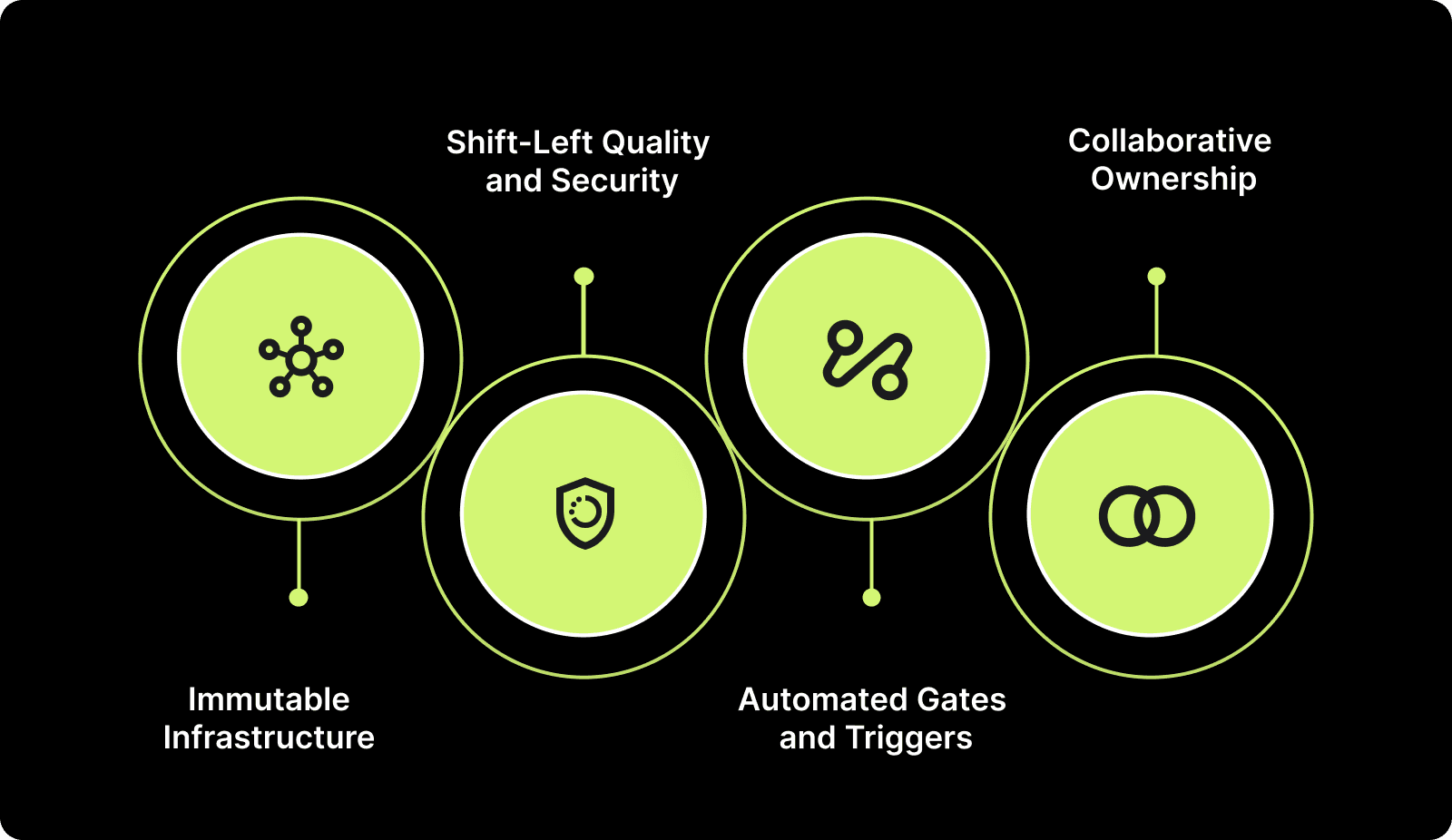
The Core Principles of Modern Release Management

Here are the guiding principles you should follow:

1. Immutable Infrastructure

Once an artifact is built, it should never change as it moves through different environments. Instead of patching servers, you replace them with new instances running the verified code. This eliminates "configuration drift" where staging works perfectly but production fails.

2. Shift-Left Quality and Security

Testing and security scans must happen as early as possible in the development lifecycle. Waiting until the staging environment to run vulnerability checks creates massive delays. Developers should receive feedback on code quality within their IDE or immediately after committing.

3. Automated Gates and Triggers

Human intervention should be the exception, not the rule, in your deployment pipeline. Use automated quality gates that stop a release if it fails unit tests or security checks. This ensures that bad code is rejected instantly without requiring a manager's review.

4. Collaborative Ownership

Developers build it, and they help run it; operations teams enable them to do so. The responsibility for a successful release is shared across the entire engineering org. This shared ownership eliminates the "throw it over the wall" mentality that causes deployment failures.

Also read: AI Code Review Techniques and Top Tools

With these principles as your foundation, you can now map out the concrete operational steps required to move code from idea to production.

The 5 Key Stages of the DevOps Release Pipeline

A robust pipeline consists of distinct stages, each with specific goals and validation criteria. Skipping steps or merging them haphazardly introduces risk and makes it difficult to pinpoint where errors occurred.

Here is how a standard high-velocity pipeline flows:

1. Planning and Coding: This stage involves defining the scope of the release and writing the actual code. Developers work on feature branches and commit changes to a version control system like Git.

  • Workflow: Product requirement → Ticket creation → Code development → Local testing.

2. Build and Integration (CI): The system compiles the code into an executable artifact and runs initial tests. This is where Continuous Integration (CI) tools validate that new code plays nicely with the existing codebase.

  • Workflow: Code commit → Automated build trigger → Unit tests → Static code analysis → Artifact creation.

3. Testing and QA: The build moves to a staging or QA environment that mirrors production. Here, deeper functional, integration, and performance tests occur to catch regressions.

  • Workflow: Deploy to Staging → Integration tests → User Acceptance Testing (UAT) → Performance load testing.

4. Deployment and Release: The verified artifact is pushed to the production environment. This can be done via strategies like blue-green deployments to minimize downtime.

  • Workflow: Production approval (automated or manual) → Traffic migration → Verification smoke tests.

5. Monitoring and Feedback: The process continues after the code is live; the team watches for errors and performance issues. This stage provides the data needed for the next planning cycle.

  • Workflow: Log aggregation → Error tracking → User analytics → Incident response (if needed).

Also read: What is a Secure Code Review? Process and Best Practices

Building the pipeline is only half the battle; to ensure it is actually delivering value, you need to rigorously track its performance using data.

Measuring Release Success: Essential Metrics and How to Track Them

You cannot improve what you do not measure, and "gut feeling" is not a metric. To optimize your release process, you need to track specific data points that reflect both speed and stability. The industry standard is the DORA metrics framework.

Here are the essential metrics to track:

1. Deployment Frequency (DF)

This metric tracks how often your organization successfully releases to production. High-performing teams deploy multiple times per day, while low-performing teams deploy monthly or yearly.

How to track:

  • Count the number of successful deployment triggers in your CI/CD tool over a set period (e.g., weekly).

  • Segment this data by team or service to identify bottlenecks.

  • Exclude failed deployments from the positive count.

2. Lead Time for Changes (LTC)

This measures the time it takes for a commit to get into production. It reflects the efficiency of your pipeline and how long code sits waiting for review or testing.

How to track:

  • Timestamp the first commit of a PR.

  • Timestamp the moment that the specific PR is merged and deployed to production.

  • Calculate the duration between these two timestamps.

  1. Change Failure Rate (CFR)

This is the percentage of deployments causing a failure in production. It indicates the quality of your code and the effectiveness of your testing procedures.

How to track:

  • Count total deployments in a given period.

  • Count the number of incidents, rollbacks, or hotfixes required immediately after those deployments.

  • Formula: (Number of Failures / Total Deployments) * 100.

4. Mean Time to Restore (MTTR)

When a failure inevitably occurs, this metric measures how long it takes to recover. It tests your incident response and observability capabilities.

How to track:

  • Log the timestamp when an incident is created/alerted.

  • Log the timestamp when the incident is resolved and service is fully restored.

  • Calculate the average duration of these incidents over time.

Data will reveal where your bottlenecks lie, but automation and strategic process improvements are the tools you will use to eliminate them.

Best Practices for Automating and Streamlining Your Release Process

Automation is the engine that drives DevOps release management. By removing manual toil, you reduce the chance of human error and free up your engineers to solve complex problems.
Best Practices for Automating and Streamlining Your Release Process

Here are actionable practices to implement:

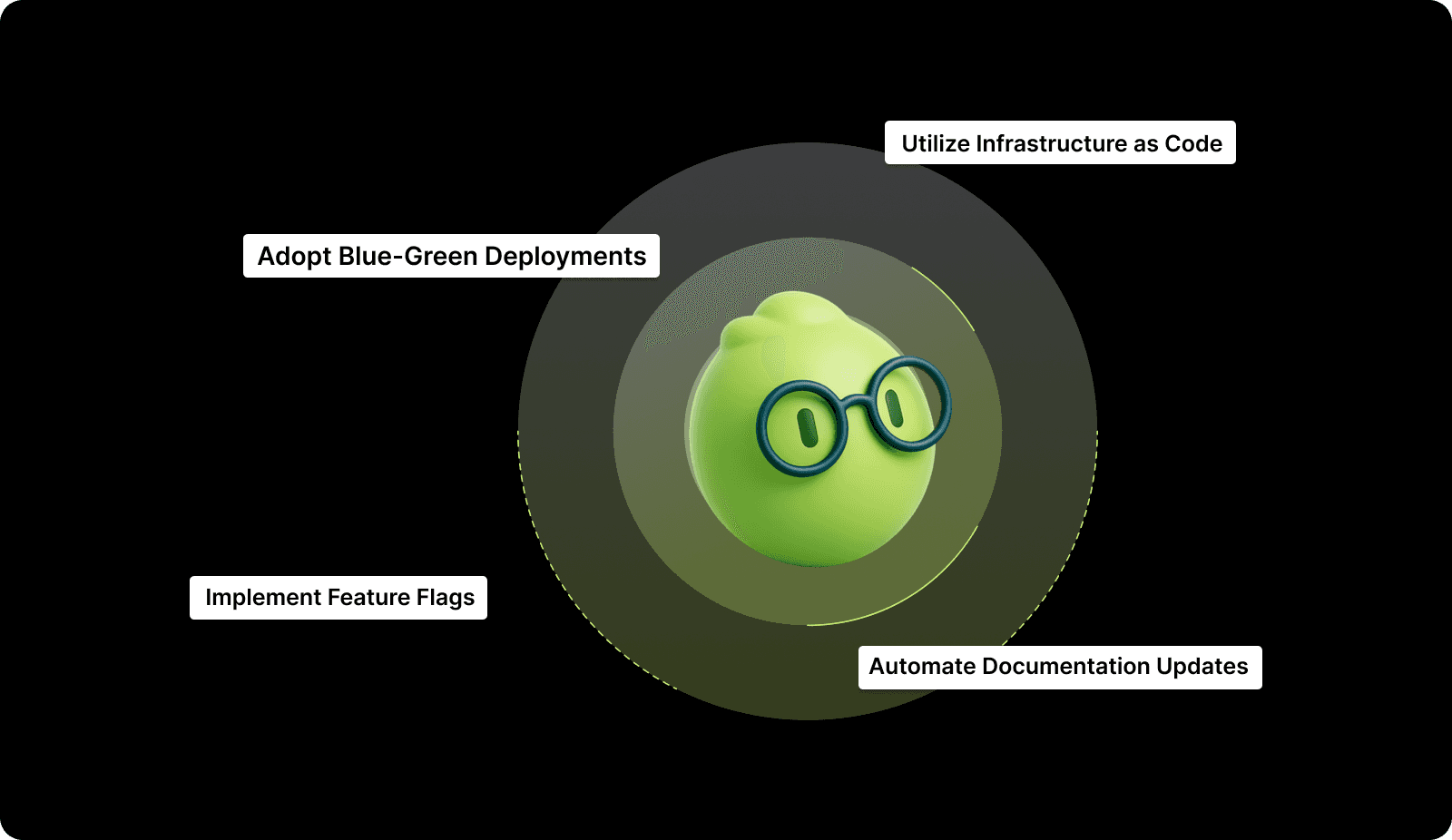
1. Implement Feature Flags

Feature flags allow you to deploy code to production while keeping it hidden from users. You can toggle features on for specific users or roll them out gradually.

Impact:

  • Decouples deployment (technical act) from release (business act).

  • Enables safe testing in production with real data.

  • Allows instant "kill switch" capability for buggy features without rolling back code.

2. Adopt Blue-Green Deployments

This strategy involves running two identical production environments. You deploy the new version to the inactive environment (Green) while the old one (Blue) serves traffic, then switch the router.

Impact:

  • Eliminates downtime during deployments.

  • Provides an instant rollback mechanism by switching traffic back to Blue.

  • Allows for final testing in a production-like environment before users enter.

3. Utilize Infrastructure as Code (IaC)

Manage your infrastructure using configuration files rather than manual GUI adjustments. This ensures that your environments are consistent and reproducible.

Impact:

  • Prevents environment drift between staging and production.

  • Enables version control for infrastructure changes.

  • Speeds up disaster recovery by allowing rapid re-provisioning.

4. Automate Documentation Updates

Outdated documentation is a major source of confusion and error. Use tools that auto-generate API docs and system diagrams based on the current code.

Impact:

  • Ensures documentation always matches the deployed reality.

  • Reduces the administrative burden on developers.

  • Accelerates onboarding for new team members.

Theory and best practices are helpful, but seeing how a high-stakes organization applied them to solve critical inefficiencies proves their value.

Case Study Insight

Allocore, a financial infrastructure platform, integrated Entelligence AI to tackle code review fatigue and catch production-critical bugs across 862 pull requests. The AI flagged data integrity issues, security weaknesses, race conditions, and compliance oversights before the merge.

Results: 70% reduction in review time, early detection of business-critical bugs, faster onboarding for new hires, and 20 minutes saved per review on average. Teams now scale confidently without sacrificing quality.

While success stories like Allocore's are inspiring, achieving that level of clarity requires a platform that unifies your fragmented engineering data.

How Entelligence AI Simplifies and Strengthens Your Release Process

Engineering leaders often face a "black box" regarding their release pipeline's actual health. You have disparate tools for coding, reviewing, and deploying, but no single source of truth connecting developer activity to business outcomes. This lack of visibility leads to guesswork when trying to improve release velocity or stability.

Entelligence AI serves as the end-to-end engineering productivity suite that bridges this gap. We provide the intelligence layer that sits on top of your workflow, offering clarity from the first line of code to the final release.

  • Contextual Code Reviews: Our AI catches bugs and anti-patterns in the IDE, ensuring cleaner code enters the pipeline and reducing Change Failure Rate.

  • Sprint Assessment Dashboards: Managers get automated insights into sprint progress and blockers, helping predict release timelines accurately.

  • Security Dashboard: We identify vulnerabilities early in the cycle, preventing last-minute security blocks that delay releases.

  • Background AI Agent: By handling repetitive tasks like documentation and formatting, we free up developers to focus on shipping logic.

Entelligence AI positions your organization to ship faster and with higher confidence by turning engineering data into an actionable strategy.

Conclusion

Mastering DevOps release management is a journey from chaos to clarity. By implementing the workflows, tracking the DORA metrics, and adopting the automation strategies outlined in this guide, you can transform your release process into a competitive advantage. It is about building a system where speed does not compromise stability, and where every deployment delivers value.

Entelligence AI acts as your partner in this transformation, providing the insights and tools needed to optimize every stage of development. From ensuring code quality before it hits the repo to providing org-wide visibility for leaders, we help you build a high-performance engineering culture.

Ready to gain total clarity over your engineering workflow and accelerate your releases? Book a demo with Entelligence AI today.

FAQs

Q. What is the difference between Release Management and Deployment?

Deployment is the technical action of moving code to a specific environment (like staging or production). Release Management is the broader strategic process that encompasses planning, scheduling, testing, and verifying the software update. You might deploy code many times a day, but a "release" might happen only when features are toggled on for users.

Q. Does a DevOps team need a dedicated Release Manager?

In smaller teams, the role is often shared or automated via CI/CD pipelines. However, for large enterprises with complex dependencies and regulatory requirements, a Release Manager is essential. They coordinate between teams, manage risk, and ensure that all compliance checks are met before production.

Q. How do we handle a failed release in a DevOps environment?

The best approach is "fix forward" or automated rollback. If the issue is small, a quick patch (fix forward) keeps the pipeline moving. For critical errors, an automated rollback (like in Blue-Green deployment) restores service instantly. The key is to have a blameless post-mortem afterwards to understand why the failure occurred.

Q. Can we implement Release Management without full automation?

You can start with manual processes, but it will be difficult to scale. Automation is what allows for consistency and speed. Start by automating your build and test phases, then move toward automated deployments. Manual steps should be reserved only for high-level business approvals if absolutely necessary.

Q. What are the most common pitfalls in DevOps release management?

Common pitfalls include inadequate testing automation, long-lived feature branches that cause integration issues, inconsistent environments between stages, and insufficient rollback procedures. Teams also often neglect monitoring and feedback loops, missing opportunities to learn from each release. Addressing these areas typically yields the most significant improvements in release reliability and frequency.

Deploying code to production often feels like a high-stakes gamble for engineering teams. You might worry that a single merged pull request could crash the system, cause a security breach, or degrade user experience. This anxiety turns release days into stressful events rather than celebrations of new value delivered to customers.

This need for a better approach is widely recognized; in fact, a recent survey found that 86% of professionals favor a DevOps culture for fast software development and release. The solution lies in moving away from ad-hoc deployments toward a structured, predictable process.

You need a system that balances the demand for speed with the absolute necessity of stability. This balance is not about slowing down; it is about building guardrails that allow you to run faster without crashing.

In this article, we will break down the frameworks, metrics, and best practices of DevOps release management to help you ship software with confidence.

At A Glance:

  • Shift Left on Security: Catching vulnerabilities during the coding phase saves significant remediation time later in the release cycle.

  • DORA Metrics Matter: Focus on Deployment Frequency, Lead Time for Changes, Change Failure Rate, and Time to Restore Service to measure success.

  • Automate the Boring Stuff: Manual approvals and documentation updates create bottlenecks; automate them to keep the pipeline flowing.

  • Feature Flags Reduce Risk: decoupling deployment from release allows you to test in production safely without impacting all users.

  • Feedback Loops are Vital: A release isn't finished until you have data on how it impacts system performance and user behavior.

  • Consistency Over Heroics: A boring, predictable release process is far superior to relying on a "hero" engineer to fix things at 2 AM.

What is DevOps Release Management?

DevOps release management is the process of planning, scheduling, and controlling the software build through different stages and environments. It includes testing and deploying software releases.

Unlike traditional project management, which often treats release as a one-time event, this approach views release as a continuous, cyclical process. It unifies development, operations, and quality assurance to ensure that code moves from a developer's machine to the production environment efficiently, securely, and reliably.

Also read: Understanding Velocity in Agile Software Development

Defining the process is simple, but understanding its critical impact on your team's velocity and sanity is where the real value lies.

Why Effective Release Management is Non-Negotiable for High-Velocity Teams

Without a solid management strategy, speed becomes a liability rather than an asset. You end up shipping bugs faster, which erodes customer trust and burns out your engineering team. A structured approach ensures that increasing velocity does not come at the cost of quality.

Here are the primary reasons you must prioritize this discipline:

1. Risk Mitigation and Stability

Unchecked deployments are the primary cause of system outages and downtime. A managed process introduces standardized checks and balances that catch errors before they reach the end user. This stability allows the business to rely on software availability.

2. Accelerated Feedback Loops

Great release management shortens the time between writing code and getting user feedback. When you ship smaller batches frequently, you learn what works immediately. This allows product managers to adjust requirements based on real-world usage rather than assumptions.

3. Regulatory and Security Compliance

For industries like fintech or healthcare, knowing exactly who deployed what and when is a legal requirement. A structured release process creates an automatic audit trail. It ensures that every line of code in production has passed necessary security scans and approvals.

4. Engineering Team Morale

Constant firefighting and late-night hotfixes destroy team culture and drive attrition. A predictable release cadence reduces stress and allows engineers to focus on building new features. It turns deployment from a scary event into a routine background task.

Also read: Choosing the Right Tool: Top 7 Graphite Alternatives for AI Code Review

To realize these benefits and build a truly resilient system, you must ground your strategy in a set of non-negotiable guiding pillars.

The Core Principles of Modern Release Management

Modern engineering organizations cannot rely on spreadsheets and manual handovers to manage releases. You must adopt principles that favor automation, collaboration, and immutability to handle the complexity of distributed systems.

The Core Principles of Modern Release Management

Here are the guiding principles you should follow:

1. Immutable Infrastructure

Once an artifact is built, it should never change as it moves through different environments. Instead of patching servers, you replace them with new instances running the verified code. This eliminates "configuration drift" where staging works perfectly but production fails.

2. Shift-Left Quality and Security

Testing and security scans must happen as early as possible in the development lifecycle. Waiting until the staging environment to run vulnerability checks creates massive delays. Developers should receive feedback on code quality within their IDE or immediately after committing.

3. Automated Gates and Triggers

Human intervention should be the exception, not the rule, in your deployment pipeline. Use automated quality gates that stop a release if it fails unit tests or security checks. This ensures that bad code is rejected instantly without requiring a manager's review.

4. Collaborative Ownership

Developers build it, and they help run it; operations teams enable them to do so. The responsibility for a successful release is shared across the entire engineering org. This shared ownership eliminates the "throw it over the wall" mentality that causes deployment failures.

Also read: AI Code Review Techniques and Top Tools

With these principles as your foundation, you can now map out the concrete operational steps required to move code from idea to production.

The 5 Key Stages of the DevOps Release Pipeline

A robust pipeline consists of distinct stages, each with specific goals and validation criteria. Skipping steps or merging them haphazardly introduces risk and makes it difficult to pinpoint where errors occurred.

Here is how a standard high-velocity pipeline flows:

1. Planning and Coding: This stage involves defining the scope of the release and writing the actual code. Developers work on feature branches and commit changes to a version control system like Git.

  • Workflow: Product requirement → Ticket creation → Code development → Local testing.

2. Build and Integration (CI): The system compiles the code into an executable artifact and runs initial tests. This is where Continuous Integration (CI) tools validate that new code plays nicely with the existing codebase.

  • Workflow: Code commit → Automated build trigger → Unit tests → Static code analysis → Artifact creation.

3. Testing and QA: The build moves to a staging or QA environment that mirrors production. Here, deeper functional, integration, and performance tests occur to catch regressions.

  • Workflow: Deploy to Staging → Integration tests → User Acceptance Testing (UAT) → Performance load testing.

4. Deployment and Release: The verified artifact is pushed to the production environment. This can be done via strategies like blue-green deployments to minimize downtime.

  • Workflow: Production approval (automated or manual) → Traffic migration → Verification smoke tests.

5. Monitoring and Feedback: The process continues after the code is live; the team watches for errors and performance issues. This stage provides the data needed for the next planning cycle.

  • Workflow: Log aggregation → Error tracking → User analytics → Incident response (if needed).

Also read: What is a Secure Code Review? Process and Best Practices

Building the pipeline is only half the battle; to ensure it is actually delivering value, you need to rigorously track its performance using data.

Measuring Release Success: Essential Metrics and How to Track Them

You cannot improve what you do not measure, and "gut feeling" is not a metric. To optimize your release process, you need to track specific data points that reflect both speed and stability. The industry standard is the DORA metrics framework.

Here are the essential metrics to track:

1. Deployment Frequency (DF)

This metric tracks how often your organization successfully releases to production. High-performing teams deploy multiple times per day, while low-performing teams deploy monthly or yearly.

How to track:

  • Count the number of successful deployment triggers in your CI/CD tool over a set period (e.g., weekly).

  • Segment this data by team or service to identify bottlenecks.

  • Exclude failed deployments from the positive count.

2. Lead Time for Changes (LTC)

This measures the time it takes for a commit to get into production. It reflects the efficiency of your pipeline and how long code sits waiting for review or testing.

How to track:

  • Timestamp the first commit of a PR.

  • Timestamp the moment that the specific PR is merged and deployed to production.

  • Calculate the duration between these two timestamps.

  1. Change Failure Rate (CFR)

This is the percentage of deployments causing a failure in production. It indicates the quality of your code and the effectiveness of your testing procedures.

How to track:

  • Count total deployments in a given period.

  • Count the number of incidents, rollbacks, or hotfixes required immediately after those deployments.

  • Formula: (Number of Failures / Total Deployments) * 100.

4. Mean Time to Restore (MTTR)

When a failure inevitably occurs, this metric measures how long it takes to recover. It tests your incident response and observability capabilities.

How to track:

  • Log the timestamp when an incident is created/alerted.

  • Log the timestamp when the incident is resolved and service is fully restored.

  • Calculate the average duration of these incidents over time.

Data will reveal where your bottlenecks lie, but automation and strategic process improvements are the tools you will use to eliminate them.

Best Practices for Automating and Streamlining Your Release Process

Automation is the engine that drives DevOps release management. By removing manual toil, you reduce the chance of human error and free up your engineers to solve complex problems.

Best Practices for Automating and Streamlining Your Release Process

Here are actionable practices to implement:

1. Implement Feature Flags

Feature flags allow you to deploy code to production while keeping it hidden from users. You can toggle features on for specific users or roll them out gradually.

Impact:

  • Decouples deployment (technical act) from release (business act).

  • Enables safe testing in production with real data.

  • Allows instant "kill switch" capability for buggy features without rolling back code.

2. Adopt Blue-Green Deployments

This strategy involves running two identical production environments. You deploy the new version to the inactive environment (Green) while the old one (Blue) serves traffic, then switch the router.

Impact:

  • Eliminates downtime during deployments.

  • Provides an instant rollback mechanism by switching traffic back to Blue.

  • Allows for final testing in a production-like environment before users enter.

3. Utilize Infrastructure as Code (IaC)

Manage your infrastructure using configuration files rather than manual GUI adjustments. This ensures that your environments are consistent and reproducible.

Impact:

  • Prevents environment drift between staging and production.

  • Enables version control for infrastructure changes.

  • Speeds up disaster recovery by allowing rapid re-provisioning.

4. Automate Documentation Updates

Outdated documentation is a major source of confusion and error. Use tools that auto-generate API docs and system diagrams based on the current code.

Impact:

  • Ensures documentation always matches the deployed reality.

  • Reduces the administrative burden on developers.

  • Accelerates onboarding for new team members.

Theory and best practices are helpful, but seeing how a high-stakes organization applied them to solve critical inefficiencies proves their value.

Case Study Insight

Allocore, a financial infrastructure platform, integrated Entelligence AI to tackle code review fatigue and catch production-critical bugs across 862 pull requests. The AI flagged data integrity issues, security weaknesses, race conditions, and compliance oversights before the merge.

Results: 70% reduction in review time, early detection of business-critical bugs, faster onboarding for new hires, and 20 minutes saved per review on average. Teams now scale confidently without sacrificing quality.

While success stories like Allocore's are inspiring, achieving that level of clarity requires a platform that unifies your fragmented engineering data.

How Entelligence AI Simplifies and Strengthens Your Release Process

Engineering leaders often face a "black box" regarding their release pipeline's actual health. You have disparate tools for coding, reviewing, and deploying, but no single source of truth connecting developer activity to business outcomes. This lack of visibility leads to guesswork when trying to improve release velocity or stability.

Entelligence AI serves as the end-to-end engineering productivity suite that bridges this gap. We provide the intelligence layer that sits on top of your workflow, offering clarity from the first line of code to the final release.

  • Contextual Code Reviews: Our AI catches bugs and anti-patterns in the IDE, ensuring cleaner code enters the pipeline and reducing Change Failure Rate.

  • Sprint Assessment Dashboards: Managers get automated insights into sprint progress and blockers, helping predict release timelines accurately.

  • Security Dashboard: We identify vulnerabilities early in the cycle, preventing last-minute security blocks that delay releases.

  • Background AI Agent: By handling repetitive tasks like documentation and formatting, we free up developers to focus on shipping logic.

Entelligence AI positions your organization to ship faster and with higher confidence by turning engineering data into an actionable strategy.

Conclusion

Mastering DevOps release management is a journey from chaos to clarity. By implementing the workflows, tracking the DORA metrics, and adopting the automation strategies outlined in this guide, you can transform your release process into a competitive advantage. It is about building a system where speed does not compromise stability, and where every deployment delivers value.

Entelligence AI acts as your partner in this transformation, providing the insights and tools needed to optimize every stage of development. From ensuring code quality before it hits the repo to providing org-wide visibility for leaders, we help you build a high-performance engineering culture.

Ready to gain total clarity over your engineering workflow and accelerate your releases? Book a demo with Entelligence AI today.

FAQs

Q. What is the difference between Release Management and Deployment?

Deployment is the technical action of moving code to a specific environment (like staging or production). Release Management is the broader strategic process that encompasses planning, scheduling, testing, and verifying the software update. You might deploy code many times a day, but a "release" might happen only when features are toggled on for users.

Q. Does a DevOps team need a dedicated Release Manager?

In smaller teams, the role is often shared or automated via CI/CD pipelines. However, for large enterprises with complex dependencies and regulatory requirements, a Release Manager is essential. They coordinate between teams, manage risk, and ensure that all compliance checks are met before production.

Q. How do we handle a failed release in a DevOps environment?

The best approach is "fix forward" or automated rollback. If the issue is small, a quick patch (fix forward) keeps the pipeline moving. For critical errors, an automated rollback (like in Blue-Green deployment) restores service instantly. The key is to have a blameless post-mortem afterwards to understand why the failure occurred.

Q. Can we implement Release Management without full automation?

You can start with manual processes, but it will be difficult to scale. Automation is what allows for consistency and speed. Start by automating your build and test phases, then move toward automated deployments. Manual steps should be reserved only for high-level business approvals if absolutely necessary.

Q. What are the most common pitfalls in DevOps release management?

Common pitfalls include inadequate testing automation, long-lived feature branches that cause integration issues, inconsistent environments between stages, and insufficient rollback procedures. Teams also often neglect monitoring and feedback loops, missing opportunities to learn from each release. Addressing these areas typically yields the most significant improvements in release reliability and frequency.

Your questions,

Your questions,

Decoded

Decoded

What makes Entelligence different?

Unlike tools that just flag issues, Entelligence understands context — detecting, explaining, and fixing problems while aligning with product goals and team standards.

Does it replace human reviewers?

No. It amplifies them. Entelligence handles repetitive checks so engineers can focus on architecture, logic, and innovation.

What tools does it integrate with?

It fits right into your workflow — GitHub, GitLab, Jira, Linear, Slack, and more. No setup friction, no context switching.

How secure is my code?

Your code never leaves your environment. Entelligence uses encrypted processing and complies with top industry standards like SOC 2 and HIPAA.

Who is it built for?

Fast-growing engineering teams that want to scale quality, security, and velocity without adding more manual reviews or overhead.

What makes Entelligence different?
Does it replace human reviewers?
What tools does it integrate with?
How secure is my code?
Who is it built for?

Drop your details

We’ll reach out before your next deploy hits production.

We’ll reach out before your next deploy hits production.