

How to Improve Developer Experience for Better Productivity

Dec 8, 2025

Dec 8, 2025

In software development, a poor Developer Experience (DX) can lead to slow workflows, frustration, and reduced productivity. These issues not only slow developers down but also impact team collaboration and overall performance.

Developers need the right tools, streamlined processes, and a supportive culture to stay focused and deliver quality code quickly. The good news? By improving DX, you can create an environment where developers thrive, reducing bottlenecks and enabling faster, more efficient software delivery. 

In this blog, we’ll explain why DX is crucial and how improving tools, processes, and team culture can drive better outcomes for both developers and businesses.

Key Takeaways

  • Developer Experience (DX) is essential for boosting developer productivity, satisfaction, and retention.

  • Enhancing DX involves improving tools, automating workflows, and fostering a collaborative culture.

  • AI and automation can reduce friction in repetitive tasks like code reviews and testing, allowing developers to focus on high-impact work.

  • Companies that prioritize DX see faster delivery, better quality code, and improved team morale.

  • A positive DX leads to higher developer engagement and lower turnover rates, which directly impacts overall business success.

What Exactly Is Developer Experience? Understanding the Full Picture

Developer Experience (DX) refers to the overall experience developers have while interacting with the tools, processes, and environment used to build software. It's about providing developers with the resources, workflows, and support they need to be productive and reduce frustration.

A great Developer Experience enables developers to focus on what they do best: writing high-quality code. It ensures that they are equipped with the right tools and processes to work efficiently, collaborate effectively, and maintain a positive work environment.

Key aspects of DX include:

  • High-quality, integrated tools that streamline development.

  • Clear and efficient workflows for tasks like code reviews, testing, and deployment.

  • Open communication and collaboration within teams.

  • Accessible documentation and smooth onboarding processes.

What Makes a Great Developer Experience? Key Elements to Focus On

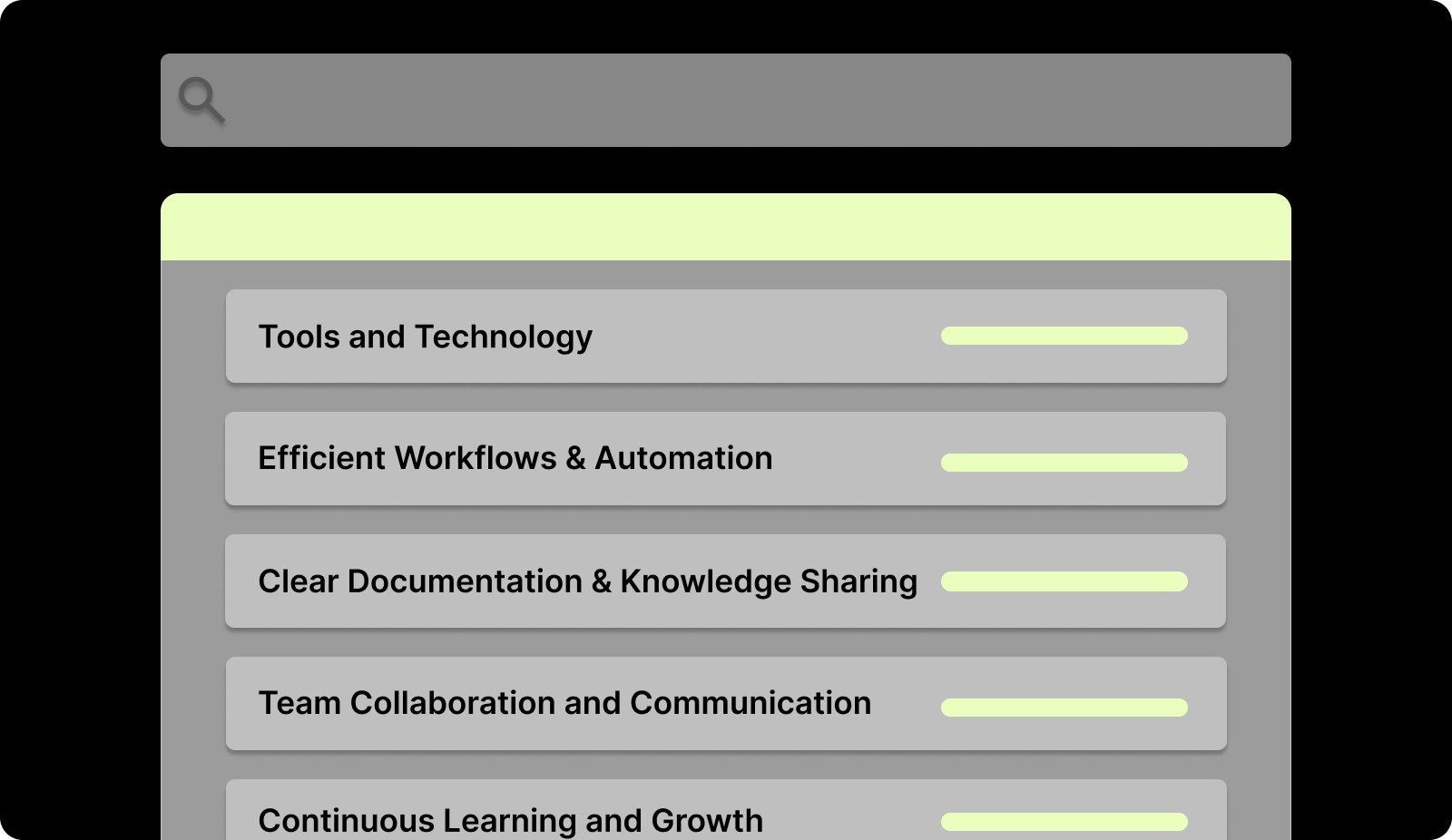
A great Developer Experience (DX) is built on clear processes, powerful tools, and a culture that supports innovation and growth. Here are the essential elements that contribute to a positive DX:
What Makes a Great Developer Experience? Key Elements to Focus On

1. Tools and Technology

Efficient tools are the backbone of a smooth development process. Developers should spend their time writing code, not fighting with tools that slow them down.

Objective: Equip developers with intuitive, integrated tools that streamline their workflow and reduce friction.

Key Results:

  • Ensure widespread usage of modern IDEs and CI/CD tools, guaranteeing a smooth and fast development process.

  • Reduce time spent on manual testing and code checks, enabling faster iteration cycles.

  • Automate deployment processes, reducing human error and speeding up releases.

2. Efficient Workflows and Automation

Manual tasks like testing and code reviews are productivity killers. By automating these repetitive tasks, you free up developers to focus on solving complex problems and building new features.

Objective: Streamline workflows by implementing automation to reduce manual effort and improve efficiency.

Key Results:

  • Automate the testing process, cutting down review time and reducing errors.

  • Implement continuous integration for all projects, ensuring quicker feedback and faster releases.

  • Reduce average code review time, improving team throughput.

3. Clear Documentation and Knowledge Sharing

Good documentation isn’t just about explaining how to use a tool; it’s about making information accessible and easy to understand. Clear, well-maintained documentation is crucial for onboarding and ongoing development.

Objective: Make knowledge accessible by ensuring documentation is consistent, clear, and easy to find.

Key Results:

  • Ensure complete feature documentation with clear examples and usage instructions.

  • Make onboarding tasks for new developers easy to complete within a week, supported by accessible guides and FAQs.

  • Enable all developers to contribute to internal documentation, fostering a collaborative knowledge-sharing culture.

4. Team Collaboration and Communication

Open communication between team members, managers, and cross-functional teams is key to a smooth workflow and high productivity. Miscommunication leads to delays and confusion.

Objective: Foster transparent communication and regular collaboration to align teams and improve efficiency.

Key Results:

  • Implement weekly cross-functional sync meetings to align product, engineering, and business teams.

  • Reduce project handoff delays through shared project tracking and collaboration tools.

  • Increase developer satisfaction with communication as measured by internal surveys.

5. Continuous Learning and Growth

A culture that supports learning helps developers grow their skills and stay motivated. Offering opportunities for skill development and career progression ensures developers remain engaged and loyal.

Objective: Support developer growth by offering learning resources and opportunities for skill advancement.

Key Results:

  • Provide training programs that ensure developers regularly attend technical workshops.

  • Implement a mentorship program for new hires, helping them integrate quickly and develop professionally.

  • Increase the number of internal promotions, reinforcing the culture of growth and development.
Simple Ways to Improve Developer Experience

Improving Developer Experience (DX) is about more than just tools; it’s about building the right culture and workflows. Here's how to improve the developer experience across your team:

1. Reduce Workflow Friction

Developer experience breaks down the moment work feels slower than it should. Long PR queues, unclear tickets, constant context switching, and manual busywork all chip away at focus and satisfaction. Your goal is simple: make it as easy as possible for a developer to go from “I know what to do” to “I shipped it” with minimal friction in between.

Here’s what you need to do to reduce workflow friction:

  • Standardize intake: Write clear user stories with acceptance criteria, edge cases, and links to designs/specs so devs don’t have to chase context.

  • Use templates for repeatable work: Create PR, bug report, and tech spec templates so every item comes with the right information from the start.

  • Cut unnecessary handoffs: Reduce back-and-forth between product, design, and engineering by aligning on scope before work starts.

  • Automate the boring parts: Let tools handle linting, formatting, basic checks, and CI triggers so developers don’t waste time on manual steps.

  • Protect focus time: Limit ad-hoc pings and scattered meetings. Give developers long, uninterrupted blocks where they can actually build.

When you remove friction from the path to shipping, developer experience improves immediately, even before you change tools or processes.

2. Improve Documentation Quality and Accessibility

Nothing frustrates developers faster than missing, outdated, or scattered documentation. When docs are hard to find or hard to trust, ramp-up slows, bugs increase, and the same questions keep getting asked in Slack. Good documentation isn’t “extra”, it’s a core part of developer experience and team velocity.

Here’s what you need to do to make documentation actually useful:

  • Create a single source of truth: Decide where docs live (e.g., an internal wiki or docs-as-code in the repo) and stick to it. No duplicates across random tools.

  • Document what devs actually need: Prioritize API contracts, architecture overviews, environment setup, deployment steps, and common troubleshooting guides over generic “about” pages.

  • Make docs part of the workflow: Add “docs updated” to your definition of done. If something changes in behavior, configuration, or architecture, the related doc must change too.

  • Keep it searchable and structured: Use clear titles, headings, and tags so developers can quickly find what they need instead of reading full pages every time.

  • Review and prune regularly: Remove or clearly mark outdated docs. Stale documentation damages trust more than having no documentation at all.

Strong, accessible documentation turns confusion into confidence and makes every other part of the developer experience easier, from onboarding to debugging to collaborating across teams.

3. Provide Better Tools and Faster Environments

Slow environments and clunky tools are silent productivity killers. Nothing drains energy faster than waiting for builds, debugging setup scripts, or context-switching between half-integrated systems. Developers thrive when their environment just works fast, predictable, and available on demand.

Here’s what you need to do to modernize your developer toolkit:

  • Upgrade your setup: Provide preconfigured, containerized dev environments so engineers can start coding immediately.

  • Speed up CI/CD: Optimize pipelines and parallelize tests to cut waiting time between commits and deploys.

  • Offer self-service infrastructure: Enable developers to create preview environments, test data, or staging builds without waiting on DevOps.

  • Keep tools consistent: Fewer platforms mean fewer mental hops. Integrate everything, IDEs, task boards, and code review tools — into a unified flow.

4. Create Clear Communication Channels

Most friction in engineering comes from unclear communication — not code. When developers don’t know why a change matters or what’s blocking progress, productivity stalls. Great developer experience means giving engineers clarity without crowding their calendars.

Here’s what you can do:

  • Reduce meeting load: Move updates and decisions to async formats like Slack threads or Notion logs. Keep meetings short and purposeful.

  • Write decisions down: Maintain a living document or decision log that captures context behind technical or product choices.

  • Promote async-first communication: Not every question needs a meeting. Use recorded demos, detailed specs, and shared notes to keep context accessible.

  • Connect tasks to purpose: Make sure engineers know how their work supports business goals, context boosts motivation and alignment.

5. Prioritize Developer Autonomy

Developers do their best work when they have control over how they solve problems. Micromanagement kills creativity and motivation. Autonomy, combined with clear goals, leads to stronger ownership and faster results.

Here’s how to encourage autonomy:

  • Set direction, not detailed instructions: Define what success looks like, not every step to get there.

  • Empower technical decisions: Let engineers propose and justify architectural or tooling choices.

  • Trust, then verify: Use metrics and reviews for guidance, not control.

  • Recognize initiative: Celebrate when developers solve problems independently or improve processes.

6. Streamline Code Review Processes

Code reviews are critical for quality, but when they drag, everything slows down. Long queues, inconsistent standards, and unclear expectations frustrate developers and delay releases. The best teams make reviews fast, fair, and focused.

Here’s how to optimize your review process:

  • Set review SLAs: Make it clear that PRs should be reviewed within 24 hours to keep flow steady.

  • Automate low-level feedback: Use tools to catch formatting, linting, and minor errors automatically.

  • Standardize review criteria: Define what “ready for merge” means to avoid nitpicking and inconsistencies.

  • Track cycle time: Monitor how long reviews take and spot recurring blockers.

7. Invest in Developer Growth and Skill Development

Developers stay longer and perform better when they’re learning. Growth opportunities build loyalty, reduce burnout, and strengthen your technical depth. A stagnant environment, on the other hand, drives talent away.

Here’s how to support developer growth:

  • Offer learning budgets: Allocate funds for courses, conferences, or certifications that align with team goals.

  • Encourage experimentation: Give developers time for side projects, hack days, or technical deep dives.

  • Share knowledge: Host internal tech talks, lunch-and-learns, or demo sessions.

  • Support mentorship: Pair junior and senior developers for continuous learning and leadership development.

8. Reduce Cognitive Load

Developers shouldn’t spend mental energy figuring out how to work, only what to build. Too much context-switching, messy repos, and unclear priorities create cognitive overload. Streamlining processes helps developers focus and ship faster.

Here’s how to lighten the load:

  • Limit work in progress (WIP): Fewer active tasks per developer means more focus and fewer context switches.

  • Clarify priorities: Use Kanban or sprint boards to make top priorities unmistakable.

  • Keep repos clean: Use consistent patterns, folder structures, and naming conventions across projects.

  • Document decisions in code: Clear comments and commit messages prevent guesswork.

9. Create a Supportive Engineering Culture

The best developer experience isn’t about fancy tools, it’s about how people work together. A culture of support, trust, and shared learning drives motivation and performance far more than any single platform.

Here’s how to build that culture:

  • Encourage pair programming and mentorship: It accelerates learning and spreads knowledge organically.

  • Normalize knowledge sharing: Make sharing discoveries and lessons a team habit, not a one-off event.

  • Remove blame from retrospectives: Focus on fixing systems, not people.

  • Celebrate small wins: Recognize quick fixes, clean refactors, or improved docs as much as big releases.

10. Use AI Tools to Boost Efficiency

AI can drastically improve the developer experience by eliminating repetitive work, accelerating reviews, and providing real-time insights. Instead of replacing developers, it supports them, allowing them to focus on creative, impactful work.

Here’s how AI can help:

  • Automate repetitive engineering tasks: Offload linting, formatting, and documentation updates to AI-driven systems.

  • Accelerate code reviews: Use context-aware AI reviewers to flag issues, suggest fixes, and improve review consistency.

  • Enhance visibility: AI dashboards can track PR health, sprint progress, and team performance without manual reporting.

  • Support decision-making: Predict risks, identify blockers, and suggest optimizations across your development cycle.

Identifying the Common Pain Points in Developer Experience

Even with the best intentions, every developer experiences friction from time to time. These common pain points can significantly impact productivity and team morale. Here’s how to identify the biggest obstacles in Developer Experience:

1. Slow Onboarding

When new developers struggle to get up to speed, it leads to wasted time and frustration. A lengthy or confusing onboarding process can delay productivity and lower morale early on.

2. Inefficient Code Reviews

Slow or unstructured code reviews can introduce bottlenecks that hold up development. When reviews lack clarity or take too long, developers spend more time waiting for feedback than actually coding.

3. Fragmented Tooling

Using a mix of disconnected tools leads to context-switching, which can slow down work and reduce efficiency. Developers often have to jump between platforms, which breaks their flow and wastes time.

4. Lack of Real-Time Feedback

Delayed feedback on code quality, performance, or product alignment leads to uncertainty, confusion, and slower progress. Without immediate feedback, developers can’t quickly address issues, which can lead to mistakes or misalignment with project goals.

5. Limited Growth Opportunities

If developers feel stagnant in their roles or lack opportunities for skill growth, it can lead to frustration, burnout, and eventually, turnover. Providing ongoing opportunities for professional development is key to retaining top talent.

How Do You Measure Developer Experience?

Developer Experience (DX) can’t be improved without measurement. The right signals show where friction exists and how to make developers’ work faster, easier, and more engaging.

Here’s how to measure and improve DX effectively.

Metric

How to Measure

Onboarding Time

Track time from a developer’s first day to their first merged PR or completed task. Identify delays in setup or documentation.

Deployment and Cycle Time

Measure time from code commit to production and PR open-to-merge duration.

Code Review Efficiency

Monitor PR review times, iterations before merge, and queue length.

Developer Satisfaction

Use quarterly surveys, eNPS scores, and retrospective feedback.

Tool and Environment Reliability

Track CI/CD failure rates, rebuild frequency, and time lost to environment issues.

Knowledge Accessibility

Review repeated questions in Slack or wiki search logs to find missing or unclear content.

How Entelligence AI Enhances Developer Experience?
How Entelligence AI Enhances Developer Experience?

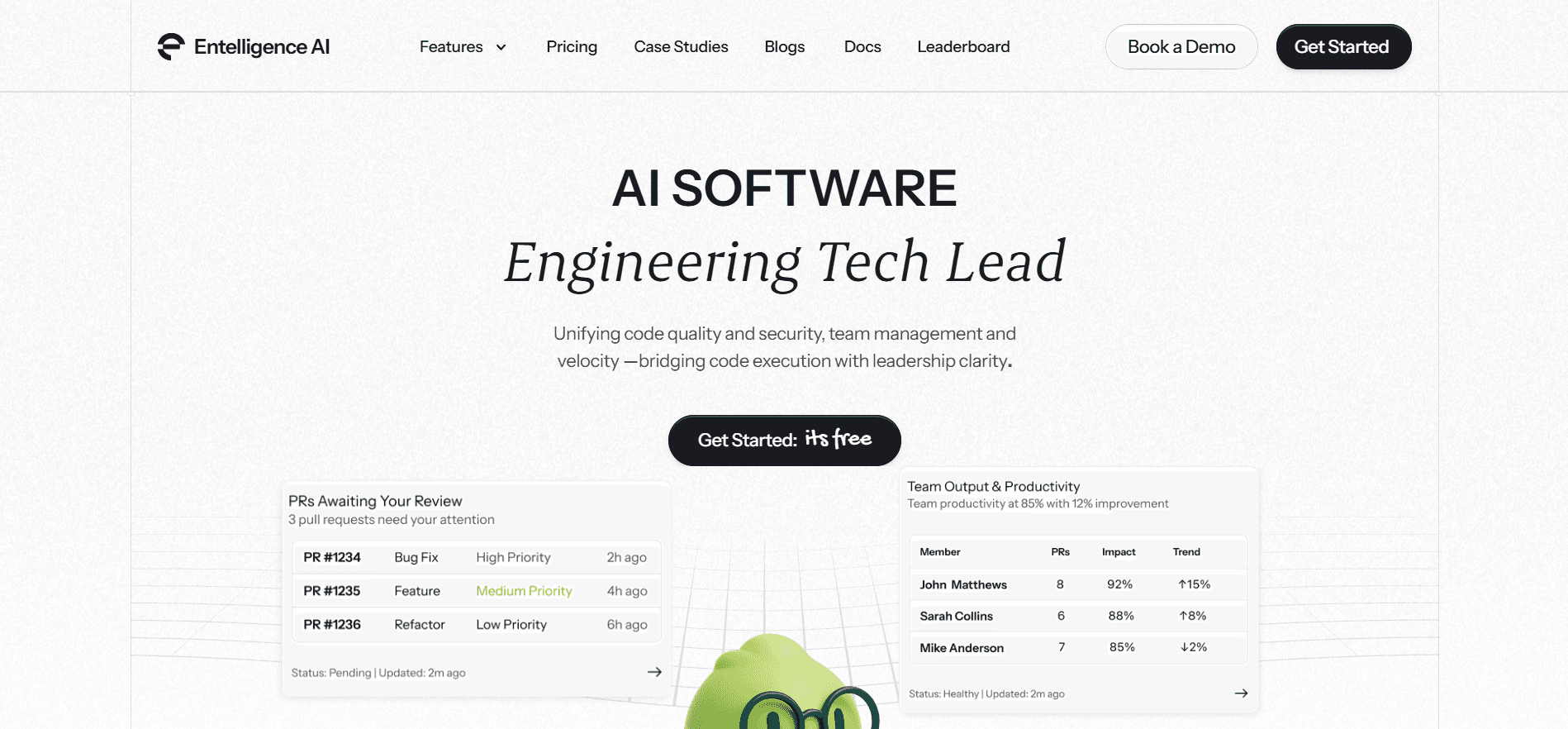
Entelligence AI streamlines development by automating routine tasks and providing real-time, context-driven insights, directly improving Developer Experience (DX):

  • Contextual Code Reviews: AI-powered, context-aware code reviews integrated within the IDE. It analyzes changes, offers suggestions, and flags potential issues before submission.

  • Pull Request (PR) Dashboard: A unified dashboard to track and manage PRs, displaying their status and alerting on stale or blocked PRs, improving collaboration and prioritization.

  • Automated Documentation: Automatically updated documentation synced with repos, including architecture diagrams and API docs, ensuring accurate, up-to-date knowledge.

  • Security Dashboard: Continuous scanning for vulnerabilities and security issues with real-time remediation suggestions.

  • Background AI Agent: Automates repetitive tasks like linting, formatting, and boilerplate setup, learning your team’s coding conventions and providing contextual suggestions in the IDE.

With Entelligence AI, developer experience is enhanced by making work more efficient, focused, and aligned with business goals.

Conclusion

Improving Developer Experience (DX) is crucial for creating a productive, engaged, and high-performing engineering team. With Entelligence AI, developers can focus on building high-quality software by automating repetitive tasks, streamlining workflows, and providing real-time insights.

From contextual code reviews to automated documentation and security dashboards, Entelligence AI offers a comprehensive suite of tools that integrate seamlessly into developers' existing workflows. These features not only reduce friction but also improve code quality, security, and team collaboration.

By prioritizing DX, you ensure your developers have the right environment to thrive, leading to faster delivery, better quality, and improved team morale.

Start your free trial today and see how Entelligence AI can enhance your Developer Experience.

Frequently Asked Questions

Q1. How does Developer Experience impact business outcomes?

A strong Developer Experience helps teams deliver faster, improve code quality, and reduce errors. This shortens release cycles, boosts customer satisfaction, and increases the overall ROI of engineering efforts.

Q2. Why is improving Developer Experience important?

Improving DX reduces friction, speeds up delivery, and boosts team morale. It supports business outcomes like faster time to market and better product quality. 

Q3. Who is responsible for improving Developer Experience?

Developer Experience is a shared responsibility across leadership, platform, and engineering teams. Managers set clear processes, platform teams provide the right tools, and leaders create an environment that supports focus and growth.

Q4. Can small teams benefit from focusing on Developer Experience?

Yes. Even small teams can see significant gains by simplifying workflows, improving documentation, and reducing manual overhead. Many big benefits have little scale dependency. 

Q5. How does automation and AI impact Developer Experience?

Automation and AI help by reducing repetitive tasks, improving feedback loops, and providing real‑time insights. This allows developers to focus on high‑impact work rather than manual maintenance.

In software development, a poor Developer Experience (DX) can lead to slow workflows, frustration, and reduced productivity. These issues not only slow developers down but also impact team collaboration and overall performance.

Developers need the right tools, streamlined processes, and a supportive culture to stay focused and deliver quality code quickly. The good news? By improving DX, you can create an environment where developers thrive, reducing bottlenecks and enabling faster, more efficient software delivery. 

In this blog, we’ll explain why DX is crucial and how improving tools, processes, and team culture can drive better outcomes for both developers and businesses.

Key Takeaways

  • Developer Experience (DX) is essential for boosting developer productivity, satisfaction, and retention.

  • Enhancing DX involves improving tools, automating workflows, and fostering a collaborative culture.

  • AI and automation can reduce friction in repetitive tasks like code reviews and testing, allowing developers to focus on high-impact work.

  • Companies that prioritize DX see faster delivery, better quality code, and improved team morale.

  • A positive DX leads to higher developer engagement and lower turnover rates, which directly impacts overall business success.

What Exactly Is Developer Experience? Understanding the Full Picture

Developer Experience (DX) refers to the overall experience developers have while interacting with the tools, processes, and environment used to build software. It's about providing developers with the resources, workflows, and support they need to be productive and reduce frustration.

A great Developer Experience enables developers to focus on what they do best: writing high-quality code. It ensures that they are equipped with the right tools and processes to work efficiently, collaborate effectively, and maintain a positive work environment.

Key aspects of DX include:

  • High-quality, integrated tools that streamline development.

  • Clear and efficient workflows for tasks like code reviews, testing, and deployment.

  • Open communication and collaboration within teams.

  • Accessible documentation and smooth onboarding processes.

What Makes a Great Developer Experience? Key Elements to Focus On

A great Developer Experience (DX) is built on clear processes, powerful tools, and a culture that supports innovation and growth. Here are the essential elements that contribute to a positive DX:

What Makes a Great Developer Experience? Key Elements to Focus On

1. Tools and Technology

Efficient tools are the backbone of a smooth development process. Developers should spend their time writing code, not fighting with tools that slow them down.

Objective: Equip developers with intuitive, integrated tools that streamline their workflow and reduce friction.

Key Results:

  • Ensure widespread usage of modern IDEs and CI/CD tools, guaranteeing a smooth and fast development process.

  • Reduce time spent on manual testing and code checks, enabling faster iteration cycles.

  • Automate deployment processes, reducing human error and speeding up releases.

2. Efficient Workflows and Automation

Manual tasks like testing and code reviews are productivity killers. By automating these repetitive tasks, you free up developers to focus on solving complex problems and building new features.

Objective: Streamline workflows by implementing automation to reduce manual effort and improve efficiency.

Key Results:

  • Automate the testing process, cutting down review time and reducing errors.

  • Implement continuous integration for all projects, ensuring quicker feedback and faster releases.

  • Reduce average code review time, improving team throughput.

3. Clear Documentation and Knowledge Sharing

Good documentation isn’t just about explaining how to use a tool; it’s about making information accessible and easy to understand. Clear, well-maintained documentation is crucial for onboarding and ongoing development.

Objective: Make knowledge accessible by ensuring documentation is consistent, clear, and easy to find.

Key Results:

  • Ensure complete feature documentation with clear examples and usage instructions.

  • Make onboarding tasks for new developers easy to complete within a week, supported by accessible guides and FAQs.

  • Enable all developers to contribute to internal documentation, fostering a collaborative knowledge-sharing culture.

4. Team Collaboration and Communication

Open communication between team members, managers, and cross-functional teams is key to a smooth workflow and high productivity. Miscommunication leads to delays and confusion.

Objective: Foster transparent communication and regular collaboration to align teams and improve efficiency.

Key Results:

  • Implement weekly cross-functional sync meetings to align product, engineering, and business teams.

  • Reduce project handoff delays through shared project tracking and collaboration tools.

  • Increase developer satisfaction with communication as measured by internal surveys.

5. Continuous Learning and Growth

A culture that supports learning helps developers grow their skills and stay motivated. Offering opportunities for skill development and career progression ensures developers remain engaged and loyal.

Objective: Support developer growth by offering learning resources and opportunities for skill advancement.

Key Results:

  • Provide training programs that ensure developers regularly attend technical workshops.

  • Implement a mentorship program for new hires, helping them integrate quickly and develop professionally.

  • Increase the number of internal promotions, reinforcing the culture of growth and development.

Simple Ways to Improve Developer Experience

Improving Developer Experience (DX) is about more than just tools; it’s about building the right culture and workflows. Here's how to improve the developer experience across your team:

1. Reduce Workflow Friction

Developer experience breaks down the moment work feels slower than it should. Long PR queues, unclear tickets, constant context switching, and manual busywork all chip away at focus and satisfaction. Your goal is simple: make it as easy as possible for a developer to go from “I know what to do” to “I shipped it” with minimal friction in between.

Here’s what you need to do to reduce workflow friction:

  • Standardize intake: Write clear user stories with acceptance criteria, edge cases, and links to designs/specs so devs don’t have to chase context.

  • Use templates for repeatable work: Create PR, bug report, and tech spec templates so every item comes with the right information from the start.

  • Cut unnecessary handoffs: Reduce back-and-forth between product, design, and engineering by aligning on scope before work starts.

  • Automate the boring parts: Let tools handle linting, formatting, basic checks, and CI triggers so developers don’t waste time on manual steps.

  • Protect focus time: Limit ad-hoc pings and scattered meetings. Give developers long, uninterrupted blocks where they can actually build.

When you remove friction from the path to shipping, developer experience improves immediately, even before you change tools or processes.

2. Improve Documentation Quality and Accessibility

Nothing frustrates developers faster than missing, outdated, or scattered documentation. When docs are hard to find or hard to trust, ramp-up slows, bugs increase, and the same questions keep getting asked in Slack. Good documentation isn’t “extra”, it’s a core part of developer experience and team velocity.

Here’s what you need to do to make documentation actually useful:

  • Create a single source of truth: Decide where docs live (e.g., an internal wiki or docs-as-code in the repo) and stick to it. No duplicates across random tools.

  • Document what devs actually need: Prioritize API contracts, architecture overviews, environment setup, deployment steps, and common troubleshooting guides over generic “about” pages.

  • Make docs part of the workflow: Add “docs updated” to your definition of done. If something changes in behavior, configuration, or architecture, the related doc must change too.

  • Keep it searchable and structured: Use clear titles, headings, and tags so developers can quickly find what they need instead of reading full pages every time.

  • Review and prune regularly: Remove or clearly mark outdated docs. Stale documentation damages trust more than having no documentation at all.

Strong, accessible documentation turns confusion into confidence and makes every other part of the developer experience easier, from onboarding to debugging to collaborating across teams.

3. Provide Better Tools and Faster Environments

Slow environments and clunky tools are silent productivity killers. Nothing drains energy faster than waiting for builds, debugging setup scripts, or context-switching between half-integrated systems. Developers thrive when their environment just works fast, predictable, and available on demand.

Here’s what you need to do to modernize your developer toolkit:

  • Upgrade your setup: Provide preconfigured, containerized dev environments so engineers can start coding immediately.

  • Speed up CI/CD: Optimize pipelines and parallelize tests to cut waiting time between commits and deploys.

  • Offer self-service infrastructure: Enable developers to create preview environments, test data, or staging builds without waiting on DevOps.

  • Keep tools consistent: Fewer platforms mean fewer mental hops. Integrate everything, IDEs, task boards, and code review tools — into a unified flow.

4. Create Clear Communication Channels

Most friction in engineering comes from unclear communication — not code. When developers don’t know why a change matters or what’s blocking progress, productivity stalls. Great developer experience means giving engineers clarity without crowding their calendars.

Here’s what you can do:

  • Reduce meeting load: Move updates and decisions to async formats like Slack threads or Notion logs. Keep meetings short and purposeful.

  • Write decisions down: Maintain a living document or decision log that captures context behind technical or product choices.

  • Promote async-first communication: Not every question needs a meeting. Use recorded demos, detailed specs, and shared notes to keep context accessible.

  • Connect tasks to purpose: Make sure engineers know how their work supports business goals, context boosts motivation and alignment.

5. Prioritize Developer Autonomy

Developers do their best work when they have control over how they solve problems. Micromanagement kills creativity and motivation. Autonomy, combined with clear goals, leads to stronger ownership and faster results.

Here’s how to encourage autonomy:

  • Set direction, not detailed instructions: Define what success looks like, not every step to get there.

  • Empower technical decisions: Let engineers propose and justify architectural or tooling choices.

  • Trust, then verify: Use metrics and reviews for guidance, not control.

  • Recognize initiative: Celebrate when developers solve problems independently or improve processes.

6. Streamline Code Review Processes

Code reviews are critical for quality, but when they drag, everything slows down. Long queues, inconsistent standards, and unclear expectations frustrate developers and delay releases. The best teams make reviews fast, fair, and focused.

Here’s how to optimize your review process:

  • Set review SLAs: Make it clear that PRs should be reviewed within 24 hours to keep flow steady.

  • Automate low-level feedback: Use tools to catch formatting, linting, and minor errors automatically.

  • Standardize review criteria: Define what “ready for merge” means to avoid nitpicking and inconsistencies.

  • Track cycle time: Monitor how long reviews take and spot recurring blockers.

7. Invest in Developer Growth and Skill Development

Developers stay longer and perform better when they’re learning. Growth opportunities build loyalty, reduce burnout, and strengthen your technical depth. A stagnant environment, on the other hand, drives talent away.

Here’s how to support developer growth:

  • Offer learning budgets: Allocate funds for courses, conferences, or certifications that align with team goals.

  • Encourage experimentation: Give developers time for side projects, hack days, or technical deep dives.

  • Share knowledge: Host internal tech talks, lunch-and-learns, or demo sessions.

  • Support mentorship: Pair junior and senior developers for continuous learning and leadership development.

8. Reduce Cognitive Load

Developers shouldn’t spend mental energy figuring out how to work, only what to build. Too much context-switching, messy repos, and unclear priorities create cognitive overload. Streamlining processes helps developers focus and ship faster.

Here’s how to lighten the load:

  • Limit work in progress (WIP): Fewer active tasks per developer means more focus and fewer context switches.

  • Clarify priorities: Use Kanban or sprint boards to make top priorities unmistakable.

  • Keep repos clean: Use consistent patterns, folder structures, and naming conventions across projects.

  • Document decisions in code: Clear comments and commit messages prevent guesswork.

9. Create a Supportive Engineering Culture

The best developer experience isn’t about fancy tools, it’s about how people work together. A culture of support, trust, and shared learning drives motivation and performance far more than any single platform.

Here’s how to build that culture:

  • Encourage pair programming and mentorship: It accelerates learning and spreads knowledge organically.

  • Normalize knowledge sharing: Make sharing discoveries and lessons a team habit, not a one-off event.

  • Remove blame from retrospectives: Focus on fixing systems, not people.

  • Celebrate small wins: Recognize quick fixes, clean refactors, or improved docs as much as big releases.

10. Use AI Tools to Boost Efficiency

AI can drastically improve the developer experience by eliminating repetitive work, accelerating reviews, and providing real-time insights. Instead of replacing developers, it supports them, allowing them to focus on creative, impactful work.

Here’s how AI can help:

  • Automate repetitive engineering tasks: Offload linting, formatting, and documentation updates to AI-driven systems.

  • Accelerate code reviews: Use context-aware AI reviewers to flag issues, suggest fixes, and improve review consistency.

  • Enhance visibility: AI dashboards can track PR health, sprint progress, and team performance without manual reporting.

  • Support decision-making: Predict risks, identify blockers, and suggest optimizations across your development cycle.

Identifying the Common Pain Points in Developer Experience

Even with the best intentions, every developer experiences friction from time to time. These common pain points can significantly impact productivity and team morale. Here’s how to identify the biggest obstacles in Developer Experience:

1. Slow Onboarding

When new developers struggle to get up to speed, it leads to wasted time and frustration. A lengthy or confusing onboarding process can delay productivity and lower morale early on.

2. Inefficient Code Reviews

Slow or unstructured code reviews can introduce bottlenecks that hold up development. When reviews lack clarity or take too long, developers spend more time waiting for feedback than actually coding.

3. Fragmented Tooling

Using a mix of disconnected tools leads to context-switching, which can slow down work and reduce efficiency. Developers often have to jump between platforms, which breaks their flow and wastes time.

4. Lack of Real-Time Feedback

Delayed feedback on code quality, performance, or product alignment leads to uncertainty, confusion, and slower progress. Without immediate feedback, developers can’t quickly address issues, which can lead to mistakes or misalignment with project goals.

5. Limited Growth Opportunities

If developers feel stagnant in their roles or lack opportunities for skill growth, it can lead to frustration, burnout, and eventually, turnover. Providing ongoing opportunities for professional development is key to retaining top talent.

How Do You Measure Developer Experience?

Developer Experience (DX) can’t be improved without measurement. The right signals show where friction exists and how to make developers’ work faster, easier, and more engaging.

Here’s how to measure and improve DX effectively.

Metric

How to Measure

Onboarding Time

Track time from a developer’s first day to their first merged PR or completed task. Identify delays in setup or documentation.

Deployment and Cycle Time

Measure time from code commit to production and PR open-to-merge duration.

Code Review Efficiency

Monitor PR review times, iterations before merge, and queue length.

Developer Satisfaction

Use quarterly surveys, eNPS scores, and retrospective feedback.

Tool and Environment Reliability

Track CI/CD failure rates, rebuild frequency, and time lost to environment issues.

Knowledge Accessibility

Review repeated questions in Slack or wiki search logs to find missing or unclear content.

How Entelligence AI Enhances Developer Experience?

How Entelligence AI Enhances Developer Experience?

Entelligence AI streamlines development by automating routine tasks and providing real-time, context-driven insights, directly improving Developer Experience (DX):

  • Contextual Code Reviews: AI-powered, context-aware code reviews integrated within the IDE. It analyzes changes, offers suggestions, and flags potential issues before submission.

  • Pull Request (PR) Dashboard: A unified dashboard to track and manage PRs, displaying their status and alerting on stale or blocked PRs, improving collaboration and prioritization.

  • Automated Documentation: Automatically updated documentation synced with repos, including architecture diagrams and API docs, ensuring accurate, up-to-date knowledge.

  • Security Dashboard: Continuous scanning for vulnerabilities and security issues with real-time remediation suggestions.

  • Background AI Agent: Automates repetitive tasks like linting, formatting, and boilerplate setup, learning your team’s coding conventions and providing contextual suggestions in the IDE.

With Entelligence AI, developer experience is enhanced by making work more efficient, focused, and aligned with business goals.

Conclusion

Improving Developer Experience (DX) is crucial for creating a productive, engaged, and high-performing engineering team. With Entelligence AI, developers can focus on building high-quality software by automating repetitive tasks, streamlining workflows, and providing real-time insights.

From contextual code reviews to automated documentation and security dashboards, Entelligence AI offers a comprehensive suite of tools that integrate seamlessly into developers' existing workflows. These features not only reduce friction but also improve code quality, security, and team collaboration.

By prioritizing DX, you ensure your developers have the right environment to thrive, leading to faster delivery, better quality, and improved team morale.

Start your free trial today and see how Entelligence AI can enhance your Developer Experience.

Frequently Asked Questions

Q1. How does Developer Experience impact business outcomes?

A strong Developer Experience helps teams deliver faster, improve code quality, and reduce errors. This shortens release cycles, boosts customer satisfaction, and increases the overall ROI of engineering efforts.

Q2. Why is improving Developer Experience important?

Improving DX reduces friction, speeds up delivery, and boosts team morale. It supports business outcomes like faster time to market and better product quality. 

Q3. Who is responsible for improving Developer Experience?

Developer Experience is a shared responsibility across leadership, platform, and engineering teams. Managers set clear processes, platform teams provide the right tools, and leaders create an environment that supports focus and growth.

Q4. Can small teams benefit from focusing on Developer Experience?

Yes. Even small teams can see significant gains by simplifying workflows, improving documentation, and reducing manual overhead. Many big benefits have little scale dependency. 

Q5. How does automation and AI impact Developer Experience?

Automation and AI help by reducing repetitive tasks, improving feedback loops, and providing real‑time insights. This allows developers to focus on high‑impact work rather than manual maintenance.

Your questions,

Your questions,

Decoded

Decoded

What makes Entelligence different?

Unlike tools that just flag issues, Entelligence understands context — detecting, explaining, and fixing problems while aligning with product goals and team standards.

Does it replace human reviewers?

No. It amplifies them. Entelligence handles repetitive checks so engineers can focus on architecture, logic, and innovation.

What tools does it integrate with?

It fits right into your workflow — GitHub, GitLab, Jira, Linear, Slack, and more. No setup friction, no context switching.

How secure is my code?

Your code never leaves your environment. Entelligence uses encrypted processing and complies with top industry standards like SOC 2 and HIPAA.

Who is it built for?

Fast-growing engineering teams that want to scale quality, security, and velocity without adding more manual reviews or overhead.

What makes Entelligence different?
Does it replace human reviewers?
What tools does it integrate with?
How secure is my code?
Who is it built for?

Drop your details

We’ll reach out before your next deploy hits production.

We’ll reach out before your next deploy hits production.