
What Is Code Analysis and Why Does It Matter for Engineering Teams?
Dec 8, 2025
Dec 8, 2025
Engineering teams are under pressure to ship quickly without losing quality, yet bugs, inconsistencies, and technical debt still slip through. Traditional testing and manual reviews help, but they often miss deeper logic flaws or performance issues.
Code analysis changes that. It’s not just a debugging step; it’s a continuous system for maintaining software health. By detecting problems early and enforcing standards automatically, teams gain speed, clarity, and confidence in every release.
This article explores how code analysis works, the key types to use, common challenges, and how AI-powered tools like Entelligence AI make the process faster, smarter, and more effective.
Key Takeaways
Code analysis is proactive, not reactive. It identifies bugs, security risks, and performance issues early, long before they reach production.
Static and dynamic analysis complement each other. Together, they ensure both the logic and runtime behavior of code are reliable.
AI-driven analysis changes the equation. By understanding context and learning from historical data, AI tools help teams focus on high-impact fixes instead of noise.
Entelligence AI integrates code analysis into the development workflow. It automates repetitive checks, provides meaningful feedback, and connects insights directly to team and organizational goals.
The result: cleaner code, faster releases, and greater confidence across every level of the engineering organization.
What Is Code Analysis?
Code analysis is the process of examining source code to identify issues, inefficiencies, and potential security risks before they reach production. It ensures software stays reliable, secure, and easy to maintain over time.
Unlike testing, which checks if features work as expected, analysis evaluates how the code is written. It helps surface deeper problems that testing might miss, like logic flaws, performance bottlenecks, and hidden technical debt.
Two main approaches define code analysis:
Static Analysis: Reviews code without running it. Detects syntax errors, logic gaps, and security flaws directly in the source.
Dynamic Analysis: Runs the code in a live or simulated environment to find runtime issues such as memory leaks or performance regressions.
Traditional tools can identify issues, but often lack context. Modern AI-driven analysis goes further; it explains why issues matter and suggests practical fixes.
Why Code Analysis Is Essential for Modern Engineering Teams?
Code analysis is no longer optional; it’s how teams maintain speed without losing quality. It gives developers and leaders the visibility they need to prevent issues before they grow into production problems.
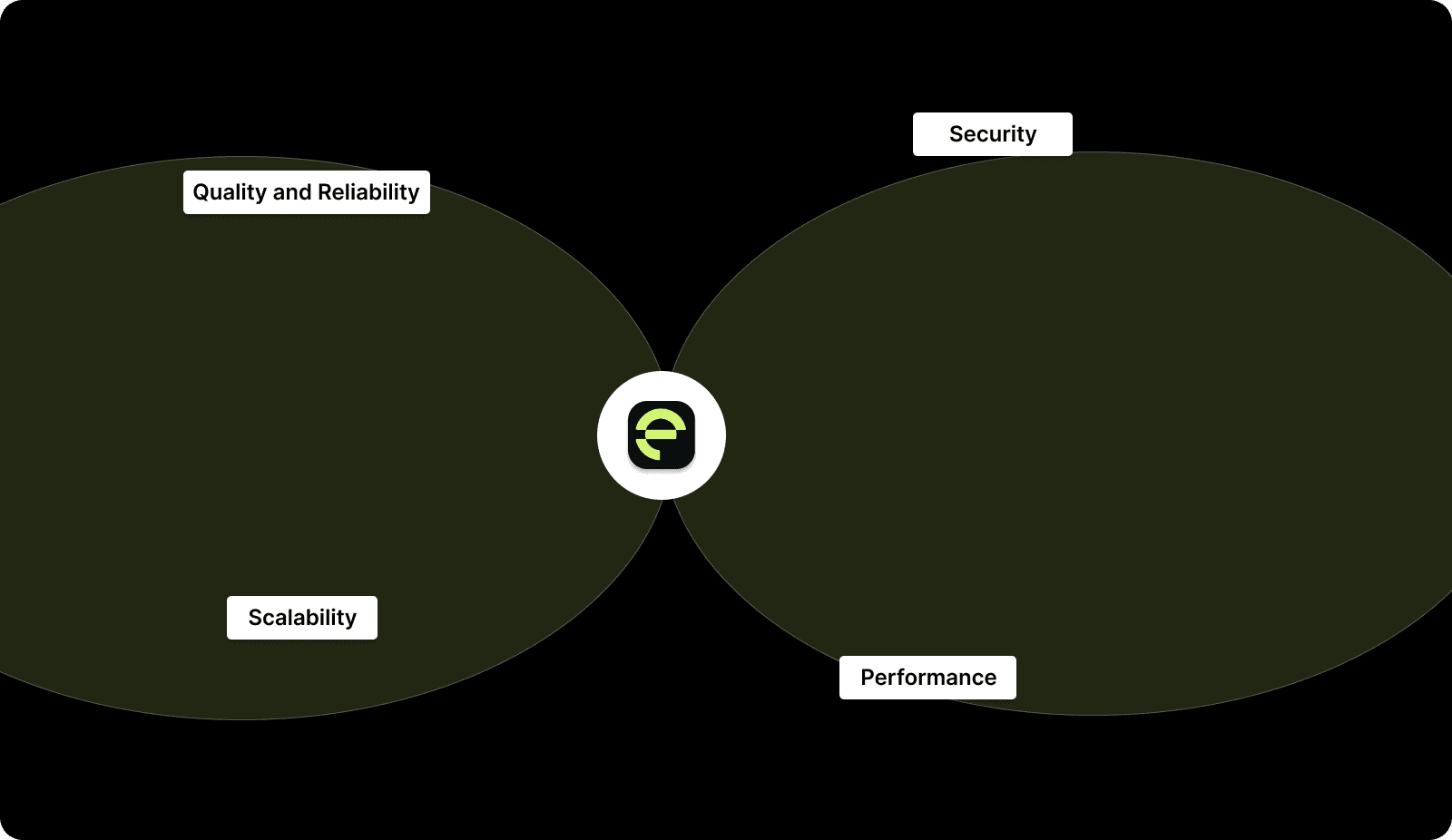
Quality and Reliability: By catching defects early, code analysis reduces the number of bugs that escape into later stages of development. This leads to fewer emergency fixes, more predictable releases, and cleaner long-term codebases.
Security: Vulnerabilities often hide in small mistakes such as unchecked inputs, misused APIs, or outdated dependencies. Automated code analysis tools detect these risks early, keeping applications secure before they’re deployed.
Performance: Static and dynamic checks help identify inefficient loops, memory leaks, or database bottlenecks. Improving these areas ensures that performance scales with user demand, not against it.
Scalability: As teams and codebases grow, maintaining consistent standards becomes harder. Automated analysis applies the same checks everywhere, keeping quality uniform across projects and teams.
Static vs. Dynamic Code Analysis: Understanding the Difference
Both static and dynamic analysis aim to improve code quality, but they do so in different ways. Knowing when and how to use each method helps teams cover all bases and detect issues early.
Feature | Static Analysis | Dynamic Analysis |
When It Runs | Before execution | During execution |
Detects | Syntax errors, security flaws, unused code, logic issues | Memory leaks, runtime errors, and performance problems |
Speed | Faster; runs automatically during builds or commits | Slower; requires test environments or live execution |
Ideal Use | Early checks to maintain standards and prevent regressions | Testing real-world performance and behavior |
Combined Value | Ensures code is well-written and performs correctly under real conditions |
Relying on only one type of analysis can leave gaps. Static checks prevent avoidable mistakes, while dynamic analysis validates real-world performance. Together, they help maintain both correctness and reliability throughout the software lifecycle.

Common Challenges in Code Analysis and What Smart Teams Do Differently
Code analysis often promises clarity but ends up creating noise. The difference lies in how it’s applied.
1. Too Many Alerts
When every scan flags hundreds of minor issues, real problems get buried. The fix is precision: limit rules to what matters most, security, reliability, and performance, and let AI surface the high-value findings automatically.
2. No Context Behind Warnings
Generic alerts slow teams down. A useful analysis tool explains why an issue matters and what it impacts. That turns feedback into action instead of confusion.
3. Time-Heavy Reviews
Manually sorting through reports wastes hours. Integrate analysis into pull requests so feedback appears where work happens, not in a separate dashboard that no one checks.
4. Out-of-Workflow Tools
If running analysis feels like an extra step, it gets skipped. Automate it in CI/CD so code checks run continuously without developer effort.
5. Inconsistent Standards
Different teams enforcing different rules leads to uneven quality. Shared policies and org-wide dashboards keep standards consistent without slowing development.
How AI Is Transforming Code Analysis?
Traditional tools catch issues, but they don’t always understand the bigger picture. AI changes that by turning raw data into insight, showing not just what’s wrong, but why it matters and how to fix it faster.
1. Smarter Detection
AI learns from your codebase, patterns, and history. It identifies recurring bugs, risky modules, or unusual code behavior with better accuracy and fewer false positives.
2. Context-Aware Feedback
Instead of generic alerts, AI highlights issues tied to specific business or performance impact. For example, it can flag a seemingly minor change that might slow down a critical API.
3. Predictive Insights
AI can anticipate where problems are likely to occur by studying commit history and developer activity. This helps teams address potential risks before they affect production.
4. Automated Fix Suggestions
Modern systems now go beyond detection by recommending or even generating fixes. That cuts review cycles and reduces repetitive comments from reviewers.
5. Continuous Learning
Every scan makes the model smarter. Over time, it adapts to your team’s code style and priorities, offering feedback that fits how your engineers actually work.

How to Tell If Your Code Analysis Is Actually Working?
Tracking results is how engineering leaders prove that code analysis drives real improvement. The table below highlights key metrics and what each one reveals about team performance.
Metric | What It Measures | Why It Matters |
Defect Reduction | The decrease in bugs or regressions over time | Shows whether analysis is preventing issues before release and reducing rework |
Review Cycle Time | Average time from pull request to merge | Indicates if automated checks and insights are speeding up delivery |
Technical Debt Trends | Frequency and pattern of recurring issues | Helps identify deeper architectural or process problems that need long-term fixes |
Code Quality Scores | Changes in maintainability, test coverage, and performance | Tracks overall improvement in code health and team consistency |
Mean Time to Recovery (MTTR) | Time taken to fix issues after they appear | Links analysis outcomes to real-world reliability and faster recovery from failures |
How Entelligence AI Simplifies the Code Analysis Process?
Code analysis often stalls engineering workflows. Developers spend hours reviewing repetitive issues, triaging false positives, and managing multiple tools that don’t connect. Managers lose visibility into which problems truly impact performance or delivery speed.
Entelligence AI eliminates this friction by bringing intelligence and context to every stage of analysis.
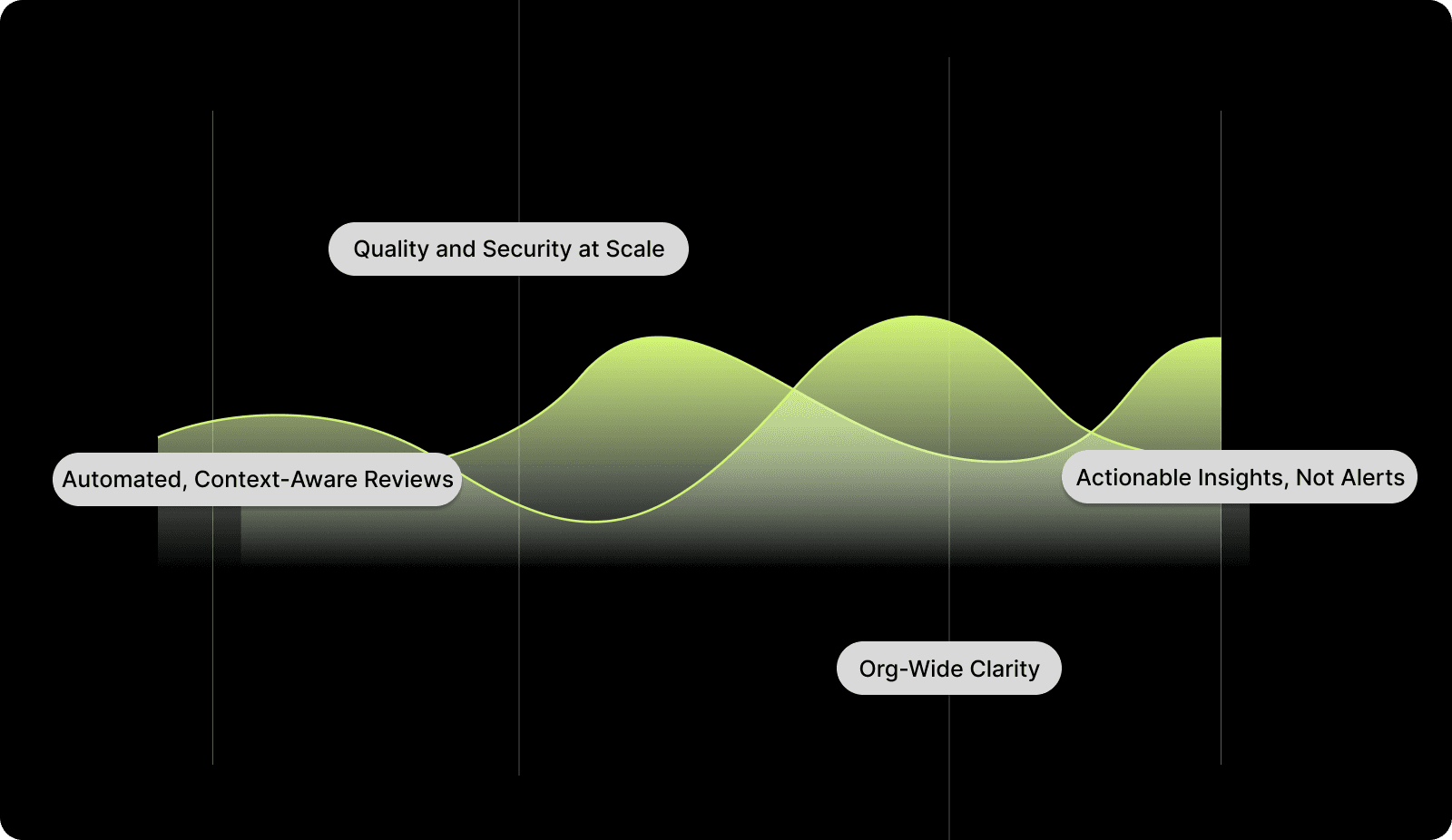
Automated, Context-Aware Reviews: Entelligence AI identifies issues, suggests fixes, and provides precise, code-aware insights that cut unnecessary back-and-forth. It analyzes code structure, logic, and intent to ensure feedback is accurate and relevant.
Quality and Security at Scale: The platform enforces consistent standards across teams without adding manual overhead. Security and performance scans run automatically, catching potential issues before they reach production.
Actionable Insights, Not Alerts: Entelligence turns static findings into clear recommendations, prioritizing what matters most. This ensures teams spend less time chasing noise and more time improving real code quality.
Org-Wide Clarity: Engineering leaders get visibility into trends, recurring issues, and team-level performance from one dashboard. This transparency helps spot bottlenecks and track improvement over time.
With Entelligence AI, code analysis becomes a productivity driver rather than a maintenance task. Teams gain the clarity to write better code, reduce technical debt, and move faster with confidence.
Conclusion
Code analysis has become a cornerstone of modern engineering, helping teams write cleaner, safer, and more maintainable code. Static and dynamic checks both play vital roles, but how you apply them and what insights you draw determine whether they actually improve delivery speed and quality.
Traditional tools can identify issues, but they often stop at detection. Entelligence AI goes further by combining automated analysis with context-driven insights that fit naturally into your team’s workflow. It highlights what matters, explains why, and provides clarity that drives real improvement.
With Entelligence AI, engineering teams move faster, reduce technical debt, and stay aligned on quality across every release.
Ready to take your team’s productivity and code quality to the next level? Try Entelligence AI today and see how it can improve your development process.
Frequently Asked Questions
Q1. What’s the difference between code review and code analysis?
A code review is a human process focused on collaboration and feedback between developers. Code analysis, on the other hand, uses automated tools to detect issues such as bugs, security vulnerabilities, or style inconsistencies. Both are important reviews that bring human judgment, while analysis ensures consistency and coverage.
Q2. How often should teams run code analysis?
Ideally, code analysis should run automatically with every commit or pull request. Continuous checks help catch issues early and reduce rework later in the development cycle.
Q3. Can AI replace manual code reviews?
AI won’t replace human insight, but can eliminate repetitive review work. By handling routine checks and suggesting fixes, AI allows reviewers to focus on logic, design, and higher-level decisions.
Q4. What types of issues can code analysis detect?
It can uncover syntax errors, performance bottlenecks, potential security flaws, unused code, and maintainability concerns. Dynamic analysis also highlights runtime issues like memory leaks or concurrency problems.
Q5. How does Entelligence AI improve the code analysis process?
Entelligence AI automates repetitive checks, provides context-aware feedback, and integrates directly into existing developer workflows. It reduces review time, improves consistency, and gives teams visibility into quality trends across projects.
Engineering teams are under pressure to ship quickly without losing quality, yet bugs, inconsistencies, and technical debt still slip through. Traditional testing and manual reviews help, but they often miss deeper logic flaws or performance issues.
Code analysis changes that. It’s not just a debugging step; it’s a continuous system for maintaining software health. By detecting problems early and enforcing standards automatically, teams gain speed, clarity, and confidence in every release.
This article explores how code analysis works, the key types to use, common challenges, and how AI-powered tools like Entelligence AI make the process faster, smarter, and more effective.
Key Takeaways
Code analysis is proactive, not reactive. It identifies bugs, security risks, and performance issues early, long before they reach production.
Static and dynamic analysis complement each other. Together, they ensure both the logic and runtime behavior of code are reliable.
AI-driven analysis changes the equation. By understanding context and learning from historical data, AI tools help teams focus on high-impact fixes instead of noise.
Entelligence AI integrates code analysis into the development workflow. It automates repetitive checks, provides meaningful feedback, and connects insights directly to team and organizational goals.
The result: cleaner code, faster releases, and greater confidence across every level of the engineering organization.
What Is Code Analysis?
Code analysis is the process of examining source code to identify issues, inefficiencies, and potential security risks before they reach production. It ensures software stays reliable, secure, and easy to maintain over time.
Unlike testing, which checks if features work as expected, analysis evaluates how the code is written. It helps surface deeper problems that testing might miss, like logic flaws, performance bottlenecks, and hidden technical debt.
Two main approaches define code analysis:
Static Analysis: Reviews code without running it. Detects syntax errors, logic gaps, and security flaws directly in the source.
Dynamic Analysis: Runs the code in a live or simulated environment to find runtime issues such as memory leaks or performance regressions.
Traditional tools can identify issues, but often lack context. Modern AI-driven analysis goes further; it explains why issues matter and suggests practical fixes.
Why Code Analysis Is Essential for Modern Engineering Teams?
Code analysis is no longer optional; it’s how teams maintain speed without losing quality. It gives developers and leaders the visibility they need to prevent issues before they grow into production problems.

Quality and Reliability: By catching defects early, code analysis reduces the number of bugs that escape into later stages of development. This leads to fewer emergency fixes, more predictable releases, and cleaner long-term codebases.
Security: Vulnerabilities often hide in small mistakes such as unchecked inputs, misused APIs, or outdated dependencies. Automated code analysis tools detect these risks early, keeping applications secure before they’re deployed.
Performance: Static and dynamic checks help identify inefficient loops, memory leaks, or database bottlenecks. Improving these areas ensures that performance scales with user demand, not against it.
Scalability: As teams and codebases grow, maintaining consistent standards becomes harder. Automated analysis applies the same checks everywhere, keeping quality uniform across projects and teams.
Static vs. Dynamic Code Analysis: Understanding the Difference
Both static and dynamic analysis aim to improve code quality, but they do so in different ways. Knowing when and how to use each method helps teams cover all bases and detect issues early.
Feature | Static Analysis | Dynamic Analysis |
When It Runs | Before execution | During execution |
Detects | Syntax errors, security flaws, unused code, logic issues | Memory leaks, runtime errors, and performance problems |
Speed | Faster; runs automatically during builds or commits | Slower; requires test environments or live execution |
Ideal Use | Early checks to maintain standards and prevent regressions | Testing real-world performance and behavior |
Combined Value | Ensures code is well-written and performs correctly under real conditions |
Relying on only one type of analysis can leave gaps. Static checks prevent avoidable mistakes, while dynamic analysis validates real-world performance. Together, they help maintain both correctness and reliability throughout the software lifecycle.

Common Challenges in Code Analysis and What Smart Teams Do Differently
Code analysis often promises clarity but ends up creating noise. The difference lies in how it’s applied.
1. Too Many Alerts
When every scan flags hundreds of minor issues, real problems get buried. The fix is precision: limit rules to what matters most, security, reliability, and performance, and let AI surface the high-value findings automatically.
2. No Context Behind Warnings
Generic alerts slow teams down. A useful analysis tool explains why an issue matters and what it impacts. That turns feedback into action instead of confusion.
3. Time-Heavy Reviews
Manually sorting through reports wastes hours. Integrate analysis into pull requests so feedback appears where work happens, not in a separate dashboard that no one checks.
4. Out-of-Workflow Tools
If running analysis feels like an extra step, it gets skipped. Automate it in CI/CD so code checks run continuously without developer effort.
5. Inconsistent Standards
Different teams enforcing different rules leads to uneven quality. Shared policies and org-wide dashboards keep standards consistent without slowing development.
How AI Is Transforming Code Analysis?
Traditional tools catch issues, but they don’t always understand the bigger picture. AI changes that by turning raw data into insight, showing not just what’s wrong, but why it matters and how to fix it faster.
1. Smarter Detection
AI learns from your codebase, patterns, and history. It identifies recurring bugs, risky modules, or unusual code behavior with better accuracy and fewer false positives.
2. Context-Aware Feedback
Instead of generic alerts, AI highlights issues tied to specific business or performance impact. For example, it can flag a seemingly minor change that might slow down a critical API.
3. Predictive Insights
AI can anticipate where problems are likely to occur by studying commit history and developer activity. This helps teams address potential risks before they affect production.
4. Automated Fix Suggestions
Modern systems now go beyond detection by recommending or even generating fixes. That cuts review cycles and reduces repetitive comments from reviewers.
5. Continuous Learning
Every scan makes the model smarter. Over time, it adapts to your team’s code style and priorities, offering feedback that fits how your engineers actually work.

How to Tell If Your Code Analysis Is Actually Working?
Tracking results is how engineering leaders prove that code analysis drives real improvement. The table below highlights key metrics and what each one reveals about team performance.
Metric | What It Measures | Why It Matters |
Defect Reduction | The decrease in bugs or regressions over time | Shows whether analysis is preventing issues before release and reducing rework |
Review Cycle Time | Average time from pull request to merge | Indicates if automated checks and insights are speeding up delivery |
Technical Debt Trends | Frequency and pattern of recurring issues | Helps identify deeper architectural or process problems that need long-term fixes |
Code Quality Scores | Changes in maintainability, test coverage, and performance | Tracks overall improvement in code health and team consistency |
Mean Time to Recovery (MTTR) | Time taken to fix issues after they appear | Links analysis outcomes to real-world reliability and faster recovery from failures |
How Entelligence AI Simplifies the Code Analysis Process?
Code analysis often stalls engineering workflows. Developers spend hours reviewing repetitive issues, triaging false positives, and managing multiple tools that don’t connect. Managers lose visibility into which problems truly impact performance or delivery speed.

Entelligence AI eliminates this friction by bringing intelligence and context to every stage of analysis.
Automated, Context-Aware Reviews: Entelligence AI identifies issues, suggests fixes, and provides precise, code-aware insights that cut unnecessary back-and-forth. It analyzes code structure, logic, and intent to ensure feedback is accurate and relevant.
Quality and Security at Scale: The platform enforces consistent standards across teams without adding manual overhead. Security and performance scans run automatically, catching potential issues before they reach production.
Actionable Insights, Not Alerts: Entelligence turns static findings into clear recommendations, prioritizing what matters most. This ensures teams spend less time chasing noise and more time improving real code quality.
Org-Wide Clarity: Engineering leaders get visibility into trends, recurring issues, and team-level performance from one dashboard. This transparency helps spot bottlenecks and track improvement over time.
With Entelligence AI, code analysis becomes a productivity driver rather than a maintenance task. Teams gain the clarity to write better code, reduce technical debt, and move faster with confidence.
Conclusion
Code analysis has become a cornerstone of modern engineering, helping teams write cleaner, safer, and more maintainable code. Static and dynamic checks both play vital roles, but how you apply them and what insights you draw determine whether they actually improve delivery speed and quality.
Traditional tools can identify issues, but they often stop at detection. Entelligence AI goes further by combining automated analysis with context-driven insights that fit naturally into your team’s workflow. It highlights what matters, explains why, and provides clarity that drives real improvement.
With Entelligence AI, engineering teams move faster, reduce technical debt, and stay aligned on quality across every release.
Ready to take your team’s productivity and code quality to the next level? Try Entelligence AI today and see how it can improve your development process.
Frequently Asked Questions
Q1. What’s the difference between code review and code analysis?
A code review is a human process focused on collaboration and feedback between developers. Code analysis, on the other hand, uses automated tools to detect issues such as bugs, security vulnerabilities, or style inconsistencies. Both are important reviews that bring human judgment, while analysis ensures consistency and coverage.
Q2. How often should teams run code analysis?
Ideally, code analysis should run automatically with every commit or pull request. Continuous checks help catch issues early and reduce rework later in the development cycle.
Q3. Can AI replace manual code reviews?
AI won’t replace human insight, but can eliminate repetitive review work. By handling routine checks and suggesting fixes, AI allows reviewers to focus on logic, design, and higher-level decisions.
Q4. What types of issues can code analysis detect?
It can uncover syntax errors, performance bottlenecks, potential security flaws, unused code, and maintainability concerns. Dynamic analysis also highlights runtime issues like memory leaks or concurrency problems.
Q5. How does Entelligence AI improve the code analysis process?
Entelligence AI automates repetitive checks, provides context-aware feedback, and integrates directly into existing developer workflows. It reduces review time, improves consistency, and gives teams visibility into quality trends across projects.
Your questions,
Your questions,
Decoded
Decoded
What makes Entelligence different?
Unlike tools that just flag issues, Entelligence understands context — detecting, explaining, and fixing problems while aligning with product goals and team standards.
Does it replace human reviewers?
No. It amplifies them. Entelligence handles repetitive checks so engineers can focus on architecture, logic, and innovation.
What tools does it integrate with?
It fits right into your workflow — GitHub, GitLab, Jira, Linear, Slack, and more. No setup friction, no context switching.
How secure is my code?
Your code never leaves your environment. Entelligence uses encrypted processing and complies with top industry standards like SOC 2 and HIPAA.
Who is it built for?
Fast-growing engineering teams that want to scale quality, security, and velocity without adding more manual reviews or overhead.

What makes Entelligence different?
Does it replace human reviewers?
What tools does it integrate with?
How secure is my code?
Who is it built for?


