

Capacity Planning in Software Development: A Guide
Dec 11, 2025
Dec 11, 2025
Even today, many software teams are still running the same old race; sprint after sprint, deadline after deadline. Yet too often, projects slide. The CHAOS Report found that in a broad sample of IT initiatives, only 16.2% of software projects were completed on time and on budget.
That’s more than just numbers. It’s scrambled roadmaps, frustrated product owners, expensive rework, and burnout for dev teams. When resources like time, developers, and attention are treated as infinite, planning becomes guesswork instead of strategy.
If you’ve repeatedly seen mid-sprint surprises, shifting timelines, or under-delivered scope, this guide is for you. Read on to learn how to treat capacity planning not as a checkbox, but as the foundation for realistic delivery, predictable outcomes, and healthier engineering practices.
Overview
Most teams misjudge capacity: Only 16.2% of software projects finish on time and on budget, showing how often delivery slips due to unrealistic planning.
Accurate planning relies on real inputs: Actual availability, coordination overhead, workflow delays, and incident load determine true engineering capacity.
Capacity planning works across three horizons: Short-term stabilizes execution, mid-term aligns multi-sprint goals, and long-term informs hiring and strategic commitments.
Common pitfalls distort forecasts: Overplanning, ignoring meetings, relying on estimates, misusing velocity, and overlooking bottlenecks consistently break capacity plans.
Entelligence AI improves capacity clarity: It surfaces real-time workload, bottlenecks, review delays, and DORA signals to help teams make reliable, data-backed commitments.
What is Capacity Planning in Software Development?
Capacity planning in software development is the discipline of making an honest match between what the business wants to ship and what your engineering org can reliably deliver within a specific timeframe.
It’s not just “how many tickets can we cram into a sprint?” It’s a continuous process of:
Understanding the real available engineering time (after meetings, incidents, PTO, and overhead).
Mapping that capacity to the right mix of work (features, bugs, tech debt, experiments).
Adjusting plans as reality changes, like new priorities, production fires, hiring changes, or shifting scope.
Done well, capacity planning turns your roadmap into a negotiation grounded in facts instead of optimism. It makes trade-offs explicit: What are we saying “no” to so we can say a credible “yes” to this?
Here’s what that really involves in practice:
Aligning demand with constrained engineering time
Making sure product ambitions map to the actual number of focused engineering hours you have, not to headcount on an org chart.Balancing different categories of work
Intentionally allocating capacity across features, bug fixes, tech debt, refactors, and support instead of letting urgent items quietly starve everything else.Accounting for the true cost of coordination
Recognizing that cross-team dependencies, reviews, approvals, and handoffs consume real capacity and must be planned, not treated as “free.”Making risk explicit, not implicit
Choosing whether to plan aggressively (higher risk, tighter margins) or conservatively (more buffer, more predictability) instead of drifting into either by accident.Basing plans on observed data, not wishful estimates
Using historical throughput, cycle times, and previous sprint outcomes to inform what’s realistic for each team.Creating a shared, inspectable model of capacity
Giving engineering, product, and leadership a common view of who’s available, what they’re working on, and where the constraints really are.Building in space for the unknown
Reserving capacity for incidents, urgent requests, and “unknown unknowns” instead of pretending every week will be perfectly calm.
If you want capacity plans grounded in real engineering data, Entelligence AI can help. Get clear signals, fewer surprises, and better commitments. Book a free demo today!
To apply capacity planning effectively, it helps to distinguish it from the metrics teams commonly rely on. Three principles form the backbone of that understanding.
Key Concepts: Capacity vs Velocity vs Utilization
Even experienced engineering leaders sometimes use these terms interchangeably, but they serve very different purposes in planning.
Understanding the distinction prevents unrealistic commitments, misleading forecasts, and the “we thought we could do more” spiral that derails delivery. Think of these three concepts as the baseline signals you need before estimating scope or sequencing work.
Here’s a clear breakdown of how they differ and how each one contributes to better decision-making:
Concept | What It Represents | Why It Matters for Planning |
|---|---|---|
Capacity | The realistic volume of engineering effort available within a time window, considering availability, focus time, and overhead. | Sets the upper boundary of what the team can responsibly take on without overcommitment. |
Velocity | The amount of work a team has historically completed in similar time periods (e.g., story points per sprint). | Provides a data-driven sanity check for how much work is actually achievable, not theoretically possible. |
Utilization | The percentage of engineering time that is actively spent on planned, value-creating work. | Helps balance productivity with sustainability; overly high utilization is a leading indicator of burnout and delays. |

Also Read: Top 10 Engineering Metrics to Track in 2025
Once you grasp how capacity, velocity, and utilization differ, it becomes easier to see the various layers at which capacity planning actually happens.
Types of Capacity Planning in Software Development
Capacity planning isn’t a single activity; it operates on different time horizons because engineering work varies in uncertainty, coordination needs, and resource intensity. High-performing teams separate these layers to avoid short-term overcommitment while still planning strategically for the long term.
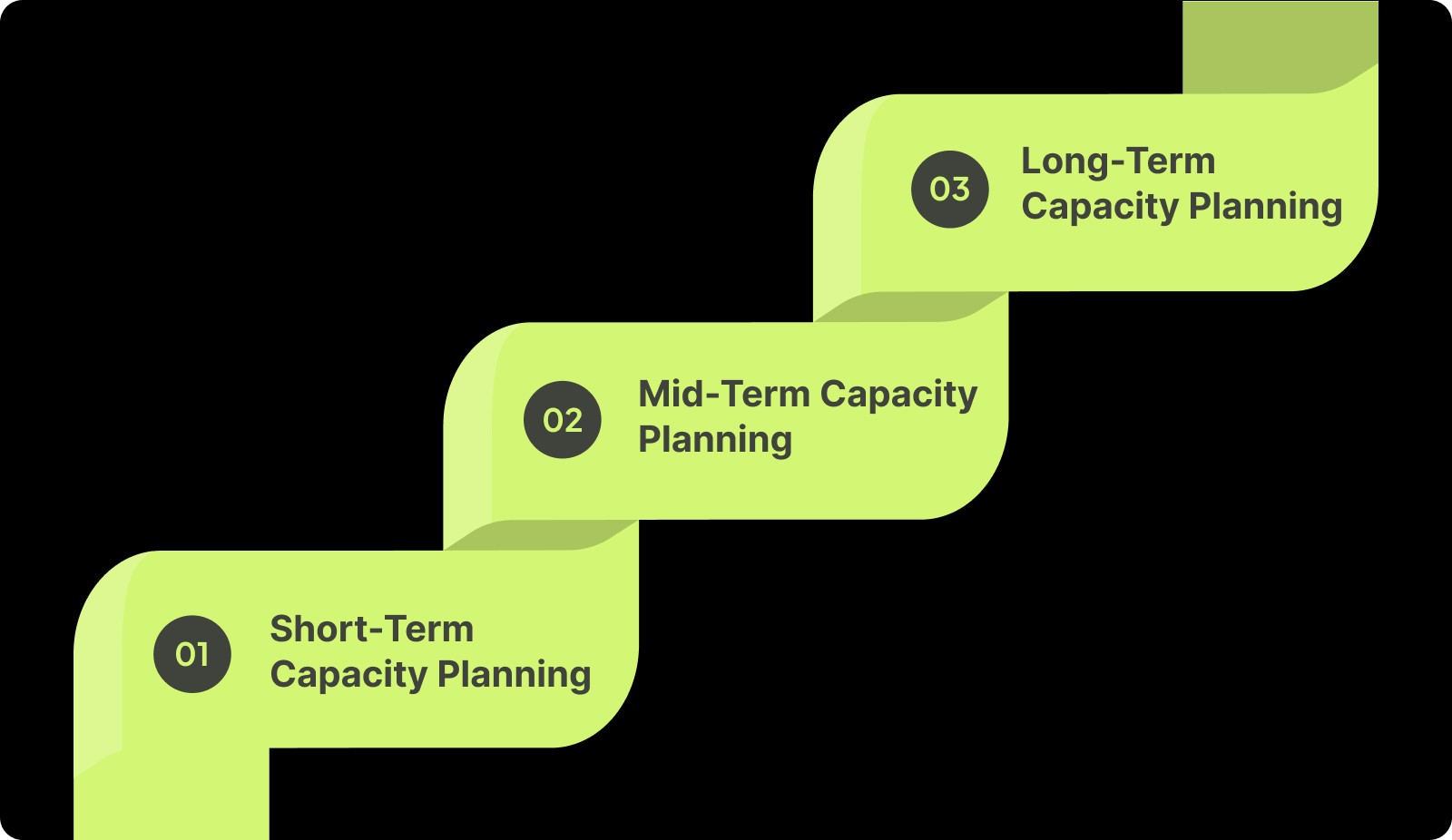
Below is a breakdown of the three capacity planning types and how they function in software organizations.
1. Short-Term Capacity Planning (Sprint Level)
Short-term planning focuses on immediate execution and accounts for the most granular variables: real availability, active work, and near-term risks.
Timeframe: 1–2 weeks
Guides sprint commitments and workload balance
Reflects actual developer availability (PTO, meetings, on-call)
Helps stabilize delivery momentum
2. Mid-Term Capacity Planning (Release / Quarterly Level)
Mid-term planning aligns multi-sprint work and helps teams manage dependencies that aren’t visible at the sprint level.
Timeframe: 1–3 months
Used for epic forecasting and cross-team coordination
Identifies sequencing issues earlier
Connects engineering capacity with quarterly product goals
3. Long-Term Capacity Planning (Strategic Level)
Long-term planning focuses on the organization’s ability to support future roadmap commitments, skill needs, and structural changes.
Timeframe: 6–24 months
Informs hiring, team topology, and skill distribution
Supports major architectural initiatives or product bets
Ensures future demand won’t exceed long-term capacity
To make these planning layers work, you first need a clear picture of the factors that shape your team’s actual bandwidth.
Inputs You Need Before You Plan Capacity
Capacity planning is only as reliable as the data behind it. Research from DORA, Google’s Accelerate program, and IEEE studies shows that engineering output depends far more on operational inputs, availability, workflow delays, coordination load, and system stability than on effort or estimates.
To build a reliable capacity model, you need a clear view of the conditions that influence day-to-day delivery.
Here are the inputs that matter most:
Actual engineering availability
Includes PTO, holidays, part-time schedules, onboarding ramps, and dedicated support/on-call rotations.
Why it matters: Availability variance is one of the strongest predictors of delivery variance in short cycles.Recurring coordination load
Time spent on ceremonies, cross-team meetings, stakeholder syncs, and review/approval activities.
Why it matters: Research shows coordination overhead can consume 20–35% of engineering time in mid-sized teams.Historical throughput (not estimates)
Completed items per sprint/week (story points or item count), excluding any re-opened or failed work.
Why it matters: Throughput stabilizes in a narrow range over time and is a reliable planning input.Cycle time and workflow latency distribution
Median cycle time, PR turnaround time, rework rates, and waiting time between workflow stages.
Why it matters: Waiting time (not coding time) often represents the majority of the delivery delay.Work-type composition
Ratio of features, bugs, tech debt, integration work, and unplanned tasks over the last few cycles.
Why it matters: Shifts in this ratio materially change capacity even if team size remains constant.Dependency and integration requirements
Upstream/downstream teams involved, handoff expectations, and known sequencing constraints.
Why it matters: Multi-team dependencies introduce variability that cannot be absorbed in short-term cycles.Skill distribution and role bottlenecks
Availability of specialists (e.g., mobile, infra, data), senior/junior ratios, and single-point-of-knowledge risks.
Why it matters: A team may be fully staffed but under-capacity if key skills are concentrated in one person.System stability and incident load
Historical incident frequency, MTTR, and time investment in reliability work.
Why it matters: Incident-prone systems reduce feature capacity regardless of sprint goals.Planned architectural or technical debt work
Known refactors, migrations, upgrades, or compliance-driven tasks are already expected on the horizon.
Why it matters: These consume significant engineering bandwidth and must be modeled explicitly.Release and testing constraints
Time required for integration testing, regression checks, or manual QA cycles.
Why it matters: Long QA or release stages reduce capacity even when development seems on track.External commitments and fixed deadlines
Customer commitments, regulatory timelines, contractually bound releases.
Why it matters: These create immovable anchors that change how capacity must be allocated.
Also Read: How to Conduct a Code Quality Audit: A Comprehensive Guide
With the right inputs in place, you can move from abstract estimates to a concrete, repeatable process for planning capacity, step by step.
Step-by-Step: How to Do Capacity Planning for a Software Development Team
Once you have the right inputs, capacity planning becomes a repeatable process instead of a subjective debate. The goal isn’t to create a perfect forecast, but to systematically reduce surprise: fewer rolled-over stories, fewer “hidden” bottlenecks, and clearer trade-offs when priorities change.
Below is a practical sequence you can apply to most software teams.
1. Define Your Planning Horizon and Unit of Work
Choose whether you’re planning for a sprint, release, or quarter, and stick to a consistent unit (story points, ticket count, or similar).
Keep the horizon short enough to adjust (2–4 weeks is typical for team-level planning).
Use the estimation system your team already practices.
2. Establish Net Capacity by Accounting for Constraints
Start from theoretical availability, then subtract all known deductions to reveal actual capacity.
Remove PTO, holidays, training, onboarding time, and non-project work.
Deduct recurring meeting load and coordination overhead.
Reserve capacity for on-call duties and common interrupts based on historical data.
3. Apply a Focus Factor to Create a Realistic Buffer
Avoid planning to full utilization by capping planned work below net availability.
Many teams operate best around 70–85% plannable capacity.
This buffer absorbs normal variability, clarifications, and small unplanned tasks.
4. Map Capacity to Prioritized, Balanced Work
Translate capacity into the specific items your team will take on.
Prioritise based on impact, dependency, and sequencing, not popularity.
Balance workloads across features, bugs, tech debt, and support.
Ensure critical-path tasks aren’t assigned to the same individual exclusively.
5. Validate With Historical Data and Iterate Each Cycle
Cross-check planned capacity against actual performance to avoid optimism bias.
Compare work planned vs. median throughput over recent cycles.
Inspect where time actually went (e.g., incidents, review delays, unclear tickets).
Adjust your assumptions, buffers, and allocations for the next iteration.
Planning is easier when you can see how your team is actually working. Entelligence AI surfaces the data you need to make confident, realistic commitments.
Even with a solid process in place, capacity planning can still break down if certain patterns go unnoticed. That’s where the most common pitfalls come in.
Common Pitfalls in Software Capacity Planning
Empirical research and industry studies consistently show that many capacity-planning failures stem not from lack of effort, but from systemic misassumptions about how teams deliver.
Below is a concise list of recurring pitfalls documented in the literature, along with what research says can go wrong.
Pitfall | Research Insight | Effect on Capacity |
|---|---|---|
Planning at 100% Utilization | High utilization significantly increases delays and reduces on-time delivery. | Work queues grow; throughput becomes unpredictable. |
Ignoring Coordination & Meeting Load | Software teams spend 7–9 hours/week in meetings on average. | Planned capacity exceeds reality from day one. |
Using Estimates Instead of Throughput | Delivery variance often stems from estimation inaccuracy and dependency factors. | Leads to repeated overcommitment. |
Not Accounting for Unplanned Work | Unexpected tasks and requirement changes are among the top causes of schedule deviation. | Roadmaps slip because reactive work consumes real capacity. |
Overlooking Review / Integration Delays | Workflow delays (reviews, merges, testing) heavily impact delivery timelines. | Items stall mid-flow, reducing true throughput. |
Treating Velocity as a Performance Metric | Velocity varies by team and should not be compared or used as a target. | Encourages metric gaming, corrupting planning data. |
Ignoring Skill Bottlenecks | Organizational and skill constraints strongly influence delivery success. | One specialist limits overall team capacity. |
Suggested Read: Static Code Analysis: A Complete Guide to Improving Your Code

Addressing these challenges requires clearer, real-time insight into how teams actually work. Entelligence fills that gap.
How Entelligence AI Enhances Team Capacity Planning
Most capacity plans fail because they rely on stale spreadsheets and incomplete views, a Jira board here, a velocity chart there, and gut feel in between. Entelligence AI closes that gap. It pulls real signals from your delivery flow: code reviews, PRs, sprint work, DORA metrics, and team activity. Then it turns that data into clear, actionable insight for managers and leaders.
Instead of guessing how much your team can take on, you see how the team is actually operating, in real time, sprint by sprint.
Here’s how Entelligence acts as a Sage and Companion for capacity planning, not just another dashboard:
Real-Time Team & Sprint Insights
Automatically surfaces completed work, delays, review load, and flow bottlenecks so future capacity planning is based on real execution data.AI-Generated Sprint Assessments
Provides clear summaries of what moved, what stalled, and why, helping managers set realistic expectations for the next cycle.Workload & Contribution Visibility
Shows who is overloaded, who has room, and how work is distributed across the team, essential for balancing capacity.Automated Code Reviews That Free Up Time
Deep, context-aware review suggestions reduce reviewer load and shorten PR cycles, increasing effective engineering capacity.Contextual Velocity & DORA Signals
Links velocity, deployment frequency, and quality indicators to planning, helping leaders set goals without overstressing teams.Healthy Competition & Recognition
Leaderboards highlight meaningful contributions (review quality, impact), promoting sustainable habits that support predictable capacity.Integrated, Always-Current Data
Pulls from GitHub, IDEs, and collaboration tools so capacity decisions reflect live operational reality, no manual reporting needed.

Also Read: Top LinearB Alternatives: Best Tools for Engineering Teams
To keep capacity planning accurate and sustainable, you also need a way to track whether your approach is improving over time.
Measuring and Improving Capacity Planning Over Time
Capacity planning becomes effective only when teams evaluate outcomes and refine their assumptions continuously. The goal is to make each planning cycle a little more accurate than the last, using data instead of intuition.
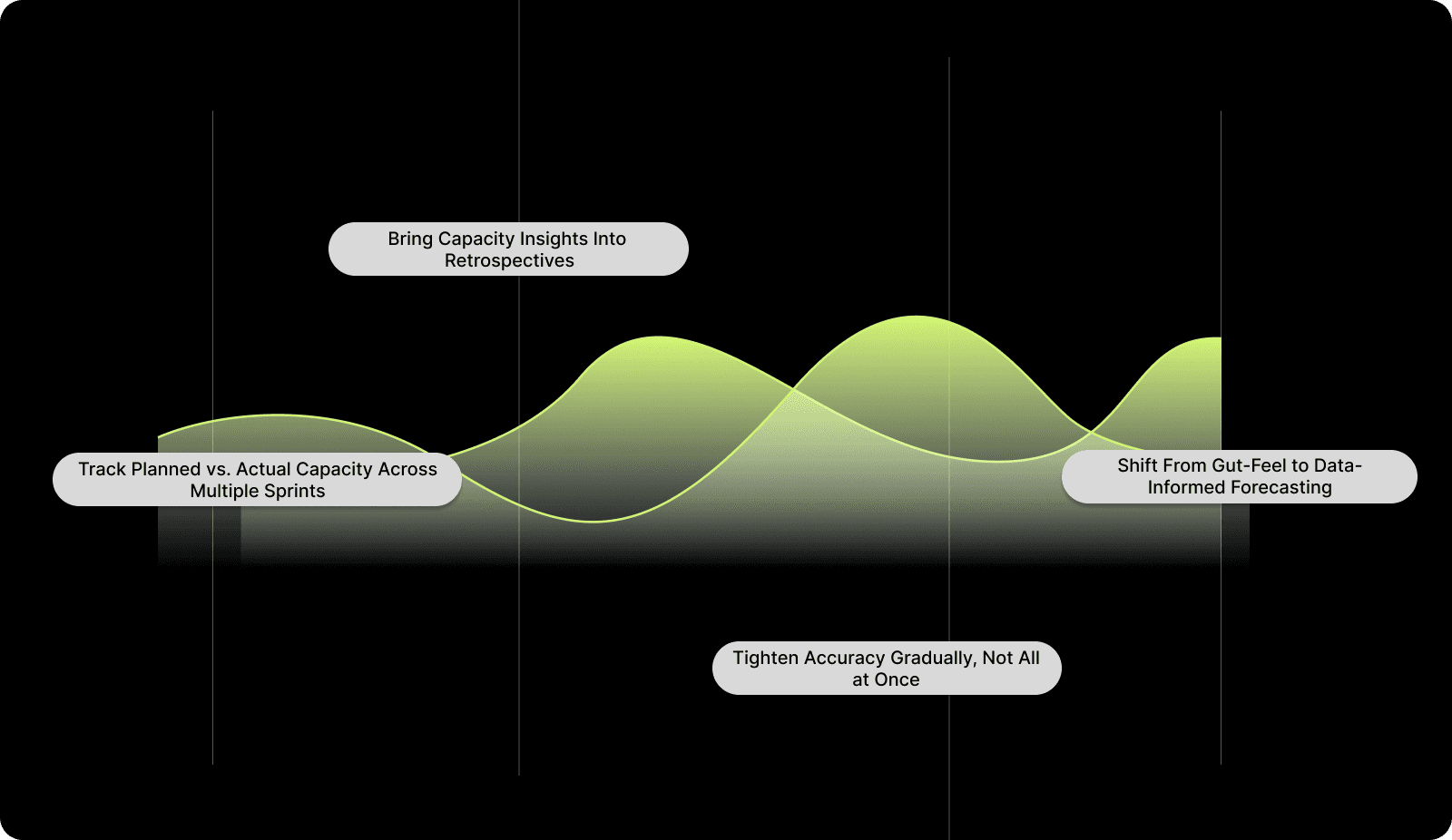
Here’s how to build that improvement loop into your regular workflow:
1. Track Planned vs. Actual Capacity Across Multiple Sprints
Plot a simple planned-vs-actual graph for each sprint or iteration. Over several cycles, patterns emerge: recurring underestimation, specific work types that take longer, or hidden delays (reviews, dependencies, incidents). These trends help you adjust future plans with greater confidence.
2. Bring Capacity Insights Into Retrospectives
Use retrospectives to ask: What affected our capacity this sprint? Common culprits include unclear requirements, high review load, unexpected support work, or a single overloaded engineer. Discuss how to mitigate these in the next cycle — through better grooming, clearer ownership, or updated buffers.
3. Shift From Gut-Feel to Data-Informed Forecasting
Replace one-off judgments with consistent indicators like cycle time, throughput trends, PR turnaround, and incident frequency. As your dataset grows, forecasts become smoother, and your buffer, work-type split, and workload expectations get more precise.
4. Tighten Accuracy Gradually, Not All at Once
Aim for incremental improvement. Adjust assumptions by small percentages each cycle rather than making drastic changes. Sustainable refinements create predictability without overcorrecting or introducing new risks.
Conclusion
Capacity planning is essential for delivering software predictably and sustainably. When teams understand the factors that shape their real capacity and plan with data, they reduce missed commitments and create a healthier, more focused development rhythm.
A structured approach to planning, combined with regular evaluation, helps teams improve accuracy over time. Clear inputs, realistic assumptions, and steady refinement lead to more reliable forecasts and smoother execution.
Platforms like Entelligence AI make this even easier. They surface real delivery signals, highlight bottlenecks, and give managers a clearer view of how much work their teams can confidently take on.
To see how Entelligence AI can strengthen your capacity planning and improve delivery outcomes, book your demo today.
FAQs
Q1. How do I know if my team needs capacity planning?
If your sprints regularly spill over, priorities keep shifting mid-cycle, or teams feel overextended despite working hard, these are clear signals that actual capacity and planned demand are misaligned. This is precisely what capacity planning is designed to fix.
Q2. What inputs matter most when calculating engineering capacity?
The most impactful inputs are those outlined in the blog: real availability (after PTO, meetings, on-call), workflow delays (cycle time, PR wait time), work-type mix, and dependency load. These reveal what your team can actually deliver, not what the roadmap assumes.
Q3. How does capacity planning differ from simply estimating story points?
Story points describe effort, while capacity planning describes constraints. Capacity planning accounts for meetings, coordination overhead, incidents, tech debt, and the real-time engineers have, none of which story points alone capture.
Q4. Why do teams still struggle even with a clear capacity model?
Because capacity planning breaks down when teams ignore predictable factors like coordination load, review delays, unexpected work, or skill bottlenecks. These pitfalls distort the model unless they’re actively tracked and factored in.
Q5. How does capacity planning improve long-term predictability?
Over time, planned-vs-actual tracking reveals consistent patterns: how much buffer you really need, which work types cause drift, and where delays originate (reviews, dependencies, unclear tickets). Each cycle becomes more accurate as assumptions are refined.
Even today, many software teams are still running the same old race; sprint after sprint, deadline after deadline. Yet too often, projects slide. The CHAOS Report found that in a broad sample of IT initiatives, only 16.2% of software projects were completed on time and on budget.
That’s more than just numbers. It’s scrambled roadmaps, frustrated product owners, expensive rework, and burnout for dev teams. When resources like time, developers, and attention are treated as infinite, planning becomes guesswork instead of strategy.
If you’ve repeatedly seen mid-sprint surprises, shifting timelines, or under-delivered scope, this guide is for you. Read on to learn how to treat capacity planning not as a checkbox, but as the foundation for realistic delivery, predictable outcomes, and healthier engineering practices.
Overview
Most teams misjudge capacity: Only 16.2% of software projects finish on time and on budget, showing how often delivery slips due to unrealistic planning.
Accurate planning relies on real inputs: Actual availability, coordination overhead, workflow delays, and incident load determine true engineering capacity.
Capacity planning works across three horizons: Short-term stabilizes execution, mid-term aligns multi-sprint goals, and long-term informs hiring and strategic commitments.
Common pitfalls distort forecasts: Overplanning, ignoring meetings, relying on estimates, misusing velocity, and overlooking bottlenecks consistently break capacity plans.
Entelligence AI improves capacity clarity: It surfaces real-time workload, bottlenecks, review delays, and DORA signals to help teams make reliable, data-backed commitments.
What is Capacity Planning in Software Development?
Capacity planning in software development is the discipline of making an honest match between what the business wants to ship and what your engineering org can reliably deliver within a specific timeframe.
It’s not just “how many tickets can we cram into a sprint?” It’s a continuous process of:
Understanding the real available engineering time (after meetings, incidents, PTO, and overhead).
Mapping that capacity to the right mix of work (features, bugs, tech debt, experiments).
Adjusting plans as reality changes, like new priorities, production fires, hiring changes, or shifting scope.
Done well, capacity planning turns your roadmap into a negotiation grounded in facts instead of optimism. It makes trade-offs explicit: What are we saying “no” to so we can say a credible “yes” to this?
Here’s what that really involves in practice:
Aligning demand with constrained engineering time
Making sure product ambitions map to the actual number of focused engineering hours you have, not to headcount on an org chart.Balancing different categories of work
Intentionally allocating capacity across features, bug fixes, tech debt, refactors, and support instead of letting urgent items quietly starve everything else.Accounting for the true cost of coordination
Recognizing that cross-team dependencies, reviews, approvals, and handoffs consume real capacity and must be planned, not treated as “free.”Making risk explicit, not implicit
Choosing whether to plan aggressively (higher risk, tighter margins) or conservatively (more buffer, more predictability) instead of drifting into either by accident.Basing plans on observed data, not wishful estimates
Using historical throughput, cycle times, and previous sprint outcomes to inform what’s realistic for each team.Creating a shared, inspectable model of capacity
Giving engineering, product, and leadership a common view of who’s available, what they’re working on, and where the constraints really are.Building in space for the unknown
Reserving capacity for incidents, urgent requests, and “unknown unknowns” instead of pretending every week will be perfectly calm.
If you want capacity plans grounded in real engineering data, Entelligence AI can help. Get clear signals, fewer surprises, and better commitments. Book a free demo today!
To apply capacity planning effectively, it helps to distinguish it from the metrics teams commonly rely on. Three principles form the backbone of that understanding.
Key Concepts: Capacity vs Velocity vs Utilization
Even experienced engineering leaders sometimes use these terms interchangeably, but they serve very different purposes in planning.
Understanding the distinction prevents unrealistic commitments, misleading forecasts, and the “we thought we could do more” spiral that derails delivery. Think of these three concepts as the baseline signals you need before estimating scope or sequencing work.
Here’s a clear breakdown of how they differ and how each one contributes to better decision-making:
Concept | What It Represents | Why It Matters for Planning |
|---|---|---|
Capacity | The realistic volume of engineering effort available within a time window, considering availability, focus time, and overhead. | Sets the upper boundary of what the team can responsibly take on without overcommitment. |
Velocity | The amount of work a team has historically completed in similar time periods (e.g., story points per sprint). | Provides a data-driven sanity check for how much work is actually achievable, not theoretically possible. |
Utilization | The percentage of engineering time that is actively spent on planned, value-creating work. | Helps balance productivity with sustainability; overly high utilization is a leading indicator of burnout and delays. |

Also Read: Top 10 Engineering Metrics to Track in 2025
Once you grasp how capacity, velocity, and utilization differ, it becomes easier to see the various layers at which capacity planning actually happens.
Types of Capacity Planning in Software Development
Capacity planning isn’t a single activity; it operates on different time horizons because engineering work varies in uncertainty, coordination needs, and resource intensity. High-performing teams separate these layers to avoid short-term overcommitment while still planning strategically for the long term.

Below is a breakdown of the three capacity planning types and how they function in software organizations.
1. Short-Term Capacity Planning (Sprint Level)
Short-term planning focuses on immediate execution and accounts for the most granular variables: real availability, active work, and near-term risks.
Timeframe: 1–2 weeks
Guides sprint commitments and workload balance
Reflects actual developer availability (PTO, meetings, on-call)
Helps stabilize delivery momentum
2. Mid-Term Capacity Planning (Release / Quarterly Level)
Mid-term planning aligns multi-sprint work and helps teams manage dependencies that aren’t visible at the sprint level.
Timeframe: 1–3 months
Used for epic forecasting and cross-team coordination
Identifies sequencing issues earlier
Connects engineering capacity with quarterly product goals
3. Long-Term Capacity Planning (Strategic Level)
Long-term planning focuses on the organization’s ability to support future roadmap commitments, skill needs, and structural changes.
Timeframe: 6–24 months
Informs hiring, team topology, and skill distribution
Supports major architectural initiatives or product bets
Ensures future demand won’t exceed long-term capacity
To make these planning layers work, you first need a clear picture of the factors that shape your team’s actual bandwidth.
Inputs You Need Before You Plan Capacity
Capacity planning is only as reliable as the data behind it. Research from DORA, Google’s Accelerate program, and IEEE studies shows that engineering output depends far more on operational inputs, availability, workflow delays, coordination load, and system stability than on effort or estimates.
To build a reliable capacity model, you need a clear view of the conditions that influence day-to-day delivery.
Here are the inputs that matter most:
Actual engineering availability
Includes PTO, holidays, part-time schedules, onboarding ramps, and dedicated support/on-call rotations.
Why it matters: Availability variance is one of the strongest predictors of delivery variance in short cycles.Recurring coordination load
Time spent on ceremonies, cross-team meetings, stakeholder syncs, and review/approval activities.
Why it matters: Research shows coordination overhead can consume 20–35% of engineering time in mid-sized teams.Historical throughput (not estimates)
Completed items per sprint/week (story points or item count), excluding any re-opened or failed work.
Why it matters: Throughput stabilizes in a narrow range over time and is a reliable planning input.Cycle time and workflow latency distribution
Median cycle time, PR turnaround time, rework rates, and waiting time between workflow stages.
Why it matters: Waiting time (not coding time) often represents the majority of the delivery delay.Work-type composition
Ratio of features, bugs, tech debt, integration work, and unplanned tasks over the last few cycles.
Why it matters: Shifts in this ratio materially change capacity even if team size remains constant.Dependency and integration requirements
Upstream/downstream teams involved, handoff expectations, and known sequencing constraints.
Why it matters: Multi-team dependencies introduce variability that cannot be absorbed in short-term cycles.Skill distribution and role bottlenecks
Availability of specialists (e.g., mobile, infra, data), senior/junior ratios, and single-point-of-knowledge risks.
Why it matters: A team may be fully staffed but under-capacity if key skills are concentrated in one person.System stability and incident load
Historical incident frequency, MTTR, and time investment in reliability work.
Why it matters: Incident-prone systems reduce feature capacity regardless of sprint goals.Planned architectural or technical debt work
Known refactors, migrations, upgrades, or compliance-driven tasks are already expected on the horizon.
Why it matters: These consume significant engineering bandwidth and must be modeled explicitly.Release and testing constraints
Time required for integration testing, regression checks, or manual QA cycles.
Why it matters: Long QA or release stages reduce capacity even when development seems on track.External commitments and fixed deadlines
Customer commitments, regulatory timelines, contractually bound releases.
Why it matters: These create immovable anchors that change how capacity must be allocated.
Also Read: How to Conduct a Code Quality Audit: A Comprehensive Guide
With the right inputs in place, you can move from abstract estimates to a concrete, repeatable process for planning capacity, step by step.
Step-by-Step: How to Do Capacity Planning for a Software Development Team
Once you have the right inputs, capacity planning becomes a repeatable process instead of a subjective debate. The goal isn’t to create a perfect forecast, but to systematically reduce surprise: fewer rolled-over stories, fewer “hidden” bottlenecks, and clearer trade-offs when priorities change.
Below is a practical sequence you can apply to most software teams.
1. Define Your Planning Horizon and Unit of Work
Choose whether you’re planning for a sprint, release, or quarter, and stick to a consistent unit (story points, ticket count, or similar).
Keep the horizon short enough to adjust (2–4 weeks is typical for team-level planning).
Use the estimation system your team already practices.
2. Establish Net Capacity by Accounting for Constraints
Start from theoretical availability, then subtract all known deductions to reveal actual capacity.
Remove PTO, holidays, training, onboarding time, and non-project work.
Deduct recurring meeting load and coordination overhead.
Reserve capacity for on-call duties and common interrupts based on historical data.
3. Apply a Focus Factor to Create a Realistic Buffer
Avoid planning to full utilization by capping planned work below net availability.
Many teams operate best around 70–85% plannable capacity.
This buffer absorbs normal variability, clarifications, and small unplanned tasks.
4. Map Capacity to Prioritized, Balanced Work
Translate capacity into the specific items your team will take on.
Prioritise based on impact, dependency, and sequencing, not popularity.
Balance workloads across features, bugs, tech debt, and support.
Ensure critical-path tasks aren’t assigned to the same individual exclusively.
5. Validate With Historical Data and Iterate Each Cycle
Cross-check planned capacity against actual performance to avoid optimism bias.
Compare work planned vs. median throughput over recent cycles.
Inspect where time actually went (e.g., incidents, review delays, unclear tickets).
Adjust your assumptions, buffers, and allocations for the next iteration.
Planning is easier when you can see how your team is actually working. Entelligence AI surfaces the data you need to make confident, realistic commitments.
Even with a solid process in place, capacity planning can still break down if certain patterns go unnoticed. That’s where the most common pitfalls come in.
Common Pitfalls in Software Capacity Planning
Empirical research and industry studies consistently show that many capacity-planning failures stem not from lack of effort, but from systemic misassumptions about how teams deliver.
Below is a concise list of recurring pitfalls documented in the literature, along with what research says can go wrong.
Pitfall | Research Insight | Effect on Capacity |
|---|---|---|
Planning at 100% Utilization | High utilization significantly increases delays and reduces on-time delivery. | Work queues grow; throughput becomes unpredictable. |
Ignoring Coordination & Meeting Load | Software teams spend 7–9 hours/week in meetings on average. | Planned capacity exceeds reality from day one. |
Using Estimates Instead of Throughput | Delivery variance often stems from estimation inaccuracy and dependency factors. | Leads to repeated overcommitment. |
Not Accounting for Unplanned Work | Unexpected tasks and requirement changes are among the top causes of schedule deviation. | Roadmaps slip because reactive work consumes real capacity. |
Overlooking Review / Integration Delays | Workflow delays (reviews, merges, testing) heavily impact delivery timelines. | Items stall mid-flow, reducing true throughput. |
Treating Velocity as a Performance Metric | Velocity varies by team and should not be compared or used as a target. | Encourages metric gaming, corrupting planning data. |
Ignoring Skill Bottlenecks | Organizational and skill constraints strongly influence delivery success. | One specialist limits overall team capacity. |
Suggested Read: Static Code Analysis: A Complete Guide to Improving Your Code

Addressing these challenges requires clearer, real-time insight into how teams actually work. Entelligence fills that gap.
How Entelligence AI Enhances Team Capacity Planning
Most capacity plans fail because they rely on stale spreadsheets and incomplete views, a Jira board here, a velocity chart there, and gut feel in between. Entelligence AI closes that gap. It pulls real signals from your delivery flow: code reviews, PRs, sprint work, DORA metrics, and team activity. Then it turns that data into clear, actionable insight for managers and leaders.
Instead of guessing how much your team can take on, you see how the team is actually operating, in real time, sprint by sprint.
Here’s how Entelligence acts as a Sage and Companion for capacity planning, not just another dashboard:
Real-Time Team & Sprint Insights
Automatically surfaces completed work, delays, review load, and flow bottlenecks so future capacity planning is based on real execution data.AI-Generated Sprint Assessments
Provides clear summaries of what moved, what stalled, and why, helping managers set realistic expectations for the next cycle.Workload & Contribution Visibility
Shows who is overloaded, who has room, and how work is distributed across the team, essential for balancing capacity.Automated Code Reviews That Free Up Time
Deep, context-aware review suggestions reduce reviewer load and shorten PR cycles, increasing effective engineering capacity.Contextual Velocity & DORA Signals
Links velocity, deployment frequency, and quality indicators to planning, helping leaders set goals without overstressing teams.Healthy Competition & Recognition
Leaderboards highlight meaningful contributions (review quality, impact), promoting sustainable habits that support predictable capacity.Integrated, Always-Current Data
Pulls from GitHub, IDEs, and collaboration tools so capacity decisions reflect live operational reality, no manual reporting needed.

Also Read: Top LinearB Alternatives: Best Tools for Engineering Teams
To keep capacity planning accurate and sustainable, you also need a way to track whether your approach is improving over time.
Measuring and Improving Capacity Planning Over Time
Capacity planning becomes effective only when teams evaluate outcomes and refine their assumptions continuously. The goal is to make each planning cycle a little more accurate than the last, using data instead of intuition.

Here’s how to build that improvement loop into your regular workflow:
1. Track Planned vs. Actual Capacity Across Multiple Sprints
Plot a simple planned-vs-actual graph for each sprint or iteration. Over several cycles, patterns emerge: recurring underestimation, specific work types that take longer, or hidden delays (reviews, dependencies, incidents). These trends help you adjust future plans with greater confidence.
2. Bring Capacity Insights Into Retrospectives
Use retrospectives to ask: What affected our capacity this sprint? Common culprits include unclear requirements, high review load, unexpected support work, or a single overloaded engineer. Discuss how to mitigate these in the next cycle — through better grooming, clearer ownership, or updated buffers.
3. Shift From Gut-Feel to Data-Informed Forecasting
Replace one-off judgments with consistent indicators like cycle time, throughput trends, PR turnaround, and incident frequency. As your dataset grows, forecasts become smoother, and your buffer, work-type split, and workload expectations get more precise.
4. Tighten Accuracy Gradually, Not All at Once
Aim for incremental improvement. Adjust assumptions by small percentages each cycle rather than making drastic changes. Sustainable refinements create predictability without overcorrecting or introducing new risks.
Conclusion
Capacity planning is essential for delivering software predictably and sustainably. When teams understand the factors that shape their real capacity and plan with data, they reduce missed commitments and create a healthier, more focused development rhythm.
A structured approach to planning, combined with regular evaluation, helps teams improve accuracy over time. Clear inputs, realistic assumptions, and steady refinement lead to more reliable forecasts and smoother execution.
Platforms like Entelligence AI make this even easier. They surface real delivery signals, highlight bottlenecks, and give managers a clearer view of how much work their teams can confidently take on.
To see how Entelligence AI can strengthen your capacity planning and improve delivery outcomes, book your demo today.
FAQs
Q1. How do I know if my team needs capacity planning?
If your sprints regularly spill over, priorities keep shifting mid-cycle, or teams feel overextended despite working hard, these are clear signals that actual capacity and planned demand are misaligned. This is precisely what capacity planning is designed to fix.
Q2. What inputs matter most when calculating engineering capacity?
The most impactful inputs are those outlined in the blog: real availability (after PTO, meetings, on-call), workflow delays (cycle time, PR wait time), work-type mix, and dependency load. These reveal what your team can actually deliver, not what the roadmap assumes.
Q3. How does capacity planning differ from simply estimating story points?
Story points describe effort, while capacity planning describes constraints. Capacity planning accounts for meetings, coordination overhead, incidents, tech debt, and the real-time engineers have, none of which story points alone capture.
Q4. Why do teams still struggle even with a clear capacity model?
Because capacity planning breaks down when teams ignore predictable factors like coordination load, review delays, unexpected work, or skill bottlenecks. These pitfalls distort the model unless they’re actively tracked and factored in.
Q5. How does capacity planning improve long-term predictability?
Over time, planned-vs-actual tracking reveals consistent patterns: how much buffer you really need, which work types cause drift, and where delays originate (reviews, dependencies, unclear tickets). Each cycle becomes more accurate as assumptions are refined.
Your questions,
Your questions,
Decoded
Decoded
What makes Entelligence different?
Unlike tools that just flag issues, Entelligence understands context — detecting, explaining, and fixing problems while aligning with product goals and team standards.
Does it replace human reviewers?
No. It amplifies them. Entelligence handles repetitive checks so engineers can focus on architecture, logic, and innovation.
What tools does it integrate with?
It fits right into your workflow — GitHub, GitLab, Jira, Linear, Slack, and more. No setup friction, no context switching.
How secure is my code?
Your code never leaves your environment. Entelligence uses encrypted processing and complies with top industry standards like SOC 2 and HIPAA.
Who is it built for?
Fast-growing engineering teams that want to scale quality, security, and velocity without adding more manual reviews or overhead.

What makes Entelligence different?
Does it replace human reviewers?
What tools does it integrate with?
How secure is my code?
Who is it built for?


