Static Code Analysis: A Complete Guide to Improving Your Code
Dec 1, 2025
Dec 1, 2025
Building secure and high-quality software is a constant challenge for you and your team. You need tools that help find problems early, before they become bigger issues. Static Code Analysis (SCA) is one such tool, helping you identify bugs and security issues as you write the code.
The static analysis market is expected to grow at a CAGR of 14.7% from 2024 to 2030, reaching nearly USD 3.35 billion. This growth shows how important SCA is for improving your code quality and security.
In this blog, we will discuss what static code analysis is, how it works, its benefits, and best practices for using it effectively.
Overview
Static Code Analysis helps identify code issues like bugs and vulnerabilities before execution, improving software quality early in development.
SCA integrates with IDEs and CI/CD pipelines, providing real-time feedback, speeding up development and ensuring high-quality code.
Unlike dynamic analysis, SCA detects issues before runtime, reducing debugging time and addressing problems earlier.
SCA improves security by identifying vulnerabilities such as SQL injection and XSS early, preventing breaches.
Static Code Analysis simplifies development by automating error detection, providing insights, and enhancing team collaboration.
What Is Static Code Analysis?
Static Code Analysis is a method used to examine and evaluate source code without actually executing it. Instead of waiting until a program is running, SCA tools analyze the codebase directly to detect potential issues such as bugs, security vulnerabilities, or coding errors.
How It Works:
Static Code Analysis tools work by parsing the source code and converting it into an intermediate format, such as an Abstract Syntax Tree (AST). This structure allows the tool to examine the code for compliance with defined rules or patterns.
Once parsed, the tool checks for several potential issues, including:
Coding standards violations: Ensuring the code follows industry best practices.
Security vulnerabilities: Checking for risks such as SQL injection, cross-site scripting (XSS), or buffer overflows.
Potential bugs: Identifying code sections that might cause runtime errors.
SCA tools integrate directly into your development environment (IDE) or Continuous Integration/Continuous Deployment (CI/CD) pipeline to provide real-time feedback. It ensures issues are caught early and fixed immediately.
Also Read: What is a Secure Code Review? Process and Best Practices
How Static Code Analysis Differs from Dynamic Analysis?
When it comes to identifying issues in software, there are two key approaches: Static Code Analysis and Dynamic Analysis. While both are essential for maintaining software quality, each serves a distinct role in the development cycle. To better understand the contrast between the two, here’s a breakdown of how they function in different phases of development:
Aspect | Static Code Analysis | Dynamic Analysis |
When It's Performed | During code writing, before execution. | While the program is running, during execution. |
Primary Focus | Code structure, syntax, and potential vulnerabilities. | Program behavior, runtime errors, and performance issues. |
Issue Detection | Catches errors such as security flaws, missing code patterns, and compliance violations early. | Identifies issues like memory leaks, resource allocation problems, and runtime bugs. |
Time to Fix Issues | Faster fixes since issues are identified early in the development process. | Often takes longer, as the program must be running to detect issues. |
Tool Integration | Integrated directly into IDEs and CI/CD pipelines for real-time feedback. | Typically runs after the program has been developed or in staging environments. |
Scope of Detection | Focuses on the codebase’s internal structure, such as code quality and security vulnerabilities. | Focuses on runtime performance, including logic and resource management. |
Incorporating both static and dynamic analysis into your development pipeline ensures a comprehensive approach. Static analysis detects issues early, saving time and resources, while dynamic analysis catches bugs that only appear during execution. Together, they ensure your code is both secure and high-quality from start to finish.
Why Static Code Analysis Is Essential for Modern Development?
As software becomes more complex, it’s important to ensure the code you write is secure, functional, and efficient. Static Code Analysis helps achieve that by catching issues that might otherwise go unnoticed during traditional code reviews or testing processes. Here’s why the tool is extremely important:
1. Early Detection Saves Time & Money
The earlier you find and fix an issue, the less expensive it is to address. For instance, imagine you're building an app with a team. Midway through the project, you realize there's a security flaw in your authentication system that could have been caught earlier using SCA.
Fixing it now means you avoid potential data breaches later, which could cost much more than fixing the issue during development.
2. Security at the Core
Modern software needs to be secure from the start. Hackers often exploit small coding errors, like SQL injection vulnerabilities, to gain access to sensitive data. Static Code Analysis tools catch these vulnerabilities before your code is deployed to production, making your software more secure.
Think of SCA as a preventive measure, just like how a virus scanner checks your computer files for threats before you open them. By integrating SCA tools into your development workflow, you can ensure your code is safe from known security threats.
3. Code Quality
Maintaining high code quality is essential for both long-term maintainability and development speed. SCA ensures that your code adheres to best practices and standards, reducing technical debt and preventing issues that might slow down future development.
For example, an SCA tool can highlight complex code blocks that are difficult to maintain, suggest refactoring, or warn you about redundant code. By addressing these issues early, you can prevent slowdowns as your project grows.
Now that we understand what SCA is and why it's important, let's dive deeper into its key benefits for developers and organizations.
Core Benefits of Static Code Analysis
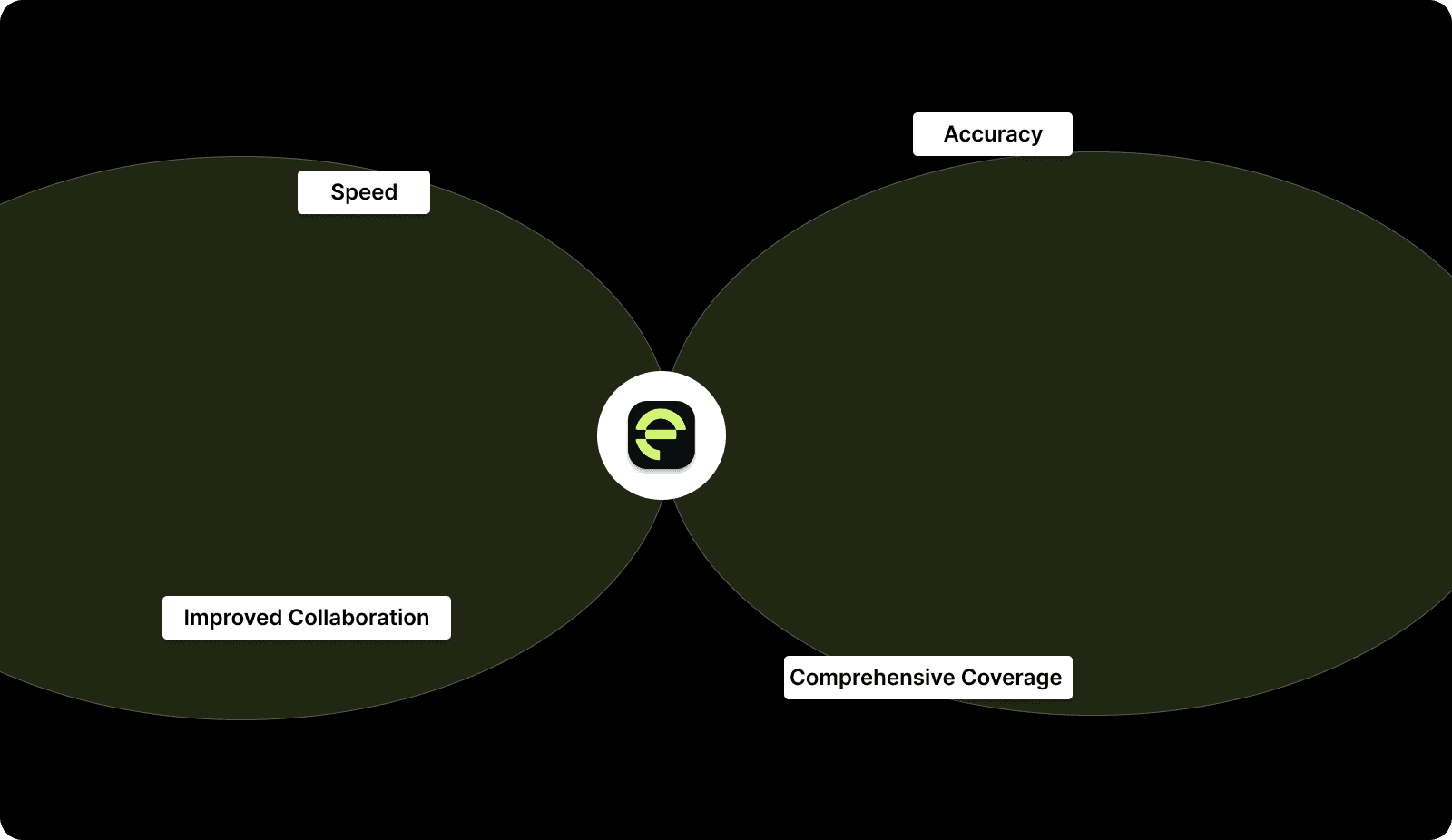
Static Code Analysis gives you the power to catch potential issues early, improving your software's quality and security. By integrating SCA into your process, you can speed up your development cycles and maintain accuracy throughout:
1. Speed
With Static Code Analysis, you get instant feedback while you code, allowing you to fix issues immediately. This quick detection of errors eliminates constant back-and-forth with reviewers, reduces debugging time, and helps you deliver high-quality software faster.
2. Accuracy
SCA tools help you catch issues accurately, removing the risk of human error during code reviews. Whether it’s a bug or a security vulnerability, SCA tools help you pinpoint issues quickly, like identifying inefficient code, ensuring your software runs smoothly.
3. Comprehensive Coverage
SCA provides thorough coverage, automatically scanning every line of code to find problems that manual reviews might miss. From security flaws to compliance violations, it ensures nothing slips through the cracks, making your codebase more secure and reliable.
4. Improved Collaboration
By integrating SCA into your workflow, you get real-time feedback directly in your IDE, which simplifies collaboration with your team. With pull request dashboards, managing and prioritizing code reviews becomes easier, ensuring everyone is on the same page and speeding up your overall development process.
SCA is indeed powerful, but it also has its limitations that can affect its accuracy and effectiveness in certain situations.
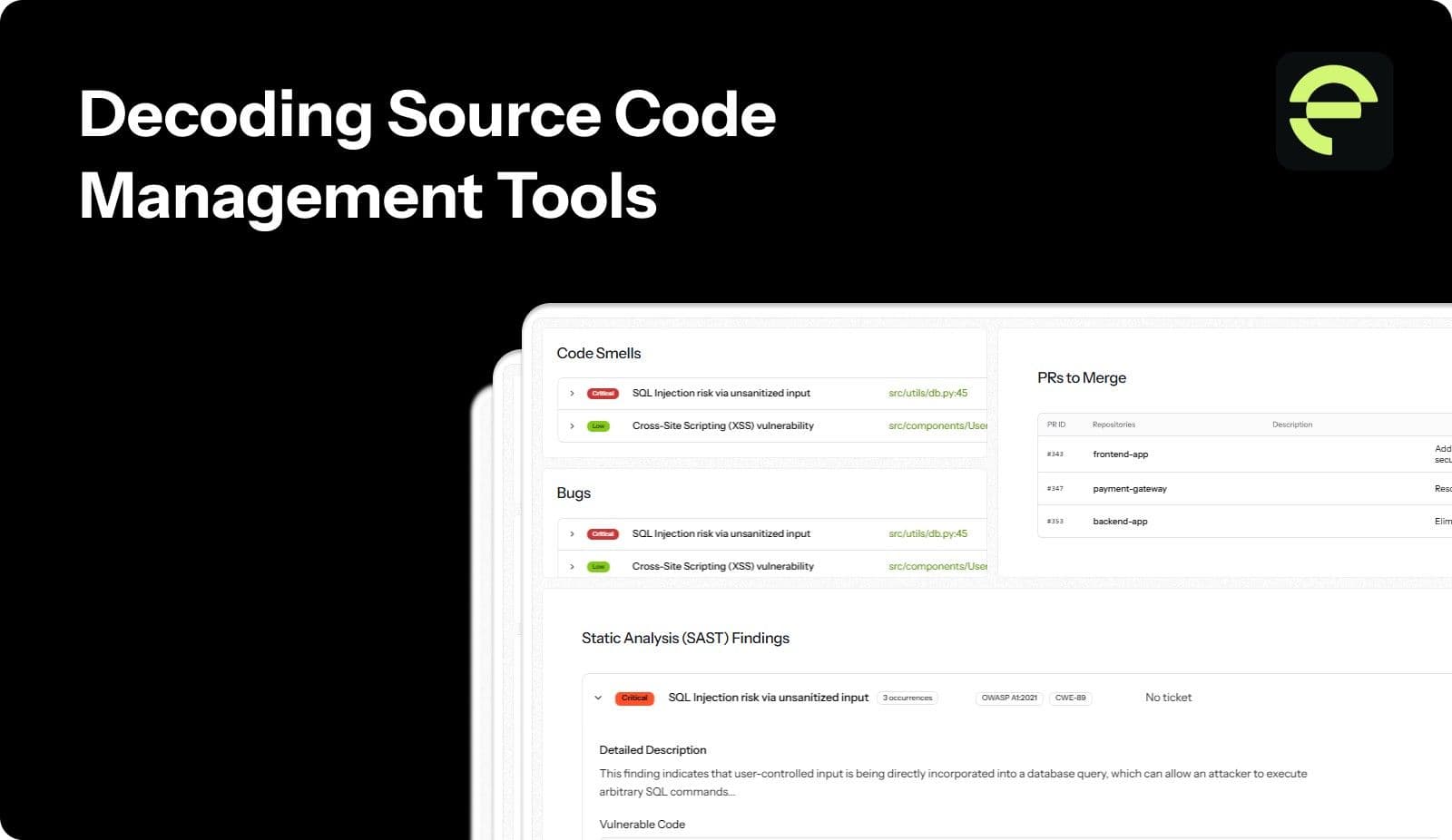
Also Read: Decoding Source Code Management Tools: Types, Benefits, & Top Picks
Limitations of Static Code Analysis
While Static Code Analysis offers numerous advantages, it's important to recognize its limitations. Understanding these challenges is essential for maximizing its effectiveness in detecting issues without overlooking key aspects in the code. Let’s dive into the challenges you may face:
1. False Positives & Negatives
One of the most significant challenges with SCA is the occurrence of false positives and false negatives. False positives occur when the tool flags code that isn't actually a problem, while false negatives happen when a critical issue goes unnoticed. This can lead to wasted time investigating non-issues or, worse, missed vulnerabilities that may impact the software later.
2. Developer Intent
SCA tools cannot understand the developer's intent behind the code they write. Sometimes, unconventional solutions or optimizations that work perfectly fine may be flagged as problematic, even though they don’t cause issues in practice. This can lead to frustration for you and your team, especially when the flagged code is functional and purposeful.
3. Tool Complexity
Another limitation is the complexity of some SCA tools, especially in large or scaling projects. Configuring the tool to suit your specific needs, defining custom rules, and maintaining them as the project grows can be time-consuming. With large teams or multiple contributors, keeping the tool properly set up and efficient can become an ongoing challenge.
These limitations highlight the need for careful integration of SCA into your workflow. To overcome these challenges and get the most value from SCA, let’s dive into the best practices for implementation.
Best Practices for Static Code Analysis
To access the full potential of Static Code Analysis, it’s essential to implement it correctly. Following these best practices will help you get the most value from your tools and integrate SCA seamlessly into your development workflow:
Integrate Early in the Development Process: The earlier you implement SCA, the more effective it becomes. Integrating it into your CI/CD pipeline allows for continuous feedback as developers write and commit code, preventing issues from accumulating over time.
Prioritize Critical Vulnerabilities: SCA tools often flag numerous issues, but not all of them are equally important. Focus on the most critical vulnerabilities that could affect functionality or security, addressing them before less significant findings to avoid wasted time.
Customize Rule Sets: Each project is unique, so your SCA tool should be tailored to fit your specific coding standards, industry requirements, and goals. Customizing the rule sets ensures that the tool identifies the issues that matter most for your team.
Combine SCA with Dynamic Analysis and Code Reviews: SCA is an invaluable tool, but it should never be used in isolation. For a more comprehensive approach to security and quality, combine it with dynamic analysis and manual code reviews to catch issues that SCA alone may miss.
By following these best practices, you can ensure that your Static Code Analysis is as effective as possible. It should help you deliver secure, high-quality software with greater efficiency.
Choosing the Right Static Code Analysis Tool
Selecting the right Static Code Analysis tool can be overwhelming. Consider these key factors to ensure the tool aligns with your project’s needs and your team’s workflow:
Language and Framework Support: Ensure the tool supports the languages and frameworks your team uses. Some tools specialize in specific languages, while others offer broader compatibility across multiple technologies.
Actionable Insights: Choose a tool that provides actionable insights, not just flags issues. It should guide your developers on how to fix the identified problems efficiently.
Integration with IDEs and CI/CD: Select a tool that integrates smoothly with your IDE and CI/CD pipeline, ensuring real-time feedback as your developers write and commit code.
Scalability & Customization: Pick a tool that can scale as your project grows and allows customization of rules to match your growing team's needs.
By focusing on these factors, you’ll select an SCA tool that enhances your developer productivity and software quality. Now, let’s deep dive into the top three static code analysis tools that can make your work easier.
Static Code Analysis Tools to Consider to Improve Your Code
Selecting the right Static Code Analysis tool is essential for maintaining secure, high-quality software. Below are some of the most powerful tools available that can enhance your code quality and security.
1. Entelligence AI
Entelligence AI provides real-time, context-aware feedback directly within your IDE. It allows you to catch critical issues early. Its AI-powered suggestions reduce false positives and improve code quality, optimizing your development process into a faster, more efficient one.

2. SonarQube
SonarQube is a robust, industry-leading tool that ensures comprehensive code quality analysis. With its extensive set of rules for detecting security vulnerabilities, code smells, and bugs, SonarQube lets you and your team maintain clean, secure, and scalable code that meets high standards.
3. Checkmarx
Checkmarx stands out as a top-tier Static Application Security Testing (SAST) platform. It specializes in identifying security vulnerabilities within your source code, offering detailed insights that help you mitigate risks, ensure compliance, and protect your software from potential threats.
In short, these tools are essential for teams committed to delivering high-quality, secure software. However, to truly maximize their impact, it’s important to address issues as early as possible in the development cycle. This brings us to the concept of shifting left.
How Static Code Analysis Helps Developers Shift Left?
Shifting left means addressing security and quality issues before they snowball. Static Code Analysis enables you to catch vulnerabilities and bugs in real-time, while the code is still being written. This prevents issues from reaching later stages of development.
By shifting left with SCA, you drastically cut the cost of fixing bugs and avoid costly security breaches. This leads to faster, more efficient development cycles and ensures your software is high-quality and secure, all while reducing your overall development expenses.
Shifting left with SCA reduces bugs and security risks early, cutting costs. Entelligence AI enhances this by providing real-time, context-driven feedback directly within your IDE, accelerating code reviews.
Also Read: Windsurf SWE 1.5 and Cursor Composer-1: Two new coding models you should be aware of
Enhance Your Development Process with Entelligence AI
Software teams face constant pressure to build secure, high-quality code quickly. While Static Code Analysis tools help identify flaws early, they often miss the bigger picture. Developers need real-time feedback, and engineering leaders require clear visibility into team performance and security, which traditional SCA tools fail to deliver. Without the right integration, your team can’t work efficiently or respond fast enough.
Entelligence AI goes beyond basic SCA by integrating AI-powered feedback directly into your IDE, offering not just code reviews, but a comprehensive view of security, quality, and team performance. By linking code quality and developer insights, Entelligence AI speeds up development and improves collaboration, giving your team the tools they need to succeed.
Here's what Entelligence AI offers you:
Real-Time AI Feedback: Immediate, context-aware suggestions within your IDE, ensuring high-quality code with less back-and-forth.
Integrated Security Checks: Embeds security into every stage of development, preventing vulnerabilities from slipping through.
Team Insights & Performance Analytics: Provides engineering leaders with actionable data on team productivity and progress.
Seamless End-to-End Solution: Combines SCA, security, and team management into a single platform for faster, more secure software delivery.
Overall, with Entelligence AI, you’re not only analyzing code but also optimizing the entire development lifecycle.

Conclusion
Static Code Analysis plays a major role in modern software development by enabling early detection of code quality issues and security vulnerabilities. Identifying potential flaws before execution helps prevent costly errors, reduces technical debt, and ensures higher software quality. Integrating SCA into your workflow provides continuous feedback, allowing you to focus on building features rather than fixing problems later in the process.
Entelligence AI goes beyond traditional SCA by offering context-aware, AI-powered insights directly within your IDE. This seamless integration helps you resolve issues faster, ensuring higher code quality and security without slowing down your development speed.
Book a demo with Entelligence AI today and discover how our solution can enhance your development process and help you build better, more secure software.
FAQs
1. What is an example of a static analysis?
An example of static analysis is using a tool like Entelligence AI to automatically detect coding errors, security flaws, or compliance issues by scanning the source code without executing the program.
2. What errors does static code analysis detect?
Static code analysis detects a range of issues, including syntax errors, security vulnerabilities (e.g., SQL injection), code quality issues (e.g., duplicate code), and non-compliance with coding standards or best practices.
3. How do I integrate static code analysis into my CI/CD pipeline?
To integrate static code analysis into your CI/CD pipeline, configure the analysis tool to automatically run whenever code is committed or built. This ensures real-time feedback, allowing you to address issues before deployment.
4. Can static code analysis find all security vulnerabilities?
No, static code analysis cannot detect all vulnerabilities, particularly runtime issues. While it’s effective for many types of security flaws, dynamic analysis and penetration testing are needed for comprehensive security coverage.
5. How do I prioritize which static code analysis issues to fix first?
Prioritize static code analysis issues based on their severity and impact on security, functionality, and compliance. Start with critical vulnerabilities or those that could lead to major bugs or security breaches, then address lower-priority items.
Building secure and high-quality software is a constant challenge for you and your team. You need tools that help find problems early, before they become bigger issues. Static Code Analysis (SCA) is one such tool, helping you identify bugs and security issues as you write the code.
The static analysis market is expected to grow at a CAGR of 14.7% from 2024 to 2030, reaching nearly USD 3.35 billion. This growth shows how important SCA is for improving your code quality and security.
In this blog, we will discuss what static code analysis is, how it works, its benefits, and best practices for using it effectively.
Overview
Static Code Analysis helps identify code issues like bugs and vulnerabilities before execution, improving software quality early in development.
SCA integrates with IDEs and CI/CD pipelines, providing real-time feedback, speeding up development and ensuring high-quality code.
Unlike dynamic analysis, SCA detects issues before runtime, reducing debugging time and addressing problems earlier.
SCA improves security by identifying vulnerabilities such as SQL injection and XSS early, preventing breaches.
Static Code Analysis simplifies development by automating error detection, providing insights, and enhancing team collaboration.
What Is Static Code Analysis?
Static Code Analysis is a method used to examine and evaluate source code without actually executing it. Instead of waiting until a program is running, SCA tools analyze the codebase directly to detect potential issues such as bugs, security vulnerabilities, or coding errors.
How It Works:
Static Code Analysis tools work by parsing the source code and converting it into an intermediate format, such as an Abstract Syntax Tree (AST). This structure allows the tool to examine the code for compliance with defined rules or patterns.
Once parsed, the tool checks for several potential issues, including:
Coding standards violations: Ensuring the code follows industry best practices.
Security vulnerabilities: Checking for risks such as SQL injection, cross-site scripting (XSS), or buffer overflows.
Potential bugs: Identifying code sections that might cause runtime errors.
SCA tools integrate directly into your development environment (IDE) or Continuous Integration/Continuous Deployment (CI/CD) pipeline to provide real-time feedback. It ensures issues are caught early and fixed immediately.
Also Read: What is a Secure Code Review? Process and Best Practices
How Static Code Analysis Differs from Dynamic Analysis?
When it comes to identifying issues in software, there are two key approaches: Static Code Analysis and Dynamic Analysis. While both are essential for maintaining software quality, each serves a distinct role in the development cycle. To better understand the contrast between the two, here’s a breakdown of how they function in different phases of development:
Aspect | Static Code Analysis | Dynamic Analysis |
When It's Performed | During code writing, before execution. | While the program is running, during execution. |
Primary Focus | Code structure, syntax, and potential vulnerabilities. | Program behavior, runtime errors, and performance issues. |
Issue Detection | Catches errors such as security flaws, missing code patterns, and compliance violations early. | Identifies issues like memory leaks, resource allocation problems, and runtime bugs. |
Time to Fix Issues | Faster fixes since issues are identified early in the development process. | Often takes longer, as the program must be running to detect issues. |
Tool Integration | Integrated directly into IDEs and CI/CD pipelines for real-time feedback. | Typically runs after the program has been developed or in staging environments. |
Scope of Detection | Focuses on the codebase’s internal structure, such as code quality and security vulnerabilities. | Focuses on runtime performance, including logic and resource management. |
Incorporating both static and dynamic analysis into your development pipeline ensures a comprehensive approach. Static analysis detects issues early, saving time and resources, while dynamic analysis catches bugs that only appear during execution. Together, they ensure your code is both secure and high-quality from start to finish.

Why Static Code Analysis Is Essential for Modern Development?
As software becomes more complex, it’s important to ensure the code you write is secure, functional, and efficient. Static Code Analysis helps achieve that by catching issues that might otherwise go unnoticed during traditional code reviews or testing processes. Here’s why the tool is extremely important:
1. Early Detection Saves Time & Money
The earlier you find and fix an issue, the less expensive it is to address. For instance, imagine you're building an app with a team. Midway through the project, you realize there's a security flaw in your authentication system that could have been caught earlier using SCA.
Fixing it now means you avoid potential data breaches later, which could cost much more than fixing the issue during development.
2. Security at the Core
Modern software needs to be secure from the start. Hackers often exploit small coding errors, like SQL injection vulnerabilities, to gain access to sensitive data. Static Code Analysis tools catch these vulnerabilities before your code is deployed to production, making your software more secure.
Think of SCA as a preventive measure, just like how a virus scanner checks your computer files for threats before you open them. By integrating SCA tools into your development workflow, you can ensure your code is safe from known security threats.
3. Code Quality
Maintaining high code quality is essential for both long-term maintainability and development speed. SCA ensures that your code adheres to best practices and standards, reducing technical debt and preventing issues that might slow down future development.
For example, an SCA tool can highlight complex code blocks that are difficult to maintain, suggest refactoring, or warn you about redundant code. By addressing these issues early, you can prevent slowdowns as your project grows.
Now that we understand what SCA is and why it's important, let's dive deeper into its key benefits for developers and organizations.
Core Benefits of Static Code Analysis
Static Code Analysis gives you the power to catch potential issues early, improving your software's quality and security. By integrating SCA into your process, you can speed up your development cycles and maintain accuracy throughout:

1. Speed
With Static Code Analysis, you get instant feedback while you code, allowing you to fix issues immediately. This quick detection of errors eliminates constant back-and-forth with reviewers, reduces debugging time, and helps you deliver high-quality software faster.
2. Accuracy
SCA tools help you catch issues accurately, removing the risk of human error during code reviews. Whether it’s a bug or a security vulnerability, SCA tools help you pinpoint issues quickly, like identifying inefficient code, ensuring your software runs smoothly.
3. Comprehensive Coverage
SCA provides thorough coverage, automatically scanning every line of code to find problems that manual reviews might miss. From security flaws to compliance violations, it ensures nothing slips through the cracks, making your codebase more secure and reliable.
4. Improved Collaboration
By integrating SCA into your workflow, you get real-time feedback directly in your IDE, which simplifies collaboration with your team. With pull request dashboards, managing and prioritizing code reviews becomes easier, ensuring everyone is on the same page and speeding up your overall development process.
SCA is indeed powerful, but it also has its limitations that can affect its accuracy and effectiveness in certain situations.
Also Read: Decoding Source Code Management Tools: Types, Benefits, & Top Picks
Limitations of Static Code Analysis
While Static Code Analysis offers numerous advantages, it's important to recognize its limitations. Understanding these challenges is essential for maximizing its effectiveness in detecting issues without overlooking key aspects in the code. Let’s dive into the challenges you may face:
1. False Positives & Negatives
One of the most significant challenges with SCA is the occurrence of false positives and false negatives. False positives occur when the tool flags code that isn't actually a problem, while false negatives happen when a critical issue goes unnoticed. This can lead to wasted time investigating non-issues or, worse, missed vulnerabilities that may impact the software later.
2. Developer Intent
SCA tools cannot understand the developer's intent behind the code they write. Sometimes, unconventional solutions or optimizations that work perfectly fine may be flagged as problematic, even though they don’t cause issues in practice. This can lead to frustration for you and your team, especially when the flagged code is functional and purposeful.
3. Tool Complexity
Another limitation is the complexity of some SCA tools, especially in large or scaling projects. Configuring the tool to suit your specific needs, defining custom rules, and maintaining them as the project grows can be time-consuming. With large teams or multiple contributors, keeping the tool properly set up and efficient can become an ongoing challenge.
These limitations highlight the need for careful integration of SCA into your workflow. To overcome these challenges and get the most value from SCA, let’s dive into the best practices for implementation.
Best Practices for Static Code Analysis
To access the full potential of Static Code Analysis, it’s essential to implement it correctly. Following these best practices will help you get the most value from your tools and integrate SCA seamlessly into your development workflow:
Integrate Early in the Development Process: The earlier you implement SCA, the more effective it becomes. Integrating it into your CI/CD pipeline allows for continuous feedback as developers write and commit code, preventing issues from accumulating over time.
Prioritize Critical Vulnerabilities: SCA tools often flag numerous issues, but not all of them are equally important. Focus on the most critical vulnerabilities that could affect functionality or security, addressing them before less significant findings to avoid wasted time.
Customize Rule Sets: Each project is unique, so your SCA tool should be tailored to fit your specific coding standards, industry requirements, and goals. Customizing the rule sets ensures that the tool identifies the issues that matter most for your team.
Combine SCA with Dynamic Analysis and Code Reviews: SCA is an invaluable tool, but it should never be used in isolation. For a more comprehensive approach to security and quality, combine it with dynamic analysis and manual code reviews to catch issues that SCA alone may miss.
By following these best practices, you can ensure that your Static Code Analysis is as effective as possible. It should help you deliver secure, high-quality software with greater efficiency.
Choosing the Right Static Code Analysis Tool
Selecting the right Static Code Analysis tool can be overwhelming. Consider these key factors to ensure the tool aligns with your project’s needs and your team’s workflow:
Language and Framework Support: Ensure the tool supports the languages and frameworks your team uses. Some tools specialize in specific languages, while others offer broader compatibility across multiple technologies.
Actionable Insights: Choose a tool that provides actionable insights, not just flags issues. It should guide your developers on how to fix the identified problems efficiently.
Integration with IDEs and CI/CD: Select a tool that integrates smoothly with your IDE and CI/CD pipeline, ensuring real-time feedback as your developers write and commit code.
Scalability & Customization: Pick a tool that can scale as your project grows and allows customization of rules to match your growing team's needs.
By focusing on these factors, you’ll select an SCA tool that enhances your developer productivity and software quality. Now, let’s deep dive into the top three static code analysis tools that can make your work easier.
Static Code Analysis Tools to Consider to Improve Your Code
Selecting the right Static Code Analysis tool is essential for maintaining secure, high-quality software. Below are some of the most powerful tools available that can enhance your code quality and security.
1. Entelligence AI
Entelligence AI provides real-time, context-aware feedback directly within your IDE. It allows you to catch critical issues early. Its AI-powered suggestions reduce false positives and improve code quality, optimizing your development process into a faster, more efficient one.

2. SonarQube
SonarQube is a robust, industry-leading tool that ensures comprehensive code quality analysis. With its extensive set of rules for detecting security vulnerabilities, code smells, and bugs, SonarQube lets you and your team maintain clean, secure, and scalable code that meets high standards.
3. Checkmarx
Checkmarx stands out as a top-tier Static Application Security Testing (SAST) platform. It specializes in identifying security vulnerabilities within your source code, offering detailed insights that help you mitigate risks, ensure compliance, and protect your software from potential threats.
In short, these tools are essential for teams committed to delivering high-quality, secure software. However, to truly maximize their impact, it’s important to address issues as early as possible in the development cycle. This brings us to the concept of shifting left.
How Static Code Analysis Helps Developers Shift Left?
Shifting left means addressing security and quality issues before they snowball. Static Code Analysis enables you to catch vulnerabilities and bugs in real-time, while the code is still being written. This prevents issues from reaching later stages of development.
By shifting left with SCA, you drastically cut the cost of fixing bugs and avoid costly security breaches. This leads to faster, more efficient development cycles and ensures your software is high-quality and secure, all while reducing your overall development expenses.
Shifting left with SCA reduces bugs and security risks early, cutting costs. Entelligence AI enhances this by providing real-time, context-driven feedback directly within your IDE, accelerating code reviews.
Also Read: Windsurf SWE 1.5 and Cursor Composer-1: Two new coding models you should be aware of
Enhance Your Development Process with Entelligence AI
Software teams face constant pressure to build secure, high-quality code quickly. While Static Code Analysis tools help identify flaws early, they often miss the bigger picture. Developers need real-time feedback, and engineering leaders require clear visibility into team performance and security, which traditional SCA tools fail to deliver. Without the right integration, your team can’t work efficiently or respond fast enough.
Entelligence AI goes beyond basic SCA by integrating AI-powered feedback directly into your IDE, offering not just code reviews, but a comprehensive view of security, quality, and team performance. By linking code quality and developer insights, Entelligence AI speeds up development and improves collaboration, giving your team the tools they need to succeed.
Here's what Entelligence AI offers you:
Real-Time AI Feedback: Immediate, context-aware suggestions within your IDE, ensuring high-quality code with less back-and-forth.
Integrated Security Checks: Embeds security into every stage of development, preventing vulnerabilities from slipping through.
Team Insights & Performance Analytics: Provides engineering leaders with actionable data on team productivity and progress.
Seamless End-to-End Solution: Combines SCA, security, and team management into a single platform for faster, more secure software delivery.
Overall, with Entelligence AI, you’re not only analyzing code but also optimizing the entire development lifecycle.

Conclusion
Static Code Analysis plays a major role in modern software development by enabling early detection of code quality issues and security vulnerabilities. Identifying potential flaws before execution helps prevent costly errors, reduces technical debt, and ensures higher software quality. Integrating SCA into your workflow provides continuous feedback, allowing you to focus on building features rather than fixing problems later in the process.
Entelligence AI goes beyond traditional SCA by offering context-aware, AI-powered insights directly within your IDE. This seamless integration helps you resolve issues faster, ensuring higher code quality and security without slowing down your development speed.
Book a demo with Entelligence AI today and discover how our solution can enhance your development process and help you build better, more secure software.
FAQs
1. What is an example of a static analysis?
An example of static analysis is using a tool like Entelligence AI to automatically detect coding errors, security flaws, or compliance issues by scanning the source code without executing the program.
2. What errors does static code analysis detect?
Static code analysis detects a range of issues, including syntax errors, security vulnerabilities (e.g., SQL injection), code quality issues (e.g., duplicate code), and non-compliance with coding standards or best practices.
3. How do I integrate static code analysis into my CI/CD pipeline?
To integrate static code analysis into your CI/CD pipeline, configure the analysis tool to automatically run whenever code is committed or built. This ensures real-time feedback, allowing you to address issues before deployment.
4. Can static code analysis find all security vulnerabilities?
No, static code analysis cannot detect all vulnerabilities, particularly runtime issues. While it’s effective for many types of security flaws, dynamic analysis and penetration testing are needed for comprehensive security coverage.
5. How do I prioritize which static code analysis issues to fix first?
Prioritize static code analysis issues based on their severity and impact on security, functionality, and compliance. Start with critical vulnerabilities or those that could lead to major bugs or security breaches, then address lower-priority items.
Your questions,
Your questions,
Decoded
Decoded
What makes Entelligence different?
Unlike tools that just flag issues, Entelligence understands context — detecting, explaining, and fixing problems while aligning with product goals and team standards.
Does it replace human reviewers?
No. It amplifies them. Entelligence handles repetitive checks so engineers can focus on architecture, logic, and innovation.
What tools does it integrate with?
It fits right into your workflow — GitHub, GitLab, Jira, Linear, Slack, and more. No setup friction, no context switching.
How secure is my code?
Your code never leaves your environment. Entelligence uses encrypted processing and complies with top industry standards like SOC 2 and HIPAA.
Who is it built for?
Fast-growing engineering teams that want to scale quality, security, and velocity without adding more manual reviews or overhead.

What makes Entelligence different?
Does it replace human reviewers?
What tools does it integrate with?
How secure is my code?
Who is it built for?