How to Conduct a Code Quality Audit: A Comprehensive Guide
Dec 1, 2025
Dec 1, 2025
Ensuring your software is high-performing, secure, and scalable is essential for long-term success. Conducting a code quality audit helps identify inefficiencies, risks, and areas for improvement, ensuring your software meets both current and future demands.
The importance of code quality audits is growing. In fact, the Code Audit Service Market is projected to reach USD 5.4 billion by 2033, growing at a CAGR of 11.2% from 2026 to 2033. This growth highlights how important proactive audits are in maintaining software quality and performance.
In this blog, we will guide you through the steps of conducting a comprehensive code quality audit, ensuring your software remains efficient, secure, and ready for the future.
In a Nutshell
A code quality audit evaluates the readability, maintainability, performance, and security of your entire codebase.
Unlike code reviews, audits assess the overall health of the codebase, not just individual changes.
Conduct audits at key stages, like pre-deployment or after code changes, to maintain performance and reduce technical debt.
Entelligence AI automates code reviews and offers AI-driven insights, streamlining audits and integrating with CI/CD pipelines.
Regular audits improve software quality, leading to cost savings and long-term maintainability.
What is a Code Quality Audit and Why Does It Matter?
A code quality audit is a thorough review of your software’s codebase, examining elements like readability, maintainability, performance, and security. It is distinct from a code review, which typically focuses on individual code changes, while a quality audit evaluates the overall health of your entire codebase.
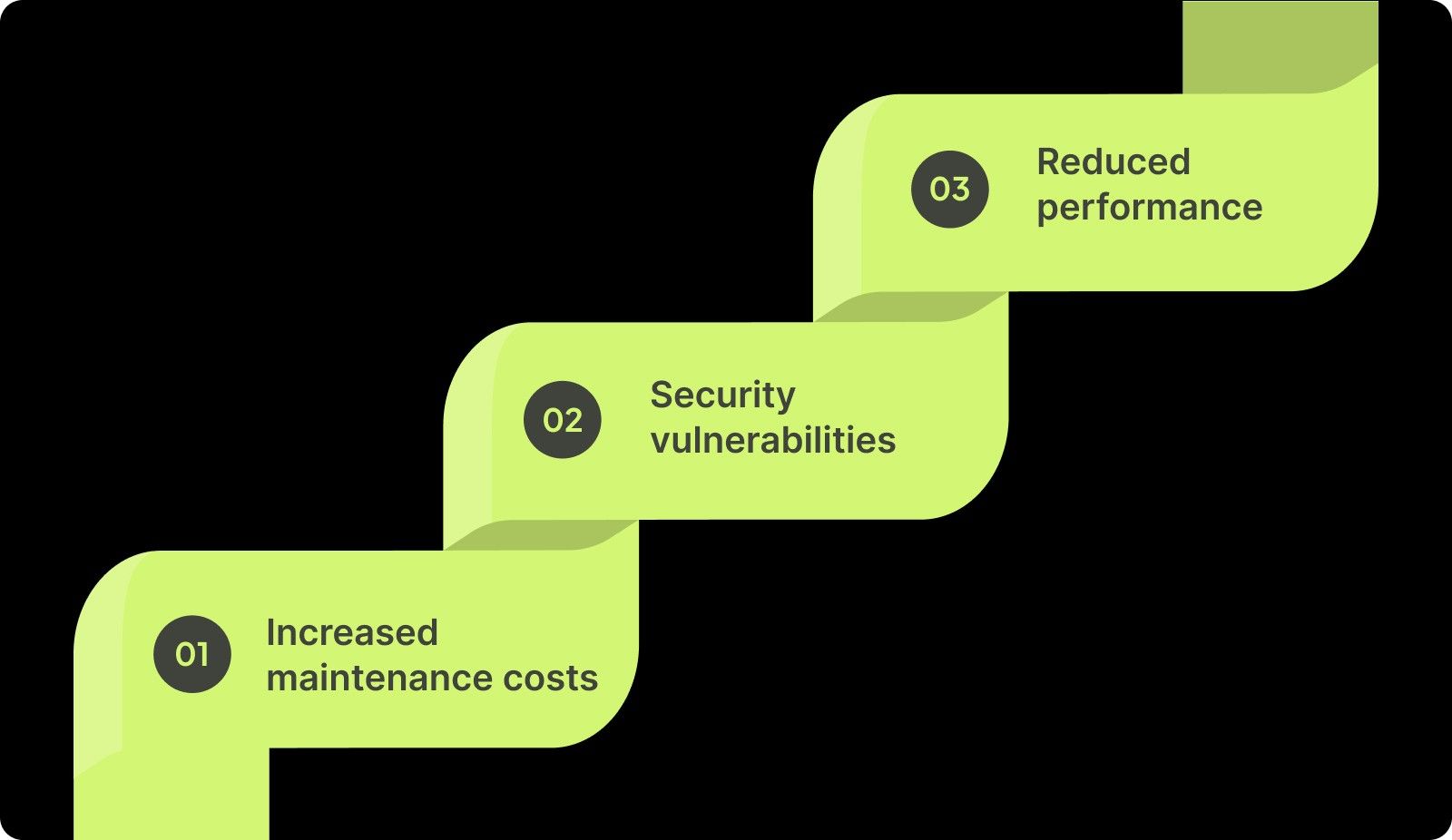
Code quality is the foundation of long-term software health. Poor quality code can result in:
Increased maintenance costs: Code that is difficult to read or maintain often leads to higher costs when changes are required.
Security vulnerabilities: Bad code can introduce security holes that could be exploited.
Reduced performance: Inefficient code can slow down applications, reducing user satisfaction and engagement.
Difference Between Code Review vs. Code Quality Audit
A code review focuses on individual code changes, while a code quality audit is a comprehensive evaluation of the entire codebase, ensuring long-term quality and performance. Let’s look into their differences:
Aspect | Code Review | Code Quality Audit |
Scope | Focuses on individual code changes | Evaluates the entire codebase |
Purpose | Identify errors and improvements | Ensure overall code quality and health |
Frequency | Regular and ongoing | Periodic, usually before release |
In short, both are important for robust, reliable software.
Why Conduct a Code Quality Audit?
A code quality audit helps ensure that your software maintains high standards of readability, scalability, and performance. It proactively identifies risks that could lead to future technical debt and ensures your code adheres to best practices and industry standards. Regular audits reduce the need for costly rework in the future and improve collaboration across teams.
Key Components of a Code Quality Audit
Before diving into the audit process, it’s essential to understand the different components that are reviewed during the audit. A thorough code quality audit covers several essential aspects:
1. Code Readability
Code readability is essential for collaboration and long-term maintainability. Clear, well-documented, and well-structured code ensures that you can easily understand and modify the code in the future.
2. Code Maintainability
Maintainability refers to how easy it is to update or modify the code. The more maintainable your code is, the less time you’ll spend making changes or fixing bugs.
3. Testing Coverage
A thorough audit includes an assessment of your test cases, ensuring they cover critical code paths and edge cases. Test coverage directly impacts the reliability of your software, making it essential to verify that your testing is comprehensive.
4. Performance Evaluation
Evaluating the performance of your codebase is key to ensuring that your application can handle increasing amounts of traffic or data without slowing down. Poor performance can lead to user frustration and loss of engagement.
5. Documentation Review
Good documentation is an integral part of a healthy codebase. A code audit checks that the documentation is complete, up to date, and accessible, enabling future developers to easily understand the code.

6. Security
Security issues often stem from poor code quality. An audit identifies areas where security risks, like hardcoded passwords or weak encryption, might exist. While security audits focus on vulnerabilities, a quality audit ensures that security best practices are followed.
7. Compliance & Standards
Code should comply with relevant standards and regulations, like ISO or GDPR. A code audit checks that your codebase follows necessary compliance standards, reducing legal risks.
By evaluating these key components during a code quality audit, you ensure your software meets technical standards. This process also guarantees your code remains secure, maintainable, and scalable, supporting long-term success and minimizing future risks.
Also Read: Comprehensive Guide to Secure Code Review Practices
When to Conduct a Code Quality Audit?
Knowing when to audit your code can make all the difference in maintaining software health. Let’s discuss when you should conduct a code audit.
1. Pre-Deployment
Before deploying your application to production, conducting a code quality audit ensures that everything is working smoothly and meets the necessary standards for release.
2. Post-Deployment
Once deployed, code audits should be performed periodically to ensure that your software continues to perform well. This is important as new features get added and changes are made.
3. After Code Changes
Whenever you add new features, fix bugs, or refactor code, a quality audit should follow. This ensures that changes don’t introduce new issues and that they align with your code quality standards.
4. Performance Bottlenecks
If you’re experiencing performance issues or degradation, a code audit is essential for identifying inefficiencies that may be affecting performance.
By conducting code quality audits at these key stages, you ensure that your software remains reliable, efficient, and scalable. This minimizes risks and maintains high standards throughout the development lifecycle.
The Code Audit Process: Step-by-Step
Conducting a thorough code quality audit is a multi-step process that ensures your software is free of critical issues, performs optimally, and adheres to best practices. Below is a breakdown of the steps involved in carrying out a successful code audit.
Step 1: Preparation and Planning
The first step in any code audit is to set clear objectives. What specific issues are you looking to uncover? Are you focused on performance, security, or readability? Gather all necessary tools, such as static code analysis tools, performance profilers, and any structure relevant to your audit goals.
Step 2: Codebase Evaluation
In this stage, you’ll perform a high-level evaluation of your codebase. Assess the overall structure, dependencies, and how the code is organized. Identify any areas that might need deeper analysis and highlight any parts that are complex or have high technical debt. This is where you'll begin understanding the bigger picture.
Step 3: In-Depth Code Analysis
This step is where the bulk of the audit happens. You will focus on critical aspects such as code readability, maintainability, performance, and security. Review the code for issues like overly complex methods, redundant code, and potential security vulnerabilities. You may also check for the presence of dead code or unused variables, which may not affect functionality but add unnecessary complexity.
Step 4: Reporting Findings
Once the audit is complete, it's time to document your findings. Provide a clear, structured report that outlines all identified issues, with specific examples and suggested improvements. A well-organized report will help prioritize fixes and provide a roadmap for further improvements.
Step 5: Actionable Changes
Implement the necessary changes based on your findings. Prioritize the issues that have the biggest impact on your software’s performance, maintainability, or security. The changes should be easy to track and test, ensuring the code remains functional after the fixes.
Step 6: Follow-up Audits
Code audits shouldn’t be a one-time event. Schedule regular follow-up audits to ensure that changes are effective and that code quality remains high. Follow-up audits help ensure that new issues don’t arise and that the software continues to scale in a maintainable direction.
By following these steps, you can conduct a thorough, effective code audit that ensures your software remains secure, efficient, and maintainable over time. Regular audits help catch issues early, saving both time and resources in the long run.

What are some Tools for Code Quality Audits?
When conducting a code quality audit, various tools are commonly used to evaluate different aspects of your codebase. These tools focus on areas like static analysis, performance evaluation, and security assessment. Some popular tools include:
Static Code Analysis Tools: Tools like SonarQube and CodeClimate analyze your code for errors, bugs, and violations of best practices without running the code. These tools help identify structural problems and ensure adherence to coding standards.
Dynamic Analysis Tools: JProfiler and New Relic help you monitor how your code performs during runtime. These tools are valuable for identifying performance bottlenecks, memory leaks, and inefficient resource usage.
Performance Profiling Tools: JMeter and Gatling provide load testing and benchmarking capabilities, allowing you to understand how well your application handles traffic and identify areas for optimization.
Security Tools: Checkmarx and Fortify are useful for code scanning for potential security vulnerabilities. While security audits focus on finding weaknesses, a quality audit ensures your code adheres to security best practices to prevent future risks.
Testing Tools: Tools like JUnit, Selenium, and TestNG ensure your tests cover critical areas of your codebase. These tools help validate functionality and ensure high test coverage, contributing to the overall quality of the software.
While these tools serve their purpose in specific areas, Entelligence AI offers a more simplified approach by integrating the best aspects of these tools into one AI-powered solution. Entelligence AI automates the code review process, providing contextual insights across static analysis, performance evaluation, and security, all while integrating seamlessly into your CI/CD pipelines.
Also Read: Top 8 Developer Productivity Tools For Maximum Efficiency
What are the Code Quality Audit Best Practices?
Conducting a thorough code quality audit requires more than just following a checklist. Adopting best practices ensures the audit is effective, efficient, and delivers actionable insights. Below are some key best practices to follow during a code quality audit:
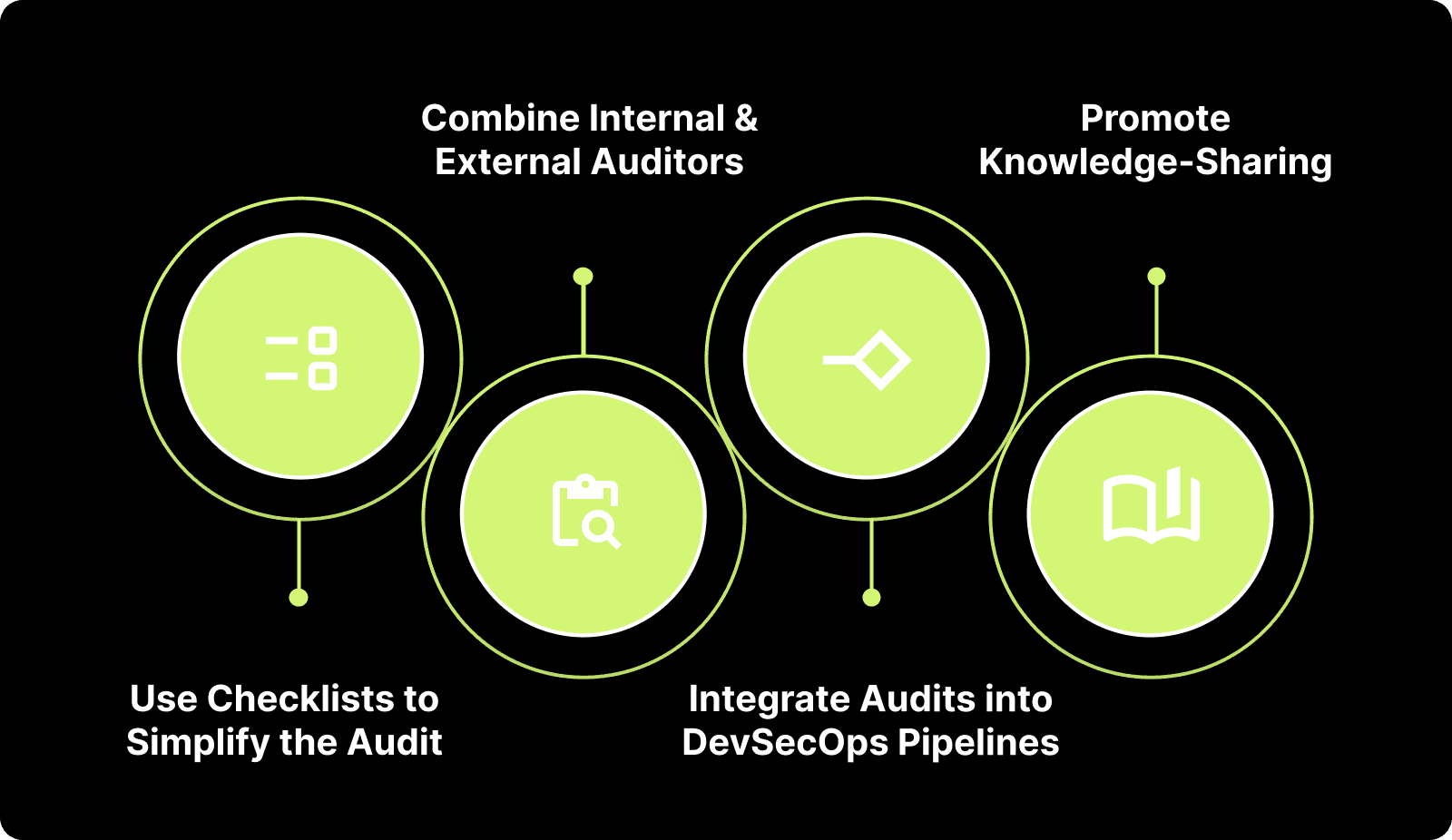
1. Use Checklists to Simplify the Audit
Develop a detailed checklist based on your audit’s specific goals. This ensures every critical area, like readability, maintainability, and security, is reviewed systematically, preventing important elements from being overlooked.
2. Combine Internal and External Auditors
Utilize both internal and external auditors for a more comprehensive evaluation. Internal auditors are familiar with the codebase, while external auditors bring fresh, unbiased perspectives that can uncover hidden issues and offer valuable feedback.
3. Integrate Audits into DevSecOps Pipelines
Incorporate automated code audits directly into your CI/CD pipeline. By doing so, you ensure your software is continuously monitored for code quality, performance, and security, catching issues early and reducing manual audit workloads.
4. Promote Knowledge-Sharing
Promote knowledge-sharing among you and your team by making audit findings accessible and actionable. This approach encourages collaboration, helping each other learn from audits and integrate best practices into future code.
What Are the Deliverables of a Code Quality Audit?
A code quality audit provides tailored insights for developers, managers, business owners, and technical leads to improve code health, performance and reduce technical debt.
For Developers: Clear recommendations to enhance readability, maintainability, and performance.
For Engineering Managers: A high-level summary of code health issues with actionable suggestions for improvement.
For Business Owners: A cost-benefit analysis outlining long-term savings and risk reduction from addressing technical debt.
For Technical Leads: Actionable, prioritized tasks to improve the codebase, focusing on high-impact areas that drive efficiency and software quality.
These deliverables ensure that every stakeholder receives valuable insights for maintaining high code quality and long-term software success.
Also Read: Understanding Code Coverage: Meaning, Metrics, and Measurement
How Entelligence AI Improves the Code Quality Audit Process?
Code quality audits are essential for ensuring your software is high-performing, secure, and scalable. However, traditional audits can be slow and may overlook critical issues, as many tools focus only on isolated aspects of the code, making the process inefficient.
Entelligence AI streamlines this process by automating key tasks and offering AI-powered insights, making audits faster, more accurate, and fully integrated into your CI/CD pipeline for ongoing improvements.
Here’s how Entelligence AI helps:
Automated Code Reviews: Quickly analyze code for readability, performance, security, and maintainability, providing instant, actionable feedback.
Context-Aware Insights: Receive precise recommendations that take the full context of your code into account, ensuring improvements align with the overall project.
Continuous Monitoring: Easily integrates into your pipeline, providing ongoing quality checks to maintain high standards throughout development.
Actionable Recommendations: Get clear, tailored suggestions to improve your code’s quality, with no ambiguity in the actions needed.
Seamless Integration: Integrates effortlessly into your existing workflows, so you can implement audits without disruption to your development process.
With Entelligence AI, code audits become a powerful tool for continuous improvement, enabling you to maintain high-quality software while reducing development time and overhead.

Conclusion
Proactive code quality audits are essential for maintaining the long-term health and performance of your software. By regularly conducting audits, you ensure that your code is secure, maintainable, and high-performing.
Entelligence AI offers a comprehensive solution for automating and streamlining your code quality audits. With deep insights, task automation, and integration with your development pipeline, Entelligence AI empowers you to maintain high-quality software with ease.
Book a demo with Entelligence AI today to enhance your code quality audits and ensure high-performance software delivery.
Frequently Asked Questions
1. Who typically performs coding audits?
Senior developers, technical leads, or external auditors typically perform coding audits. For specialized areas, security experts or QA teams may be involved, especially in large or security-critical projects, ensuring a comprehensive and unbiased review.
2. How long does it take to perform a code audit?
The time required for a code audit depends on the codebase size, complexity, and audit scope. Small projects may take a few days to a week, while larger, more complex applications can take several weeks or even months to complete.
3. How much is a code audit?
The cost of a code audit can vary significantly depending on the project size, audit depth, and whether it's done internally or by third-party services. Costs typically range from $1,000 to $5,000 for smaller projects and can exceed $50,000 for large, complex systems.
4. How can programmers assess the quality of their own code?
Programmers can assess code quality by using Entelligence AI, which uses AI-driven code reviews to provide contextual insights and actionable feedback. It automates the review process, helps identify issues quickly, and integrates seamlessly into CI/CD pipelines.
Ensuring your software is high-performing, secure, and scalable is essential for long-term success. Conducting a code quality audit helps identify inefficiencies, risks, and areas for improvement, ensuring your software meets both current and future demands.
The importance of code quality audits is growing. In fact, the Code Audit Service Market is projected to reach USD 5.4 billion by 2033, growing at a CAGR of 11.2% from 2026 to 2033. This growth highlights how important proactive audits are in maintaining software quality and performance.
In this blog, we will guide you through the steps of conducting a comprehensive code quality audit, ensuring your software remains efficient, secure, and ready for the future.
In a Nutshell
A code quality audit evaluates the readability, maintainability, performance, and security of your entire codebase.
Unlike code reviews, audits assess the overall health of the codebase, not just individual changes.
Conduct audits at key stages, like pre-deployment or after code changes, to maintain performance and reduce technical debt.
Entelligence AI automates code reviews and offers AI-driven insights, streamlining audits and integrating with CI/CD pipelines.
Regular audits improve software quality, leading to cost savings and long-term maintainability.
What is a Code Quality Audit and Why Does It Matter?
A code quality audit is a thorough review of your software’s codebase, examining elements like readability, maintainability, performance, and security. It is distinct from a code review, which typically focuses on individual code changes, while a quality audit evaluates the overall health of your entire codebase.

Code quality is the foundation of long-term software health. Poor quality code can result in:
Increased maintenance costs: Code that is difficult to read or maintain often leads to higher costs when changes are required.
Security vulnerabilities: Bad code can introduce security holes that could be exploited.
Reduced performance: Inefficient code can slow down applications, reducing user satisfaction and engagement.
Difference Between Code Review vs. Code Quality Audit
A code review focuses on individual code changes, while a code quality audit is a comprehensive evaluation of the entire codebase, ensuring long-term quality and performance. Let’s look into their differences:
Aspect | Code Review | Code Quality Audit |
Scope | Focuses on individual code changes | Evaluates the entire codebase |
Purpose | Identify errors and improvements | Ensure overall code quality and health |
Frequency | Regular and ongoing | Periodic, usually before release |
In short, both are important for robust, reliable software.
Why Conduct a Code Quality Audit?
A code quality audit helps ensure that your software maintains high standards of readability, scalability, and performance. It proactively identifies risks that could lead to future technical debt and ensures your code adheres to best practices and industry standards. Regular audits reduce the need for costly rework in the future and improve collaboration across teams.
Key Components of a Code Quality Audit
Before diving into the audit process, it’s essential to understand the different components that are reviewed during the audit. A thorough code quality audit covers several essential aspects:
1. Code Readability
Code readability is essential for collaboration and long-term maintainability. Clear, well-documented, and well-structured code ensures that you can easily understand and modify the code in the future.
2. Code Maintainability
Maintainability refers to how easy it is to update or modify the code. The more maintainable your code is, the less time you’ll spend making changes or fixing bugs.
3. Testing Coverage
A thorough audit includes an assessment of your test cases, ensuring they cover critical code paths and edge cases. Test coverage directly impacts the reliability of your software, making it essential to verify that your testing is comprehensive.
4. Performance Evaluation
Evaluating the performance of your codebase is key to ensuring that your application can handle increasing amounts of traffic or data without slowing down. Poor performance can lead to user frustration and loss of engagement.
5. Documentation Review
Good documentation is an integral part of a healthy codebase. A code audit checks that the documentation is complete, up to date, and accessible, enabling future developers to easily understand the code.

6. Security
Security issues often stem from poor code quality. An audit identifies areas where security risks, like hardcoded passwords or weak encryption, might exist. While security audits focus on vulnerabilities, a quality audit ensures that security best practices are followed.
7. Compliance & Standards
Code should comply with relevant standards and regulations, like ISO or GDPR. A code audit checks that your codebase follows necessary compliance standards, reducing legal risks.
By evaluating these key components during a code quality audit, you ensure your software meets technical standards. This process also guarantees your code remains secure, maintainable, and scalable, supporting long-term success and minimizing future risks.
Also Read: Comprehensive Guide to Secure Code Review Practices
When to Conduct a Code Quality Audit?
Knowing when to audit your code can make all the difference in maintaining software health. Let’s discuss when you should conduct a code audit.
1. Pre-Deployment
Before deploying your application to production, conducting a code quality audit ensures that everything is working smoothly and meets the necessary standards for release.
2. Post-Deployment
Once deployed, code audits should be performed periodically to ensure that your software continues to perform well. This is important as new features get added and changes are made.
3. After Code Changes
Whenever you add new features, fix bugs, or refactor code, a quality audit should follow. This ensures that changes don’t introduce new issues and that they align with your code quality standards.
4. Performance Bottlenecks
If you’re experiencing performance issues or degradation, a code audit is essential for identifying inefficiencies that may be affecting performance.
By conducting code quality audits at these key stages, you ensure that your software remains reliable, efficient, and scalable. This minimizes risks and maintains high standards throughout the development lifecycle.
The Code Audit Process: Step-by-Step
Conducting a thorough code quality audit is a multi-step process that ensures your software is free of critical issues, performs optimally, and adheres to best practices. Below is a breakdown of the steps involved in carrying out a successful code audit.
Step 1: Preparation and Planning
The first step in any code audit is to set clear objectives. What specific issues are you looking to uncover? Are you focused on performance, security, or readability? Gather all necessary tools, such as static code analysis tools, performance profilers, and any structure relevant to your audit goals.
Step 2: Codebase Evaluation
In this stage, you’ll perform a high-level evaluation of your codebase. Assess the overall structure, dependencies, and how the code is organized. Identify any areas that might need deeper analysis and highlight any parts that are complex or have high technical debt. This is where you'll begin understanding the bigger picture.
Step 3: In-Depth Code Analysis
This step is where the bulk of the audit happens. You will focus on critical aspects such as code readability, maintainability, performance, and security. Review the code for issues like overly complex methods, redundant code, and potential security vulnerabilities. You may also check for the presence of dead code or unused variables, which may not affect functionality but add unnecessary complexity.
Step 4: Reporting Findings
Once the audit is complete, it's time to document your findings. Provide a clear, structured report that outlines all identified issues, with specific examples and suggested improvements. A well-organized report will help prioritize fixes and provide a roadmap for further improvements.
Step 5: Actionable Changes
Implement the necessary changes based on your findings. Prioritize the issues that have the biggest impact on your software’s performance, maintainability, or security. The changes should be easy to track and test, ensuring the code remains functional after the fixes.
Step 6: Follow-up Audits
Code audits shouldn’t be a one-time event. Schedule regular follow-up audits to ensure that changes are effective and that code quality remains high. Follow-up audits help ensure that new issues don’t arise and that the software continues to scale in a maintainable direction.
By following these steps, you can conduct a thorough, effective code audit that ensures your software remains secure, efficient, and maintainable over time. Regular audits help catch issues early, saving both time and resources in the long run.

What are some Tools for Code Quality Audits?
When conducting a code quality audit, various tools are commonly used to evaluate different aspects of your codebase. These tools focus on areas like static analysis, performance evaluation, and security assessment. Some popular tools include:
Static Code Analysis Tools: Tools like SonarQube and CodeClimate analyze your code for errors, bugs, and violations of best practices without running the code. These tools help identify structural problems and ensure adherence to coding standards.
Dynamic Analysis Tools: JProfiler and New Relic help you monitor how your code performs during runtime. These tools are valuable for identifying performance bottlenecks, memory leaks, and inefficient resource usage.
Performance Profiling Tools: JMeter and Gatling provide load testing and benchmarking capabilities, allowing you to understand how well your application handles traffic and identify areas for optimization.
Security Tools: Checkmarx and Fortify are useful for code scanning for potential security vulnerabilities. While security audits focus on finding weaknesses, a quality audit ensures your code adheres to security best practices to prevent future risks.
Testing Tools: Tools like JUnit, Selenium, and TestNG ensure your tests cover critical areas of your codebase. These tools help validate functionality and ensure high test coverage, contributing to the overall quality of the software.
While these tools serve their purpose in specific areas, Entelligence AI offers a more simplified approach by integrating the best aspects of these tools into one AI-powered solution. Entelligence AI automates the code review process, providing contextual insights across static analysis, performance evaluation, and security, all while integrating seamlessly into your CI/CD pipelines.
Also Read: Top 8 Developer Productivity Tools For Maximum Efficiency
What are the Code Quality Audit Best Practices?
Conducting a thorough code quality audit requires more than just following a checklist. Adopting best practices ensures the audit is effective, efficient, and delivers actionable insights. Below are some key best practices to follow during a code quality audit:

1. Use Checklists to Simplify the Audit
Develop a detailed checklist based on your audit’s specific goals. This ensures every critical area, like readability, maintainability, and security, is reviewed systematically, preventing important elements from being overlooked.
2. Combine Internal and External Auditors
Utilize both internal and external auditors for a more comprehensive evaluation. Internal auditors are familiar with the codebase, while external auditors bring fresh, unbiased perspectives that can uncover hidden issues and offer valuable feedback.
3. Integrate Audits into DevSecOps Pipelines
Incorporate automated code audits directly into your CI/CD pipeline. By doing so, you ensure your software is continuously monitored for code quality, performance, and security, catching issues early and reducing manual audit workloads.
4. Promote Knowledge-Sharing
Promote knowledge-sharing among you and your team by making audit findings accessible and actionable. This approach encourages collaboration, helping each other learn from audits and integrate best practices into future code.
What Are the Deliverables of a Code Quality Audit?
A code quality audit provides tailored insights for developers, managers, business owners, and technical leads to improve code health, performance and reduce technical debt.
For Developers: Clear recommendations to enhance readability, maintainability, and performance.
For Engineering Managers: A high-level summary of code health issues with actionable suggestions for improvement.
For Business Owners: A cost-benefit analysis outlining long-term savings and risk reduction from addressing technical debt.
For Technical Leads: Actionable, prioritized tasks to improve the codebase, focusing on high-impact areas that drive efficiency and software quality.
These deliverables ensure that every stakeholder receives valuable insights for maintaining high code quality and long-term software success.
Also Read: Understanding Code Coverage: Meaning, Metrics, and Measurement
How Entelligence AI Improves the Code Quality Audit Process?
Code quality audits are essential for ensuring your software is high-performing, secure, and scalable. However, traditional audits can be slow and may overlook critical issues, as many tools focus only on isolated aspects of the code, making the process inefficient.
Entelligence AI streamlines this process by automating key tasks and offering AI-powered insights, making audits faster, more accurate, and fully integrated into your CI/CD pipeline for ongoing improvements.
Here’s how Entelligence AI helps:
Automated Code Reviews: Quickly analyze code for readability, performance, security, and maintainability, providing instant, actionable feedback.
Context-Aware Insights: Receive precise recommendations that take the full context of your code into account, ensuring improvements align with the overall project.
Continuous Monitoring: Easily integrates into your pipeline, providing ongoing quality checks to maintain high standards throughout development.
Actionable Recommendations: Get clear, tailored suggestions to improve your code’s quality, with no ambiguity in the actions needed.
Seamless Integration: Integrates effortlessly into your existing workflows, so you can implement audits without disruption to your development process.
With Entelligence AI, code audits become a powerful tool for continuous improvement, enabling you to maintain high-quality software while reducing development time and overhead.

Conclusion
Proactive code quality audits are essential for maintaining the long-term health and performance of your software. By regularly conducting audits, you ensure that your code is secure, maintainable, and high-performing.
Entelligence AI offers a comprehensive solution for automating and streamlining your code quality audits. With deep insights, task automation, and integration with your development pipeline, Entelligence AI empowers you to maintain high-quality software with ease.
Book a demo with Entelligence AI today to enhance your code quality audits and ensure high-performance software delivery.
Frequently Asked Questions
1. Who typically performs coding audits?
Senior developers, technical leads, or external auditors typically perform coding audits. For specialized areas, security experts or QA teams may be involved, especially in large or security-critical projects, ensuring a comprehensive and unbiased review.
2. How long does it take to perform a code audit?
The time required for a code audit depends on the codebase size, complexity, and audit scope. Small projects may take a few days to a week, while larger, more complex applications can take several weeks or even months to complete.
3. How much is a code audit?
The cost of a code audit can vary significantly depending on the project size, audit depth, and whether it's done internally or by third-party services. Costs typically range from $1,000 to $5,000 for smaller projects and can exceed $50,000 for large, complex systems.
4. How can programmers assess the quality of their own code?
Programmers can assess code quality by using Entelligence AI, which uses AI-driven code reviews to provide contextual insights and actionable feedback. It automates the review process, helps identify issues quickly, and integrates seamlessly into CI/CD pipelines.
Your questions,
Your questions,
Decoded
Decoded
What makes Entelligence different?
Unlike tools that just flag issues, Entelligence understands context — detecting, explaining, and fixing problems while aligning with product goals and team standards.
Does it replace human reviewers?
No. It amplifies them. Entelligence handles repetitive checks so engineers can focus on architecture, logic, and innovation.
What tools does it integrate with?
It fits right into your workflow — GitHub, GitLab, Jira, Linear, Slack, and more. No setup friction, no context switching.
How secure is my code?
Your code never leaves your environment. Entelligence uses encrypted processing and complies with top industry standards like SOC 2 and HIPAA.
Who is it built for?
Fast-growing engineering teams that want to scale quality, security, and velocity without adding more manual reviews or overhead.

What makes Entelligence different?
Does it replace human reviewers?
What tools does it integrate with?
How secure is my code?
Who is it built for?