
Top 8 GitHub Project Management Tools for Engineering Teams
Dec 11, 2025
Dec 11, 2025
Software development teams today face immense pressure to meet deadlines, deliver high-quality products, and manage ever-growing complexities. When project tasks, code, and communication are siloed in different tools, teams often waste time switching between platforms, leading to delays and missed targets.
GitHub is a powerful platform for version control and collaboration, but it doesn’t offer all the project management capabilities needed for comprehensive team coordination and sprint planning. To fill this gap, many teams turn to GitHub-integrated project management tools that streamline workflows and enhance visibility.
In this article, we’ll explore the top GitHub project management tools that help engineering teams stay organized, collaborate more efficiently, and ship software faster. You’ll discover which tools work best for various team sizes and workflows, and how they can reduce overhead and improve project delivery.
TL;DR
GitHub project management tools help engineering teams streamline workflows, reduce overhead, and improve collaboration by integrating project management directly into GitHub.
Teams can manage tasks, track progress, and plan sprints without leaving the GitHub environment, keeping work organized and minimizing context-switching.
These tools provide key features like Kanban boards, issue tracking, and agile workflows, tailored to various team sizes and workflows.
Integration with GitHub ensures that project updates are always in sync with code changes, creating a seamless experience for developers and project managers alike.
Choosing the right tool depends on team size, workflow preferences, and the level of integration required for the team’s existing tools and processes.
Why GitHub Alone is Not Enough?
GitHub is an excellent platform for version control and collaboration, but it doesn’t provide all the tools engineering teams need to manage projects effectively. While it helps manage code, issues, and pull requests, GitHub lacks features like automated task management, team performance tracking, and integration with broader business objectives.
Without the right tools, teams often face:
Limited visibility into team progress and bottlenecks.
No automation for tasks like code reviews, sprint tracking, or security checks.
Lack of comprehensive reporting to measure progress and make adjustments in real-time.
GitHub-integrated project management tools fill these gaps by connecting code and team data, providing deeper insights, and streamlining workflows.
Top 8 GitHub Project Management Tools for Engineering Teams
Managing projects efficiently is important to the success of any engineering team. Below are some of the best GitHub-integrated project management tools that streamline workflows, enhance team collaboration, and ensure that projects are completed on time.
1. Entelligence AI
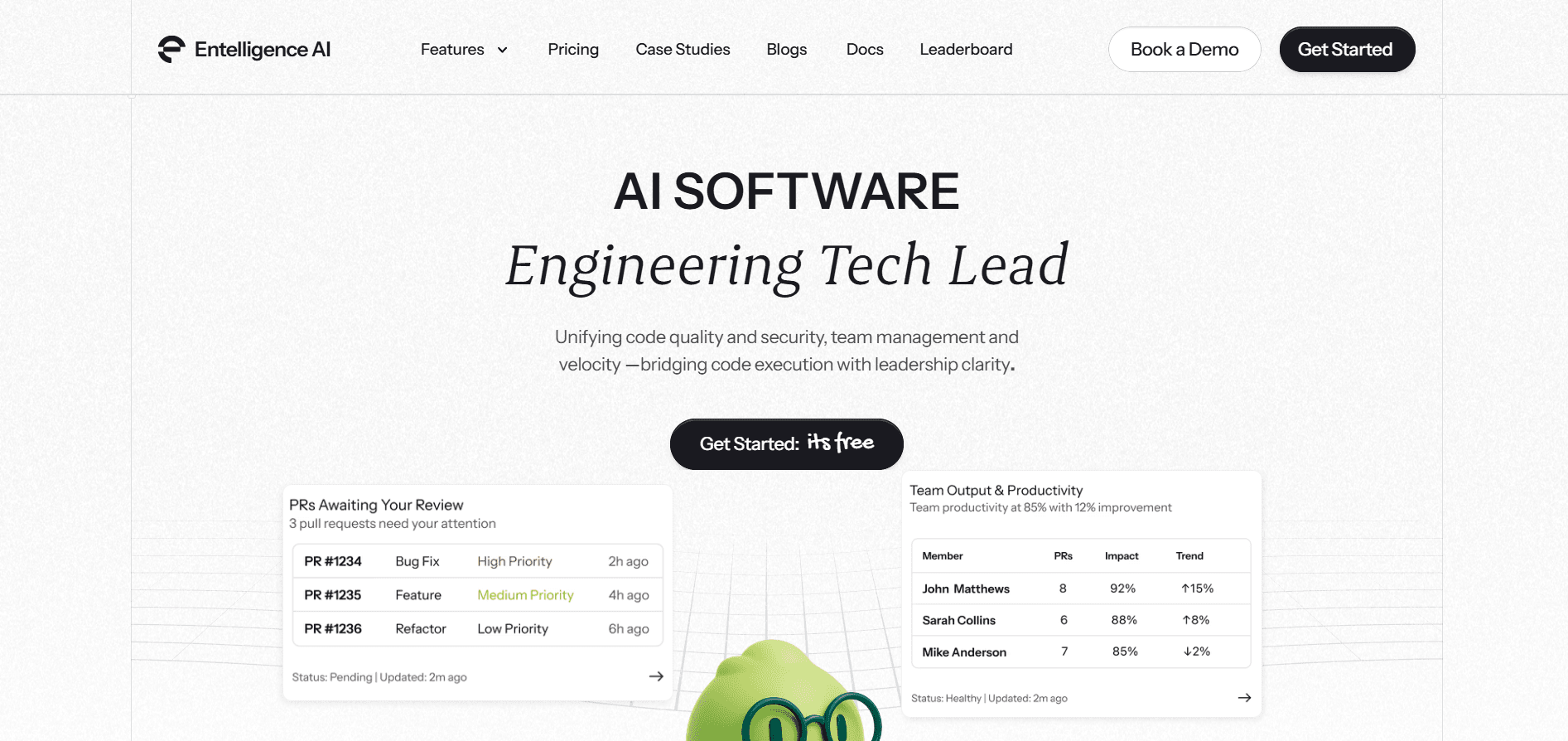
What it is: A comprehensive engineering productivity platform that integrates directly with GitHub to provide AI-driven insights, improving code quality, security, and team performance.
Key Features:
Contextual Code Reviews: AI-powered in-IDE reviews to ensure high-quality code with minimal revisions.
Automated Sprint Assessments: Real-time insights into sprint health and blockers.
Team and Individual Insights: Analytics on developer performance and team productivity.
Security Dashboard: Continuous security checks integrated into the development cycle.
Best Fit: Ideal for teams of all sizes looking for a holistic solution to streamline project management alongside development workflows.
Strengths:
Seamless GitHub and IDE integration.
Provides both developer and managerial insights, enhancing collaboration.
Limitations:
More suited for teams seeking a comprehensive productivity suite, not just task tracking.
Above code quality and security, Entelligence AI turns your GitHub data into project management signals: sprint health, PR flow, and team capacity, so leaders can plan and adjust work based on how the team is actually operating.
2. ZenHub
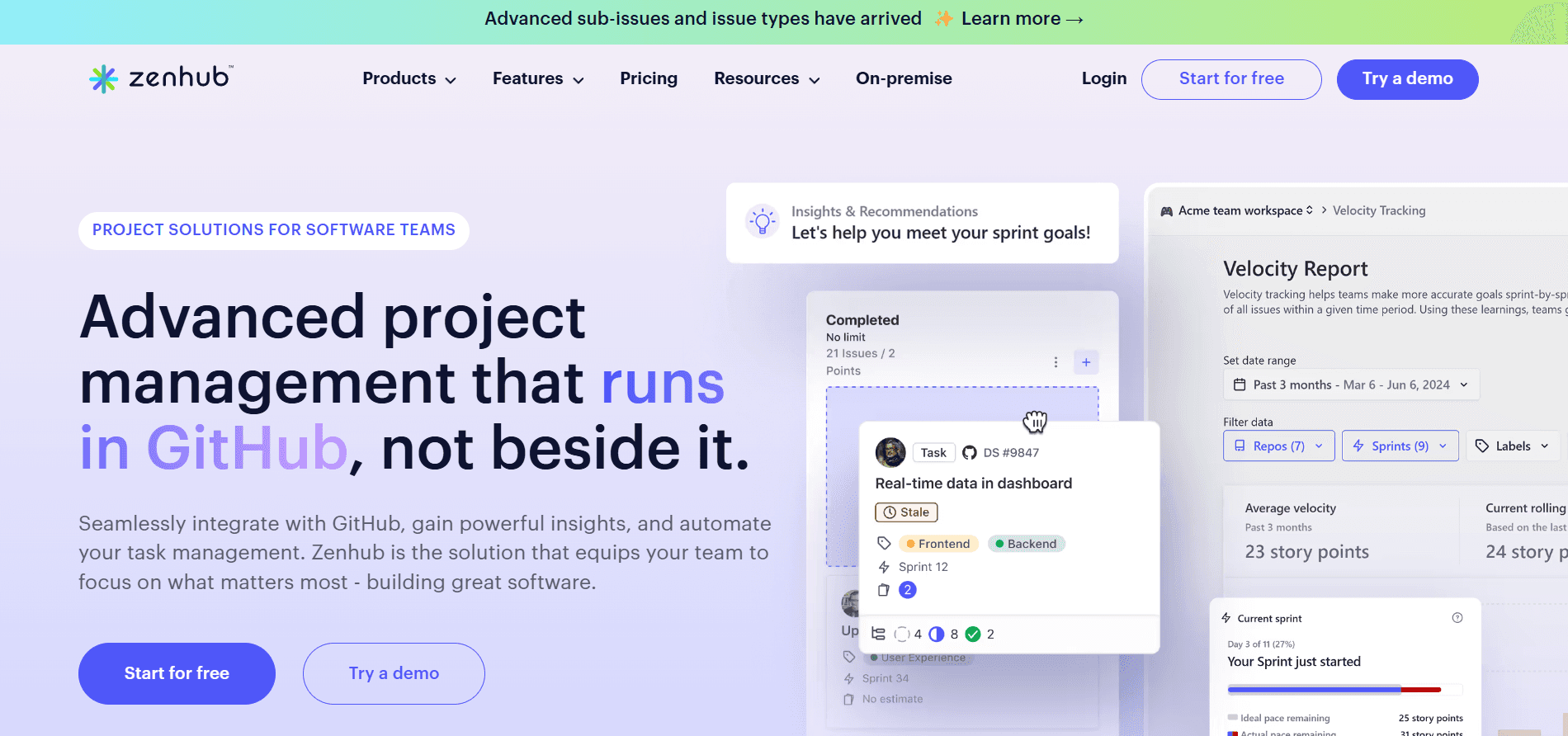
What it is: A project management tool built into GitHub, designed for agile teams with Kanban boards, sprint planning, and detailed reporting.
Key Features:
Project Boards: Manage tasks, issues, and pull requests with drag-and-drop functionality.
Sprint Planning: Customizable workflows and burndown charts.
Reports & Dashboards: Track team performance with velocity and cycle time.
Best Fit: Ideal for teams using GitHub who prefer agile workflows and need advanced project management.
Strengths:
Seamless GitHub integration.
Advanced reporting for agile teams.
Limitations:
It can be expensive for larger teams.
3. Azure Boards
What it is: Part of Azure DevOps, offering work tracking and backlog management with GitHub integration for full traceability.
Key Features:
Work Item Tracking: Manage tasks, bugs, and features with customizable work items.
Backlog Management: Organize and prioritize work.
GitHub Integration: Link commits and pull requests for complete traceability.
Best Fit: Suitable for medium to large teams using Azure DevOps alongside GitHub.
Strengths:
Deep integration with GitHub and Azure DevOps.
Advanced reporting and backlog management.
Limitations:
Complex to set up, better for larger teams.
Also Read: Static Code Analysis: A Complete Guide to Improving Your Code
4. GitHub Projects
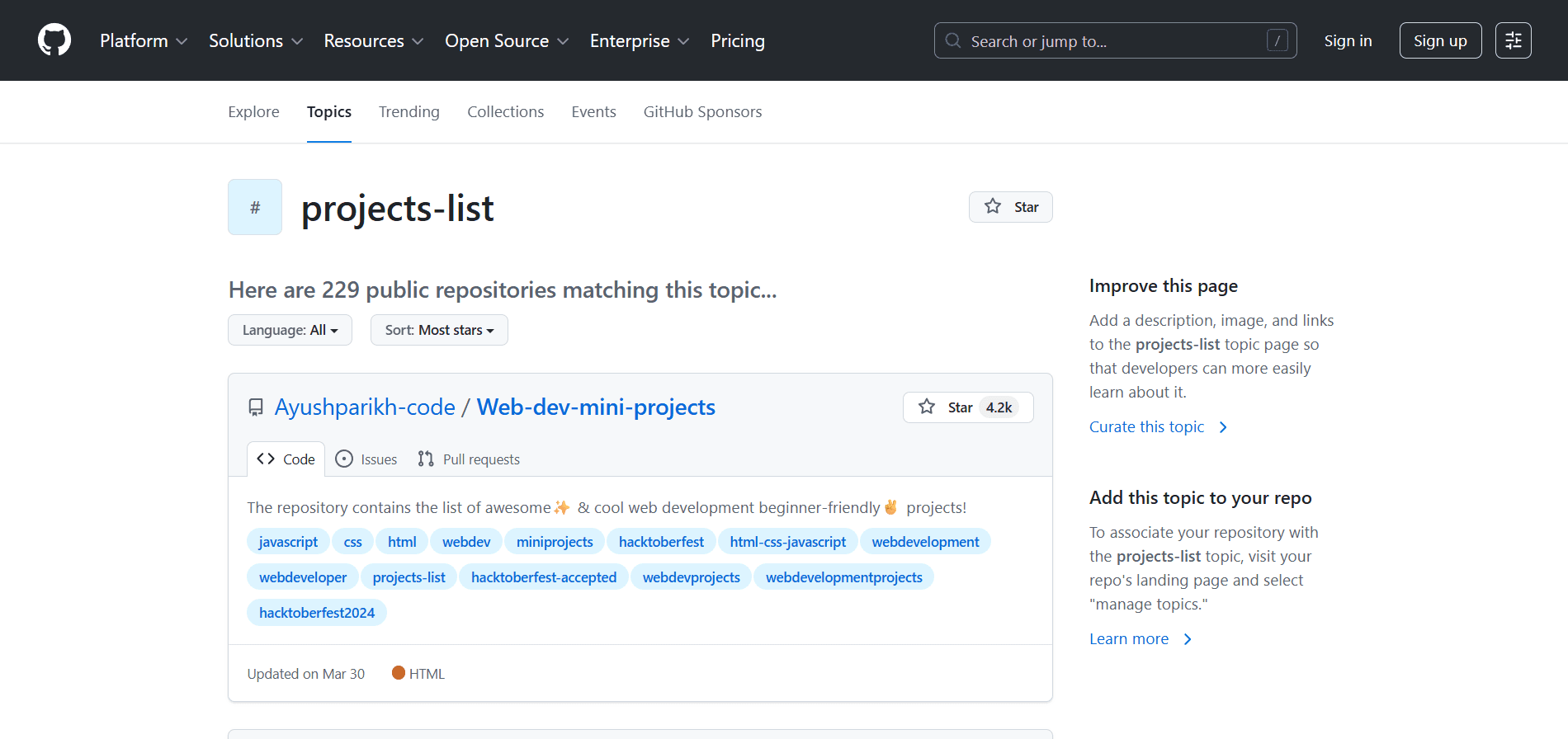
What it is: GitHub’s built-in project management tool for managing tasks, tracking progress, and planning sprints within the GitHub environment.
Key Features:
Kanban Boards: Organize tasks with customizable boards.
GitHub Issue Integration: Link issues and pull requests to project cards.
Automation: Automate task progression when pull requests are merged.
Best Fit: Perfect for teams using GitHub who want a simple, integrated tool for task management.
Strengths:
Native GitHub integration.
Easy-to-use interface.
Limitations:
Lacks advanced features like reporting and resource management.
5. Asana
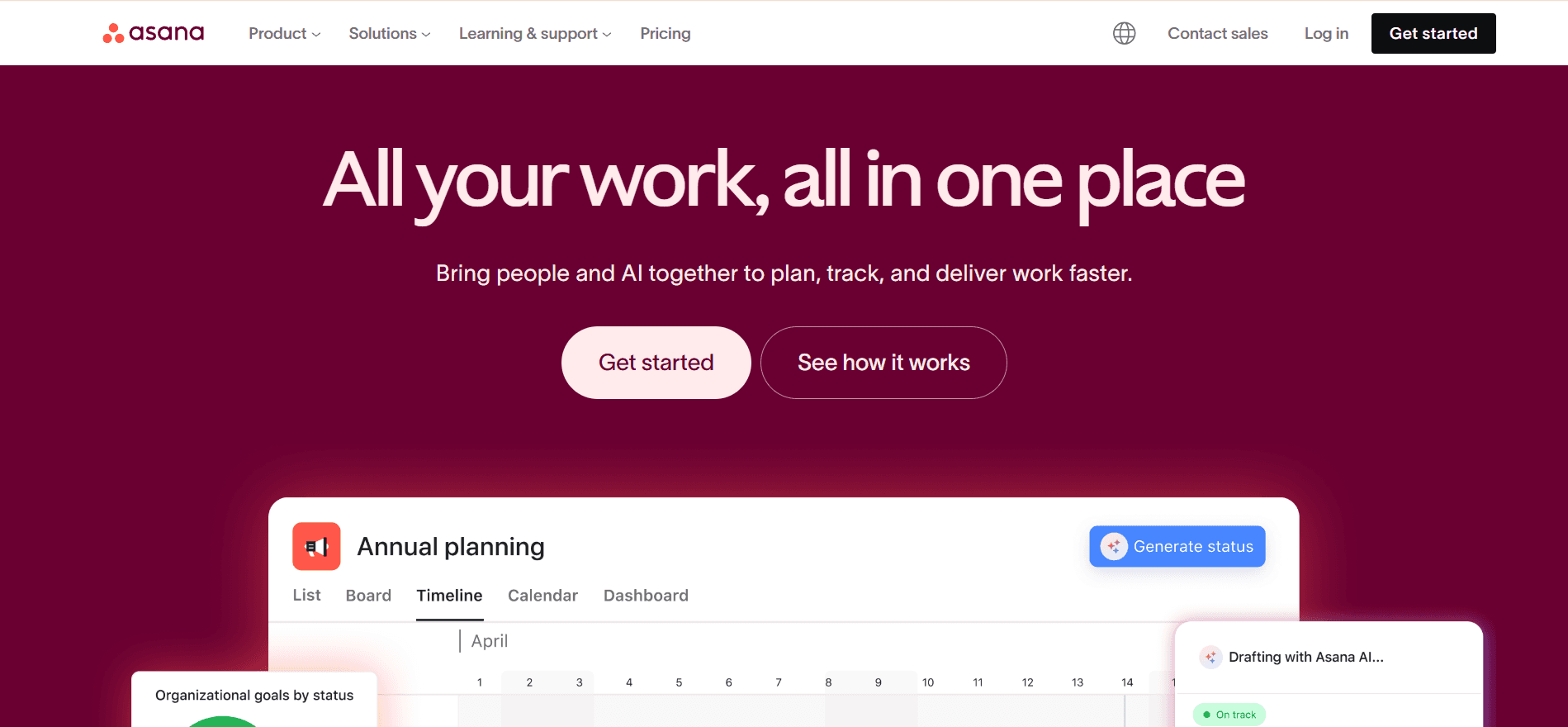
What it is: A popular project management tool that integrates with GitHub for task tracking, workflow management, and collaboration.
Key Features:
Task Tracking: Organize tasks into projects with customizable views.
GitHub Integration: Sync commits, pull requests, and issues with Asana tasks.
Reporting & Analytics: Track project progress with visual reports.
Best Fit: Ideal for teams needing advanced project management features beyond GitHub’s built-in tools.
Strengths:
Highly customizable with various views.
Strong task tracking and reporting features.
Limitations:
Steep learning curve for new users.
Premium pricing for larger teams.
6. Trello
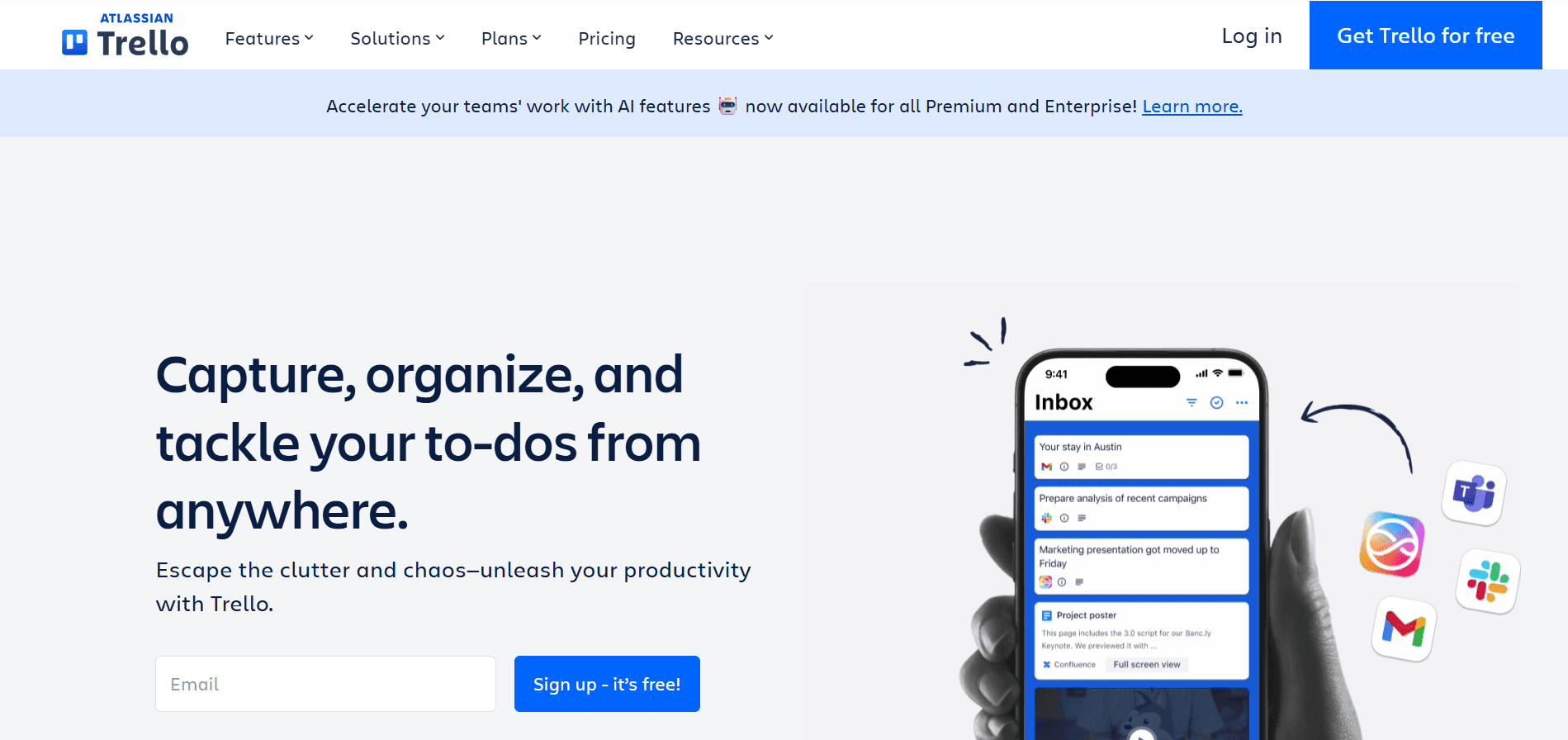
What it is: A flexible, visual project management tool that integrates with GitHub for seamless task management.
Key Features:
Kanban Boards: Manage tasks visually with drag-and-drop functionality.
GitHub Integration: Sync GitHub issues with Trello cards.
Automation: Automate task management with Trello’s built-in Butler tool.
Best Fit: Best for smaller teams or those who prefer a simple, intuitive tool.
Strengths:
Easy to set up and navigate.
Ideal for teams that prefer simplicity.
Limitations:
Lacks advanced features like reporting and resource management.
7. Monday.com
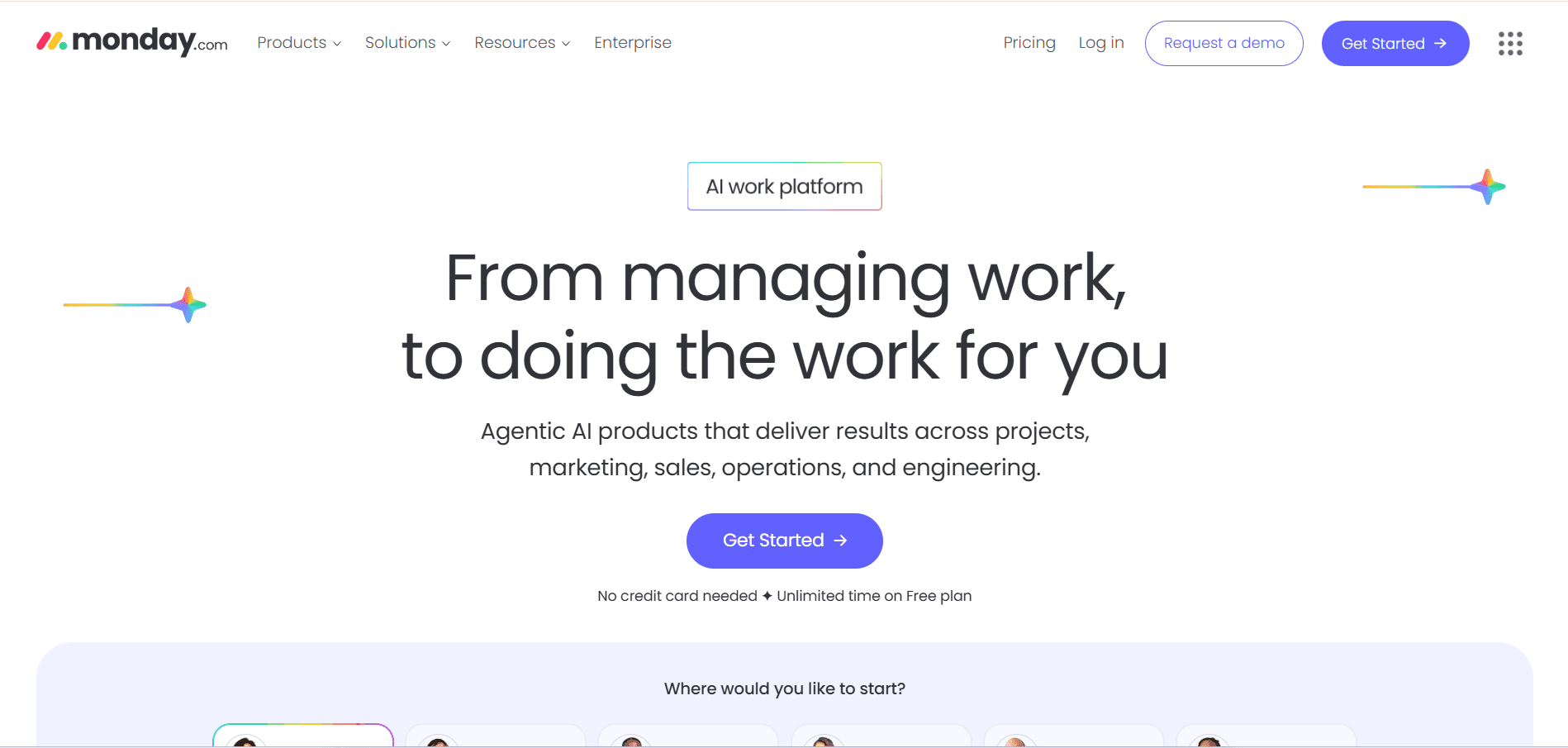
What it is: A versatile project management platform that integrates with GitHub for task tracking and workflow management.
Key Features:
Customizable Workflows: Create tailored boards for your team’s needs.
GitHub Integration: Sync GitHub issues and pull requests with tasks.
Automation: Automate task assignments and status updates.
Best Fit: Great for teams needing a customizable platform with strong automation.
Strengths:
Highly customizable with various templates.
Strong automation features.
Limitations:
It can be overwhelming for smaller teams.
Expensive pricing for larger teams.
8. ClickUp
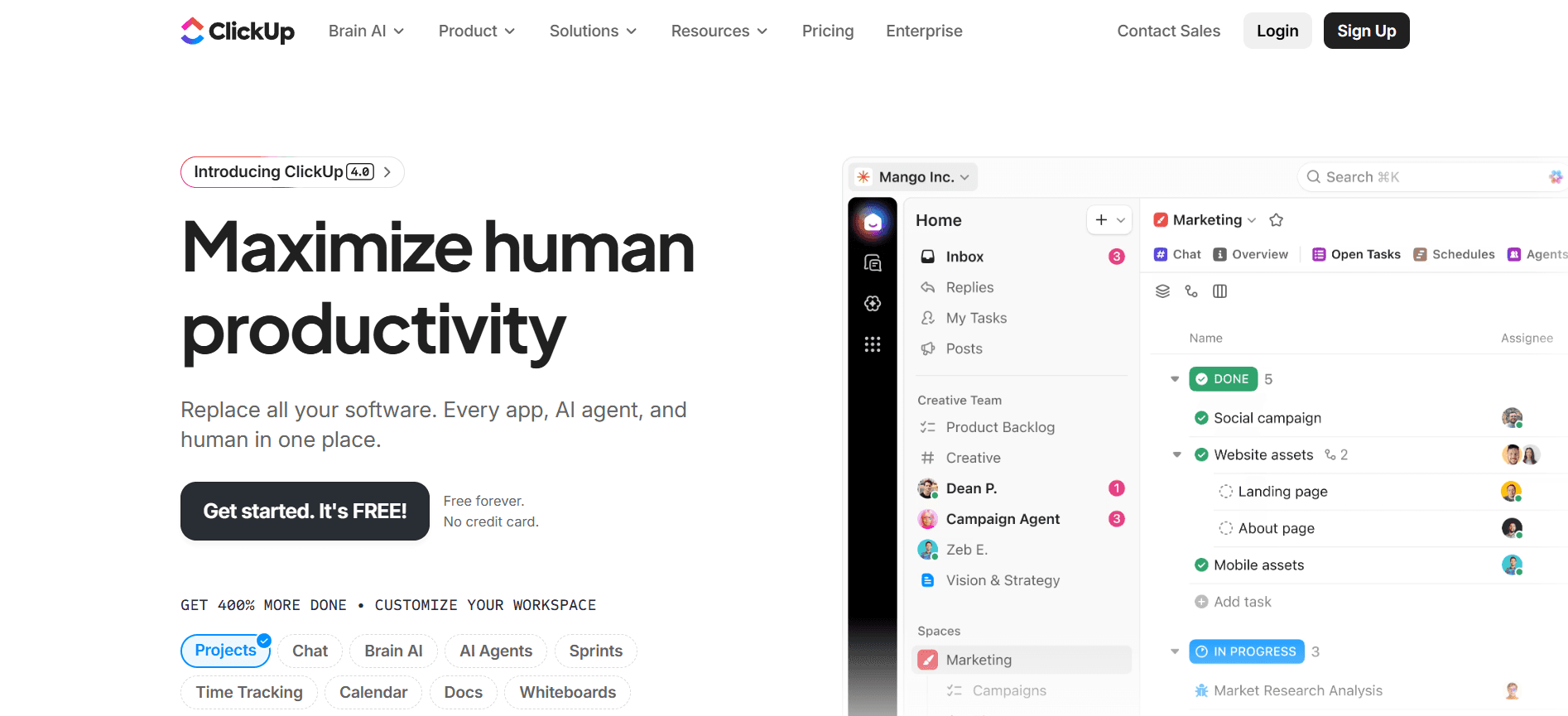
What it is: A feature-rich project management tool that integrates with GitHub for task and project management.
Key Features:
Custom Workflows: Tailor task workflows to fit team processes.
GitHub Integration: Sync GitHub issues and pull requests with tasks.
Time Tracking & Reporting: Track time spent on tasks and generate reports.
Best Fit: Ideal for medium to large teams that need a robust, all-in-one platform.
Strengths:
Comprehensive, offering task management and reporting.
Highly customizable with various views.
Limitations:
It can be overwhelming for users who need only basic features.
Read Also: AI Code Review Techniques and Top Tools
How to Choose the Right Tool for Your Team?
Selecting the right project management tool depends on various factors such as team size, workflow complexity, and specific integration needs. Below are key considerations to guide your decision:
Team Size and Workflow Complexity: Smaller teams with straightforward workflows may benefit from simpler tools that focus on task tracking and basic project management. Larger teams with more complex workflows might need a tool that offers advanced features, such as reporting, sprint planning, and cross-team coordination.
Integration with GitHub: If your team relies heavily on GitHub for version control and collaboration, tools that integrate seamlessly with GitHub will help streamline your workflows and reduce the need for context-switching between different platforms.
Customization and Flexibility: Some tools allow for extensive customization to match your team's specific workflows, while others may offer a more streamlined experience with less setup. Consider whether you need a high degree of flexibility or a simple solution that gets the job done.
Budget and Scalability: Consider both your current and future needs. Some tools may be free or offer scalable pricing models for smaller teams, but as your team grows, you may need a more comprehensive solution with additional features. Always weigh the cost against the value the tool will provide over time.
Why Entelligence AI is the Ultimate Complement to GitHub Project Management
Managing tasks is just one part of the equation for engineering teams. While GitHub project management tools provide task tracking, they don’t address the complexities of code quality, team performance, and security, all of which are critical to delivering high-quality software on time.
Entelligence AI bridges this gap by integrating data across the entire engineering team's workflow, from code reviews and pull requests to sprint progress and team performance. It provides real-time insights into your team’s operations, enabling better decisions and smoother workflows.
Here’s how Entelligence AI enhances the GitHub project management experience:
Real-Time Team Insights: Automatically tracks progress, identifies blockers, and surfaces issues like delayed reviews and missed pull requests. This helps teams plan sprints with accurate, up-to-date information.
AI-Powered Code Reviews: Automates code reviews with context-aware suggestions, reducing bottlenecks and allowing developers to focus on higher-value tasks.
Security Monitoring: Continuously scans code for vulnerabilities and security risks, providing actionable insights to fix issues before they reach production.
Team Performance Metrics: Tracks sprint health, developer contributions, and velocity, giving managers the visibility they need to make data-driven decisions without overloading their teams.
Integrated Workflow: Pulls data directly from GitHub, IDEs, and collaboration tools, ensuring decisions are based on live, actionable data rather than outdated reports or guesswork.
Together, these capabilities turn GitHub activity into a live control panel for your engineering organization, giving you the data to manage projects, people, and code quality from one place.
Conclusion
GitHub project management tools are essential for organizing tasks and keeping projects on track, but they don't address the full scope of challenges engineering teams face. While they help teams manage workflows and track progress, they often overlook the critical need for real-time insights, code quality management, and security monitoring.
Entelligence AI connects the dots across the entire engineering workflow. It integrates seamlessly with GitHub to provide the visibility, automation, and insights teams need to improve efficiency, reduce bottlenecks, and ship high-quality software.
Take your engineering workflows to the next level with Entelligence AI. Book a demo today to see how it can help your team deliver faster, more efficiently, and securely.
Frequently Asked Questions
Q1. How can GitHub-integrated project management tools improve DevOps workflows?
These tools link GitHub to CI/CD pipelines, providing real-time tracking and visibility across development, testing, and deployment stages, ensuring smooth collaboration between development and operations teams.
Q2. Can these tools track engineering KPIs like DORA or FLOW metrics?
Yes, tools integrated with GitHub can track DORA (Deployment Frequency, Lead Time, Change Failure Rate, MTTR) and FLOW metrics (Cycle Time, Throughput, WIP), offering actionable insights into team performance.
Q3. How do these tools manage multiple GitHub repositories across teams?
They provide centralized dashboards for tracking progress, managing tasks, and monitoring dependencies across multiple repositories, improving coordination between teams.
Q4. How do GitHub-integrated tools scale agile processes in large organizations?
They enable cross-team collaboration, standardize processes, and allow for shared project boards, helping large teams maintain alignment and agility across multiple workflows.
Q5. How do GitHub project management tools improve transparency in large teams?
They offer real-time updates on task completion, sprint health, and blockers, providing stakeholders with clear visibility into progress and issues without micromanagement.
Q6. Can these tools assist with long-term roadmap planning?
Yes, they help track milestones, releases, and roadmaps, ensuring alignment between development cycles and strategic business goals.
Software development teams today face immense pressure to meet deadlines, deliver high-quality products, and manage ever-growing complexities. When project tasks, code, and communication are siloed in different tools, teams often waste time switching between platforms, leading to delays and missed targets.
GitHub is a powerful platform for version control and collaboration, but it doesn’t offer all the project management capabilities needed for comprehensive team coordination and sprint planning. To fill this gap, many teams turn to GitHub-integrated project management tools that streamline workflows and enhance visibility.
In this article, we’ll explore the top GitHub project management tools that help engineering teams stay organized, collaborate more efficiently, and ship software faster. You’ll discover which tools work best for various team sizes and workflows, and how they can reduce overhead and improve project delivery.
TL;DR
GitHub project management tools help engineering teams streamline workflows, reduce overhead, and improve collaboration by integrating project management directly into GitHub.
Teams can manage tasks, track progress, and plan sprints without leaving the GitHub environment, keeping work organized and minimizing context-switching.
These tools provide key features like Kanban boards, issue tracking, and agile workflows, tailored to various team sizes and workflows.
Integration with GitHub ensures that project updates are always in sync with code changes, creating a seamless experience for developers and project managers alike.
Choosing the right tool depends on team size, workflow preferences, and the level of integration required for the team’s existing tools and processes.
Why GitHub Alone is Not Enough?
GitHub is an excellent platform for version control and collaboration, but it doesn’t provide all the tools engineering teams need to manage projects effectively. While it helps manage code, issues, and pull requests, GitHub lacks features like automated task management, team performance tracking, and integration with broader business objectives.
Without the right tools, teams often face:
Limited visibility into team progress and bottlenecks.
No automation for tasks like code reviews, sprint tracking, or security checks.
Lack of comprehensive reporting to measure progress and make adjustments in real-time.
GitHub-integrated project management tools fill these gaps by connecting code and team data, providing deeper insights, and streamlining workflows.
Top 8 GitHub Project Management Tools for Engineering Teams
Managing projects efficiently is important to the success of any engineering team. Below are some of the best GitHub-integrated project management tools that streamline workflows, enhance team collaboration, and ensure that projects are completed on time.
1. Entelligence AI

What it is: A comprehensive engineering productivity platform that integrates directly with GitHub to provide AI-driven insights, improving code quality, security, and team performance.
Key Features:
Contextual Code Reviews: AI-powered in-IDE reviews to ensure high-quality code with minimal revisions.
Automated Sprint Assessments: Real-time insights into sprint health and blockers.
Team and Individual Insights: Analytics on developer performance and team productivity.
Security Dashboard: Continuous security checks integrated into the development cycle.
Best Fit: Ideal for teams of all sizes looking for a holistic solution to streamline project management alongside development workflows.
Strengths:
Seamless GitHub and IDE integration.
Provides both developer and managerial insights, enhancing collaboration.
Limitations:
More suited for teams seeking a comprehensive productivity suite, not just task tracking.
Above code quality and security, Entelligence AI turns your GitHub data into project management signals: sprint health, PR flow, and team capacity, so leaders can plan and adjust work based on how the team is actually operating.
2. ZenHub

What it is: A project management tool built into GitHub, designed for agile teams with Kanban boards, sprint planning, and detailed reporting.
Key Features:
Project Boards: Manage tasks, issues, and pull requests with drag-and-drop functionality.
Sprint Planning: Customizable workflows and burndown charts.
Reports & Dashboards: Track team performance with velocity and cycle time.
Best Fit: Ideal for teams using GitHub who prefer agile workflows and need advanced project management.
Strengths:
Seamless GitHub integration.
Advanced reporting for agile teams.
Limitations:
It can be expensive for larger teams.
3. Azure Boards

What it is: Part of Azure DevOps, offering work tracking and backlog management with GitHub integration for full traceability.
Key Features:
Work Item Tracking: Manage tasks, bugs, and features with customizable work items.
Backlog Management: Organize and prioritize work.
GitHub Integration: Link commits and pull requests for complete traceability.
Best Fit: Suitable for medium to large teams using Azure DevOps alongside GitHub.
Strengths:
Deep integration with GitHub and Azure DevOps.
Advanced reporting and backlog management.
Limitations:
Complex to set up, better for larger teams.
Also Read: Static Code Analysis: A Complete Guide to Improving Your Code
4. GitHub Projects

What it is: GitHub’s built-in project management tool for managing tasks, tracking progress, and planning sprints within the GitHub environment.
Key Features:
Kanban Boards: Organize tasks with customizable boards.
GitHub Issue Integration: Link issues and pull requests to project cards.
Automation: Automate task progression when pull requests are merged.
Best Fit: Perfect for teams using GitHub who want a simple, integrated tool for task management.
Strengths:
Native GitHub integration.
Easy-to-use interface.
Limitations:
Lacks advanced features like reporting and resource management.

5. Asana

What it is: A popular project management tool that integrates with GitHub for task tracking, workflow management, and collaboration.
Key Features:
Task Tracking: Organize tasks into projects with customizable views.
GitHub Integration: Sync commits, pull requests, and issues with Asana tasks.
Reporting & Analytics: Track project progress with visual reports.
Best Fit: Ideal for teams needing advanced project management features beyond GitHub’s built-in tools.
Strengths:
Highly customizable with various views.
Strong task tracking and reporting features.
Limitations:
Steep learning curve for new users.
Premium pricing for larger teams.
6. Trello

What it is: A flexible, visual project management tool that integrates with GitHub for seamless task management.
Key Features:
Kanban Boards: Manage tasks visually with drag-and-drop functionality.
GitHub Integration: Sync GitHub issues with Trello cards.
Automation: Automate task management with Trello’s built-in Butler tool.
Best Fit: Best for smaller teams or those who prefer a simple, intuitive tool.
Strengths:
Easy to set up and navigate.
Ideal for teams that prefer simplicity.
Limitations:
Lacks advanced features like reporting and resource management.
7. Monday.com

What it is: A versatile project management platform that integrates with GitHub for task tracking and workflow management.
Key Features:
Customizable Workflows: Create tailored boards for your team’s needs.
GitHub Integration: Sync GitHub issues and pull requests with tasks.
Automation: Automate task assignments and status updates.
Best Fit: Great for teams needing a customizable platform with strong automation.
Strengths:
Highly customizable with various templates.
Strong automation features.
Limitations:
It can be overwhelming for smaller teams.
Expensive pricing for larger teams.
8. ClickUp

What it is: A feature-rich project management tool that integrates with GitHub for task and project management.
Key Features:
Custom Workflows: Tailor task workflows to fit team processes.
GitHub Integration: Sync GitHub issues and pull requests with tasks.
Time Tracking & Reporting: Track time spent on tasks and generate reports.
Best Fit: Ideal for medium to large teams that need a robust, all-in-one platform.
Strengths:
Comprehensive, offering task management and reporting.
Highly customizable with various views.
Limitations:
It can be overwhelming for users who need only basic features.
Read Also: AI Code Review Techniques and Top Tools
How to Choose the Right Tool for Your Team?
Selecting the right project management tool depends on various factors such as team size, workflow complexity, and specific integration needs. Below are key considerations to guide your decision:
Team Size and Workflow Complexity: Smaller teams with straightforward workflows may benefit from simpler tools that focus on task tracking and basic project management. Larger teams with more complex workflows might need a tool that offers advanced features, such as reporting, sprint planning, and cross-team coordination.
Integration with GitHub: If your team relies heavily on GitHub for version control and collaboration, tools that integrate seamlessly with GitHub will help streamline your workflows and reduce the need for context-switching between different platforms.
Customization and Flexibility: Some tools allow for extensive customization to match your team's specific workflows, while others may offer a more streamlined experience with less setup. Consider whether you need a high degree of flexibility or a simple solution that gets the job done.
Budget and Scalability: Consider both your current and future needs. Some tools may be free or offer scalable pricing models for smaller teams, but as your team grows, you may need a more comprehensive solution with additional features. Always weigh the cost against the value the tool will provide over time.

Why Entelligence AI is the Ultimate Complement to GitHub Project Management
Managing tasks is just one part of the equation for engineering teams. While GitHub project management tools provide task tracking, they don’t address the complexities of code quality, team performance, and security, all of which are critical to delivering high-quality software on time.
Entelligence AI bridges this gap by integrating data across the entire engineering team's workflow, from code reviews and pull requests to sprint progress and team performance. It provides real-time insights into your team’s operations, enabling better decisions and smoother workflows.
Here’s how Entelligence AI enhances the GitHub project management experience:
Real-Time Team Insights: Automatically tracks progress, identifies blockers, and surfaces issues like delayed reviews and missed pull requests. This helps teams plan sprints with accurate, up-to-date information.
AI-Powered Code Reviews: Automates code reviews with context-aware suggestions, reducing bottlenecks and allowing developers to focus on higher-value tasks.
Security Monitoring: Continuously scans code for vulnerabilities and security risks, providing actionable insights to fix issues before they reach production.
Team Performance Metrics: Tracks sprint health, developer contributions, and velocity, giving managers the visibility they need to make data-driven decisions without overloading their teams.
Integrated Workflow: Pulls data directly from GitHub, IDEs, and collaboration tools, ensuring decisions are based on live, actionable data rather than outdated reports or guesswork.
Together, these capabilities turn GitHub activity into a live control panel for your engineering organization, giving you the data to manage projects, people, and code quality from one place.
Conclusion
GitHub project management tools are essential for organizing tasks and keeping projects on track, but they don't address the full scope of challenges engineering teams face. While they help teams manage workflows and track progress, they often overlook the critical need for real-time insights, code quality management, and security monitoring.
Entelligence AI connects the dots across the entire engineering workflow. It integrates seamlessly with GitHub to provide the visibility, automation, and insights teams need to improve efficiency, reduce bottlenecks, and ship high-quality software.
Take your engineering workflows to the next level with Entelligence AI. Book a demo today to see how it can help your team deliver faster, more efficiently, and securely.
Frequently Asked Questions
Q1. How can GitHub-integrated project management tools improve DevOps workflows?
These tools link GitHub to CI/CD pipelines, providing real-time tracking and visibility across development, testing, and deployment stages, ensuring smooth collaboration between development and operations teams.
Q2. Can these tools track engineering KPIs like DORA or FLOW metrics?
Yes, tools integrated with GitHub can track DORA (Deployment Frequency, Lead Time, Change Failure Rate, MTTR) and FLOW metrics (Cycle Time, Throughput, WIP), offering actionable insights into team performance.
Q3. How do these tools manage multiple GitHub repositories across teams?
They provide centralized dashboards for tracking progress, managing tasks, and monitoring dependencies across multiple repositories, improving coordination between teams.
Q4. How do GitHub-integrated tools scale agile processes in large organizations?
They enable cross-team collaboration, standardize processes, and allow for shared project boards, helping large teams maintain alignment and agility across multiple workflows.
Q5. How do GitHub project management tools improve transparency in large teams?
They offer real-time updates on task completion, sprint health, and blockers, providing stakeholders with clear visibility into progress and issues without micromanagement.
Q6. Can these tools assist with long-term roadmap planning?
Yes, they help track milestones, releases, and roadmaps, ensuring alignment between development cycles and strategic business goals.
Your questions,
Your questions,
Decoded
Decoded
What makes Entelligence different?
Unlike tools that just flag issues, Entelligence understands context — detecting, explaining, and fixing problems while aligning with product goals and team standards.
Does it replace human reviewers?
No. It amplifies them. Entelligence handles repetitive checks so engineers can focus on architecture, logic, and innovation.
What tools does it integrate with?
It fits right into your workflow — GitHub, GitLab, Jira, Linear, Slack, and more. No setup friction, no context switching.
How secure is my code?
Your code never leaves your environment. Entelligence uses encrypted processing and complies with top industry standards like SOC 2 and HIPAA.
Who is it built for?
Fast-growing engineering teams that want to scale quality, security, and velocity without adding more manual reviews or overhead.

What makes Entelligence different?
Does it replace human reviewers?
What tools does it integrate with?
How secure is my code?
Who is it built for?


