
Leading Engineering Analytics Tools Powered by AI in 2026
Dec 11, 2025
Dec 11, 2025
As engineering teams race to ship faster without sacrificing reliability, they need more than gut feel to guide decisions. They need clear, real-time visibility into code quality, deployment health, and team performance.
That’s where AI-powered engineering analytics tools come in. The best of these platforms sit on top of your existing stack (GitHub, CI/CD, incident tools, cloud), and use AI to turn raw signals into actionable, engineering-specific insights—from risky PRs and issues to recurring incident patterns.
In this guide, you’ll learn how to evaluate leading engineering analytics tools powered by AI: what they actually do, how they plug into your workflows, and which buying criteria matter most if you want better decisions, not just more dashboards.
TL;DR
AI-powered engineering analytics tools analyze signals from GitHub, CI/CD pipelines, and incident systems to help teams make faster, data-driven decisions.
They detect risky PRs, recurring incident trends, and bottlenecks that affect delivery speed and reliability.
These platforms track and improve DORA metrics, including lead time, deployment frequency, change failure rate, and MTTR.
Clean, contextual engineering data and well-tuned alerts reduce noise and improve insight accuracy.
When comparing leading engineering analytics tools powered by AI, focus on integration with your stack, transparency, scalability, and how naturally they fit into developer workflows.
What Are AI‑Powered Engineering Analytics Tools?
AI-powered engineering analytics tools combine artificial intelligence with telemetry from your engineering stack to give you a clearer picture of how your teams and systems are performing. Instead of looking at raw logs, PR lists, and CI dashboards separately, these tools aggregate data from source control, CI/CD pipelines, incident tools, and cloud platforms and turn it into actionable insights.
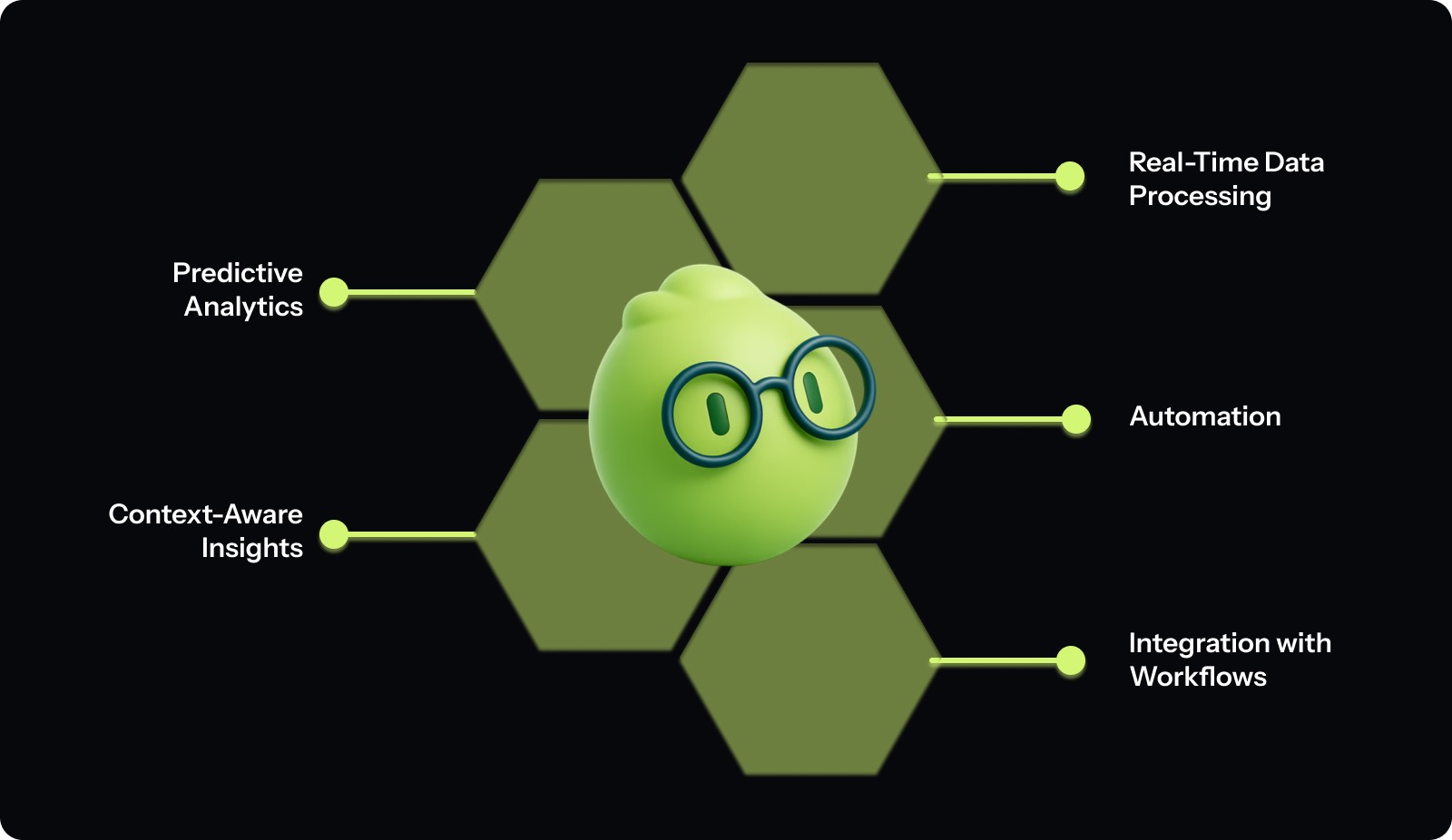
Core Features of leading engineering analytics tools powered by AI:
Real-Time Engineering Insights: Continuously monitor commits, builds, and releases to track code quality, build health, and delivery progress.
Predictive Issue Detection: Identify potential PR failures, deployment risks, or process bottlenecks before they impact production.
Automated Code & Workflow Analysis: Use AI to detect anti-patterns, missing tests, or security gaps directly within your development workflow.
Incident Correlation & Root Cause Discovery: Analyze historical incidents to uncover recurring failure patterns and reduce MTTR.
Contextual Performance Metrics: Align insights with sprint goals, team velocity, and DORA metrics for a complete picture of engineering health.
Seamless Workflow Integration: Connect directly with GitHub, GitLab, Jira, CI/CD systems, and incident management platforms without disrupting existing processes.
By using AI-powered tools, engineering teams can identify risks early, improve code quality, and make data-driven decisions to enhance productivity and security.
How AI Improves Engineering Analytics Workflows
AI is changing how engineering teams understand and improve their delivery systems. Instead of relying on static dashboards or manual post-incident reviews, AI-powered analytics tools continuously analyze telemetry from code changes, CI/CD pipelines, and incidents to predict and prevent issues before they affect production.
Here’s how AI strengthens modern engineering workflows:
Pull Request Risk Detection: AI models review PR history, file ownership, and change size to flag risky commits before merge, reducing regressions and rollbacks.
CI/CD Delay Prediction: By learning from build and deployment logs, AI anticipates slow or failing pipelines so teams can resolve bottlenecks early.
Incident Pattern Recognition: AI correlates historical incidents with code or infrastructure changes, uncovering recurring root causes such as unstable dependencies or misconfigurations.
DORA Metric Forecasting: AI tracks and predicts metrics like lead time, deployment frequency, change failure rate, and MTTR to highlight trends that impact delivery performance.
Codebase Hotspot Identification: By combining repository activity, commit frequency, and ownership data, AI highlights risky parts of the codebase that need refactoring or additional testing.
Proactive Recommendations: The leading engineering analytics tools powered by AI go beyond reporting by suggesting actions such as balancing sprint workloads, improving test coverage, or isolating unstable services.
By connecting signals across the entire delivery lifecycle, AI helps teams move from reactive reporting to proactive optimization, improving speed, reliability, and overall engineering efficiency.
Read Also: AI Code Review Techniques and Top Tools
Top AI-Powered Engineering Analytics Tools (2026)
AI-powered engineering analytics tools are transforming how teams analyze data, streamline workflows, and make informed decisions in real time. These tools automate key tasks, enhance productivity, and provide predictive insights.
Here are some of the most powerful AI-driven analytics tools:
Re-written:
AI-powered engineering analytics isn’t a single product category; it’s a stack. Some tools sit closest to engineering work (code, PRs, CI, incidents), while others live deeper in the data platform or BI layer and help engineering and data teams reason about product usage, performance, and outcomes.
Below is a breakdown of leading engineering analytics tools powered by AI across those layers, with a focus on how they serve engineering teams in practice.
1. Entelligence AI
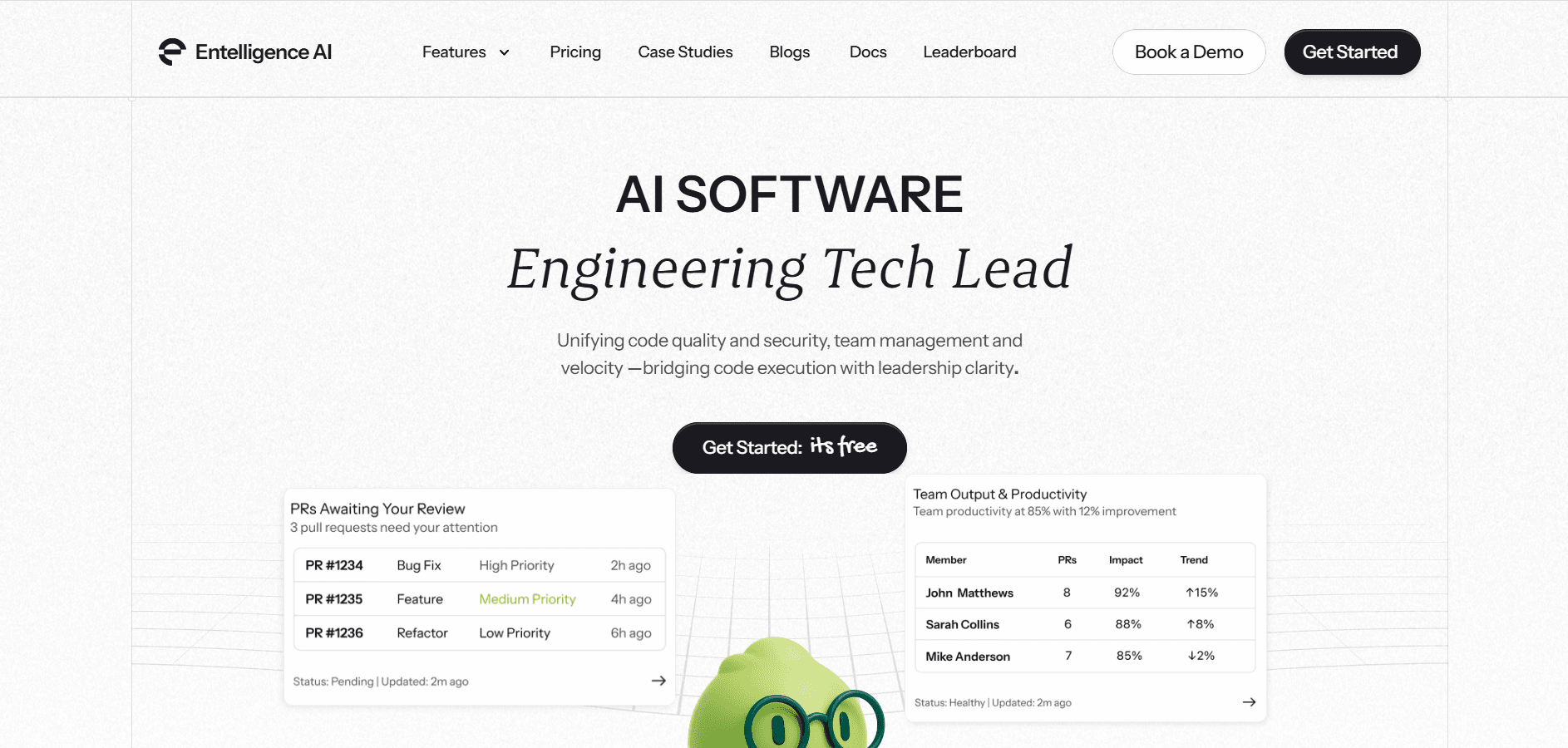
Entelligence AI is an all-in-one AI-powered engineering analytics and productivity platform that sits on top of GitHub, CI/CD, and your existing tooling. It combines code quality insights, PR analytics, DORA-style delivery metrics, and team performance signals into a single view.
Best for: Engineering teams that want one place to see how code, deployments, incidents, and teams are actually performing and to act on those signals inside the workflow.
Key features
AI-powered PR and IDE reviews that flag risky patterns, missing tests, and potential security issues.
Automated sprint and delivery health assessments (bottlenecks, blocked work, aging PRs).
Unified metrics on deployment frequency, change failure rate, MTTR, and team-level trends.
Continuous security and dependency monitoring tied to real engineering workflows.
Pros
Purpose-built as a leading engineering analytics tool powered by AI, not a generic BI platform.
Centralized view across repos, teams, and services with actionable recommendations.
Fits naturally into GitHub, Jira, and CI stacks.
Cons
More feature-rich than simple dashboard tools. Best suited for teams that want a full engineering insights layer, not just reporting.
2. LinearB
A delivery intelligence platform that uses AI to visualize and improve software delivery performance.
Best for: Engineering teams focused on optimizing PR cycle time and delivery efficiency.
Key Features:
Automated tracking of DORA metrics and workflow bottlenecks.
AI-powered recommendations for load balancing and review speed.
Integrations with GitHub, GitLab, and Bitbucket.
Pros:
Clear visibility into delivery health and efficiency trends.
Easy to set up and interpret for teams of any size.
Cons:
Focuses primarily on delivery metrics, not incidents or code health.
3. Harness SEI (Software Engineering Insights)
An AI-powered analytics module within the Harness ecosystem that measures CI/CD performance and deployment health.
Best for: Teams seeking real-time visibility into build stability, release velocity, and deployment risks.
Key Features:
Automated DORA metric calculation from CI/CD telemetry.
Predictive detection of failure patterns and release anomalies.
Visual dashboards for deployment frequency and stability.
Pros:
Excellent for DevOps and reliability tracking.
Tight integration with CI/CD pipelines.
Cons:
Works best for teams already using the Harness platform.
4. Code Climate Velocity
An engineering analytics platform that measures developer performance using AI-enhanced code and process metrics.
Best for: Organizations wanting transparency into PR patterns, code churn, and team efficiency.
Key Features:
Cycle time analysis for pull requests and merges.
AI-driven metrics for code churn and review throughput.
Correlation between code activity and sprint outcomes.
Pros:
Strong focus on PR-level and developer insights.
Straightforward setup and reporting.
Cons:
Limited coverage of incident or CI/CD telemetry.
5. Jellyfish
An AI-based engineering management platform that connects engineering work with business outcomes.
Best for: Leaders wanting to link engineering investment to delivery impact and incident resolution.
Key Features:
AI categorization of work types (features, refactors, maintenance).
Effort analysis aligned with business goals.
Trend reporting across teams and initiatives.
Pros:
Excellent for strategic visibility.
Helps align engineering priorities with company objectives.
Cons:
Less focus on real-time CI/CD and code-level metrics.
Common Challenges & Best Practices for AI‑Powered Analytics / Data Tools
When engineering or analytics teams adopt AI‑powered analytics platforms, the benefits can be powerful, but only if certain challenges are addressed properly. Below is a table summarizing common pitfalls and how to deal with them.
Challenge | Best Practice / Mitigation |
Data quality & inconsistency | Establish strong data governance and quality standards before using AI analytics tools. Clean, consistent, and well‑documented data improves the reliability of AI‑driven insights. |
Lack of metadata & traceability | Use tools that support metadata management, data lineage, and versioning; ensure data transformations and schema changes are tracked so results remain auditable. |
Too many false positives or noise | Fine‑tune rules, filters, and thresholds; don’t treat every alert as a blocker — prioritize based on severity and impact. |
Trust and transparency concerns in AI outputs | Prefer tools with explainable analytics and audit trails; enforce human review before acting on AI-generated insights or automation. |
Integration and workflow disruption | Gradually integrate AI tools into existing pipelines; ensure compatibility with CI/CD, data platforms, and existing governance processes. |
Skills gap and adoption resistance | Train teams on both data fundamentals and tool usage; foster a culture of data ownership, collaboration, and continuous learning. |
Scaling performance and model maintenance | Use scalable infrastructure and versioned data pipelines; monitor model drift, data changes, and periodically audit analytics output. |
Compliance and privacy risks | Implement data and AI governance policies; manage access controls, consent, encryption, and audit logging to comply with regulations. |
Also Read: Static Code Analysis: A Complete Guide to Improving Your Code
Key Factors to Consider When Choosing an AI Engineering Analytics Tool
Selecting the right AI-powered engineering analytics tool means choosing one that connects to your workflows, understands engineering data, and delivers actionable insights.
1. Integration with Your Engineering Stack
The tool should connect directly with systems such as GitHub, GitLab, CI/CD pipelines, and incident management tools. Strong integration ensures access to real-time signals like PR activity, build results, and deployment performance.
2. Understanding of Engineering Context
A good platform recognizes how engineering teams measure success. It should interpret metrics such as lead time, deployment frequency, change failure rate, and MTTR, turning raw data into insights that align with delivery goals.
3. Workflow Compatibility
The platform should fit naturally into where engineers already work, such as IDEs, GitHub, or Slack, by surfacing insights like risky PRs, slow builds, or recurring incident trends without interrupting daily tasks.
4. Transparency and Control
AI-generated insights should be clear and reviewable. Teams need visibility into why a PR was flagged or how an anomaly was detected to validate findings and maintain trust in the tool.
5. Governance, Security, and Compliance
Engineering analytics involves sensitive code and infrastructure data. Look for access control, audit logs, and lineage tracking to ensure compliance with internal and regulatory security standards.
6. Measurable Impact on Delivery
The right tool should shorten cycle times and improve reliability. Evaluate how it affects PR review duration, deployment frequency, and incident resolution speed, ensuring it delivers measurable improvement in delivery performance.
Conclusion
Choosing the right AI-powered engineering analytics tool isn’t about chasing the flashiest dashboard. It’s about finding a platform that understands your repos, pipelines, incidents, and teams and turns that noise into clear guidance you can act on.
When you evaluate leading engineering analytics tools powered by AI, ask how they integrate with your stack, how well they understand your metrics model, how transparent their AI is, and whether they actually save time for engineers and leaders.
A platform like Entelligence AI goes beyond traditional analytics. It sits directly in your engineering workflow—reviewing PRs, monitoring sprint health, surfacing bottlenecks, and tying code and deployment behavior back to real outcomes. Instead of giving you another dashboard to check, it delivers timely, contextual insights where work is already happening.
If you want to see what this looks like in practice, start a 14-day free trial of Entelligence AI and experience how your engineering analytics can shift from lagging reports to proactive, AI-driven guidance.
FAQs
1. What does “AI-powered analytics” mean for engineering teams?
AI-powered analytics integrates machine learning and automation into traditional data analysis. It automates pattern detection, surfaces actionable insights, and helps teams make faster, data-driven decisions with less manual effort.
2. How is AI analytics different from traditional BI or reporting tools?
Traditional BI tools are static and rely on manual queries and reporting. AI analytics goes beyond that by proactively highlighting insights, suggesting next steps, and adapting to changes in data, enabling teams to move from reactive reporting to proactive intelligence.
3. Will AI analytics work with my existing data stack and workflows?
AI analytics tools are most effective when they integrate seamlessly with your existing data warehouse, BI systems, and workflows. Look for tools that respect your data models and metric definitions to avoid disrupting current processes.
4. How can I avoid noise (irrelevant alerts or false positives) from AI analytics tools?
Minimize noise by ensuring clean, consistent data and by configuring alerts and thresholds carefully. Choose tools that allow manual verification of AI-generated insights to ensure their relevance and accuracy.
5. Can AI analytics scale for large engineering or data-heavy teams?
Yes, AI analytics tools are designed to scale with large teams and complex data workflows. With the right infrastructure and clean data, AI tools can handle large codebases and high volumes of data efficiently.
6. Does AI analytics reduce governance or data transparency?
No, AI analytics tools should enhance governance. Ensure the tools you choose support access control, audit logs, data lineage tracking, and reviewability to maintain transparency and control over data.
As engineering teams race to ship faster without sacrificing reliability, they need more than gut feel to guide decisions. They need clear, real-time visibility into code quality, deployment health, and team performance.
That’s where AI-powered engineering analytics tools come in. The best of these platforms sit on top of your existing stack (GitHub, CI/CD, incident tools, cloud), and use AI to turn raw signals into actionable, engineering-specific insights—from risky PRs and issues to recurring incident patterns.
In this guide, you’ll learn how to evaluate leading engineering analytics tools powered by AI: what they actually do, how they plug into your workflows, and which buying criteria matter most if you want better decisions, not just more dashboards.
TL;DR
AI-powered engineering analytics tools analyze signals from GitHub, CI/CD pipelines, and incident systems to help teams make faster, data-driven decisions.
They detect risky PRs, recurring incident trends, and bottlenecks that affect delivery speed and reliability.
These platforms track and improve DORA metrics, including lead time, deployment frequency, change failure rate, and MTTR.
Clean, contextual engineering data and well-tuned alerts reduce noise and improve insight accuracy.
When comparing leading engineering analytics tools powered by AI, focus on integration with your stack, transparency, scalability, and how naturally they fit into developer workflows.
What Are AI‑Powered Engineering Analytics Tools?
AI-powered engineering analytics tools combine artificial intelligence with telemetry from your engineering stack to give you a clearer picture of how your teams and systems are performing. Instead of looking at raw logs, PR lists, and CI dashboards separately, these tools aggregate data from source control, CI/CD pipelines, incident tools, and cloud platforms and turn it into actionable insights.

Core Features of leading engineering analytics tools powered by AI:
Real-Time Engineering Insights: Continuously monitor commits, builds, and releases to track code quality, build health, and delivery progress.
Predictive Issue Detection: Identify potential PR failures, deployment risks, or process bottlenecks before they impact production.
Automated Code & Workflow Analysis: Use AI to detect anti-patterns, missing tests, or security gaps directly within your development workflow.
Incident Correlation & Root Cause Discovery: Analyze historical incidents to uncover recurring failure patterns and reduce MTTR.
Contextual Performance Metrics: Align insights with sprint goals, team velocity, and DORA metrics for a complete picture of engineering health.
Seamless Workflow Integration: Connect directly with GitHub, GitLab, Jira, CI/CD systems, and incident management platforms without disrupting existing processes.
By using AI-powered tools, engineering teams can identify risks early, improve code quality, and make data-driven decisions to enhance productivity and security.
How AI Improves Engineering Analytics Workflows
AI is changing how engineering teams understand and improve their delivery systems. Instead of relying on static dashboards or manual post-incident reviews, AI-powered analytics tools continuously analyze telemetry from code changes, CI/CD pipelines, and incidents to predict and prevent issues before they affect production.
Here’s how AI strengthens modern engineering workflows:
Pull Request Risk Detection: AI models review PR history, file ownership, and change size to flag risky commits before merge, reducing regressions and rollbacks.
CI/CD Delay Prediction: By learning from build and deployment logs, AI anticipates slow or failing pipelines so teams can resolve bottlenecks early.
Incident Pattern Recognition: AI correlates historical incidents with code or infrastructure changes, uncovering recurring root causes such as unstable dependencies or misconfigurations.
DORA Metric Forecasting: AI tracks and predicts metrics like lead time, deployment frequency, change failure rate, and MTTR to highlight trends that impact delivery performance.
Codebase Hotspot Identification: By combining repository activity, commit frequency, and ownership data, AI highlights risky parts of the codebase that need refactoring or additional testing.
Proactive Recommendations: The leading engineering analytics tools powered by AI go beyond reporting by suggesting actions such as balancing sprint workloads, improving test coverage, or isolating unstable services.
By connecting signals across the entire delivery lifecycle, AI helps teams move from reactive reporting to proactive optimization, improving speed, reliability, and overall engineering efficiency.
Read Also: AI Code Review Techniques and Top Tools
Top AI-Powered Engineering Analytics Tools (2026)
AI-powered engineering analytics tools are transforming how teams analyze data, streamline workflows, and make informed decisions in real time. These tools automate key tasks, enhance productivity, and provide predictive insights.
Here are some of the most powerful AI-driven analytics tools:
Re-written:
AI-powered engineering analytics isn’t a single product category; it’s a stack. Some tools sit closest to engineering work (code, PRs, CI, incidents), while others live deeper in the data platform or BI layer and help engineering and data teams reason about product usage, performance, and outcomes.
Below is a breakdown of leading engineering analytics tools powered by AI across those layers, with a focus on how they serve engineering teams in practice.
1. Entelligence AI

Entelligence AI is an all-in-one AI-powered engineering analytics and productivity platform that sits on top of GitHub, CI/CD, and your existing tooling. It combines code quality insights, PR analytics, DORA-style delivery metrics, and team performance signals into a single view.
Best for: Engineering teams that want one place to see how code, deployments, incidents, and teams are actually performing and to act on those signals inside the workflow.
Key features
AI-powered PR and IDE reviews that flag risky patterns, missing tests, and potential security issues.
Automated sprint and delivery health assessments (bottlenecks, blocked work, aging PRs).
Unified metrics on deployment frequency, change failure rate, MTTR, and team-level trends.
Continuous security and dependency monitoring tied to real engineering workflows.
Pros
Purpose-built as a leading engineering analytics tool powered by AI, not a generic BI platform.
Centralized view across repos, teams, and services with actionable recommendations.
Fits naturally into GitHub, Jira, and CI stacks.
Cons
More feature-rich than simple dashboard tools. Best suited for teams that want a full engineering insights layer, not just reporting.
2. LinearB
A delivery intelligence platform that uses AI to visualize and improve software delivery performance.
Best for: Engineering teams focused on optimizing PR cycle time and delivery efficiency.
Key Features:
Automated tracking of DORA metrics and workflow bottlenecks.
AI-powered recommendations for load balancing and review speed.
Integrations with GitHub, GitLab, and Bitbucket.
Pros:
Clear visibility into delivery health and efficiency trends.
Easy to set up and interpret for teams of any size.
Cons:
Focuses primarily on delivery metrics, not incidents or code health.
3. Harness SEI (Software Engineering Insights)
An AI-powered analytics module within the Harness ecosystem that measures CI/CD performance and deployment health.
Best for: Teams seeking real-time visibility into build stability, release velocity, and deployment risks.
Key Features:
Automated DORA metric calculation from CI/CD telemetry.
Predictive detection of failure patterns and release anomalies.
Visual dashboards for deployment frequency and stability.
Pros:
Excellent for DevOps and reliability tracking.
Tight integration with CI/CD pipelines.
Cons:
Works best for teams already using the Harness platform.
4. Code Climate Velocity
An engineering analytics platform that measures developer performance using AI-enhanced code and process metrics.
Best for: Organizations wanting transparency into PR patterns, code churn, and team efficiency.
Key Features:
Cycle time analysis for pull requests and merges.
AI-driven metrics for code churn and review throughput.
Correlation between code activity and sprint outcomes.
Pros:
Strong focus on PR-level and developer insights.
Straightforward setup and reporting.
Cons:
Limited coverage of incident or CI/CD telemetry.
5. Jellyfish
An AI-based engineering management platform that connects engineering work with business outcomes.
Best for: Leaders wanting to link engineering investment to delivery impact and incident resolution.
Key Features:
AI categorization of work types (features, refactors, maintenance).
Effort analysis aligned with business goals.
Trend reporting across teams and initiatives.
Pros:
Excellent for strategic visibility.
Helps align engineering priorities with company objectives.
Cons:
Less focus on real-time CI/CD and code-level metrics.
Common Challenges & Best Practices for AI‑Powered Analytics / Data Tools
When engineering or analytics teams adopt AI‑powered analytics platforms, the benefits can be powerful, but only if certain challenges are addressed properly. Below is a table summarizing common pitfalls and how to deal with them.
Challenge | Best Practice / Mitigation |
Data quality & inconsistency | Establish strong data governance and quality standards before using AI analytics tools. Clean, consistent, and well‑documented data improves the reliability of AI‑driven insights. |
Lack of metadata & traceability | Use tools that support metadata management, data lineage, and versioning; ensure data transformations and schema changes are tracked so results remain auditable. |
Too many false positives or noise | Fine‑tune rules, filters, and thresholds; don’t treat every alert as a blocker — prioritize based on severity and impact. |
Trust and transparency concerns in AI outputs | Prefer tools with explainable analytics and audit trails; enforce human review before acting on AI-generated insights or automation. |
Integration and workflow disruption | Gradually integrate AI tools into existing pipelines; ensure compatibility with CI/CD, data platforms, and existing governance processes. |
Skills gap and adoption resistance | Train teams on both data fundamentals and tool usage; foster a culture of data ownership, collaboration, and continuous learning. |
Scaling performance and model maintenance | Use scalable infrastructure and versioned data pipelines; monitor model drift, data changes, and periodically audit analytics output. |
Compliance and privacy risks | Implement data and AI governance policies; manage access controls, consent, encryption, and audit logging to comply with regulations. |
Also Read: Static Code Analysis: A Complete Guide to Improving Your Code

Key Factors to Consider When Choosing an AI Engineering Analytics Tool
Selecting the right AI-powered engineering analytics tool means choosing one that connects to your workflows, understands engineering data, and delivers actionable insights.
1. Integration with Your Engineering Stack
The tool should connect directly with systems such as GitHub, GitLab, CI/CD pipelines, and incident management tools. Strong integration ensures access to real-time signals like PR activity, build results, and deployment performance.
2. Understanding of Engineering Context
A good platform recognizes how engineering teams measure success. It should interpret metrics such as lead time, deployment frequency, change failure rate, and MTTR, turning raw data into insights that align with delivery goals.
3. Workflow Compatibility
The platform should fit naturally into where engineers already work, such as IDEs, GitHub, or Slack, by surfacing insights like risky PRs, slow builds, or recurring incident trends without interrupting daily tasks.
4. Transparency and Control
AI-generated insights should be clear and reviewable. Teams need visibility into why a PR was flagged or how an anomaly was detected to validate findings and maintain trust in the tool.
5. Governance, Security, and Compliance
Engineering analytics involves sensitive code and infrastructure data. Look for access control, audit logs, and lineage tracking to ensure compliance with internal and regulatory security standards.
6. Measurable Impact on Delivery
The right tool should shorten cycle times and improve reliability. Evaluate how it affects PR review duration, deployment frequency, and incident resolution speed, ensuring it delivers measurable improvement in delivery performance.
Conclusion
Choosing the right AI-powered engineering analytics tool isn’t about chasing the flashiest dashboard. It’s about finding a platform that understands your repos, pipelines, incidents, and teams and turns that noise into clear guidance you can act on.
When you evaluate leading engineering analytics tools powered by AI, ask how they integrate with your stack, how well they understand your metrics model, how transparent their AI is, and whether they actually save time for engineers and leaders.
A platform like Entelligence AI goes beyond traditional analytics. It sits directly in your engineering workflow—reviewing PRs, monitoring sprint health, surfacing bottlenecks, and tying code and deployment behavior back to real outcomes. Instead of giving you another dashboard to check, it delivers timely, contextual insights where work is already happening.
If you want to see what this looks like in practice, start a 14-day free trial of Entelligence AI and experience how your engineering analytics can shift from lagging reports to proactive, AI-driven guidance.
FAQs
1. What does “AI-powered analytics” mean for engineering teams?
AI-powered analytics integrates machine learning and automation into traditional data analysis. It automates pattern detection, surfaces actionable insights, and helps teams make faster, data-driven decisions with less manual effort.
2. How is AI analytics different from traditional BI or reporting tools?
Traditional BI tools are static and rely on manual queries and reporting. AI analytics goes beyond that by proactively highlighting insights, suggesting next steps, and adapting to changes in data, enabling teams to move from reactive reporting to proactive intelligence.
3. Will AI analytics work with my existing data stack and workflows?
AI analytics tools are most effective when they integrate seamlessly with your existing data warehouse, BI systems, and workflows. Look for tools that respect your data models and metric definitions to avoid disrupting current processes.
4. How can I avoid noise (irrelevant alerts or false positives) from AI analytics tools?
Minimize noise by ensuring clean, consistent data and by configuring alerts and thresholds carefully. Choose tools that allow manual verification of AI-generated insights to ensure their relevance and accuracy.
5. Can AI analytics scale for large engineering or data-heavy teams?
Yes, AI analytics tools are designed to scale with large teams and complex data workflows. With the right infrastructure and clean data, AI tools can handle large codebases and high volumes of data efficiently.
6. Does AI analytics reduce governance or data transparency?
No, AI analytics tools should enhance governance. Ensure the tools you choose support access control, audit logs, data lineage tracking, and reviewability to maintain transparency and control over data.
We raised $5M to run your Engineering team on Autopilot
Watch our launch video
Talk to Sales
Turn engineering signals into leadership decisions
Connect with our team to see how Entelliegnce helps engineering leaders with full visibility into sprint performance, Team insights & Product Delivery
Talk to Sales
Turn engineering signals into leadership decisions
Connect with our team to see how Entelliegnce helps engineering leaders with full visibility into sprint performance, Team insights & Product Delivery
Try Entelligence now