

How to Improve Developer Productivity: Top 10 Strategies That Work

Dec 8, 2025

Dec 8, 2025

Measuring and improving developer productivity is not just a management task. It directly affects team performance, morale, and business results. Studies show that using clear productivity metrics can improve employee experience showing how good leadership makes a real difference.

Increasing developer productivity is more than tracking output. It means creating a workspace where engineers can focus on meaningful work, reduce repetitive tasks, and collaborate efficiently while maintaining high quality.

This article shares 10 practical strategies and tips on how to improve developer productivity, covering everything from setting team goals and using the right tools to embracing automation and data-driven insights. 

Key Takeaways:

  • Define clear goals, responsibilities, and acceptance criteria to align your team and reduce confusion.

  • Use the right tools and AI-powered solutions like Entelligence AI to automate tasks, track progress, and provide actionable insights.

  • Automate repetitive work such as testing, deployments, and documentation to save time and let developers focus on meaningful tasks.

  • Minimize distractions and unnecessary meetings, protect deep-work periods, and use dashboards or async updates to keep everyone aligned.

  • Track meaningful productivity metrics, identify bottlenecks, and continuously optimize workflows for better team efficiency.

What Exactly is Developer Productivity?

True developer productivity exceeds rapid coding. It’s about enabling engineers to focus on the work that truly moves the product forward. 

It’s measured not just by lines of code, but by:

  • Smooth, repeatable workflows that minimize distractions and repetitive tasks.

  • High-quality output through context-aware code reviews and automated checks.

  • Clear visibility and alignment between developers, managers, and stakeholders.

By tracking and measuring developer productivity, teams can identify friction points, remove blockers, and create a development environment that consistently delivers value.p

At Entelligence AI , we define it as the intersection of efficiency, clarity, and impact across every stage of the development workflow.

For example, Composio Tripled Development Speed While Improving Code Quality by using Entelligence AI, achieving 3x faster development cycles, automating 500+ developer queries daily, and reducing meetings by 70%, all while enhancing code quality.

Why Developer Productivity Drives Success?

High developer productivity creates value for teams and organizations alike. When engineers are empowered to focus on what matters, organizations see clear benefits:

  • Faster delivery of impactful features: Product timelines stay on track, and releases happen with fewer errors and delays.

  • Better team satisfaction and reduced burnout: Developers spend less time on manual or repetitive tasks and more time on meaningful, creative work.

  • Smarter decisions with actionable insights: leaders gain a clear view of performance trends, team capacity, and sprint health, enabling informed planning and resourcing.

  • Innovation thrives: With routine overhead minimized, teams can experiment, implement new solutions, and solve complex problems effectively.

Also Read: How Modern Engineering Teams Gain Clarity with Entelligence AI

Now that we see why it matters, let’s explore actionable strategies to improve productivity across your development team.

10 Tips on How to Improve Developer Productivity in 2026

Improving developer productivity goes beyond writing more code; it’s about creating an environment where developers can focus, collaborate, and deliver meaningful results without friction. When teams work with clear goals, streamlined workflows, and the right support systems, productivity increases naturally.
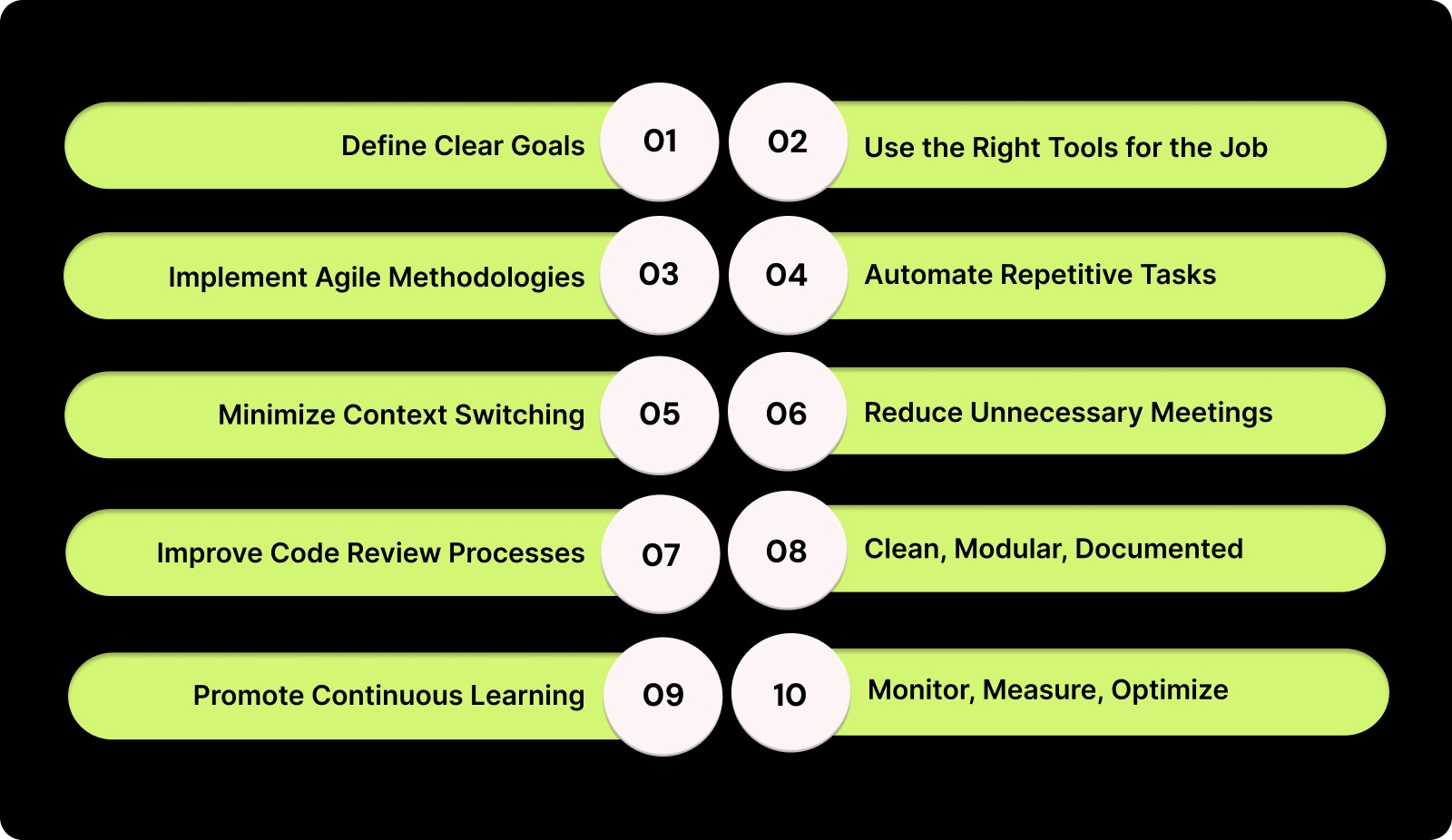
10 Tips on How to Improve Developer Productivity in 2026

Here are 10 proven strategies to improve developer productivity, helping you remove blockers, reduce cognitive load, and build a healthier, more efficient engineering culture.

1. Define Clear Goals and Project Specifications

Developers perform at their best when expectations are clear and well-documented. By defining goals, user requirements, acceptance criteria, and system constraints upfront, you ensure everyone is aligned and working toward the same objectives. 

Clear project specifications reduce confusion, improve focus, and streamline development.

Here’s how to set clear goals and project specifications effectively:

  • Set SMART goals: Define Specific, Measurable, Achievable, Relevant, and Time-bound objectives to give your team clarity on priorities.

  • Include developers early: Involve your developers in requirement discussions to ensure feasibility and shared understanding.

  • Share detailed specs and mockups: Provide comprehensive documentation, wireframes, and edge cases before development starts to prevent misunderstandings.

  • Establish acceptance criteria: Clearly define how completed work will be evaluated to reduce ambiguity and unnecessary rework.

Challenge: Requirements often change mid-sprint, causing disruptions.

Solution: Implement a controlled change process and maintain a shared source of truth using tools like Notion, Confluence, or Jira to keep everyone updated and aligned.

2. Use the Right Tools for the Job

The tools your team uses directly impact how efficiently developers work and how quickly projects are delivered. Modern engineering teams rely on collaboration platforms, code review systems, and automation tools to reduce friction, speed up delivery, and maintain high-quality output.

 Choosing the right tools ensures your team can focus on coding instead of fighting workflow inefficiencies.

Here’s how to use tools effectively:

  • Pick tools that integrate seamlessly: Combine IDEs, Git, CI/CD pipelines, and documentation platforms to create a smooth, connected workflow.

  • Adopt AI-powered assistants: Use AI tools to improve code quality, automate documentation, and reduce repetitive manual tasks.

  • Standardize your tool stack: Avoid fragmentation by defining a consistent set of tools across your team, making collaboration simpler and more efficient.

Challenge: Using too many tools can overwhelm developers and increase cognitive fatigue.

Solution: Consolidate your toolchain and prioritize platforms that centralize workflows, reducing context switching and letting your team focus on high-impact work.

3. Implement Agile Methodologies and Short Sprints

Agile methodologies break complex projects into smaller, manageable tasks, giving your team the flexibility to adapt to changes and collaborate more effectively. 

Using short sprints allows developers to focus on achievable goals, gain clarity on priorities, and receive timely feedback. This approach boosts ownership and keeps the team aligned with overall project objectives.

Here’s how Agile and short sprints benefit your team:

  • Increase ownership and visibility: Developers have a clear understanding of their responsibilities and progress.

  • Enable faster feedback loops: Frequent check-ins and reviews help address issues early and keep work on track.

  • Simplify estimation and prioritization: Breaking work into smaller tasks makes planning and prioritizing more accurate.

Here’s how to implement Agile effectively:

  • Use 1–2 week sprints: Keep work cycles short to ensure predictable delivery and frequent progress evaluation.

  • Conduct retrospectives: Review each sprint to highlight wins, uncover blockers, and refine processes.

  • Hold focused daily standups: Center discussions on progress and challenges, not just status updates.

Challenge: Sprints lose focus and turn into repetitive routines that don’t deliver tangible results.

Solution: Keep ceremonies short, focused, and action-oriented. This ensures every sprint drives meaningful progress, addresses real blockers, and helps your team stay aligned with project goals.

4. Automate Repetitive Tasks: Testing and CI/CD

Automation helps your team save time by removing everyday manual tasks like testing, building, and deploying code. 

When these steps run on their own, developers can focus more on real problem-solving and less on routine work. This makes the entire development process faster and smoother.

Here’s how to use automation effectively:

  • Automate common tasks: Set up automatic unit tests, integration tests, builds, and deployments so your team doesn’t have to run them manually.

  • Use CI/CD tools: Tools like GitHub Actions, GitLab CI, or Jenkins can handle testing and updates for you as soon as changes are made.

  • Keep environments consistent: Use simple scripts, templates, or containers to make sure every environment is set up the same way.

  • Cut down errors and release faster: Automated steps reduce mistakes and help your team move code to production more quickly.

  • Start with small wins: Even though automation takes time to set up, begin with high-impact areas like testing and deployments to see quick results.

Challenge: Setting up automation at first can feel time-consuming and overwhelming for the team.

Solution: Begin with high-impact tasks like testing, builds, and deployments. This allows your team to see immediate benefits, build confidence, and gradually expand automation without disrupting workflow.

5. Minimize Context Switching

Switching between tools, tasks, and conversations disrupts a developer’s focus and slows progress. Every interruption forces the brain to reset, making it harder to return to deep work. 

By minimizing context switching, you help your team maintain longer focus periods, reduce errors, and stay mentally clear throughout the day.

Here’s how to reduce context switching effectively:

  • Create longer deep-work windows: Provide uninterrupted time blocks so developers can stay fully immersed in complex tasks.

  • Consolidate workflows into the IDE: Keep essential tools—like testing, version control, and task management within the development environment.

  • Adopt async-first communication: Replace constant real-time messages with asynchronous updates that developers can check during natural breaks.

  • Group similar tasks together: Encourage batching for activities like code reviews, documentation, and emails to avoid frequent mental shifts.

  • Set focus hours: Establish team-wide quiet periods where interruptions are limited except for urgent issues.

Challenge: Stakeholders often ask for real-time updates, resulting in frequent status meetings and continuous interruptions that disrupt developer focus.

Solution: Provide live dashboards and async update summaries so stakeholders can access the information they need without scheduling recurring check-ins, allowing your team to maintain consistent, uninterrupted work time.

6. Reduce Unnecessary Meetings and Distractions

Maintaining developer focus is essential for high-quality output, and unnecessary meetings are one of the biggest interruptions to that flow. Reducing non-essential calls gives your team the space to code, think deeply, and stay in their creative zone. 

When developers have uninterrupted blocks of time, they naturally produce better work and feel more energized throughout the day.

Here’s how to reduce meetings and distractions effectively:

  • Create focused work blocks: Establish meeting-free hours during peak productivity periods so developers can concentrate without interruptions.

  • Use async updates: Replace routine status meetings with automated reports, dashboards, or async channels to keep everyone informed without disrupting focus.

  • Set clear agendas: Every meeting should have a defined purpose, structure, and time limit to avoid unnecessary discussions and keep conversations efficient.

  • Minimize context switching: Consolidate meetings into specific time slots so developers aren’t pulled out of deep work multiple times a day.

  • Address stakeholder demands: If stakeholders need updates, use dashboards and async summaries to keep them informed without increasing meeting load.

Challenge: Stakeholders frequently request real-time updates, leading to more status meetings and constant interruptions that break developer focus.

Solution: Introduce live dashboards and async update summaries so stakeholders can get the information they need without relying on recurring meetings, helping your team maintain uninterrupted work time.

7. Improve Code Review Processes

Improving your code review process is essential for keeping development smooth and maintaining high-quality output. A well-managed review system reduces delays, prevents bottlenecks, and helps developers ship cleaner, more reliable code. When reviews are clear and timely, your team feels supported and stays more engaged in the workflow.

Here’s how to improve code review processes:

  • Make reviews faster and clearer: Use AI-assisted tools and automated checks to catch basic issues early and speed up the review cycle.

  • Keep pull requests small and focused: Smaller PRs are easier to review, reduce confusion, and help your team move forward without unnecessary delays.

  • Create simple review guidelines: Set clear rules for what to check during reviews so everyone follows the same process and delivers consistent results.

  • Rotate reviewers to avoid overload: Share review responsibilities across the team to prevent burnout and keep the workflow balanced.

  • Prioritize important PRs first: Encourage your team to review high-impact changes before anything else to avoid blockers in the development cycle.

Challenge: Code reviews get delayed because reviewers are juggling too many tasks, causing PRs to sit idle for days.

Solution: Rotate review duties and introduce automated checks so reviewers can manage workload better and PRs move through the pipeline without long waits.

Also Read: Top 10 AI Code Generators for Vibe Coding with Pitfalls & Entelligence.ai Fix

8. Maintain Clean, Modular, and Well-Documented Code

Clean, well-structured code creates a foundation that helps your team move faster and avoid unnecessary delays. When your codebase is easy to read, simple to maintain, and consistently organized, developers spend less time untangling logic and more time building features. This creates long-term efficiency and reduces friction across your entire development workflow.

Here’s how to maintain clean, modular, and well-documented code:

  • Follow consistent coding standards: Align your team on formatting, naming conventions, and best practices so the entire codebase feels unified and predictable.

  • Keep modules small and single-purpose: Break down features into manageable components to simplify testing, debugging, and future updates.

  • Auto-generate documentation: Use tools that automatically create or update documentation to ensure it's always current and part of your development process.

  • Support faster onboarding: A clean, modular codebase helps new developers get comfortable quickly and contribute sooner.

  • Reduce technical debt: organized code lowers long-term maintenance costs and prevents slowdowns caused by outdated or messy logic.

  • Streamline debugging and testing: Clear structure and documentation help developers identify issues faster and release more confidently.

Challenge: Documentation often gets deprioritized when deadlines are tight, leading developers to skip or delay updating it.

Solution: Automate documentation through built-in tools and make updates part of the pull request checklist so it happens naturally during development.

9. Promote Continuous Learning and Developer Joy

A motivated and curious developer is far more likely to produce high-quality work. When you nurture a culture that values creativity, experimentation, and growth, you create an environment where developers feel energized and supported. 

Prioritizing learning and well-being not only strengthens technical skills but also contributes to long-term team morale and performance.

Here’s how to promote continuous learning and developer joy:

  • Create space for learning: Set aside dedicated hours each week for developers to explore new tools, frameworks, or best practices that enhance their craft.

  • Provide upskilling opportunities: Offer access to online courses, workshops, conferences, and internal knowledge-sharing sessions to fuel continuous growth.

  • Celebrate progress, not just output: Recognize both small wins and major achievements. Appreciating effort builds confidence and lifts team morale.

  • Encourage creative thinking: Support experiments, side projects, and innovation time that allow developers to try new ideas without pressure.

  • Integrate learning into OKRs: When learning is tied to goals, it becomes a priority, not something pushed aside during tight deadlines.

Challenge: Learning often gets deprioritized when deadlines are tight, causing developers to push skill-building aside.

Solution: Integrate learning into OKRs and schedule consistent learning hours so developers can grow their skills without feeling rushed or guilty.

10. Monitor, Measure, and Optimize Productivity

Tracking productivity should be thoughtful, meaningful, and focused on outcomes rather than vanity metrics. Instead of monitoring lines of code or hour-by-hour activity, aim to understand actual progress, team well-being, and workflow efficiency. 

When done right, measurement supports your team, encourages transparency, and strengthens alignment with your project goals.

Here’s how to monitor, measure, and optimize productivity effectively:

  • Track meaningful engineering metrics: if you’re an engineering leader, look at commit frequency, pull-request cycles, deployment velocity, and the quality of completed work. These indicators reveal workflow efficiency without micromanaging.

  • Monitor team health and workl.oad balance: Pay attention to bottlenecks, sprint fatigue, and uneven workload distribution. Early detection helps prevent burnout and delays.

  • Use visibility dashboards: Provide leadership with dashboards that highlight progress and patterns, not individual activity. This ensures clarity while maintaining trust within the team.

Challenge: Productivity metrics can sometimes feel intrusive or be easily misinterpreted, leading developers to worry about being monitored rather than supported.

Solution: Keep the emphasis on team-wide trends instead of individual activity. Use the insights to guide support, rebalance workloads, and remove blockers ensuring the data helps your team improve rather than making anyone feel penalized.

Before implementing these strategies, it’s important to focus on the key factors that keep developers motivated, efficient, and productive.

What to Consider When Focusing on Developer Productivity

Improving a team’s output requires monitoring tasks or deadlines. You need to focus on clarity, the right tools, and a supportive environment that helps developers work smoothly and stay motivated. 

Here’s what to consider when planning how to improve developer productivity across your organization.

1. Strengthen Communication and Collaboration

Keep communication open so developers can share updates, ask questions, and discuss problems. Regular stand-ups and check-ins help everyone stay on the same page.

Entelligence AI makes this easier by showing where communication gaps exist and suggesting the best ways for the team to share updates across tools like Jira, Slack, and GitHub.

2. Equip Your Team with the Right Tools

Having the right tools helps the team work smoothly. Use project management platforms to see tasks and deadlines, and code collaboration tools, automated testing, and CI/CD pipelines to reduce manual work.

Entelligence AI with these tools to give insights into your CI/CD pipelines, track deployment success, and combine data from different platforms into one view. This helps the team focus on important tasks instead of repetitive work.

3. Set Clear Goals and Ownership

Make sure everyone knows what they are responsible for, deadlines, and quality expectations. When developers understand their role and how it fits into the bigger picture, work gets done faster and with less confusion.

With Entelligence AI, you can track progress, see who’s responsible for each task, and get AI suggestions to reassign or support team members if needed. This keeps everyone accountable and focused.

How Does Entelligence AI Help to Improve Developer Productivity?

Keeping developers productive is never simple. Managing task loads, reducing blockers, and maintaining code quality all require consistent attention. When deadlines tighten and priorities shift, staying on top of everything can quickly become overwhelming.

Entelligence AI removes this complexity by giving you clear, data-driven insights, automating routine tasks, and streamlining workflows. It helps your developers stay focused on meaningful work while you maintain visibility and control with less effort.

Key Features of Entelligence AI:

  • Context-Aware Code Reviews: Automatically provide relevant suggestions during code reviews to speed up improvements and maintain quality.

  • Automated Documentation: Keep all documentation updated automatically so developers always have accurate, ready-to-use information.

  • Sprint Assessments: Get AI-powered evaluations of sprint performance to spot bottlenecks and refine upcoming iterations.

  • Real-Time Team Insights: Understand developer performance, collaboration patterns, and productivity trends to make smarter decisions.

  • Seamless Integrations: Connect smoothly with tools like Slack and Microsoft Teams to support a unified, uninterrupted workflow.

With Entelligence AI, your team can stay aligned, work more efficiently, and deliver stronger outcomes with less manual effort.

Also Read: Introducing Entelligence Deep Review Agent

Conclusion

In 2026, supporting your developers means giving them the clarity, structure, and environment they need to perform at their best. When you remove blockers, simplify processes, and promote collaboration, your team naturally moves toward better efficiency and stronger output. 

That’s the real answer to how to improve developer productivity in a sustainable way. To make this even easier, Entelligence AI gives you real-time insights, automates routine tasks, and helps maintain consistent code quality.

Start your free trial today with Entelligence AI and experience how AI-driven insights can elevate your team's performance.

FAQs

1. What makes improving developer productivity difficult?

Improving developer productivity is challenging because development work involves complex technical tasks, shifting priorities, and frequent interruptions. Varying skill levels, unclear requirements, and constant context switching can slow progress and affect focus. Balancing efficiency with developer well-being also plays a key role.

2. What is the most effective tool to improve developer productivity?

Entelligence AI is a powerful tool for improving developer productivity. It automates code reviews, updates documentation, provides real-time insights into workflow bottlenecks, and integrates directly with developer tools. This helps teams ship faster, improve code quality, and reduce time spent on repetitive tasks.

3. How can I improve communication to increase developer productivity?

Use centralized tools like Slack for updates and Jira for task tracking. Clear documentation, structured standups, and fewer ad-hoc messages help keep communication focused. When everyone knows priorities and blockers, developers stay aligned and move faster.

4. How can I prevent burnout while improving developer productivity?

Prevent burnout by setting realistic workloads, encouraging breaks, and supporting flexible work hours. Regular check-ins, mental health resources, and open discussions about capacity help maintain long-term productivity without overwhelming your team.

5. What metrics should I track to measure and improve developer productivity?

Track metrics like commit frequency, pull request cycle time, bug resolution speed, deployment frequency, and sprint completion rates. These indicators highlight workflow gaps, helping you optimize processes and continuously improve developer productivity.

Measuring and improving developer productivity is not just a management task. It directly affects team performance, morale, and business results. Studies show that using clear productivity metrics can improve employee experience showing how good leadership makes a real difference.

Increasing developer productivity is more than tracking output. It means creating a workspace where engineers can focus on meaningful work, reduce repetitive tasks, and collaborate efficiently while maintaining high quality.

This article shares 10 practical strategies and tips on how to improve developer productivity, covering everything from setting team goals and using the right tools to embracing automation and data-driven insights. 

Key Takeaways:

  • Define clear goals, responsibilities, and acceptance criteria to align your team and reduce confusion.

  • Use the right tools and AI-powered solutions like Entelligence AI to automate tasks, track progress, and provide actionable insights.

  • Automate repetitive work such as testing, deployments, and documentation to save time and let developers focus on meaningful tasks.

  • Minimize distractions and unnecessary meetings, protect deep-work periods, and use dashboards or async updates to keep everyone aligned.

  • Track meaningful productivity metrics, identify bottlenecks, and continuously optimize workflows for better team efficiency.

What Exactly is Developer Productivity?

True developer productivity exceeds rapid coding. It’s about enabling engineers to focus on the work that truly moves the product forward. 

It’s measured not just by lines of code, but by:

  • Smooth, repeatable workflows that minimize distractions and repetitive tasks.

  • High-quality output through context-aware code reviews and automated checks.

  • Clear visibility and alignment between developers, managers, and stakeholders.

By tracking and measuring developer productivity, teams can identify friction points, remove blockers, and create a development environment that consistently delivers value.p

At Entelligence AI , we define it as the intersection of efficiency, clarity, and impact across every stage of the development workflow.

For example, Composio Tripled Development Speed While Improving Code Quality by using Entelligence AI, achieving 3x faster development cycles, automating 500+ developer queries daily, and reducing meetings by 70%, all while enhancing code quality.

Why Developer Productivity Drives Success?

High developer productivity creates value for teams and organizations alike. When engineers are empowered to focus on what matters, organizations see clear benefits:

  • Faster delivery of impactful features: Product timelines stay on track, and releases happen with fewer errors and delays.

  • Better team satisfaction and reduced burnout: Developers spend less time on manual or repetitive tasks and more time on meaningful, creative work.

  • Smarter decisions with actionable insights: leaders gain a clear view of performance trends, team capacity, and sprint health, enabling informed planning and resourcing.

  • Innovation thrives: With routine overhead minimized, teams can experiment, implement new solutions, and solve complex problems effectively.

Also Read: How Modern Engineering Teams Gain Clarity with Entelligence AI

Now that we see why it matters, let’s explore actionable strategies to improve productivity across your development team.

10 Tips on How to Improve Developer Productivity in 2026

Improving developer productivity goes beyond writing more code; it’s about creating an environment where developers can focus, collaborate, and deliver meaningful results without friction. When teams work with clear goals, streamlined workflows, and the right support systems, productivity increases naturally.

10 Tips on How to Improve Developer Productivity in 2026

Here are 10 proven strategies to improve developer productivity, helping you remove blockers, reduce cognitive load, and build a healthier, more efficient engineering culture.

1. Define Clear Goals and Project Specifications

Developers perform at their best when expectations are clear and well-documented. By defining goals, user requirements, acceptance criteria, and system constraints upfront, you ensure everyone is aligned and working toward the same objectives. 

Clear project specifications reduce confusion, improve focus, and streamline development.

Here’s how to set clear goals and project specifications effectively:

  • Set SMART goals: Define Specific, Measurable, Achievable, Relevant, and Time-bound objectives to give your team clarity on priorities.

  • Include developers early: Involve your developers in requirement discussions to ensure feasibility and shared understanding.

  • Share detailed specs and mockups: Provide comprehensive documentation, wireframes, and edge cases before development starts to prevent misunderstandings.

  • Establish acceptance criteria: Clearly define how completed work will be evaluated to reduce ambiguity and unnecessary rework.

Challenge: Requirements often change mid-sprint, causing disruptions.

Solution: Implement a controlled change process and maintain a shared source of truth using tools like Notion, Confluence, or Jira to keep everyone updated and aligned.

2. Use the Right Tools for the Job

The tools your team uses directly impact how efficiently developers work and how quickly projects are delivered. Modern engineering teams rely on collaboration platforms, code review systems, and automation tools to reduce friction, speed up delivery, and maintain high-quality output.

 Choosing the right tools ensures your team can focus on coding instead of fighting workflow inefficiencies.

Here’s how to use tools effectively:

  • Pick tools that integrate seamlessly: Combine IDEs, Git, CI/CD pipelines, and documentation platforms to create a smooth, connected workflow.

  • Adopt AI-powered assistants: Use AI tools to improve code quality, automate documentation, and reduce repetitive manual tasks.

  • Standardize your tool stack: Avoid fragmentation by defining a consistent set of tools across your team, making collaboration simpler and more efficient.

Challenge: Using too many tools can overwhelm developers and increase cognitive fatigue.

Solution: Consolidate your toolchain and prioritize platforms that centralize workflows, reducing context switching and letting your team focus on high-impact work.

3. Implement Agile Methodologies and Short Sprints

Agile methodologies break complex projects into smaller, manageable tasks, giving your team the flexibility to adapt to changes and collaborate more effectively. 

Using short sprints allows developers to focus on achievable goals, gain clarity on priorities, and receive timely feedback. This approach boosts ownership and keeps the team aligned with overall project objectives.

Here’s how Agile and short sprints benefit your team:

  • Increase ownership and visibility: Developers have a clear understanding of their responsibilities and progress.

  • Enable faster feedback loops: Frequent check-ins and reviews help address issues early and keep work on track.

  • Simplify estimation and prioritization: Breaking work into smaller tasks makes planning and prioritizing more accurate.

Here’s how to implement Agile effectively:

  • Use 1–2 week sprints: Keep work cycles short to ensure predictable delivery and frequent progress evaluation.

  • Conduct retrospectives: Review each sprint to highlight wins, uncover blockers, and refine processes.

  • Hold focused daily standups: Center discussions on progress and challenges, not just status updates.

Challenge: Sprints lose focus and turn into repetitive routines that don’t deliver tangible results.

Solution: Keep ceremonies short, focused, and action-oriented. This ensures every sprint drives meaningful progress, addresses real blockers, and helps your team stay aligned with project goals.

4. Automate Repetitive Tasks: Testing and CI/CD

Automation helps your team save time by removing everyday manual tasks like testing, building, and deploying code. 

When these steps run on their own, developers can focus more on real problem-solving and less on routine work. This makes the entire development process faster and smoother.

Here’s how to use automation effectively:

  • Automate common tasks: Set up automatic unit tests, integration tests, builds, and deployments so your team doesn’t have to run them manually.

  • Use CI/CD tools: Tools like GitHub Actions, GitLab CI, or Jenkins can handle testing and updates for you as soon as changes are made.

  • Keep environments consistent: Use simple scripts, templates, or containers to make sure every environment is set up the same way.

  • Cut down errors and release faster: Automated steps reduce mistakes and help your team move code to production more quickly.

  • Start with small wins: Even though automation takes time to set up, begin with high-impact areas like testing and deployments to see quick results.

Challenge: Setting up automation at first can feel time-consuming and overwhelming for the team.

Solution: Begin with high-impact tasks like testing, builds, and deployments. This allows your team to see immediate benefits, build confidence, and gradually expand automation without disrupting workflow.

5. Minimize Context Switching

Switching between tools, tasks, and conversations disrupts a developer’s focus and slows progress. Every interruption forces the brain to reset, making it harder to return to deep work. 

By minimizing context switching, you help your team maintain longer focus periods, reduce errors, and stay mentally clear throughout the day.

Here’s how to reduce context switching effectively:

  • Create longer deep-work windows: Provide uninterrupted time blocks so developers can stay fully immersed in complex tasks.

  • Consolidate workflows into the IDE: Keep essential tools—like testing, version control, and task management within the development environment.

  • Adopt async-first communication: Replace constant real-time messages with asynchronous updates that developers can check during natural breaks.

  • Group similar tasks together: Encourage batching for activities like code reviews, documentation, and emails to avoid frequent mental shifts.

  • Set focus hours: Establish team-wide quiet periods where interruptions are limited except for urgent issues.

Challenge: Stakeholders often ask for real-time updates, resulting in frequent status meetings and continuous interruptions that disrupt developer focus.

Solution: Provide live dashboards and async update summaries so stakeholders can access the information they need without scheduling recurring check-ins, allowing your team to maintain consistent, uninterrupted work time.

6. Reduce Unnecessary Meetings and Distractions

Maintaining developer focus is essential for high-quality output, and unnecessary meetings are one of the biggest interruptions to that flow. Reducing non-essential calls gives your team the space to code, think deeply, and stay in their creative zone. 

When developers have uninterrupted blocks of time, they naturally produce better work and feel more energized throughout the day.

Here’s how to reduce meetings and distractions effectively:

  • Create focused work blocks: Establish meeting-free hours during peak productivity periods so developers can concentrate without interruptions.

  • Use async updates: Replace routine status meetings with automated reports, dashboards, or async channels to keep everyone informed without disrupting focus.

  • Set clear agendas: Every meeting should have a defined purpose, structure, and time limit to avoid unnecessary discussions and keep conversations efficient.

  • Minimize context switching: Consolidate meetings into specific time slots so developers aren’t pulled out of deep work multiple times a day.

  • Address stakeholder demands: If stakeholders need updates, use dashboards and async summaries to keep them informed without increasing meeting load.

Challenge: Stakeholders frequently request real-time updates, leading to more status meetings and constant interruptions that break developer focus.

Solution: Introduce live dashboards and async update summaries so stakeholders can get the information they need without relying on recurring meetings, helping your team maintain uninterrupted work time.

7. Improve Code Review Processes

Improving your code review process is essential for keeping development smooth and maintaining high-quality output. A well-managed review system reduces delays, prevents bottlenecks, and helps developers ship cleaner, more reliable code. When reviews are clear and timely, your team feels supported and stays more engaged in the workflow.

Here’s how to improve code review processes:

  • Make reviews faster and clearer: Use AI-assisted tools and automated checks to catch basic issues early and speed up the review cycle.

  • Keep pull requests small and focused: Smaller PRs are easier to review, reduce confusion, and help your team move forward without unnecessary delays.

  • Create simple review guidelines: Set clear rules for what to check during reviews so everyone follows the same process and delivers consistent results.

  • Rotate reviewers to avoid overload: Share review responsibilities across the team to prevent burnout and keep the workflow balanced.

  • Prioritize important PRs first: Encourage your team to review high-impact changes before anything else to avoid blockers in the development cycle.

Challenge: Code reviews get delayed because reviewers are juggling too many tasks, causing PRs to sit idle for days.

Solution: Rotate review duties and introduce automated checks so reviewers can manage workload better and PRs move through the pipeline without long waits.

Also Read: Top 10 AI Code Generators for Vibe Coding with Pitfalls & Entelligence.ai Fix

8. Maintain Clean, Modular, and Well-Documented Code

Clean, well-structured code creates a foundation that helps your team move faster and avoid unnecessary delays. When your codebase is easy to read, simple to maintain, and consistently organized, developers spend less time untangling logic and more time building features. This creates long-term efficiency and reduces friction across your entire development workflow.

Here’s how to maintain clean, modular, and well-documented code:

  • Follow consistent coding standards: Align your team on formatting, naming conventions, and best practices so the entire codebase feels unified and predictable.

  • Keep modules small and single-purpose: Break down features into manageable components to simplify testing, debugging, and future updates.

  • Auto-generate documentation: Use tools that automatically create or update documentation to ensure it's always current and part of your development process.

  • Support faster onboarding: A clean, modular codebase helps new developers get comfortable quickly and contribute sooner.

  • Reduce technical debt: organized code lowers long-term maintenance costs and prevents slowdowns caused by outdated or messy logic.

  • Streamline debugging and testing: Clear structure and documentation help developers identify issues faster and release more confidently.

Challenge: Documentation often gets deprioritized when deadlines are tight, leading developers to skip or delay updating it.

Solution: Automate documentation through built-in tools and make updates part of the pull request checklist so it happens naturally during development.

9. Promote Continuous Learning and Developer Joy

A motivated and curious developer is far more likely to produce high-quality work. When you nurture a culture that values creativity, experimentation, and growth, you create an environment where developers feel energized and supported. 

Prioritizing learning and well-being not only strengthens technical skills but also contributes to long-term team morale and performance.

Here’s how to promote continuous learning and developer joy:

  • Create space for learning: Set aside dedicated hours each week for developers to explore new tools, frameworks, or best practices that enhance their craft.

  • Provide upskilling opportunities: Offer access to online courses, workshops, conferences, and internal knowledge-sharing sessions to fuel continuous growth.

  • Celebrate progress, not just output: Recognize both small wins and major achievements. Appreciating effort builds confidence and lifts team morale.

  • Encourage creative thinking: Support experiments, side projects, and innovation time that allow developers to try new ideas without pressure.

  • Integrate learning into OKRs: When learning is tied to goals, it becomes a priority, not something pushed aside during tight deadlines.

Challenge: Learning often gets deprioritized when deadlines are tight, causing developers to push skill-building aside.

Solution: Integrate learning into OKRs and schedule consistent learning hours so developers can grow their skills without feeling rushed or guilty.

10. Monitor, Measure, and Optimize Productivity

Tracking productivity should be thoughtful, meaningful, and focused on outcomes rather than vanity metrics. Instead of monitoring lines of code or hour-by-hour activity, aim to understand actual progress, team well-being, and workflow efficiency. 

When done right, measurement supports your team, encourages transparency, and strengthens alignment with your project goals.

Here’s how to monitor, measure, and optimize productivity effectively:

  • Track meaningful engineering metrics: if you’re an engineering leader, look at commit frequency, pull-request cycles, deployment velocity, and the quality of completed work. These indicators reveal workflow efficiency without micromanaging.

  • Monitor team health and workl.oad balance: Pay attention to bottlenecks, sprint fatigue, and uneven workload distribution. Early detection helps prevent burnout and delays.

  • Use visibility dashboards: Provide leadership with dashboards that highlight progress and patterns, not individual activity. This ensures clarity while maintaining trust within the team.

Challenge: Productivity metrics can sometimes feel intrusive or be easily misinterpreted, leading developers to worry about being monitored rather than supported.

Solution: Keep the emphasis on team-wide trends instead of individual activity. Use the insights to guide support, rebalance workloads, and remove blockers ensuring the data helps your team improve rather than making anyone feel penalized.

Before implementing these strategies, it’s important to focus on the key factors that keep developers motivated, efficient, and productive.

What to Consider When Focusing on Developer Productivity

Improving a team’s output requires monitoring tasks or deadlines. You need to focus on clarity, the right tools, and a supportive environment that helps developers work smoothly and stay motivated. 

Here’s what to consider when planning how to improve developer productivity across your organization.

1. Strengthen Communication and Collaboration

Keep communication open so developers can share updates, ask questions, and discuss problems. Regular stand-ups and check-ins help everyone stay on the same page.

Entelligence AI makes this easier by showing where communication gaps exist and suggesting the best ways for the team to share updates across tools like Jira, Slack, and GitHub.

2. Equip Your Team with the Right Tools

Having the right tools helps the team work smoothly. Use project management platforms to see tasks and deadlines, and code collaboration tools, automated testing, and CI/CD pipelines to reduce manual work.

Entelligence AI with these tools to give insights into your CI/CD pipelines, track deployment success, and combine data from different platforms into one view. This helps the team focus on important tasks instead of repetitive work.

3. Set Clear Goals and Ownership

Make sure everyone knows what they are responsible for, deadlines, and quality expectations. When developers understand their role and how it fits into the bigger picture, work gets done faster and with less confusion.

With Entelligence AI, you can track progress, see who’s responsible for each task, and get AI suggestions to reassign or support team members if needed. This keeps everyone accountable and focused.

How Does Entelligence AI Help to Improve Developer Productivity?

Keeping developers productive is never simple. Managing task loads, reducing blockers, and maintaining code quality all require consistent attention. When deadlines tighten and priorities shift, staying on top of everything can quickly become overwhelming.

Entelligence AI removes this complexity by giving you clear, data-driven insights, automating routine tasks, and streamlining workflows. It helps your developers stay focused on meaningful work while you maintain visibility and control with less effort.

Key Features of Entelligence AI:

  • Context-Aware Code Reviews: Automatically provide relevant suggestions during code reviews to speed up improvements and maintain quality.

  • Automated Documentation: Keep all documentation updated automatically so developers always have accurate, ready-to-use information.

  • Sprint Assessments: Get AI-powered evaluations of sprint performance to spot bottlenecks and refine upcoming iterations.

  • Real-Time Team Insights: Understand developer performance, collaboration patterns, and productivity trends to make smarter decisions.

  • Seamless Integrations: Connect smoothly with tools like Slack and Microsoft Teams to support a unified, uninterrupted workflow.

With Entelligence AI, your team can stay aligned, work more efficiently, and deliver stronger outcomes with less manual effort.

Also Read: Introducing Entelligence Deep Review Agent

Conclusion

In 2026, supporting your developers means giving them the clarity, structure, and environment they need to perform at their best. When you remove blockers, simplify processes, and promote collaboration, your team naturally moves toward better efficiency and stronger output. 

That’s the real answer to how to improve developer productivity in a sustainable way. To make this even easier, Entelligence AI gives you real-time insights, automates routine tasks, and helps maintain consistent code quality.

Start your free trial today with Entelligence AI and experience how AI-driven insights can elevate your team's performance.

FAQs

1. What makes improving developer productivity difficult?

Improving developer productivity is challenging because development work involves complex technical tasks, shifting priorities, and frequent interruptions. Varying skill levels, unclear requirements, and constant context switching can slow progress and affect focus. Balancing efficiency with developer well-being also plays a key role.

2. What is the most effective tool to improve developer productivity?

Entelligence AI is a powerful tool for improving developer productivity. It automates code reviews, updates documentation, provides real-time insights into workflow bottlenecks, and integrates directly with developer tools. This helps teams ship faster, improve code quality, and reduce time spent on repetitive tasks.

3. How can I improve communication to increase developer productivity?

Use centralized tools like Slack for updates and Jira for task tracking. Clear documentation, structured standups, and fewer ad-hoc messages help keep communication focused. When everyone knows priorities and blockers, developers stay aligned and move faster.

4. How can I prevent burnout while improving developer productivity?

Prevent burnout by setting realistic workloads, encouraging breaks, and supporting flexible work hours. Regular check-ins, mental health resources, and open discussions about capacity help maintain long-term productivity without overwhelming your team.

5. What metrics should I track to measure and improve developer productivity?

Track metrics like commit frequency, pull request cycle time, bug resolution speed, deployment frequency, and sprint completion rates. These indicators highlight workflow gaps, helping you optimize processes and continuously improve developer productivity.

Your questions,

Your questions,

Decoded

Decoded

What makes Entelligence different?

Unlike tools that just flag issues, Entelligence understands context — detecting, explaining, and fixing problems while aligning with product goals and team standards.

Does it replace human reviewers?

No. It amplifies them. Entelligence handles repetitive checks so engineers can focus on architecture, logic, and innovation.

What tools does it integrate with?

It fits right into your workflow — GitHub, GitLab, Jira, Linear, Slack, and more. No setup friction, no context switching.

How secure is my code?

Your code never leaves your environment. Entelligence uses encrypted processing and complies with top industry standards like SOC 2 and HIPAA.

Who is it built for?

Fast-growing engineering teams that want to scale quality, security, and velocity without adding more manual reviews or overhead.

What makes Entelligence different?
Does it replace human reviewers?
What tools does it integrate with?
How secure is my code?
Who is it built for?

Drop your details

We’ll reach out before your next deploy hits production.

We’ll reach out before your next deploy hits production.