
Top 10 Sprint Planning Tools for Agile Teams
Dec 8, 2025
Dec 8, 2025
Sprint planning is a crucial step in Agile development. To start each sprint with clarity, teams need the right tools to organize tasks, estimate workload, and set clear goals. While AI features are slowly entering planning platforms, the core purpose of sprint planning tools remains the same: help teams stay aligned, track work, and plan realistically.
The market for Agile and planning software continues to grow as more teams shift to iterative development. But even with new tech trends, teams still rely on the basics like clear task breakdowns, collaboration, and progress visibility. These fundamentals make every sprint more predictable and productive.
In this blog, we’ll explore the top sprint planning tools that help Agile teams plan smarter and deliver better results in every sprint.
Key Takeaways
Sprint planning tools help teams stay aligned, plan realistic workloads, and track progress in one place.
These tools improve clarity, collaboration, and predictability throughout each sprint.
Different tool types support backlog management, estimation, communication, visualization, and reporting.
Choosing the right tool depends on ease of use, integrations, scalability, and cost value.
Data-driven platforms like Entelligence AI make sprint planning more accurate by using real performance insights instead of guesswork.
To understand how these platforms help teams plan better, it’s important to first get a clear picture of what sprint planning tools actually are.
What Are Sprint Planning Tools?
Sprint planning tools are software solutions that help teams plan, organize, and manage work for each sprint. These tools make it easier to set sprint goals, break down tasks, assign ownership, estimate effort, and track progress. By bringing everything into one place, sprint planning tools keep your team aligned and focused from day one of the sprint.
Their main purpose is to simplify the planning process, reduce confusion, and give teams a clear roadmap for what needs to be delivered. They improve communication, help teams make realistic plans, and ensure everyone knows what they’re responsible for throughout the sprint.
Benefits of Sprint Planning Tools:
Using the right sprint planning tools can lead to noticeable improvements in:
Clarity: Teams get a clear view of priorities, deadlines, and workloads, reducing last-minute surprises.
Collaboration: Real-time updates and shared boards keep everyone on the same page, especially in remote or distributed teams.
Efficiency: Automated task tracking and planning features cut down on manual work and long meetings.
Predictability: Better estimates and sprint tracking help teams plan realistic timelines and deliver consistent results.
Faster Delivery: With organized sprints and fewer blockers, teams move faster and complete work more confidently.
Once you know what these tools do, the next step is to see how they improve day-to-day planning and delivery for Agile teams.
Why Sprint Planning Tools Matter for Agile Teams?
Sprint planning tools play a vital role in helping Agile teams plan, organize, and manage their work more efficiently. While sprint planning sets the direction for the upcoming sprint, sprint planning tools make it easier to track tasks, monitor progress, and keep everyone aligned. Here’s how these tools support Agile teams in day-to-day execution:
Aspect | Without Sprint Planning Tools | With Sprint Planning Tools |
Focus | Planning relies on memory, notes, or scattered spreadsheets. | Centralized visibility into tasks, goals, and priorities. |
Workflow | Manual updates and unclear ownership. | Real-time task tracking, assignments, and dependencies. |
Goal | Complete sprint work based on assumptions. | Deliver work with clarity, transparency, and fewer surprises. |
Scope | Limited insight into workload or capacity. | Clear view of team capacity, estimates, and progress. |
Process | Hard to monitor progress during the sprint. | Continuous updates, dashboards, and sprint reports. |
In short, sprint planning tools don’t replace agile planning; they strengthen it. They give teams structure, visibility, and confidence to deliver consistently.
Since every team works differently, it helps to break these tools into categories so you can see which ones fit your needs best.
5 Types of Sprint Planning Tools
To run smooth and productive sprints, it helps to know the different types of sprint planning tools available. Each category supports a key part of planning, execution, and team alignment.
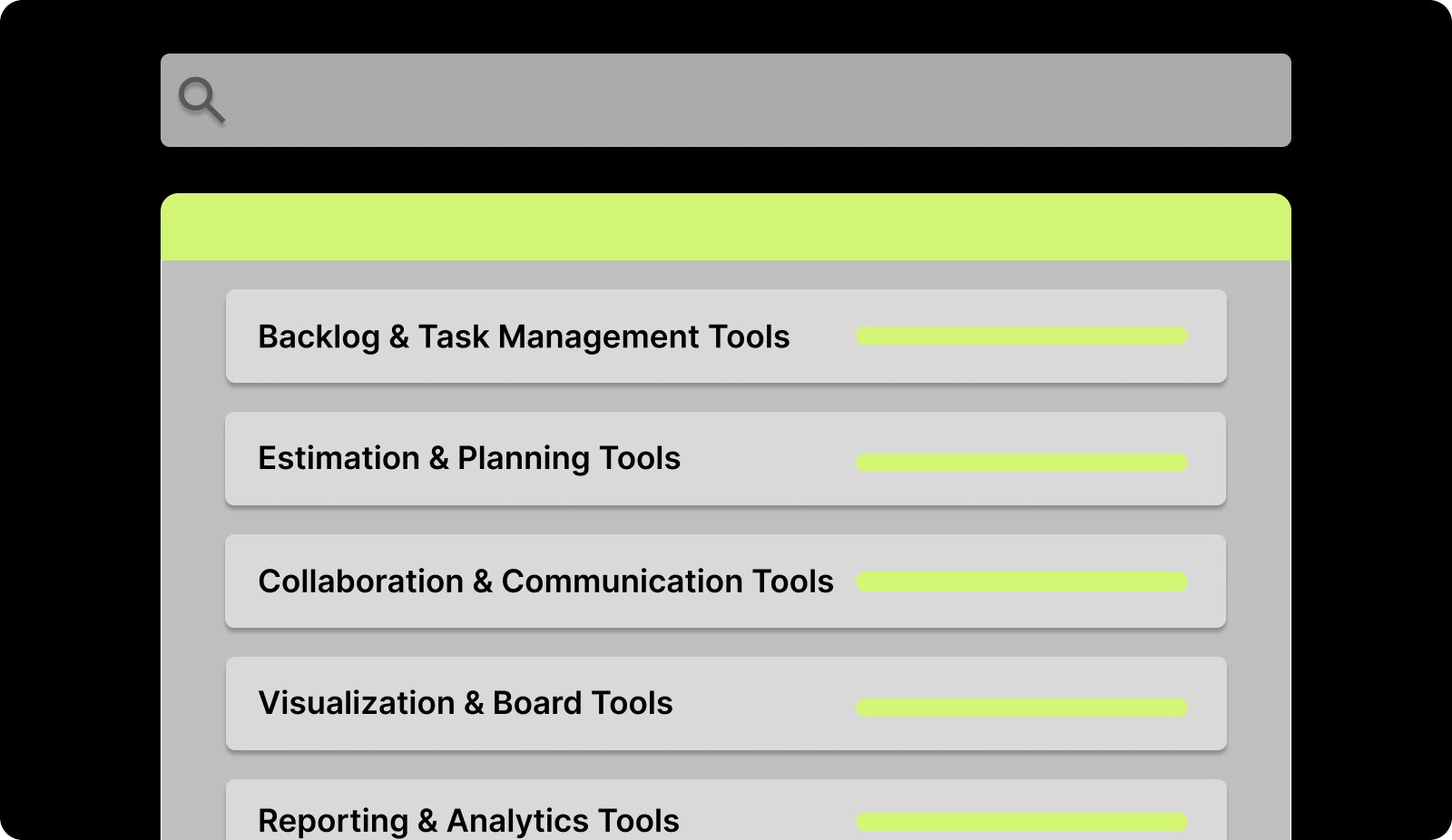
1. Backlog & Task Management Tools
These tools help you organize user stories, break work into tasks, and prioritize what goes into each sprint. They make it easier to plan capacity, assign work, and keep everyone focused on the right goals.
2. Estimation & Planning Tools
These tools support story points, velocity tracking, and sprint estimation. They help teams plan realistic workloads, avoid overcommitment, and set clear sprint expectations.
3. Collaboration & Communication Tools
These tools streamline discussions, share sprint plans, and keep team members aligned especially in remote setups. They reduce confusion, maintain transparency, and make decision-making faster.
4. Visualization & Board Tools
These tools use boards, timelines, and burndown charts to show progress in a simple, visual way. They help teams track work, spot bottlenecks early, and adjust plans during the sprint.
5. Reporting & Analytics Tools
These tools provide insights into sprint performance, team velocity, and completion rates. They help teams review results, improve future planning, and build more predictable sprint cycles.
By using the right mix of these sprint planning tools, teams can plan smarter, communicate better, and move through each sprint with clarity and confidence.
Now that we’ve covered the key types, let’s explore the top sprint planning tools teams rely on today.
Top 10 Sprint Planning Tools for Agile Teams
To plan sprints effectively and deliver work on time, choosing the right sprint planning tools is essential. Each tool supports a key part of the sprint cycle helping teams prioritize tasks, estimate effort, track progress, and stay aligned from planning to delivery.
1. Entelligence AI
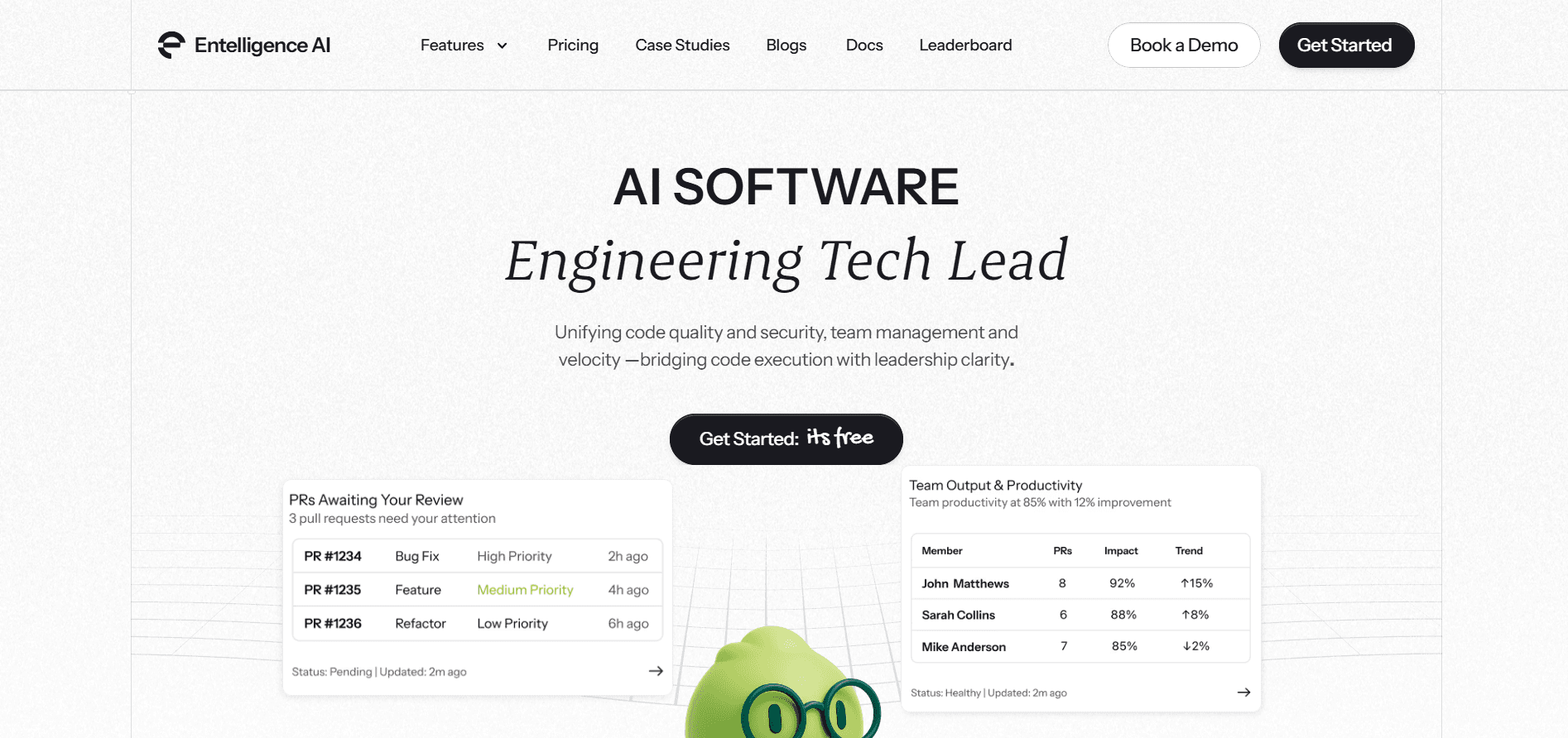
Entelligence AI is an end-to-end sprint planning and engineering intelligence platform that helps teams plan smarter, commit accurately, and deliver on time.
Instead of relying on intuition or manual estimates, it uses real performance data such as velocity trends, code quality, workloads, and bottlenecks to create realistic sprint plans that teams can complete with confidence.
Key Features:
AI-Based Sprint Forecasting: Predicts how much work the team can complete in the next sprint by analysing past velocity and current workload.
Backlog Prioritization: Suggests the most valuable tasks to include in the sprint by weighing effort, impact, and team capacity.
Workload Balancing: Highlights team members who are overloaded or free, helping maintain a healthy and fair workload.
Early Risk Detection: Identifies possible blockers such as dependency delays, or slow PR reviews so the team can fix issues early.
Deep Integrations: Works smoothly with Jira, GitHub, GitLab, CI CD tools, Slack, and other platforms to connect planning and execution.
Why It Stands Out:
Most tools only track sprint activity. With platforms like Entelligence AI guides sprint planning with live insights, helping teams reduce spillovers, improve predictability, and make confident commitments without guesswork.
Best For:
Teams that want data-driven sprint planning and faster, more consistent delivery cycles.
2. Jira
Jira is one of the most popular sprint planning and agile management platforms, designed to help teams plan sprints, estimate work, and track progress from the start of the sprint through to the sprint review. It gives teams a structured workspace to manage user stories, prioritize tasks, and stay aligned throughout the sprint.
Key Features:
Sprint Boards and Backlog Management: Provides a clear view of upcoming work, helping teams plan, refine, and move tasks smoothly through each sprint stage.
Velocity and Burn-Down Charts: Tracks how fast the team delivers work and shows whether the sprint is on pace, helping teams make informed adjustments.
Custom Workflows: Allows teams to tailor workflows to their development process, from simple kanban flows to complex approval steps.
Automations and Integrations: Connects with Confluence, Git platforms, CI CD pipelines, Slack, and other tools to streamline updates and reduce manual effort.
Why It Stands Out:
Jira offers strong visibility into sprint commitments and real-time progress, making planning more structured, transparent, and data-backed.
Best For:
Growing teams and large engineering organizations that need scalable sprint planning and detailed tracking.
3. ONES Project
ONES Project is a full-scale agile planning platform designed to support sprint planning from requirements to execution. It helps teams break down user stories, align sprint goals, and track progress across multiple squads. With clear visibility into workloads and dependencies, it keeps complex projects organized and on schedule.
Key Features:
Backlog and Sprint Planning: Helps estimate, prioritize, and pull the right tasks into each sprint with structured planning tools.
Cross Team Visibility: Shows shared sprint timelines and dependencies so multiple squads can stay aligned.
Custom Dashboards: Provides real-time views of progress, workloads, and sprint status for better decision making.
Broad Integrations: Connects with Git, CI CD platforms, and communication tools to keep data and workflows in sync.
Why It Stands Out:
ONES Project is built for coordination at scale, making it easier for multiple teams to plan sprints together without misalignment or overlaps.
Best For:
Large organizations managing several agile teams working toward connected releases.
4. LeanKit
LeanKit is a visual sprint planning tool built around Kanban principles, making it easier for teams to see work in motion and plan based on real capacity. By mapping tasks across stages and limiting work in progress, LeanKit helps teams stay focused, reduce context switching, and maintain a steady delivery rhythm throughout the sprint.
Key Features:
Kanban Boards: Display every stage of work, giving teams a clear view of what’s planned, in progress, and completed.
Work-In-Progress Limits: Prevents teams from taking on more than they can handle, supporting realistic sprint planning.
Flow Metrics: Tracks cycle time, bottlenecks, and delivery speed to help teams improve sprint efficiency.
Integrations: Connects with Jira, Git tools, and DevOps pipelines to sync planning with execution.
Why It Stands Out:
LeanKit uses visual flow mapping to highlight capacity issues early, helping teams plan manageable sprints and maintain smooth delivery without overload.
Best For:
Teams that prefer Kanban-first sprint planning and rely on visual workflows to guide execution.
5. Zenhub
Zenhub is a sprint planning platform built directly on top of GitHub, allowing teams to plan, track, and manage sprints without jumping between multiple tools. By keeping planning close to the code reviews, it creates a smooth workflow for developer productivity and simplifies sprint execution.
Key Features:
Sprint Planning Inside GitHub: Teams can organize sprints, track work, and manage issues directly from GitHub, keeping everything in one place.
Roadmaps and Velocity Tracking: Provides clear visibility into delivery timelines and team speed, helping set realistic sprint goals.
Automated Workflows: Moves tasks automatically based on pull requests commits, and issue updates, reducing manual tracking.
Native GitHub Integration: Works seamlessly with GitHub repos and workflows, requiring minimal setup or onboarding.
Why It Stands Out:
Zenhub links sprint planning directly to real development activity, ensuring sprint plans reflect actual code progress and not assumptions.
Best For:
Engineering teams that primarily use GitHub and want to keep planning and development tightly connected.
6. Targetprocess
Targetprocess is an agile planning platform built to help teams connect sprint goals with broader business objectives. It gives teams and leaders a unified view of work across projects, making it easier to plan sprints, manage priorities, and stay aligned with long-term outcomes. With visual boards, connected workflows, and cross-team visibility, it supports planning at both team and portfolio levels.
Key Features:
Backlog and Sprint Planning: Provides tools for estimating stories, prioritizing tasks, and organizing work into achievable sprints.
Dependency Tracking: Maps dependencies across teams and programs, helping prevent delays and coordination gaps.
Portfolio Roadmaps: Connects sprint work to larger portfolio goals so teams can see how their progress impacts business outcomes.
Wide Integrations: Works with Jira, DevOps platforms, and communication tools to sync data across the ecosystem.
Why It Stands Out:
Targetprocess is built for scaled agile environments, making it easier to manage multi-team planning and coordinate multiple sprints at once.
Best For:
Enterprises running SAFe or large programs involving several teams working toward shared objectives.
7. Asana
Asana is a lightweight sprint planning and task management platform that helps teams break work into clear action items, set timelines, and stay aligned throughout the sprint. Its visual boards, timelines, and workload insights make it easy for teams to plan, track, and deliver sprint commitments without complexity.
Key Features:
Sprint Boards and Timelines: Organizes sprint tasks into clear workflows and visual timelines so teams can see what needs to be done and when.
Workload View: Shows team capacity before the sprint begins, helping prevent overload and ensuring fair task distribution.
Task Automation: Automates repetitive sprint actions such as status updates, task assignments, and reminders to save manual effort.
Integrations: Connects with GitHub, Slack, Jira, and other tools to keep sprint updates aligned across platforms.
Why It Stands Out:
Asana is easy to set up and simple to use, making sprint planning smooth for teams that want clarity without heavy process or complex tooling.
Best For:
Product and engineering teams that need a straightforward sprint planning solution with quick adoption.
Also Read: Decoding Source Code Management Tools: Types, Benefits, & Top Picks
8. ClickUp
ClickUp is an all-in-one productivity tool and sprint planning platform that brings tasks, sprint tracking, reporting, and collaboration into a single workspace. It helps teams plan sprints, estimate effort, monitor progress, and review outcomes without juggling multiple tools.
With flexible views and powerful reporting, teams get a clear picture of sprint goals and delivery progress from start to finish.
Key Features:
Sprint Backlogs and Points Tracking: Helps teams prioritize work, assign story points, and estimate effort accurately before the sprint begins.
Velocity and Burn-Down Reports: Provides real-time insights into sprint progress, helping teams track pace and spot delays early.
Customizable Views: Offers boards, lists, timelines, calendars, and Gantt charts so teams can plan and track work in the format that fits their workflow.
Robust Integrations: Connects with Git, CI CD platforms, messaging tools, and other development systems to keep updates centralized.
Why It Stands Out:
ClickUp brings sprint planning, execution, and reporting together in one platform, cutting down on context switching and making it easier for teams to stay aligned and focused.
Best For:
Teams that want a single workspace to plan sprints, track progress, and review performance without relying on multiple tools.
9. Jira Align
Jira Align is an enterprise-level agile planning platform designed to connect strategy to execution. It helps organizations align work across teams, programs, and portfolios while providing real-time visibility into progress, dependencies, and outcomes.
With robust reporting and configurable dashboards, Jira Align ensures that strategic objectives translate into actionable work at every level.
Key Features:
Portfolio and Program Tracking: Align initiatives, epics, and features with strategic goals to ensure work at all levels supports business priorities.
Agile Metrics and Reporting: Provides velocity, burn-up, and capacity reports to monitor progress, identify risks, and adjust plans proactively.
Roadmaps and Program Boards: Visualize timelines, dependencies, and milestones to manage cross-team delivery effectively.
Robust Integrations: Seamlessly connects with Jira Software, CI/CD tools, collaboration platforms, and other enterprise systems for centralized updates.
Why It Stands Out:
Jira Align connects strategic planning with team-level execution, giving leadership a comprehensive view of progress while keeping teams focused on delivery. Its ability to scale across portfolios makes it ideal for large enterprises adopting agile at scale.
Best For:
Organizations looking to align strategy with execution across multiple teams, programs, and portfolios while gaining enterprise-level visibility into agile delivery.
10. Confluence (with Whiteboards)
Confluence is a collaborative workspace that brings sprint planning, documentation, and team alignment into a single platform. With its whiteboards and shared pages, teams can map out sprint goals, outline requirements, and capture decisions in a clear, organized way.
It creates a central source of truth that keeps everyone aligned before, during, and after the sprint.
Key Features:
Whiteboards for Planning Sessions: Visual boards help teams brainstorm, map workflows, and structure sprint plans collaboratively.
Sprint Goals and Documentation: Keeps sprint goals, plans, meeting notes, and retrospectives in one organized space.
Real-Time Collaboration: Teams can comment, tag members, share updates, and refine plans together.
Seamless Integrations: Connects easily with Jira and other development tools to link documentation with sprint work.
Why It Stands Out:
Confluence strengthens alignment by making goals, requirements, decisions, and action items visible to everyone, reducing confusion and miscommunication.
Best For:
Teams that rely on collaborative planning rituals and want a shared, structured space to plan and document their sprints.
To get the most value from these platforms, it’s important to see how they connect with the other tools your team already uses.
What Integrations Matter Most for Sprint Planning Tools?
To make your sprint planning tools truly effective, they should connect with the other platforms your team uses every day. These integrations help teams stay organized, work faster, and avoid miscommunication. Here are the key ones to focus on:
Task and Code Tracking: Connect tools like Jira, GitHub, or GitLab so sprint tasks, issues, and code updates stay in one flow.
Build and Deployment: Link systems like Jenkins or Azure DevOps to automate builds, tests, and releases during the sprint.
Team Communication: Integrate Slack or Microsoft Teams to get instant updates, reminders, and quick discussions without switching apps.
Notes and Documentation: Connect Confluence or Notion to store sprint plans, meeting notes, and requirements in one place.
Reports and Metrics: Use dashboards like Power BI or Tableau to view burndown charts, sprint progress, and team performance.
With these integrations in place, sprint planning tools become easier to use, help teams stay aligned, and support smoother execution throughout the sprint.
Before picking a tool, a few practical factors can help you make the right choice for your team and workflow.
Factors to Consider When Choosing Sprint Planning Tools
Choosing the right sprint planning tools can make planning smoother, clearer, and more efficient. While comparing options, keep these points in mind:
Easy Integration: Pick tools that work well with what your team already uses, such as task trackers, code platforms, or communication apps. This helps you avoid extra setup and keeps your workflow steady.
Scalability: Make sure the tool can support bigger teams, more tasks, and multiple projects as your work grows, without slowing down.
Cost Value: Look for a tool that offers helpful planning features at a price that fits your budget, both at the start and over time.
Security: Choose tools that protect project data and offer secure access for teams working from different locations.
Ease of Use: A simple and intuitive interface helps your team learn faster, plan quicker, and stay focused on the work.
Keeping these factors in mind will help your team stay organized, plan effectively, and move through each sprint with confidence.

Also Read: The Design Evolution of Entelligence AI
Conclusion
Choosing the right sprint planning tools is key to keeping your team organized, focused, and efficient. These tools help you plan workloads, set clear sprint goals, and track progress, so you can deliver work on time with fewer blockers.
With the right toolset, sprint planning becomes smoother, meetings get shorter, and your team walks into every sprint with clarity and confidence.
Entelligence AI brings this entire process together in one platform. It uses AI to provide real-time insights, automate task planning, and highlight risks early, helping your team stay aligned and productive throughout every sprint.
Don’t wait to improve your sprint planning process. Start a free trial today and see how Entelligence AI can help your team plan smarter, move faster, and achieve better results.
FAQs
1. What are sprint planning tools used for?
Sprint planning tools help teams organize tasks, set sprint goals, estimate workloads, and track progress. They bring structure to planning sessions and make it easier for the team to stay aligned throughout the sprint.
2. Which sprint planning tools are best for Agile teams?
Popular sprint planning tools include Entelligence AI. These platforms support backlog management, task assignment, and real-time tracking, making them reliable for Agile workflows.
3. What sprint planning tools work best for remote teams?
Tools like Entelligence AI are great for remote teams. They offer shared boards, documentation, and communication features so teams can plan and collaborate smoothly from anywhere.
4. How do sprint planning tools improve team productivity?
Sprint planning tools reduce confusion, shorten planning meetings, and make task priorities clear. They offer dashboards, workload views, and reporting features that help teams spot bottlenecks early and stay on track.
5. Can sprint planning tools scale for large or complex projects?
Yes. Tools like Entelligence AI are designed to support multi-team coordination and large project structures. They connect sprint-level plans with bigger company goals, making scaling easier.
Sprint planning is a crucial step in Agile development. To start each sprint with clarity, teams need the right tools to organize tasks, estimate workload, and set clear goals. While AI features are slowly entering planning platforms, the core purpose of sprint planning tools remains the same: help teams stay aligned, track work, and plan realistically.
The market for Agile and planning software continues to grow as more teams shift to iterative development. But even with new tech trends, teams still rely on the basics like clear task breakdowns, collaboration, and progress visibility. These fundamentals make every sprint more predictable and productive.
In this blog, we’ll explore the top sprint planning tools that help Agile teams plan smarter and deliver better results in every sprint.
Key Takeaways
Sprint planning tools help teams stay aligned, plan realistic workloads, and track progress in one place.
These tools improve clarity, collaboration, and predictability throughout each sprint.
Different tool types support backlog management, estimation, communication, visualization, and reporting.
Choosing the right tool depends on ease of use, integrations, scalability, and cost value.
Data-driven platforms like Entelligence AI make sprint planning more accurate by using real performance insights instead of guesswork.
To understand how these platforms help teams plan better, it’s important to first get a clear picture of what sprint planning tools actually are.
What Are Sprint Planning Tools?
Sprint planning tools are software solutions that help teams plan, organize, and manage work for each sprint. These tools make it easier to set sprint goals, break down tasks, assign ownership, estimate effort, and track progress. By bringing everything into one place, sprint planning tools keep your team aligned and focused from day one of the sprint.
Their main purpose is to simplify the planning process, reduce confusion, and give teams a clear roadmap for what needs to be delivered. They improve communication, help teams make realistic plans, and ensure everyone knows what they’re responsible for throughout the sprint.
Benefits of Sprint Planning Tools:
Using the right sprint planning tools can lead to noticeable improvements in:
Clarity: Teams get a clear view of priorities, deadlines, and workloads, reducing last-minute surprises.
Collaboration: Real-time updates and shared boards keep everyone on the same page, especially in remote or distributed teams.
Efficiency: Automated task tracking and planning features cut down on manual work and long meetings.
Predictability: Better estimates and sprint tracking help teams plan realistic timelines and deliver consistent results.
Faster Delivery: With organized sprints and fewer blockers, teams move faster and complete work more confidently.

Once you know what these tools do, the next step is to see how they improve day-to-day planning and delivery for Agile teams.
Why Sprint Planning Tools Matter for Agile Teams?
Sprint planning tools play a vital role in helping Agile teams plan, organize, and manage their work more efficiently. While sprint planning sets the direction for the upcoming sprint, sprint planning tools make it easier to track tasks, monitor progress, and keep everyone aligned. Here’s how these tools support Agile teams in day-to-day execution:
Aspect | Without Sprint Planning Tools | With Sprint Planning Tools |
Focus | Planning relies on memory, notes, or scattered spreadsheets. | Centralized visibility into tasks, goals, and priorities. |
Workflow | Manual updates and unclear ownership. | Real-time task tracking, assignments, and dependencies. |
Goal | Complete sprint work based on assumptions. | Deliver work with clarity, transparency, and fewer surprises. |
Scope | Limited insight into workload or capacity. | Clear view of team capacity, estimates, and progress. |
Process | Hard to monitor progress during the sprint. | Continuous updates, dashboards, and sprint reports. |
In short, sprint planning tools don’t replace agile planning; they strengthen it. They give teams structure, visibility, and confidence to deliver consistently.
Since every team works differently, it helps to break these tools into categories so you can see which ones fit your needs best.
5 Types of Sprint Planning Tools
To run smooth and productive sprints, it helps to know the different types of sprint planning tools available. Each category supports a key part of planning, execution, and team alignment.

1. Backlog & Task Management Tools
These tools help you organize user stories, break work into tasks, and prioritize what goes into each sprint. They make it easier to plan capacity, assign work, and keep everyone focused on the right goals.
2. Estimation & Planning Tools
These tools support story points, velocity tracking, and sprint estimation. They help teams plan realistic workloads, avoid overcommitment, and set clear sprint expectations.
3. Collaboration & Communication Tools
These tools streamline discussions, share sprint plans, and keep team members aligned especially in remote setups. They reduce confusion, maintain transparency, and make decision-making faster.
4. Visualization & Board Tools
These tools use boards, timelines, and burndown charts to show progress in a simple, visual way. They help teams track work, spot bottlenecks early, and adjust plans during the sprint.
5. Reporting & Analytics Tools
These tools provide insights into sprint performance, team velocity, and completion rates. They help teams review results, improve future planning, and build more predictable sprint cycles.
By using the right mix of these sprint planning tools, teams can plan smarter, communicate better, and move through each sprint with clarity and confidence.
Now that we’ve covered the key types, let’s explore the top sprint planning tools teams rely on today.
Top 10 Sprint Planning Tools for Agile Teams
To plan sprints effectively and deliver work on time, choosing the right sprint planning tools is essential. Each tool supports a key part of the sprint cycle helping teams prioritize tasks, estimate effort, track progress, and stay aligned from planning to delivery.
1. Entelligence AI

Entelligence AI is an end-to-end sprint planning and engineering intelligence platform that helps teams plan smarter, commit accurately, and deliver on time.
Instead of relying on intuition or manual estimates, it uses real performance data such as velocity trends, code quality, workloads, and bottlenecks to create realistic sprint plans that teams can complete with confidence.
Key Features:
AI-Based Sprint Forecasting: Predicts how much work the team can complete in the next sprint by analysing past velocity and current workload.
Backlog Prioritization: Suggests the most valuable tasks to include in the sprint by weighing effort, impact, and team capacity.
Workload Balancing: Highlights team members who are overloaded or free, helping maintain a healthy and fair workload.
Early Risk Detection: Identifies possible blockers such as dependency delays, or slow PR reviews so the team can fix issues early.
Deep Integrations: Works smoothly with Jira, GitHub, GitLab, CI CD tools, Slack, and other platforms to connect planning and execution.
Why It Stands Out:
Most tools only track sprint activity. With platforms like Entelligence AI guides sprint planning with live insights, helping teams reduce spillovers, improve predictability, and make confident commitments without guesswork.
Best For:
Teams that want data-driven sprint planning and faster, more consistent delivery cycles.

2. Jira
Jira is one of the most popular sprint planning and agile management platforms, designed to help teams plan sprints, estimate work, and track progress from the start of the sprint through to the sprint review. It gives teams a structured workspace to manage user stories, prioritize tasks, and stay aligned throughout the sprint.
Key Features:
Sprint Boards and Backlog Management: Provides a clear view of upcoming work, helping teams plan, refine, and move tasks smoothly through each sprint stage.
Velocity and Burn-Down Charts: Tracks how fast the team delivers work and shows whether the sprint is on pace, helping teams make informed adjustments.
Custom Workflows: Allows teams to tailor workflows to their development process, from simple kanban flows to complex approval steps.
Automations and Integrations: Connects with Confluence, Git platforms, CI CD pipelines, Slack, and other tools to streamline updates and reduce manual effort.
Why It Stands Out:
Jira offers strong visibility into sprint commitments and real-time progress, making planning more structured, transparent, and data-backed.
Best For:
Growing teams and large engineering organizations that need scalable sprint planning and detailed tracking.
3. ONES Project
ONES Project is a full-scale agile planning platform designed to support sprint planning from requirements to execution. It helps teams break down user stories, align sprint goals, and track progress across multiple squads. With clear visibility into workloads and dependencies, it keeps complex projects organized and on schedule.
Key Features:
Backlog and Sprint Planning: Helps estimate, prioritize, and pull the right tasks into each sprint with structured planning tools.
Cross Team Visibility: Shows shared sprint timelines and dependencies so multiple squads can stay aligned.
Custom Dashboards: Provides real-time views of progress, workloads, and sprint status for better decision making.
Broad Integrations: Connects with Git, CI CD platforms, and communication tools to keep data and workflows in sync.
Why It Stands Out:
ONES Project is built for coordination at scale, making it easier for multiple teams to plan sprints together without misalignment or overlaps.
Best For:
Large organizations managing several agile teams working toward connected releases.
4. LeanKit
LeanKit is a visual sprint planning tool built around Kanban principles, making it easier for teams to see work in motion and plan based on real capacity. By mapping tasks across stages and limiting work in progress, LeanKit helps teams stay focused, reduce context switching, and maintain a steady delivery rhythm throughout the sprint.
Key Features:
Kanban Boards: Display every stage of work, giving teams a clear view of what’s planned, in progress, and completed.
Work-In-Progress Limits: Prevents teams from taking on more than they can handle, supporting realistic sprint planning.
Flow Metrics: Tracks cycle time, bottlenecks, and delivery speed to help teams improve sprint efficiency.
Integrations: Connects with Jira, Git tools, and DevOps pipelines to sync planning with execution.
Why It Stands Out:
LeanKit uses visual flow mapping to highlight capacity issues early, helping teams plan manageable sprints and maintain smooth delivery without overload.
Best For:
Teams that prefer Kanban-first sprint planning and rely on visual workflows to guide execution.
5. Zenhub
Zenhub is a sprint planning platform built directly on top of GitHub, allowing teams to plan, track, and manage sprints without jumping between multiple tools. By keeping planning close to the code reviews, it creates a smooth workflow for developer productivity and simplifies sprint execution.
Key Features:
Sprint Planning Inside GitHub: Teams can organize sprints, track work, and manage issues directly from GitHub, keeping everything in one place.
Roadmaps and Velocity Tracking: Provides clear visibility into delivery timelines and team speed, helping set realistic sprint goals.
Automated Workflows: Moves tasks automatically based on pull requests commits, and issue updates, reducing manual tracking.
Native GitHub Integration: Works seamlessly with GitHub repos and workflows, requiring minimal setup or onboarding.
Why It Stands Out:
Zenhub links sprint planning directly to real development activity, ensuring sprint plans reflect actual code progress and not assumptions.
Best For:
Engineering teams that primarily use GitHub and want to keep planning and development tightly connected.
6. Targetprocess
Targetprocess is an agile planning platform built to help teams connect sprint goals with broader business objectives. It gives teams and leaders a unified view of work across projects, making it easier to plan sprints, manage priorities, and stay aligned with long-term outcomes. With visual boards, connected workflows, and cross-team visibility, it supports planning at both team and portfolio levels.
Key Features:
Backlog and Sprint Planning: Provides tools for estimating stories, prioritizing tasks, and organizing work into achievable sprints.
Dependency Tracking: Maps dependencies across teams and programs, helping prevent delays and coordination gaps.
Portfolio Roadmaps: Connects sprint work to larger portfolio goals so teams can see how their progress impacts business outcomes.
Wide Integrations: Works with Jira, DevOps platforms, and communication tools to sync data across the ecosystem.
Why It Stands Out:
Targetprocess is built for scaled agile environments, making it easier to manage multi-team planning and coordinate multiple sprints at once.
Best For:
Enterprises running SAFe or large programs involving several teams working toward shared objectives.
7. Asana
Asana is a lightweight sprint planning and task management platform that helps teams break work into clear action items, set timelines, and stay aligned throughout the sprint. Its visual boards, timelines, and workload insights make it easy for teams to plan, track, and deliver sprint commitments without complexity.
Key Features:
Sprint Boards and Timelines: Organizes sprint tasks into clear workflows and visual timelines so teams can see what needs to be done and when.
Workload View: Shows team capacity before the sprint begins, helping prevent overload and ensuring fair task distribution.
Task Automation: Automates repetitive sprint actions such as status updates, task assignments, and reminders to save manual effort.
Integrations: Connects with GitHub, Slack, Jira, and other tools to keep sprint updates aligned across platforms.
Why It Stands Out:
Asana is easy to set up and simple to use, making sprint planning smooth for teams that want clarity without heavy process or complex tooling.
Best For:
Product and engineering teams that need a straightforward sprint planning solution with quick adoption.
Also Read: Decoding Source Code Management Tools: Types, Benefits, & Top Picks
8. ClickUp
ClickUp is an all-in-one productivity tool and sprint planning platform that brings tasks, sprint tracking, reporting, and collaboration into a single workspace. It helps teams plan sprints, estimate effort, monitor progress, and review outcomes without juggling multiple tools.
With flexible views and powerful reporting, teams get a clear picture of sprint goals and delivery progress from start to finish.
Key Features:
Sprint Backlogs and Points Tracking: Helps teams prioritize work, assign story points, and estimate effort accurately before the sprint begins.
Velocity and Burn-Down Reports: Provides real-time insights into sprint progress, helping teams track pace and spot delays early.
Customizable Views: Offers boards, lists, timelines, calendars, and Gantt charts so teams can plan and track work in the format that fits their workflow.
Robust Integrations: Connects with Git, CI CD platforms, messaging tools, and other development systems to keep updates centralized.
Why It Stands Out:
ClickUp brings sprint planning, execution, and reporting together in one platform, cutting down on context switching and making it easier for teams to stay aligned and focused.
Best For:
Teams that want a single workspace to plan sprints, track progress, and review performance without relying on multiple tools.
9. Jira Align
Jira Align is an enterprise-level agile planning platform designed to connect strategy to execution. It helps organizations align work across teams, programs, and portfolios while providing real-time visibility into progress, dependencies, and outcomes.
With robust reporting and configurable dashboards, Jira Align ensures that strategic objectives translate into actionable work at every level.
Key Features:
Portfolio and Program Tracking: Align initiatives, epics, and features with strategic goals to ensure work at all levels supports business priorities.
Agile Metrics and Reporting: Provides velocity, burn-up, and capacity reports to monitor progress, identify risks, and adjust plans proactively.
Roadmaps and Program Boards: Visualize timelines, dependencies, and milestones to manage cross-team delivery effectively.
Robust Integrations: Seamlessly connects with Jira Software, CI/CD tools, collaboration platforms, and other enterprise systems for centralized updates.
Why It Stands Out:
Jira Align connects strategic planning with team-level execution, giving leadership a comprehensive view of progress while keeping teams focused on delivery. Its ability to scale across portfolios makes it ideal for large enterprises adopting agile at scale.
Best For:
Organizations looking to align strategy with execution across multiple teams, programs, and portfolios while gaining enterprise-level visibility into agile delivery.
10. Confluence (with Whiteboards)
Confluence is a collaborative workspace that brings sprint planning, documentation, and team alignment into a single platform. With its whiteboards and shared pages, teams can map out sprint goals, outline requirements, and capture decisions in a clear, organized way.
It creates a central source of truth that keeps everyone aligned before, during, and after the sprint.
Key Features:
Whiteboards for Planning Sessions: Visual boards help teams brainstorm, map workflows, and structure sprint plans collaboratively.
Sprint Goals and Documentation: Keeps sprint goals, plans, meeting notes, and retrospectives in one organized space.
Real-Time Collaboration: Teams can comment, tag members, share updates, and refine plans together.
Seamless Integrations: Connects easily with Jira and other development tools to link documentation with sprint work.
Why It Stands Out:
Confluence strengthens alignment by making goals, requirements, decisions, and action items visible to everyone, reducing confusion and miscommunication.
Best For:
Teams that rely on collaborative planning rituals and want a shared, structured space to plan and document their sprints.
To get the most value from these platforms, it’s important to see how they connect with the other tools your team already uses.
What Integrations Matter Most for Sprint Planning Tools?
To make your sprint planning tools truly effective, they should connect with the other platforms your team uses every day. These integrations help teams stay organized, work faster, and avoid miscommunication. Here are the key ones to focus on:
Task and Code Tracking: Connect tools like Jira, GitHub, or GitLab so sprint tasks, issues, and code updates stay in one flow.
Build and Deployment: Link systems like Jenkins or Azure DevOps to automate builds, tests, and releases during the sprint.
Team Communication: Integrate Slack or Microsoft Teams to get instant updates, reminders, and quick discussions without switching apps.
Notes and Documentation: Connect Confluence or Notion to store sprint plans, meeting notes, and requirements in one place.
Reports and Metrics: Use dashboards like Power BI or Tableau to view burndown charts, sprint progress, and team performance.
With these integrations in place, sprint planning tools become easier to use, help teams stay aligned, and support smoother execution throughout the sprint.
Before picking a tool, a few practical factors can help you make the right choice for your team and workflow.
Factors to Consider When Choosing Sprint Planning Tools
Choosing the right sprint planning tools can make planning smoother, clearer, and more efficient. While comparing options, keep these points in mind:
Easy Integration: Pick tools that work well with what your team already uses, such as task trackers, code platforms, or communication apps. This helps you avoid extra setup and keeps your workflow steady.
Scalability: Make sure the tool can support bigger teams, more tasks, and multiple projects as your work grows, without slowing down.
Cost Value: Look for a tool that offers helpful planning features at a price that fits your budget, both at the start and over time.
Security: Choose tools that protect project data and offer secure access for teams working from different locations.
Ease of Use: A simple and intuitive interface helps your team learn faster, plan quicker, and stay focused on the work.
Keeping these factors in mind will help your team stay organized, plan effectively, and move through each sprint with confidence.

Also Read: The Design Evolution of Entelligence AI
Conclusion
Choosing the right sprint planning tools is key to keeping your team organized, focused, and efficient. These tools help you plan workloads, set clear sprint goals, and track progress, so you can deliver work on time with fewer blockers.
With the right toolset, sprint planning becomes smoother, meetings get shorter, and your team walks into every sprint with clarity and confidence.
Entelligence AI brings this entire process together in one platform. It uses AI to provide real-time insights, automate task planning, and highlight risks early, helping your team stay aligned and productive throughout every sprint.
Don’t wait to improve your sprint planning process. Start a free trial today and see how Entelligence AI can help your team plan smarter, move faster, and achieve better results.
FAQs
1. What are sprint planning tools used for?
Sprint planning tools help teams organize tasks, set sprint goals, estimate workloads, and track progress. They bring structure to planning sessions and make it easier for the team to stay aligned throughout the sprint.
2. Which sprint planning tools are best for Agile teams?
Popular sprint planning tools include Entelligence AI. These platforms support backlog management, task assignment, and real-time tracking, making them reliable for Agile workflows.
3. What sprint planning tools work best for remote teams?
Tools like Entelligence AI are great for remote teams. They offer shared boards, documentation, and communication features so teams can plan and collaborate smoothly from anywhere.
4. How do sprint planning tools improve team productivity?
Sprint planning tools reduce confusion, shorten planning meetings, and make task priorities clear. They offer dashboards, workload views, and reporting features that help teams spot bottlenecks early and stay on track.
5. Can sprint planning tools scale for large or complex projects?
Yes. Tools like Entelligence AI are designed to support multi-team coordination and large project structures. They connect sprint-level plans with bigger company goals, making scaling easier.
Your questions,
Your questions,
Decoded
Decoded
What makes Entelligence different?
Unlike tools that just flag issues, Entelligence understands context — detecting, explaining, and fixing problems while aligning with product goals and team standards.
Does it replace human reviewers?
No. It amplifies them. Entelligence handles repetitive checks so engineers can focus on architecture, logic, and innovation.
What tools does it integrate with?
It fits right into your workflow — GitHub, GitLab, Jira, Linear, Slack, and more. No setup friction, no context switching.
How secure is my code?
Your code never leaves your environment. Entelligence uses encrypted processing and complies with top industry standards like SOC 2 and HIPAA.
Who is it built for?
Fast-growing engineering teams that want to scale quality, security, and velocity without adding more manual reviews or overhead.

What makes Entelligence different?
Does it replace human reviewers?
What tools does it integrate with?
How secure is my code?
Who is it built for?


