How to Increase Team Velocity in Agile: 14 Practical Strategies
Dec 22, 2025
Dec 22, 2025
Your engineering team just wrapped another sprint, but the forecast still shows you'll miss the Q2 deadline. Again. The team is working harder than ever, yet velocity remains stuck.
According to the 17th Annual State of Agile Report, 36% of teams are still measured primarily on velocity as their key performance metric. Yet many of these same teams struggle with inconsistent delivery, mounting technical debt, and sprint goals that feel more aspirational than achievable.
The problem isn't effort. Most teams focus on working faster without addressing what actually slows them down. They chase higher velocity numbers when they should be building sustainable momentum.
In this guide, you'll learn how to increase team velocity in Agile without sacrificing quality or burning out your people. We'll cover the hidden bottlenecks that kill momentum, the practical steps to build sustainable speed, and how to measure real improvement rather than just inflated story points.
Key Takeaways
Velocity increases when friction is removed through clear stories, limited work in progress, and reduced technical debt.
Systematic practices such as realistic sprint goals, small tasks, and consistent backlog refinement drive predictable delivery.
Genuine improvement is reflected in lower cycle time, reduced spillover, and stable throughput.
Automating code reviews, documentation, and repetitive tasks frees developers to focus on high-value work.
Entelligence AI helps teams identify bottlenecks, automate processes, and maintain sustainable velocity.
What Is Agile Team Velocity?
Agile team velocity is the amount of work your team completes in a sprint, measured in story points. It reflects how much planned work you actually finish, not the hours you spend or the tasks you touch.
To calculate velocity:
You add up the story points for every user story your team fully completes by the end of the sprint. Anything unfinished doesn’t count toward the total.
For example, if you finish stories sized 8, 5, 13, 3, and 8 points, your sprint velocity is 37 story points. This gives you a clear view of your team’s delivery capacity from one sprint to the next.
Why Teams Struggle to Increase Velocity?
Velocity drops when the team’s workflow has friction, unclear work, stalled handoffs, or a codebase that slows every change. These slowdowns compound across sprints, worsening until the root causes are addressed.
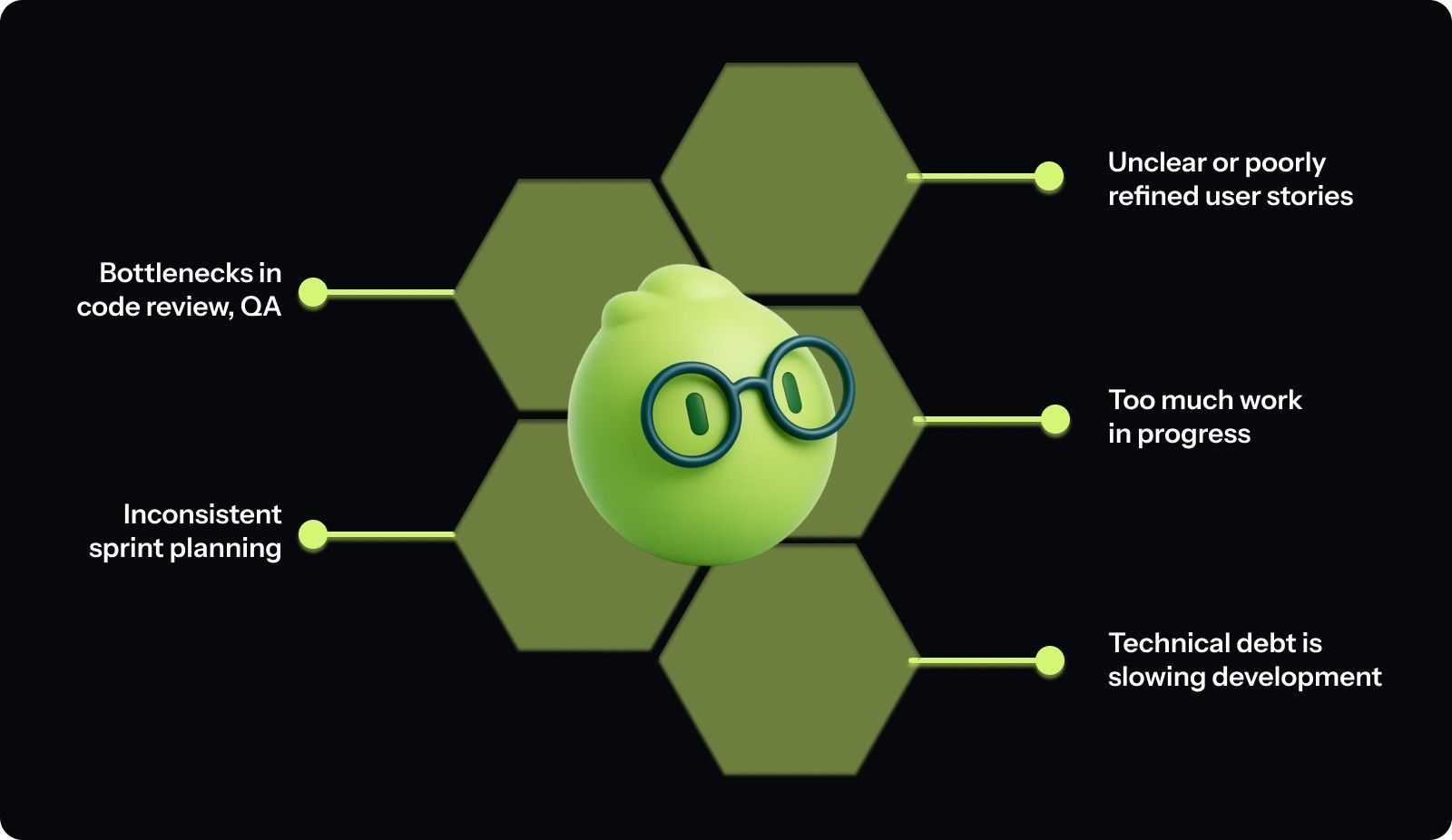
To see where velocity typically gets stuck:
Unclear or poorly refined user stories: Vague requirements force developers and QA to chase clarification mid-sprint. This delays progress, increases rework, and reduces the time available to finish stories.
Bottlenecks in code review, QA, or deployment: When work queues behind a single reviewer, limited QA capacity, or manual deployment steps, tasks stall. Developers wait, switch contexts, and lose momentum.
Too much work in progress (WIP): Starting many stories but closing only a few dilutes focus. More WIP increases handoffs and context switching, reducing the amount of work that actually reaches “done.”
Inconsistent sprint planning and estimation: Irregular estimation makes velocity unpredictable. If similar-sized stories vary widely in effort from sprint to sprint, forecasting and improvement become difficult.
Technical debt is slowing development: Unmaintained code, missing tests, and past shortcuts make changes more complex. Each update takes longer, and more of the sprint is spent fixing or implementing workarounds for old issues rather than delivering new work.
How to Increase Team Velocity in Agile? 14 Proven Ways
Improving velocity requires deliberate changes across planning, execution, and team dynamics. You need to work smarter by removing friction and building better processes.
The following strategies address the root causes of low velocity. Apply these systematically, and you'll build sustainable improvement without burning out your people.
1. Set Clear and Realistic Sprint Goals
Every sprint needs a focused goal that aligns with broader product objectives. Instead of "complete these 12 stories," your sprint goal should be "enable users to search and filter their order history."
How to implement:
Open sprint planning by defining the single most crucial outcome before discussing individual stories.
Write goals in terms of user value or business capability, not task completion.
Commit only to stories that directly support the sprint goal.
Base commitments on average velocity from the last 3-5 sprints.
2. Break Work into Small, Manageable Tasks
Large stories increase risk and reduce predictability. A 13-point story might take the entire sprint and deliver nothing until the last day.
How to implement:
Split any story that can't be completed in 1-3 days during backlog refinement.
Use vertical slicing, break features by user journey rather than technical layers.
If the team can't agree on complexity during estimation, split it further.
Track the average story size over time to ensure you maintain granularity.
3. Refine the Backlog Before Each Sprint
Don't wait until sprint planning to discover that stories lack acceptance criteria or have unclear requirements.
How to implement:
Schedule a 1-2 hour refinement session mid-sprint to prepare work for the upcoming sprint.
Validate that the acceptance criteria are specific enough that QA could write test cases immediately.
Identify technical dependencies, third-party integrations, or infrastructure needs before the sprint starts.
Mark stories as "ready for sprint" only when the team understands what needs to be built and why.
4. Plan Using Historical Velocity and Capacity Data
Use your average velocity from the last 3-5 sprints as your baseline for how much work to commit to.
How to implement:
Calculate the rolling average velocity before every sprint planning session.
Apply a capacity factor: if two team members are out for half the sprint, reduce your commitment by 20-25%.
Track planned versus actual velocity sprint over sprint.
If you're consistently overcommitting, dial back estimates; if finishing early, gradually increase by 5-10%.
5. Limit Work in Progress (WIP)
Set explicit WIP limits for your team. For example, no more than one in-progress story per developer, or a team-wide limit of five active stories at once.
How to implement:
Set a team-wide WIP limit based on team size (typically 1-1.5 stories per developer).
Make WIP limits visible on your board with a dedicated "In Progress" column with a defined maximum capacity.
When WIP reaches its limit, team members must finish existing work before pulling new stories.
During standup, actively look for opportunities to swarm on blocked or slow-moving stories.
6. Remove Blockers and Impediments Promptly
Track blockers daily in your standup and assign clear ownership for resolving them.
How to implement:
Create a dedicated "Blocked" column on your board with a red indicator.
In standup, ask explicitly "What's blocking you?" after each update.
Assign a specific person to own each blocker with a target resolution time (same day or next day).
Track blocker resolution time as a metric: aim for less than 24 hours for most issues.

7. Improve Team Communication and Feedback Loops
Daily standups should surface problems, not just status updates. Train the team to focus on what's blocking them and what help they need.
How to implement:
Restructure standup around the board: walk through stories from right to left (Done → In Progress → To Do).
For each in-progress story, ask "What does this need to move forward?"
Establish response-time expectations: urgent issues get responses within 30 minutes, standard questions within 4 hours.
Use pair programming for complex or risky work to build shared context.
8. Foster Continuous Improvement Through Retrospectives
Retrospectives should drive actionable change, not just venting. Structure your retros to identify 1-2 specific improvements to try in the next sprint.
How to implement:
Use a structured format like Start/Stop/Continue or the 4Ls (Liked, Learned, Lacked, Longed For).
Dot-vote to select the top 1-2 problems to address in the next sprint.
For each selected problem, create a specific experiment with measurable success criteria.
Review the experiments from the last sprint at the start of each retro to evaluate their effectiveness.
9. Maintain Clear Documentation and Knowledge Sharing
When knowledge lives in one person's head, that person becomes a bottleneck. When documentation is outdated, every complex feature requires extensive archaeology.
How to implement:
Add "update documentation" to your Definition of Done for stories that change APIs, architecture, or deployment processes.
Use Architecture Decision Records (ADRs) to document significant technical choices.
Tools like Entelligence AI can automate documentation generation, keeping docs in sync with the actual code without manual overhead.
When onboarding new team members, identify documentation gaps and fill them immediately.
10. Address Technical Debt Proactively
Don't wait until technical debt brings your velocity to a crawl. Allocate 15-20% of each sprint to refactoring, adding tests, and fixing shortcuts.
How to implement:
Create a "Tech Debt" label in your backlog and maintain a prioritized list.
Reserve 6-8 story points each sprint (about 15-20% of capacity) for technical debt work.
Track your tech debt backlog size, sprint over sprint. If it's growing, increase your allocation.
In sprint planning, pair feature work with related technical debt items.
11. Reduce Context Switching and Distractions
Protect your team's focus time. Block out core development hours where meetings are discouraged.
How to implement:
Establish "focus blocks": designate 9 am-12 pm and 2 pm-4 pm as meeting-free zones for deep work.
Keep developers dedicated to a single team and backlog for the entire sprint.
Create an on-call rotation for production issues so only one person is interrupted at a time.
Track unplanned work; if more than 20% of the time goes to unplanned items, you need better boundaries.
12. Automate Repetitive Tasks and Code Reviews
Every manual step in your deployment, testing, or code review process is an opportunity for automation.
How to implement:
Build CI/CD pipelines that automatically run linting, tests, and security scans on every pull request.
Automate environment provisioning using infrastructure-as-code tools.
Use platforms like Entelligence AI to automate code reviews, flagging critical issues while filtering out noise so reviewers can focus on architecture and business logic instead of catching basic bugs.
Set up automated dependency updates.
13. Shorten and Standardize Code Review Cycles
Set clear expectations for code review turnaround time. Aim for reviews to happen within 4-8 hours of PR submission, not days later.
How to implement:
Establish a team agreement: all PRs get initial review within 8 hours of submission during business hours.
Create a code review checklist covering correctness, test coverage, documentation, and security concerns.
Train reviewers to distinguish blocking issues from suggestions.
Limit PR size to 200-400 lines of code per PR to keep reviews manageable.
To do this, effectively use tools like Entelligence AI to fast-track the process.
14. Establish Clear Ownership of Components and Modules
When everyone is responsible for everything, no one is truly accountable. Assign clear ownership for different parts of the codebase.
How to implement:
Map your codebase into logical components (authentication, payments, search, etc.).
Assign a primary owner and a secondary owner for each component.
Create a CODEOWNERS file in your repository that automatically routes PRs to the right reviewers.
Rotate ownership annually to prevent silos and spread knowledge.
By consistently applying these practices, your team builds reliable momentum and delivers work faster and more predictably.

How to Identify If Velocity Is Actually Improving?
Velocity only matters if the improvement reflects real delivery gains, not inflated story points or a one-off sprint. You can verify that by checking three supporting indicators that always reveal whether your velocity trend is legitimate.
1. Cycle Time Drops or Becomes Steady
Cycle time measures how long it takes for a story to move from “in progress” to “done.”
If your cycle time decreases or becomes more consistent, you’re seeing genuine process improvement.
Formula: Cycle Time = Story Completion Date − Work Start Date
Example: If a story starts on Jan 3 and finishes Jan 6, its cycle time is 3 days.
If your team averages 6 days but now consistently lands around 4–5, that’s a real signal of speed.
2. Spillover Decreases
Spillover shows how much planned work rolls into the next sprint. If spillover drops while velocity rises, you’re improving predictability.
Formula: Spillover % = (Story Points Carried Over ÷ Story Points Committed) × 100
Example: You commit to 40 points and carry over 10 → Spillover = 25%.
If this shrinks to 10–15% over several sprints, your planning accuracy and execution rhythm are improving.
3. Throughput Stabilizes
Throughput tracks the number of completed work items per sprint. You don’t need a high number; you need consistency. Large swings mean the team’s underlying delivery pattern is unstable, even if velocity looks good.
Example: Throughput of 12 → 26 → 9 → 23 means the team is reacting to bottlenecks, handoffs, or requirement changes. A steady range like 14 → 16 → 15 → 17 indicates your process is leveling out.
Quick Validation Checklist
Review the last 3–5 sprints and confirm:
Cycle time is dropping or becoming more stable.
Spillover is trending downward.
Throughput is steady, not spiking.
Velocity increases line up with these signals.
If all three are in sync, your velocity gains are real and are not the side effect of re-estimation, overcommitting, or shifting story-point definitions.
Common Myths About Team Velocity
Velocity is one of the most misunderstood metrics in Agile, leading teams and managers to make decisions that actually hurt performance rather than improve it.
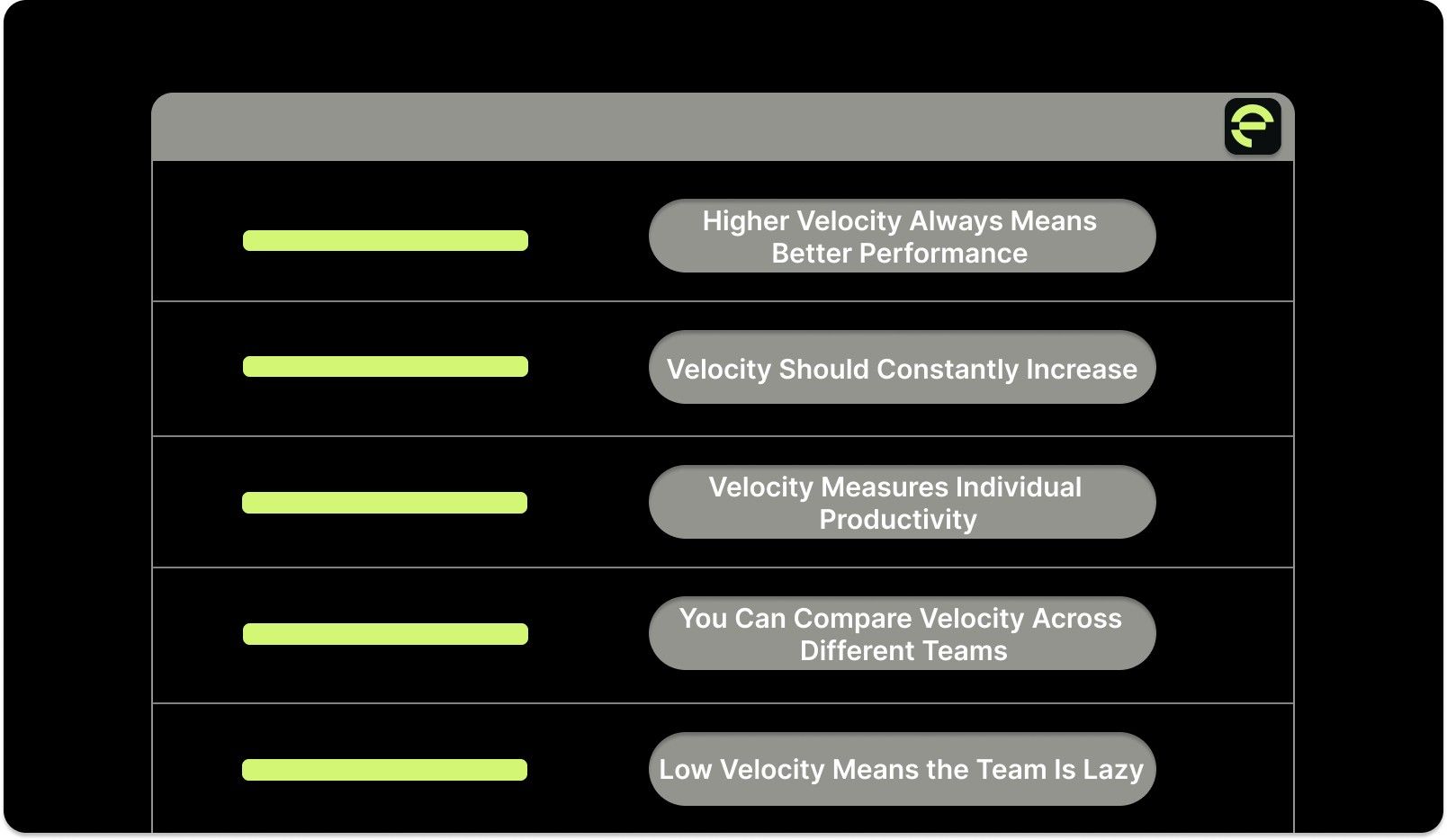
Understanding what velocity really means and what it doesn't requires clearing up several persistent misconceptions. Recognizing these myths helps you use velocity as the planning tool it was designed to be.
Higher Velocity Always Means Better Performance
What People Believe: Teams with higher velocity are more productive and deliver more value than teams with lower velocity.
What Actually Happens:
Velocity is relative to each team's estimation scale and has no meaning across teams.
A team with 60 velocity using inflated estimates delivers less than a team with 30 velocity using conservative estimates.
Higher velocity achieved through ignoring technical debt creates future problems.
Sustainable velocity matters more than peak velocity.
Velocity Should Constantly Increase
What People Believe: Good teams continuously increase their velocity sprint after sprint, and flat velocity indicates stagnation.
What Actually Happens:
Velocity naturally stabilizes once teams establish their baseline and optimize their process.
Constant velocity increases usually mean estimated inflation, not real improvement.
Mature teams maintain steady velocity while increasing the complexity of work they can handle.
Actual improvement shows up in sustained, predictable delivery, not upward-trending numbers.
Velocity Measures Individual Productivity
What People Believe: You can evaluate individual developers by tracking the number of story points they complete each sprint.
What Actually Happens:
Velocity measures team output, not individual contribution.
Many valuable activities, like code reviews, mentoring, and architecture discussions, don't generate story points.
Measuring individuals by points creates perverse incentives to avoid collaboration.
Team members start competing instead of cooperating, destroying team dynamics.
You Can Compare Velocity Across Different Teams
What People Believe: If Team A has a higher velocity than Team B, Team A is more productive, and Team B should learn from them.
What Actually Happens:
Each team's story point scale is subjective and specific to their context.
Different product complexity, technical stacks, and domain knowledge make comparisons meaningless.
Comparing teams creates destructive competition and estimate inflation.
Teams working on different parts of the system naturally have different velocity ranges.
Low Velocity Means the Team Is Lazy
What People Believe: When velocity drops or stays low, the team isn't working hard enough.
What Actually Happens:
Low velocity often indicates external blockers, unclear requirements, or technical debt.
Teams working on complex infrastructure or architectural improvements naturally have lower feature velocity.
Pressure to increase velocity leads to estimated inflation and technical shortcuts.
Real performance issues show up in missed commitments and quality problems, not velocity numbers.
Once you set these misconceptions aside, you can treat velocity as a guide for forecasting rather than a measure of how hard your team is working.
How Entelligence AI Helps Teams Improve Velocity Naturally?
Building sustainable velocity requires addressing bottlenecks across the entire development lifecycle, from code review through documentation and performance tracking. Most teams know where they're slow; they just lack the tools and insights to fix it without adding manual overhead.
Entelligence AI provides end-to-end engineering intelligence that helps teams increase velocity by removing friction and surfacing actionable insights. Instead of chasing metrics, you get clarity about what's actually slowing your team down and practical ways to speed it up.
Here is how Entelligence helps:
Automated, Context-Aware Code Reviews: Speed up your review cycle without sacrificing quality. Entelligence AI analyzes code changes in real-time, flagging critical issues while filtering out noise.
Real-Time Sprint Assessment: Track sprint progress automatically without manual status updates. See which stories are on track, which are blocked, and where team capacity is being spent. Engineering managers get the visibility they need to remove blockers promptly.
Automated Documentation Generation: Eliminate documentation overhead that slows down story completion. It automatically generates and maintains technical documentation as code evolves, ensuring the Definition of Done includes up-to-date docs without requiring developer time investment.
Team and Individual Insights: Understand where velocity bottlenecks exist across your team. See PR review times, code quality trends, and workload distribution. Identify which developers are overloaded, where work is getting stuck, and which task types take longer than estimated.
Engineering Intelligence Dashboards: Get org-wide visibility into velocity trends, deployment frequency, and team performance metrics. Leaders can spot systemic issues before they become crises and make data-driven decisions about resource allocation and process improvements.
Integrated Workflow Intelligence: Work directly in your IDE with integrations across VS Code, Cursor, and Windsurf. The tool brings insights and automation to where your team already works, eliminating context switching that drains productivity.
With Entelligence AI, improving team velocity in Agile stops being about pushing your team harder. Instead, you remove the friction that slows everyone down, build transparency into your process, and give every role the clarity they need to do their best work.
Conclusion
Learning how to increase team velocity in Agile is all about removing the friction that slows them down. When your team has clear work, predictable flow, and fast feedback loops, velocity naturally improves and remains consistent from sprint to sprint.
Entelligence AI helps engineering teams build this sustainable velocity by automating time-consuming tasks like code reviews and documentation while surfacing the insights you need to identify and fix bottlenecks. Instead of guessing where time goes, you see concrete data about what's slowing your team down and can act on it immediately.
If you’re ready to build sustainable, predictable velocity without compromising quality, start your free trial of Entelligence AI and transform the way your engineering team ships software.
FAQ’s
1. What is the 3 5 3 rule in Agile?
The 3 5 3 rule helps prioritize work by evaluating tasks for importance, effort, and impact in short intervals, improving focus and delivery predictability in Agile teams.
2. What are the five key considerations to keep in mind when estimating team velocity?
Consider historical velocity, team capacity, story complexity, technical dependencies, and external blockers. Accurate estimates require reviewing trends, consistency in sizing, and factoring in holidays or planned absences.
3. What is the 15 10 5 rule in Scrum?
The 15 10 5 rule defines recommended time limits for Scrum ceremonies. Daily standup 15 minutes, sprint planning 10 minutes per story, retrospective 5 minutes per team member.
4. How to establish a team's velocity?
Track completed story points across multiple sprints, calculate the rolling average, consider team capacity, and ensure only fully finished work is counted toward velocity for baseline accuracy.
5. How many sprints to determine velocity?
Typically, 3 to 5 consecutive sprints are needed to calculate a stable average velocity, providing a reliable baseline for planning and forecasting future work.
Your engineering team just wrapped another sprint, but the forecast still shows you'll miss the Q2 deadline. Again. The team is working harder than ever, yet velocity remains stuck.
According to the 17th Annual State of Agile Report, 36% of teams are still measured primarily on velocity as their key performance metric. Yet many of these same teams struggle with inconsistent delivery, mounting technical debt, and sprint goals that feel more aspirational than achievable.
The problem isn't effort. Most teams focus on working faster without addressing what actually slows them down. They chase higher velocity numbers when they should be building sustainable momentum.
In this guide, you'll learn how to increase team velocity in Agile without sacrificing quality or burning out your people. We'll cover the hidden bottlenecks that kill momentum, the practical steps to build sustainable speed, and how to measure real improvement rather than just inflated story points.
Key Takeaways
Velocity increases when friction is removed through clear stories, limited work in progress, and reduced technical debt.
Systematic practices such as realistic sprint goals, small tasks, and consistent backlog refinement drive predictable delivery.
Genuine improvement is reflected in lower cycle time, reduced spillover, and stable throughput.
Automating code reviews, documentation, and repetitive tasks frees developers to focus on high-value work.
Entelligence AI helps teams identify bottlenecks, automate processes, and maintain sustainable velocity.
What Is Agile Team Velocity?
Agile team velocity is the amount of work your team completes in a sprint, measured in story points. It reflects how much planned work you actually finish, not the hours you spend or the tasks you touch.
To calculate velocity:
You add up the story points for every user story your team fully completes by the end of the sprint. Anything unfinished doesn’t count toward the total.
For example, if you finish stories sized 8, 5, 13, 3, and 8 points, your sprint velocity is 37 story points. This gives you a clear view of your team’s delivery capacity from one sprint to the next.
Why Teams Struggle to Increase Velocity?
Velocity drops when the team’s workflow has friction, unclear work, stalled handoffs, or a codebase that slows every change. These slowdowns compound across sprints, worsening until the root causes are addressed.

To see where velocity typically gets stuck:
Unclear or poorly refined user stories: Vague requirements force developers and QA to chase clarification mid-sprint. This delays progress, increases rework, and reduces the time available to finish stories.
Bottlenecks in code review, QA, or deployment: When work queues behind a single reviewer, limited QA capacity, or manual deployment steps, tasks stall. Developers wait, switch contexts, and lose momentum.
Too much work in progress (WIP): Starting many stories but closing only a few dilutes focus. More WIP increases handoffs and context switching, reducing the amount of work that actually reaches “done.”
Inconsistent sprint planning and estimation: Irregular estimation makes velocity unpredictable. If similar-sized stories vary widely in effort from sprint to sprint, forecasting and improvement become difficult.
Technical debt is slowing development: Unmaintained code, missing tests, and past shortcuts make changes more complex. Each update takes longer, and more of the sprint is spent fixing or implementing workarounds for old issues rather than delivering new work.
How to Increase Team Velocity in Agile? 14 Proven Ways
Improving velocity requires deliberate changes across planning, execution, and team dynamics. You need to work smarter by removing friction and building better processes.
The following strategies address the root causes of low velocity. Apply these systematically, and you'll build sustainable improvement without burning out your people.
1. Set Clear and Realistic Sprint Goals
Every sprint needs a focused goal that aligns with broader product objectives. Instead of "complete these 12 stories," your sprint goal should be "enable users to search and filter their order history."
How to implement:
Open sprint planning by defining the single most crucial outcome before discussing individual stories.
Write goals in terms of user value or business capability, not task completion.
Commit only to stories that directly support the sprint goal.
Base commitments on average velocity from the last 3-5 sprints.
2. Break Work into Small, Manageable Tasks
Large stories increase risk and reduce predictability. A 13-point story might take the entire sprint and deliver nothing until the last day.
How to implement:
Split any story that can't be completed in 1-3 days during backlog refinement.
Use vertical slicing, break features by user journey rather than technical layers.
If the team can't agree on complexity during estimation, split it further.
Track the average story size over time to ensure you maintain granularity.
3. Refine the Backlog Before Each Sprint
Don't wait until sprint planning to discover that stories lack acceptance criteria or have unclear requirements.
How to implement:
Schedule a 1-2 hour refinement session mid-sprint to prepare work for the upcoming sprint.
Validate that the acceptance criteria are specific enough that QA could write test cases immediately.
Identify technical dependencies, third-party integrations, or infrastructure needs before the sprint starts.
Mark stories as "ready for sprint" only when the team understands what needs to be built and why.
4. Plan Using Historical Velocity and Capacity Data
Use your average velocity from the last 3-5 sprints as your baseline for how much work to commit to.
How to implement:
Calculate the rolling average velocity before every sprint planning session.
Apply a capacity factor: if two team members are out for half the sprint, reduce your commitment by 20-25%.
Track planned versus actual velocity sprint over sprint.
If you're consistently overcommitting, dial back estimates; if finishing early, gradually increase by 5-10%.
5. Limit Work in Progress (WIP)
Set explicit WIP limits for your team. For example, no more than one in-progress story per developer, or a team-wide limit of five active stories at once.
How to implement:
Set a team-wide WIP limit based on team size (typically 1-1.5 stories per developer).
Make WIP limits visible on your board with a dedicated "In Progress" column with a defined maximum capacity.
When WIP reaches its limit, team members must finish existing work before pulling new stories.
During standup, actively look for opportunities to swarm on blocked or slow-moving stories.
6. Remove Blockers and Impediments Promptly
Track blockers daily in your standup and assign clear ownership for resolving them.
How to implement:
Create a dedicated "Blocked" column on your board with a red indicator.
In standup, ask explicitly "What's blocking you?" after each update.
Assign a specific person to own each blocker with a target resolution time (same day or next day).
Track blocker resolution time as a metric: aim for less than 24 hours for most issues.

7. Improve Team Communication and Feedback Loops
Daily standups should surface problems, not just status updates. Train the team to focus on what's blocking them and what help they need.
How to implement:
Restructure standup around the board: walk through stories from right to left (Done → In Progress → To Do).
For each in-progress story, ask "What does this need to move forward?"
Establish response-time expectations: urgent issues get responses within 30 minutes, standard questions within 4 hours.
Use pair programming for complex or risky work to build shared context.
8. Foster Continuous Improvement Through Retrospectives
Retrospectives should drive actionable change, not just venting. Structure your retros to identify 1-2 specific improvements to try in the next sprint.
How to implement:
Use a structured format like Start/Stop/Continue or the 4Ls (Liked, Learned, Lacked, Longed For).
Dot-vote to select the top 1-2 problems to address in the next sprint.
For each selected problem, create a specific experiment with measurable success criteria.
Review the experiments from the last sprint at the start of each retro to evaluate their effectiveness.
9. Maintain Clear Documentation and Knowledge Sharing
When knowledge lives in one person's head, that person becomes a bottleneck. When documentation is outdated, every complex feature requires extensive archaeology.
How to implement:
Add "update documentation" to your Definition of Done for stories that change APIs, architecture, or deployment processes.
Use Architecture Decision Records (ADRs) to document significant technical choices.
Tools like Entelligence AI can automate documentation generation, keeping docs in sync with the actual code without manual overhead.
When onboarding new team members, identify documentation gaps and fill them immediately.
10. Address Technical Debt Proactively
Don't wait until technical debt brings your velocity to a crawl. Allocate 15-20% of each sprint to refactoring, adding tests, and fixing shortcuts.
How to implement:
Create a "Tech Debt" label in your backlog and maintain a prioritized list.
Reserve 6-8 story points each sprint (about 15-20% of capacity) for technical debt work.
Track your tech debt backlog size, sprint over sprint. If it's growing, increase your allocation.
In sprint planning, pair feature work with related technical debt items.
11. Reduce Context Switching and Distractions
Protect your team's focus time. Block out core development hours where meetings are discouraged.
How to implement:
Establish "focus blocks": designate 9 am-12 pm and 2 pm-4 pm as meeting-free zones for deep work.
Keep developers dedicated to a single team and backlog for the entire sprint.
Create an on-call rotation for production issues so only one person is interrupted at a time.
Track unplanned work; if more than 20% of the time goes to unplanned items, you need better boundaries.
12. Automate Repetitive Tasks and Code Reviews
Every manual step in your deployment, testing, or code review process is an opportunity for automation.
How to implement:
Build CI/CD pipelines that automatically run linting, tests, and security scans on every pull request.
Automate environment provisioning using infrastructure-as-code tools.
Use platforms like Entelligence AI to automate code reviews, flagging critical issues while filtering out noise so reviewers can focus on architecture and business logic instead of catching basic bugs.
Set up automated dependency updates.
13. Shorten and Standardize Code Review Cycles
Set clear expectations for code review turnaround time. Aim for reviews to happen within 4-8 hours of PR submission, not days later.
How to implement:
Establish a team agreement: all PRs get initial review within 8 hours of submission during business hours.
Create a code review checklist covering correctness, test coverage, documentation, and security concerns.
Train reviewers to distinguish blocking issues from suggestions.
Limit PR size to 200-400 lines of code per PR to keep reviews manageable.
To do this, effectively use tools like Entelligence AI to fast-track the process.
14. Establish Clear Ownership of Components and Modules
When everyone is responsible for everything, no one is truly accountable. Assign clear ownership for different parts of the codebase.
How to implement:
Map your codebase into logical components (authentication, payments, search, etc.).
Assign a primary owner and a secondary owner for each component.
Create a CODEOWNERS file in your repository that automatically routes PRs to the right reviewers.
Rotate ownership annually to prevent silos and spread knowledge.
By consistently applying these practices, your team builds reliable momentum and delivers work faster and more predictably.

How to Identify If Velocity Is Actually Improving?
Velocity only matters if the improvement reflects real delivery gains, not inflated story points or a one-off sprint. You can verify that by checking three supporting indicators that always reveal whether your velocity trend is legitimate.
1. Cycle Time Drops or Becomes Steady
Cycle time measures how long it takes for a story to move from “in progress” to “done.”
If your cycle time decreases or becomes more consistent, you’re seeing genuine process improvement.
Formula: Cycle Time = Story Completion Date − Work Start Date
Example: If a story starts on Jan 3 and finishes Jan 6, its cycle time is 3 days.
If your team averages 6 days but now consistently lands around 4–5, that’s a real signal of speed.
2. Spillover Decreases
Spillover shows how much planned work rolls into the next sprint. If spillover drops while velocity rises, you’re improving predictability.
Formula: Spillover % = (Story Points Carried Over ÷ Story Points Committed) × 100
Example: You commit to 40 points and carry over 10 → Spillover = 25%.
If this shrinks to 10–15% over several sprints, your planning accuracy and execution rhythm are improving.
3. Throughput Stabilizes
Throughput tracks the number of completed work items per sprint. You don’t need a high number; you need consistency. Large swings mean the team’s underlying delivery pattern is unstable, even if velocity looks good.
Example: Throughput of 12 → 26 → 9 → 23 means the team is reacting to bottlenecks, handoffs, or requirement changes. A steady range like 14 → 16 → 15 → 17 indicates your process is leveling out.
Quick Validation Checklist
Review the last 3–5 sprints and confirm:
Cycle time is dropping or becoming more stable.
Spillover is trending downward.
Throughput is steady, not spiking.
Velocity increases line up with these signals.
If all three are in sync, your velocity gains are real and are not the side effect of re-estimation, overcommitting, or shifting story-point definitions.
Common Myths About Team Velocity
Velocity is one of the most misunderstood metrics in Agile, leading teams and managers to make decisions that actually hurt performance rather than improve it.

Understanding what velocity really means and what it doesn't requires clearing up several persistent misconceptions. Recognizing these myths helps you use velocity as the planning tool it was designed to be.
Higher Velocity Always Means Better Performance
What People Believe: Teams with higher velocity are more productive and deliver more value than teams with lower velocity.
What Actually Happens:
Velocity is relative to each team's estimation scale and has no meaning across teams.
A team with 60 velocity using inflated estimates delivers less than a team with 30 velocity using conservative estimates.
Higher velocity achieved through ignoring technical debt creates future problems.
Sustainable velocity matters more than peak velocity.
Velocity Should Constantly Increase
What People Believe: Good teams continuously increase their velocity sprint after sprint, and flat velocity indicates stagnation.
What Actually Happens:
Velocity naturally stabilizes once teams establish their baseline and optimize their process.
Constant velocity increases usually mean estimated inflation, not real improvement.
Mature teams maintain steady velocity while increasing the complexity of work they can handle.
Actual improvement shows up in sustained, predictable delivery, not upward-trending numbers.
Velocity Measures Individual Productivity
What People Believe: You can evaluate individual developers by tracking the number of story points they complete each sprint.
What Actually Happens:
Velocity measures team output, not individual contribution.
Many valuable activities, like code reviews, mentoring, and architecture discussions, don't generate story points.
Measuring individuals by points creates perverse incentives to avoid collaboration.
Team members start competing instead of cooperating, destroying team dynamics.
You Can Compare Velocity Across Different Teams
What People Believe: If Team A has a higher velocity than Team B, Team A is more productive, and Team B should learn from them.
What Actually Happens:
Each team's story point scale is subjective and specific to their context.
Different product complexity, technical stacks, and domain knowledge make comparisons meaningless.
Comparing teams creates destructive competition and estimate inflation.
Teams working on different parts of the system naturally have different velocity ranges.
Low Velocity Means the Team Is Lazy
What People Believe: When velocity drops or stays low, the team isn't working hard enough.
What Actually Happens:
Low velocity often indicates external blockers, unclear requirements, or technical debt.
Teams working on complex infrastructure or architectural improvements naturally have lower feature velocity.
Pressure to increase velocity leads to estimated inflation and technical shortcuts.
Real performance issues show up in missed commitments and quality problems, not velocity numbers.
Once you set these misconceptions aside, you can treat velocity as a guide for forecasting rather than a measure of how hard your team is working.
How Entelligence AI Helps Teams Improve Velocity Naturally?
Building sustainable velocity requires addressing bottlenecks across the entire development lifecycle, from code review through documentation and performance tracking. Most teams know where they're slow; they just lack the tools and insights to fix it without adding manual overhead.
Entelligence AI provides end-to-end engineering intelligence that helps teams increase velocity by removing friction and surfacing actionable insights. Instead of chasing metrics, you get clarity about what's actually slowing your team down and practical ways to speed it up.
Here is how Entelligence helps:
Automated, Context-Aware Code Reviews: Speed up your review cycle without sacrificing quality. Entelligence AI analyzes code changes in real-time, flagging critical issues while filtering out noise.
Real-Time Sprint Assessment: Track sprint progress automatically without manual status updates. See which stories are on track, which are blocked, and where team capacity is being spent. Engineering managers get the visibility they need to remove blockers promptly.
Automated Documentation Generation: Eliminate documentation overhead that slows down story completion. It automatically generates and maintains technical documentation as code evolves, ensuring the Definition of Done includes up-to-date docs without requiring developer time investment.
Team and Individual Insights: Understand where velocity bottlenecks exist across your team. See PR review times, code quality trends, and workload distribution. Identify which developers are overloaded, where work is getting stuck, and which task types take longer than estimated.
Engineering Intelligence Dashboards: Get org-wide visibility into velocity trends, deployment frequency, and team performance metrics. Leaders can spot systemic issues before they become crises and make data-driven decisions about resource allocation and process improvements.
Integrated Workflow Intelligence: Work directly in your IDE with integrations across VS Code, Cursor, and Windsurf. The tool brings insights and automation to where your team already works, eliminating context switching that drains productivity.
With Entelligence AI, improving team velocity in Agile stops being about pushing your team harder. Instead, you remove the friction that slows everyone down, build transparency into your process, and give every role the clarity they need to do their best work.
Conclusion
Learning how to increase team velocity in Agile is all about removing the friction that slows them down. When your team has clear work, predictable flow, and fast feedback loops, velocity naturally improves and remains consistent from sprint to sprint.
Entelligence AI helps engineering teams build this sustainable velocity by automating time-consuming tasks like code reviews and documentation while surfacing the insights you need to identify and fix bottlenecks. Instead of guessing where time goes, you see concrete data about what's slowing your team down and can act on it immediately.
If you’re ready to build sustainable, predictable velocity without compromising quality, start your free trial of Entelligence AI and transform the way your engineering team ships software.
FAQ’s
1. What is the 3 5 3 rule in Agile?
The 3 5 3 rule helps prioritize work by evaluating tasks for importance, effort, and impact in short intervals, improving focus and delivery predictability in Agile teams.
2. What are the five key considerations to keep in mind when estimating team velocity?
Consider historical velocity, team capacity, story complexity, technical dependencies, and external blockers. Accurate estimates require reviewing trends, consistency in sizing, and factoring in holidays or planned absences.
3. What is the 15 10 5 rule in Scrum?
The 15 10 5 rule defines recommended time limits for Scrum ceremonies. Daily standup 15 minutes, sprint planning 10 minutes per story, retrospective 5 minutes per team member.
4. How to establish a team's velocity?
Track completed story points across multiple sprints, calculate the rolling average, consider team capacity, and ensure only fully finished work is counted toward velocity for baseline accuracy.
5. How many sprints to determine velocity?
Typically, 3 to 5 consecutive sprints are needed to calculate a stable average velocity, providing a reliable baseline for planning and forecasting future work.

Your questions,
Your questions,
Decoded
Decoded
What makes Entelligence different?
Unlike tools that just flag issues, Entelligence understands context — detecting, explaining, and fixing problems while aligning with product goals and team standards.
Does it replace human reviewers?
No. It amplifies them. Entelligence handles repetitive checks so engineers can focus on architecture, logic, and innovation.
What tools does it integrate with?
It fits right into your workflow — GitHub, GitLab, Jira, Linear, Slack, and more. No setup friction, no context switching.
How secure is my code?
Your code never leaves your environment. Entelligence uses encrypted processing and complies with top industry standards like SOC 2 and HIPAA.
Who is it built for?
Fast-growing engineering teams that want to scale quality, security, and velocity without adding more manual reviews or overhead.

What makes Entelligence different?
Does it replace human reviewers?
What tools does it integrate with?
How secure is my code?
Who is it built for?