Top 8 SAST Tools for Secure Development in 2026
Jan 1, 2026
Jan 1, 2026
As development teams push for faster innovation, security often becomes a secondary concern. With growing codebases, identifying vulnerabilities is challenging, and the longer security flaws go unchecked, the higher the risk of costly breaches and production delays.
For many engineering leaders, the key struggle is balancing speed with security. SAST tools provide a proactive approach to identifying vulnerabilities early, allowing teams to address risks before they escalate. With the right tool, you can ensure smoother, faster releases without compromising quality.
This article explores why SAST tools are crucial for modern development teams, the challenges they face, and how to choose the best solution for your needs.
TL;DR
SAST tools help identify vulnerabilities in the source code early, preventing security risks from reaching production.
They seamlessly integrate with CI/CD pipelines, automating security checks and ensuring continuous code quality.
These tools proactively improve security hygiene, making security an integral part of the development lifecycle.
Despite their benefits, SAST tools can produce false positives and require careful configuration to avoid performance impact.
Choosing the right SAST tool involves considering factors like language support, integration options, and scalability for team needs.
Why You Need SAST Tools: Key Benefits
SAST tools offer a range of benefits that are crucial for improving the security of your applications. Here’s why they should be part of your development process:
Catch Vulnerabilities Early: SAST tools scan your source code early in the development lifecycle, helping you spot vulnerabilities before they make it to production. The earlier you find the flaws, the easier (and cheaper) it is to fix them.
Save Big on Costs: Discovering vulnerabilities in production is a nightmare for any dev team. SAST tools help you identify and resolve issues while they’re still in the code, saving you from costly patches and post-deployment headaches.
Ongoing Security: With SAST tools integrated into your CI/CD pipeline, you get continuous, automated security checks. This means your code is always improving, always secure.
Speed Up Development: No more manual security checks slowing things down. SAST tools automate the process, so you can keep developing without worrying about missing vulnerabilities.
Stay Compliant and Risk-Free: SAST tools help you meet security standards and regulations, lowering the chances of data breaches and compliance issues.
Read Also: AI Code Review Techniques and Top Tools
Deep Dive: Top 8 SAST Tools in the Market
There are several powerful SAST tools available that can help engineering teams enhance their security posture. Here are some of the most popular options:
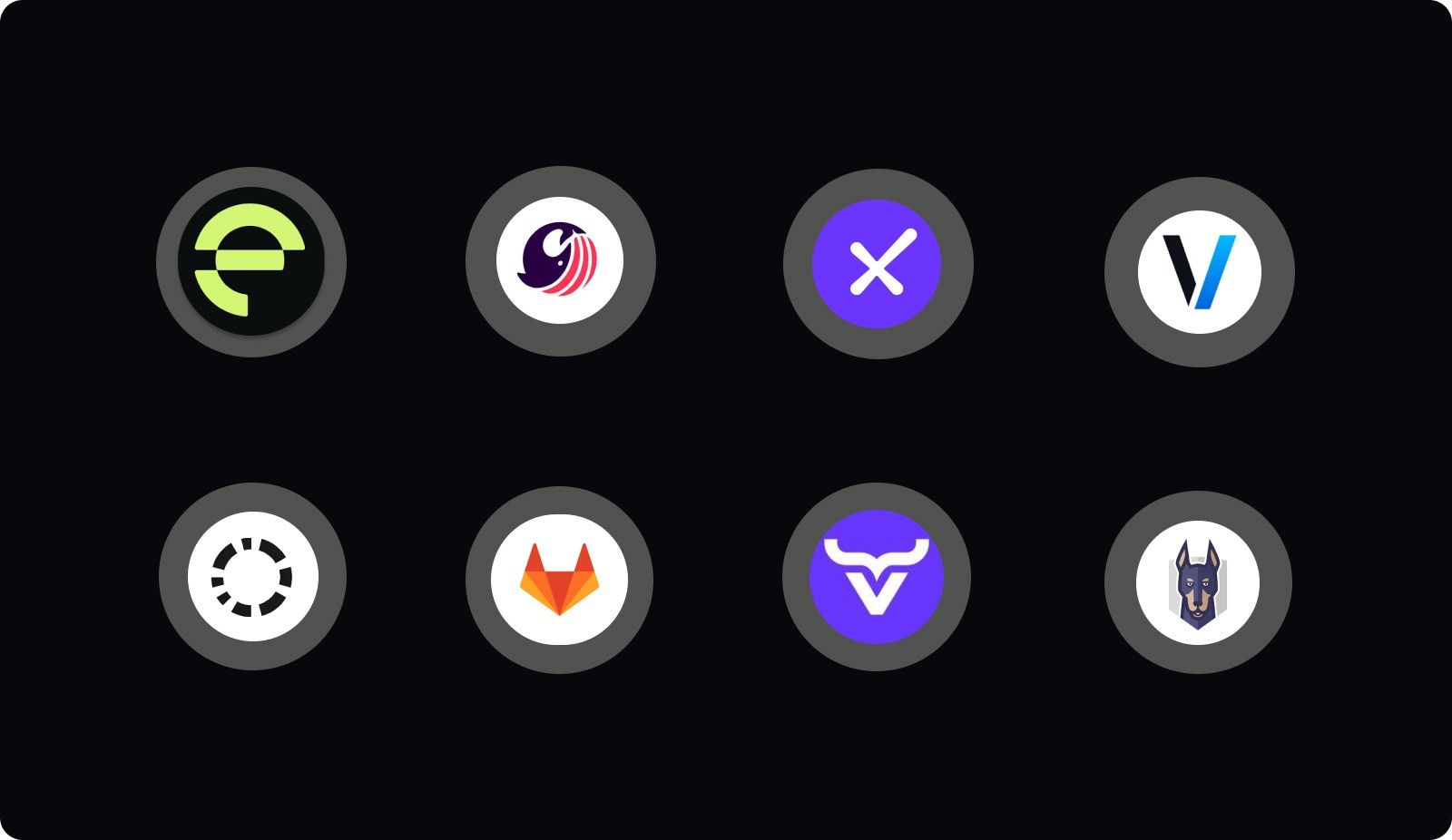
1. Entelligence AI
An AI-powered engineering intelligence platform that integrates across code repositories, IDEs, PRs, and team workflows. It enhances code reviews, context awareness, documentation, and team insights, going beyond classical SAST to cover code quality, performance, and process visibility.
Key Features
Real-time, context-aware code reviews (deep codebase context, cross-file analysis)
Automated PR feedback and quick-fix suggestions inside IDEs (supports VS Code, Cursor, Windsurf)
Team and sprint analytics: code health, PR throughput, review cycles, team productivity dashboards
Security-focused checks (vulnerability detection, dependency/security insights) are embedded into the dev workflow.
Unified view combining code history, docs, comments, and issue trackers, reducing context switching
Best For: Engineering teams that want a holistic tool, combining secure code checks, code quality, team performance tracking, and productivity insights.
Pros
Cuts down review cycles and feedback loops by automating code reviews and suggestions
Provides both developer-level feedback and managerial insights, enhancing collaboration
Helps maintain consistent security and quality standards across teams without disrupting workflow
Cons / Considerations
More suited for teams seeking a comprehensive productivity suite, not just task tracking
2. SonarQube
A mature static analysis and code quality platform with extensive support for many languages and over 6,500 static rules. Provides SAST, code-quality auditing, and security hotspot detection across large and diverse codebases.
Key Features
Broad language and framework support and a large rule set for bug detection, code smells, and vulnerabilities
Integrates into CI/CD pipelines for continuous code inspection and quality gating
Offers code quality metrics and security scanning, useful for teams that care about maintainability and stability.
Best For: Organizations with large, polyglot repositories needing robust static analysis and continuous quality enforcement at scale.
Pros
Strong community and ecosystem support
Reliable SAST and code-quality checks in one tool
Cons
May produce noise (false positives or generic warnings) and needs rule tuning
Less focus on team-level or process-level insights compared to engineering intelligence platforms
3. Checkmarx
An enterprise-grade SAST tool that specializes in security vulnerability detection. It integrates with development environments to scan code for security flaws before deployment.
Key Features
Deep vulnerability scanning for code and dependencies
Compliance with security standards such as OWASP Top 10, PCI-DSS, GDPR, etc.
Seamless integration with CI/CD pipelines and development workflows
Best For: Enterprise teams needing a robust and scalable solution for security vulnerability scanning, with high compliance needs.
Pros
Comprehensive vulnerability detection and real-time scanning
Integrates into agile workflows and CI/CD pipelines easily
Cons
Can be resource-intensive and may slow down the development process
Higher cost for enterprise licenses and larger teams
4. Veracode
A cloud-based application security testing solution offering static and dynamic analysis. It helps developers find and fix vulnerabilities in their code quickly, making it ideal for DevOps environments.
Key Features
Static and dynamic application security testing
Cloud-based with easy integration into CI/CD pipelines
Detailed vulnerability reports and prioritization
Best For: Organizations that need a cloud-based solution with a focus on automated security testing and fast integration with DevOps processes.
Pros
Scalable cloud-based solution with fast integration
Provides actionable insights with clear vulnerability prioritization
Cons
Some reports may require additional tuning for false positives
It can be expensive for big teams or organizations
5. Codacy
A code quality and security analysis tool that integrates with GitHub, GitLab, and Bitbucket to provide automated code reviews and static analysis for security vulnerabilities.
Key Features
Automated code reviews with static analysis for security flaws
Supports multiple programming languages and integrates with version control systems
Provides detailed feedback to help developers improve code quality and security
Best For: Small to mid-sized teams seeking an easy-to-use tool for integrating security checks into their CI/CD pipeline without heavy setup.
Pros
Simple to set up and easy to use
Good integration with version control systems and DevOps pipelines
Cons
Limited support for more complex security testing scenarios
May not scale as well in larger organizations

6. GitLab SAST
GitLab’s integrated static application security testing tool is part of the GitLab DevSecOps platform. It scans source code for vulnerabilities directly within GitLab CI/CD pipelines.
Key Features
Seamless integration with GitLab CI/CD pipelines
Scans for common vulnerabilities such as SQL injection, XSS, and more
Provides actionable feedback to developers directly in merge requests
Best For: Teams already using GitLab for source control and CI/CD, and who want a fully integrated SAST tool within the platform.
Pros
No need for third-party tools if using GitLab for code management and CI/CD
Real-time feedback during the development process
Cons
Limited to GitLab users, making it unsuitable for teams using other platforms
May need additional tools for more comprehensive security scanning
7. OX Security
OX Security offers a modern static analysis tool designed to detect vulnerabilities in software throughout its lifecycle. With a focus on DevSecOps, OX Security integrates seamlessly into existing CI/CD pipelines, automating security checks and helping developers address vulnerabilities as they arise.
Key Features
Real-time security checks integrated into the CI/CD pipeline
Comprehensive vulnerability detection across various programming languages
User-friendly interface with easy setup for quick adoption
Best For: Development teams that are integrating security deeply into their DevSecOps pipelines and require quick, automated feedback during development cycles.
Pros
Seamless CI/CD integration for continuous security checks
Easy to use with minimal setup time
Provides immediate feedback, reducing security risks early in development
Cons
Limited to specific languages and frameworks
May require additional tools for more comprehensive vulnerability detection
8. Snyk Code
Snyk Code is a static application security testing (SAST) solution tailored for developers. It helps find vulnerabilities in source code and open-source dependencies, ensuring the security of both custom code and third-party libraries.
Key Features
Real-time scanning of code to identify security issues early
Open-source vulnerability scanning with detailed remediation advice
Seamless integration with GitHub, GitLab, and CI/CD pipelines
Best For: Teams using open-source libraries extensively who need a SAST tool that can handle both custom code and dependencies, integrated directly into their development environments.
Pros
Deep integration with DevOps tools and workflows
Strong focus on both code and open-source security
Detailed remediation guidance for developers
Cons
May not cover all languages and frameworks
More suited for teams heavily relying on open-source libraries, less so for proprietary systems
Also Read: Static Code Analysis: A Complete Guide to Improving Your Code
Common SAST Tool Pitfalls and How to Overcome Them
Implementing SAST tools effectively involves more than just scanning code. To maximize their impact, teams must address common challenges and adopt best practices that integrate security seamlessly into their development process.
Here’s how to overcome these challenges and make the most of your SAST tools:
Challenge | Best Practice |
False Positives | Refine rules and exclude irrelevant ones to reduce false positives. |
Performance Impact | Schedule scans during off-peak hours and optimize configurations to minimize overhead. |
Complex Setup | Integrate SAST tools into CI/CD pipelines early and provide developer training for a smooth setup. |
Overwhelming Results | Prioritize vulnerabilities by severity and address high-risk issues first. |
Integration with Existing Tools | Customize rules to fit your team’s needs and integrate with other security tools for comprehensive coverage. |
Lack of Developer Engagement | Involve developers early and integrate SAST tools into their daily workflow for continuous security. |
Limited Coverage | Combine SAST with DAST and IAST for complete application security. |
Scalability Issues | Monitor performance and adjust scan depth or frequency for large codebases, ensuring efficient scans across the team. |
How to Choose the Right SAST Tool for Your Team?
Given the variety of options available, it’s important to take a strategic approach when selecting a tool. Here’s how to make an informed, data-driven decision:
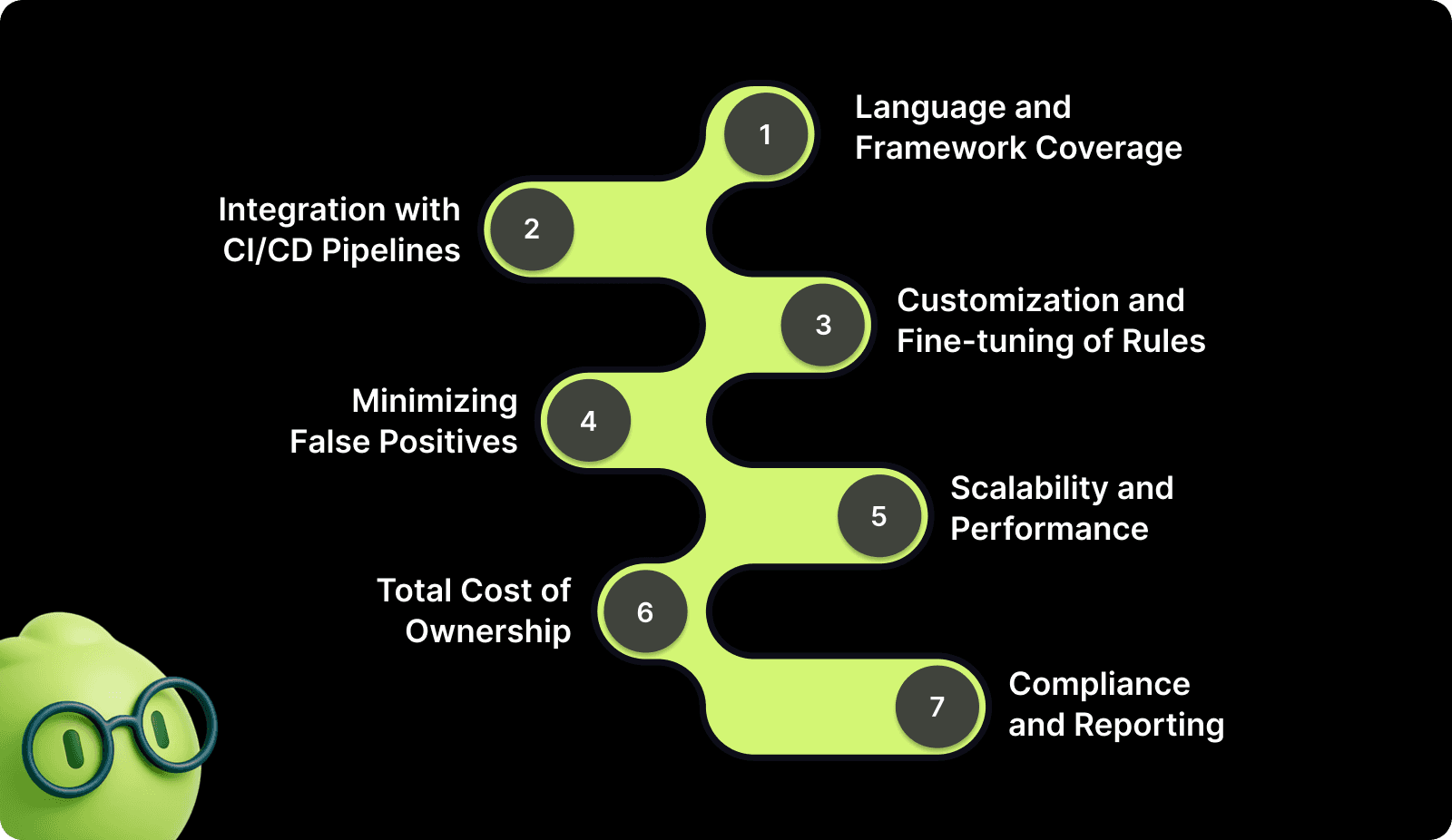
1. Language and Framework Coverage
Choose a SAST tool that supports the specific languages, frameworks, and libraries your team uses. Some tools focus on a limited set of languages, while others cover a wide range of ecosystems. Ensure the tool can scale with your evolving stack and handle niche or custom code.
2. Integration with CI/CD Pipelines and DevOps Workflow
Ensure the SAST tool integrates seamlessly into your CI/CD pipelines, version control systems, and issue tracking platforms. This ensures automated scans during pull requests, commits, and builds without manual intervention.
3. Customization and Fine-tuning of Rules
Look for tools that allow fine-tuning of rules to fit your security needs. Custom rules help ensure the tool analyzes code with the right focus, considering your specific coding standards, security posture, and organizational requirements.
4. Minimizing False Positives and Tuning Accuracy
Select a tool that minimizes false positives by providing customizable filters or severity levels. This saves time by helping your team to focus on genuine vulnerabilities and avoid being overwhelmed by irrelevant results.
5. Scalability and Performance
Ensure the tool can scale as your codebase and team grow. Look for tools that can efficiently handle large codebases and multiple repositories without significant performance loss.
6. Total Cost of Ownership (TCO)
Consider the total cost, including licensing, configuration, and maintenance. Weigh the cost against the value provided by the tool, particularly in terms of security risk mitigation and operational efficiency.
7. Compliance and Reporting
If your team operates in a regulated environment, ensure the tool supports compliance checks and detailed reporting. The tool should help you track and address compliance gaps in real time, making audit and reporting processes easier.
Why an End-to-End Security Solution Matters for SAST Tools?
Security testing is a cornerstone of maintaining high-quality, secure code, but without the right tools, the process can become fragmented. As engineering teams scale, managing vulnerabilities and ensuring continuous security can become overwhelming.
Entelligence AI provides an end-to-end security solution, optimizing your entire security workflow, from static code analysis to vulnerability detection and remediation. Here's how Entelligence AI enhances your SAST process and helps teams maintain robust security standards:
AI-Powered Vulnerability Detection: Real-time, AI-powered scans within your IDE analyze code for vulnerabilities like SQL injection, XSS, and more. This reduces manual scanning efforts and accelerates issue detection.
Continuous Security Monitoring: Security checks are integrated directly into the development cycle. With continuous scanning, vulnerabilities and unsafe patterns are detected before they reach production, ensuring proactive security measures.
Context-Aware Remediation Suggestions: Developers receive contextual feedback directly in their IDE, making it easier to address vulnerabilities on the fly, reducing context-switching, and increasing code quality.
Comprehensive Reporting and Dashboards: Actionable security dashboards give you full visibility across teams, tracking vulnerabilities, fixes, and scan results. This helps prioritize issues based on severity and ensures you're addressing high-risk areas first.
Automated Compliance Tracking: For teams operating in regulated industries, Entelligence AI automates compliance reporting, helping ensure your code meets standards like GDPR, PCI-DSS, and HIPAA.
Cross-Repo Visibility: It consolidates data from multiple repositories into a unified dashboard, so teams can track security issues across all codebases with ease.
By integrating Entelligence AI into your security workflow, your team will benefit from a streamlined, proactive approach to managing vulnerabilities and ensuring high-quality code security.
Conclusion
Choosing the right SAST tools is critical for ensuring secure, high-quality code in every phase of development. By following the best practices outlined in this guide, your team can integrate security testing seamlessly into the development process, reducing vulnerabilities and streamlining workflows.
An all-in-one platform like Entelligence AI goes beyond traditional static analysis, offering real-time insights, automated vulnerability detection, and continuous monitoring. It helps developers and teams stay ahead of security risks while keeping focus on writing high-quality code.
Start optimizing your security with a 14-day free trial of Entelligence AI. Enhance vulnerability detection and code quality today!
FAQs
1. How do SAST and DAST complement each other?
SAST identifies vulnerabilities in code during development, while DAST uncovers runtime issues in the running application. Using both tools ensures comprehensive coverage, with SAST catching vulnerabilities early and DAST identifying flaws that arise during execution.
2. How can I optimize SAST scans without affecting productivity?
Integrating SAST into your CI/CD pipeline ensures automated scans on each commit or pull request. By adjusting scan depth based on the stage of development, you can maintain efficiency while catching critical vulnerabilities early.
3. Are there limitations to SAST tools in modern applications?
SAST excels at detecting coding vulnerabilities but may miss runtime issues or flaws in complex, multi-service architectures. Complement SAST with DAST and IAST for complete coverage.
4. How do SAST tools fit into a fast-paced DevOps pipeline?
Integrating SAST into CI/CD pipelines ensures security scans are automated and run with minimal impact on the development flow. Prioritizing findings by severity helps prevent bottlenecks.
5. How do SAST tools scale for large codebases?
SAST tools that support parallel scanning and distributed analysis can handle large codebases and microservices architectures. Cloud-based solutions ensure scalability, providing insights into code dependencies across multiple repositories.
As development teams push for faster innovation, security often becomes a secondary concern. With growing codebases, identifying vulnerabilities is challenging, and the longer security flaws go unchecked, the higher the risk of costly breaches and production delays.
For many engineering leaders, the key struggle is balancing speed with security. SAST tools provide a proactive approach to identifying vulnerabilities early, allowing teams to address risks before they escalate. With the right tool, you can ensure smoother, faster releases without compromising quality.
This article explores why SAST tools are crucial for modern development teams, the challenges they face, and how to choose the best solution for your needs.
TL;DR
SAST tools help identify vulnerabilities in the source code early, preventing security risks from reaching production.
They seamlessly integrate with CI/CD pipelines, automating security checks and ensuring continuous code quality.
These tools proactively improve security hygiene, making security an integral part of the development lifecycle.
Despite their benefits, SAST tools can produce false positives and require careful configuration to avoid performance impact.
Choosing the right SAST tool involves considering factors like language support, integration options, and scalability for team needs.
Why You Need SAST Tools: Key Benefits
SAST tools offer a range of benefits that are crucial for improving the security of your applications. Here’s why they should be part of your development process:
Catch Vulnerabilities Early: SAST tools scan your source code early in the development lifecycle, helping you spot vulnerabilities before they make it to production. The earlier you find the flaws, the easier (and cheaper) it is to fix them.
Save Big on Costs: Discovering vulnerabilities in production is a nightmare for any dev team. SAST tools help you identify and resolve issues while they’re still in the code, saving you from costly patches and post-deployment headaches.
Ongoing Security: With SAST tools integrated into your CI/CD pipeline, you get continuous, automated security checks. This means your code is always improving, always secure.
Speed Up Development: No more manual security checks slowing things down. SAST tools automate the process, so you can keep developing without worrying about missing vulnerabilities.
Stay Compliant and Risk-Free: SAST tools help you meet security standards and regulations, lowering the chances of data breaches and compliance issues.
Read Also: AI Code Review Techniques and Top Tools
Deep Dive: Top 8 SAST Tools in the Market
There are several powerful SAST tools available that can help engineering teams enhance their security posture. Here are some of the most popular options:

1. Entelligence AI
An AI-powered engineering intelligence platform that integrates across code repositories, IDEs, PRs, and team workflows. It enhances code reviews, context awareness, documentation, and team insights, going beyond classical SAST to cover code quality, performance, and process visibility.
Key Features
Real-time, context-aware code reviews (deep codebase context, cross-file analysis)
Automated PR feedback and quick-fix suggestions inside IDEs (supports VS Code, Cursor, Windsurf)
Team and sprint analytics: code health, PR throughput, review cycles, team productivity dashboards
Security-focused checks (vulnerability detection, dependency/security insights) are embedded into the dev workflow.
Unified view combining code history, docs, comments, and issue trackers, reducing context switching
Best For: Engineering teams that want a holistic tool, combining secure code checks, code quality, team performance tracking, and productivity insights.
Pros
Cuts down review cycles and feedback loops by automating code reviews and suggestions
Provides both developer-level feedback and managerial insights, enhancing collaboration
Helps maintain consistent security and quality standards across teams without disrupting workflow
Cons / Considerations
More suited for teams seeking a comprehensive productivity suite, not just task tracking
2. SonarQube
A mature static analysis and code quality platform with extensive support for many languages and over 6,500 static rules. Provides SAST, code-quality auditing, and security hotspot detection across large and diverse codebases.
Key Features
Broad language and framework support and a large rule set for bug detection, code smells, and vulnerabilities
Integrates into CI/CD pipelines for continuous code inspection and quality gating
Offers code quality metrics and security scanning, useful for teams that care about maintainability and stability.
Best For: Organizations with large, polyglot repositories needing robust static analysis and continuous quality enforcement at scale.
Pros
Strong community and ecosystem support
Reliable SAST and code-quality checks in one tool
Cons
May produce noise (false positives or generic warnings) and needs rule tuning
Less focus on team-level or process-level insights compared to engineering intelligence platforms
3. Checkmarx
An enterprise-grade SAST tool that specializes in security vulnerability detection. It integrates with development environments to scan code for security flaws before deployment.
Key Features
Deep vulnerability scanning for code and dependencies
Compliance with security standards such as OWASP Top 10, PCI-DSS, GDPR, etc.
Seamless integration with CI/CD pipelines and development workflows
Best For: Enterprise teams needing a robust and scalable solution for security vulnerability scanning, with high compliance needs.
Pros
Comprehensive vulnerability detection and real-time scanning
Integrates into agile workflows and CI/CD pipelines easily
Cons
Can be resource-intensive and may slow down the development process
Higher cost for enterprise licenses and larger teams
4. Veracode
A cloud-based application security testing solution offering static and dynamic analysis. It helps developers find and fix vulnerabilities in their code quickly, making it ideal for DevOps environments.
Key Features
Static and dynamic application security testing
Cloud-based with easy integration into CI/CD pipelines
Detailed vulnerability reports and prioritization
Best For: Organizations that need a cloud-based solution with a focus on automated security testing and fast integration with DevOps processes.
Pros
Scalable cloud-based solution with fast integration
Provides actionable insights with clear vulnerability prioritization
Cons
Some reports may require additional tuning for false positives
It can be expensive for big teams or organizations
5. Codacy
A code quality and security analysis tool that integrates with GitHub, GitLab, and Bitbucket to provide automated code reviews and static analysis for security vulnerabilities.
Key Features
Automated code reviews with static analysis for security flaws
Supports multiple programming languages and integrates with version control systems
Provides detailed feedback to help developers improve code quality and security
Best For: Small to mid-sized teams seeking an easy-to-use tool for integrating security checks into their CI/CD pipeline without heavy setup.
Pros
Simple to set up and easy to use
Good integration with version control systems and DevOps pipelines
Cons
Limited support for more complex security testing scenarios
May not scale as well in larger organizations

6. GitLab SAST
GitLab’s integrated static application security testing tool is part of the GitLab DevSecOps platform. It scans source code for vulnerabilities directly within GitLab CI/CD pipelines.
Key Features
Seamless integration with GitLab CI/CD pipelines
Scans for common vulnerabilities such as SQL injection, XSS, and more
Provides actionable feedback to developers directly in merge requests
Best For: Teams already using GitLab for source control and CI/CD, and who want a fully integrated SAST tool within the platform.
Pros
No need for third-party tools if using GitLab for code management and CI/CD
Real-time feedback during the development process
Cons
Limited to GitLab users, making it unsuitable for teams using other platforms
May need additional tools for more comprehensive security scanning
7. OX Security
OX Security offers a modern static analysis tool designed to detect vulnerabilities in software throughout its lifecycle. With a focus on DevSecOps, OX Security integrates seamlessly into existing CI/CD pipelines, automating security checks and helping developers address vulnerabilities as they arise.
Key Features
Real-time security checks integrated into the CI/CD pipeline
Comprehensive vulnerability detection across various programming languages
User-friendly interface with easy setup for quick adoption
Best For: Development teams that are integrating security deeply into their DevSecOps pipelines and require quick, automated feedback during development cycles.
Pros
Seamless CI/CD integration for continuous security checks
Easy to use with minimal setup time
Provides immediate feedback, reducing security risks early in development
Cons
Limited to specific languages and frameworks
May require additional tools for more comprehensive vulnerability detection
8. Snyk Code
Snyk Code is a static application security testing (SAST) solution tailored for developers. It helps find vulnerabilities in source code and open-source dependencies, ensuring the security of both custom code and third-party libraries.
Key Features
Real-time scanning of code to identify security issues early
Open-source vulnerability scanning with detailed remediation advice
Seamless integration with GitHub, GitLab, and CI/CD pipelines
Best For: Teams using open-source libraries extensively who need a SAST tool that can handle both custom code and dependencies, integrated directly into their development environments.
Pros
Deep integration with DevOps tools and workflows
Strong focus on both code and open-source security
Detailed remediation guidance for developers
Cons
May not cover all languages and frameworks
More suited for teams heavily relying on open-source libraries, less so for proprietary systems
Also Read: Static Code Analysis: A Complete Guide to Improving Your Code
Common SAST Tool Pitfalls and How to Overcome Them
Implementing SAST tools effectively involves more than just scanning code. To maximize their impact, teams must address common challenges and adopt best practices that integrate security seamlessly into their development process.
Here’s how to overcome these challenges and make the most of your SAST tools:
Challenge | Best Practice |
False Positives | Refine rules and exclude irrelevant ones to reduce false positives. |
Performance Impact | Schedule scans during off-peak hours and optimize configurations to minimize overhead. |
Complex Setup | Integrate SAST tools into CI/CD pipelines early and provide developer training for a smooth setup. |
Overwhelming Results | Prioritize vulnerabilities by severity and address high-risk issues first. |
Integration with Existing Tools | Customize rules to fit your team’s needs and integrate with other security tools for comprehensive coverage. |
Lack of Developer Engagement | Involve developers early and integrate SAST tools into their daily workflow for continuous security. |
Limited Coverage | Combine SAST with DAST and IAST for complete application security. |
Scalability Issues | Monitor performance and adjust scan depth or frequency for large codebases, ensuring efficient scans across the team. |

How to Choose the Right SAST Tool for Your Team?
Given the variety of options available, it’s important to take a strategic approach when selecting a tool. Here’s how to make an informed, data-driven decision:

1. Language and Framework Coverage
Choose a SAST tool that supports the specific languages, frameworks, and libraries your team uses. Some tools focus on a limited set of languages, while others cover a wide range of ecosystems. Ensure the tool can scale with your evolving stack and handle niche or custom code.
2. Integration with CI/CD Pipelines and DevOps Workflow
Ensure the SAST tool integrates seamlessly into your CI/CD pipelines, version control systems, and issue tracking platforms. This ensures automated scans during pull requests, commits, and builds without manual intervention.
3. Customization and Fine-tuning of Rules
Look for tools that allow fine-tuning of rules to fit your security needs. Custom rules help ensure the tool analyzes code with the right focus, considering your specific coding standards, security posture, and organizational requirements.
4. Minimizing False Positives and Tuning Accuracy
Select a tool that minimizes false positives by providing customizable filters or severity levels. This saves time by helping your team to focus on genuine vulnerabilities and avoid being overwhelmed by irrelevant results.
5. Scalability and Performance
Ensure the tool can scale as your codebase and team grow. Look for tools that can efficiently handle large codebases and multiple repositories without significant performance loss.
6. Total Cost of Ownership (TCO)
Consider the total cost, including licensing, configuration, and maintenance. Weigh the cost against the value provided by the tool, particularly in terms of security risk mitigation and operational efficiency.
7. Compliance and Reporting
If your team operates in a regulated environment, ensure the tool supports compliance checks and detailed reporting. The tool should help you track and address compliance gaps in real time, making audit and reporting processes easier.
Why an End-to-End Security Solution Matters for SAST Tools?
Security testing is a cornerstone of maintaining high-quality, secure code, but without the right tools, the process can become fragmented. As engineering teams scale, managing vulnerabilities and ensuring continuous security can become overwhelming.
Entelligence AI provides an end-to-end security solution, optimizing your entire security workflow, from static code analysis to vulnerability detection and remediation. Here's how Entelligence AI enhances your SAST process and helps teams maintain robust security standards:
AI-Powered Vulnerability Detection: Real-time, AI-powered scans within your IDE analyze code for vulnerabilities like SQL injection, XSS, and more. This reduces manual scanning efforts and accelerates issue detection.
Continuous Security Monitoring: Security checks are integrated directly into the development cycle. With continuous scanning, vulnerabilities and unsafe patterns are detected before they reach production, ensuring proactive security measures.
Context-Aware Remediation Suggestions: Developers receive contextual feedback directly in their IDE, making it easier to address vulnerabilities on the fly, reducing context-switching, and increasing code quality.
Comprehensive Reporting and Dashboards: Actionable security dashboards give you full visibility across teams, tracking vulnerabilities, fixes, and scan results. This helps prioritize issues based on severity and ensures you're addressing high-risk areas first.
Automated Compliance Tracking: For teams operating in regulated industries, Entelligence AI automates compliance reporting, helping ensure your code meets standards like GDPR, PCI-DSS, and HIPAA.
Cross-Repo Visibility: It consolidates data from multiple repositories into a unified dashboard, so teams can track security issues across all codebases with ease.
By integrating Entelligence AI into your security workflow, your team will benefit from a streamlined, proactive approach to managing vulnerabilities and ensuring high-quality code security.
Conclusion
Choosing the right SAST tools is critical for ensuring secure, high-quality code in every phase of development. By following the best practices outlined in this guide, your team can integrate security testing seamlessly into the development process, reducing vulnerabilities and streamlining workflows.
An all-in-one platform like Entelligence AI goes beyond traditional static analysis, offering real-time insights, automated vulnerability detection, and continuous monitoring. It helps developers and teams stay ahead of security risks while keeping focus on writing high-quality code.
Start optimizing your security with a 14-day free trial of Entelligence AI. Enhance vulnerability detection and code quality today!
FAQs
1. How do SAST and DAST complement each other?
SAST identifies vulnerabilities in code during development, while DAST uncovers runtime issues in the running application. Using both tools ensures comprehensive coverage, with SAST catching vulnerabilities early and DAST identifying flaws that arise during execution.
2. How can I optimize SAST scans without affecting productivity?
Integrating SAST into your CI/CD pipeline ensures automated scans on each commit or pull request. By adjusting scan depth based on the stage of development, you can maintain efficiency while catching critical vulnerabilities early.
3. Are there limitations to SAST tools in modern applications?
SAST excels at detecting coding vulnerabilities but may miss runtime issues or flaws in complex, multi-service architectures. Complement SAST with DAST and IAST for complete coverage.
4. How do SAST tools fit into a fast-paced DevOps pipeline?
Integrating SAST into CI/CD pipelines ensures security scans are automated and run with minimal impact on the development flow. Prioritizing findings by severity helps prevent bottlenecks.
5. How do SAST tools scale for large codebases?
SAST tools that support parallel scanning and distributed analysis can handle large codebases and microservices architectures. Cloud-based solutions ensure scalability, providing insights into code dependencies across multiple repositories.
Your questions,
Your questions,
Decoded
Decoded
What makes Entelligence different?
Unlike tools that just flag issues, Entelligence understands context — detecting, explaining, and fixing problems while aligning with product goals and team standards.
Does it replace human reviewers?
No. It amplifies them. Entelligence handles repetitive checks so engineers can focus on architecture, logic, and innovation.
What tools does it integrate with?
It fits right into your workflow — GitHub, GitLab, Jira, Linear, Slack, and more. No setup friction, no context switching.
How secure is my code?
Your code never leaves your environment. Entelligence uses encrypted processing and complies with top industry standards like SOC 2 and HIPAA.
Who is it built for?
Fast-growing engineering teams that want to scale quality, security, and velocity without adding more manual reviews or overhead.

What makes Entelligence different?
Does it replace human reviewers?
What tools does it integrate with?
How secure is my code?
Who is it built for?