Ask Ellie : Getting Engineering Visibility Without Adding More Dashboards
Jan 22, 2026
Jan 22, 2026
Ask Ellie
TL;DR
Why engineering teams lose visibility when data is spread across GitHub, Jira/Linear, CI, and monitoring tools
How a chat-based interface can answer engineering, delivery, and performance questions using real system data
How engineers, managers, and leaders use the same interface differently to reduce context switching
Introduction
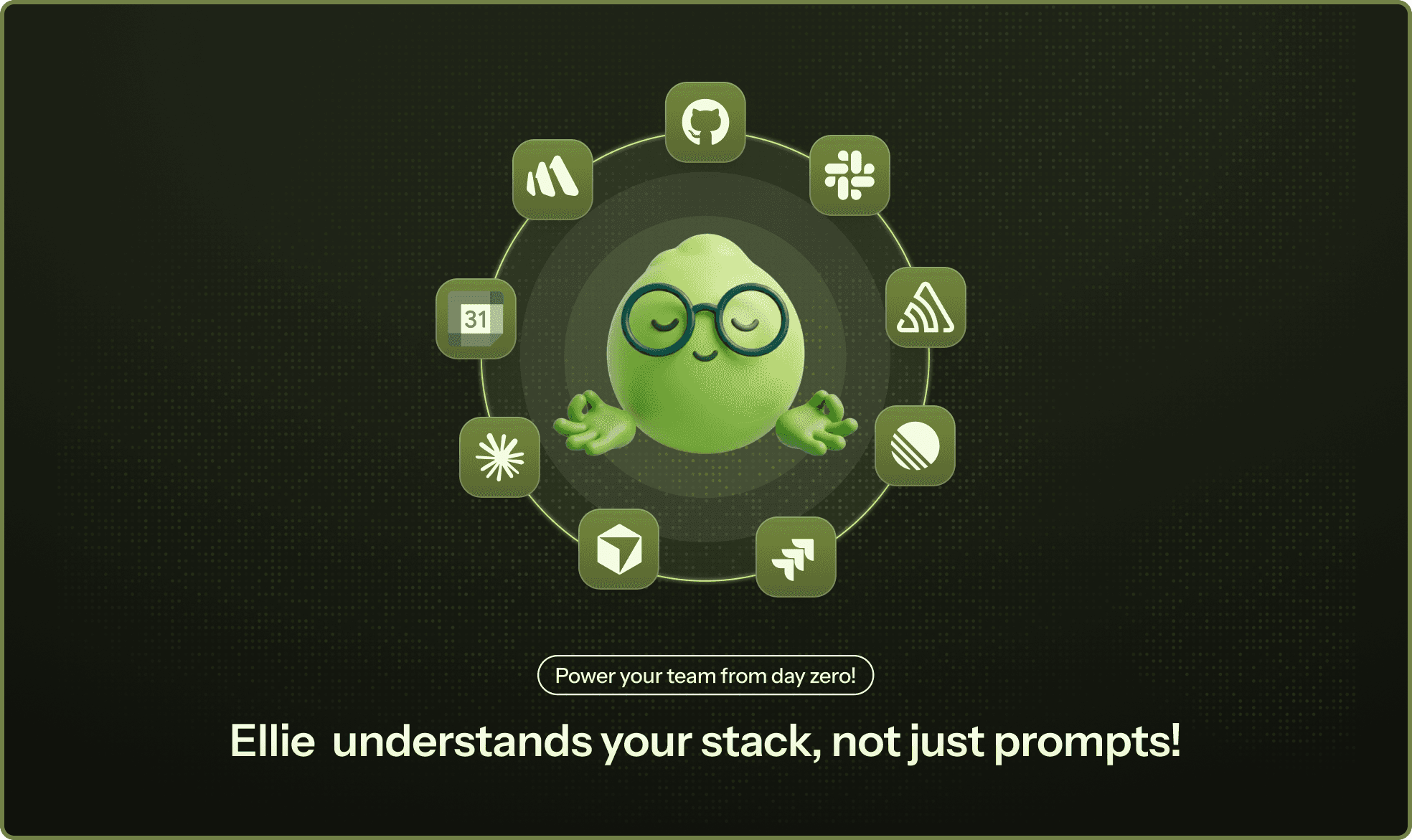
Modern engineering teams depend on multiple systems such as GitHub, Jira or Linear, CI pipelines, monitoring tools, and analytics platforms to ship software. While each tool solves a specific problem, the overall workflow often fragments context across systems.
According to a recent developer productivity report, over 31% of engineering teams identify context switching and the time required to gather context as their number one productivity killer.. In engineering teams, this often shows up as time spent searching for information, preparing status updates, or switching between dashboards to answer basic delivery questions.
Entelligence addresses this problem through Ask Ellie, an engineering intelligence chat interface available in Slack and the Entelligence dashboard. In this article, let us explore how Ask Ellie helps teams query real engineering data, understand ongoing work, and make informed decisions without adding more tools or dashboards.
The Visibility Problem in Modern Engineering Teams
Engineering teams generate large amounts of data every day, but that data is spread across many systems. As a result, visibility into what is happening often requires manual effort rather than being readily available.
Common challenges teams face include:
Basic questions about delivery, code quality, and ownership do not have a single source of truth.
Work is fragmented across GitHub for code and pull requests, Jira or Linear for tickets, CI tools for build and deployment status, and monitoring and analytics platforms for runtime signals.
Engineers and managers frequently switch between dashboards to piece together context, which interrupts focus and slows decision-making.
Important signals are easy to miss when information is distributed and updated at different times.
As teams grow, the effort required to maintain shared understanding increases faster than the amount of work being delivered.
These gaps in visibility come from the difficulty of accessing and connecting it when decisions need to be made.
Why Chat Is Becoming a Control Plane for Engineering Data
Chat has become the most natural place for engineering teams to ask operational questions because it is already where day-to-day coordination happens. Engineers discuss deployments, incidents, and blockers in chat long before they open dashboards or reports. When access to engineering data is available in the same interface, teams can get answers without breaking focus or switching tools.
There is also an important difference between notification-driven chat and query-driven chat. Notifications push updates that may or may not be relevant at a given moment, which often leads to noise. Query-driven chat allows engineers, managers, and leaders to ask specific questions when they need information, making interactions more intentional and easier to act on.
Most importantly, engineering decisions depend on context, not just metrics. A build status, a sprint number, or a performance score has limited value without understanding recent code changes, ownership, and delivery state. Chat-based access to engineering data works when it preserves this context, allowing teams to understand what is happening without manually reconstructing information across systems.
AI Chat Capabilities for Engineering Teams
Not all AI chat tools are suited for engineering workflows. While generic AI chat systems can answer broad questions, engineering teams need responses that are grounded in real systems and current work. The difference becomes clear when comparing generic AI chat with engineering-aware AI.
Aspect | Generic AI Chat | Engineering Aware AI |
|---|---|---|
Context | Lacks awareness of repositories, sprints, and delivery state | Understands repositories, pull requests, tickets, and sprint data |
Data freshness | May rely on static or incomplete information | Answers are based on live data from connected engineering systems |
Code understanding | Treats code as isolated text | Reasons over code changes within the context of the codebase |
Delivery awareness | No understanding of deployment or review status | Connects code changes to delivery and review workflows |
Actionability | Provides explanations without follow up actions | Supports actions such as creating or linking tickets and tracking work |
Reliability | Risk of ungrounded or outdated answers | Responses are backed by real engineering signals |
Ask Ellie as an Engineering Intelligence Interface
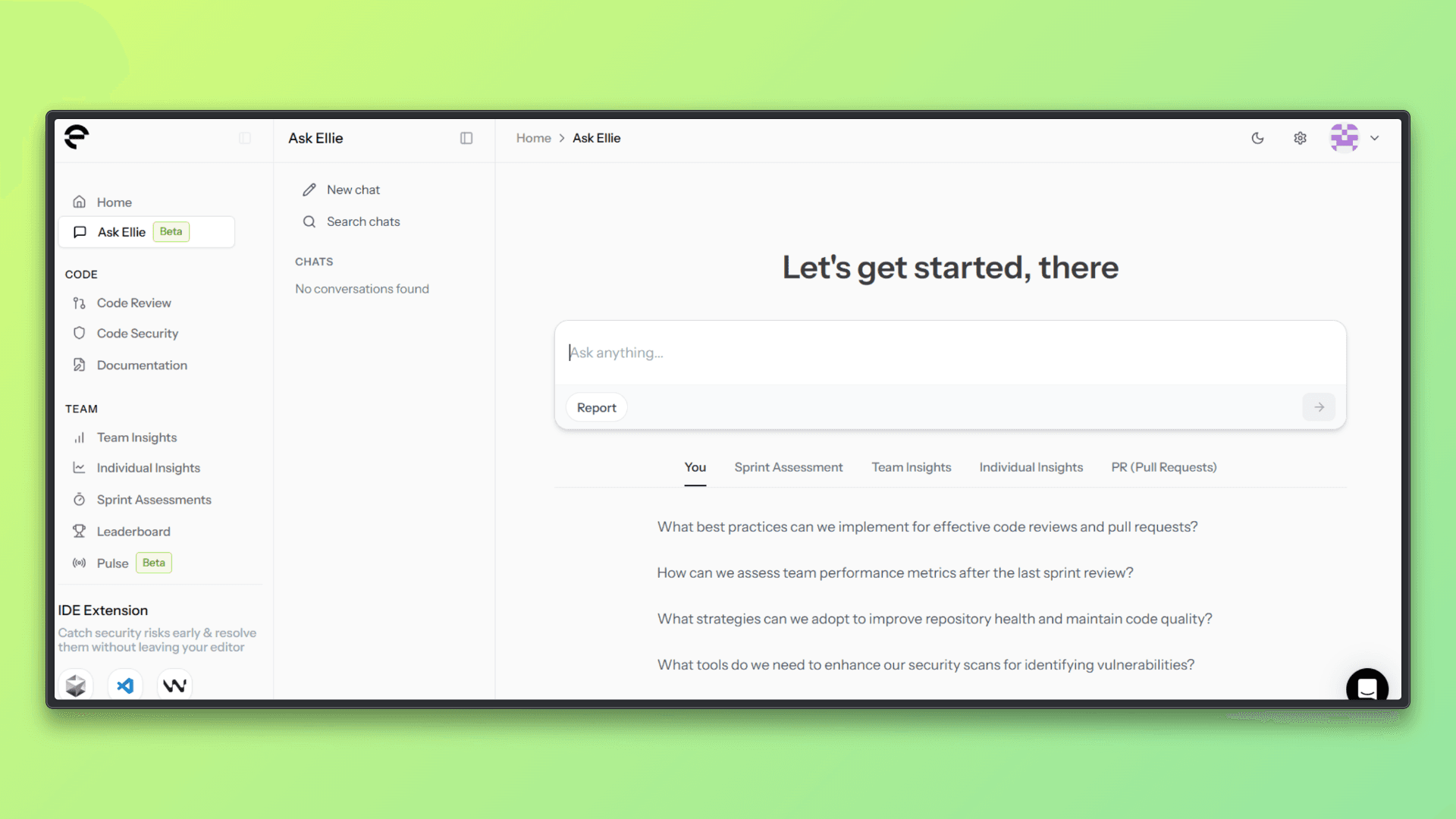
Ask Ellie is the chat-based interface within Entelligence that allows teams to ask questions about their engineering work using natural language. It is designed to surface answers based on real engineering data rather than summaries or assumptions.
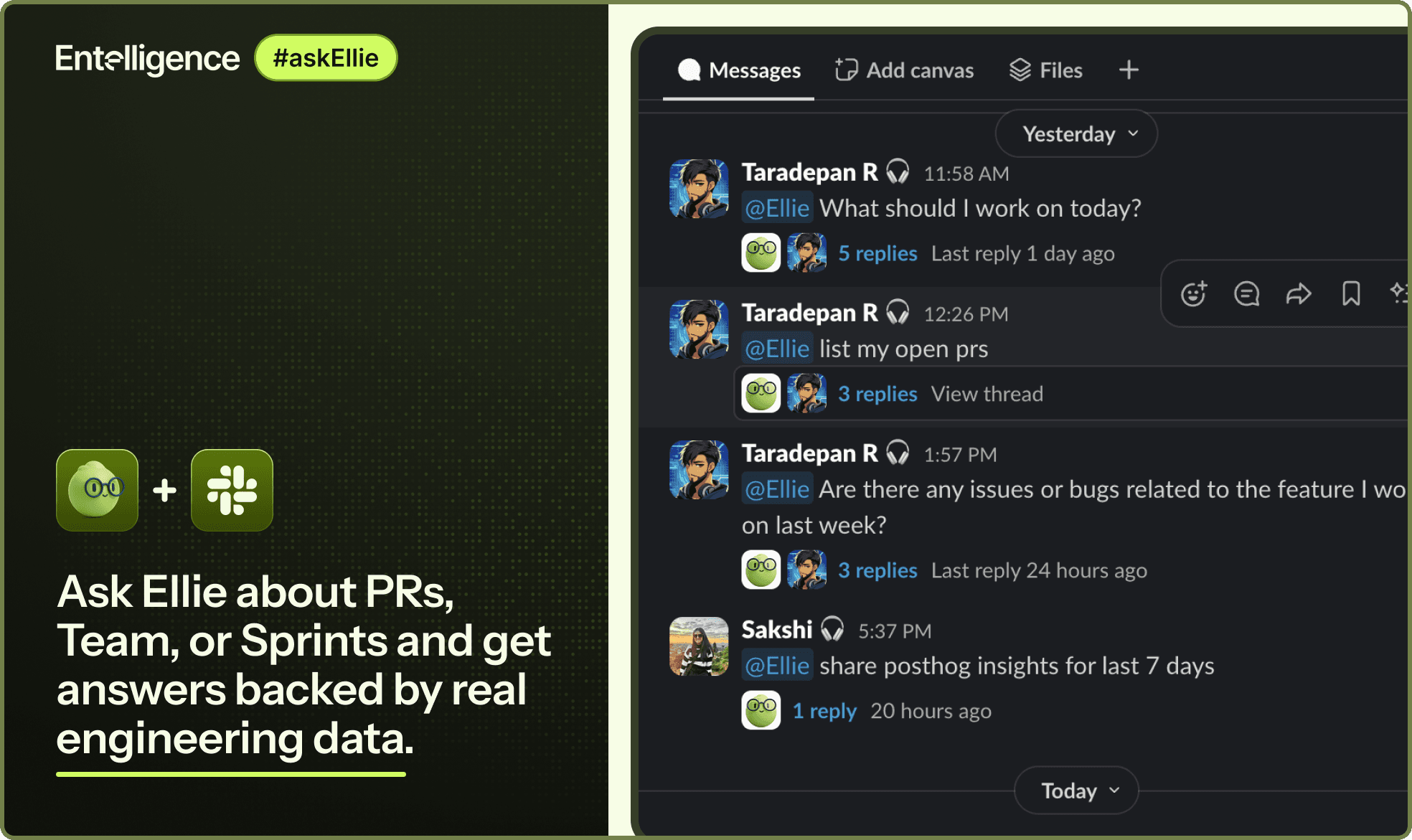
Ask Ellie is available both inside Slack and within the Entelligence dashboard, allowing teams to access the same information in the environment where they already work.
Ask Ellie acts as a single interface for querying engineering context without requiring teams to navigate multiple dashboards or manually aggregate information.
How Engineers Can Use Ask Ellie in Day-to-Day Development
Work Prioritization: Ask what tickets to work on next, understand current priorities, and see where effort is needed without scanning multiple tools.
Pull Request and Code Change Visibility: View open pull requests, review status, and recent changes across repositories to stay aligned with ongoing development.
Code and Product Understanding: Ask questions about specific code, pull requests, or repositories to identify risks, logic issues, architectural concerns, and quality gaps.
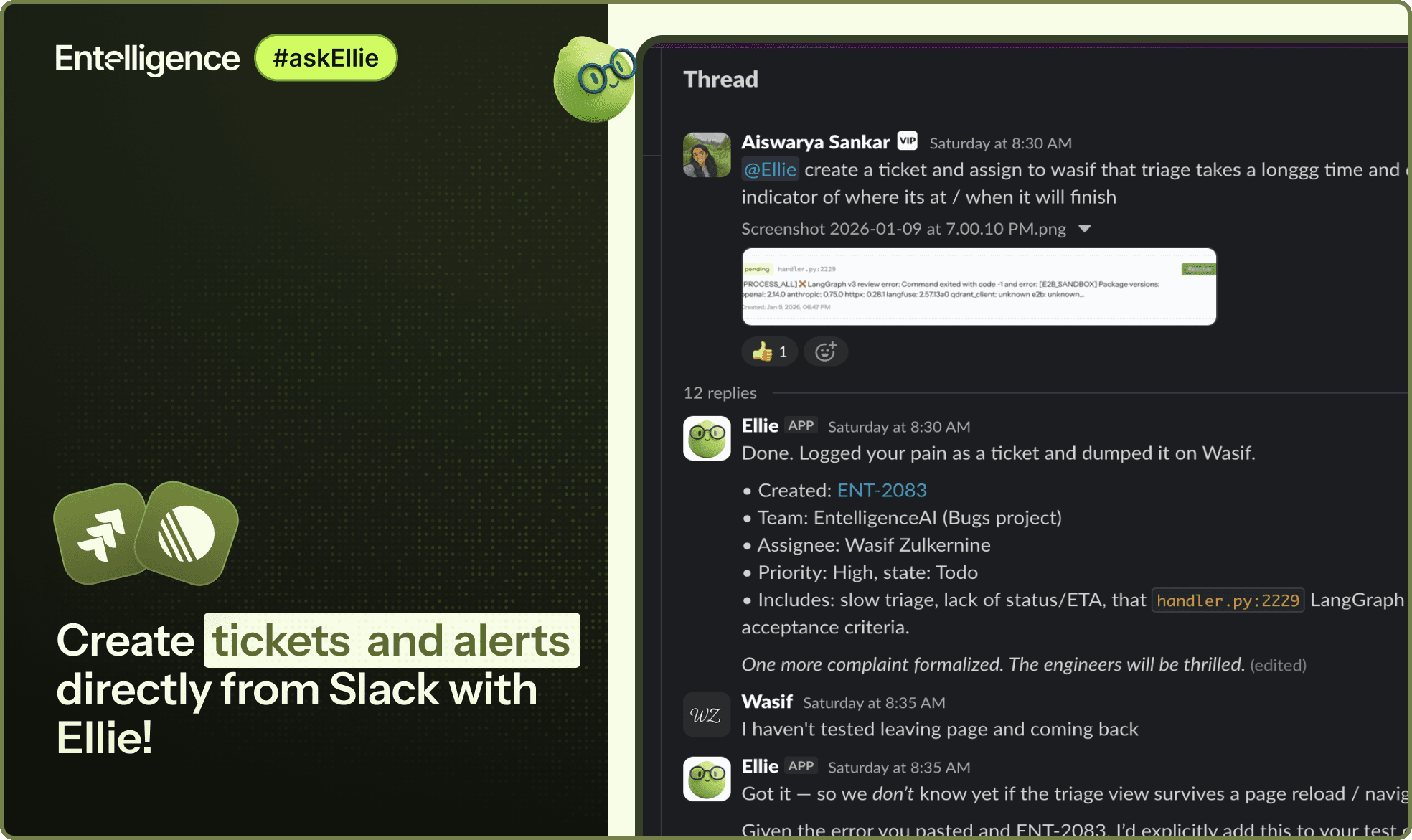
Issue and Ticket Management: Create tickets directly from chat and link them to relevant pull requests or code changes, reducing context switching during development.
Feedback Capture: Collect customer or internal feedback directly in chat, with access available both in Slack and the Entelligence dashboard.
Ask Ellie for Engineering Managers and Product Managers
Sprint and Delivery Visibility: Access sprint reports, progress summaries, and current delivery status to understand how work is moving without relying on manual updates.
Current Work Awareness: See what the team is actively working on, including in-progress tickets and open pull requests, with visibility into daily progress.
Task and Ticket Management: Create and assign tickets directly from chat, track ownership, and monitor status across connected planning tools.
Delivery and Planning Alignment: Connect delivery data from code and pull requests with planning systems such as Jira and Linear to maintain alignment between execution and roadmap.
Operational Efficiency: Reduce the need for status meetings and manual report aggregation by centralizing delivery insights within chat and the Entelligence dashboard.
Capabilities of Ask Ellie for Engineering Leaders
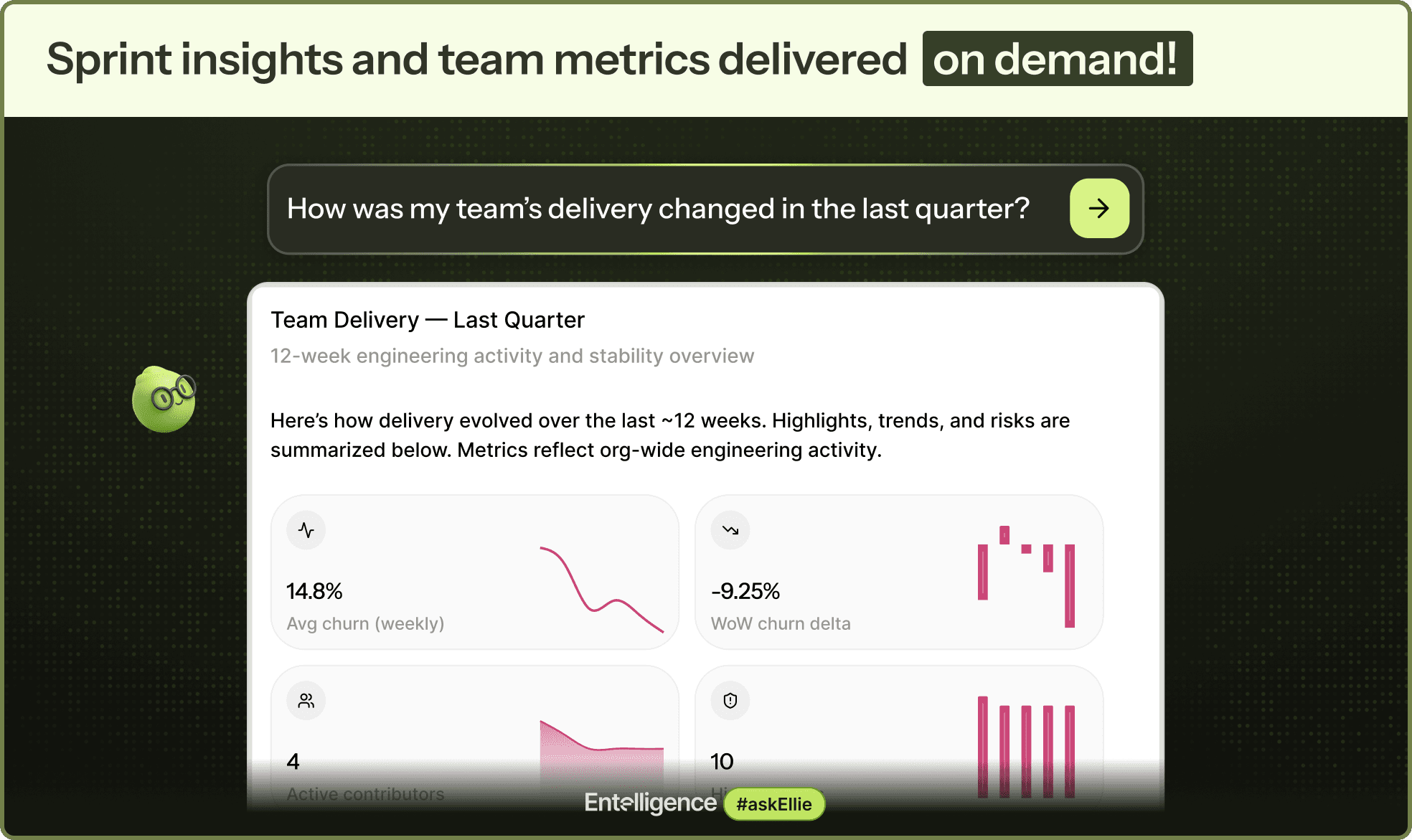
Team Performance Trends: Track how teams perform and improve over time, with visibility into sprint-to-sprint progress and delivery consistency.
Goal Setting and Measurement: Set engineering goals and monitor how effectively they are being achieved using data from ongoing work and delivery outcomes.
High-Impact Teams and Individuals: Identify high-performing teams and individuals by understanding contribution patterns and impact across projects.
AI Adoption Visibility: View the percentage of AI-assisted code across teams and understand how AI usage is influencing development practices.
Delivery Impact of AI Usage: Analyze how AI adoption affects shipping velocity and overall engineering outcomes without relying on manual reporting.
Where Ask Ellie Gets Its Data
Ask Ellie does not generate answers in isolation. Every response is grounded in data pulled from the engineering systems teams already use. By connecting these systems, Ask Ellie can reflect the current state of code, delivery, and execution rather than relying on static summaries.
Connected Engineering Systems
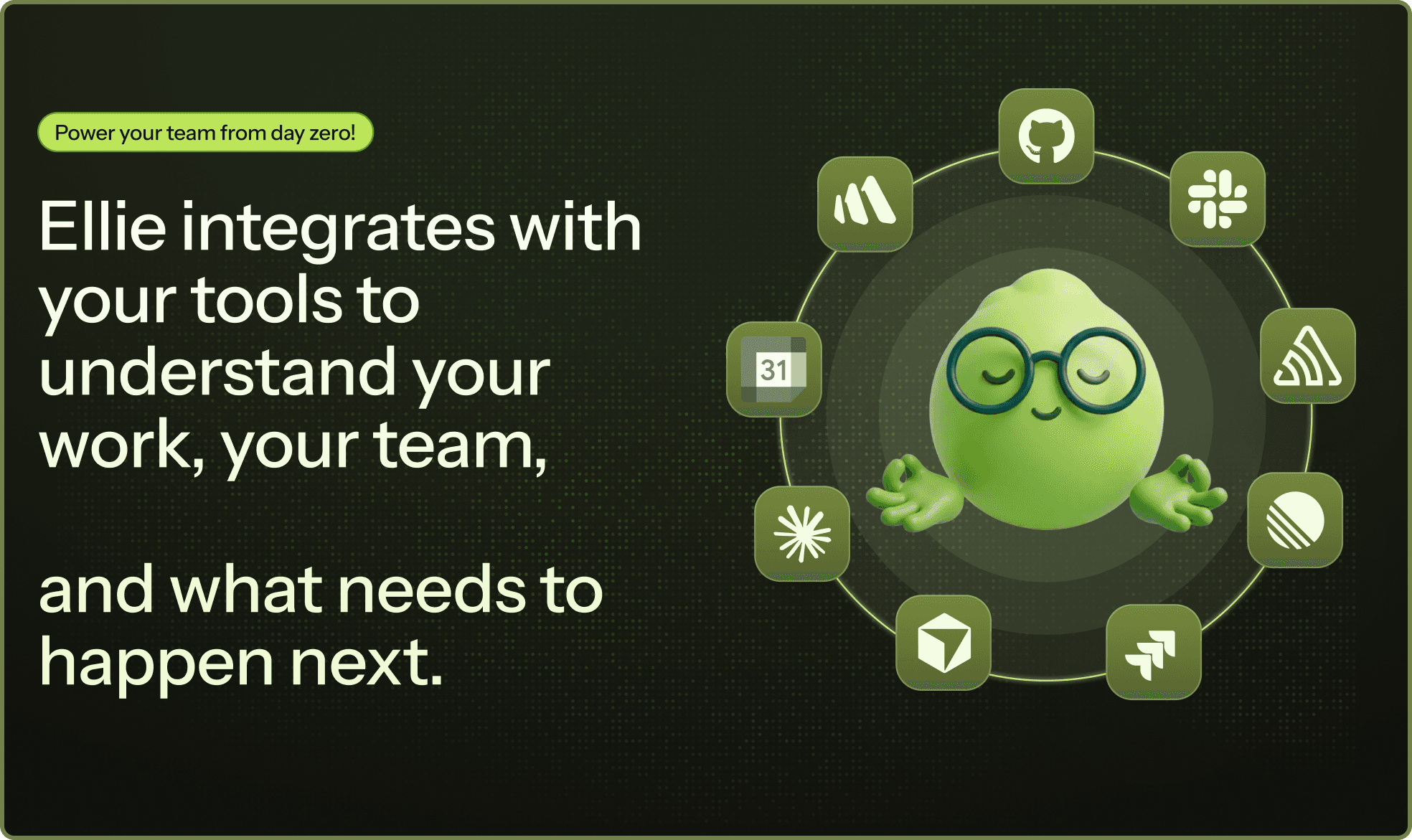
Source Control and Code Reviews: GitHub is used to access repositories, pull requests, review status, recent changes, and code context.
Planning and Sprint Management: Jira and Linear provide ticket data, sprint information, task ownership, and delivery status.
Build and Delivery Signals: CI systems contribute information about builds, deployments, and delivery health.
Monitoring and Analytics: PostHog and Sentry surface runtime signals, errors, and usage data that relate engineering work to production behaviour.
Operational Inputs: Meetings and other supported operational signals are incorporated to provide additional execution context where available.
Why Data Integration Matters
Engineering questions rarely live inside a single system. Understanding delivery health, code risk, or team performance usually requires correlating information across repositories, tickets, and runtime signals.
By integrating these systems, Ask Ellie eliminates the need for manual data aggregation, ensures answers reflect the current engineering state, and avoids insights based on stale or partial information.
Using Insights in Engineering Workflows
Ask Ellie’s responses are backed by real repository data and live sprint information. They can be used directly to drive action. Engineers, managers, and leaders can move from understanding a situation to acting on it without leaving chat.
Ask Ellie supports creating tickets, assigning work, and tracking follow-ups directly from the same interface used to ask questions. This allows chat to function as a starting point for operational workflows rather than just a reporting surface.
Reducing Context Loss Without Adding New Tools
Most engineering teams already have the tools they need, but the information they rely on is spread across too many places. GitHub, planning tools, CI systems, and monitoring platforms each hold part of the picture.
Ask Ellie reduces context loss by providing a single chat interface that can surface information from these systems together. Instead of switching dashboards to reconstruct context, teams can ask focused questions and get answers that reflect the current state of code, delivery, and execution.
The same interface works across roles without requiring separate views or systems. Engineers use it to understand code and prioritize work, managers use it to track delivery and sprint progress, and leaders use it to follow performance and trends over time.
All of these interactions are grounded in the same underlying data; context is preserved as information moves between roles. This makes it easier for teams to stay aligned without adding new tools or increasing process overhead.
Conclusion
Engineering visibility works best when it is continuous and embedded into daily workflows rather than delivered through periodic reports or disconnected dashboards. Chat-based engineering intelligence allows teams to ask questions, understand context, and act on real engineering data without interrupting how they work.
By grounding answers in live code, sprint, and delivery systems, teams can spend less time navigating tools and more time building and improving software.
Try Ask Ellie to understand code, delivery, and team performance directly from chat.
Explore Entelligence to see how engineering data can be accessed and acted on in one place.
Ask Ellie
TL;DR
Why engineering teams lose visibility when data is spread across GitHub, Jira/Linear, CI, and monitoring tools
How a chat-based interface can answer engineering, delivery, and performance questions using real system data
How engineers, managers, and leaders use the same interface differently to reduce context switching
Introduction
Modern engineering teams depend on multiple systems such as GitHub, Jira or Linear, CI pipelines, monitoring tools, and analytics platforms to ship software. While each tool solves a specific problem, the overall workflow often fragments context across systems.
According to a recent developer productivity report, over 31% of engineering teams identify context switching and the time required to gather context as their number one productivity killer.. In engineering teams, this often shows up as time spent searching for information, preparing status updates, or switching between dashboards to answer basic delivery questions.
Entelligence addresses this problem through Ask Ellie, an engineering intelligence chat interface available in Slack and the Entelligence dashboard. In this article, let us explore how Ask Ellie helps teams query real engineering data, understand ongoing work, and make informed decisions without adding more tools or dashboards.
The Visibility Problem in Modern Engineering Teams
Engineering teams generate large amounts of data every day, but that data is spread across many systems. As a result, visibility into what is happening often requires manual effort rather than being readily available.
Common challenges teams face include:
Basic questions about delivery, code quality, and ownership do not have a single source of truth.
Work is fragmented across GitHub for code and pull requests, Jira or Linear for tickets, CI tools for build and deployment status, and monitoring and analytics platforms for runtime signals.
Engineers and managers frequently switch between dashboards to piece together context, which interrupts focus and slows decision-making.
Important signals are easy to miss when information is distributed and updated at different times.
As teams grow, the effort required to maintain shared understanding increases faster than the amount of work being delivered.
These gaps in visibility come from the difficulty of accessing and connecting it when decisions need to be made.
Why Chat Is Becoming a Control Plane for Engineering Data
Chat has become the most natural place for engineering teams to ask operational questions because it is already where day-to-day coordination happens. Engineers discuss deployments, incidents, and blockers in chat long before they open dashboards or reports. When access to engineering data is available in the same interface, teams can get answers without breaking focus or switching tools.
There is also an important difference between notification-driven chat and query-driven chat. Notifications push updates that may or may not be relevant at a given moment, which often leads to noise. Query-driven chat allows engineers, managers, and leaders to ask specific questions when they need information, making interactions more intentional and easier to act on.
Most importantly, engineering decisions depend on context, not just metrics. A build status, a sprint number, or a performance score has limited value without understanding recent code changes, ownership, and delivery state. Chat-based access to engineering data works when it preserves this context, allowing teams to understand what is happening without manually reconstructing information across systems.
AI Chat Capabilities for Engineering Teams
Not all AI chat tools are suited for engineering workflows. While generic AI chat systems can answer broad questions, engineering teams need responses that are grounded in real systems and current work. The difference becomes clear when comparing generic AI chat with engineering-aware AI.
Aspect | Generic AI Chat | Engineering Aware AI |
|---|---|---|
Context | Lacks awareness of repositories, sprints, and delivery state | Understands repositories, pull requests, tickets, and sprint data |
Data freshness | May rely on static or incomplete information | Answers are based on live data from connected engineering systems |
Code understanding | Treats code as isolated text | Reasons over code changes within the context of the codebase |
Delivery awareness | No understanding of deployment or review status | Connects code changes to delivery and review workflows |
Actionability | Provides explanations without follow up actions | Supports actions such as creating or linking tickets and tracking work |
Reliability | Risk of ungrounded or outdated answers | Responses are backed by real engineering signals |
Ask Ellie as an Engineering Intelligence Interface

Ask Ellie is the chat-based interface within Entelligence that allows teams to ask questions about their engineering work using natural language. It is designed to surface answers based on real engineering data rather than summaries or assumptions.
Ask Ellie is available both inside Slack and within the Entelligence dashboard, allowing teams to access the same information in the environment where they already work.
Ask Ellie acts as a single interface for querying engineering context without requiring teams to navigate multiple dashboards or manually aggregate information.
How Engineers Can Use Ask Ellie in Day-to-Day Development
Work Prioritization: Ask what tickets to work on next, understand current priorities, and see where effort is needed without scanning multiple tools.
Pull Request and Code Change Visibility: View open pull requests, review status, and recent changes across repositories to stay aligned with ongoing development.
Code and Product Understanding: Ask questions about specific code, pull requests, or repositories to identify risks, logic issues, architectural concerns, and quality gaps.
Issue and Ticket Management: Create tickets directly from chat and link them to relevant pull requests or code changes, reducing context switching during development.
Feedback Capture: Collect customer or internal feedback directly in chat, with access available both in Slack and the Entelligence dashboard.

Ask Ellie for Engineering Managers and Product Managers
Sprint and Delivery Visibility: Access sprint reports, progress summaries, and current delivery status to understand how work is moving without relying on manual updates.
Current Work Awareness: See what the team is actively working on, including in-progress tickets and open pull requests, with visibility into daily progress.
Task and Ticket Management: Create and assign tickets directly from chat, track ownership, and monitor status across connected planning tools.
Delivery and Planning Alignment: Connect delivery data from code and pull requests with planning systems such as Jira and Linear to maintain alignment between execution and roadmap.
Operational Efficiency: Reduce the need for status meetings and manual report aggregation by centralizing delivery insights within chat and the Entelligence dashboard.

Capabilities of Ask Ellie for Engineering Leaders
Team Performance Trends: Track how teams perform and improve over time, with visibility into sprint-to-sprint progress and delivery consistency.
Goal Setting and Measurement: Set engineering goals and monitor how effectively they are being achieved using data from ongoing work and delivery outcomes.
High-Impact Teams and Individuals: Identify high-performing teams and individuals by understanding contribution patterns and impact across projects.
AI Adoption Visibility: View the percentage of AI-assisted code across teams and understand how AI usage is influencing development practices.
Delivery Impact of AI Usage: Analyze how AI adoption affects shipping velocity and overall engineering outcomes without relying on manual reporting.

Where Ask Ellie Gets Its Data
Ask Ellie does not generate answers in isolation. Every response is grounded in data pulled from the engineering systems teams already use. By connecting these systems, Ask Ellie can reflect the current state of code, delivery, and execution rather than relying on static summaries.
Connected Engineering Systems
Source Control and Code Reviews: GitHub is used to access repositories, pull requests, review status, recent changes, and code context.
Planning and Sprint Management: Jira and Linear provide ticket data, sprint information, task ownership, and delivery status.
Build and Delivery Signals: CI systems contribute information about builds, deployments, and delivery health.
Monitoring and Analytics: PostHog and Sentry surface runtime signals, errors, and usage data that relate engineering work to production behaviour.
Operational Inputs: Meetings and other supported operational signals are incorporated to provide additional execution context where available.

Why Data Integration Matters
Engineering questions rarely live inside a single system. Understanding delivery health, code risk, or team performance usually requires correlating information across repositories, tickets, and runtime signals.
By integrating these systems, Ask Ellie eliminates the need for manual data aggregation, ensures answers reflect the current engineering state, and avoids insights based on stale or partial information.
Using Insights in Engineering Workflows
Ask Ellie’s responses are backed by real repository data and live sprint information. They can be used directly to drive action. Engineers, managers, and leaders can move from understanding a situation to acting on it without leaving chat.
Ask Ellie supports creating tickets, assigning work, and tracking follow-ups directly from the same interface used to ask questions. This allows chat to function as a starting point for operational workflows rather than just a reporting surface.
Reducing Context Loss Without Adding New Tools
Most engineering teams already have the tools they need, but the information they rely on is spread across too many places. GitHub, planning tools, CI systems, and monitoring platforms each hold part of the picture.
Ask Ellie reduces context loss by providing a single chat interface that can surface information from these systems together. Instead of switching dashboards to reconstruct context, teams can ask focused questions and get answers that reflect the current state of code, delivery, and execution.
The same interface works across roles without requiring separate views or systems. Engineers use it to understand code and prioritize work, managers use it to track delivery and sprint progress, and leaders use it to follow performance and trends over time.
All of these interactions are grounded in the same underlying data; context is preserved as information moves between roles. This makes it easier for teams to stay aligned without adding new tools or increasing process overhead.
Conclusion
Engineering visibility works best when it is continuous and embedded into daily workflows rather than delivered through periodic reports or disconnected dashboards. Chat-based engineering intelligence allows teams to ask questions, understand context, and act on real engineering data without interrupting how they work.
By grounding answers in live code, sprint, and delivery systems, teams can spend less time navigating tools and more time building and improving software.
Try Ask Ellie to understand code, delivery, and team performance directly from chat.
Explore Entelligence to see how engineering data can be accessed and acted on in one place.
We raised $5M to run your Engineering team on Autopilot
Watch our launch video
Talk to Sales
Turn engineering signals into leadership decisions
Connect with our team to see how Entelliegnce helps engineering leaders with full visibility into sprint performance, Team insights & Product Delivery
Talk to Sales
Turn engineering signals into leadership decisions
Connect with our team to see how Entelliegnce helps engineering leaders with full visibility into sprint performance, Team insights & Product Delivery
Try Entelligence now