Top 8 Software Development Lifecycle (SDLC) Tools Explained
Nov 27, 2025
Nov 27, 2025
Software development requires the right tools to simplify every phase of the process, from planning to deployment. While AI is gaining traction in some SDLC tools, the core of these tools focuses on essential tasks like version control, project management, and testing.
In fact, the global generative AI in SDLC market is projected to grow to USD 2,833.9 million by 2030, showing how AI is shaping the future of development. But even as AI grows, developers still depend on the basics: task tracking, collaboration, and quality assurance. Those fundamentals keep the entire development cycle grounded.
In this blog, we’ll explore the top SDLC tools that enhance your development process and help deliver quality software more efficiently.
Overview
SDLC tools automate development stages, improving efficiency and collaboration.
They enhance code quality and speed by automating testing, integration, and deployment.
Integrations with other platforms ensure smooth workflows and better security.
Consider ease of integration, scalability, cost, security, and user experience when choosing tools.
The right SDLC tools improve development efficiency, security, and software quality.
What Are SDLC Tools?
SDLC tools are specialized software that support the different stages of your software development. These tools automate tasks like version control, testing, continuous integration, and project management, making your development cycle faster, more efficient, and more predictable.
Their purpose is to enhance the entire development process by improving collaboration, ensuring better code quality, and minimizing human errors. SDLC tools also simplify complex processes, allow for better communication between teams, and track progress from idea to deployment.
Benefits of SDLC Tools
By implementing the right SDLC tools, you'll notice significant improvements in:
Quality: Automating code reviews and testing reduces the chances of bugs and security vulnerabilities.
Security: Tools like Entelligence AI or SonarQube integrate security checks directly into your development workflow, ensuring that security is not an afterthought.
Cost Reduction: By automating repetitive tasks, these tools save you time and cut down on manual labor.
Time-to-Market: With simplified development processes, tools help your teams release products faster, giving you a competitive edge.
The right SDLC tools provide tangible improvements in productivity and software quality. Let’s now explore why these tools are essential for promoting better collaboration and driving overall team success.
Also Read: How Entelligence.AI is Redefining the Developer Experience
Why Are SDLC Tools Used?
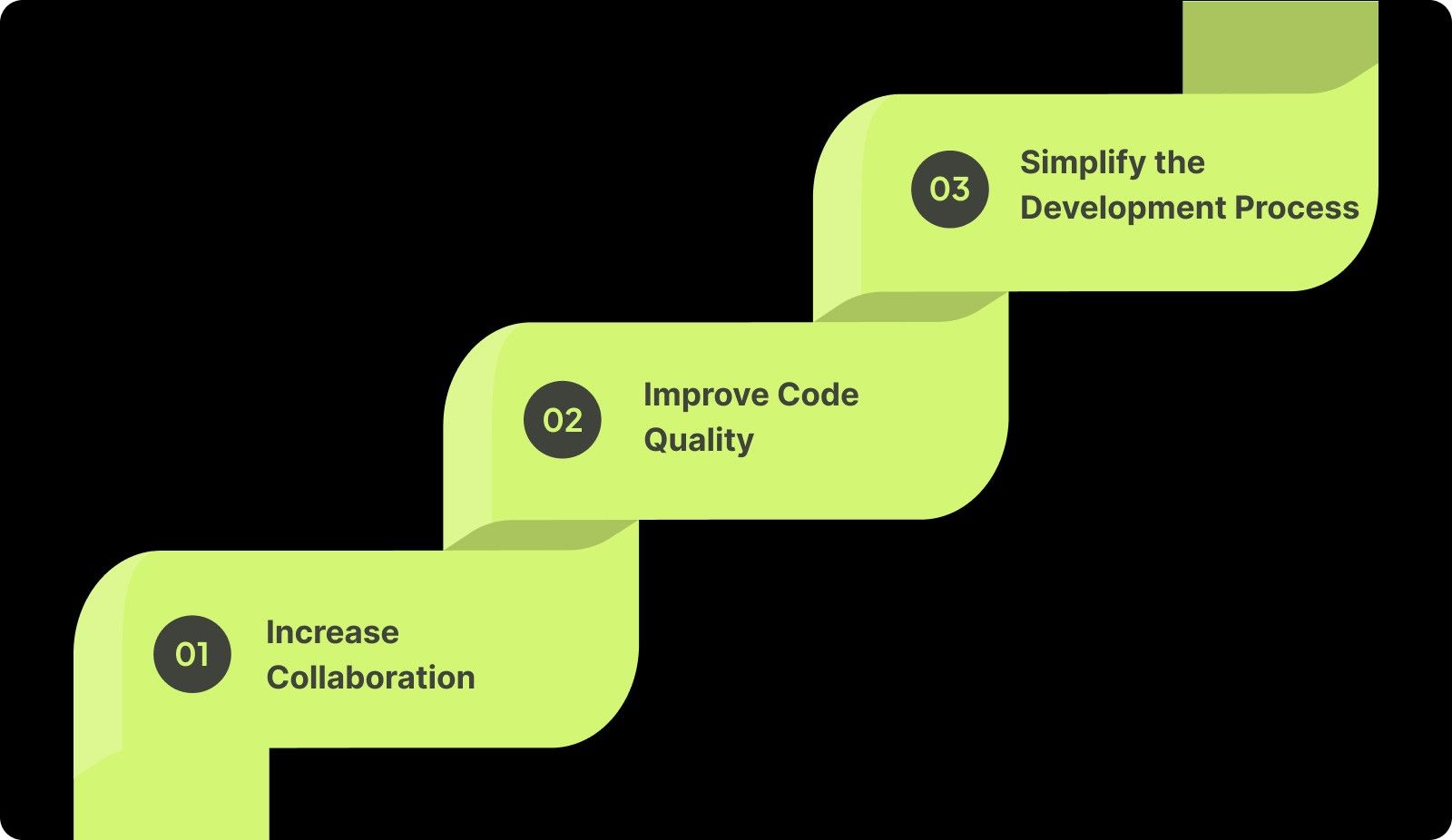
Collaboration, quality code, and efficiency are the pillars of successful software development. With the right SDLC tools, you can enhance communication, improve code quality, and speed up your development cycle.
1. Increase Collaboration
SDLC tools centralize communication, progress tracking, and task management. These tools ensure your team stays aligned, focused, and productive across every stage of the development process.
2. Improve Code Quality
Maintaining high-quality code is essential. By automating tests and integrating continuous feedback, you can identify and fix bugs early, ensuring code quality stays high and vulnerabilities are minimized throughout the cycle.
3. Simplify the Development Process
SDLC tools automate repetitive tasks and reduce manual overhead. By handling builds, testing, and deployments automatically, you cut down on errors, speed up processes, and free your team to focus on innovation.
Overall, by integrating SDLC tools into your workflow, you’ll eliminate bottlenecks, improve teamwork, and enhance code quality, all while boosting delivery times and strengthening your team’s performance.
Types of SDLC Tools
To fully optimize your development workflow, it’s essential to understand the various types of SDLC tools that are available. Each category serves a unique purpose in simplifying processes and enhancing developer productivity.
1. Project Management Tools
Project management tools help you organize tasks, track progress, and manage sprints. They enable seamless collaboration across teams, prioritize workflows, and assist in setting deadlines, keeping your development process on track and efficient.
2. Version Control & Collaboration Tools
Version control tools allow you to manage code changes, collaborate seamlessly with your team, and ensure consistency across the codebase. They also prevent conflicts by tracking changes and offering structured review processes.
3. Continuous Integration / Continuous Deployment (CI/CD) Tools
CI/CD tools automate integration, testing, and deployment of code changes. These tools speed up development cycles, reduce human error, and ensure that updates reach production smoothly and reliably, without disrupting workflow.
4. Testing & Quality Assurance Tools
Testing tools automate bug detection, perform cross-browser tests, and ensure the code works as expected. They integrate with your development cycle, providing insights into quality issues and helping you fix them before release.
5. Security Tools
Security tools continuously scan your code for vulnerabilities and ensure compliance with industry standards. By embedding security into each SDLC phase, these tools help you address potential risks early, securing your software from threats.
6. Code Quality & Static Analysis Tools
Static analysis tools review your code for performance issues, coding standards violations, and potential bugs. These tools help maintain high-quality code by automatically detecting issues before they affect production.
7. Documentation & Knowledge Management Tools
Documentation tools automate the creation and maintenance of up-to-date project documentation. They sync with your codebase, ensuring your team always has access to the latest information, reducing manual updates and enhancing productivity.
8. Developer Intelligence & Analytics Tools
Developer intelligence tools track team performance, identify bottlenecks, and provide insights into development progress. By analyzing key metrics like code commits and bug fixes, these tools help improve workflows and optimize team performance.
By utilizing these SDLC tools, you can optimize every stage of the software development process. Now that we’ve covered the different types of SDLC tools, let’s dive into the top SDLC tools that can truly make a difference in your development process.
Top 8 SDLC Tools for Every Development Team
To build high-quality software efficiently, selecting the right SDLC tools is extremely important. Each tool serves a distinct purpose, enhancing collaboration, automating critical processes, and ensuring your development cycle runs smoothly from start to finish.
1. Entelligence AI
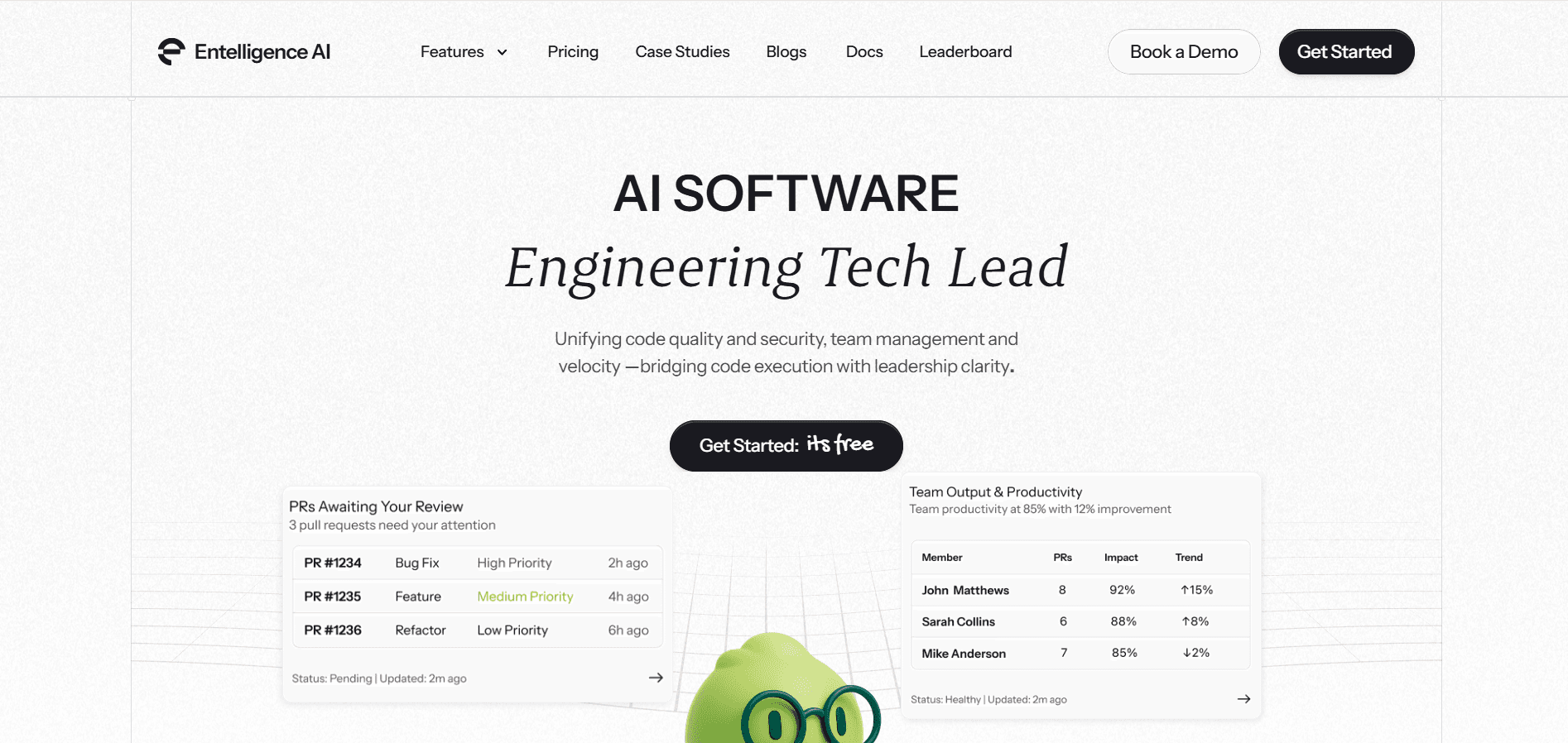
Entelligence AI is a comprehensive platform that integrates code quality, security, and team performance into one tool. It automates tasks like code reviews, vulnerability scans, and documentation within your IDE while providing real-time insights for engineering leaders.
Key Features:
Automated Code Review: Reviews code for compliance and quality, reducing manual review effort.
Vulnerability Detection: Detects security risks in real-time, addressing them early in the development process.
Real-Time Team Insights: Offers visibility into team performance, sprint health, and collaboration metrics.
IDE Integration: Integrates smoothly with your existing development environment.
Why It Stands Out:
Entelligence AI bridges day-to-day code execution with strategic insights, helping your teams stay aligned, productive, and focused on innovation.
2. Jira
Jira is an agile project management tool that helps you track tasks, manage sprints, and visualize project progress in real time. It’s widely used for managing software development projects with agile methodologies.
Key Features:
Task and Sprint Management: Organizes tasks within agile sprints, with customizable workflows.
Real-Time Progress Tracking: Provides live tracking of team tasks and sprint health.
Customizable Dashboards: Visualize team and project metrics with flexible dashboard configurations.
Why It’s Essential:
Jira is perfect for agile teams, ensuring full transparency and collaboration while managing workflows across all project stages.
3. GitHub
GitHub is a version control platform that enables seamless collaboration across development teams. It helps manage code changes, track issues, and simplify code reviews.
Key Features:
Version Control: Allows distributed version control of your codebase with Git.
Pull Requests & Reviews: Facilitates collaboration and peer reviews via pull requests.
Issue Tracking: Manages tasks, bugs, and feature requests in one place.
Why It’s Essential:
GitHub helps maintain an organized and secure codebase while supporting real-time collaboration, ensuring teams stay in sync.
4. Jenkins
Jenkins is an open-source automation server used for continuous integration and continuous deployment (CI/CD). It helps automate testing, builds, and deployments to improve workflow efficiency.
Key Features:
Automated Builds: Automates builds and deployment pipelines for faster code integration.
Continuous Testing: Automates testing to catch bugs early in the development process.
Pipeline Customization: Provides flexible pipeline configurations to fit any project needs.
Why It’s Essential:
Jenkins automates repetitive processes, ensuring faster deployments, reducing errors, and increasing reliability.
Also Read: Decoding Source Code Management Tools: Types, Benefits, & Top Picks
5. SonarQube
SonarQube is a platform for continuous inspection of code quality. It helps you detect bugs, vulnerabilities, and maintain code standards throughout the development lifecycle.
Key Features:
Code Quality Checks: Analyzes code for bugs, vulnerabilities, and code smells.
Security Scanning: Provides security assessments to protect your application from vulnerabilities.
Automated Quality Gates: Blocks bad code from being merged, ensuring only high-quality code enters the codebase.
Why It’s Essential:
SonarQube is essential for maintaining secure, high-quality code by identifying potential issues early in development, minimizing future problems.
6. BrowserStack
BrowserStack is a cloud-based testing platform that lets you test your applications across a wide range of browsers and devices. It ensures consistent performance across platforms.
Key Features:
Real-Time Browser Testing: Test your app instantly across various browsers and devices.
Mobile Device Simulation: Simulate real mobile environments for testing usability and performance.
Instant Bug Feedback: Receive immediate reports on issues during testing.
Why It’s Essential:
BrowserStack ensures your application performs consistently across multiple devices and browsers, providing a reliable user experience for all users.
7. Figma
Figma is a collaborative interface design tool that allows teams to design, prototype, and collaborate on UI/UX in real time. It’s designed to simplify collaboration between designers and developers.
Key Features:
Real-Time Collaboration: Work collaboratively on designs and prototypes in real time.
Design Consistency: Maintain design consistency with shared libraries and design systems.
Interactive Prototypes: Create clickable prototypes for user testing and feedback.
Why It’s Essential:
Figma enables seamless collaboration between design and development teams, ensuring smooth transitions from design to implementation.
8. GitLab CI/CD
GitLab is a comprehensive DevOps platform that provides a complete solution for the entire software development lifecycle. This includes CI/CD automation, project management, and security.
Key Features:
Unified DevOps Platform: Integrates planning, building, and deployment into a single tool.
CI/CD Pipelines: Automates testing and deployment for faster, more reliable software delivery.
Security Integration: Ensures security checks are embedded throughout the development process.
Why It’s Essential:
GitLab offers an all-in-one solution that simplifies CI/CD and provides comprehensive security, ensuring code is always ready for production.
The tools mentioned above are essential for modern software development, each playing an important role in enhancing collaboration, improving code quality, and organizing your workflow.
SDLC vs STLC (Software Testing Life Cycle)
Both SDLC and STLC are integral to delivering high-quality software, but they focus on different aspects of the development process. While SDLC covers the entire software development journey, STLC specifically addresses testing activities. Let’s look at how they differ and complement each other:
Aspect | SDLC (Software Development Life Cycle) | STLC (Software Testing Life Cycle) |
Focus | Entire development process, from planning to deployment. | Testing activities to ensure software quality. |
Phases | Planning, Design, Development, Testing, Deployment, Maintenance. | Requirement Analysis, Test Planning, Test Design, Execution, Closure. |
Goal | Deliver software on time, within budget, and according to specs. | Identify defects, ensure software meets requirements and quality. |
Scope | Broader; includes all stages of software creation. | Narrower; focuses specifically on testing phases. |
Process | Continuous; involves iterative development and releases. | Focused on testing and validation of software at every stage. |
In short, both processes work together, with SDLC defining the entire development path, while STLC ensures the final product meets the required quality standards. Now that we've explored how SDLC and STLC complement each other, let’s move on to the must-have SDLC integrations that make your development process even more seamless and efficient.
What Are the Must-Have SDLC Integrations?
To fully reap the power of your SDLC tools, integrating them with other platforms is essential. These integrations ensure smoother workflows, enhance security, and improve team collaboration. Below are the key integrations you should consider:
Workflow Management: Integrate project management tools like Jira, GitHub, and CI/CD systems to keep tasks organized and automate processes.
Security: Link security tools like Snyk and Entelligence AI to proactively manage vulnerabilities and secure your codebase.
Documentation: Integrate tools like Notion and Confluence to keep your documentation up-to-date and accessible for your team.
By integrating these essential tools, you can create a cohesive and efficient development environment that boosts productivity, collaboration, and security across your team.
Also Read: How to Cherry Pick a Commit from Another Branch?
Factors to Consider When Choosing SDLC Tools
Selecting the right SDLC tools is a must for optimizing your development process. When evaluating tools, keep the factors below in mind:
Ease of Integration: Choose tools that easily integrate with your existing infrastructure, such as project management and version control systems, to avoid disruptions in your workflow.
Scalability: Ensure the tools can scale with your team’s growth and increasing project demands without compromising performance.
Cost Efficiency: Look for tools that balance features with affordability, keeping in mind both initial and ongoing costs.
Security & Compliance: Select tools with strong security features to safeguard your code and ensure compliance with industry regulations.
User Experience: Prioritize tools that are intuitive and user-friendly, reducing friction and speeding up team adoption.
Choosing tools that align with these factors will improve efficiency, security, and collaboration in your development process.
Conclusion
Choosing the right SDLC tools is key to improving productivity, ensuring quality, and enhancing security in your software development process. These tools help you simplify every phase of development, from planning to deployment, so you can deliver software faster and with fewer issues.
Entelligence AI brings everything together in one platform. It integrates code reviews, security checks, and team performance insights, all powered by AI, to keep your team aligned and productive at every stage of development.
Don’t wait to improve your SDLC process anymore. Book a demo now to see how Entelligence AI can help your team work smarter, faster, and more securely.
FAQs
1. What are the 7 components of SDLC?
The 7 components of SDLC include Planning, Feasibility Study, System Design, Development, Testing, Deployment, and Maintenance. Each phase ensures structured development, from conceptualization to post-launch maintenance, delivering quality software.
2. What are the different methods used in SDLC?
The common SDLC methodologies are Waterfall, Agile, Spiral, V-Model, and Incremental. Each offers a unique approach to software development, with Agile focusing on flexibility and iterative progress, while Waterfall follows a sequential process.
3. What SDLC tools are best for remote teams?
For remote teams, Jira, GitHub, and Slack are ideal. They provide real-time communication, task management, and version control, ensuring your team stays aligned and collaborative, regardless of location.
4. How do SDLC tools improve code quality?
SDLC tools like SonarQube and Entelligence AI automatically review and analyze code for bugs, vulnerabilities, and inefficiencies, ensuring high-quality output. They also optimize code review processes and maintain consistent coding standards throughout the lifecycle.
5. What are the essential SDLC tools for security?
Essential SDLC security tools include Snyk, SonarQube, and Entelligence AI, which integrate security checks directly into development. They automatically scan for vulnerabilities, manage dependencies, and ensure compliance, keeping your software secure at every stage.
Software development requires the right tools to simplify every phase of the process, from planning to deployment. While AI is gaining traction in some SDLC tools, the core of these tools focuses on essential tasks like version control, project management, and testing.
In fact, the global generative AI in SDLC market is projected to grow to USD 2,833.9 million by 2030, showing how AI is shaping the future of development. But even as AI grows, developers still depend on the basics: task tracking, collaboration, and quality assurance. Those fundamentals keep the entire development cycle grounded.
In this blog, we’ll explore the top SDLC tools that enhance your development process and help deliver quality software more efficiently.
Overview
SDLC tools automate development stages, improving efficiency and collaboration.
They enhance code quality and speed by automating testing, integration, and deployment.
Integrations with other platforms ensure smooth workflows and better security.
Consider ease of integration, scalability, cost, security, and user experience when choosing tools.
The right SDLC tools improve development efficiency, security, and software quality.
What Are SDLC Tools?
SDLC tools are specialized software that support the different stages of your software development. These tools automate tasks like version control, testing, continuous integration, and project management, making your development cycle faster, more efficient, and more predictable.
Their purpose is to enhance the entire development process by improving collaboration, ensuring better code quality, and minimizing human errors. SDLC tools also simplify complex processes, allow for better communication between teams, and track progress from idea to deployment.
Benefits of SDLC Tools
By implementing the right SDLC tools, you'll notice significant improvements in:
Quality: Automating code reviews and testing reduces the chances of bugs and security vulnerabilities.
Security: Tools like Entelligence AI or SonarQube integrate security checks directly into your development workflow, ensuring that security is not an afterthought.
Cost Reduction: By automating repetitive tasks, these tools save you time and cut down on manual labor.
Time-to-Market: With simplified development processes, tools help your teams release products faster, giving you a competitive edge.
The right SDLC tools provide tangible improvements in productivity and software quality. Let’s now explore why these tools are essential for promoting better collaboration and driving overall team success.
Also Read: How Entelligence.AI is Redefining the Developer Experience
Why Are SDLC Tools Used?
Collaboration, quality code, and efficiency are the pillars of successful software development. With the right SDLC tools, you can enhance communication, improve code quality, and speed up your development cycle.

1. Increase Collaboration
SDLC tools centralize communication, progress tracking, and task management. These tools ensure your team stays aligned, focused, and productive across every stage of the development process.
2. Improve Code Quality
Maintaining high-quality code is essential. By automating tests and integrating continuous feedback, you can identify and fix bugs early, ensuring code quality stays high and vulnerabilities are minimized throughout the cycle.
3. Simplify the Development Process
SDLC tools automate repetitive tasks and reduce manual overhead. By handling builds, testing, and deployments automatically, you cut down on errors, speed up processes, and free your team to focus on innovation.
Overall, by integrating SDLC tools into your workflow, you’ll eliminate bottlenecks, improve teamwork, and enhance code quality, all while boosting delivery times and strengthening your team’s performance.

Types of SDLC Tools
To fully optimize your development workflow, it’s essential to understand the various types of SDLC tools that are available. Each category serves a unique purpose in simplifying processes and enhancing developer productivity.
1. Project Management Tools
Project management tools help you organize tasks, track progress, and manage sprints. They enable seamless collaboration across teams, prioritize workflows, and assist in setting deadlines, keeping your development process on track and efficient.
2. Version Control & Collaboration Tools
Version control tools allow you to manage code changes, collaborate seamlessly with your team, and ensure consistency across the codebase. They also prevent conflicts by tracking changes and offering structured review processes.
3. Continuous Integration / Continuous Deployment (CI/CD) Tools
CI/CD tools automate integration, testing, and deployment of code changes. These tools speed up development cycles, reduce human error, and ensure that updates reach production smoothly and reliably, without disrupting workflow.
4. Testing & Quality Assurance Tools
Testing tools automate bug detection, perform cross-browser tests, and ensure the code works as expected. They integrate with your development cycle, providing insights into quality issues and helping you fix them before release.
5. Security Tools
Security tools continuously scan your code for vulnerabilities and ensure compliance with industry standards. By embedding security into each SDLC phase, these tools help you address potential risks early, securing your software from threats.
6. Code Quality & Static Analysis Tools
Static analysis tools review your code for performance issues, coding standards violations, and potential bugs. These tools help maintain high-quality code by automatically detecting issues before they affect production.
7. Documentation & Knowledge Management Tools
Documentation tools automate the creation and maintenance of up-to-date project documentation. They sync with your codebase, ensuring your team always has access to the latest information, reducing manual updates and enhancing productivity.
8. Developer Intelligence & Analytics Tools
Developer intelligence tools track team performance, identify bottlenecks, and provide insights into development progress. By analyzing key metrics like code commits and bug fixes, these tools help improve workflows and optimize team performance.
By utilizing these SDLC tools, you can optimize every stage of the software development process. Now that we’ve covered the different types of SDLC tools, let’s dive into the top SDLC tools that can truly make a difference in your development process.
Top 8 SDLC Tools for Every Development Team
To build high-quality software efficiently, selecting the right SDLC tools is extremely important. Each tool serves a distinct purpose, enhancing collaboration, automating critical processes, and ensuring your development cycle runs smoothly from start to finish.
1. Entelligence AI

Entelligence AI is a comprehensive platform that integrates code quality, security, and team performance into one tool. It automates tasks like code reviews, vulnerability scans, and documentation within your IDE while providing real-time insights for engineering leaders.
Key Features:
Automated Code Review: Reviews code for compliance and quality, reducing manual review effort.
Vulnerability Detection: Detects security risks in real-time, addressing them early in the development process.
Real-Time Team Insights: Offers visibility into team performance, sprint health, and collaboration metrics.
IDE Integration: Integrates smoothly with your existing development environment.
Why It Stands Out:
Entelligence AI bridges day-to-day code execution with strategic insights, helping your teams stay aligned, productive, and focused on innovation.

2. Jira
Jira is an agile project management tool that helps you track tasks, manage sprints, and visualize project progress in real time. It’s widely used for managing software development projects with agile methodologies.
Key Features:
Task and Sprint Management: Organizes tasks within agile sprints, with customizable workflows.
Real-Time Progress Tracking: Provides live tracking of team tasks and sprint health.
Customizable Dashboards: Visualize team and project metrics with flexible dashboard configurations.
Why It’s Essential:
Jira is perfect for agile teams, ensuring full transparency and collaboration while managing workflows across all project stages.
3. GitHub
GitHub is a version control platform that enables seamless collaboration across development teams. It helps manage code changes, track issues, and simplify code reviews.
Key Features:
Version Control: Allows distributed version control of your codebase with Git.
Pull Requests & Reviews: Facilitates collaboration and peer reviews via pull requests.
Issue Tracking: Manages tasks, bugs, and feature requests in one place.
Why It’s Essential:
GitHub helps maintain an organized and secure codebase while supporting real-time collaboration, ensuring teams stay in sync.
4. Jenkins
Jenkins is an open-source automation server used for continuous integration and continuous deployment (CI/CD). It helps automate testing, builds, and deployments to improve workflow efficiency.
Key Features:
Automated Builds: Automates builds and deployment pipelines for faster code integration.
Continuous Testing: Automates testing to catch bugs early in the development process.
Pipeline Customization: Provides flexible pipeline configurations to fit any project needs.
Why It’s Essential:
Jenkins automates repetitive processes, ensuring faster deployments, reducing errors, and increasing reliability.
Also Read: Decoding Source Code Management Tools: Types, Benefits, & Top Picks
5. SonarQube
SonarQube is a platform for continuous inspection of code quality. It helps you detect bugs, vulnerabilities, and maintain code standards throughout the development lifecycle.
Key Features:
Code Quality Checks: Analyzes code for bugs, vulnerabilities, and code smells.
Security Scanning: Provides security assessments to protect your application from vulnerabilities.
Automated Quality Gates: Blocks bad code from being merged, ensuring only high-quality code enters the codebase.
Why It’s Essential:
SonarQube is essential for maintaining secure, high-quality code by identifying potential issues early in development, minimizing future problems.
6. BrowserStack
BrowserStack is a cloud-based testing platform that lets you test your applications across a wide range of browsers and devices. It ensures consistent performance across platforms.
Key Features:
Real-Time Browser Testing: Test your app instantly across various browsers and devices.
Mobile Device Simulation: Simulate real mobile environments for testing usability and performance.
Instant Bug Feedback: Receive immediate reports on issues during testing.
Why It’s Essential:
BrowserStack ensures your application performs consistently across multiple devices and browsers, providing a reliable user experience for all users.
7. Figma
Figma is a collaborative interface design tool that allows teams to design, prototype, and collaborate on UI/UX in real time. It’s designed to simplify collaboration between designers and developers.
Key Features:
Real-Time Collaboration: Work collaboratively on designs and prototypes in real time.
Design Consistency: Maintain design consistency with shared libraries and design systems.
Interactive Prototypes: Create clickable prototypes for user testing and feedback.
Why It’s Essential:
Figma enables seamless collaboration between design and development teams, ensuring smooth transitions from design to implementation.
8. GitLab CI/CD
GitLab is a comprehensive DevOps platform that provides a complete solution for the entire software development lifecycle. This includes CI/CD automation, project management, and security.
Key Features:
Unified DevOps Platform: Integrates planning, building, and deployment into a single tool.
CI/CD Pipelines: Automates testing and deployment for faster, more reliable software delivery.
Security Integration: Ensures security checks are embedded throughout the development process.
Why It’s Essential:
GitLab offers an all-in-one solution that simplifies CI/CD and provides comprehensive security, ensuring code is always ready for production.
The tools mentioned above are essential for modern software development, each playing an important role in enhancing collaboration, improving code quality, and organizing your workflow.
SDLC vs STLC (Software Testing Life Cycle)
Both SDLC and STLC are integral to delivering high-quality software, but they focus on different aspects of the development process. While SDLC covers the entire software development journey, STLC specifically addresses testing activities. Let’s look at how they differ and complement each other:
Aspect | SDLC (Software Development Life Cycle) | STLC (Software Testing Life Cycle) |
Focus | Entire development process, from planning to deployment. | Testing activities to ensure software quality. |
Phases | Planning, Design, Development, Testing, Deployment, Maintenance. | Requirement Analysis, Test Planning, Test Design, Execution, Closure. |
Goal | Deliver software on time, within budget, and according to specs. | Identify defects, ensure software meets requirements and quality. |
Scope | Broader; includes all stages of software creation. | Narrower; focuses specifically on testing phases. |
Process | Continuous; involves iterative development and releases. | Focused on testing and validation of software at every stage. |
In short, both processes work together, with SDLC defining the entire development path, while STLC ensures the final product meets the required quality standards. Now that we've explored how SDLC and STLC complement each other, let’s move on to the must-have SDLC integrations that make your development process even more seamless and efficient.
What Are the Must-Have SDLC Integrations?
To fully reap the power of your SDLC tools, integrating them with other platforms is essential. These integrations ensure smoother workflows, enhance security, and improve team collaboration. Below are the key integrations you should consider:
Workflow Management: Integrate project management tools like Jira, GitHub, and CI/CD systems to keep tasks organized and automate processes.
Security: Link security tools like Snyk and Entelligence AI to proactively manage vulnerabilities and secure your codebase.
Documentation: Integrate tools like Notion and Confluence to keep your documentation up-to-date and accessible for your team.
By integrating these essential tools, you can create a cohesive and efficient development environment that boosts productivity, collaboration, and security across your team.
Also Read: How to Cherry Pick a Commit from Another Branch?
Factors to Consider When Choosing SDLC Tools
Selecting the right SDLC tools is a must for optimizing your development process. When evaluating tools, keep the factors below in mind:
Ease of Integration: Choose tools that easily integrate with your existing infrastructure, such as project management and version control systems, to avoid disruptions in your workflow.
Scalability: Ensure the tools can scale with your team’s growth and increasing project demands without compromising performance.
Cost Efficiency: Look for tools that balance features with affordability, keeping in mind both initial and ongoing costs.
Security & Compliance: Select tools with strong security features to safeguard your code and ensure compliance with industry regulations.
User Experience: Prioritize tools that are intuitive and user-friendly, reducing friction and speeding up team adoption.
Choosing tools that align with these factors will improve efficiency, security, and collaboration in your development process.

Conclusion
Choosing the right SDLC tools is key to improving productivity, ensuring quality, and enhancing security in your software development process. These tools help you simplify every phase of development, from planning to deployment, so you can deliver software faster and with fewer issues.
Entelligence AI brings everything together in one platform. It integrates code reviews, security checks, and team performance insights, all powered by AI, to keep your team aligned and productive at every stage of development.
Don’t wait to improve your SDLC process anymore. Book a demo now to see how Entelligence AI can help your team work smarter, faster, and more securely.
FAQs
1. What are the 7 components of SDLC?
The 7 components of SDLC include Planning, Feasibility Study, System Design, Development, Testing, Deployment, and Maintenance. Each phase ensures structured development, from conceptualization to post-launch maintenance, delivering quality software.
2. What are the different methods used in SDLC?
The common SDLC methodologies are Waterfall, Agile, Spiral, V-Model, and Incremental. Each offers a unique approach to software development, with Agile focusing on flexibility and iterative progress, while Waterfall follows a sequential process.
3. What SDLC tools are best for remote teams?
For remote teams, Jira, GitHub, and Slack are ideal. They provide real-time communication, task management, and version control, ensuring your team stays aligned and collaborative, regardless of location.
4. How do SDLC tools improve code quality?
SDLC tools like SonarQube and Entelligence AI automatically review and analyze code for bugs, vulnerabilities, and inefficiencies, ensuring high-quality output. They also optimize code review processes and maintain consistent coding standards throughout the lifecycle.
5. What are the essential SDLC tools for security?
Essential SDLC security tools include Snyk, SonarQube, and Entelligence AI, which integrate security checks directly into development. They automatically scan for vulnerabilities, manage dependencies, and ensure compliance, keeping your software secure at every stage.
Your questions,
Your questions,
Decoded
Decoded
What makes Entelligence different?
Unlike tools that just flag issues, Entelligence understands context — detecting, explaining, and fixing problems while aligning with product goals and team standards.
Does it replace human reviewers?
No. It amplifies them. Entelligence handles repetitive checks so engineers can focus on architecture, logic, and innovation.
What tools does it integrate with?
It fits right into your workflow — GitHub, GitLab, Jira, Linear, Slack, and more. No setup friction, no context switching.
How secure is my code?
Your code never leaves your environment. Entelligence uses encrypted processing and complies with top industry standards like SOC 2 and HIPAA.
Who is it built for?
Fast-growing engineering teams that want to scale quality, security, and velocity without adding more manual reviews or overhead.

What makes Entelligence different?
Does it replace human reviewers?
What tools does it integrate with?
How secure is my code?
Who is it built for?