Agile Project Management for Small Teams: 7 Proven Strategies

Jan 20, 2026

Jan 20, 2026

Your small engineering team consistently ships features. Yet it’s often unclear whether that output is translating into meaningful progress for the business. Priorities change, requests compete for attention, and without a clear execution model, speed alone does not guarantee impact.

This is where many small teams feel friction. They need structure to stay aligned, but too much process slows delivery. They need flexibility, but too little discipline creates rework and confusion.

Industry research shows that Agile projects are about 28% more likely to succeed than traditional waterfall projects, mainly because iterative delivery and frequent feedback reduce risk early. However, most Agile guidance is designed for larger organizations with dedicated roles and significant process capacity.

Agile project management for small teams requires a more focused application of the same principles. Teams of 3–10 people need practical methods that support alignment, predictable delivery, and continuous improvement without adding overhead.

This guide explains how to apply Agile in a way that fits small teams.

Key Takeaways

  • Agile project management for small teams succeeds when practices are scaled to team capacity instead of copied from large organizations.

  • Clear execution rules and a limited planning horizon reduce chaos more effectively than adding new frameworks or roles.

  • A small set of operational metrics helps small teams detect delivery risk, flow problems, and quality issues early.

  • Consistent delivery improves when teams control interruptions and limit the amount of work in progress at once.

  • Sustainable results come from applying Agile changes incrementally and measuring their impact sprint by sprint.

What is Agile Project Management for Small Teams?

Agile project management is an iterative approach to planning and guiding work in short cycles, called sprints or iterations, with continuous feedback and adaptation.

For small teams, agile means:

  • Breaking large projects into 1-2 week sprints that deliver working features.

  • Daily coordination through 15-minute standups, where everyone shares progress and blockers.

  • Customer feedback loops are built into every sprint, not saved for the end.

  • Continuous improvement through regular retrospectives, where the team identifies what's working and what's not.

The key difference between agile for small teams and large organizations is that you customize the framework to your size. Skip the roles you don't need. Simplify the ceremonies. Keep what drives results.

Benefits of Agile Project Management for Small Teams

Small teams face unique challenges: limited resources, pressure to ship fast, and high expectations despite the headcount. Agile project management directly addresses these constraints.

Here's how agile transforms small team performance:

  • Faster time to market. Instead of spending months building a complete product, you ship working features every 1-2 weeks. Customers see progress immediately. You get feedback early when changes are cheap, not late when they're expensive.

  • Higher quality output. Daily standups surface blockers before they become crises. Sprint reviews catch issues while they're fresh. Retrospectives identify patterns that would otherwise repeat. Quality becomes part of the process, not an afterthought.

  • Better team alignment. Everyone knows the sprint goal. Everyone sees the same backlog. There's no confusion about priorities because you decide them together during sprint planning.

  • Improved morale and engagement. Team members take ownership of their commitments. Retrospectives give everyone a voice in improving the process. Success is visible and celebrated at the end of every sprint.

  • Reduced scope creep. When a stakeholder requests a new feature mid-sprint, you can say, "Let's add it to the backlog for next sprint" without derailing current work. The sprint boundary protects focus.

  • Predictable velocity. After 3-4 sprints, you know how much work your team can complete. This makes planning realistic instead of wishful thinking. Stakeholders get honest timelines, not false promises.

  • Increased adaptability. Market conditions change. Customer needs evolve. Technical constraints emerge. Agile teams adjust every sprint based on what they learned in the last one.

The data backs this up. Organizations using agile report better alignment with business needs, enhanced collaboration, and clearer visibility into project progress compared to traditional approaches.

Types of Agile Methodologies

Agile isn't one thing. It's an umbrella that covers multiple frameworks, each with its own strengths. Choosing the right one depends on your team's work style, project type, and constraints.
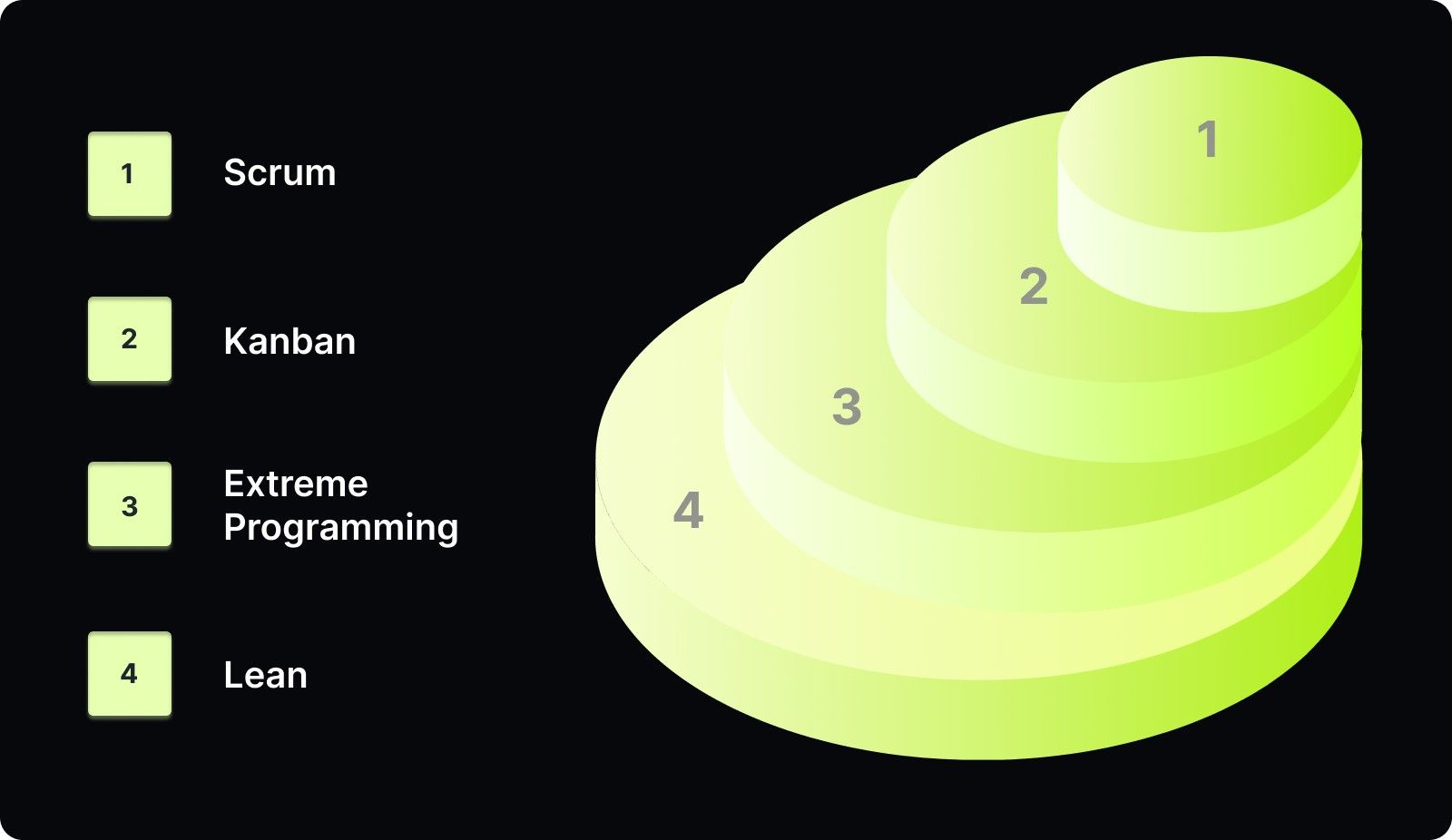
Types of Agile Methodologies

1. Scrum

Scrum structures work into fixed-length sprints (usually 1-2 weeks) with defined roles and ceremonies.

How it works: Your team commits to completing specific work during each sprint. You hold daily 15-minute standups to sync progress. At the end, you demo completed work and run a retrospective to improve your process.

Scrum defines three roles: Product Owner (prioritizes work), Scrum Master (removes blockers), and Development Team (builds the product). For small teams, one person often wears multiple hats.

  • Best for: Teams that need structure and predictable delivery cycles. Works well when you have clear feature requirements and can commit to sprint-length iterations without significant disruptions.

Moreover, small teams can simplify Scrum by combining the Product Owner and Scrum Master into a single role, shortening ceremonies and focusing on the core loop of plan-build-review-improve.

2. Kanban

Kanban visualizes work on a board with columns representing workflow stages. Work flows continuously through the board without fixed sprints.

How it works: Create columns for your workflow stages (like "To Do," "In Progress," "Review," "Done"). Each task moves left to right as it progresses. You set WIP (work-in-progress) limits for each column to prevent overload.

Unlike Scrum, Kanban prescribes no fixed roles or ceremonies, though teams often adopt fluid roles, such as flow optimizers, to improve effectiveness. You can add it to your existing process without restructuring the team.

  • Best for: Teams with unpredictable work streams, frequent priority changes, or maintenance-heavy projects. Ideal for support teams, DevOps, or any situation where work arrives continuously rather than in batches.

How to use:

  1. Map your current workflow onto a board's columns.

  2. Set WIP limits for each column (typically 2-3 items per person).

  3. Pull new work only when capacity opens.

  4. Track cycle time to measure how long tasks take.

  5. Hold regular review sessions to optimize the flow.

3. Extreme Programming (XP)

XP focuses on technical excellence and frequent releases through practices like pair programming, test-driven development, and continuous integration.

How it works: Two developers work together on the same code (pair programming). You write tests before writing code (test-driven development). The team integrates code multiple times per day. Customer representatives stay closely involved throughout.

XP emphasizes 12 core practices, including simple design, refactoring, small releases, and sustainable pace (no overtime).

  • Best for: Software development teams that prioritize code quality and technical debt management. Works when you have technically strong engineers who embrace collaborative coding practices.

To use this method, you need to:

  1. Implement pair programming for complex features.

  2. Write automated tests before writing production code.

  3. Integrate and test code continuously.

  4. Release small increments frequently.

  5. Maintain direct customer involvement in planning.

For small teams, XP's practices can be selectively adopted. You don't need to implement all 12 practices at once. Start with continuous integration and automated testing, then add pair programming for critical features.

4. Lean

Lean focuses on eliminating waste, optimizing flow, and delivering value with minimal resources.

How it works: Identify value from the customer's perspective. Map your value stream to spot waste. Create flow by removing bottlenecks. Let customers pull value rather than pushing features they didn't request. Pursue perfection through continuous improvement.

Lean software development identifies seven key wastes: partially done work, extra features, delays/waiting, handoffs/relearning, defects, task switching, and over-processing.

  • Best for: Teams focused on efficiency and resource optimization. Ideal for startups or resource-constrained teams that need to maximize output with minimal input.

By using these methodologies, you can structure work to fit your team’s workflow while keeping delivery both predictable and flexible as needs change.

Key Metrics Small Teams Should Track in Agile Projects

Metrics tell you if you're improving or just spinning wheels. But tracking too many metrics wastes time. Focus on these core measures that directly impact small team performance.

1. Sprint Velocity

It measures the amount of work your team completes each sprint, typically in story points or completed user stories.

Formula: Total story points for items completed to the Definition of Done.

Tips for tracking:

  1. Estimate each backlog item in story points (1, 2, 3, 5, 8, 13, etc.)

  2. At the end of the sprint, sum the points for all completed items.

  3. Calculate your average velocity over 3-5 sprints.

  4. Use this average to plan future sprints.

Velocity makes sprint planning realistic. If your team averages 25 points per sprint, you know not to commit to 40 points next sprint. It prevents over-commitment and creates predictable delivery.

What good looks like: Consistent velocity across sprints (±20% variation). A team completing 30, 28, 32, 29 points over four sprints has healthy velocity. Wild swings like 15, 45, 10, 50 signal problems with estimation or sprint planning.

2. Sprint Burndown

Burndown helps you see how the sprint is unfolding while there’s still time to intervene.

At the sprint start, total your committed points. Each day, subtract what’s been completed and plot what’s left. The chart doesn’t need to be perfect. You’re looking for direction, not precision.

If you’re halfway through the sprint and barely any work has closed, burndown gives you that signal early. That’s your cue to re-scope, unblock dependencies, or swarm on stuck items instead of hoping things magically resolve at the end.

Used well, burndown shifts you from reactive to proactive.

3. Cycle Time

What it measures: Time from when work starts ("In Progress") to when it's done ("Complete"). Tells you how fast you deliver individual items.

How to track:

  1. Mark the timestamp when a task moves to "In Progress."

  2. Mark the timestamp when it moves to "Done."

  3. Calculate the difference in days.

  4. Track the average cycle time across all completed work.

Formula: Cycle Time = Completion Date - Start Date

Why it matters: Shorter cycle time means faster feedback loops and quicker value delivery. If your average cycle time is 12 days but some items take 30 days, investigate what's causing the outliers.

What good looks like: Consistent cycle time with minimal variation. A team averaging 5-7 days per feature is better than one that varies between 2 and 20 days, even if both average 8 days.

4. Work in Progress (WIP) Limits

WIP limits prevent your team from starting too much and finishing too little.

How to track:

  1. Count how many workflow stages you have (To Do, In Progress, Review, Done).

  2. Set a limit for each stage (typically 2-3 items per person).

  3. Enforce the limit; no pulling new work until the current work moves forward.

  4. Monitor violations and adjust limits based on flow.

If items move cleanly from one stage to the next, flow is healthy. When review keeps hitting its limit, the system is telling you where to intervene.

5. Sprint Goal Achievement

Sprint goals force you to answer a harder question than velocity: Did this sprint actually deliver what you intended?

How to track:

  1. Define 1-2 clear sprint goals at the sprint start (not just a list of tasks).

  2. At the end of the sprint, mark each goal as achieved or not achieved.

  3. Calculate: (Goals achieved / Total goals) × 100

  4. Track the trend over multiple sprints.

You can complete 100% of story points but fail to deliver the sprint goal if you focus on the wrong work. This metric keeps the team focused on outcomes that matter.

6. Defect Escape Rate

Defect escape rate tells you how much broken work reaches customers.

Formula: Defect Escape Rate = (Production Bugs ÷ Total Bugs) × 100

Track how many bugs users report versus how many you catch earlier through testing and reviews. Review this monthly, not obsessively sprint-by-sprint.

When escape rates creep up, it usually means quality is being traded for speed. Customers feel that trade-off immediately. Keeping this number low protects trust and reduces the long-term cost of rushed releases.

Together, these metrics give you early visibility into planning accuracy, delivery flow, and quality, so you can correct issues during the sprint rather than after it ends. As you rely on these signals more, tools like Entelligence AI help automate metric collection directly from your development workflow without adding reporting overhead.
7 Proven Agile Project Management Strategies for Small Teams

Agile only works in small teams when execution stays tight. The strategies below focus on where to simplify, where to be strict, and how to handle the trade-offs you’ll face once Agile meets day-to-day delivery.

1. Keep Sprint Ceremonies Short and Focused

Reduce Scrum ceremonies to match your team size. Long meetings add overhead without improving coordination in small teams.

Set clear limits:

  • Daily standup: 10 minutes maximum. Share progress, current focus, and blockers only.

  • Sprint planning: 1–2 hours. Review the backlog, estimate items, and commit work up to your actual velocity.

  • Sprint review: 30 minutes. Demo completed work and collected stakeholder feedback.

  • Retrospective: 30–45 minutes. Identify what to continue, stop, and change in the next sprint.

If standups regularly exceed 15 minutes, stop problem-solving in the meeting. Move detailed discussions to a separate session with only the people involved.

2. Use Story Points

Estimate work based on relative complexity, not time. Hour-based estimates create false precision and break down quickly in small teams.

Apply relative estimation consistently:

  • Use the Fibonacci sequence (1, 2, 3, 5, 8, 13).

  • Select one reference story everyone understands and assign it 3 points.

  • Estimate all other work relative to that reference.

  • Aim for consistency, not exactness.

Do not convert story points into hours, and do not compare velocity across teams. Story points exist to support planning, not performance evaluation.

3. Implement Rolling Wave Planning

Limit detailed planning to work that is close enough to execute. Increase detail only as uncertainty decreases.

Organize planning into clear horizons:

  • Maintain a detailed backlog for the next one or two sprints.

  • Keep a prioritized but loosely defined backlog for the next 4–6 weeks.

  • Maintain a high-level roadmap for the next 3–6 months focused on themes and objectives.

Shorten the detailed planning window when priorities change frequently. Extend it only when the direction remains stable.

4. Build Quality In, Don’t Inspect It Later

Treat quality as part of development, not a separate phase at the end of the sprint.

Make these practices non-negotiable:

  • Write automated tests alongside production code.

  • Run tests on every commit using continuous integration.

  • Require code reviews before merging changes.

  • Define “done” to include testing, documentation, and review.

  • Fix defects immediately instead of deferring them.

Expect a small slowdown early. This replaces the much larger debugging and stabilization phase that often consumes 40–50% of project time later.

5. Protect Your Sprint From Interruptions

Prevent unplanned work from eroding sprint commitments.

Control interruptions deliberately:

  • Reserve 20% of sprint capacity for urgent, unplanned work.

  • Assign one rotating owner per sprint to handle urgent requests.

  • Push non-urgent requests into the next sprint backlog.

  • Track interruption frequency and address root causes.

When stakeholders request mid-sprint changes, they require a trade-off. Add new work only by removing an existing commitment.

6. Run Effective Retrospectives

Use retrospectives to change how work gets done, not to repeat the same complaints.

Execute each retrospective with intent:

  • Review metrics, feedback, and observable outcomes.

  • Identify patterns, root causes, and systemic issues.

  • Select one or two concrete actions to apply in the next sprint.

  • Review the impact of previous actions.

Use formats like Start–Stop–Continue, Mad–Sad–Glad, or timelines as needed, but prioritize execution over discussion.

7. Maintain a Healthy Backlog

Keep the backlog sized for execution. Apply these rules:

  • Top 5–10 items must be fully detailed and ready to start.

  • The following 20–30 items should have rough descriptions and estimates.

  • Everything else remains as titles or themes.

  • Review and refine the backlog weekly in a 30-minute session.

  • Delete items that no longer matter.

Split any user story that takes more than half a sprint to complete into smaller vertical slices that each deliver value.

Top Tools for Agile Project Management in Small Teams

The right tool makes agile feel effortless. The wrong tool becomes another process to manage. Here's how the best options compare for small teams:

Tool

Best For

Key Features

Pricing

Entelligence AI

Engineering teams that want integrated productivity tracking.

AI-powered sprint planning, automated code reviews, real-time team insights, performance dashboards, security scanning, and automated documentation.

You can get started with a free demo.

Jira

Teams that are deeply committed to Scrum or Kanban.

Customizable workflows, extensive integrations, robust reporting, sprint planning, and backlog management.

Free for up to 10 users; Standard $7.75 per user per month (annual billing).

Linear

Fast-moving product teams.

Clean interface, keyboard shortcuts, instant updates, GitHub integration, and cycle tracking.

Free for small teams; Standard $12 per user per month.

Asana

Cross-functional teams, including non-engineers.

Task management, timeline views, easy collaboration, and portfolio tracking.

Free for 15 users; Starter $10.99/user/month.

Monday.com

Teams that need visual project management.

Customizable boards, automation, multiple views (Kanban, Gantt, Calendar), and integrations.

Individual free; Basic $9/seat/month.

ClickUp

Teams that want an all-in-one solution.

Docs, goals, sprints, time tracking, whiteboards, customizable views.

Free forever plan; Unlimited $7/user/month.

Azure DevOps

Teams in the Microsoft ecosystem.

Complete DevOps toolchain, repos, pipelines, boards, test plans.

Free for five users; Basic $6/user/month.

How to Choose the Right Tool

Choose a tool that aligns with how your team actually works.

  • If code quality and engineering visibility matter most, prioritize tools that connect sprint work to commits, pull requests, and reviews. You should see how day-to-day coding activity ties directly to sprint goals.

  • If you want lightweight sprint management, choose something fast to set up and easy to use. Avoid tools that require heavy configuration just to run basic sprints.

  • If your team includes non-engineering stakeholders, pick a tool with simple, intuitive views that don’t require Agile expertise to follow progress.

  • If budget is a constraint, start with tools that offer strong free tiers or flexible pricing that doesn't limit core workflow features.

Above all, commit to one tool long enough to build habits and trust in the data. Switching tools frequently costs more time than learning a slightly imperfect one and using it well.

Supercharge Agile Project Management for Small Teams with Entelligence AI

Project management tools show you what's happening. Entelligence AI tells you why it's happening and what to do about it.

Most agile tools track tasks. Entelligence tracks the engineering work behind those tasks. You see not just that a story is "In Progress" but exactly which files changed, how many lines of code were added, whether tests were written, and if code quality standards were met.

Here's what makes Entelligence different for small teams:

AI-powered sprint planning that learns from your team's actual performance. 

Entelligence analyzes your team's historical data to suggest realistic sprint commitments. It knows that backend work consistently takes 30% longer than estimated, or that frontend tasks finish faster than planned. 

Automated code reviews that catch issues before they become problems. 

Your small team can't afford a dedicated QA engineer or time-consuming manual reviews. Entelligence runs AI-powered reviews on every PR, flagging security vulnerabilities, performance bottlenecks, and code quality issues. You ship faster because you're not waiting for human reviewers, yet quality improves because nothing gets missed.

Real-time team insights without manual status updates. 

Engineering managers on small teams wear multiple hats. They can't spend hours compiling status reports. Entelligence automatically generates sprint progress dashboards that show which stories are on track, which are blocked, and where bottlenecks exist.

Automated documentation that stays current with your code. 

With Entelligence AI, you get updated technical documentation automatically as code changes. New engineers onboard faster because the docs actually exist and actually match the codebase.

Individual and team dashboards for accountability without micromanagement. 

See who's contributing to which sprint goals, where people are spending time, and which areas need support. It keeps team members focused on high-impact work and identifying growth opportunities.

Moreover, Entelligence AI adapts to your workflow, freeing you from rigid processes, and provides speed and flexibility that empower your team while adding structure and visibility to prevent chaos.

Final Thoughts

Small teams don't need enterprise-grade agile transformations. You need focused frameworks that match your size, clear metrics that drive improvement, and tools that reduce overhead.

The teams that ship fastest aren't running perfect Scrum by the book. They're adapting agile principles to their reality: short sprints, focused standups, continuous feedback, and relentless improvement.

Start with one framework from this guide. Track 3-4 key metrics. Run basic ceremonies. Improve incrementally.

Most importantly, remember that agile is about delivering value, not following rules. If a practice doesn't help you ship better software faster, skip it.

Entelligence AI gives small engineering teams the structure to stay aligned and the automation to stay fast. Explore it and see how AI-powered insights can boost your sprint planning, code quality, and team visibility, without adding overhead.

Ready to ship faster with less chaos? Start with Entelligence AI and turn your small team into a high-performing delivery machine.

FAQ’s 

1. How many Agile ceremonies does a small team actually need?

Small teams typically need standups, sprint planning, and retrospectives. Other ceremonies are optional and should exist only if they improve delivery or decision-making.

2. Can agile project management work without a dedicated Scrum Master?

Yes. In small teams, facilitation and blocker removal can be handled by a team lead or rotating owner without harming Agile effectiveness.

3. How long does it take for Agile to show results in a small team?

Most small teams see measurable improvements in focus and predictability within three to four sprints when practices are applied consistently.

4. Is Agile suitable for early-stage startups with shifting priorities?

Yes. Agile works well when priorities change frequently, as long as teams limit work in progress and adjust plans at sprint boundaries.

5. What is the biggest mistake small teams make when adopting Agile?

The biggest mistake is copying enterprise Agile processes instead of adapting practices to team size, capacity, and real delivery constraints.
Your small engineering team consistently ships features. Yet it’s often unclear whether that output is translating into meaningful progress for the business. Priorities change, requests compete for attention, and without a clear execution model, speed alone does not guarantee impact.

This is where many small teams feel friction. They need structure to stay aligned, but too much process slows delivery. They need flexibility, but too little discipline creates rework and confusion.

Industry research shows that Agile projects are about 28% more likely to succeed than traditional waterfall projects, mainly because iterative delivery and frequent feedback reduce risk early. However, most Agile guidance is designed for larger organizations with dedicated roles and significant process capacity.

Agile project management for small teams requires a more focused application of the same principles. Teams of 3–10 people need practical methods that support alignment, predictable delivery, and continuous improvement without adding overhead.

This guide explains how to apply Agile in a way that fits small teams.

Key Takeaways

  • Agile project management for small teams succeeds when practices are scaled to team capacity instead of copied from large organizations.

  • Clear execution rules and a limited planning horizon reduce chaos more effectively than adding new frameworks or roles.

  • A small set of operational metrics helps small teams detect delivery risk, flow problems, and quality issues early.

  • Consistent delivery improves when teams control interruptions and limit the amount of work in progress at once.

  • Sustainable results come from applying Agile changes incrementally and measuring their impact sprint by sprint.

What is Agile Project Management for Small Teams?

Agile project management is an iterative approach to planning and guiding work in short cycles, called sprints or iterations, with continuous feedback and adaptation.

For small teams, agile means:

  • Breaking large projects into 1-2 week sprints that deliver working features.

  • Daily coordination through 15-minute standups, where everyone shares progress and blockers.

  • Customer feedback loops are built into every sprint, not saved for the end.

  • Continuous improvement through regular retrospectives, where the team identifies what's working and what's not.

The key difference between agile for small teams and large organizations is that you customize the framework to your size. Skip the roles you don't need. Simplify the ceremonies. Keep what drives results.

Benefits of Agile Project Management for Small Teams

Small teams face unique challenges: limited resources, pressure to ship fast, and high expectations despite the headcount. Agile project management directly addresses these constraints.

Here's how agile transforms small team performance:

  • Faster time to market. Instead of spending months building a complete product, you ship working features every 1-2 weeks. Customers see progress immediately. You get feedback early when changes are cheap, not late when they're expensive.

  • Higher quality output. Daily standups surface blockers before they become crises. Sprint reviews catch issues while they're fresh. Retrospectives identify patterns that would otherwise repeat. Quality becomes part of the process, not an afterthought.

  • Better team alignment. Everyone knows the sprint goal. Everyone sees the same backlog. There's no confusion about priorities because you decide them together during sprint planning.

  • Improved morale and engagement. Team members take ownership of their commitments. Retrospectives give everyone a voice in improving the process. Success is visible and celebrated at the end of every sprint.

  • Reduced scope creep. When a stakeholder requests a new feature mid-sprint, you can say, "Let's add it to the backlog for next sprint" without derailing current work. The sprint boundary protects focus.

  • Predictable velocity. After 3-4 sprints, you know how much work your team can complete. This makes planning realistic instead of wishful thinking. Stakeholders get honest timelines, not false promises.

  • Increased adaptability. Market conditions change. Customer needs evolve. Technical constraints emerge. Agile teams adjust every sprint based on what they learned in the last one.

The data backs this up. Organizations using agile report better alignment with business needs, enhanced collaboration, and clearer visibility into project progress compared to traditional approaches.

Types of Agile Methodologies

Agile isn't one thing. It's an umbrella that covers multiple frameworks, each with its own strengths. Choosing the right one depends on your team's work style, project type, and constraints.

Types of Agile Methodologies

1. Scrum

Scrum structures work into fixed-length sprints (usually 1-2 weeks) with defined roles and ceremonies.

How it works: Your team commits to completing specific work during each sprint. You hold daily 15-minute standups to sync progress. At the end, you demo completed work and run a retrospective to improve your process.

Scrum defines three roles: Product Owner (prioritizes work), Scrum Master (removes blockers), and Development Team (builds the product). For small teams, one person often wears multiple hats.

  • Best for: Teams that need structure and predictable delivery cycles. Works well when you have clear feature requirements and can commit to sprint-length iterations without significant disruptions.

Moreover, small teams can simplify Scrum by combining the Product Owner and Scrum Master into a single role, shortening ceremonies and focusing on the core loop of plan-build-review-improve.

2. Kanban

Kanban visualizes work on a board with columns representing workflow stages. Work flows continuously through the board without fixed sprints.

How it works: Create columns for your workflow stages (like "To Do," "In Progress," "Review," "Done"). Each task moves left to right as it progresses. You set WIP (work-in-progress) limits for each column to prevent overload.

Unlike Scrum, Kanban prescribes no fixed roles or ceremonies, though teams often adopt fluid roles, such as flow optimizers, to improve effectiveness. You can add it to your existing process without restructuring the team.

  • Best for: Teams with unpredictable work streams, frequent priority changes, or maintenance-heavy projects. Ideal for support teams, DevOps, or any situation where work arrives continuously rather than in batches.

How to use:

  1. Map your current workflow onto a board's columns.

  2. Set WIP limits for each column (typically 2-3 items per person).

  3. Pull new work only when capacity opens.

  4. Track cycle time to measure how long tasks take.

  5. Hold regular review sessions to optimize the flow.

3. Extreme Programming (XP)

XP focuses on technical excellence and frequent releases through practices like pair programming, test-driven development, and continuous integration.

How it works: Two developers work together on the same code (pair programming). You write tests before writing code (test-driven development). The team integrates code multiple times per day. Customer representatives stay closely involved throughout.

XP emphasizes 12 core practices, including simple design, refactoring, small releases, and sustainable pace (no overtime).

  • Best for: Software development teams that prioritize code quality and technical debt management. Works when you have technically strong engineers who embrace collaborative coding practices.

To use this method, you need to:

  1. Implement pair programming for complex features.

  2. Write automated tests before writing production code.

  3. Integrate and test code continuously.

  4. Release small increments frequently.

  5. Maintain direct customer involvement in planning.

For small teams, XP's practices can be selectively adopted. You don't need to implement all 12 practices at once. Start with continuous integration and automated testing, then add pair programming for critical features.

4. Lean

Lean focuses on eliminating waste, optimizing flow, and delivering value with minimal resources.

How it works: Identify value from the customer's perspective. Map your value stream to spot waste. Create flow by removing bottlenecks. Let customers pull value rather than pushing features they didn't request. Pursue perfection through continuous improvement.

Lean software development identifies seven key wastes: partially done work, extra features, delays/waiting, handoffs/relearning, defects, task switching, and over-processing.

  • Best for: Teams focused on efficiency and resource optimization. Ideal for startups or resource-constrained teams that need to maximize output with minimal input.

By using these methodologies, you can structure work to fit your team’s workflow while keeping delivery both predictable and flexible as needs change.

Key Metrics Small Teams Should Track in Agile Projects

Metrics tell you if you're improving or just spinning wheels. But tracking too many metrics wastes time. Focus on these core measures that directly impact small team performance.

1. Sprint Velocity

It measures the amount of work your team completes each sprint, typically in story points or completed user stories.

Formula: Total story points for items completed to the Definition of Done.

Tips for tracking:

  1. Estimate each backlog item in story points (1, 2, 3, 5, 8, 13, etc.)

  2. At the end of the sprint, sum the points for all completed items.

  3. Calculate your average velocity over 3-5 sprints.

  4. Use this average to plan future sprints.

Velocity makes sprint planning realistic. If your team averages 25 points per sprint, you know not to commit to 40 points next sprint. It prevents over-commitment and creates predictable delivery.

What good looks like: Consistent velocity across sprints (±20% variation). A team completing 30, 28, 32, 29 points over four sprints has healthy velocity. Wild swings like 15, 45, 10, 50 signal problems with estimation or sprint planning.

2. Sprint Burndown

Burndown helps you see how the sprint is unfolding while there’s still time to intervene.

At the sprint start, total your committed points. Each day, subtract what’s been completed and plot what’s left. The chart doesn’t need to be perfect. You’re looking for direction, not precision.

If you’re halfway through the sprint and barely any work has closed, burndown gives you that signal early. That’s your cue to re-scope, unblock dependencies, or swarm on stuck items instead of hoping things magically resolve at the end.

Used well, burndown shifts you from reactive to proactive.

3. Cycle Time

What it measures: Time from when work starts ("In Progress") to when it's done ("Complete"). Tells you how fast you deliver individual items.

How to track:

  1. Mark the timestamp when a task moves to "In Progress."

  2. Mark the timestamp when it moves to "Done."

  3. Calculate the difference in days.

  4. Track the average cycle time across all completed work.

Formula: Cycle Time = Completion Date - Start Date

Why it matters: Shorter cycle time means faster feedback loops and quicker value delivery. If your average cycle time is 12 days but some items take 30 days, investigate what's causing the outliers.

What good looks like: Consistent cycle time with minimal variation. A team averaging 5-7 days per feature is better than one that varies between 2 and 20 days, even if both average 8 days.

4. Work in Progress (WIP) Limits

WIP limits prevent your team from starting too much and finishing too little.

How to track:

  1. Count how many workflow stages you have (To Do, In Progress, Review, Done).

  2. Set a limit for each stage (typically 2-3 items per person).

  3. Enforce the limit; no pulling new work until the current work moves forward.

  4. Monitor violations and adjust limits based on flow.

If items move cleanly from one stage to the next, flow is healthy. When review keeps hitting its limit, the system is telling you where to intervene.

5. Sprint Goal Achievement

Sprint goals force you to answer a harder question than velocity: Did this sprint actually deliver what you intended?

How to track:

  1. Define 1-2 clear sprint goals at the sprint start (not just a list of tasks).

  2. At the end of the sprint, mark each goal as achieved or not achieved.

  3. Calculate: (Goals achieved / Total goals) × 100

  4. Track the trend over multiple sprints.

You can complete 100% of story points but fail to deliver the sprint goal if you focus on the wrong work. This metric keeps the team focused on outcomes that matter.

6. Defect Escape Rate

Defect escape rate tells you how much broken work reaches customers.

Formula: Defect Escape Rate = (Production Bugs ÷ Total Bugs) × 100

Track how many bugs users report versus how many you catch earlier through testing and reviews. Review this monthly, not obsessively sprint-by-sprint.

When escape rates creep up, it usually means quality is being traded for speed. Customers feel that trade-off immediately. Keeping this number low protects trust and reduces the long-term cost of rushed releases.

Together, these metrics give you early visibility into planning accuracy, delivery flow, and quality, so you can correct issues during the sprint rather than after it ends. As you rely on these signals more, tools like Entelligence AI help automate metric collection directly from your development workflow without adding reporting overhead.

7 Proven Agile Project Management Strategies for Small Teams

Agile only works in small teams when execution stays tight. The strategies below focus on where to simplify, where to be strict, and how to handle the trade-offs you’ll face once Agile meets day-to-day delivery.

1. Keep Sprint Ceremonies Short and Focused

Reduce Scrum ceremonies to match your team size. Long meetings add overhead without improving coordination in small teams.

Set clear limits:

  • Daily standup: 10 minutes maximum. Share progress, current focus, and blockers only.

  • Sprint planning: 1–2 hours. Review the backlog, estimate items, and commit work up to your actual velocity.

  • Sprint review: 30 minutes. Demo completed work and collected stakeholder feedback.

  • Retrospective: 30–45 minutes. Identify what to continue, stop, and change in the next sprint.

If standups regularly exceed 15 minutes, stop problem-solving in the meeting. Move detailed discussions to a separate session with only the people involved.

2. Use Story Points

Estimate work based on relative complexity, not time. Hour-based estimates create false precision and break down quickly in small teams.

Apply relative estimation consistently:

  • Use the Fibonacci sequence (1, 2, 3, 5, 8, 13).

  • Select one reference story everyone understands and assign it 3 points.

  • Estimate all other work relative to that reference.

  • Aim for consistency, not exactness.

Do not convert story points into hours, and do not compare velocity across teams. Story points exist to support planning, not performance evaluation.

3. Implement Rolling Wave Planning

Limit detailed planning to work that is close enough to execute. Increase detail only as uncertainty decreases.

Organize planning into clear horizons:

  • Maintain a detailed backlog for the next one or two sprints.

  • Keep a prioritized but loosely defined backlog for the next 4–6 weeks.

  • Maintain a high-level roadmap for the next 3–6 months focused on themes and objectives.

Shorten the detailed planning window when priorities change frequently. Extend it only when the direction remains stable.

4. Build Quality In, Don’t Inspect It Later

Treat quality as part of development, not a separate phase at the end of the sprint.

Make these practices non-negotiable:

  • Write automated tests alongside production code.

  • Run tests on every commit using continuous integration.

  • Require code reviews before merging changes.

  • Define “done” to include testing, documentation, and review.

  • Fix defects immediately instead of deferring them.

Expect a small slowdown early. This replaces the much larger debugging and stabilization phase that often consumes 40–50% of project time later.

5. Protect Your Sprint From Interruptions

Prevent unplanned work from eroding sprint commitments.

Control interruptions deliberately:

  • Reserve 20% of sprint capacity for urgent, unplanned work.

  • Assign one rotating owner per sprint to handle urgent requests.

  • Push non-urgent requests into the next sprint backlog.

  • Track interruption frequency and address root causes.

When stakeholders request mid-sprint changes, they require a trade-off. Add new work only by removing an existing commitment.

6. Run Effective Retrospectives

Use retrospectives to change how work gets done, not to repeat the same complaints.

Execute each retrospective with intent:

  • Review metrics, feedback, and observable outcomes.

  • Identify patterns, root causes, and systemic issues.

  • Select one or two concrete actions to apply in the next sprint.

  • Review the impact of previous actions.

Use formats like Start–Stop–Continue, Mad–Sad–Glad, or timelines as needed, but prioritize execution over discussion.

7. Maintain a Healthy Backlog

Keep the backlog sized for execution. Apply these rules:

  • Top 5–10 items must be fully detailed and ready to start.

  • The following 20–30 items should have rough descriptions and estimates.

  • Everything else remains as titles or themes.

  • Review and refine the backlog weekly in a 30-minute session.

  • Delete items that no longer matter.

Split any user story that takes more than half a sprint to complete into smaller vertical slices that each deliver value.

Top Tools for Agile Project Management in Small Teams

The right tool makes agile feel effortless. The wrong tool becomes another process to manage. Here's how the best options compare for small teams:

Tool

Best For

Key Features

Pricing

Entelligence AI

Engineering teams that want integrated productivity tracking.

AI-powered sprint planning, automated code reviews, real-time team insights, performance dashboards, security scanning, and automated documentation.

You can get started with a free demo.

Jira

Teams that are deeply committed to Scrum or Kanban.

Customizable workflows, extensive integrations, robust reporting, sprint planning, and backlog management.

Free for up to 10 users; Standard $7.75 per user per month (annual billing).

Linear

Fast-moving product teams.

Clean interface, keyboard shortcuts, instant updates, GitHub integration, and cycle tracking.

Free for small teams; Standard $12 per user per month.

Asana

Cross-functional teams, including non-engineers.

Task management, timeline views, easy collaboration, and portfolio tracking.

Free for 15 users; Starter $10.99/user/month.

Monday.com

Teams that need visual project management.

Customizable boards, automation, multiple views (Kanban, Gantt, Calendar), and integrations.

Individual free; Basic $9/seat/month.

ClickUp

Teams that want an all-in-one solution.

Docs, goals, sprints, time tracking, whiteboards, customizable views.

Free forever plan; Unlimited $7/user/month.

Azure DevOps

Teams in the Microsoft ecosystem.

Complete DevOps toolchain, repos, pipelines, boards, test plans.

Free for five users; Basic $6/user/month.

How to Choose the Right Tool

Choose a tool that aligns with how your team actually works.

  • If code quality and engineering visibility matter most, prioritize tools that connect sprint work to commits, pull requests, and reviews. You should see how day-to-day coding activity ties directly to sprint goals.

  • If you want lightweight sprint management, choose something fast to set up and easy to use. Avoid tools that require heavy configuration just to run basic sprints.

  • If your team includes non-engineering stakeholders, pick a tool with simple, intuitive views that don’t require Agile expertise to follow progress.

  • If budget is a constraint, start with tools that offer strong free tiers or flexible pricing that doesn't limit core workflow features.

Above all, commit to one tool long enough to build habits and trust in the data. Switching tools frequently costs more time than learning a slightly imperfect one and using it well.

Supercharge Agile Project Management for Small Teams with Entelligence AI

Project management tools show you what's happening. Entelligence AI tells you why it's happening and what to do about it.

Most agile tools track tasks. Entelligence tracks the engineering work behind those tasks. You see not just that a story is "In Progress" but exactly which files changed, how many lines of code were added, whether tests were written, and if code quality standards were met.

Here's what makes Entelligence different for small teams:

AI-powered sprint planning that learns from your team's actual performance. 

Entelligence analyzes your team's historical data to suggest realistic sprint commitments. It knows that backend work consistently takes 30% longer than estimated, or that frontend tasks finish faster than planned. 

Automated code reviews that catch issues before they become problems. 

Your small team can't afford a dedicated QA engineer or time-consuming manual reviews. Entelligence runs AI-powered reviews on every PR, flagging security vulnerabilities, performance bottlenecks, and code quality issues. You ship faster because you're not waiting for human reviewers, yet quality improves because nothing gets missed.

Real-time team insights without manual status updates. 

Engineering managers on small teams wear multiple hats. They can't spend hours compiling status reports. Entelligence automatically generates sprint progress dashboards that show which stories are on track, which are blocked, and where bottlenecks exist.

Automated documentation that stays current with your code. 

With Entelligence AI, you get updated technical documentation automatically as code changes. New engineers onboard faster because the docs actually exist and actually match the codebase.

Individual and team dashboards for accountability without micromanagement. 

See who's contributing to which sprint goals, where people are spending time, and which areas need support. It keeps team members focused on high-impact work and identifying growth opportunities.

Moreover, Entelligence AI adapts to your workflow, freeing you from rigid processes, and provides speed and flexibility that empower your team while adding structure and visibility to prevent chaos.

Final Thoughts

Small teams don't need enterprise-grade agile transformations. You need focused frameworks that match your size, clear metrics that drive improvement, and tools that reduce overhead.

The teams that ship fastest aren't running perfect Scrum by the book. They're adapting agile principles to their reality: short sprints, focused standups, continuous feedback, and relentless improvement.

Start with one framework from this guide. Track 3-4 key metrics. Run basic ceremonies. Improve incrementally.

Most importantly, remember that agile is about delivering value, not following rules. If a practice doesn't help you ship better software faster, skip it.

Entelligence AI gives small engineering teams the structure to stay aligned and the automation to stay fast. Explore it and see how AI-powered insights can boost your sprint planning, code quality, and team visibility, without adding overhead.

Ready to ship faster with less chaos? Start with Entelligence AI and turn your small team into a high-performing delivery machine.

FAQ’s 

1. How many Agile ceremonies does a small team actually need?

Small teams typically need standups, sprint planning, and retrospectives. Other ceremonies are optional and should exist only if they improve delivery or decision-making.

2. Can agile project management work without a dedicated Scrum Master?

Yes. In small teams, facilitation and blocker removal can be handled by a team lead or rotating owner without harming Agile effectiveness.

3. How long does it take for Agile to show results in a small team?

Most small teams see measurable improvements in focus and predictability within three to four sprints when practices are applied consistently.

4. Is Agile suitable for early-stage startups with shifting priorities?

Yes. Agile works well when priorities change frequently, as long as teams limit work in progress and adjust plans at sprint boundaries.

5. What is the biggest mistake small teams make when adopting Agile?

The biggest mistake is copying enterprise Agile processes instead of adapting practices to team size, capacity, and real delivery constraints.
We raised $5M to run your Engineering team on Autopilot

We raised $5M to run your Engineering team on Autopilot

Watch our launch video

Talk to Sales

Turn engineering signals into leadership decisions

Connect with our team to see how Entelliegnce helps engineering leaders with full visibility into sprint performance, Team insights & Product Delivery

Talk to Sales

Turn engineering signals into leadership decisions

Connect with our team to see how Entelliegnce helps engineering leaders with full visibility into sprint performance, Team insights & Product Delivery

Try Entelligence now