How Can DevOps Take Advantage of AI? Practical Use Cases and Top 8 Tools
Jan 19, 2026
Jan 19, 2026
If you’ve been questioning how DevOps can take advantage of AI, and whether your pipeline is truly getting more efficient or simply more complicated, the latest research finally gives teams some clarity. In Google’s 2025 DORA research, AI adoption among software development professionals reached 90%, and more than 80% of respondents reported productivity benefits from using AI in their workflows.
Instead of relying on scattered tools or manual checks that slow progress, AI enhances the parts of the pipeline that matter most: code quality, review responsiveness, visibility into bottlenecks, and the ability to catch issues before they reach production. It supports decisions with real data rather than guesswork, helping teams stay consistent even as systems grow.
In this blog, we’ll break down how AI strengthens DevOps workflows, where it brings the most measurable value, and how teams can use it to improve reliability, reduce friction, and build a pipeline that scales with confidence.
Key Takeaways
AI helps DevOps teams improve delivery speed, stability, and issue detection by analyzing patterns across code, tests, deployments, and infrastructure.
Practical use cases such as predictive monitoring, AI-assisted testing, automated code reviews, and AIOps offer measurable improvements.
A structured AI adoption roadmap, starting with a pilot, improving data quality, and expanding gradually, ensures smoother integration without adding complexity.
Success depends on overcoming common challenges like data consistency, skills gaps, integration overhead, and trust barriers within engineering teams.
Tools like Entelligence AI help teams apply these principles more quickly by automating reviews, documentation, and insights directly within existing DevOps workflows.
What is AI in DevOps?
AI in DevOps means using machine learning and generative AI to make software delivery workflows more predictive and less manual across builds, tests, deployments, monitoring, and incident response. Rather than relying only on static automation rules or human review, AI learns from telemetry and workflow data to surface risks, inefficiencies, and optimization opportunities earlier in the process.
In practice, AI shows up in two distinct but complementary areas:
AI in the delivery pipeline, including coding assistance, pull request review support, test optimization, and release risk detection.
AIOps in production, focused on anomaly detection, alert correlation, and faster root cause analysis once software is running in live environments.
Your CI/CD and observability tools don’t disappear. AI sits on top of existing telemetry and workflow data, analyzing patterns across systems to highlight bottlenecks, flag potential issues, and recommend the next best actions, helping teams move faster with greater confidence.
How DevOps Teams Can Take Advantage of AI? Key Benefits
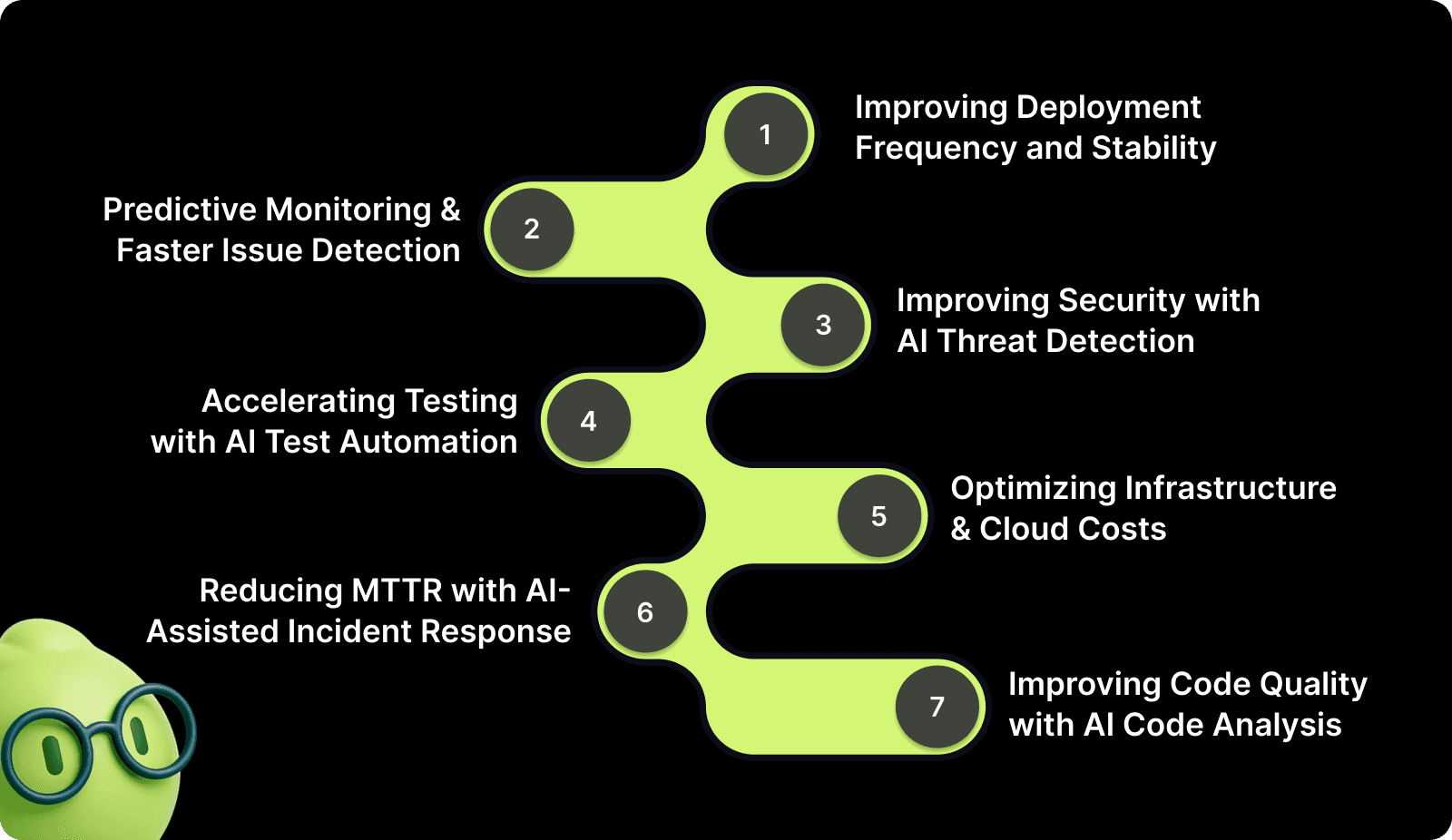
Understanding AI capabilities is one thing, but knowing exactly how to apply them is what drives results. Let's walk through seven proven use cases where AI delivers measurable improvements to your DevOps pipeline.
1. Improving Deployment Frequency and Stability
Deployments often fail for reasons that aren’t obvious from the code alone, such as misaligned configs, hidden dependency changes, and unusual traffic behavior. AI gives developers early warnings by analyzing past failures and real-time conditions so you can ship code with fewer surprises.
If your service historically fails when memory usage spikes during deployment, AI can flag this risk before you merge, letting you fix the issue early rather than being paged in the middle of the night.
How developers can use this
Add AI release scoring to PR checks for early risk signals.
Use automated canary deployments so new code only hits a small percentage of traffic.
Enable real-time metric checks in the pipeline to enable safer rollouts.
Review flagged risk patterns to understand what typically causes your deployments to break.
2. Capacity and Flow Optimization Across the Delivery Pipeline
Even strong teams lose time to hidden bottlenecks, long PR review cycles, overloaded reviewers, stalled merges, or uneven work distribution. AI helps optimize delivery flow by analyzing pipeline activity, review behavior, and historical throughput to surface where work is slowing down.
Instead of guessing why lead time increased, AI can show that PRs touching a specific service wait longer for reviews, or that a small group of reviewers is becoming a bottleneck during peak release periods.
How developers can use this
Monitor PR cycle time and review latency trends.
Identify review load imbalances across the team.
Get recommendations on optimal reviewers based on context.
Spot workflow bottlenecks before they impact release timelines.
3. Predictive Monitoring & Faster Issue Detection
You write the code, but you also get the blame when it breaks. AI-powered monitoring helps you spot issues before customers do. It learns expected patterns, so when your service behaves strangely, you know instantly.
For example, if error rates increase slightly at a time of day when they usually stay flat, AI alerts you immediately, letting you fix a bug long before you get a Slack ping at 2 AM.
How developers can use this
Enable anomaly alerts for your service, not just system-wide.
Use AI insights during debugging to understand what changed.
Compare behavior across previous deployments to identify regressions.
Let AI show you which metric changes correlate with your latest code changes.
4. Improving Security with AI Threat Detection
Security reviews often slow development because issues surface too late. AI brings security checks right into your editor, catching risky code and vulnerable dependencies as you write, long before they block your PR or trigger incidents.
When you introduce an insecure regular expression, an unsafe SQL statement, or a vulnerable library, AI flags it instantly and suggests a fix so your PR doesn’t get slowed down later.
How developers can use this
Turn on AI-powered SAST/DAST in your IDE or editor.
Use AI to recommend safe dependency versions as you import them.
Integrate automated security rules directly into your CI.
Review vulnerability trends to see which patterns you commonly introduce.
5. Accelerating Testing with AI Test Automation
Large test suites slow down pipelines and block your merge queue. AI helps by choosing the tests that actually matter, healing flaky UI tests, and generating missing test cases in complex logic, giving you faster feedback and fewer red builds.
For example, if you modify a utility function, the AI runs only the tests affected by that function, rather than the entire suite, dramatically shortening your feedback loop.
How developers can use this
Use Test Impact Analysis to shorten CI by running only relevant tests.
Let AI auto-heal UI selectors instead of manually updating them.
Generate new tests automatically when writing complex logic.
Track test speed and flaky tests to keep your pipeline efficient.
6. Optimizing Infrastructure & Cloud Costs
Developers may not own the cloud bill, but you do own the performance and reliability of your services. AI helps show how your code affects infrastructure, catches inefficient resource usage early, and prevents outages caused by capacity issues.
Things you can do
Review AI-generated efficiency reports after deployments.
Use AI to detect performance regressions tied to your changes.
Let AI suggest more efficient caching, queries, or memory usage.
Coordinate with platform teams on rightsizing based on real code behavior.
7. Reducing MTTR with AI-Assisted Incident Response
During incidents, the hardest part is figuring out what actually broke. AI speeds this up by correlating logs, metrics, and traces and presenting developers with a likely root cause, so you're not scrambling across systems.
For example, if users see errors in your service, AI might show you that the actual cause is a downstream timeout introduced after your latest change, saving you 30 minutes of guesswork.
How developers can use this
Use AI-powered RCA tools during debugging sessions.
Follow AI’s correlation insights across logs, traces, and metrics.
Automate common fixes (restart pods, roll back versions).
Feed post-incident learnings into AI so the system improves.
8. Improving Code Quality with AI Code Analysis
Code complexity grows fast, and technical debt grows faster. AI highlights issues early, explains why they matter, and offers fixes that match your architecture and team conventions, improving readability and maintainability.
How developers can use this
Enable real-time code quality checks in your IDE.
Use AI to detect anti-patterns or performance pitfalls.
Review risk scores before submitting PRs to reduce review time.
Use AI’s refactoring suggestions to produce cleaner, standard-aligned code.
If you want to apply these AI benefits without stitching together multiple tools, Entelligence AI brings them into a single workflow, helping DevOps teams improve code quality, speed up reviews, detect risks earlier, and ship with confidence.
Top AI Tools DevOps Teams Can Use
The right AI-powered tools can help you surface insights faster and free engineers to focus on strategic challenges rather than manual toil.
Below is a curated list of popular AI tools that DevOps teams can adopt today, spanning code intelligence, deployment automation, monitoring, security, and workflow optimization.
Tool | Primary Use Case | Why It Matters |
AI-powered engineering intelligence (code reviews, docs, insights) | Automates context-aware code review, auto-generates documentation, and provides team analytics so teams ship faster with fewer errors; integrates with major workflows like GitHub, GitLab, Jira, and Slack. | |
GitHub Copilot (DevOps workflows) | AI-assisted code generation & CI hints. | Helps with code completion, suggesting CI/CD snippets, and accelerating development within the IDE. |
Harness AI | Deployment automation & verification. | Uses AI to validate deployments, reduce risk, and manage progressive delivery. |
Dynatrace AI | Observability & AI-driven root cause analysis. | Provides automated anomaly detection and issue explanation across the full stack of monitoring. |
New Relic AI | Monitoring & alert noise reduction. | Applies AI to correlate metrics and logs, reducing alert fatigue for DevOps teams. |
PagerDuty AIOps | Incident triage & escalation automation. | Uses AI to prioritize incidents and automate response workflows. |
Splunk ITSI | Predictive analytics & operations insights. | Delivers analytics-driven insights for operations and event correlation. |
GitLab Duo (AI features) | Full DevOps lifecycle automation | AI-enhanced features across planning, CI/CD, and security. |
Each of these tools targets a specific part of the DevOps workflow, from early development and testing to deployment and operations. Together, they help teams:
Reduce manual toil through automation.
Improve reliability via predictive insights.
Accelerate delivery with smarter CI/CD and code assistance.
Secure pipelines by catching errors earlier.
Improve observability with AI-driven monitoring.
Using the right combination of tools based on your team’s needs (whether it’s code quality, monitoring, deployment, or security) positions you to realize the full potential of AI in DevOps.
Step-by-Step AI Adoption Roadmap for DevOps Teams
Implementing AI successfully requires a structured approach. This roadmap guides you from assessment through full-scale adoption, ensuring you build on solid foundations and measure progress along the way.
Step 1: Assess Your Current DevOps Maturity
Map each stage from commit to deployment.
Identify gaps in testing, observability, and release speed.
Create a maturity checklist.
Document bottlenecks AI can address.
Step 2: Pick a High‑Impact Pilot Use Case
Select one workflow or service with clear friction.
Define success metrics (e.g., alert reduction, test speed).
Confirm data availability (logs, metrics, outcomes).
Set a 4–8 week pilot timeline.
Step 3: Prepare Your Data and Tooling
Centralize logs, metrics, and traces.
Standardize service naming and identifiers.
Enable data export from CI/CD, monitoring, and testing tools.
Establish automated tagging for deployment outcomes.
Step 4: Run Your Pilot and Evaluate Regularly
Configure the AI model or tool for your pilot use case.
Run it on live or near‑live data while your team observes outputs.
Hold weekly check‑ins to review results and tune configurations.
Measure against your success criteria (e.g., lower MTTR, fewer failed deployments).
Step 5: Build Feedback Loops and Continuous Improvement
Feed real results (true/false positives, deployment outcomes) back into the models.
Tune thresholds and alerting logic based on your team’s context.
Capture qualitative feedback from developers and SREs.
Adjust AI suggestions and automation rules based on real workflow friction points.
Step 6: Expand to Additional Use Cases Gradually
Once you’ve proven value in one area, extend AI to other parts of the DevOps pipeline without overwhelming the team.
Typical next steps include:
Prioritize use cases based on impact and data availability.
Roll out incrementally, starting with low‑risk environments (e.g., staging).
Measure and compare outcomes between areas to guide future expansion.
Step 7: Operationalize and Scale Across the Organization
Integrate AI insights into your core dashboards and sprint reviews.
Document best practices and standard operating procedures.
Train team members on interpreting AI outputs and recommendations.
Monitor adoption metrics (usage, impact on KPIs) and adjust priorities.
Step 8: Define Governance, Roles, and Measurement
Define who approves automated actions (merge decisions, deployment pauses).
Establish guardrails for AI‑initiated changes (e.g., thresholds, approvals).
Create dashboards to measure business and engineering impact.
Regularly review governance policies to ensure alignment with team goals.
Follow this roadmap and give your team a structured way to gradually adopt AI, ensuring each step delivers real value and strengthens your overall delivery pipeline.
Challenges of Using AI in DevOps (and How to Overcome Them)
AI can significantly improve DevOps workflows, but adopting it isn't always easy. Teams often face obstacles related to skills, data, integration, automation risks, and cultural mindset. Understanding these challenges early helps you plan more effectively and ensure a smooth AI rollout within your engineering organization.
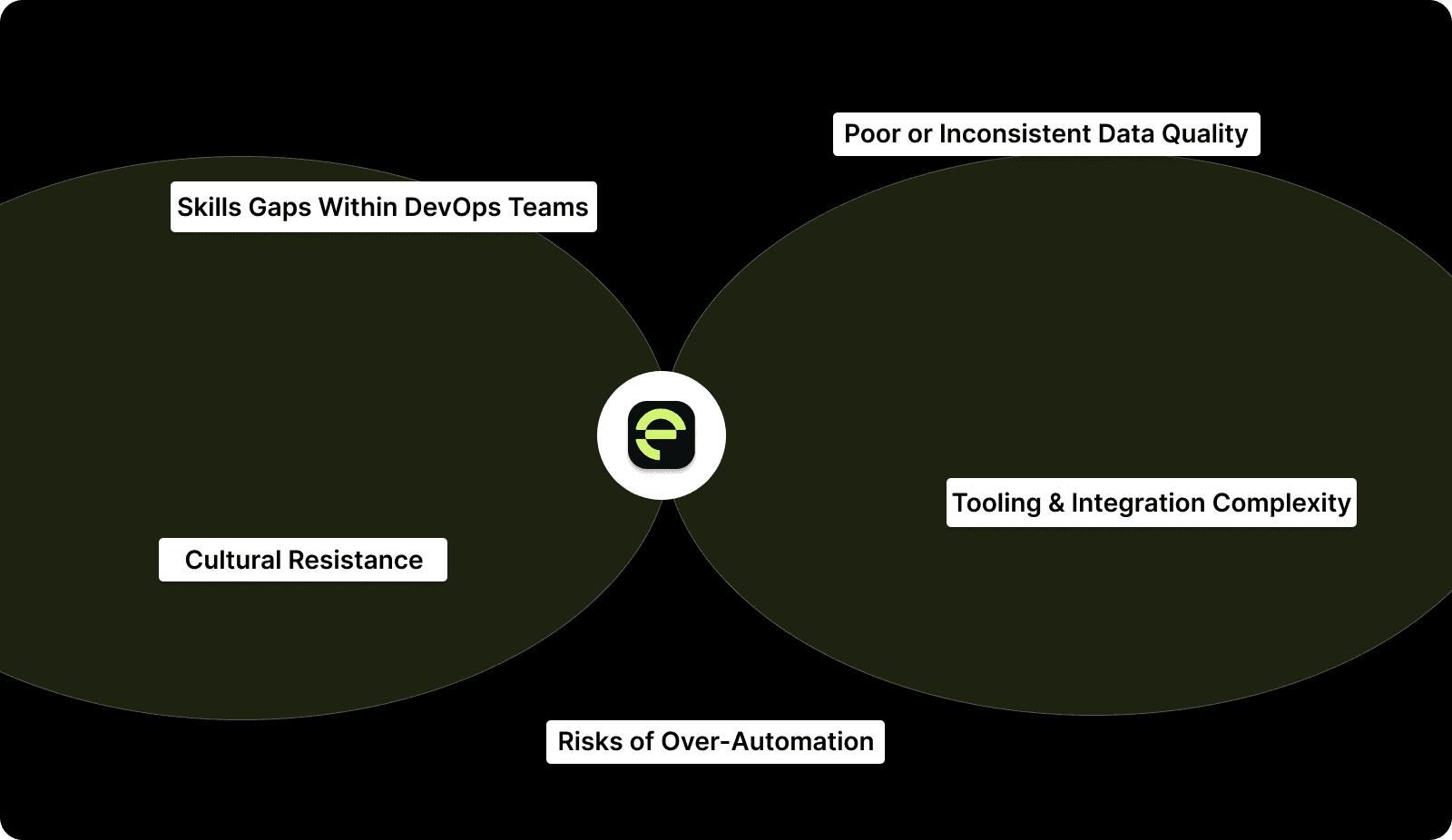
Below are the most common challenges DevOps teams encounter, along with practical ways to address them.
1. Skills Gaps Within DevOps Teams
Most DevOps engineers aren’t trained in ML concepts, model evaluation, or data engineering. This creates uncertainty about how to configure AI tools or interpret their outputs.
How to overcome it:
Choose AI platforms with turnkey integrations and minimal model tuning.
Provide practical training on using AI tools, not deep ML theory.
Start with low-risk features (e.g., anomaly detection, PR insights).
Use vendor support and documentation to accelerate onboarding.
2. Poor or Inconsistent Data Quality
AI systems depend on high-quality, consistent logs, metrics, traces, and deployment outcomes. Noisy or fragmented data leads to bad predictions and unreliable recommendations.
How to overcome it:
Standardize logging formats and metric naming conventions.
Validate and clean data before feeding it into AI tools.
Continuously monitor model accuracy and tune thresholds.
Establish feedback loops so AI learns from real outcomes.
3. Tooling and Integration Complexity
DevOps environments are often built from dozens of tools. Introducing AI requires connecting them, aligning data formats, and configuring pipelines, which can be time-consuming.
How to overcome it:
Pick AI tools like Entelligence AI with native integrations for GitHub, GitLab, Jenkins, or Kubernetes.
Roll out AI in one pipeline or service at a time.
Use API-based workflows to reduce the need for custom scripting.
Maintain a documented playbook for repeatable integrations.
4. Security, Privacy, and Data Governance Concerns
AI tools often require access to source code, logs, metrics, and incident data. Teams may hesitate due to concerns around data exposure, retention policies, vendor access, and compliance requirements.
How to overcome it
Clearly define what data is shared with AI vendors and why.
Review data retention, encryption, and access control policies.
Limit AI access to only required repositories and telemetry.
Choose vendors with strong compliance and audit practices.
5. Risks of Over-Automation
AI can automate alerts, code analysis, test selection, and even remediation, but fully trusting automated actions too early is risky. Incorrect auto-fixes or mis-scored risks can introduce operational instability.
How to overcome it:
Keep humans involved in high-impact decisions, such as rollouts or remediations.
Regularly review AI-generated suggestions for accuracy.
Set clear guardrails around what AI can modify automatically.
Treat AI as a decision-support layer, not an autonomous operator.
6. Cultural Resistance and Trust Barriers
Some teams hesitate to use AI suggestions, especially if they feel automation reduces autonomy or adds opaque decision-making. Without trust, adoption stalls.
How to overcome it:
Start with visible wins (e.g., reduced noisy alerts or faster PRs).
Show before-and-after metrics to build confidence.
Encourage feedback loops between engineers and AI outputs.
Emphasize that AI augments an engineer's judgment rather than replacing it.
The Future of AI in DevOps
Multiple market research forecasts and developer surveys from 2025 confirm that AI-driven features are already mainstream in many teams. Independent analysts expect this trend to continue strongly through 2027, making AI an essential part of modern DevOps practices.
Let’s have a look at some key future trends, each backed by forecast data and with practical implications for DevOps teams.
1. AI Operations (AIOps) Becomes Standard for Alerting and Incident Management
Market analysts project the AIOps market to grow significantly by 2027, reaching approximately USD 19.7 billion, reflecting wide enterprise investment in AI-powered monitoring and automation.
What this means for DevOps teams
AI will handle alert noise reduction and event correlation as a default capability.
Predictive incident detection and automated prioritization will reduce manual triage work.
Teams should standardize logs and metrics to supply quality data for AIOps models.
2. AI Continues to Automate CI/CD and Testing Workflows
Analysts note strong growth in AI-enabled features across CI/CD tooling, including test impact analysis and automated test generation, expected to shorten pipeline feedback loops through 2026 and 2027.
Practical changes DevOps teams should make.
Implement traceability between changes and test results.
Allow AI to select test subsets and generate new tests to address coverage gaps.
Build pipelines that support progressive rollouts and automated rollback logic.
3. Generative AI Becomes a Core Interface Across Tools
Surveys from 2025 show that developers rely heavily on AI assistance for everyday tasks, including code suggestions, runbook generation, and documentation.
By 2027, natural language interfaces and generative AI will be widespread in:
IDEs
ChatOps bots
Incident response UIs
Automated runbook creation
How teams can prepare now
Standardize incident playbooks to improve the accuracy of generative outputs.
Train teams to interpret AI suggestions rather than blindly accept them.
Create internal guidelines for the use of generative AI in critical systems.
Entelligence: AI-Powered Engineering Intelligence for DevOps
Entelligence is an AI-powered engineering intelligence platform designed to help DevOps and software teams ship faster, safer, and with higher quality.
DevOps success depends on speed, stability, and collaboration. Entelligence AI strengthens all three by embedding AI into the development lifecycle, from coding and reviews to documentation and team insights.
Key Capabilities
AI-Driven Code Reviews: Automated, context-aware PR reviews that catch bugs, enforce standards, and reduce review bottlenecks.
Real-Time AI Coding Assistance: IDE integrations (VS Code, Cursor, Windsurf) that deliver suggestions, refactoring help, and issue detection before code is committed.
Intelligent Documentation & Knowledge Management: Automatic documentation generation and updates to support onboarding, system understanding, and cross-team alignment.
Engineering Performance & Delivery Insights: Data-backed visibility into review health, bottlenecks, sprint trends, and delivery performance for continuous improvement.
Contextual Collaboration: AI links code, issues, and docs together so teams spend less time searching for context and more time executing.
By shortening PR cycles, reducing production issues, accelerating onboarding, improving engineering decisions, and catching reliability risks early, Entelligence AI delivers a measurable, end-to-end upgrade to the DevOps pipeline.
Conclusion
AI is becoming a practical advantage for DevOps teams, not a future concept. Teams that learn how DevOps can take advantage of AI are seeing faster releases, fewer issues, and clearer visibility into how their systems behave. With the proper steps, starting small, improving data quality, and expanding use cases gradually, AI becomes a natural extension of the workflow rather than an extra layer of complexity.
If you want a tool that makes this easier, Entelligence AI offers a focused way for teams to improve code quality, speed up reviews, generate documentation automatically, and get engineering insights without changing their existing setup. Start your trial and move toward a more predictable, more efficient DevOps pipeline.
FAQ’s
1. What are the 7 C's of DevOps?
The “7 C’s” aren’t an official DevOps standard, but some teams use the mnemonic to reinforce core practices: culture, collaboration, continuous integration, continuous testing, continuous delivery, continuous monitoring, and continuous feedback.
2. Will DevOps be taken over by AI?
AI will not replace DevOps. It enhances workflows by automating analysis, reducing manual effort, improving reliability, and supporting decisions. DevOps still requires human judgment, architecture understanding, and ownership.
3. What is the 30% rule for AI?
The 30 percent rule suggests AI can automate or accelerate roughly one third of tasks in technical workflows, improving efficiency while keeping humans responsible for oversight and final decisions.
4. Which AI is better for DevOps?
The best AI for DevOps depends on team needs. Tools like Entelligence AI, Dynatrace, Harness, and GitLab Duo support code quality, monitoring, deployment automation, and incident response.
5. What is CI CD CT in DevOps?
CI is Continuous Integration, CD is Continuous Delivery, and CT is Continuous Testing. Together, they streamline development, automate releases, improve quality, and ensure changes ship faster with fewer issues.
If you’ve been questioning how DevOps can take advantage of AI, and whether your pipeline is truly getting more efficient or simply more complicated, the latest research finally gives teams some clarity. In Google’s 2025 DORA research, AI adoption among software development professionals reached 90%, and more than 80% of respondents reported productivity benefits from using AI in their workflows.
Instead of relying on scattered tools or manual checks that slow progress, AI enhances the parts of the pipeline that matter most: code quality, review responsiveness, visibility into bottlenecks, and the ability to catch issues before they reach production. It supports decisions with real data rather than guesswork, helping teams stay consistent even as systems grow.
In this blog, we’ll break down how AI strengthens DevOps workflows, where it brings the most measurable value, and how teams can use it to improve reliability, reduce friction, and build a pipeline that scales with confidence.
Key Takeaways
AI helps DevOps teams improve delivery speed, stability, and issue detection by analyzing patterns across code, tests, deployments, and infrastructure.
Practical use cases such as predictive monitoring, AI-assisted testing, automated code reviews, and AIOps offer measurable improvements.
A structured AI adoption roadmap, starting with a pilot, improving data quality, and expanding gradually, ensures smoother integration without adding complexity.
Success depends on overcoming common challenges like data consistency, skills gaps, integration overhead, and trust barriers within engineering teams.
Tools like Entelligence AI help teams apply these principles more quickly by automating reviews, documentation, and insights directly within existing DevOps workflows.
What is AI in DevOps?
AI in DevOps means using machine learning and generative AI to make software delivery workflows more predictive and less manual across builds, tests, deployments, monitoring, and incident response. Rather than relying only on static automation rules or human review, AI learns from telemetry and workflow data to surface risks, inefficiencies, and optimization opportunities earlier in the process.
In practice, AI shows up in two distinct but complementary areas:
AI in the delivery pipeline, including coding assistance, pull request review support, test optimization, and release risk detection.
AIOps in production, focused on anomaly detection, alert correlation, and faster root cause analysis once software is running in live environments.
Your CI/CD and observability tools don’t disappear. AI sits on top of existing telemetry and workflow data, analyzing patterns across systems to highlight bottlenecks, flag potential issues, and recommend the next best actions, helping teams move faster with greater confidence.
How DevOps Teams Can Take Advantage of AI? Key Benefits
Understanding AI capabilities is one thing, but knowing exactly how to apply them is what drives results. Let's walk through seven proven use cases where AI delivers measurable improvements to your DevOps pipeline.

1. Improving Deployment Frequency and Stability
Deployments often fail for reasons that aren’t obvious from the code alone, such as misaligned configs, hidden dependency changes, and unusual traffic behavior. AI gives developers early warnings by analyzing past failures and real-time conditions so you can ship code with fewer surprises.
If your service historically fails when memory usage spikes during deployment, AI can flag this risk before you merge, letting you fix the issue early rather than being paged in the middle of the night.
How developers can use this
Add AI release scoring to PR checks for early risk signals.
Use automated canary deployments so new code only hits a small percentage of traffic.
Enable real-time metric checks in the pipeline to enable safer rollouts.
Review flagged risk patterns to understand what typically causes your deployments to break.
2. Capacity and Flow Optimization Across the Delivery Pipeline
Even strong teams lose time to hidden bottlenecks, long PR review cycles, overloaded reviewers, stalled merges, or uneven work distribution. AI helps optimize delivery flow by analyzing pipeline activity, review behavior, and historical throughput to surface where work is slowing down.
Instead of guessing why lead time increased, AI can show that PRs touching a specific service wait longer for reviews, or that a small group of reviewers is becoming a bottleneck during peak release periods.
How developers can use this
Monitor PR cycle time and review latency trends.
Identify review load imbalances across the team.
Get recommendations on optimal reviewers based on context.
Spot workflow bottlenecks before they impact release timelines.
3. Predictive Monitoring & Faster Issue Detection
You write the code, but you also get the blame when it breaks. AI-powered monitoring helps you spot issues before customers do. It learns expected patterns, so when your service behaves strangely, you know instantly.
For example, if error rates increase slightly at a time of day when they usually stay flat, AI alerts you immediately, letting you fix a bug long before you get a Slack ping at 2 AM.
How developers can use this
Enable anomaly alerts for your service, not just system-wide.
Use AI insights during debugging to understand what changed.
Compare behavior across previous deployments to identify regressions.
Let AI show you which metric changes correlate with your latest code changes.

4. Improving Security with AI Threat Detection
Security reviews often slow development because issues surface too late. AI brings security checks right into your editor, catching risky code and vulnerable dependencies as you write, long before they block your PR or trigger incidents.
When you introduce an insecure regular expression, an unsafe SQL statement, or a vulnerable library, AI flags it instantly and suggests a fix so your PR doesn’t get slowed down later.
How developers can use this
Turn on AI-powered SAST/DAST in your IDE or editor.
Use AI to recommend safe dependency versions as you import them.
Integrate automated security rules directly into your CI.
Review vulnerability trends to see which patterns you commonly introduce.
5. Accelerating Testing with AI Test Automation
Large test suites slow down pipelines and block your merge queue. AI helps by choosing the tests that actually matter, healing flaky UI tests, and generating missing test cases in complex logic, giving you faster feedback and fewer red builds.
For example, if you modify a utility function, the AI runs only the tests affected by that function, rather than the entire suite, dramatically shortening your feedback loop.
How developers can use this
Use Test Impact Analysis to shorten CI by running only relevant tests.
Let AI auto-heal UI selectors instead of manually updating them.
Generate new tests automatically when writing complex logic.
Track test speed and flaky tests to keep your pipeline efficient.
6. Optimizing Infrastructure & Cloud Costs
Developers may not own the cloud bill, but you do own the performance and reliability of your services. AI helps show how your code affects infrastructure, catches inefficient resource usage early, and prevents outages caused by capacity issues.
Things you can do
Review AI-generated efficiency reports after deployments.
Use AI to detect performance regressions tied to your changes.
Let AI suggest more efficient caching, queries, or memory usage.
Coordinate with platform teams on rightsizing based on real code behavior.
7. Reducing MTTR with AI-Assisted Incident Response
During incidents, the hardest part is figuring out what actually broke. AI speeds this up by correlating logs, metrics, and traces and presenting developers with a likely root cause, so you're not scrambling across systems.
For example, if users see errors in your service, AI might show you that the actual cause is a downstream timeout introduced after your latest change, saving you 30 minutes of guesswork.
How developers can use this
Use AI-powered RCA tools during debugging sessions.
Follow AI’s correlation insights across logs, traces, and metrics.
Automate common fixes (restart pods, roll back versions).
Feed post-incident learnings into AI so the system improves.
8. Improving Code Quality with AI Code Analysis
Code complexity grows fast, and technical debt grows faster. AI highlights issues early, explains why they matter, and offers fixes that match your architecture and team conventions, improving readability and maintainability.
How developers can use this
Enable real-time code quality checks in your IDE.
Use AI to detect anti-patterns or performance pitfalls.
Review risk scores before submitting PRs to reduce review time.
Use AI’s refactoring suggestions to produce cleaner, standard-aligned code.
If you want to apply these AI benefits without stitching together multiple tools, Entelligence AI brings them into a single workflow, helping DevOps teams improve code quality, speed up reviews, detect risks earlier, and ship with confidence.

Top AI Tools DevOps Teams Can Use
The right AI-powered tools can help you surface insights faster and free engineers to focus on strategic challenges rather than manual toil.
Below is a curated list of popular AI tools that DevOps teams can adopt today, spanning code intelligence, deployment automation, monitoring, security, and workflow optimization.
Tool | Primary Use Case | Why It Matters |
AI-powered engineering intelligence (code reviews, docs, insights) | Automates context-aware code review, auto-generates documentation, and provides team analytics so teams ship faster with fewer errors; integrates with major workflows like GitHub, GitLab, Jira, and Slack. | |
GitHub Copilot (DevOps workflows) | AI-assisted code generation & CI hints. | Helps with code completion, suggesting CI/CD snippets, and accelerating development within the IDE. |
Harness AI | Deployment automation & verification. | Uses AI to validate deployments, reduce risk, and manage progressive delivery. |
Dynatrace AI | Observability & AI-driven root cause analysis. | Provides automated anomaly detection and issue explanation across the full stack of monitoring. |
New Relic AI | Monitoring & alert noise reduction. | Applies AI to correlate metrics and logs, reducing alert fatigue for DevOps teams. |
PagerDuty AIOps | Incident triage & escalation automation. | Uses AI to prioritize incidents and automate response workflows. |
Splunk ITSI | Predictive analytics & operations insights. | Delivers analytics-driven insights for operations and event correlation. |
GitLab Duo (AI features) | Full DevOps lifecycle automation | AI-enhanced features across planning, CI/CD, and security. |
Each of these tools targets a specific part of the DevOps workflow, from early development and testing to deployment and operations. Together, they help teams:
Reduce manual toil through automation.
Improve reliability via predictive insights.
Accelerate delivery with smarter CI/CD and code assistance.
Secure pipelines by catching errors earlier.
Improve observability with AI-driven monitoring.
Using the right combination of tools based on your team’s needs (whether it’s code quality, monitoring, deployment, or security) positions you to realize the full potential of AI in DevOps.
Step-by-Step AI Adoption Roadmap for DevOps Teams
Implementing AI successfully requires a structured approach. This roadmap guides you from assessment through full-scale adoption, ensuring you build on solid foundations and measure progress along the way.
Step 1: Assess Your Current DevOps Maturity
Map each stage from commit to deployment.
Identify gaps in testing, observability, and release speed.
Create a maturity checklist.
Document bottlenecks AI can address.
Step 2: Pick a High‑Impact Pilot Use Case
Select one workflow or service with clear friction.
Define success metrics (e.g., alert reduction, test speed).
Confirm data availability (logs, metrics, outcomes).
Set a 4–8 week pilot timeline.
Step 3: Prepare Your Data and Tooling
Centralize logs, metrics, and traces.
Standardize service naming and identifiers.
Enable data export from CI/CD, monitoring, and testing tools.
Establish automated tagging for deployment outcomes.
Step 4: Run Your Pilot and Evaluate Regularly
Configure the AI model or tool for your pilot use case.
Run it on live or near‑live data while your team observes outputs.
Hold weekly check‑ins to review results and tune configurations.
Measure against your success criteria (e.g., lower MTTR, fewer failed deployments).
Step 5: Build Feedback Loops and Continuous Improvement
Feed real results (true/false positives, deployment outcomes) back into the models.
Tune thresholds and alerting logic based on your team’s context.
Capture qualitative feedback from developers and SREs.
Adjust AI suggestions and automation rules based on real workflow friction points.
Step 6: Expand to Additional Use Cases Gradually
Once you’ve proven value in one area, extend AI to other parts of the DevOps pipeline without overwhelming the team.
Typical next steps include:
Prioritize use cases based on impact and data availability.
Roll out incrementally, starting with low‑risk environments (e.g., staging).
Measure and compare outcomes between areas to guide future expansion.
Step 7: Operationalize and Scale Across the Organization
Integrate AI insights into your core dashboards and sprint reviews.
Document best practices and standard operating procedures.
Train team members on interpreting AI outputs and recommendations.
Monitor adoption metrics (usage, impact on KPIs) and adjust priorities.
Step 8: Define Governance, Roles, and Measurement
Define who approves automated actions (merge decisions, deployment pauses).
Establish guardrails for AI‑initiated changes (e.g., thresholds, approvals).
Create dashboards to measure business and engineering impact.
Regularly review governance policies to ensure alignment with team goals.
Follow this roadmap and give your team a structured way to gradually adopt AI, ensuring each step delivers real value and strengthens your overall delivery pipeline.
Challenges of Using AI in DevOps (and How to Overcome Them)
AI can significantly improve DevOps workflows, but adopting it isn't always easy. Teams often face obstacles related to skills, data, integration, automation risks, and cultural mindset. Understanding these challenges early helps you plan more effectively and ensure a smooth AI rollout within your engineering organization.

Below are the most common challenges DevOps teams encounter, along with practical ways to address them.
1. Skills Gaps Within DevOps Teams
Most DevOps engineers aren’t trained in ML concepts, model evaluation, or data engineering. This creates uncertainty about how to configure AI tools or interpret their outputs.
How to overcome it:
Choose AI platforms with turnkey integrations and minimal model tuning.
Provide practical training on using AI tools, not deep ML theory.
Start with low-risk features (e.g., anomaly detection, PR insights).
Use vendor support and documentation to accelerate onboarding.
2. Poor or Inconsistent Data Quality
AI systems depend on high-quality, consistent logs, metrics, traces, and deployment outcomes. Noisy or fragmented data leads to bad predictions and unreliable recommendations.
How to overcome it:
Standardize logging formats and metric naming conventions.
Validate and clean data before feeding it into AI tools.
Continuously monitor model accuracy and tune thresholds.
Establish feedback loops so AI learns from real outcomes.
3. Tooling and Integration Complexity
DevOps environments are often built from dozens of tools. Introducing AI requires connecting them, aligning data formats, and configuring pipelines, which can be time-consuming.
How to overcome it:
Pick AI tools like Entelligence AI with native integrations for GitHub, GitLab, Jenkins, or Kubernetes.
Roll out AI in one pipeline or service at a time.
Use API-based workflows to reduce the need for custom scripting.
Maintain a documented playbook for repeatable integrations.
4. Security, Privacy, and Data Governance Concerns
AI tools often require access to source code, logs, metrics, and incident data. Teams may hesitate due to concerns around data exposure, retention policies, vendor access, and compliance requirements.
How to overcome it
Clearly define what data is shared with AI vendors and why.
Review data retention, encryption, and access control policies.
Limit AI access to only required repositories and telemetry.
Choose vendors with strong compliance and audit practices.
5. Risks of Over-Automation
AI can automate alerts, code analysis, test selection, and even remediation, but fully trusting automated actions too early is risky. Incorrect auto-fixes or mis-scored risks can introduce operational instability.
How to overcome it:
Keep humans involved in high-impact decisions, such as rollouts or remediations.
Regularly review AI-generated suggestions for accuracy.
Set clear guardrails around what AI can modify automatically.
Treat AI as a decision-support layer, not an autonomous operator.
6. Cultural Resistance and Trust Barriers
Some teams hesitate to use AI suggestions, especially if they feel automation reduces autonomy or adds opaque decision-making. Without trust, adoption stalls.
How to overcome it:
Start with visible wins (e.g., reduced noisy alerts or faster PRs).
Show before-and-after metrics to build confidence.
Encourage feedback loops between engineers and AI outputs.
Emphasize that AI augments an engineer's judgment rather than replacing it.
The Future of AI in DevOps
Multiple market research forecasts and developer surveys from 2025 confirm that AI-driven features are already mainstream in many teams. Independent analysts expect this trend to continue strongly through 2027, making AI an essential part of modern DevOps practices.
Let’s have a look at some key future trends, each backed by forecast data and with practical implications for DevOps teams.
1. AI Operations (AIOps) Becomes Standard for Alerting and Incident Management
Market analysts project the AIOps market to grow significantly by 2027, reaching approximately USD 19.7 billion, reflecting wide enterprise investment in AI-powered monitoring and automation.
What this means for DevOps teams
AI will handle alert noise reduction and event correlation as a default capability.
Predictive incident detection and automated prioritization will reduce manual triage work.
Teams should standardize logs and metrics to supply quality data for AIOps models.
2. AI Continues to Automate CI/CD and Testing Workflows
Analysts note strong growth in AI-enabled features across CI/CD tooling, including test impact analysis and automated test generation, expected to shorten pipeline feedback loops through 2026 and 2027.
Practical changes DevOps teams should make.
Implement traceability between changes and test results.
Allow AI to select test subsets and generate new tests to address coverage gaps.
Build pipelines that support progressive rollouts and automated rollback logic.
3. Generative AI Becomes a Core Interface Across Tools
Surveys from 2025 show that developers rely heavily on AI assistance for everyday tasks, including code suggestions, runbook generation, and documentation.
By 2027, natural language interfaces and generative AI will be widespread in:
IDEs
ChatOps bots
Incident response UIs
Automated runbook creation
How teams can prepare now
Standardize incident playbooks to improve the accuracy of generative outputs.
Train teams to interpret AI suggestions rather than blindly accept them.
Create internal guidelines for the use of generative AI in critical systems.
Entelligence: AI-Powered Engineering Intelligence for DevOps
Entelligence is an AI-powered engineering intelligence platform designed to help DevOps and software teams ship faster, safer, and with higher quality.
DevOps success depends on speed, stability, and collaboration. Entelligence AI strengthens all three by embedding AI into the development lifecycle, from coding and reviews to documentation and team insights.
Key Capabilities
AI-Driven Code Reviews: Automated, context-aware PR reviews that catch bugs, enforce standards, and reduce review bottlenecks.
Real-Time AI Coding Assistance: IDE integrations (VS Code, Cursor, Windsurf) that deliver suggestions, refactoring help, and issue detection before code is committed.
Intelligent Documentation & Knowledge Management: Automatic documentation generation and updates to support onboarding, system understanding, and cross-team alignment.
Engineering Performance & Delivery Insights: Data-backed visibility into review health, bottlenecks, sprint trends, and delivery performance for continuous improvement.
Contextual Collaboration: AI links code, issues, and docs together so teams spend less time searching for context and more time executing.
By shortening PR cycles, reducing production issues, accelerating onboarding, improving engineering decisions, and catching reliability risks early, Entelligence AI delivers a measurable, end-to-end upgrade to the DevOps pipeline.
Conclusion
AI is becoming a practical advantage for DevOps teams, not a future concept. Teams that learn how DevOps can take advantage of AI are seeing faster releases, fewer issues, and clearer visibility into how their systems behave. With the proper steps, starting small, improving data quality, and expanding use cases gradually, AI becomes a natural extension of the workflow rather than an extra layer of complexity.
If you want a tool that makes this easier, Entelligence AI offers a focused way for teams to improve code quality, speed up reviews, generate documentation automatically, and get engineering insights without changing their existing setup. Start your trial and move toward a more predictable, more efficient DevOps pipeline.
FAQ’s
1. What are the 7 C's of DevOps?
The “7 C’s” aren’t an official DevOps standard, but some teams use the mnemonic to reinforce core practices: culture, collaboration, continuous integration, continuous testing, continuous delivery, continuous monitoring, and continuous feedback.
2. Will DevOps be taken over by AI?
AI will not replace DevOps. It enhances workflows by automating analysis, reducing manual effort, improving reliability, and supporting decisions. DevOps still requires human judgment, architecture understanding, and ownership.
3. What is the 30% rule for AI?
The 30 percent rule suggests AI can automate or accelerate roughly one third of tasks in technical workflows, improving efficiency while keeping humans responsible for oversight and final decisions.
4. Which AI is better for DevOps?
The best AI for DevOps depends on team needs. Tools like Entelligence AI, Dynatrace, Harness, and GitLab Duo support code quality, monitoring, deployment automation, and incident response.
5. What is CI CD CT in DevOps?
CI is Continuous Integration, CD is Continuous Delivery, and CT is Continuous Testing. Together, they streamline development, automate releases, improve quality, and ensure changes ship faster with fewer issues.
We raised $5M to run your Engineering team on Autopilot
Watch our launch video
Talk to Sales
Turn engineering signals into leadership decisions
Connect with our team to see how Entelliegnce helps engineering leaders with full visibility into sprint performance, Team insights & Product Delivery
Talk to Sales
Turn engineering signals into leadership decisions
Connect with our team to see how Entelliegnce helps engineering leaders with full visibility into sprint performance, Team insights & Product Delivery
Try Entelligence now