

10 Best Practices for Efficient Codebase Review
Dec 12, 2025
Dec 12, 2025
In large-scale software projects, code reviews can often become overwhelming and time-consuming. With sprawling codebases, keeping track of every change while maintaining high standards can be a significant challenge. Poorly structured code reviews lead to slow feedback loops, increased bugs, and decreased overall development velocity.
However, an efficient codebase review process is essential for identifying defects early and ensuring consistency across the project. In fact, 62.3% strongly agreed that peer code review increases code maintainability. With the right strategies, teams can maintain high-quality code throughout the project lifecycle.
In this article, we'll explore 10 proven best practices for managing code reviews in large projects. We'll cover how to structure your codebase, keep pull requests small, and use automation effectively.
Key Takeaways
Efficient reviews help identify potential issues early in the development cycle, preventing costly bugs in production.
Keeping Pull Requests (PRs) small and focused reduces review time and ensures that each change is thoroughly examined.
Having a straightforward process and checklist for reviews ensures consistency and reduces the risk of missed defects.
A collaborative, positive review culture builds continuous learning and improvement, contributing to a more supportive development environment.
What is a Codebase Review?
A codebase review is the process of thoroughly examining a project's source code to ensure it meets defined quality, maintainability, and functionality standards. It typically involves one or more developers reviewing changes or additions to the codebase.
This is often done via Pull Requests (PRs) and by providing feedback to the original author.
Codebase reviews serve several purposes. Beyond spotting bugs, efficient code reviews strengthen the very foundation of your project. They are vital practices for benefiting quality, maintaining security, and promoting a sustainable codebase.
Why Efficient Code Reviews Matter?
What if a key practice meant to improve quality inadvertently slows your team down? Inefficient code reviews can lead to this slowdown. This isn't a call to abandon reviews, but to perfect them. We’ll examine why efficient code reviews matter:
Catch Bugs and Defects Early: Code reviews help spot logic errors and missing tests before code goes into production, reducing the likelihood of costly bugs in production environments.
Improve Security and Catch Vulnerabilities Early: Regular reviews help identify security vulnerabilities and risky patterns, catching potential issues like insecure dependencies.
Enhance Maintainability and Long-Term Code Health: By reviewing design choices, structure, and readability, code reviews reduce technical debt and ensure the codebase remains maintainable as the project grows.
Facilitate Knowledge Sharing and Team Collaboration: Code reviews promote knowledge sharing, allowing developers to learn from one another and gain deeper insights into different parts of the codebase.
Reduce Debugging Time and Cost: Catching and addressing issues during the review process is far cheaper and faster than debugging after deployment, saving time and reducing costs.
Improve Team Velocity and Delivery Predictability: Efficient reviews with small PRs help avoid bottlenecks, improving velocity and ensuring more predictable, timely deliveries.
With a clear view of the benefits, we can now turn to practical implementation. An effective review process needs to be put in place. So, how do you create one?
Read Also: AI Code Review Techniques and Top Tools
10 Steps for Efficient Code Review Best Practices in Large Projects
Scaling code reviews for a large project presents unique challenges: Overwhelming volume, fragmented knowledge, and inconsistent standards. Overcoming these obstacles requires moving beyond general advice to a deliberate, scalable system.
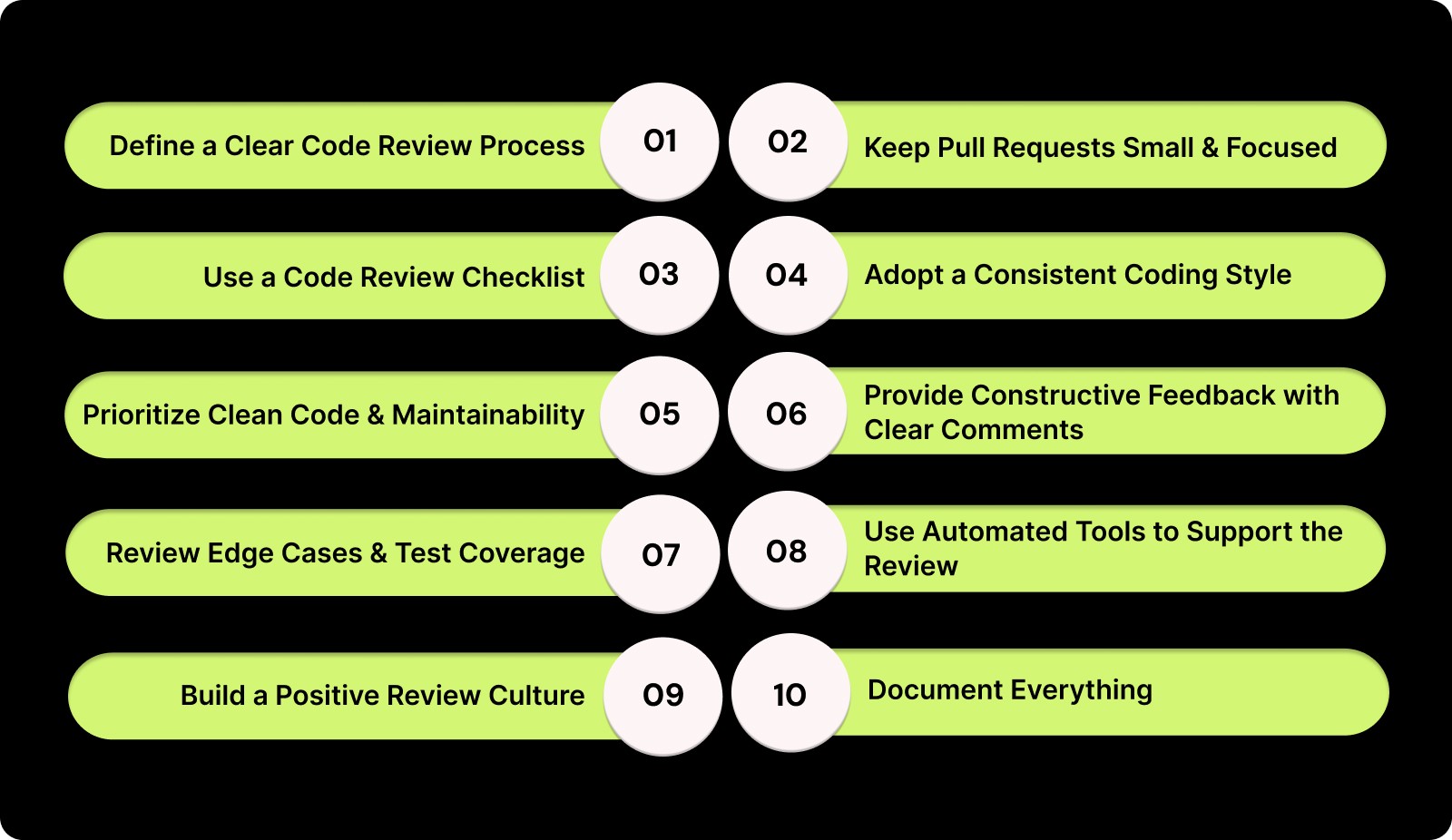
Here, we outline 10 essential steps for implementing efficient, effective code-review best practices:
1. Define a Clear Code Review Process
Action Steps:
Establish clear guidelines for who is responsible for code reviews. Decide if the process will be peer-driven, manager-driven, or a mix of both.
Define what reviewers should focus on (e.g., readability, logic, performance, security).
Set time limits for each review to prevent bottlenecks and ensure timely feedback.
Create a system for handling revisions. Will the same reviewer handle the resubmission, or will another team member take over?
Pitfall to Avoid:
Avoid leaving code reviews open-ended. Having a time-boxed review with clear expectations and deadlines ensures timely feedback that doesn't hinder progress.
2. Keep Pull Requests Small and Focused
Action Steps:
Break prominent features into smaller, digestible PRs that address one feature, bug fix, or enhancement.
Aim for PRs under 200–400 lines of code for easy readability and quicker reviews.
Use stacked PRs for major refactors, where each PR represents a small, incremental step toward a larger feature or fix.
Pitfall to Avoid:
Avoid bundling multiple unrelated changes into a single PR. This confuses reviewers, and the process becomes unnecessarily slow.
For instance, mixing UI changes with backend updates can lead to incomplete reviews.
3. Use a Code Review Checklist
Action Steps:
Develop a checklist for each review, ensuring reviewers verify consistency, proper testing, adherence to design patterns, and overall quality.
Include items such as: "Does the code have unit tests?" "Is the function name descriptive?" "Are edge cases considered?", and "Are performance implications reviewed?"
In large-scale projects, inconsistent code quality, slow feedback cycles, and overlooked edge cases lead to technical debt. These issues result in delayed releases and poor code maintainability.

Entelligence AI solves these challenges by offering features like context-aware code reviews, automated pull request management, and real-time security scanning.
It integrates with IDEs, automating routine tasks such as linting and formatting, and providing comprehensive feedback through built-in review checklists.
Pitfall to Avoid:
Don't use a generic checklist that doesn’t apply to the specific needs of your codebase or team. Customize it to include team-specific best practices and requirements.
4. Adopt a Consistent Coding Style
Action Steps:
Set coding style guidelines for your team, covering everything from indentation to naming conventions.
Use linters and formatters to automate style enforcement.
Ensure that your style guide is easily accessible to all developers.
Pitfall to Avoid:
Avoid over-focusing on nitpicks like indentation and variable naming in reviews. The primary focus should be on logic and functionality. Use automated tools to handle the minor style issues.
5. Prioritize Clean Code and Maintainability
Action Steps:
Review code for modularity and scalability. Ensure that functions and classes are small and focused, avoiding code bloat.
Emphasize reusability by encouraging developers to write code that can be easily extended or modified in the future.
Pitfall to Avoid:
Avoid reviewing code in isolation. Think about how the change fits into the bigger picture. Refactors that improve readability might compromise performance, so consider both aspects during reviews.
6. Provide Constructive Feedback with Clear Comments
Action Steps:
When providing feedback, be specific, actionable, and respectful. For example, instead of saying "This function is too long", say "Consider splitting this function into smaller ones to improve readability."
Use inline comments to make suggestions directly in the code, and provide context and reasoning for your feedback.
Pitfall to Avoid:
Don’t overload reviews with trivial comments. Focus on the bigger picture and avoid excessive nitpicking. Too much feedback can overwhelm the author and slow the process.
7. Review Edge Cases and Test Coverage
Action Steps:
Ensure that the code handles edge cases, situations that fall outside typical input scenarios.
Verify that adequate unit tests and integration tests are in place. A good rule of thumb is that for every new feature, there should be tests covering typical and edge cases.
Pitfall to Avoid:
Don’t assume that code is bug-free because it works in the “happy path.” Test for edge cases such as invalid inputs, performance under load, and unexpected user actions.
8. Use Automated Tools to Support the Review
Action Steps:
Integrate CI/CD pipelines to run tests and linters during the review process automatically.
Automate style checks, test coverage reports, and even fundamental code analysis to offload mechanical tasks from the reviewers.
Pitfall to Avoid:
Automation doesn’t replace manual review. While tools can catch syntax errors or missing tests, human reviewers remain essential for ensuring that logic, design, and architecture are solid.
9. Build a Positive Review Culture
Action Steps:
Encourage a collaborative atmosphere by treating code reviews as learning opportunities rather than a criticism.
Provide feedback that helps developers improve and grow their skills. Use the review process to mentor junior developers and maintain a positive, team-oriented approach.
Pitfall to Avoid:
Avoid creating a blame culture in which reviews are seen as a chore or an opportunity to criticize. Keep feedback focused on improvement and solution-finding, not pointing out flaws.
10. Document Everything
Action Steps:
Keep documentation for all coding standards, review processes, and the rationale behind design decisions.
Ensure that PR descriptions are comprehensive, explaining the purpose of the changes and any relevant background information.

Digibee manages more than 20 microservices, which are deployed multiple times a day. With many merge requests (MRs) touching different languages (Java, Go, TypeScript) and repositories, they faced recurring issues: Stale docs, unclear cross-repo context, and lengthy review cycles.
Developers often spend hours jumping across services to understand data flows or architecture, which slows onboarding and increases the risk of misunderstandings. Upon integration with Entelligence AI, Digibee automatically generates documentation that refreshes with every commit, ensuring that documentation stays in sync with the source code.
Pitfall to Avoid:
Neglecting to document essential decisions and rationale can leave future developers in the dark. Proper documentation ensures long-term maintainability.
Also Read: Static Code Analysis: A Complete Guide to Improving Your Code
Why an End-to-End Engineering Productivity Suite Matters for Code Reviews?
Code reviews are a cornerstone of maintaining high-quality software, but the process can become fragmented and inefficient without the right tools. As engineering teams scale, keeping documentation up to date can become overwhelming.
Entelligence AI platform works as a complete engineering productivity suite designed to optimize your entire development cycle, from coding to deployment. Here’s how we help teams unlock greater efficiency and maintain high standards:
AI-Powered Code Reviews: Automates real-time analysis of code changes, flagging potential bugs, and reducing the need for back-and-forth discussions in PR reviews.
Automated, AI-Driven Documentation: Generates new documentation and updates existing technical docs automatically as code changes. This also includes architecture diagrams, code explanations, and API details, ensuring everything stays accurate with every commit.
Context-Aware Feedback: Provides contextual suggestions directly within your IDE, allowing developers to make changes on the fly without switching between platforms. This saves time and increases code quality.
Organized Pull Request Management: Provides a unified dashboard to track, manage, and prioritize PRs across repositories, reducing the time spent digging through tools like GitHub and Slack.
Enhanced Team Collaboration: Facilitates smoother collaboration across teams by offering transparent, data-backed insights into team performance, code quality, and individual contributions.
Continuous Security Monitoring: Integrates security scanning directly into the development process, catching vulnerabilities and unsafe patterns before code reaches production.
Customizable Checklists for Reviews: Use built-in checklists to ensure no critical review elements are missed so that teams can focus on code quality rather than the process.
Integrating Entelligence AI into your engineering workflow, you can maintain a high standard of quality across your codebase.
Conclusion
Efficient codebase reviews are essential for maintaining high-quality code, especially in large projects. By implementing the best practices discussed in this guide, teams can organize the review process and ensure that their code remains secure.
A platform like Entelligence AI helps teams automate repetitive tasks and ensure consistency, leading to faster, higher-quality code reviews. With us, your team can focus on building great products while eliminating the overhead typically associated with code reviews.
Start optimizing your code review process today with a 14-day free trial with Entelligence AI.
FAQs
1. How do I keep code reviews efficient in large projects?
To keep reviews efficient, break down prominent features into smaller, manageable PRs. Use automated tools to handle style checks and repetitive tasks, and establish a transparent review process with defined guidelines for your team.
2. What are the benefits of small pull requests?
Small PRs are easier to review, quicker to merge, and allow for more focused feedback. They reduce cognitive load on reviewers and help prevent them from being overwhelmed by too many changes at once.
3. Why is documenting the code review process important?
Documentation ensures that coding standards, review processes, and design decisions are consistent across teams. By keeping PR descriptions and technical documentation up to date, teams can prevent misunderstandings and make onboarding easier.
In large-scale software projects, code reviews can often become overwhelming and time-consuming. With sprawling codebases, keeping track of every change while maintaining high standards can be a significant challenge. Poorly structured code reviews lead to slow feedback loops, increased bugs, and decreased overall development velocity.
However, an efficient codebase review process is essential for identifying defects early and ensuring consistency across the project. In fact, 62.3% strongly agreed that peer code review increases code maintainability. With the right strategies, teams can maintain high-quality code throughout the project lifecycle.
In this article, we'll explore 10 proven best practices for managing code reviews in large projects. We'll cover how to structure your codebase, keep pull requests small, and use automation effectively.
Key Takeaways
Efficient reviews help identify potential issues early in the development cycle, preventing costly bugs in production.
Keeping Pull Requests (PRs) small and focused reduces review time and ensures that each change is thoroughly examined.
Having a straightforward process and checklist for reviews ensures consistency and reduces the risk of missed defects.
A collaborative, positive review culture builds continuous learning and improvement, contributing to a more supportive development environment.
What is a Codebase Review?
A codebase review is the process of thoroughly examining a project's source code to ensure it meets defined quality, maintainability, and functionality standards. It typically involves one or more developers reviewing changes or additions to the codebase.
This is often done via Pull Requests (PRs) and by providing feedback to the original author.
Codebase reviews serve several purposes. Beyond spotting bugs, efficient code reviews strengthen the very foundation of your project. They are vital practices for benefiting quality, maintaining security, and promoting a sustainable codebase.
Why Efficient Code Reviews Matter?
What if a key practice meant to improve quality inadvertently slows your team down? Inefficient code reviews can lead to this slowdown. This isn't a call to abandon reviews, but to perfect them. We’ll examine why efficient code reviews matter:
Catch Bugs and Defects Early: Code reviews help spot logic errors and missing tests before code goes into production, reducing the likelihood of costly bugs in production environments.
Improve Security and Catch Vulnerabilities Early: Regular reviews help identify security vulnerabilities and risky patterns, catching potential issues like insecure dependencies.
Enhance Maintainability and Long-Term Code Health: By reviewing design choices, structure, and readability, code reviews reduce technical debt and ensure the codebase remains maintainable as the project grows.
Facilitate Knowledge Sharing and Team Collaboration: Code reviews promote knowledge sharing, allowing developers to learn from one another and gain deeper insights into different parts of the codebase.
Reduce Debugging Time and Cost: Catching and addressing issues during the review process is far cheaper and faster than debugging after deployment, saving time and reducing costs.
Improve Team Velocity and Delivery Predictability: Efficient reviews with small PRs help avoid bottlenecks, improving velocity and ensuring more predictable, timely deliveries.
With a clear view of the benefits, we can now turn to practical implementation. An effective review process needs to be put in place. So, how do you create one?
Read Also: AI Code Review Techniques and Top Tools
10 Steps for Efficient Code Review Best Practices in Large Projects
Scaling code reviews for a large project presents unique challenges: Overwhelming volume, fragmented knowledge, and inconsistent standards. Overcoming these obstacles requires moving beyond general advice to a deliberate, scalable system.

Here, we outline 10 essential steps for implementing efficient, effective code-review best practices:
1. Define a Clear Code Review Process
Action Steps:
Establish clear guidelines for who is responsible for code reviews. Decide if the process will be peer-driven, manager-driven, or a mix of both.
Define what reviewers should focus on (e.g., readability, logic, performance, security).
Set time limits for each review to prevent bottlenecks and ensure timely feedback.
Create a system for handling revisions. Will the same reviewer handle the resubmission, or will another team member take over?
Pitfall to Avoid:
Avoid leaving code reviews open-ended. Having a time-boxed review with clear expectations and deadlines ensures timely feedback that doesn't hinder progress.
2. Keep Pull Requests Small and Focused
Action Steps:
Break prominent features into smaller, digestible PRs that address one feature, bug fix, or enhancement.
Aim for PRs under 200–400 lines of code for easy readability and quicker reviews.
Use stacked PRs for major refactors, where each PR represents a small, incremental step toward a larger feature or fix.
Pitfall to Avoid:
Avoid bundling multiple unrelated changes into a single PR. This confuses reviewers, and the process becomes unnecessarily slow.
For instance, mixing UI changes with backend updates can lead to incomplete reviews.
3. Use a Code Review Checklist
Action Steps:
Develop a checklist for each review, ensuring reviewers verify consistency, proper testing, adherence to design patterns, and overall quality.
Include items such as: "Does the code have unit tests?" "Is the function name descriptive?" "Are edge cases considered?", and "Are performance implications reviewed?"
In large-scale projects, inconsistent code quality, slow feedback cycles, and overlooked edge cases lead to technical debt. These issues result in delayed releases and poor code maintainability.

Entelligence AI solves these challenges by offering features like context-aware code reviews, automated pull request management, and real-time security scanning.
It integrates with IDEs, automating routine tasks such as linting and formatting, and providing comprehensive feedback through built-in review checklists.
Pitfall to Avoid:
Don't use a generic checklist that doesn’t apply to the specific needs of your codebase or team. Customize it to include team-specific best practices and requirements.
4. Adopt a Consistent Coding Style
Action Steps:
Set coding style guidelines for your team, covering everything from indentation to naming conventions.
Use linters and formatters to automate style enforcement.
Ensure that your style guide is easily accessible to all developers.
Pitfall to Avoid:
Avoid over-focusing on nitpicks like indentation and variable naming in reviews. The primary focus should be on logic and functionality. Use automated tools to handle the minor style issues.
5. Prioritize Clean Code and Maintainability
Action Steps:
Review code for modularity and scalability. Ensure that functions and classes are small and focused, avoiding code bloat.
Emphasize reusability by encouraging developers to write code that can be easily extended or modified in the future.
Pitfall to Avoid:
Avoid reviewing code in isolation. Think about how the change fits into the bigger picture. Refactors that improve readability might compromise performance, so consider both aspects during reviews.
6. Provide Constructive Feedback with Clear Comments
Action Steps:
When providing feedback, be specific, actionable, and respectful. For example, instead of saying "This function is too long", say "Consider splitting this function into smaller ones to improve readability."
Use inline comments to make suggestions directly in the code, and provide context and reasoning for your feedback.
Pitfall to Avoid:
Don’t overload reviews with trivial comments. Focus on the bigger picture and avoid excessive nitpicking. Too much feedback can overwhelm the author and slow the process.
7. Review Edge Cases and Test Coverage
Action Steps:
Ensure that the code handles edge cases, situations that fall outside typical input scenarios.
Verify that adequate unit tests and integration tests are in place. A good rule of thumb is that for every new feature, there should be tests covering typical and edge cases.
Pitfall to Avoid:
Don’t assume that code is bug-free because it works in the “happy path.” Test for edge cases such as invalid inputs, performance under load, and unexpected user actions.
8. Use Automated Tools to Support the Review
Action Steps:
Integrate CI/CD pipelines to run tests and linters during the review process automatically.
Automate style checks, test coverage reports, and even fundamental code analysis to offload mechanical tasks from the reviewers.
Pitfall to Avoid:
Automation doesn’t replace manual review. While tools can catch syntax errors or missing tests, human reviewers remain essential for ensuring that logic, design, and architecture are solid.
9. Build a Positive Review Culture
Action Steps:
Encourage a collaborative atmosphere by treating code reviews as learning opportunities rather than a criticism.
Provide feedback that helps developers improve and grow their skills. Use the review process to mentor junior developers and maintain a positive, team-oriented approach.
Pitfall to Avoid:
Avoid creating a blame culture in which reviews are seen as a chore or an opportunity to criticize. Keep feedback focused on improvement and solution-finding, not pointing out flaws.
10. Document Everything
Action Steps:
Keep documentation for all coding standards, review processes, and the rationale behind design decisions.
Ensure that PR descriptions are comprehensive, explaining the purpose of the changes and any relevant background information.

Digibee manages more than 20 microservices, which are deployed multiple times a day. With many merge requests (MRs) touching different languages (Java, Go, TypeScript) and repositories, they faced recurring issues: Stale docs, unclear cross-repo context, and lengthy review cycles.
Developers often spend hours jumping across services to understand data flows or architecture, which slows onboarding and increases the risk of misunderstandings. Upon integration with Entelligence AI, Digibee automatically generates documentation that refreshes with every commit, ensuring that documentation stays in sync with the source code.
Pitfall to Avoid:
Neglecting to document essential decisions and rationale can leave future developers in the dark. Proper documentation ensures long-term maintainability.
Also Read: Static Code Analysis: A Complete Guide to Improving Your Code
Why an End-to-End Engineering Productivity Suite Matters for Code Reviews?
Code reviews are a cornerstone of maintaining high-quality software, but the process can become fragmented and inefficient without the right tools. As engineering teams scale, keeping documentation up to date can become overwhelming.
Entelligence AI platform works as a complete engineering productivity suite designed to optimize your entire development cycle, from coding to deployment. Here’s how we help teams unlock greater efficiency and maintain high standards:
AI-Powered Code Reviews: Automates real-time analysis of code changes, flagging potential bugs, and reducing the need for back-and-forth discussions in PR reviews.
Automated, AI-Driven Documentation: Generates new documentation and updates existing technical docs automatically as code changes. This also includes architecture diagrams, code explanations, and API details, ensuring everything stays accurate with every commit.
Context-Aware Feedback: Provides contextual suggestions directly within your IDE, allowing developers to make changes on the fly without switching between platforms. This saves time and increases code quality.
Organized Pull Request Management: Provides a unified dashboard to track, manage, and prioritize PRs across repositories, reducing the time spent digging through tools like GitHub and Slack.
Enhanced Team Collaboration: Facilitates smoother collaboration across teams by offering transparent, data-backed insights into team performance, code quality, and individual contributions.
Continuous Security Monitoring: Integrates security scanning directly into the development process, catching vulnerabilities and unsafe patterns before code reaches production.
Customizable Checklists for Reviews: Use built-in checklists to ensure no critical review elements are missed so that teams can focus on code quality rather than the process.
Integrating Entelligence AI into your engineering workflow, you can maintain a high standard of quality across your codebase.
Conclusion
Efficient codebase reviews are essential for maintaining high-quality code, especially in large projects. By implementing the best practices discussed in this guide, teams can organize the review process and ensure that their code remains secure.
A platform like Entelligence AI helps teams automate repetitive tasks and ensure consistency, leading to faster, higher-quality code reviews. With us, your team can focus on building great products while eliminating the overhead typically associated with code reviews.
Start optimizing your code review process today with a 14-day free trial with Entelligence AI.
FAQs
1. How do I keep code reviews efficient in large projects?
To keep reviews efficient, break down prominent features into smaller, manageable PRs. Use automated tools to handle style checks and repetitive tasks, and establish a transparent review process with defined guidelines for your team.
2. What are the benefits of small pull requests?
Small PRs are easier to review, quicker to merge, and allow for more focused feedback. They reduce cognitive load on reviewers and help prevent them from being overwhelmed by too many changes at once.
3. Why is documenting the code review process important?
Documentation ensures that coding standards, review processes, and design decisions are consistent across teams. By keeping PR descriptions and technical documentation up to date, teams can prevent misunderstandings and make onboarding easier.
Your questions,
Your questions,
Decoded
Decoded
What makes Entelligence different?
Unlike tools that just flag issues, Entelligence understands context — detecting, explaining, and fixing problems while aligning with product goals and team standards.
Does it replace human reviewers?
No. It amplifies them. Entelligence handles repetitive checks so engineers can focus on architecture, logic, and innovation.
What tools does it integrate with?
It fits right into your workflow — GitHub, GitLab, Jira, Linear, Slack, and more. No setup friction, no context switching.
How secure is my code?
Your code never leaves your environment. Entelligence uses encrypted processing and complies with top industry standards like SOC 2 and HIPAA.
Who is it built for?
Fast-growing engineering teams that want to scale quality, security, and velocity without adding more manual reviews or overhead.

What makes Entelligence different?
Does it replace human reviewers?
What tools does it integrate with?
How secure is my code?
Who is it built for?


