Building Engineering Efficiency: 9 Proven Strategies for High-Performing Teams

Dec 31, 2025

Dec 31, 2025

Your engineering team works around the clock, yet much of that effort never becomes code. An analyst report found that developers spend only 16% of their time on actual application development.

The remaining 84% is consumed by operational tasks, context switching, testing, and infrastructure work. This hidden overhead slows delivery, increases bugs, and drains team morale, making it hard to ship high-quality software consistently.

Building engineering efficiency directly addresses these challenges. By streamlining workflows, removing friction, and focusing on high-value work, teams can deliver faster, improve quality, and sustain productivity over time.

In this blog, you will learn how to measure efficiency effectively, avoid common mistakes, and apply proven strategies and tools to turn chaotic work cycles into predictable, high-value results.

Key Takeaways 

  • Engineering efficiency is about delivering high-quality features faster, reducing wasted effort, and maintaining team health.

  • Measuring the right metrics, like cycle time, merge frequency, planning accuracy, and unplanned work, is critical to understanding and improving team performance.

  • Effective processes, CI/CD pipelines, automated testing, and innovative use of developer tools help eliminate bottlenecks and increase productivity.

  • Avoid common pitfalls such as prioritizing speed over quality, misusing dashboards, and measuring outputs rather than outcomes.

  • Platforms like Entelligence AI provide actionable insights, automate repetitive tasks, and enable data-driven decisions to boost engineering efficiency sustainably.

What Is Engineering Efficiency and Why Does It Matter?

Engineering efficiency is the ability of an engineering team to convert inputs such as time, resources, and effort into high-quality, valuable outputs. It focuses on producing the right work, reducing waste, maintaining code quality, and protecting team health.

Engineering efficiency matters because it improves speed, reduces costs, and strengthens product quality. Efficient teams respond to customer needs faster and avoid delays caused by unclear requirements, unnecessary meetings, and slow review cycles. This creates a more predictable delivery process and helps organizations ship on time.

It also improves team morale. When engineers can focus, deliver meaningful work, and see consistent progress, they are more engaged and more likely to stay with the company.

Key benefits of strong engineering efficiency include:

  • Faster time to market.

  • Lower operational and development costs.

  • Higher product quality and fewer defects.

  • Better team retention and engagement.

  • More predictable releases and reliable delivery.

High-performing engineering organizations achieve this by measuring their workflows, removing friction, and improving continuously.

Engineering Efficiency vs Engineering Effectiveness

While efficiency and effectiveness are related, they measure fundamentally different aspects of how engineering teams operate. Efficiency focuses on how you build, while effectiveness focuses on what you choose to develop.

Before diving deeper into efficiency metrics, it’s important to clearly separate these two concepts, so you don’t optimize the wrong thing.

Aspect

Engineering Efficiency

Engineering Effectiveness

Focus

How you build (process, speed, waste reduction).

What you build (value, outcomes, business impact).

Measurement

Cycle time, merge frequency, deployment frequency.

Feature adoption, revenue impact, customer satisfaction.

Goal

Minimize wasted effort and maximize output.

Maximize business value and customer outcomes.

Question

Are we building things right?

Are we building the right things?

Risk

Shipping fast, but with the wrong features.

Shipping the right features, but too slowly.

Example

Deploying 10 times per day with automated tests.

Building a feature that increases user retention by 25%.

Ultimately, to win, you need to do both: build the right things, the right way, at the right pace.

Key Metrics That Define Engineering Efficiency

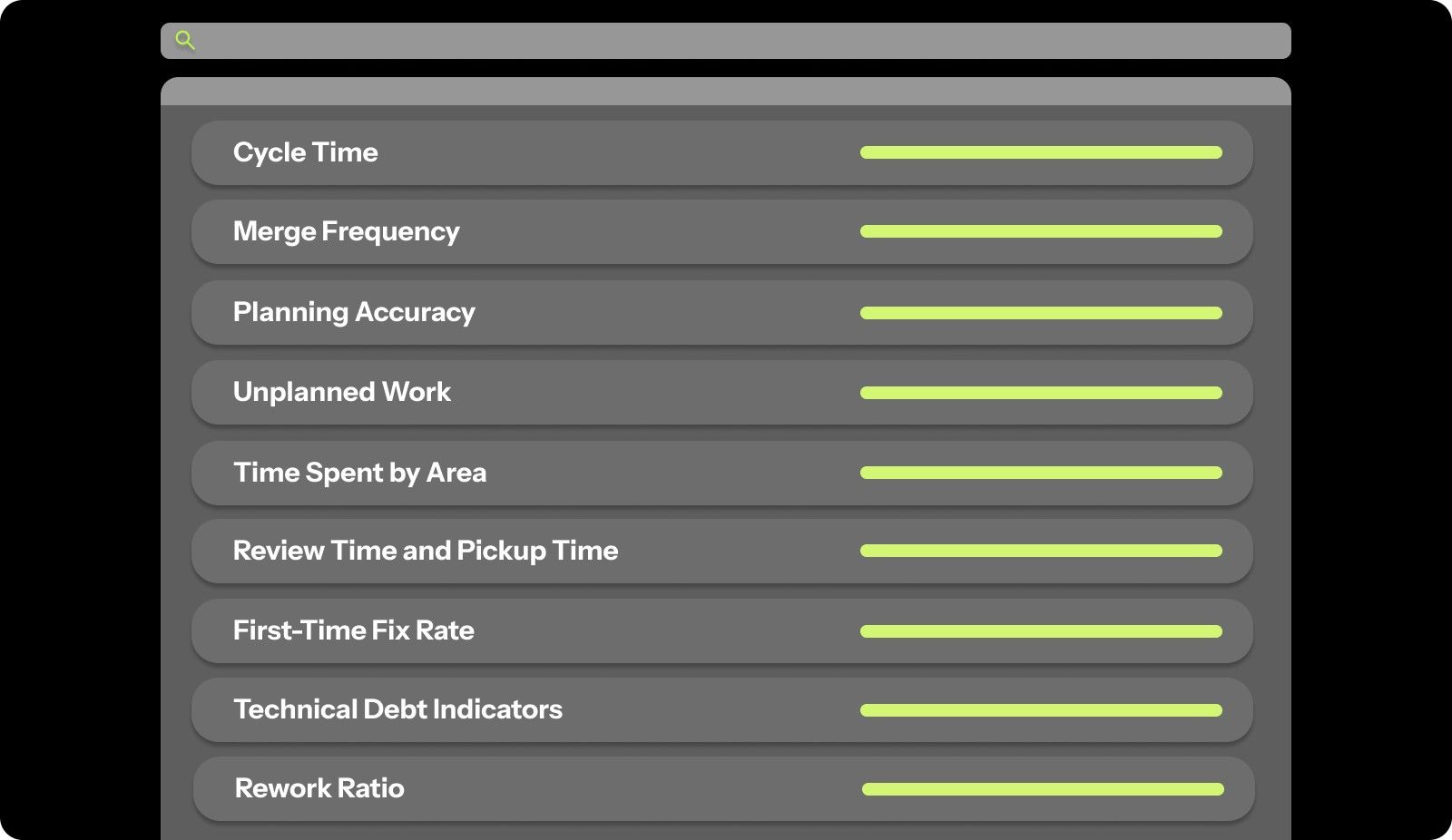
You can't improve what you don't measure. But measuring the right things makes all the difference between actually getting better and just collecting data that sits in dashboards nobody reads.
Key Metrics That Define Engineering Efficiency

Let's break down the metrics that actually tell you if your team is operating efficiently.

1. Cycle Time

Cycle time measures the total elapsed time from when work starts (first commit or branch creation) to when it's deployed to production. This metric captures the end-to-end speed of your development process.

How to Measure

  • Track the timestamp when a developer creates a branch or makes the first commit, then measure the time until that code is merged and deployed to production. 

  • Average this across all work items in a given period.

Formula: Cycle Time = Deployment Date/Time - First Commit Date/Time

Why It Matters: Long cycle times indicate bottlenecks in your process. If features take 30 days from first commit to production, your team can't respond quickly to market changes or customer needs. Shorter cycle times (measured in hours or days, not weeks) enable faster iteration and learning.

2. Merge Frequency

Merge frequency is the frequency with which code is merged into the main branch. A high merge frequency indicates that your team works in small batches, reducing integration risk and speeding up delivery.

How to Measure

  • Count the number of PRs merged per day or per week, divided by the number of active developers. 

  • Track this as a team average and per individual.

Formula: Merge Frequency = Total PRs Merged / Number of Active Developers / Time Period

Why It Matters: Teams that merge code frequently (multiple times per day per developer) have less integration pain, catch bugs faster, and ship more predictably. Infrequent merges (once a week or less) create massive integration headaches and long-lived branches that constantly conflict.

3. Planning Accuracy

Planning accuracy measures how well your estimates align with actual delivery. If you commit to shipping 10 story points and deliver 8, your planning accuracy is 80%. High accuracy enables better roadmap commitments and resource allocation.

How to Measure

  • At the end of each sprint or planning period, compare the committed scope to the delivered scope. 

  • Track the percentage of planned work completed on time.

Formula: Planning Accuracy = (Completed Work / Planned Work) × 100

Why It Matters: Consistently missing commitments creates distrust between engineering and the rest of the company. The product can't commit to customers. Sales can't close deals. Leadership can't make informed strategic decisions. Accurate planning, even if the team moves slowly, is better than fast execution with unpredictable delivery.

4. Unplanned Work

Unplanned work tracks the percentage of your team's capacity consumed by work that wasn't in the original sprint plan. This includes urgent bugs, production incidents, customer escalations, and scope changes mid-sprint.

How to Measure

  • Track all work added after sprint planning begins. 

  • Measure time spent on unplanned items versus planned items. 

  • Calculate as a percentage of total capacity.

Formula: Unplanned Work% = (Hours Spent on Unplanned Work / Total Available Hours) × 100

Why It Matters: Some unplanned work is inevitable, but if 40-60% of your team's time goes to firefighting, you'll never build new features or pay down technical debt. High unplanned work indicates unstable systems, unclear requirements, or poor prioritization processes.

5. Time Spent by Area

This metric breaks down where your team spends their time: new features, bug fixes, technical debt, infrastructure, meetings, code review, documentation, and other activities. It reveals whether your time allocation aligns with strategic priorities.

How to Measure

  • Tag all work items by category. 

  • Track hours or story points per category. 

  • Calculate percentages across the team.

Why It Matters: If you want to focus on growth, but 60% of engineering time goes to bug fixes, you have a quality problem. If 30% of the time goes to meetings and context-switching, you have a process problem. This metric surfaces misalignment between stated priorities and actual work.

Typical Distribution for Healthy Teams:

  • New features: 40-50%

  • Bug fixes: 10-15%

  • Technical debt: 15-20%

  • Infrastructure/ops: 5-10%

  • Code review: 5-10%

  • Meetings/overhead: 10-15%

6. Review Time and Pickup Time

Review time measures how long PRs sit waiting for review after they're opened. Pickup time is the amount of time before someone starts reviewing. Both metrics indicate collaboration health and process bottlenecks.

How to Measure:

  • Pickup Time = Time of First Review Comment - PR Creation Time

  • Review Time = PR Merge Time - PR Creation Time

Why It Matters: PRs that sit for 2-3 days create massive context-switching costs. The original author has moved on to other work and needs to reload context when feedback finally arrives. Long review times kill momentum and dramatically increase cycle time.

Also read: The Ultimate Guide to Engineering Project Collaboration

7. First-Time Fix Rate

First-time fix rate measures the percentage of bugs that are resolved with the first attempted fix, rather than requiring multiple attempts. High first-time fix rates indicate developers understand the codebase well and have good debugging processes.

How to Measure

  • Track bug tickets from initial fix attempt to verified resolution. 

  • Count how many required only one fix versus multiple attempts.

Formula: First-Time Fix Rate = (Bugs Fixed on First Attempt / Total Bugs Fixed) × 100

Why It Matters: Low first-time fix rates indicate poor code understanding, inadequate testing, or complex legacy systems. If developers need 3-4 attempts to fix simple bugs, something is wrong with code clarity, documentation, or testing infrastructure.

8. Technical Debt Indicators

Technical debt indicators measure the health of your codebase: code complexity, test coverage, duplication, documentation quality, and known issues. High technical debt slows down feature development and increases bug rates.

How to Measure

*Use automated tools to track:

  • Cyclomatic complexity (code complexity score)

  • Test coverage percentage

  • Code duplication percentage

  • Number of TODO/FIXME comments

  • Number of open tech debt tickets

Why It Matters: Technical debt is like credit card debt. A little is fine. A lot crushes you. Teams with high technical debt spend 50-60% of their time fighting the codebase instead of building features. New developers are onboarded slowly because the code is hard to understand.

9. Rework Ratio

Rework ratio measures the percentage of work that has to be redone after initial completion. This includes bug fixes for recently shipped features, requirement changes that force rebuilds, and architectural revisions.

How to Measure

  • Track time spent fixing bugs in features shipped in the last 30 days. 

  • Add time spent revising code due to requirement changes. 

  • Divide by total development time.

Formula: Rework Ratio = (Time Spent on Rework / Total Development Time) × 100

Why It Matters: High rework ratios (over 25%) indicate poor upfront planning, unclear requirements, or quality issues. You're doing the same work twice or three times, which is incredibly inefficient.

10. WIP (Work in Progress) Balance Limits

WIP limits track how much work is in flight at any given time versus how much is completed. Too much WIP creates context switching, slows everything down, and hides bottlenecks. Healthy teams have strict WIP limits.

How to Measure

  • Count how many tasks or PRs each developer has in progress at any given time. 

  • Track average WIP per person and per team.

Why It Matters: Developers with 5-10 things in progress finish nothing quickly. Everything moves slowly. Context-switching between tasks kills productivity.

Proven Ways to Increase Engineering Efficiency

Understanding metrics is step one. Actually improving them is step two. Let's walk through practical, tested approaches to boost your team's efficiency.

1. Implement Continuous Integration and Continuous Deployment (CI/CD)

CI/CD automates your build, test, and deployment pipeline so code moves from developer laptops to production without manual intervention.

How to implement:

  • Set up automated testing that runs on every PR (unit tests, integration tests, end-to-end tests)

  • Configure your CI pipeline to build and test code automatically when changes are pushed.

  • Implement automated deployment to staging environments for testing.

  • Add feature flags to deploy code to production while controlling when features go live.

  • Set up monitoring and rollback procedures in case deployments cause issues

2. Reduce PR Size and Review Bottlenecks

Large PRs slow everything down. They're harder to review, more likely to contain bugs, and riskier to deploy.

How to implement:

  • Set a team guideline: PRs should be under 400 lines of code.

  • Break prominent features into smaller, independently shippable chunks.

  • Use feature flags to deploy incomplete features without exposing them to users.

  • Establish a team norm: review PRs within 4 hours of submission.

  • Dedicate specific times each day for PR reviews (e.g., 2 PM daily review hour).

  • Use automated tools like Entelligence AI to handle review checks, freeing yourself to focus on architecture and logic.

3. Establish a Clear Definition of Done

Ambiguous completion criteria lead to rework. A clear Definition of Done eliminates guessing.

How to implement:

  • Create a checklist that every feature must meet before it's considered complete.

  • Include criteria like code reviewed by two people, unit tests written and passing, integration tests passing, documentation updated, deployed to staging, and tested.

  • Make this checklist visible in your project management tool.

  • Review and update it quarterly as your standards evolve.

4. Reduce Context Switching

Every time developers switch between tasks, they lose 20-30 minutes of productivity reloading context.

How to implement:

  • Limit work in progress to 1-2 tasks per developer

  • Batch similar work together (e.g., dedicate Monday mornings to bug fixes, not scattered throughout the week)

  • Protect "focus time" on calendars where developers aren't expected to respond to messages.

  • Reduce meeting frequency and duration (consider moving from hour-long to 30-minute meetings)

  • Establish "on-call" rotations so only one person handles urgent issues while others stay focused.

5. Invest in Developer Experience (DevEx)

Slow tools and clunky workflows waste hours every day. Good developer experience compounds productivity gains.

How to implement:

  • Speed up local development environments (faster builds, quicker test runs).

  • Provide powerful development machines (don't make developers wait for compilation).

  • Streamline access to staging and production environments for debugging.

  • Document common workflows and setup procedures.

  • Invest in IDE extensions and tools that reduce friction.

  • Gather regular feedback from developers on pain points in their workflow.

Also Read: Introducing the Entelligence AI Code Review in Your IDE!

6. Automate Repetitive Tasks

Humans are expensive and make mistakes. Computers are cheap and consistent. Automate anything that doesn't require human judgment.

How to implement:

  • Automate code formatting and linting (use tools like Prettier, ESLint)

  • Auto-generate documentation from code comments

  • Set up bots to label and triage issues based on content.

  • Automate environment setup with Docker and infrastructure-as-code

  • Use AI tools to generate boilerplate code, write test cases, and provide code review suggestions.

7. Implement Pair Programming and Mob Programming

Two heads are better than one for complex problems, knowledge sharing, and code quality.

How to implement:

  • Pair junior developers with senior developers on complex features.

  • Use mob programming (the whole team works on a single problem together) for particularly tricky architectural decisions.

  • Rotate pairs regularly so knowledge spreads across the team.

  • Use pair programming for onboarding new team members.

8. Prioritize Technical Debt Reduction

Technical debt slows everything down. You can't indefinitely defer maintenance while shipping features.

How to implement:

  • Reserve 15-20% of each sprint for technical debt work

  • Track technical debt items in your backlog like any other work.

  • Let engineers nominate debt items that are causing the most pain.

  • Celebrate debt reduction like you celebrate feature launches.

9. Foster a Culture of Ownership and Accountability

Efficiency dies when nobody takes ownership of outcomes.

How to implement:

  • Give teams end-to-end ownership of features (design, build, deploy, monitor, maintain)

  • Make on-call rotations part of everyday work so developers feel the pain of brittle code.

  • Celebrate teams that ship high-quality work, not just fast work

  • Post-mortem production incidents without blame, focusing on systemic improvements

  • Give developers visibility into how their work impacts business metrics.

Common Mistakes To Avoid While Improving Engineering Efficiency

Even well-intentioned teams can make mistakes that undermine efficiency efforts. Avoid these common traps to build sustainable, long-term improvements:

  • Comparing developers with efficiency metrics: Metrics like lines of code or commits don’t reflect actual impact. Ranking individuals fosters competition, not collaboration. Focus on team-level performance and use individual metrics only for coaching.

  • Prioritizing speed over quality: Shipping faster without maintaining quality leads to bugs, technical debt, and firefighting. Always pair speed metrics (cycle time, deployment frequency) with quality metrics (bug rates, test coverage, incidents).

  • Misusing productivity dashboards: Publicly showing individual metrics encourages gaming the system rather than real improvement. Use dashboards for team visibility and trends, not surveillance.

  • Measuring output instead of outcomes: Counting features shipped or story points completed shows activity, not value. Track outcomes like user adoption, revenue impact, and customer satisfaction to measure real efficiency.

  • Ignoring unplanned work: Urgent bugs, incidents, and ad-hoc requests consume significant capacity. Track all work, planned and unplanned, to make realistic commitments and address underlying stability issues.

  • Relying on anecdotal feedback over data: Gut feelings can highlight potential problems, but data confirms systemic issues. Use both, but base decisions on measurable insights to accurately identify bottlenecks.

Avoiding these pitfalls ensures efficiency efforts deliver real value without sacrificing quality, collaboration, or team morale.

Tools and Systems That Improve Engineering Efficiency

The right tools can amplify your team's efficiency, but tools alone don't fix process or culture problems. Here's what actually helps:

Tool Category

What It Does

Best Options

When You Need It

Engineering Intelligence Platform

Provides end-to-end visibility across code, team performance, and metrics. Automates documentation and gives strategic insights.

Entelligence AI

When you need comprehensive visibility across development, code quality, security, and team analytics in one platform.

Code Review Automation

Accelerates PR reviews with AI-powered suggestions, automated checks, and context-aware feedback.

Entelligence AI, CodeRabbit, Graphite

When PR review time exceeds 24 hours or reviews are superficial.

CI/CD Pipeline

Automates testing, building, and deployment to reduce manual work and deployment time.

GitHub Actions, CircleCI, GitLab CI

When deployments take more than 30 minutes or require manual steps.

Testing Frameworks

Enables fast, reliable automated testing to catch bugs early.

Jest, Pytest, Cypress, Playwright.

When test coverage is below 70% or tests are slow/flaky.

Project Management

Tracks work, provides visibility into progress, and enables data-driven planning.

Linear, Jira, Shortcut

When teams lack visibility into work, or planning accuracy is below 70%.

Code Quality Analysis

Monitors technical debt, code complexity, and quality trends over time

Entelligence AI

SonarQube, CodeClimate, 

When technical debt is slowing velocity, or bug rates are increasing.

Documentation Tools

Creates and maintains technical documentation automatically.

Entelligence AI, Notion, Confluence, GitBook

When documentation is outdated, or onboarding new developers takes more than 2 weeks.

Team Analytics

Provides insights into team performance, bottlenecks, and velocity trends.

Entelligence AI, Jellyfish, Pluralsight Flow

When leadership lacks visibility into engineering productivity or can't identify bottlenecks.

By using these tools wisely, you can remove bottlenecks, keep your codebase healthy, and help your team deliver value faster and more predictably.

How Entelligence AI Boosts Engineering Efficiency?

Engineering efficiency is all about delivering high-quality features, reducing waste, and keeping your team focused on the work that matters. Yet even the best teams struggle with slow PR reviews, overlooked bugs, and context-switching overhead that drains productivity. Without the right insights and automation, efficiency improvements remain guesswork.

Entelligence AI transforms engineering workflows into a clear, measurable, and actionable system. By embedding intelligence directly into the development process, it helps teams ship faster, reduce errors, and focus on value rather than busywork.

  • AI-Powered PR Reviews: Automatically detect bugs, style inconsistencies, and logic issues while providing context-aware suggestions. Teams catch problems earlier and maintain high-quality code without slowing down delivery.

  • Real-Time IDE Feedback: Developers receive actionable insights directly in their coding environment, reducing back-and-forth and accelerating time-to-merge.

  • Deep Repository Awareness: Changes are analyzed across the full codebase, uncovering hidden dependencies and preventing regressions before they reach production.

  • Team Analytics: Track workflow bottlenecks, review efficiency, and delivery trends across teams to make data-driven process improvements.

  • Smooth Integrations: Works smoothly with GitHub, GitLab, Jira, and other development tools.

  • Enhanced Reliability and Compliance: Ensure secure code reviews and automated checks to keep your codebase safe while maintaining efficiency.

With Entelligence AI, engineering efficiency stops being an abstract goal and becomes a measurable, repeatable outcome. Teams spend less time firefighting, leaders gain actionable visibility, and organizations deliver more value, faster.

Conclusion 

Engineering efficiency drives high-performing teams by focusing on measurable outcomes, reducing waste, and enabling predictable delivery. Teams that track the right metrics and optimize workflows can ship faster, maintain quality, and stay aligned with business goals.

Entelligence AI amplifies these improvements by providing AI-powered PR reviews, real-time IDE feedback, deep repository analysis, and actionable team insights. It helps teams focus on high-value work, catch issues early, and make data-driven decisions without guesswork.

Take control of your engineering productivity today. Start a free trial with Entelligence AI today to optimize workflows, boost delivery speed, and achieve measurable results across every team and project.

FAQ’s 

1. What does 60% efficiency mean?

It means a process, team, or system is achieving 60 percent of its potential output compared to the resources, time, or effort invested in completing the work.

2. What is a formula for efficiency?

Efficiency is calculated as the ratio of sound output to total input, often expressed as a percentage: Efficiency = (Output ÷ Input) × 100, indicating performance relative to resources used.

3. What is efficiency analysis?

Efficiency analysis evaluates how effectively resources are used to achieve desired outputs. It identifies bottlenecks, waste, and opportunities to improve speed, quality, and overall performance within processes or teams.

4. Is efficiency always a percentage?

Efficiency is most commonly expressed as a percentage for clarity, but it can also be represented as a ratio, fraction, or index depending on the context of measurement.

5. What is the maximum percentage that efficiency can be?

The maximum efficiency is 100 percent, meaning all input resources are fully converted into sound output with no waste or losses.
Your engineering team works around the clock, yet much of that effort never becomes code. An analyst report found that developers spend only 16% of their time on actual application development.

The remaining 84% is consumed by operational tasks, context switching, testing, and infrastructure work. This hidden overhead slows delivery, increases bugs, and drains team morale, making it hard to ship high-quality software consistently.

Building engineering efficiency directly addresses these challenges. By streamlining workflows, removing friction, and focusing on high-value work, teams can deliver faster, improve quality, and sustain productivity over time.

In this blog, you will learn how to measure efficiency effectively, avoid common mistakes, and apply proven strategies and tools to turn chaotic work cycles into predictable, high-value results.

Key Takeaways 

  • Engineering efficiency is about delivering high-quality features faster, reducing wasted effort, and maintaining team health.

  • Measuring the right metrics, like cycle time, merge frequency, planning accuracy, and unplanned work, is critical to understanding and improving team performance.

  • Effective processes, CI/CD pipelines, automated testing, and innovative use of developer tools help eliminate bottlenecks and increase productivity.

  • Avoid common pitfalls such as prioritizing speed over quality, misusing dashboards, and measuring outputs rather than outcomes.

  • Platforms like Entelligence AI provide actionable insights, automate repetitive tasks, and enable data-driven decisions to boost engineering efficiency sustainably.

What Is Engineering Efficiency and Why Does It Matter?

Engineering efficiency is the ability of an engineering team to convert inputs such as time, resources, and effort into high-quality, valuable outputs. It focuses on producing the right work, reducing waste, maintaining code quality, and protecting team health.

Engineering efficiency matters because it improves speed, reduces costs, and strengthens product quality. Efficient teams respond to customer needs faster and avoid delays caused by unclear requirements, unnecessary meetings, and slow review cycles. This creates a more predictable delivery process and helps organizations ship on time.

It also improves team morale. When engineers can focus, deliver meaningful work, and see consistent progress, they are more engaged and more likely to stay with the company.

Key benefits of strong engineering efficiency include:

  • Faster time to market.

  • Lower operational and development costs.

  • Higher product quality and fewer defects.

  • Better team retention and engagement.

  • More predictable releases and reliable delivery.

High-performing engineering organizations achieve this by measuring their workflows, removing friction, and improving continuously.

Engineering Efficiency vs Engineering Effectiveness

While efficiency and effectiveness are related, they measure fundamentally different aspects of how engineering teams operate. Efficiency focuses on how you build, while effectiveness focuses on what you choose to develop.

Before diving deeper into efficiency metrics, it’s important to clearly separate these two concepts, so you don’t optimize the wrong thing.

Aspect

Engineering Efficiency

Engineering Effectiveness

Focus

How you build (process, speed, waste reduction).

What you build (value, outcomes, business impact).

Measurement

Cycle time, merge frequency, deployment frequency.

Feature adoption, revenue impact, customer satisfaction.

Goal

Minimize wasted effort and maximize output.

Maximize business value and customer outcomes.

Question

Are we building things right?

Are we building the right things?

Risk

Shipping fast, but with the wrong features.

Shipping the right features, but too slowly.

Example

Deploying 10 times per day with automated tests.

Building a feature that increases user retention by 25%.

Ultimately, to win, you need to do both: build the right things, the right way, at the right pace.

Key Metrics That Define Engineering Efficiency

You can't improve what you don't measure. But measuring the right things makes all the difference between actually getting better and just collecting data that sits in dashboards nobody reads.

Key Metrics That Define Engineering Efficiency

Let's break down the metrics that actually tell you if your team is operating efficiently.

1. Cycle Time

Cycle time measures the total elapsed time from when work starts (first commit or branch creation) to when it's deployed to production. This metric captures the end-to-end speed of your development process.

How to Measure

  • Track the timestamp when a developer creates a branch or makes the first commit, then measure the time until that code is merged and deployed to production. 

  • Average this across all work items in a given period.

Formula: Cycle Time = Deployment Date/Time - First Commit Date/Time

Why It Matters: Long cycle times indicate bottlenecks in your process. If features take 30 days from first commit to production, your team can't respond quickly to market changes or customer needs. Shorter cycle times (measured in hours or days, not weeks) enable faster iteration and learning.

2. Merge Frequency

Merge frequency is the frequency with which code is merged into the main branch. A high merge frequency indicates that your team works in small batches, reducing integration risk and speeding up delivery.

How to Measure

  • Count the number of PRs merged per day or per week, divided by the number of active developers. 

  • Track this as a team average and per individual.

Formula: Merge Frequency = Total PRs Merged / Number of Active Developers / Time Period

Why It Matters: Teams that merge code frequently (multiple times per day per developer) have less integration pain, catch bugs faster, and ship more predictably. Infrequent merges (once a week or less) create massive integration headaches and long-lived branches that constantly conflict.

3. Planning Accuracy

Planning accuracy measures how well your estimates align with actual delivery. If you commit to shipping 10 story points and deliver 8, your planning accuracy is 80%. High accuracy enables better roadmap commitments and resource allocation.

How to Measure

  • At the end of each sprint or planning period, compare the committed scope to the delivered scope. 

  • Track the percentage of planned work completed on time.

Formula: Planning Accuracy = (Completed Work / Planned Work) × 100

Why It Matters: Consistently missing commitments creates distrust between engineering and the rest of the company. The product can't commit to customers. Sales can't close deals. Leadership can't make informed strategic decisions. Accurate planning, even if the team moves slowly, is better than fast execution with unpredictable delivery.

4. Unplanned Work

Unplanned work tracks the percentage of your team's capacity consumed by work that wasn't in the original sprint plan. This includes urgent bugs, production incidents, customer escalations, and scope changes mid-sprint.

How to Measure

  • Track all work added after sprint planning begins. 

  • Measure time spent on unplanned items versus planned items. 

  • Calculate as a percentage of total capacity.

Formula: Unplanned Work% = (Hours Spent on Unplanned Work / Total Available Hours) × 100

Why It Matters: Some unplanned work is inevitable, but if 40-60% of your team's time goes to firefighting, you'll never build new features or pay down technical debt. High unplanned work indicates unstable systems, unclear requirements, or poor prioritization processes.

5. Time Spent by Area

This metric breaks down where your team spends their time: new features, bug fixes, technical debt, infrastructure, meetings, code review, documentation, and other activities. It reveals whether your time allocation aligns with strategic priorities.

How to Measure

  • Tag all work items by category. 

  • Track hours or story points per category. 

  • Calculate percentages across the team.

Why It Matters: If you want to focus on growth, but 60% of engineering time goes to bug fixes, you have a quality problem. If 30% of the time goes to meetings and context-switching, you have a process problem. This metric surfaces misalignment between stated priorities and actual work.

Typical Distribution for Healthy Teams:

  • New features: 40-50%

  • Bug fixes: 10-15%

  • Technical debt: 15-20%

  • Infrastructure/ops: 5-10%

  • Code review: 5-10%

  • Meetings/overhead: 10-15%

6. Review Time and Pickup Time

Review time measures how long PRs sit waiting for review after they're opened. Pickup time is the amount of time before someone starts reviewing. Both metrics indicate collaboration health and process bottlenecks.

How to Measure:

  • Pickup Time = Time of First Review Comment - PR Creation Time

  • Review Time = PR Merge Time - PR Creation Time

Why It Matters: PRs that sit for 2-3 days create massive context-switching costs. The original author has moved on to other work and needs to reload context when feedback finally arrives. Long review times kill momentum and dramatically increase cycle time.

Also read: The Ultimate Guide to Engineering Project Collaboration

7. First-Time Fix Rate

First-time fix rate measures the percentage of bugs that are resolved with the first attempted fix, rather than requiring multiple attempts. High first-time fix rates indicate developers understand the codebase well and have good debugging processes.

How to Measure

  • Track bug tickets from initial fix attempt to verified resolution. 

  • Count how many required only one fix versus multiple attempts.

Formula: First-Time Fix Rate = (Bugs Fixed on First Attempt / Total Bugs Fixed) × 100

Why It Matters: Low first-time fix rates indicate poor code understanding, inadequate testing, or complex legacy systems. If developers need 3-4 attempts to fix simple bugs, something is wrong with code clarity, documentation, or testing infrastructure.

8. Technical Debt Indicators

Technical debt indicators measure the health of your codebase: code complexity, test coverage, duplication, documentation quality, and known issues. High technical debt slows down feature development and increases bug rates.

How to Measure

*Use automated tools to track:

  • Cyclomatic complexity (code complexity score)

  • Test coverage percentage

  • Code duplication percentage

  • Number of TODO/FIXME comments

  • Number of open tech debt tickets

Why It Matters: Technical debt is like credit card debt. A little is fine. A lot crushes you. Teams with high technical debt spend 50-60% of their time fighting the codebase instead of building features. New developers are onboarded slowly because the code is hard to understand.

9. Rework Ratio

Rework ratio measures the percentage of work that has to be redone after initial completion. This includes bug fixes for recently shipped features, requirement changes that force rebuilds, and architectural revisions.

How to Measure

  • Track time spent fixing bugs in features shipped in the last 30 days. 

  • Add time spent revising code due to requirement changes. 

  • Divide by total development time.

Formula: Rework Ratio = (Time Spent on Rework / Total Development Time) × 100

Why It Matters: High rework ratios (over 25%) indicate poor upfront planning, unclear requirements, or quality issues. You're doing the same work twice or three times, which is incredibly inefficient.

10. WIP (Work in Progress) Balance Limits

WIP limits track how much work is in flight at any given time versus how much is completed. Too much WIP creates context switching, slows everything down, and hides bottlenecks. Healthy teams have strict WIP limits.

How to Measure

  • Count how many tasks or PRs each developer has in progress at any given time. 

  • Track average WIP per person and per team.

Why It Matters: Developers with 5-10 things in progress finish nothing quickly. Everything moves slowly. Context-switching between tasks kills productivity.

Proven Ways to Increase Engineering Efficiency

Understanding metrics is step one. Actually improving them is step two. Let's walk through practical, tested approaches to boost your team's efficiency.

1. Implement Continuous Integration and Continuous Deployment (CI/CD)

CI/CD automates your build, test, and deployment pipeline so code moves from developer laptops to production without manual intervention.

How to implement:

  • Set up automated testing that runs on every PR (unit tests, integration tests, end-to-end tests)

  • Configure your CI pipeline to build and test code automatically when changes are pushed.

  • Implement automated deployment to staging environments for testing.

  • Add feature flags to deploy code to production while controlling when features go live.

  • Set up monitoring and rollback procedures in case deployments cause issues

2. Reduce PR Size and Review Bottlenecks

Large PRs slow everything down. They're harder to review, more likely to contain bugs, and riskier to deploy.

How to implement:

  • Set a team guideline: PRs should be under 400 lines of code.

  • Break prominent features into smaller, independently shippable chunks.

  • Use feature flags to deploy incomplete features without exposing them to users.

  • Establish a team norm: review PRs within 4 hours of submission.

  • Dedicate specific times each day for PR reviews (e.g., 2 PM daily review hour).

  • Use automated tools like Entelligence AI to handle review checks, freeing yourself to focus on architecture and logic.

3. Establish a Clear Definition of Done

Ambiguous completion criteria lead to rework. A clear Definition of Done eliminates guessing.

How to implement:

  • Create a checklist that every feature must meet before it's considered complete.

  • Include criteria like code reviewed by two people, unit tests written and passing, integration tests passing, documentation updated, deployed to staging, and tested.

  • Make this checklist visible in your project management tool.

  • Review and update it quarterly as your standards evolve.

4. Reduce Context Switching

Every time developers switch between tasks, they lose 20-30 minutes of productivity reloading context.

How to implement:

  • Limit work in progress to 1-2 tasks per developer

  • Batch similar work together (e.g., dedicate Monday mornings to bug fixes, not scattered throughout the week)

  • Protect "focus time" on calendars where developers aren't expected to respond to messages.

  • Reduce meeting frequency and duration (consider moving from hour-long to 30-minute meetings)

  • Establish "on-call" rotations so only one person handles urgent issues while others stay focused.

5. Invest in Developer Experience (DevEx)

Slow tools and clunky workflows waste hours every day. Good developer experience compounds productivity gains.

How to implement:

  • Speed up local development environments (faster builds, quicker test runs).

  • Provide powerful development machines (don't make developers wait for compilation).

  • Streamline access to staging and production environments for debugging.

  • Document common workflows and setup procedures.

  • Invest in IDE extensions and tools that reduce friction.

  • Gather regular feedback from developers on pain points in their workflow.

Also Read: Introducing the Entelligence AI Code Review in Your IDE!

6. Automate Repetitive Tasks

Humans are expensive and make mistakes. Computers are cheap and consistent. Automate anything that doesn't require human judgment.

How to implement:

  • Automate code formatting and linting (use tools like Prettier, ESLint)

  • Auto-generate documentation from code comments

  • Set up bots to label and triage issues based on content.

  • Automate environment setup with Docker and infrastructure-as-code

  • Use AI tools to generate boilerplate code, write test cases, and provide code review suggestions.

7. Implement Pair Programming and Mob Programming

Two heads are better than one for complex problems, knowledge sharing, and code quality.

How to implement:

  • Pair junior developers with senior developers on complex features.

  • Use mob programming (the whole team works on a single problem together) for particularly tricky architectural decisions.

  • Rotate pairs regularly so knowledge spreads across the team.

  • Use pair programming for onboarding new team members.

8. Prioritize Technical Debt Reduction

Technical debt slows everything down. You can't indefinitely defer maintenance while shipping features.

How to implement:

  • Reserve 15-20% of each sprint for technical debt work

  • Track technical debt items in your backlog like any other work.

  • Let engineers nominate debt items that are causing the most pain.

  • Celebrate debt reduction like you celebrate feature launches.

9. Foster a Culture of Ownership and Accountability

Efficiency dies when nobody takes ownership of outcomes.

How to implement:

  • Give teams end-to-end ownership of features (design, build, deploy, monitor, maintain)

  • Make on-call rotations part of everyday work so developers feel the pain of brittle code.

  • Celebrate teams that ship high-quality work, not just fast work

  • Post-mortem production incidents without blame, focusing on systemic improvements

  • Give developers visibility into how their work impacts business metrics.

Common Mistakes To Avoid While Improving Engineering Efficiency

Even well-intentioned teams can make mistakes that undermine efficiency efforts. Avoid these common traps to build sustainable, long-term improvements:

  • Comparing developers with efficiency metrics: Metrics like lines of code or commits don’t reflect actual impact. Ranking individuals fosters competition, not collaboration. Focus on team-level performance and use individual metrics only for coaching.

  • Prioritizing speed over quality: Shipping faster without maintaining quality leads to bugs, technical debt, and firefighting. Always pair speed metrics (cycle time, deployment frequency) with quality metrics (bug rates, test coverage, incidents).

  • Misusing productivity dashboards: Publicly showing individual metrics encourages gaming the system rather than real improvement. Use dashboards for team visibility and trends, not surveillance.

  • Measuring output instead of outcomes: Counting features shipped or story points completed shows activity, not value. Track outcomes like user adoption, revenue impact, and customer satisfaction to measure real efficiency.

  • Ignoring unplanned work: Urgent bugs, incidents, and ad-hoc requests consume significant capacity. Track all work, planned and unplanned, to make realistic commitments and address underlying stability issues.

  • Relying on anecdotal feedback over data: Gut feelings can highlight potential problems, but data confirms systemic issues. Use both, but base decisions on measurable insights to accurately identify bottlenecks.

Avoiding these pitfalls ensures efficiency efforts deliver real value without sacrificing quality, collaboration, or team morale.

Tools and Systems That Improve Engineering Efficiency

The right tools can amplify your team's efficiency, but tools alone don't fix process or culture problems. Here's what actually helps:

Tool Category

What It Does

Best Options

When You Need It

Engineering Intelligence Platform

Provides end-to-end visibility across code, team performance, and metrics. Automates documentation and gives strategic insights.

Entelligence AI

When you need comprehensive visibility across development, code quality, security, and team analytics in one platform.

Code Review Automation

Accelerates PR reviews with AI-powered suggestions, automated checks, and context-aware feedback.

Entelligence AI, CodeRabbit, Graphite

When PR review time exceeds 24 hours or reviews are superficial.

CI/CD Pipeline

Automates testing, building, and deployment to reduce manual work and deployment time.

GitHub Actions, CircleCI, GitLab CI

When deployments take more than 30 minutes or require manual steps.

Testing Frameworks

Enables fast, reliable automated testing to catch bugs early.

Jest, Pytest, Cypress, Playwright.

When test coverage is below 70% or tests are slow/flaky.

Project Management

Tracks work, provides visibility into progress, and enables data-driven planning.

Linear, Jira, Shortcut

When teams lack visibility into work, or planning accuracy is below 70%.

Code Quality Analysis

Monitors technical debt, code complexity, and quality trends over time

Entelligence AI

SonarQube, CodeClimate, 

When technical debt is slowing velocity, or bug rates are increasing.

Documentation Tools

Creates and maintains technical documentation automatically.

Entelligence AI, Notion, Confluence, GitBook

When documentation is outdated, or onboarding new developers takes more than 2 weeks.

Team Analytics

Provides insights into team performance, bottlenecks, and velocity trends.

Entelligence AI, Jellyfish, Pluralsight Flow

When leadership lacks visibility into engineering productivity or can't identify bottlenecks.

By using these tools wisely, you can remove bottlenecks, keep your codebase healthy, and help your team deliver value faster and more predictably.

How Entelligence AI Boosts Engineering Efficiency?

Engineering efficiency is all about delivering high-quality features, reducing waste, and keeping your team focused on the work that matters. Yet even the best teams struggle with slow PR reviews, overlooked bugs, and context-switching overhead that drains productivity. Without the right insights and automation, efficiency improvements remain guesswork.

Entelligence AI transforms engineering workflows into a clear, measurable, and actionable system. By embedding intelligence directly into the development process, it helps teams ship faster, reduce errors, and focus on value rather than busywork.

  • AI-Powered PR Reviews: Automatically detect bugs, style inconsistencies, and logic issues while providing context-aware suggestions. Teams catch problems earlier and maintain high-quality code without slowing down delivery.

  • Real-Time IDE Feedback: Developers receive actionable insights directly in their coding environment, reducing back-and-forth and accelerating time-to-merge.

  • Deep Repository Awareness: Changes are analyzed across the full codebase, uncovering hidden dependencies and preventing regressions before they reach production.

  • Team Analytics: Track workflow bottlenecks, review efficiency, and delivery trends across teams to make data-driven process improvements.

  • Smooth Integrations: Works smoothly with GitHub, GitLab, Jira, and other development tools.

  • Enhanced Reliability and Compliance: Ensure secure code reviews and automated checks to keep your codebase safe while maintaining efficiency.

With Entelligence AI, engineering efficiency stops being an abstract goal and becomes a measurable, repeatable outcome. Teams spend less time firefighting, leaders gain actionable visibility, and organizations deliver more value, faster.

Conclusion 

Engineering efficiency drives high-performing teams by focusing on measurable outcomes, reducing waste, and enabling predictable delivery. Teams that track the right metrics and optimize workflows can ship faster, maintain quality, and stay aligned with business goals.

Entelligence AI amplifies these improvements by providing AI-powered PR reviews, real-time IDE feedback, deep repository analysis, and actionable team insights. It helps teams focus on high-value work, catch issues early, and make data-driven decisions without guesswork.

Take control of your engineering productivity today. Start a free trial with Entelligence AI today to optimize workflows, boost delivery speed, and achieve measurable results across every team and project.

FAQ’s 

1. What does 60% efficiency mean?

It means a process, team, or system is achieving 60 percent of its potential output compared to the resources, time, or effort invested in completing the work.

2. What is a formula for efficiency?

Efficiency is calculated as the ratio of sound output to total input, often expressed as a percentage: Efficiency = (Output ÷ Input) × 100, indicating performance relative to resources used.

3. What is efficiency analysis?

Efficiency analysis evaluates how effectively resources are used to achieve desired outputs. It identifies bottlenecks, waste, and opportunities to improve speed, quality, and overall performance within processes or teams.

4. Is efficiency always a percentage?

Efficiency is most commonly expressed as a percentage for clarity, but it can also be represented as a ratio, fraction, or index depending on the context of measurement.

5. What is the maximum percentage that efficiency can be?

The maximum efficiency is 100 percent, meaning all input resources are fully converted into sound output with no waste or losses.

Your questions,

Your questions,

Decoded

Decoded

What makes Entelligence different?

Unlike tools that just flag issues, Entelligence understands context — detecting, explaining, and fixing problems while aligning with product goals and team standards.

Does it replace human reviewers?

No. It amplifies them. Entelligence handles repetitive checks so engineers can focus on architecture, logic, and innovation.

What tools does it integrate with?

It fits right into your workflow — GitHub, GitLab, Jira, Linear, Slack, and more. No setup friction, no context switching.

How secure is my code?

Your code never leaves your environment. Entelligence uses encrypted processing and complies with top industry standards like SOC 2 and HIPAA.

Who is it built for?

Fast-growing engineering teams that want to scale quality, security, and velocity without adding more manual reviews or overhead.

What makes Entelligence different?
Does it replace human reviewers?
What tools does it integrate with?
How secure is my code?
Who is it built for?

Drop your details

We’ll reach out before your next deploy hits production.

We’ll reach out before your next deploy hits production.