Ultimate Guide to Static Code Analysis Tools in 2025

Nov 27, 2025

Nov 27, 2025

Making sure your code is free of bugs and security issues is an important part of the development process. Static code analysis tools help you catch problems early, saving you time, money, and effort later on. As software gets more complex, the need for these tools is growing fast. 

In fact, the market for static code analysis tools is expected to reach $2.29 billion by 2034. This shows just how important they’ve become for developers. 

In this blog, we’ll explore the top 10 static code analysis tools of 2025, so you can choose the best one to improve your code quality and make your workflow more efficient.

Overview

  • Static code analysis identifies bugs, vulnerabilities, and inefficiencies early, ensuring better code quality and security.

  • Using a combination of tools covers all aspects of code quality and security.

  • Integrating static analysis into CI/CD pipelines automates feedback and speeds up issue resolution.

  • Security-focused tools detect vulnerabilities, preventing potential exploits.

  • Choose the right tool based on security features, workflow integration, and scalability for you and your team.

What is Static Code Analysis?

Static code analysis is the process of examining your code for errors, vulnerabilities, and inefficiencies without running it. Think of it as a preemptive strike against bugs, flaws, and even potential security threats. Instead of waiting until your application crashes or your code is deployed, static analysis helps detect these issues before they even leave the development environment.

Also Read: Exploring PR Review AI Tools: Boost Code Quality Fast

Why Static Code Analysis is More Important Than Ever?

As software becomes more complex, the risk of bugs, security flaws, and performance issues grows. Traditional testing methods alone aren’t enough to address these challenges. 

Static code analysis helps by catching issues early in the development process, before they reach production. It identifies potential vulnerabilities and inefficiencies, preventing costly downtime and fixes. 

With its ability to ensure better code quality and security, static code analysis is now an essential tool for you to deliver high-quality, reliable software.
The Top Static Code Analysis Tools of 2025

Here’s a comprehensive look at the top 10 static code analysis tools you should consider in 2025. This section compares their features and also highlights their benefits.

Tool

Best For

Key Features

Entelligence AI

AI-powered code review

Context-aware feedback, automated code analysis

Qodo

AI-powered code analysis

Intelligent code suggestions, high-quality analysis

PVS-Studio

Static analysis for C, C++, C#

Deep code inspection, integration support

Snyk Code

Security-focused code analysis

Security vulnerabilities detection, dependency checks

SonarQube

Large teams, enterprise-level

In-depth reporting, enterprise integrations

Codacy

Automation for code quality checks

Language support, automated checks

Fortify

Enterprise-grade security

Comprehensive security checks, integration options

Semgrep

Real-time analysis with customizable patterns

Flexible rules, fast scans

Aikido Security

Developer-centric security analysis

Advanced security integration

Coverity

Comprehensive language support

Deep code analysis, integration-focused

1. Entelligence AI - Best for End-to-End Engineering Productivity

Entelligence AI is more than just a code review tool. It’s an entire engineering productivity suite designed to enhance your workflow from coding through to team performance insights. It combines automated code reviews, security monitoring, sprint assessments, and organizational performance analytics.

Key Features

  • AI-Powered Code Reviews: Context-aware feedback integrated directly into your IDE.

  • Team Performance Insights: Dashboards offering real-time progress tracking, blockers, and productivity analysis.

  • Security Monitoring: Continuous vulnerability scanning and suggestions for remediation.

  • Automated Documentation: Automatically generates and updates documentation as code evolves.

The Limitations

  • Learning Curve: The breadth of features might require some time to fully understand and implement, especially for those new to engineering productivity tools.

2. Qodo (formerly Codium) - Best for AI-Powered Code Analysis

Qodo offers AI-driven code analysis with intelligent suggestions to improve code quality. It provides real-time feedback and recommendations, making it ideal for smart code review automation.

Key Features

  • Intelligent Code Suggestions: Offers automatic, context-sensitive code suggestions.

  • Multi-language Support: Works with multiple programming languages.

  • High-Quality Analysis: Ensures high-quality code through AI-driven recommendations.

The Limitations

  • Newer Tool: Being a newer tool, it may have limited support compared to established platforms.

  • AI Limitations: The AI's suggestions may not always fit complex or niche code scenarios.

3. PVS-Studio - Best for Static Analysis for C, C++, C#

PVS-Studio provides deep static code analysis for C, C++, and C#, identifying bugs, vulnerabilities, and potential risks. It's designed for large, complex codebases, offering comprehensive analysis and integration support.

Key Features

  • Deep Code Inspection: Analyzes complex code for bugs and vulnerabilities.

  • Multiple Language Support: Primarily focused on C, C++, and C#.

  • Integration Support: Works well with various CI/CD and IDE tools.

The Limitations

  • Enterprise Focus: Maybe overkill for smaller codebases.

  • Pricing: Pricing is per developer, which may not suit all team sizes.

4. Snyk Code - Best for Security-Focused Code Analysis

Snyk Code specializes in security-focused static analysis, detecting vulnerabilities in your code and dependencies. It integrates seamlessly into your CI/CD pipeline, offering continuous security monitoring to safeguard your code.

Key Features

  • Security Vulnerabilities Detection: Identifies security flaws in your code and dependencies.

  • Automated Remediation Suggestions: Provides actionable security fixes directly within your development environment.

  • Integration with CI/CD: Easily integrates with continuous integration pipelines for automatic security checks.

The Limitations

  • Limited Non-Security Features: Mainly focuses on security, lacking broader code quality checks.

  • Pricing: The free version has limitations, requiring a paid plan for advanced features.

5. SonarQube - Best for Large Teams, Enterprise-Level Analysis

SonarQube is a widely used tool for continuous code quality and security analysis, offering detailed reports, language support, and integrations with CI/CD pipelines. It's ideal for large teams and enterprise projects.

Key Features

  • Comprehensive Code Analysis: Supports a wide range of languages and provides in-depth analysis for code quality and security.

  • Enterprise Integrations: Seamless integration with CI/CD pipelines and developer tools.

  • Reporting: Detailed reports on code quality, technical debt, and security vulnerabilities.

The Limitations

  • Resource Intensive: Can be resource-heavy for large codebases.

  • Setup Complexity: Requires configuration and maintenance for large teams.

6. Codacy - Best for Code Quality Automation

Codacy automates code quality checks, ensuring compliance with coding standards. It supports multiple programming languages and integrates with GitHub, GitLab, and other CI/CD tools to simplify code review processes.

Key Features

  • Automated Code Reviews: Automatically reviews code for quality issues.

  • Language Support: Supports a variety of programming languages.

  • CI/CD Integration: Integrates with your CI/CD pipeline for continuous code quality monitoring.

The Limitations

  • Limited Customization: Customization options for rules may be limited compared to other tools.

  • Pricing: Premium features are locked behind a paywall.

7. Fortify Static Code Analyzer - Best for Enterprise-Grade Security

Fortify provides enterprise-grade static code analysis, focusing on security vulnerabilities. It helps you ensure compliance, detect security flaws early, and manage risks across large, complex codebases.

Key Features

  • Comprehensive Security Checks: Focused on identifying and remediating security vulnerabilities.

  • Integration Support: Integrates with CI/CD pipelines and developer tools for seamless use.

  • Regulatory Compliance: Supports compliance with various security standards.

The Limitations

  • High Cost: Suitable mainly for large enterprises due to the high cost.

  • Complex Setup: Initial setup can be complicated for smaller teams.

8. Semgrep - Best for Real-Time Analysis with Customizable Patterns

Semgrep offers real-time static analysis with customizable pattern matching. It’s ideal for quick feedback during development, allowing you to enforce coding standards and catch bugs in real-time with tailored rules.

Key Features

  • Customizable Patterns: Create your own rules and patterns for code analysis.

  • Real-Time Feedback: Offers immediate code feedback as you write.

  • Speed: Fast and lightweight, ideal for continuous feedback.

The Limitations

  • Learning Curve: Requires familiarity with its pattern-matching syntax to get the most out of it.

  • Smaller Ecosystem: Compared to larger tools like SonarQube, it has fewer integrations.

9. Aikido Security - Best for Developer-Centric Security Analysis

Aikido Security delivers developer-centric security analysis, focusing on integrating security checks directly into your development environment. It proactively detects vulnerabilities, allowing you to resolve issues quickly without disrupting your workflow.

Key Features

  • Advanced Security Integration: Built-in security checks focused on vulnerabilities and risks.

  • Developer-Friendly Interface: Easy-to-use, integrated directly within the development workflow.

  • Proactive Bug Detection: Detects bugs early in the development process.

The Limitations

  • Niche Focus: Primarily focused on security, with limited support for other code quality checks.

  • Pricing: It may be costly for individual developers.

10. Coverity - Best for Comprehensive Language Support

Coverity provides deep static code analysis across multiple programming languages, identifying critical defects and potential risks. It's ideal for large, multi-language projects, offering strong integration capabilities for continuous development cycles.

Key Features

  • Deep Code Analysis: Provides thorough code inspections and identifies critical defects.

  • Multiple Language Support: Supports various programming languages, making it versatile for diverse teams.

  • Integration-Focused: Easily integrates with CI/CD tools for automated checks.

The Limitations

  • Complex Setup: Initial configuration can be complex, especially for larger teams.

  • Pricing: High price point, typically more suited to large enterprises.

Also Read: Choosing the Right Tool: Top 7 Graphite Alternatives for AI Code Review

Static Code Analysis: Key Approaches & Techniques

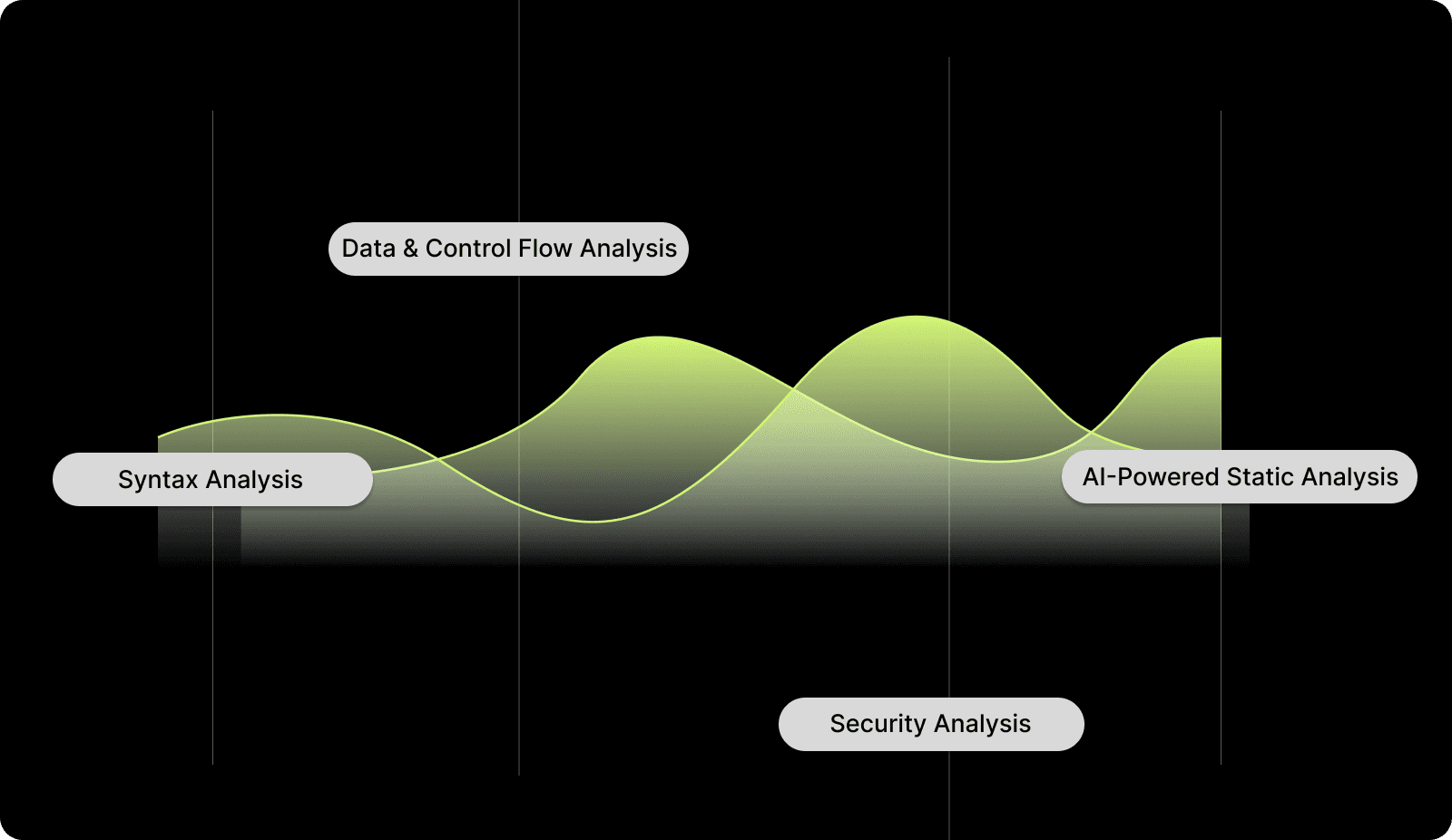
By using various methods, static code analysis tools help ensure your code is secure, performant, and free from flaws. Understanding the key approaches and how they work will help you use these tools more effectively.
Static Code Analysis: Key Approaches & Techniques

1. Syntax Analysis

In static code analysis, syntax analysis is the process of checking whether your code adheres to the correct grammar rules of the programming language. By identifying syntax errors early, you ensure that your code can be compiled and run properly.

2. Data and Control Flow Analysis

This approach involves analyzing the flow of data and control within your program. By understanding how data moves through your system, you can identify hidden bugs or vulnerabilities that might not be immediately obvious.

3. Security Analysis

Security checks evaluate your code for potential vulnerabilities and risks that might be used for exploitation. Best practices for integrating security checks involve continuous monitoring and incorporating useful tools.

4. AI-Powered Static Analysis

By using AI and machine learning, static analysis can go beyond basic checks. AI can help predict complex patterns and provide feedback on code that might be missed by conventional static tools.

By understanding these key techniques, you can make more informed decisions when selecting a static code analysis tool. This helps in ensuring that your code is robust, secure, and error-free.

Best Practices for Implementing Static Code Analysis

Implementing static code analysis effectively is required to improve code quality, security, and overall development efficiency. Following these best practices will ensure you get the most out of these tools:

1. Integrating Static Code Analysis into Your Development Workflow

To get the most out of static code analysis, you should integrate it directly into your CI/CD pipelines. Automating the analysis ensures that every change is checked as it happens, providing instant feedback to catch issues early.

2. Ensuring Comprehensive Coverage

Using a mix of tools helps ensure that you’re covering all aspects of your code quality. Balancing static analysis with dynamic testing provides a well-rounded approach to code quality and security.

3. Managing False Positives and Negatives

False positives and negatives are an inherent challenge in static code analysis. Prioritizing issues by severity and context is important to avoid getting overwhelmed by less critical findings.

By implementing these best practices, you’ll simplify your development process and catch critical issues before they impact your software.

Also Read: How Entelligence AI Empowers Engineering Leaders to Drive High-Performing Teams

Challenges and Considerations in Static Code Analysis

Static code analysis tools are powerful, but they come with their own set of challenges. Understanding these challenges and addressing them effectively is important for optimizing your analysis process.

1. False Positives and False Negatives

While static analysis tools are powerful, they aren’t perfect. Balancing accuracy and thoroughness can sometimes result in false positives (unnecessary alerts) or false negatives (missed issues). Regular tuning and rule adjustments can help mitigate these challenges.

2. Handling Multiple Tools and Approaches

One tool alone can’t address all areas of static code analysis. By using multiple tools, each with its own strengths and focus, you can ensure a more thorough review.

3. Scalability for Large Enterprises

For large enterprises, scalability is key. Your static analysis tools must be able to handle large codebases efficiently and integrate with the existing tools and workflows that are used by you.

Addressing these challenges effectively ensures smoother and more efficient static code analysis. But how do you choose the right tool? Let’s find that out!

How to Pick the Right Static Code Analysis Tool for Your Needs?

Selecting the right static code analysis tool is essential for maintaining high code quality, security, and efficiency in your development process. Here’s what you must focus on while making the decision:

1. Security Considerations

When choosing a static code analysis tool, consider its security features. You need a tool that can integrate with your security systems to identify vulnerabilities early, ensuring your code is secure before deployment.

2. Developer Workflow

Ensure the tool integrates seamlessly with your IDE and version control system. The easier it is to incorporate into your workflow, the more effective it will be, saving time and reducing friction.

3. Enterprise-Level Features

For large teams or organizations, look for tools that offer enterprise-level support. This includes integration with project management tools, team reporting, and advanced metrics to provide comprehensive insights into your code quality.

Choosing the right tool will then simplify your development process and enhance code security.

Conclusion

In 2025, static code analysis is an essential aspect of the development process. The right tools can help you identify defects, improve code quality, and enhance security before deployment. However, given the wide range of options, selecting the best tool for your needs can be challenging.

Entelligence AI stands out by offering real-time, context-aware feedback, reducing manual review cycles, and boosting productivity. Unlike traditional static analysis tools, Entelligence AI integrates seamlessly into your workflow, providing valuable insights that help you ship higher-quality software faster. 

Start your free trial today and see how Entelligence AI can transform your coding process and optimize your software development efforts.

Frequently Asked Questions

Q. What is the difference between a static and a dynamic code analysis tool?

Static code analysis tools examine code without executing it, identifying issues like bugs and vulnerabilities early. Dynamic analysis tools, on the other hand, analyze code while it runs, helping identify runtime issues such as memory leaks or performance bottlenecks.

Q. What are some free static code analysis tools?

Free static code analysis tools include SonarQube (Community Edition), ESLint for JavaScript, PMD for Java, Cppcheck for C/C++, and Entelligence AI (offering AI-powered code reviews with real-time feedback and integration with IDEs).

Q. Which static code analyzers can be run from a Git repository?

Static code analyzers that can run from Git repositories include SonarQube, Codacy, Semgrep, and Entelligence AI. These tools integrate with GitHub and GitLab, providing real-time feedback on code quality and security during commits or pull requests.

Q. How do I introduce a static code analyzer to an existing development team and projects?

To introduce a static code analyzer, start by selecting a tool that integrates with your existing IDEs and CI/CD pipelines. Provide training to the team on its use, configure the tool to run on pull requests, and set up automated checks for continuous feedback.

Making sure your code is free of bugs and security issues is an important part of the development process. Static code analysis tools help you catch problems early, saving you time, money, and effort later on. As software gets more complex, the need for these tools is growing fast. 

In fact, the market for static code analysis tools is expected to reach $2.29 billion by 2034. This shows just how important they’ve become for developers. 

In this blog, we’ll explore the top 10 static code analysis tools of 2025, so you can choose the best one to improve your code quality and make your workflow more efficient.

Overview

  • Static code analysis identifies bugs, vulnerabilities, and inefficiencies early, ensuring better code quality and security.

  • Using a combination of tools covers all aspects of code quality and security.

  • Integrating static analysis into CI/CD pipelines automates feedback and speeds up issue resolution.

  • Security-focused tools detect vulnerabilities, preventing potential exploits.

  • Choose the right tool based on security features, workflow integration, and scalability for you and your team.

What is Static Code Analysis?

Static code analysis is the process of examining your code for errors, vulnerabilities, and inefficiencies without running it. Think of it as a preemptive strike against bugs, flaws, and even potential security threats. Instead of waiting until your application crashes or your code is deployed, static analysis helps detect these issues before they even leave the development environment.

Also Read: Exploring PR Review AI Tools: Boost Code Quality Fast

Why Static Code Analysis is More Important Than Ever?

As software becomes more complex, the risk of bugs, security flaws, and performance issues grows. Traditional testing methods alone aren’t enough to address these challenges. 

Static code analysis helps by catching issues early in the development process, before they reach production. It identifies potential vulnerabilities and inefficiencies, preventing costly downtime and fixes. 

With its ability to ensure better code quality and security, static code analysis is now an essential tool for you to deliver high-quality, reliable software.

The Top Static Code Analysis Tools of 2025

Here’s a comprehensive look at the top 10 static code analysis tools you should consider in 2025. This section compares their features and also highlights their benefits.

Tool

Best For

Key Features

Entelligence AI

AI-powered code review

Context-aware feedback, automated code analysis

Qodo

AI-powered code analysis

Intelligent code suggestions, high-quality analysis

PVS-Studio

Static analysis for C, C++, C#

Deep code inspection, integration support

Snyk Code

Security-focused code analysis

Security vulnerabilities detection, dependency checks

SonarQube

Large teams, enterprise-level

In-depth reporting, enterprise integrations

Codacy

Automation for code quality checks

Language support, automated checks

Fortify

Enterprise-grade security

Comprehensive security checks, integration options

Semgrep

Real-time analysis with customizable patterns

Flexible rules, fast scans

Aikido Security

Developer-centric security analysis

Advanced security integration

Coverity

Comprehensive language support

Deep code analysis, integration-focused

1. Entelligence AI - Best for End-to-End Engineering Productivity

Entelligence AI is more than just a code review tool. It’s an entire engineering productivity suite designed to enhance your workflow from coding through to team performance insights. It combines automated code reviews, security monitoring, sprint assessments, and organizational performance analytics.

Key Features

  • AI-Powered Code Reviews: Context-aware feedback integrated directly into your IDE.

  • Team Performance Insights: Dashboards offering real-time progress tracking, blockers, and productivity analysis.

  • Security Monitoring: Continuous vulnerability scanning and suggestions for remediation.

  • Automated Documentation: Automatically generates and updates documentation as code evolves.

The Limitations

  • Learning Curve: The breadth of features might require some time to fully understand and implement, especially for those new to engineering productivity tools.

2. Qodo (formerly Codium) - Best for AI-Powered Code Analysis

Qodo offers AI-driven code analysis with intelligent suggestions to improve code quality. It provides real-time feedback and recommendations, making it ideal for smart code review automation.

Key Features

  • Intelligent Code Suggestions: Offers automatic, context-sensitive code suggestions.

  • Multi-language Support: Works with multiple programming languages.

  • High-Quality Analysis: Ensures high-quality code through AI-driven recommendations.

The Limitations

  • Newer Tool: Being a newer tool, it may have limited support compared to established platforms.

  • AI Limitations: The AI's suggestions may not always fit complex or niche code scenarios.

3. PVS-Studio - Best for Static Analysis for C, C++, C#

PVS-Studio provides deep static code analysis for C, C++, and C#, identifying bugs, vulnerabilities, and potential risks. It's designed for large, complex codebases, offering comprehensive analysis and integration support.

Key Features

  • Deep Code Inspection: Analyzes complex code for bugs and vulnerabilities.

  • Multiple Language Support: Primarily focused on C, C++, and C#.

  • Integration Support: Works well with various CI/CD and IDE tools.

The Limitations

  • Enterprise Focus: Maybe overkill for smaller codebases.

  • Pricing: Pricing is per developer, which may not suit all team sizes.

4. Snyk Code - Best for Security-Focused Code Analysis

Snyk Code specializes in security-focused static analysis, detecting vulnerabilities in your code and dependencies. It integrates seamlessly into your CI/CD pipeline, offering continuous security monitoring to safeguard your code.

Key Features

  • Security Vulnerabilities Detection: Identifies security flaws in your code and dependencies.

  • Automated Remediation Suggestions: Provides actionable security fixes directly within your development environment.

  • Integration with CI/CD: Easily integrates with continuous integration pipelines for automatic security checks.

The Limitations

  • Limited Non-Security Features: Mainly focuses on security, lacking broader code quality checks.

  • Pricing: The free version has limitations, requiring a paid plan for advanced features.

5. SonarQube - Best for Large Teams, Enterprise-Level Analysis

SonarQube is a widely used tool for continuous code quality and security analysis, offering detailed reports, language support, and integrations with CI/CD pipelines. It's ideal for large teams and enterprise projects.

Key Features

  • Comprehensive Code Analysis: Supports a wide range of languages and provides in-depth analysis for code quality and security.

  • Enterprise Integrations: Seamless integration with CI/CD pipelines and developer tools.

  • Reporting: Detailed reports on code quality, technical debt, and security vulnerabilities.

The Limitations

  • Resource Intensive: Can be resource-heavy for large codebases.

  • Setup Complexity: Requires configuration and maintenance for large teams.

6. Codacy - Best for Code Quality Automation

Codacy automates code quality checks, ensuring compliance with coding standards. It supports multiple programming languages and integrates with GitHub, GitLab, and other CI/CD tools to simplify code review processes.

Key Features

  • Automated Code Reviews: Automatically reviews code for quality issues.

  • Language Support: Supports a variety of programming languages.

  • CI/CD Integration: Integrates with your CI/CD pipeline for continuous code quality monitoring.

The Limitations

  • Limited Customization: Customization options for rules may be limited compared to other tools.

  • Pricing: Premium features are locked behind a paywall.

7. Fortify Static Code Analyzer - Best for Enterprise-Grade Security

Fortify provides enterprise-grade static code analysis, focusing on security vulnerabilities. It helps you ensure compliance, detect security flaws early, and manage risks across large, complex codebases.

Key Features

  • Comprehensive Security Checks: Focused on identifying and remediating security vulnerabilities.

  • Integration Support: Integrates with CI/CD pipelines and developer tools for seamless use.

  • Regulatory Compliance: Supports compliance with various security standards.

The Limitations

  • High Cost: Suitable mainly for large enterprises due to the high cost.

  • Complex Setup: Initial setup can be complicated for smaller teams.

8. Semgrep - Best for Real-Time Analysis with Customizable Patterns

Semgrep offers real-time static analysis with customizable pattern matching. It’s ideal for quick feedback during development, allowing you to enforce coding standards and catch bugs in real-time with tailored rules.

Key Features

  • Customizable Patterns: Create your own rules and patterns for code analysis.

  • Real-Time Feedback: Offers immediate code feedback as you write.

  • Speed: Fast and lightweight, ideal for continuous feedback.

The Limitations

  • Learning Curve: Requires familiarity with its pattern-matching syntax to get the most out of it.

  • Smaller Ecosystem: Compared to larger tools like SonarQube, it has fewer integrations.

9. Aikido Security - Best for Developer-Centric Security Analysis

Aikido Security delivers developer-centric security analysis, focusing on integrating security checks directly into your development environment. It proactively detects vulnerabilities, allowing you to resolve issues quickly without disrupting your workflow.

Key Features

  • Advanced Security Integration: Built-in security checks focused on vulnerabilities and risks.

  • Developer-Friendly Interface: Easy-to-use, integrated directly within the development workflow.

  • Proactive Bug Detection: Detects bugs early in the development process.

The Limitations

  • Niche Focus: Primarily focused on security, with limited support for other code quality checks.

  • Pricing: It may be costly for individual developers.

10. Coverity - Best for Comprehensive Language Support

Coverity provides deep static code analysis across multiple programming languages, identifying critical defects and potential risks. It's ideal for large, multi-language projects, offering strong integration capabilities for continuous development cycles.

Key Features

  • Deep Code Analysis: Provides thorough code inspections and identifies critical defects.

  • Multiple Language Support: Supports various programming languages, making it versatile for diverse teams.

  • Integration-Focused: Easily integrates with CI/CD tools for automated checks.

The Limitations

  • Complex Setup: Initial configuration can be complex, especially for larger teams.

  • Pricing: High price point, typically more suited to large enterprises.

Also Read: Choosing the Right Tool: Top 7 Graphite Alternatives for AI Code Review

Static Code Analysis: Key Approaches & Techniques

By using various methods, static code analysis tools help ensure your code is secure, performant, and free from flaws. Understanding the key approaches and how they work will help you use these tools more effectively.

Static Code Analysis: Key Approaches & Techniques

1. Syntax Analysis

In static code analysis, syntax analysis is the process of checking whether your code adheres to the correct grammar rules of the programming language. By identifying syntax errors early, you ensure that your code can be compiled and run properly.

2. Data and Control Flow Analysis

This approach involves analyzing the flow of data and control within your program. By understanding how data moves through your system, you can identify hidden bugs or vulnerabilities that might not be immediately obvious.

3. Security Analysis

Security checks evaluate your code for potential vulnerabilities and risks that might be used for exploitation. Best practices for integrating security checks involve continuous monitoring and incorporating useful tools.

4. AI-Powered Static Analysis

By using AI and machine learning, static analysis can go beyond basic checks. AI can help predict complex patterns and provide feedback on code that might be missed by conventional static tools.

By understanding these key techniques, you can make more informed decisions when selecting a static code analysis tool. This helps in ensuring that your code is robust, secure, and error-free.

Best Practices for Implementing Static Code Analysis

Implementing static code analysis effectively is required to improve code quality, security, and overall development efficiency. Following these best practices will ensure you get the most out of these tools:

1. Integrating Static Code Analysis into Your Development Workflow

To get the most out of static code analysis, you should integrate it directly into your CI/CD pipelines. Automating the analysis ensures that every change is checked as it happens, providing instant feedback to catch issues early.

2. Ensuring Comprehensive Coverage

Using a mix of tools helps ensure that you’re covering all aspects of your code quality. Balancing static analysis with dynamic testing provides a well-rounded approach to code quality and security.

3. Managing False Positives and Negatives

False positives and negatives are an inherent challenge in static code analysis. Prioritizing issues by severity and context is important to avoid getting overwhelmed by less critical findings.

By implementing these best practices, you’ll simplify your development process and catch critical issues before they impact your software.

Also Read: How Entelligence AI Empowers Engineering Leaders to Drive High-Performing Teams

Challenges and Considerations in Static Code Analysis

Static code analysis tools are powerful, but they come with their own set of challenges. Understanding these challenges and addressing them effectively is important for optimizing your analysis process.

1. False Positives and False Negatives

While static analysis tools are powerful, they aren’t perfect. Balancing accuracy and thoroughness can sometimes result in false positives (unnecessary alerts) or false negatives (missed issues). Regular tuning and rule adjustments can help mitigate these challenges.

2. Handling Multiple Tools and Approaches

One tool alone can’t address all areas of static code analysis. By using multiple tools, each with its own strengths and focus, you can ensure a more thorough review.

3. Scalability for Large Enterprises

For large enterprises, scalability is key. Your static analysis tools must be able to handle large codebases efficiently and integrate with the existing tools and workflows that are used by you.

Addressing these challenges effectively ensures smoother and more efficient static code analysis. But how do you choose the right tool? Let’s find that out!

How to Pick the Right Static Code Analysis Tool for Your Needs?

Selecting the right static code analysis tool is essential for maintaining high code quality, security, and efficiency in your development process. Here’s what you must focus on while making the decision:

1. Security Considerations

When choosing a static code analysis tool, consider its security features. You need a tool that can integrate with your security systems to identify vulnerabilities early, ensuring your code is secure before deployment.

2. Developer Workflow

Ensure the tool integrates seamlessly with your IDE and version control system. The easier it is to incorporate into your workflow, the more effective it will be, saving time and reducing friction.

3. Enterprise-Level Features

For large teams or organizations, look for tools that offer enterprise-level support. This includes integration with project management tools, team reporting, and advanced metrics to provide comprehensive insights into your code quality.

Choosing the right tool will then simplify your development process and enhance code security.

Conclusion

In 2025, static code analysis is an essential aspect of the development process. The right tools can help you identify defects, improve code quality, and enhance security before deployment. However, given the wide range of options, selecting the best tool for your needs can be challenging.

Entelligence AI stands out by offering real-time, context-aware feedback, reducing manual review cycles, and boosting productivity. Unlike traditional static analysis tools, Entelligence AI integrates seamlessly into your workflow, providing valuable insights that help you ship higher-quality software faster. 

Start your free trial today and see how Entelligence AI can transform your coding process and optimize your software development efforts.

Frequently Asked Questions

Q. What is the difference between a static and a dynamic code analysis tool?

Static code analysis tools examine code without executing it, identifying issues like bugs and vulnerabilities early. Dynamic analysis tools, on the other hand, analyze code while it runs, helping identify runtime issues such as memory leaks or performance bottlenecks.

Q. What are some free static code analysis tools?

Free static code analysis tools include SonarQube (Community Edition), ESLint for JavaScript, PMD for Java, Cppcheck for C/C++, and Entelligence AI (offering AI-powered code reviews with real-time feedback and integration with IDEs).

Q. Which static code analyzers can be run from a Git repository?

Static code analyzers that can run from Git repositories include SonarQube, Codacy, Semgrep, and Entelligence AI. These tools integrate with GitHub and GitLab, providing real-time feedback on code quality and security during commits or pull requests.

Q. How do I introduce a static code analyzer to an existing development team and projects?

To introduce a static code analyzer, start by selecting a tool that integrates with your existing IDEs and CI/CD pipelines. Provide training to the team on its use, configure the tool to run on pull requests, and set up automated checks for continuous feedback.
Your questions,

Your questions,

Decoded

Decoded

What makes Entelligence different?

Unlike tools that just flag issues, Entelligence understands context — detecting, explaining, and fixing problems while aligning with product goals and team standards.

Does it replace human reviewers?

No. It amplifies them. Entelligence handles repetitive checks so engineers can focus on architecture, logic, and innovation.

What tools does it integrate with?

It fits right into your workflow — GitHub, GitLab, Jira, Linear, Slack, and more. No setup friction, no context switching.

How secure is my code?

Your code never leaves your environment. Entelligence uses encrypted processing and complies with top industry standards like SOC 2 and HIPAA.

Who is it built for?

Fast-growing engineering teams that want to scale quality, security, and velocity without adding more manual reviews or overhead.

What makes Entelligence different?
Does it replace human reviewers?
What tools does it integrate with?
How secure is my code?
Who is it built for?

Drop your details

We’ll reach out before your next deploy hits production.

We’ll reach out before your next deploy hits production.