A Complete Guide to the Sprint Review Agenda That Stakeholders Actually Value
Jan 19, 2026
Jan 19, 2026
Stakeholders often view engineering demos as technical noise rather than strategic sessions. This lack of engagement happens when your meeting lacks a clear structure or business context. You might find yourself showing features to a silent room while missing critical feedback for the next sprint.
You must build a ritual that bridges the gap between technical execution and business value. A well-structured meeting ensures everyone understands the progress made and the challenges remaining.
In this article, you will learn the exact steps to create a high-impact sprint review agenda that turns demos into collaborative sessions.
Key Takeaways
Time-Box Everything: Limit your review to 60 minutes to maintain high energy and focus from busy product stakeholders.
Skip the Slides: Only show working software in the production environment to build genuine trust with your business partners.
Focus on Value: Always explain why a feature was built and how it solves a specific customer pain point.
Automate Data: Use engineering intelligence tools to gather metrics before the meeting starts so you can focus on the conversation.
Defined Roles: Ensure the Product Owner, Scrum Master, and developers know their specific cues to avoid awkward transitions.
Update the Backlog: The meeting is not finished until you have adjusted priorities based on the feedback received during the session.
Understanding the Sprint Review Agenda
A sprint review is a collaborative meeting held at the end of a sprint where the Scrum Team presents the completed work to stakeholders. It helps inspect the increment, gather feedback, and adapt the product backlog.
Purpose of a Sprint Review Agenda:
To provide a clear structure that respects everyone's time
To ensure the meeting stays focused on reviewing the product increment
To create a predictable format for collaboration and feedback
To facilitate a transparent conversation about progress and next steps
What happens in a sprint review agenda: The team demonstrates completed work, stakeholders provide feedback, and the Product Owner discusses the updated product backlog.
A successful review doesn't happen by chance. It requires a deliberate and well-timed structure that keeps the conversation moving forward.
Also Read: Sprint Velocity in Scrum: How to Measure and Calculate It Right?
The Sprint Review Agenda: A Minute-by-Minute Breakdown
A successful 60-minute session requires strict discipline to prevent technical rabbit holes from derailing the strategic conversation. Use this framework to keep your team on track:
0-5 Minutes: Opening and Goal Alignment
The Product Owner opens the meeting by restating the original Sprint Goal. This prevents stakeholders from judging the work against shifting expectations.
Things to do: Project the original Sprint Goal on the screen as people enter.
Identify which items from the backlog were fully completed and which were moved.
Explicitly welcome new stakeholders and explain the meeting's intent to gather feedback, not just show a demo.
Action Step: State clearly: "Our goal this sprint was [Goal]. We successfully met [X%] of this objective."
Impact: Everyone starts with the same context, reducing irrelevant questions later in the session.
5-15 Minutes: The Health Check and Metrics
The Scrum Master presents the "Definition of Done" and high-level delivery metrics. This provides the objective foundation for the technical work that follows.
Things to do:
Show the Sprint Burndown chart to visualize the work pace.
Share the Say-Do Ratio (Planned vs. Completed tasks) to discuss team capacity.
Mention any major blockers or "near misses" that occurred during the sprint.
Action Step: Share the burndown chart. Explicitly list what was "Not Done" to maintain transparency.
Impact: You build credibility by showing that the team follows a rigorous quality standard.
15-45 Minutes: The Value-Driven Demo
Developers demonstrate the working software completed during the sprint. Focus on user workflows and solved problems rather than code implementation.
Things to do:
Use real-world data in the staging environment to make the demo feel authentic.
Assign different developers to present different features to keep the energy high.
Limit each feature demo to 5 minutes followed by 2 minutes of quick Q&A.
Action Step: Show the feature in the staging environment. Use a "Scenario-based" approach: "As a user, I can now [Action] to achieve [Benefit]."
Impact: Stakeholders stay engaged because they see the product's value through the lens of the customer.
45-55 Minutes: Stakeholder Feedback and Market Context
Open the floor for a structured discussion about the demo. This is the most critical part of the meeting for ensuring long-term product-market fit.
Things to do:
Ask stakeholders to rank the demonstrated features by their perceived business impact.
Discuss any changes in the external market (e.g., a competitor release) that should influence the backlog.
Capture feedback on a shared digital whiteboard so everyone can see the notes in real-time.
Action Step: Ask specific questions: "Does this feature change our priority for the next release?" or "Are there new market risks we should consider?"
Impact: You gather high-level strategic intelligence that prevents the team from building features in a vacuum.
55-60 Minutes: Closing and Next Steps
The Product Owner summarizes the feedback and outlines the preliminary goals for the next sprint based on what was learned.
Things to do:
Review the "Action Items" list and assign owners for any follow-up research.
Confirm the "Finality" of the work shown—is it shipping tonight or pending further changes?
Formally close the meeting on time and stay for 5 minutes of "hallway track" informal talk.
Action Step: Document the top three feedback items and confirm the date and time for the next review session.
Impact: The meeting ends with clear alignment, ensuring the team and stakeholders are prepared for the next sprint planning.
Structure creates the space for creativity and honest feedback from your business partners.
Also Read: Decoding Source Code Management Tools: Types, Benefits, & Top Picks
Preparing for the Review: Roles and Responsibilities
Preparation should begin 48 hours before the meeting to ensure a professional delivery and clear communication. Every team member must understand their specific contribution to the session.
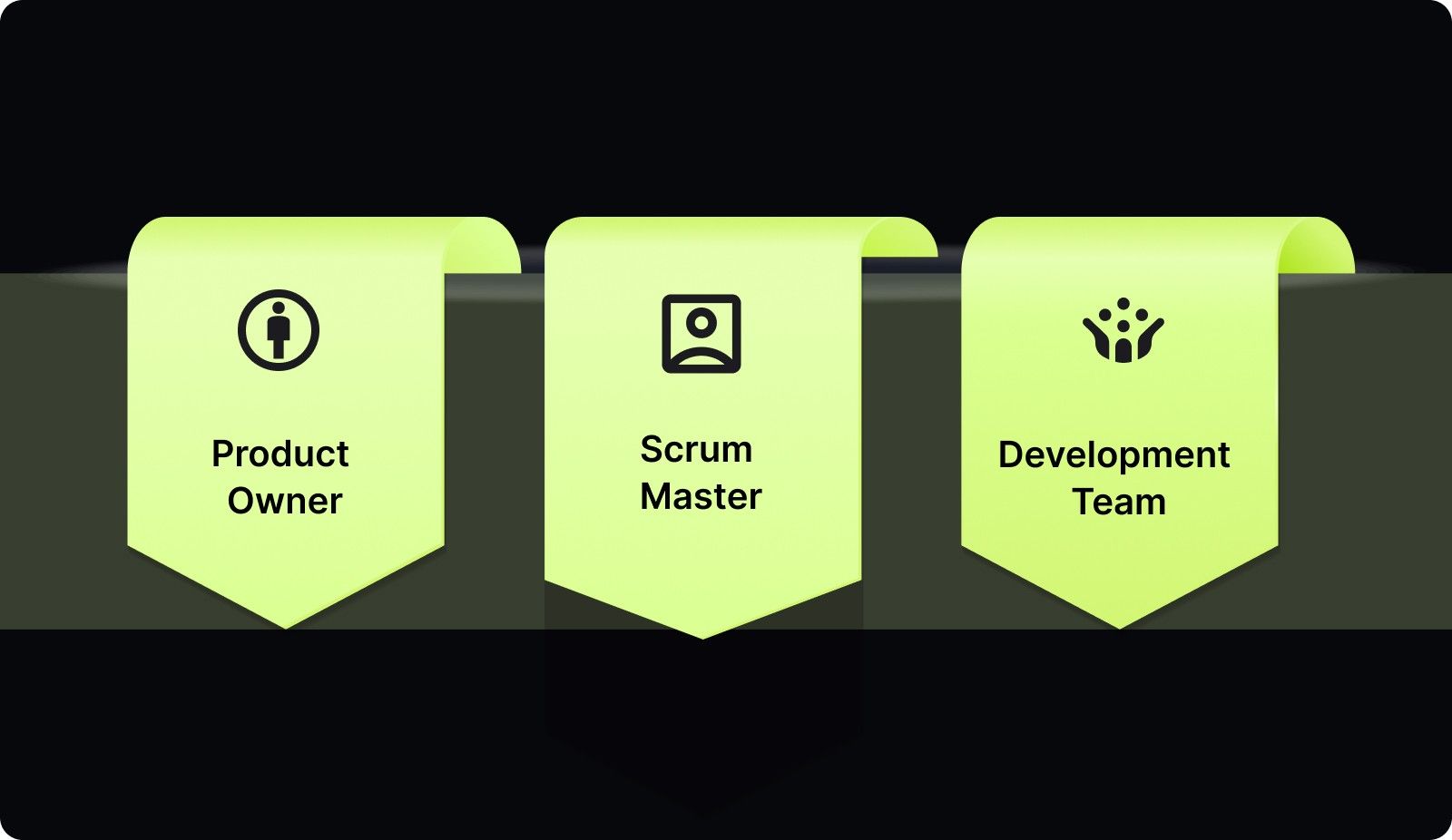
The following roles ensure your meeting remains productive:
1. Product Owner: The Value Guardian
The Product Owner (PO) is responsible for the "Why." They ensure the demo is relevant to the business and that the feedback gathered is actionable for the product roadmap.
Key Actions:
Curate the Room: Invite 3-5 key stakeholders who have the authority to approve changes or provide market-level feedback.
Verify "Done": 24 hours before the meeting, run through the demo with the developers to ensure every feature meets the Acceptance Criteria.
Contextualize the Demo: Prepare a 2-minute opening that explains the business problem each feature was designed to solve.
What to Expect: Stakeholders will stay engaged because they see how the engineering output directly impacts their departmental goals.
2. Scrum Master: The Operational Facilitator
The Scrum Master is the guardian of the sprint review agenda. They remove friction and ensure the meeting produces data-driven outcomes without running over time.
Key Actions:
Build the Dashboard: Prepare a single view showing the Say-Do Ratio (Planned vs. Completed) and the Sprint Burndown.
Time-Box Sections: Actively interrupt the conversation if a technical "rabbit hole" lasts longer than 3 minutes, moving it to a sidebar.
Neutralize Dominant Voices: Proactively ask silent stakeholders for their input to ensure the feedback represents the whole business, not just the loudest person.
What to Expect: The meeting will consistently end on time, and technical discussions will not overshadow the strategic goal of the session.
3. Development Team: The Technical Experts
Developers are responsible for the "What" and "How." They provide the evidence of progress and the reality of the system's current state.
Action Steps:
Environment Pre-Flight: Confirm the staging environment is stable and populated with realistic test data at least 2 hours before the session.
Live Demo Execution: Show the feature through the eyes of the user, not by showing code or API calls (unless specifically requested).
Identify Residual Debt: Explicitly mention if a feature was built with a "quick fix" that will require a follow-up refactor in the next sprint.
What to Expect: Building trust through transparency. When developers are honest about technical debt, stakeholders are more likely to support quality-focused sprints.
Clear roles prevent confusion and ensure that the meeting feels like a polished professional event.
Stop wasting hours manually gathering metrics for your next sprint review. Book a demo with Entelligence AI today to see how automated sprint health dashboards can provide the objective data you need to lead with clarity.
Measuring Success: Key Metrics to Discuss During the Review
Data removes the subjectivity from the review and helps stakeholders understand the team's actual performance. You must present these numbers clearly to build long-term credibility with leadership.
Use these metrics to guide your strategic discussion:
1. Sprint Velocity for Capacity Planning
Calculate velocity by adding the total story points of all completed tasks in the sprint. Present the rolling average of the last three sprints to show the team's predictable output. This helps stakeholders understand how much work can realistically fit into the next roadmap cycle.
2. Burndown Charts for Work Consistency
Show the burndown chart to visualize how the team burned through tasks throughout the sprint duration. A steady decline indicates healthy work habits, while a flat line followed by a vertical drop suggests bottlenecks. Use this to discuss where the team might need more support or clearer requirements.
3. Definition of Done (DoD) for Quality Assurance
Explain the specific criteria a task must meet before the team considers it finished. This might include unit tests, code reviews, and documentation updates. Sharing the DoD proves to stakeholders that speed is not being prioritized over the stability of the system.
Objective data allows for better decision-making and reduces the friction between engineering and product management.

5 Best Practices for a High-Impact Sprint Review Agenda
Small changes in how you run the meeting can lead to significant improvements in stakeholder engagement. Focus on the human element and the business impact to make the session valuable.
Adopt these habits to improve your review quality:
1. No PowerPoint Allowed
Only show the actual software running in a staging or production environment. Slides create a layer of abstraction that hides the true state of the product. Working software is the primary measure of progress and the only way to get honest feedback.
How it helps:
Builds Radical Trust: Stakeholders see the tangible reality of the product, eliminating the "smoke and mirrors" feel of static slides.
Forces Deployment Discipline: The team must ensure the code is actually deployable and functional by the meeting time.
Surfaces Real UX Friction: Live interaction reveals bugs or usability issues that are invisible in a pre-recorded video or image.
2. Focus on Business Value
Every feature demo should start with a statement about how it helps the customer or the business. Avoid technical jargon like "API endpoints" or "database migrations" unless specifically asked by technical stakeholders. Speak the language of the business to keep your audience interested.
How it helps:
Increases Stakeholder Engagement: Business leaders stay focused when they understand how the work impacts their specific KPIs and goals.
Clarifies Engineering Purpose: Developers gain a deeper understanding of the "why" behind their tasks, improving long-term motivation.
Reduces Communication Friction: Eliminating jargon prevents the "eyes glazing over" effect and encourages more meaningful questions from non-technical peers.
3. Invite the Right Stakeholders
A review is only as good as the feedback you receive from the people who use the product. Ensure that representatives from sales, marketing, and customer success are present to provide diverse perspectives. Their input prevents the engineering team from building features that no one wants.
How it helps:
Prevents Wasteful Development: Early feedback from customer-facing teams stops features that don't solve real-world user problems.
Ensures Org-Wide Alignment: Diverse departments stay informed about upcoming releases, allowing them to prepare marketing or support collateral.
Accelerates Feedback Loops: Getting direct input from different perspectives in one hour saves weeks of back-and-forth email chains.
4. Strictly Time-Box Every Section
Respect the schedules of your stakeholders by ending the meeting exactly when promised. If a technical discussion becomes too detailed, take it offline to a separate follow-up session. This discipline builds a reputation for efficiency and professional management.
How it helps:
Protects Senior Leadership Time: Executives are more likely to attend regularly if they know the meeting will never exceed sixty minutes.
Prioritizes Critical Content: Tight limits force the team to focus on the most impactful features rather than minor edge cases.
Prevents Decision Fatigue: Keeping the energy high and the pace fast ensures the most important feedback is gathered before focus wanes.
5. Encourage Radical Candor
Create a safe environment where stakeholders feel comfortable giving negative feedback early. It is much better to find out a feature is heading the wrong way now than after months of work. Use the review to surface risks and challenges before they become expensive failures.
How it helps:
De-Risks Product Launches: Identifying a design flaw in the review phase is exponentially cheaper than fixing it after a full production release.
Strengthens Team Resilience: Normalizing constructive criticism helps the engineering team separate their personal value from the code they write.
Improves Product Quality: Honest, unfiltered critiques lead to a more refined user experience that actually meets the high standards of your customers.
Best practices are only effective when the team consistently applies them across every sprint cycle.
Also Read: Top 8 Developer Productivity Tools For Maximum Efficiency
Common Sprint Review Mistakes (And How to Fix Them)
Even experienced teams fall into traps that turn productive meetings into boring status updates. Recognizing these patterns early allows you to correct the course before you lose stakeholder interest.
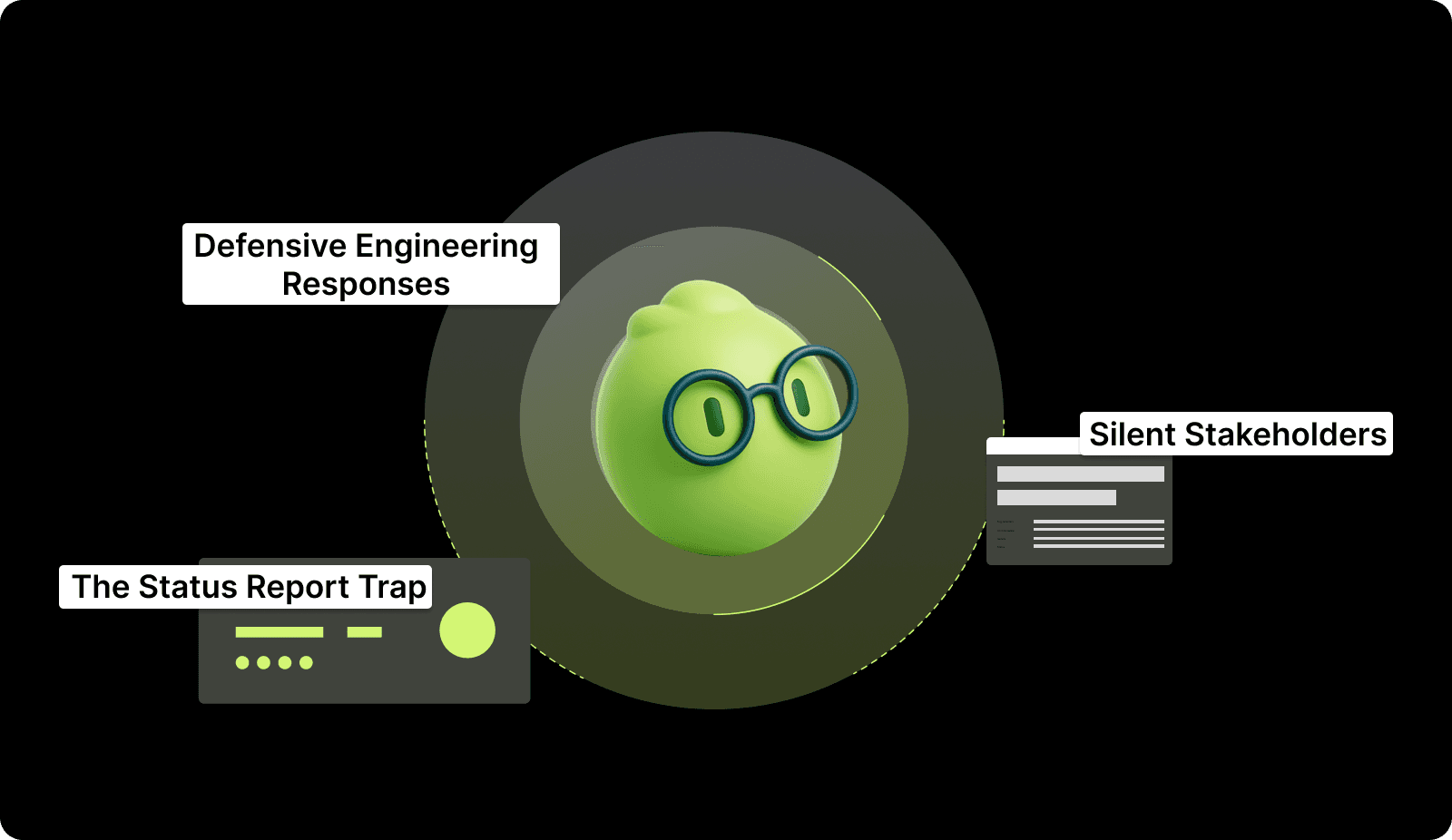
Avoid these pitfalls to keep your momentum:
1. The Status Report Trap
Do not simply read a list of completed tickets from your project management tool. A review is a conversation about the product, not an accounting of the team's hourly activities. Shift the focus back to the increment and the future goals of the product.
How to fix:
Map Tickets to Themes: Group completed work into business themes like "Improving User Onboarding" or "Reducing Payment Latency."
Present the Narrative: Start each demo by explaining the customer problem before showing the technical solution.
Focus on the "What's Next": Spend the last 15 minutes discussing how the work you just showed changes the upcoming roadmap.
2. Defensive Engineering Responses
Teams often feel attacked when stakeholders suggest changes to the work they just completed. Remind the developers that the goal is to build the right thing, not just to finish the code. Use feedback as data for the next sprint instead of a critique of the past.
How to fix:
Set the Stage Early: Begin the meeting by explicitly stating that the goal is to find gaps and receive critical feedback.
Assign a Note-Taker: Have someone other than the presenter record feedback so the developer can focus on listening without feeling the need to justify choices.
Reframe as Information: Treat every piece of feedback as a "new requirement" or "market data" rather than a correction of past work.
3. Unengaged or Silent Stakeholders
If stakeholders are not talking, you are likely being too technical or not asking the right questions. Use specific prompts to encourage active participation. Engagement is a two-way street that requires active facilitation from the Scrum Master.
How to fix:
Use Specific Prompts: Instead of asking "Any questions?", ask "How would this feature impact your team’s weekly workflow?"
Limit Technical Depth: If a developer starts explaining the database schema, the Scrum Master should pivot the conversation back to the user experience.
Pre-Review Briefings: Give key stakeholders a 5-minute "heads up" on what they will see so they have time to prepare thoughtful questions.
Correcting these mistakes creates a more positive culture where everyone feels invested in the product outcome.
Also Read: Sprint Review Guide: Definition, Goals, and Tips
Post-Review Action Plan: Turning Feedback into Backlog Items
The work is not done when the meeting ends; the real value is in how you apply the feedback. You must translate the discussion into actionable tasks for the engineering team.
Follow this workflow to maintain project momentum:
1. Immediate Backlog Refinement
Update Within 24 Hours: The Product Owner must translate meeting notes into the product backlog immediately to maintain context and accuracy.
Create New Tickets: Generate specific tasks for any requested features or adjustments mentioned by stakeholders during the session.
Adjust Priorities: Re-rank existing items based on stakeholder input to ensure the team always works on the most impactful requirements.
2. Sprint Planning Preparation
Shape Future Goals: Use the direct insights from the review to define the core objectives for the upcoming sprint planning session.
Analyze Rejections: Conduct a quick technical post-mortem if a feature was rejected to decide if it requires a complete pivot or minor refactoring.
Cycle Input: Ensure the results of the review serve as the primary evidence for deciding which initiatives the team tackles next.
3. Stakeholder Follow-up and Summary
Distribute Key Decisions: Send a concise email summary to all attendees that highlights exactly what was decided and what will change.
Reinforce Value: Publicly acknowledge specific feedback to show stakeholders that their presence directly influences the product’s direction.
Build Long-Term Trust: Maintain consistent communication after the meeting to create alignment across the engineering, sales, and product departments.
Turning words into action is the only way to prove the value of the review process.
Also Read: Understanding Development Velocity in Software Engineering
Entelligence AI: Unifying Productivity and Clarity
Manual data gathering for sprint reviews is a slow process that often leads to errors and frustration. Engineering leaders frequently spend hours chasing updates in GitHub and Jira just to prepare for a single meeting. This overhead reduces the time you can spend on strategic leadership and team coaching.
Entelligence AI serves as the end-to-end engineering intelligence platform that automates this entire data-gathering phase. We bridge the gap between daily code execution and the strategic clarity you need to run an effective review. Our platform provides a single source of truth for every role in your organization.
Automated Sprint Assessments: Generate health checks that track planned versus completed tasks without manual tracking or spreadsheets.
PR Dashboards for Real-Time Flow: See exactly which pull requests are stuck or causing bottlenecks before they impact your sprint goal.
Individual and Team Insights: Access objective data on code quality and contribution trends to support data-backed retrospectives.
Leaderboard and Engagement Tools: Drive team motivation and accountability through gamified performance metrics and transparent visibility.
Our platform ensures that your sprint review agenda is fueled by accurate, real-time data instead of anecdotal feedback.
Also Read: The Design Evolution of Entelligence AI
Conclusion
A successful sprint review agenda is more than a list of features; it is a vital communication tool. By time-boxing your sections, focusing on business value, and using objective metrics, you transform your demos into strategic assets.
Entelligence AI is your partner in achieving this level of organizational clarity. We provide the intelligence and automation needed to streamline your engineering workflows and eliminate administrative overhead.
Our platform empowers you to lead with data and build products that truly matter.
Ready to see how automated insights can improve your next sprint review? Book a demo with Entelligence AI today.
FAQs
Q. Who should be invited to a sprint review?
Invite anyone who can provide meaningful feedback on the product increment or needs visibility into progress. This always includes the Scrum Team and Product Owner. Key stakeholders include product managers, executives, UX designers, and subject matter experts. Avoid large "observer" audiences who won't participate.
Q. How long should a sprint review be?
A good rule of thumb is one hour for every week in the sprint. For a standard two-week sprint, a 60-minute review is typical. For one-week sprints, aim for 30-45 minutes. The key is to time-box the agenda strictly to respect attendees' time and maintain focus.
Q. What if we didn't complete all the work we planned for the sprint?
Be transparent. The sprint review is an inspection, not a report card. Use the burndown chart to show what happened. Discuss the scope that was removed or added and why. Focus the demo on what was completed to the Definition of Done, and have an honest conversation about adjustments for the next sprint.
Q. Can we cancel a sprint review if we have nothing to demo?
No. The review is a formal Scrum event, not optional. Even with a small increment, hold the meeting. Use the time to discuss why the output was small. Review the sprint goal, discuss blockers, and gather feedback on priorities. Canceling erodes transparency and stakeholder trust.
Q. How does a sprint review differ from a demo?
A demo is simply a technical presentation of a completed feature to show that it works. A sprint review includes the demo but adds layers of metrics, stakeholder feedback, and backlog adjustment. The review is a collaborative planning session, whereas a demo is often a one-way communication of status.
Stakeholders often view engineering demos as technical noise rather than strategic sessions. This lack of engagement happens when your meeting lacks a clear structure or business context. You might find yourself showing features to a silent room while missing critical feedback for the next sprint.
You must build a ritual that bridges the gap between technical execution and business value. A well-structured meeting ensures everyone understands the progress made and the challenges remaining.
In this article, you will learn the exact steps to create a high-impact sprint review agenda that turns demos into collaborative sessions.
Key Takeaways
Time-Box Everything: Limit your review to 60 minutes to maintain high energy and focus from busy product stakeholders.
Skip the Slides: Only show working software in the production environment to build genuine trust with your business partners.
Focus on Value: Always explain why a feature was built and how it solves a specific customer pain point.
Automate Data: Use engineering intelligence tools to gather metrics before the meeting starts so you can focus on the conversation.
Defined Roles: Ensure the Product Owner, Scrum Master, and developers know their specific cues to avoid awkward transitions.
Update the Backlog: The meeting is not finished until you have adjusted priorities based on the feedback received during the session.
Understanding the Sprint Review Agenda
A sprint review is a collaborative meeting held at the end of a sprint where the Scrum Team presents the completed work to stakeholders. It helps inspect the increment, gather feedback, and adapt the product backlog.
Purpose of a Sprint Review Agenda:
To provide a clear structure that respects everyone's time
To ensure the meeting stays focused on reviewing the product increment
To create a predictable format for collaboration and feedback
To facilitate a transparent conversation about progress and next steps
What happens in a sprint review agenda: The team demonstrates completed work, stakeholders provide feedback, and the Product Owner discusses the updated product backlog.
A successful review doesn't happen by chance. It requires a deliberate and well-timed structure that keeps the conversation moving forward.
Also Read: Sprint Velocity in Scrum: How to Measure and Calculate It Right?

The Sprint Review Agenda: A Minute-by-Minute Breakdown
A successful 60-minute session requires strict discipline to prevent technical rabbit holes from derailing the strategic conversation. Use this framework to keep your team on track:
0-5 Minutes: Opening and Goal Alignment
The Product Owner opens the meeting by restating the original Sprint Goal. This prevents stakeholders from judging the work against shifting expectations.
Things to do: Project the original Sprint Goal on the screen as people enter.
Identify which items from the backlog were fully completed and which were moved.
Explicitly welcome new stakeholders and explain the meeting's intent to gather feedback, not just show a demo.
Action Step: State clearly: "Our goal this sprint was [Goal]. We successfully met [X%] of this objective."
Impact: Everyone starts with the same context, reducing irrelevant questions later in the session.
5-15 Minutes: The Health Check and Metrics
The Scrum Master presents the "Definition of Done" and high-level delivery metrics. This provides the objective foundation for the technical work that follows.
Things to do:
Show the Sprint Burndown chart to visualize the work pace.
Share the Say-Do Ratio (Planned vs. Completed tasks) to discuss team capacity.
Mention any major blockers or "near misses" that occurred during the sprint.
Action Step: Share the burndown chart. Explicitly list what was "Not Done" to maintain transparency.
Impact: You build credibility by showing that the team follows a rigorous quality standard.
15-45 Minutes: The Value-Driven Demo
Developers demonstrate the working software completed during the sprint. Focus on user workflows and solved problems rather than code implementation.
Things to do:
Use real-world data in the staging environment to make the demo feel authentic.
Assign different developers to present different features to keep the energy high.
Limit each feature demo to 5 minutes followed by 2 minutes of quick Q&A.
Action Step: Show the feature in the staging environment. Use a "Scenario-based" approach: "As a user, I can now [Action] to achieve [Benefit]."
Impact: Stakeholders stay engaged because they see the product's value through the lens of the customer.
45-55 Minutes: Stakeholder Feedback and Market Context
Open the floor for a structured discussion about the demo. This is the most critical part of the meeting for ensuring long-term product-market fit.
Things to do:
Ask stakeholders to rank the demonstrated features by their perceived business impact.
Discuss any changes in the external market (e.g., a competitor release) that should influence the backlog.
Capture feedback on a shared digital whiteboard so everyone can see the notes in real-time.
Action Step: Ask specific questions: "Does this feature change our priority for the next release?" or "Are there new market risks we should consider?"
Impact: You gather high-level strategic intelligence that prevents the team from building features in a vacuum.
55-60 Minutes: Closing and Next Steps
The Product Owner summarizes the feedback and outlines the preliminary goals for the next sprint based on what was learned.
Things to do:
Review the "Action Items" list and assign owners for any follow-up research.
Confirm the "Finality" of the work shown—is it shipping tonight or pending further changes?
Formally close the meeting on time and stay for 5 minutes of "hallway track" informal talk.
Action Step: Document the top three feedback items and confirm the date and time for the next review session.
Impact: The meeting ends with clear alignment, ensuring the team and stakeholders are prepared for the next sprint planning.
Structure creates the space for creativity and honest feedback from your business partners.
Also Read: Decoding Source Code Management Tools: Types, Benefits, & Top Picks
Preparing for the Review: Roles and Responsibilities
Preparation should begin 48 hours before the meeting to ensure a professional delivery and clear communication. Every team member must understand their specific contribution to the session.

The following roles ensure your meeting remains productive:
1. Product Owner: The Value Guardian
The Product Owner (PO) is responsible for the "Why." They ensure the demo is relevant to the business and that the feedback gathered is actionable for the product roadmap.
Key Actions:
Curate the Room: Invite 3-5 key stakeholders who have the authority to approve changes or provide market-level feedback.
Verify "Done": 24 hours before the meeting, run through the demo with the developers to ensure every feature meets the Acceptance Criteria.
Contextualize the Demo: Prepare a 2-minute opening that explains the business problem each feature was designed to solve.
What to Expect: Stakeholders will stay engaged because they see how the engineering output directly impacts their departmental goals.
2. Scrum Master: The Operational Facilitator
The Scrum Master is the guardian of the sprint review agenda. They remove friction and ensure the meeting produces data-driven outcomes without running over time.
Key Actions:
Build the Dashboard: Prepare a single view showing the Say-Do Ratio (Planned vs. Completed) and the Sprint Burndown.
Time-Box Sections: Actively interrupt the conversation if a technical "rabbit hole" lasts longer than 3 minutes, moving it to a sidebar.
Neutralize Dominant Voices: Proactively ask silent stakeholders for their input to ensure the feedback represents the whole business, not just the loudest person.
What to Expect: The meeting will consistently end on time, and technical discussions will not overshadow the strategic goal of the session.
3. Development Team: The Technical Experts
Developers are responsible for the "What" and "How." They provide the evidence of progress and the reality of the system's current state.
Action Steps:
Environment Pre-Flight: Confirm the staging environment is stable and populated with realistic test data at least 2 hours before the session.
Live Demo Execution: Show the feature through the eyes of the user, not by showing code or API calls (unless specifically requested).
Identify Residual Debt: Explicitly mention if a feature was built with a "quick fix" that will require a follow-up refactor in the next sprint.
What to Expect: Building trust through transparency. When developers are honest about technical debt, stakeholders are more likely to support quality-focused sprints.
Clear roles prevent confusion and ensure that the meeting feels like a polished professional event.
Stop wasting hours manually gathering metrics for your next sprint review. Book a demo with Entelligence AI today to see how automated sprint health dashboards can provide the objective data you need to lead with clarity.
Measuring Success: Key Metrics to Discuss During the Review
Data removes the subjectivity from the review and helps stakeholders understand the team's actual performance. You must present these numbers clearly to build long-term credibility with leadership.
Use these metrics to guide your strategic discussion:
1. Sprint Velocity for Capacity Planning
Calculate velocity by adding the total story points of all completed tasks in the sprint. Present the rolling average of the last three sprints to show the team's predictable output. This helps stakeholders understand how much work can realistically fit into the next roadmap cycle.
2. Burndown Charts for Work Consistency
Show the burndown chart to visualize how the team burned through tasks throughout the sprint duration. A steady decline indicates healthy work habits, while a flat line followed by a vertical drop suggests bottlenecks. Use this to discuss where the team might need more support or clearer requirements.
3. Definition of Done (DoD) for Quality Assurance
Explain the specific criteria a task must meet before the team considers it finished. This might include unit tests, code reviews, and documentation updates. Sharing the DoD proves to stakeholders that speed is not being prioritized over the stability of the system.
Objective data allows for better decision-making and reduces the friction between engineering and product management.

5 Best Practices for a High-Impact Sprint Review Agenda
Small changes in how you run the meeting can lead to significant improvements in stakeholder engagement. Focus on the human element and the business impact to make the session valuable.
Adopt these habits to improve your review quality:
1. No PowerPoint Allowed
Only show the actual software running in a staging or production environment. Slides create a layer of abstraction that hides the true state of the product. Working software is the primary measure of progress and the only way to get honest feedback.
How it helps:
Builds Radical Trust: Stakeholders see the tangible reality of the product, eliminating the "smoke and mirrors" feel of static slides.
Forces Deployment Discipline: The team must ensure the code is actually deployable and functional by the meeting time.
Surfaces Real UX Friction: Live interaction reveals bugs or usability issues that are invisible in a pre-recorded video or image.
2. Focus on Business Value
Every feature demo should start with a statement about how it helps the customer or the business. Avoid technical jargon like "API endpoints" or "database migrations" unless specifically asked by technical stakeholders. Speak the language of the business to keep your audience interested.
How it helps:
Increases Stakeholder Engagement: Business leaders stay focused when they understand how the work impacts their specific KPIs and goals.
Clarifies Engineering Purpose: Developers gain a deeper understanding of the "why" behind their tasks, improving long-term motivation.
Reduces Communication Friction: Eliminating jargon prevents the "eyes glazing over" effect and encourages more meaningful questions from non-technical peers.
3. Invite the Right Stakeholders
A review is only as good as the feedback you receive from the people who use the product. Ensure that representatives from sales, marketing, and customer success are present to provide diverse perspectives. Their input prevents the engineering team from building features that no one wants.
How it helps:
Prevents Wasteful Development: Early feedback from customer-facing teams stops features that don't solve real-world user problems.
Ensures Org-Wide Alignment: Diverse departments stay informed about upcoming releases, allowing them to prepare marketing or support collateral.
Accelerates Feedback Loops: Getting direct input from different perspectives in one hour saves weeks of back-and-forth email chains.
4. Strictly Time-Box Every Section
Respect the schedules of your stakeholders by ending the meeting exactly when promised. If a technical discussion becomes too detailed, take it offline to a separate follow-up session. This discipline builds a reputation for efficiency and professional management.
How it helps:
Protects Senior Leadership Time: Executives are more likely to attend regularly if they know the meeting will never exceed sixty minutes.
Prioritizes Critical Content: Tight limits force the team to focus on the most impactful features rather than minor edge cases.
Prevents Decision Fatigue: Keeping the energy high and the pace fast ensures the most important feedback is gathered before focus wanes.
5. Encourage Radical Candor
Create a safe environment where stakeholders feel comfortable giving negative feedback early. It is much better to find out a feature is heading the wrong way now than after months of work. Use the review to surface risks and challenges before they become expensive failures.
How it helps:
De-Risks Product Launches: Identifying a design flaw in the review phase is exponentially cheaper than fixing it after a full production release.
Strengthens Team Resilience: Normalizing constructive criticism helps the engineering team separate their personal value from the code they write.
Improves Product Quality: Honest, unfiltered critiques lead to a more refined user experience that actually meets the high standards of your customers.
Best practices are only effective when the team consistently applies them across every sprint cycle.
Also Read: Top 8 Developer Productivity Tools For Maximum Efficiency
Common Sprint Review Mistakes (And How to Fix Them)
Even experienced teams fall into traps that turn productive meetings into boring status updates. Recognizing these patterns early allows you to correct the course before you lose stakeholder interest.

Avoid these pitfalls to keep your momentum:
1. The Status Report Trap
Do not simply read a list of completed tickets from your project management tool. A review is a conversation about the product, not an accounting of the team's hourly activities. Shift the focus back to the increment and the future goals of the product.
How to fix:
Map Tickets to Themes: Group completed work into business themes like "Improving User Onboarding" or "Reducing Payment Latency."
Present the Narrative: Start each demo by explaining the customer problem before showing the technical solution.
Focus on the "What's Next": Spend the last 15 minutes discussing how the work you just showed changes the upcoming roadmap.
2. Defensive Engineering Responses
Teams often feel attacked when stakeholders suggest changes to the work they just completed. Remind the developers that the goal is to build the right thing, not just to finish the code. Use feedback as data for the next sprint instead of a critique of the past.
How to fix:
Set the Stage Early: Begin the meeting by explicitly stating that the goal is to find gaps and receive critical feedback.
Assign a Note-Taker: Have someone other than the presenter record feedback so the developer can focus on listening without feeling the need to justify choices.
Reframe as Information: Treat every piece of feedback as a "new requirement" or "market data" rather than a correction of past work.
3. Unengaged or Silent Stakeholders
If stakeholders are not talking, you are likely being too technical or not asking the right questions. Use specific prompts to encourage active participation. Engagement is a two-way street that requires active facilitation from the Scrum Master.
How to fix:
Use Specific Prompts: Instead of asking "Any questions?", ask "How would this feature impact your team’s weekly workflow?"
Limit Technical Depth: If a developer starts explaining the database schema, the Scrum Master should pivot the conversation back to the user experience.
Pre-Review Briefings: Give key stakeholders a 5-minute "heads up" on what they will see so they have time to prepare thoughtful questions.
Correcting these mistakes creates a more positive culture where everyone feels invested in the product outcome.

Also Read: Sprint Review Guide: Definition, Goals, and Tips
Post-Review Action Plan: Turning Feedback into Backlog Items
The work is not done when the meeting ends; the real value is in how you apply the feedback. You must translate the discussion into actionable tasks for the engineering team.
Follow this workflow to maintain project momentum:
1. Immediate Backlog Refinement
Update Within 24 Hours: The Product Owner must translate meeting notes into the product backlog immediately to maintain context and accuracy.
Create New Tickets: Generate specific tasks for any requested features or adjustments mentioned by stakeholders during the session.
Adjust Priorities: Re-rank existing items based on stakeholder input to ensure the team always works on the most impactful requirements.
2. Sprint Planning Preparation
Shape Future Goals: Use the direct insights from the review to define the core objectives for the upcoming sprint planning session.
Analyze Rejections: Conduct a quick technical post-mortem if a feature was rejected to decide if it requires a complete pivot or minor refactoring.
Cycle Input: Ensure the results of the review serve as the primary evidence for deciding which initiatives the team tackles next.
3. Stakeholder Follow-up and Summary
Distribute Key Decisions: Send a concise email summary to all attendees that highlights exactly what was decided and what will change.
Reinforce Value: Publicly acknowledge specific feedback to show stakeholders that their presence directly influences the product’s direction.
Build Long-Term Trust: Maintain consistent communication after the meeting to create alignment across the engineering, sales, and product departments.
Turning words into action is the only way to prove the value of the review process.
Also Read: Understanding Development Velocity in Software Engineering
Entelligence AI: Unifying Productivity and Clarity
Manual data gathering for sprint reviews is a slow process that often leads to errors and frustration. Engineering leaders frequently spend hours chasing updates in GitHub and Jira just to prepare for a single meeting. This overhead reduces the time you can spend on strategic leadership and team coaching.
Entelligence AI serves as the end-to-end engineering intelligence platform that automates this entire data-gathering phase. We bridge the gap between daily code execution and the strategic clarity you need to run an effective review. Our platform provides a single source of truth for every role in your organization.
Automated Sprint Assessments: Generate health checks that track planned versus completed tasks without manual tracking or spreadsheets.
PR Dashboards for Real-Time Flow: See exactly which pull requests are stuck or causing bottlenecks before they impact your sprint goal.
Individual and Team Insights: Access objective data on code quality and contribution trends to support data-backed retrospectives.
Leaderboard and Engagement Tools: Drive team motivation and accountability through gamified performance metrics and transparent visibility.
Our platform ensures that your sprint review agenda is fueled by accurate, real-time data instead of anecdotal feedback.
Also Read: The Design Evolution of Entelligence AI
Conclusion
A successful sprint review agenda is more than a list of features; it is a vital communication tool. By time-boxing your sections, focusing on business value, and using objective metrics, you transform your demos into strategic assets.
Entelligence AI is your partner in achieving this level of organizational clarity. We provide the intelligence and automation needed to streamline your engineering workflows and eliminate administrative overhead.
Our platform empowers you to lead with data and build products that truly matter.
Ready to see how automated insights can improve your next sprint review? Book a demo with Entelligence AI today.
FAQs
Q. Who should be invited to a sprint review?
Invite anyone who can provide meaningful feedback on the product increment or needs visibility into progress. This always includes the Scrum Team and Product Owner. Key stakeholders include product managers, executives, UX designers, and subject matter experts. Avoid large "observer" audiences who won't participate.
Q. How long should a sprint review be?
A good rule of thumb is one hour for every week in the sprint. For a standard two-week sprint, a 60-minute review is typical. For one-week sprints, aim for 30-45 minutes. The key is to time-box the agenda strictly to respect attendees' time and maintain focus.
Q. What if we didn't complete all the work we planned for the sprint?
Be transparent. The sprint review is an inspection, not a report card. Use the burndown chart to show what happened. Discuss the scope that was removed or added and why. Focus the demo on what was completed to the Definition of Done, and have an honest conversation about adjustments for the next sprint.
Q. Can we cancel a sprint review if we have nothing to demo?
No. The review is a formal Scrum event, not optional. Even with a small increment, hold the meeting. Use the time to discuss why the output was small. Review the sprint goal, discuss blockers, and gather feedback on priorities. Canceling erodes transparency and stakeholder trust.
Q. How does a sprint review differ from a demo?
A demo is simply a technical presentation of a completed feature to show that it works. A sprint review includes the demo but adds layers of metrics, stakeholder feedback, and backlog adjustment. The review is a collaborative planning session, whereas a demo is often a one-way communication of status.
We raised $5M to run your Engineering team on Autopilot
Watch our launch video
Talk to Sales
Turn engineering signals into leadership decisions
Connect with our team to see how Entelliegnce helps engineering leaders with full visibility into sprint performance, Team insights & Product Delivery
Talk to Sales
Turn engineering signals into leadership decisions
Connect with our team to see how Entelliegnce helps engineering leaders with full visibility into sprint performance, Team insights & Product Delivery
Try Entelligence now