The Ultimate Guide: Sprint Review vs Sprint Retrospective

Nov 28, 2025

Nov 28, 2025

Scrum gives you two important meetings at the end of every Sprint: the Sprint Review and the Sprint Retrospective. Many teams run these meetings, but not everyone uses them in the way they were designed. 

A study even found that 84% of respondents reported low Agile maturity, which shows how common it is for teams to struggle with core Scrum practices.

Understanding the difference between these two meetings helps you improve your product, strengthen your team’s workflow, and make every Sprint more meaningful.

In this blog, we will discuss what each meeting is, how they differ, and how you can use both effectively.

Overview

  • Sprint Reviews focus on product progress, while Sprint Retrospectives focus on team process improvement.

  • Sprint Reviews include stakeholders; Retrospectives are team-only meetings.

  • Both meetings are time-boxed for efficiency - Sprint Reviews: 1-4 hours, Retrospectives: 90 minutes to 3 hours.

  • Active participation is essential: stakeholders guide product direction, team members refine processes.

  • Integrating feedback from the Sprint Review into the Retrospective drives continuous product and process improvement.

What is a Sprint?

A Sprint is a time-boxed period, typically lasting 1–4 weeks, during which a Scrum team works to complete a set amount of work from the product backlog. The goal is to create a potentially shippable product increment by the end of the Sprint. This means that your team delivers a product that is usable, testable, and functional.

The Sprint serves as a container for the Scrum ceremonies, including Sprint Planning, Daily Scrum, Sprint Review, and Sprint Retrospective. It’s a clear cycle designed to help you manage your work, adapt to changing priorities, and continuously improve both the product and the process.

The Role of a Sprint in Agile Development

In Agile development, the Sprint is where you and your team’s core work happens. It allows for flexibility and adaptation, enabling your team to deliver incremental improvements. It also promotes communication between the Scrum team and stakeholders, ensuring that everyone is aligned on the project's direction and goals.

By the end of each Sprint, your team demonstrates progress, learns from challenges, and adjusts plans accordingly. This iterative process supports continuous improvement both in terms of the product and the team's workflow.

Also Read: Sprint Velocity in Scrum: How to Measure and Calculate It Right?

What is a Sprint Review?

The Sprint Review is a key ceremony that happens at the end of each Sprint. It's the time when the Scrum team showcases what they’ve completed and gathers feedback to refine the next steps.

Purpose of the Sprint Review

The Sprint Review is a collaborative meeting between the Scrum team and stakeholders. The goal is to demonstrate the work completed during the Sprint, collect feedback, and make decisions that will guide the next steps. It focuses on the product, its progress, what’s been built, and how it aligns with stakeholder expectations.

Unlike the Sprint Retrospective, which is internal and process-oriented, the Sprint Review is product-oriented, focusing on ensuring the product is evolving as expected.

Key Participants in the Sprint Review

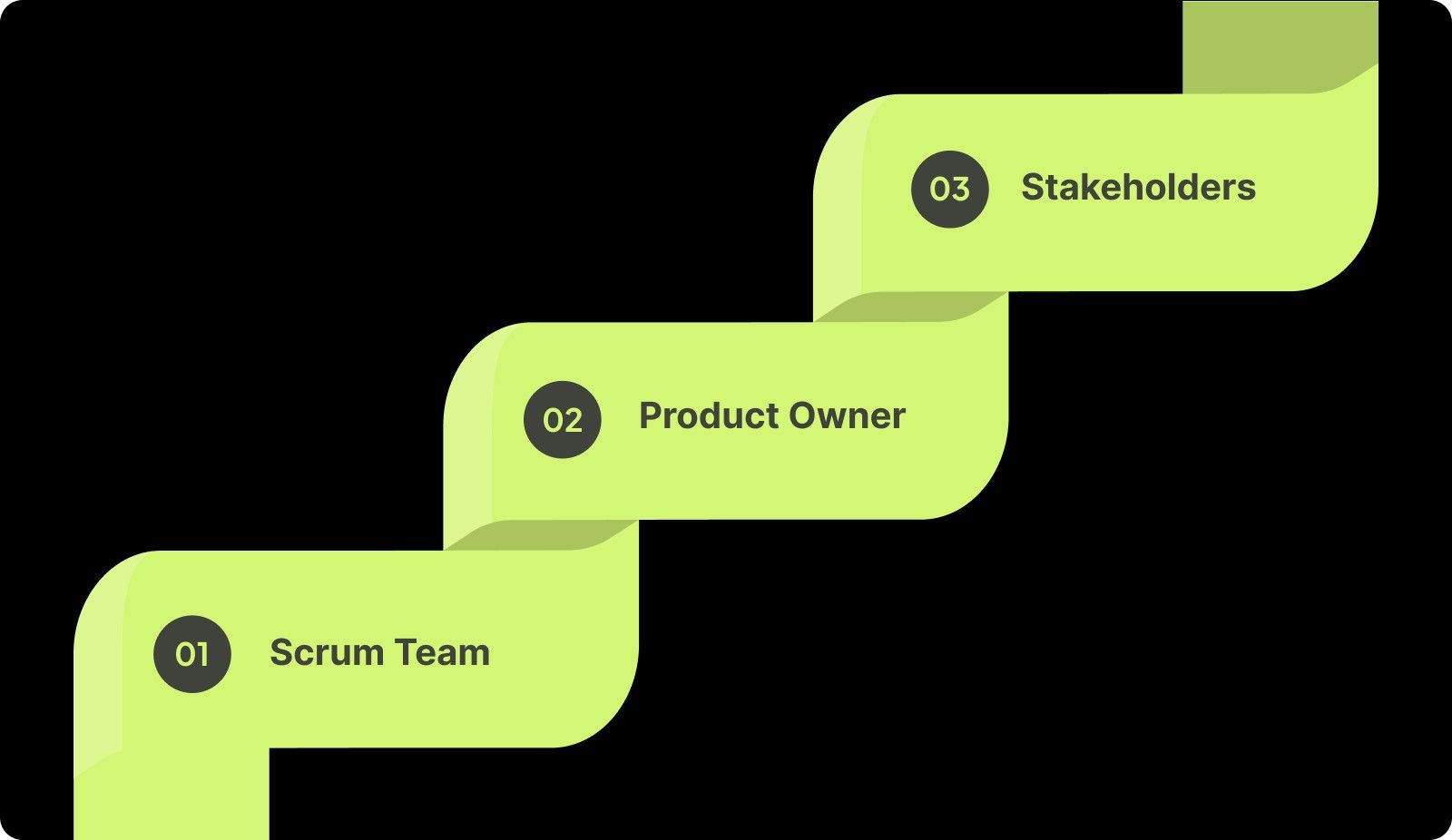
The main participants in the Sprint Review are:
Key Participants in the Sprint Review
  • Scrum Team: Your developers who will demo the completed work and answer any questions.

  • Product Owner: The one responsible for guiding the team on what should be prioritized and who will provide insights on product alignment.

  • Stakeholders: This could be business partners, customers, or anyone interested in the product's development who can provide valuable feedback.

When Does the Sprint Review Take Place?

The Sprint Review takes place at the end of the Sprint. It is the penultimate meeting in the Scrum cycle, right before the Sprint Retrospective.

Also Read: What is a Secure Code Review? Process and Best Practices

Key Deliverables of a Sprint Review

Here’s what you should expect from a Sprint Review meeting:

  • Product Demonstration: The Scrum team demonstrates the completed work to stakeholders, highlighting what’s new and how it aligns with the initial goals.

  • Stakeholder Feedback: Stakeholders share their opinions, ask questions, and provide feedback that could alter the direction of the product.

  • Updated Product Backlog: Based on the feedback and insights from the Review, the Product Owner adjusts the product backlog, making necessary refinements or adding new priorities.

Best Practices for Sprint Review

A successful Sprint Review requires thorough preparation and active stakeholder engagement. By ensuring your product increment is ready and encouraging open feedback, you can align your high-performing team and stakeholders for the next steps.

1. Preparation for Sprint Review

To ensure a productive Sprint Review, make sure you come prepared with a fully working product increment that aligns with the Sprint Goal. Additionally, provide clear explanations on how the work aligns with user stories and acceptance criteria, and don’t forget to bring up any open issues or challenges that still need attention.

2. Engaging Stakeholders Effectively

Use the Sprint Review as an opportunity to engage stakeholders meaningfully by encouraging honest feedback. Ask targeted questions to ensure alignment and be ready to justify the development choices made. It’s important to record feedback carefully and prioritize the next steps based on what you hear.

To wrap up the Sprint Review effectively, it’s equally important to reflect on how your team collaborates. Let’s now dive into what a sprint retrospective is, where we’ll explore how to improve your team’s process.

What is a Sprint Retrospective?

A Sprint Retrospective is an important meeting where your team reflects on their processes, identifying what went well and what needs improvement. It’s an opportunity for continuous growth, focusing on refining team collaboration and workflow efficiency.

Purpose of the Sprint Retrospective

The Sprint Retrospective is held after the Sprint Review and is designed to build team improvement. During this meeting, you and your team reflect on the Sprint's successes and challenges, identify areas of improvement, and also make action plans for better performance in the next Sprint.

Key Participants in the Sprint Retrospective

The participants in the Sprint Retrospective are:

  • Scrum Team: This includes developers, the Scrum Master, and the Product Owner. There are no external stakeholders.

  • Scrum Master: Acts as a facilitator to ensure the meeting runs smoothly and everyone’s voice is heard.

When Does the Sprint Retrospective Take Place?

The Sprint Retrospective happens immediately after the Sprint Review. It is usually held at the end of the Sprint, before your team begins work on the next Sprint.

Key Deliverables of a Sprint Retrospective

The main outcomes of a Sprint Retrospective are:

  • Actionable Process Improvements: Concrete steps that your team can implement in the next Sprint to improve workflow or team collaboration.

  • Identifying and Solving Team Collaboration Issues: Discuss issues such as communication breakdowns, conflicts, or inefficiencies and agree on solutions.

Best Practices for Sprint Retrospective

To make the Sprint Retrospective effective, create a safe environment for feedback and keep the focus on process improvement. This will help you grow and ensure that each Sprint is more efficient than the last.

1. Creating a Safe Space for Feedback

To ensure that your retrospective has honest and constructive feedback, it’s important to create a safe environment where team members feel comfortable expressing their concerns. Encourage open dialogue where everyone can share their thoughts without fear of judgment. Focus the conversation on processes and solutions, rather than assigning individual blame. 

2. Focusing on Process Improvement

The retrospective should center around process improvement, not just addressing issues. Ensure the discussion stays solution-focused by prioritizing actionable steps that your team can implement in the next Sprint. You should also encourage a forward-thinking approach that helps your team grow by identifying areas of improvement and brainstorming how to address them. 

By promoting open communication and prioritizing actionable improvements, your team can continuously refine its processes. Next, let’s dive into the key similarities between Sprint Reviews and Retrospectives, and how they both drive continuous improvement.

Also Read: The Design Evolution of Entelligence AI

Key Similarities Between Sprint Review and Sprint Retrospective

While Sprint Reviews and Retrospectives serve different purposes, they share core similarities that help drive progress. Understanding these common characteristics ensures that both meetings contribute to continuous improvement.

1. Time-Boxed Nature

Both Sprint Reviews and Sprint Retrospectives are time-boxed to keep the meetings focused and efficient. A typical Sprint Review lasts 1-4 hours, while the Retrospective is usually 90 minutes to 3 hours. This ensures that your team stays on track and makes the most of each meeting.

2. Focus on Continuous Improvement

Both ceremonies are geared toward continuous improvement. The Sprint Review focuses on improving the product by aligning with stakeholder feedback, while the Sprint Retrospective emphasizes improving the team’s processes, ensuring smoother workflows in future sprints.

3. Active Participation is Essential

Active participation is essential in both meetings. In the Sprint Review, stakeholders provide valuable feedback, shaping the product's direction. In the Sprint Retrospective, you and your team members actively contribute ideas for refining processes and promoting team growth.

These shared elements play a solid role in enhancing both product and team performance. Now, let's move on to the key differences that set these meetings apart.

Sprint Review vs Sprint Retrospective: Key Differences

In Agile, the Sprint Review and Sprint Retrospective are two sides of the same coin. While both drive improvement, their focus and impact vary. Let’s dive into how these meetings differ:

Aspect

Sprint Review

Sprint Retrospective

Focus

Product

Process

Participants

Scrum Team + Stakeholders

Scrum Team Only

Goals

Align Product and Gather Feedback

Improve Team Processes

Key Deliverables

Product Demo, Backlog Update

Actionable Improvements

Frequency

End of Sprint

After the Sprint Review

By distinguishing between these two ceremonies, you can take full advantage of their unique strengths. Now that we’ve covered their differences, let’s explore how to use both for continuous improvement in your Agile process.

Making the Most Out of Both Meetings

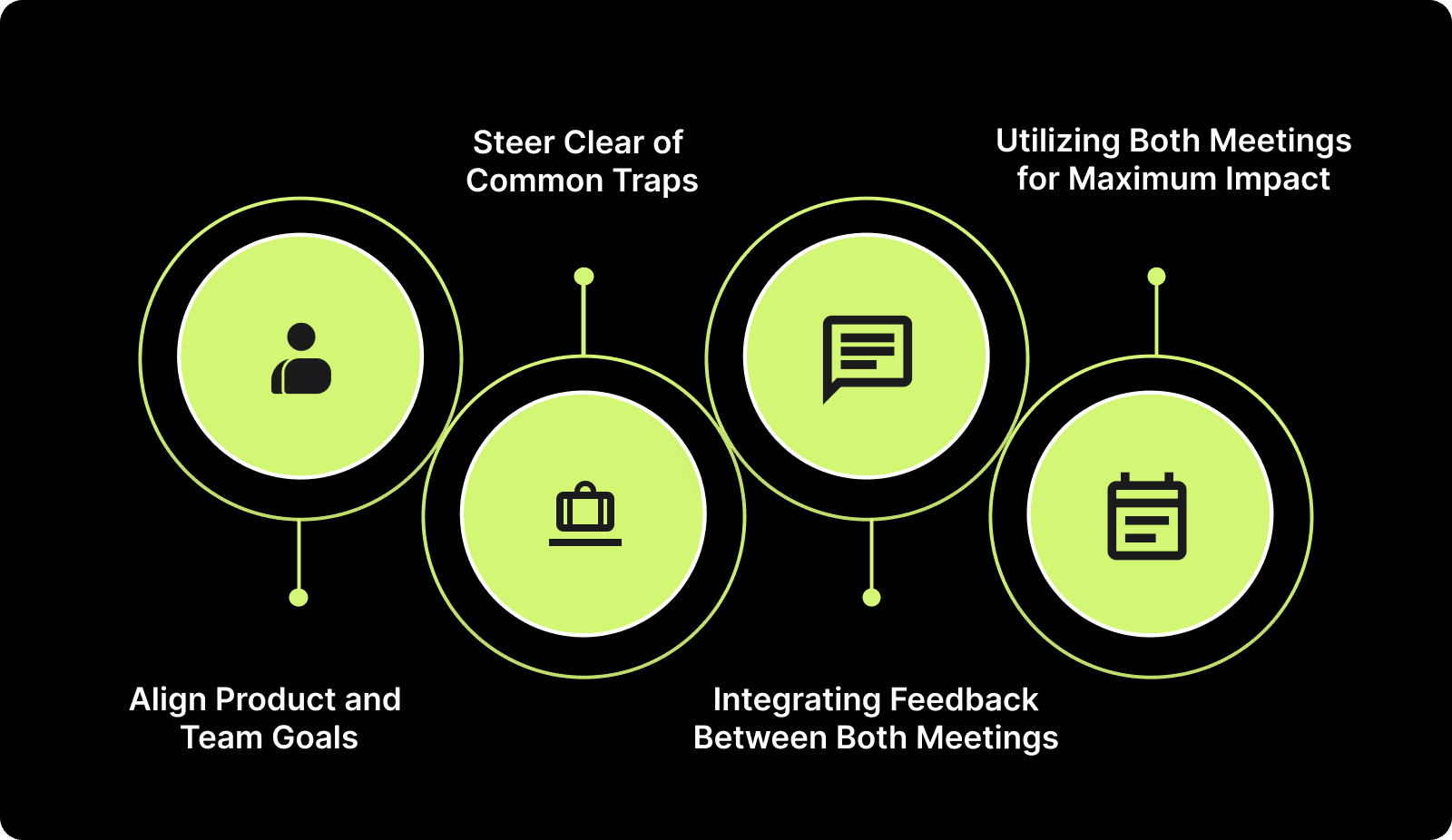
To truly maximize the benefits of Sprint Reviews and Sprint Retrospectives, it’s required to ensure that each meeting serves its unique purpose while complementing the other. Here’s how you can make both ceremonies work side-by-side for maximum impact:
Making the Most Out of Both Meetings

1. Align Product and Team Goals

Ensure that both the Sprint Review and Sprint Retrospective are aligned with broader team and project goals. While the Review focuses on product progress, the Retrospective ensures your team is growing and refining its processes. 

These meetings, when aligned, build a clear connection between product delivery and team performance, which is essential for continuous improvement.

2. Steer Clear of Common Traps

It’s easy to fall into common traps during both meetings that can affect your progress. During the Sprint Review, avoid failing to showcase the full product increment or excluding key stakeholders from the discussion. 

Besides, in the Sprint Retrospective, you or your team can get stuck focusing on vague issues without identifying specific, actionable improvements. Focus on concrete examples and set clear, measurable goals for improvement.

3. Integrating Feedback Between Both Meetings

Feedback gathered during the Sprint Review should naturally feed into the Sprint Retrospective. By integrating the insights from the Review, you can identify areas where the product and processes need adjustment. 

For example, if feedback suggests a product feature isn’t meeting expectations, the Retrospective can focus on why the team missed the mark and how to improve the development process for the next Sprint.

4. Utilizing Both Meetings for Maximum Impact

To get the most out of these ceremonies, you need to implement both for continuous improvement. Use insights from the Sprint Review to identify product-related issues that need addressing, then use the Sprint Retrospective to improve team collaboration and efficiency. 

The feedback loop between these meetings ensures your team and product are always moving in the right direction.

To make sure both the Sprint Review and Sprint Retrospective are used to their fullest potential, you also need to have the right tools.

Tools to Facilitate Sprint Reviews and Retrospectives

The right tools can significantly enhance the productivity and effectiveness of both Sprint Reviews and Retrospectives. By simplifying collaboration, feedback collection, and tracking, these tools help you and your team stay organized and focused.

  • Sprint Review Tools: Jira- Track progress, manage product backlogs, and collaborate seamlessly with stakeholders in real-time during Sprint Reviews.

  • Sprint Retrospective Tools: FunRetro- Facilitate smooth retrospectives with interactive templates and real-time feedback, making it easy to identify improvements.

  • Collaboration Tools: Miro- Use Miro for visual brainstorming and feedback during both Sprint Reviews and Retrospectives, ensuring clarity and alignment.

For a more comprehensive solution, Entelligence AI is the perfect platform to opt for. It offers valuable insights and simplifies both your Sprint Reviews and Retrospectives for maximum efficiency.

Also Read: How to Cherry Pick a Commit from Another Branch?

How Entelligence AI Enhances Sprint Reviews and Retrospectives?

During Sprint Reviews and Sprint Retrospectives, teams often face challenges in managing feedback, tracking progress, and ensuring continuous improvement. Without the right tools, you might struggle to keep these meetings focused, actionable, and aligned with your goals.

Entelligence AI helps manage both Sprint Reviews and Retrospectives by offering real-time feedback and insights that keep your team on track. It makes it easier to demonstrate progress during the review and identify actionable process improvements during the retrospective, ultimately improving both product quality and team efficiency.

Key Features of Entelligence AI:

  • Context-Aware Sprint Reviews: During your Sprint Review, get real-time insights into your product’s progress and performance, ensuring that stakeholder feedback is aligned and actionable.

  • Automated Sprint Retrospectives: Automatically generate retrospectives with data-backed insights into team performance, making it easier to identify areas for improvement and refine your processes.

  • Real-Time Team Performance Dashboards: Monitor your team's productivity and identify blockers in real-time, helping you make adjustments before they impact the next Sprint.

  • Sprint Assessments: Get detailed insights into sprint health, identifying potential blockers and areas of improvement, and ensuring that your team stays focused and aligned.

  • Seamless Integration: Easily integrate Entelligence AI with tools you already use to keep your Sprint Reviews and Retrospectives organized and efficient.

With Entelligence AI, you can ensure your Sprint Reviews are productive and your Sprint Retrospectives lead to real improvements. By integrating actionable insights into both meetings, you'll boost your team’s progress and continuously improve your product and processes.

Conclusion

Getting the most out of your Sprint Review and Sprint Retrospective is key to staying on track with your Agile goals. When done right, these meetings help you improve your product and fine-tune your team’s processes, making your workflow more efficient and aligned with what truly matters.

Entelligence AI is here to help make those meetings even more effective. With our platform, you get real-time feedback, team insights, and clear data that improve both the product you're building and how your team works together. 

Want to see how you can improve your team’s performance and speed up development? Start your free trial of Entelligence AI today and discover how our platform can help you turn your Agile meetings into powerful, result-driven sessions.

FAQs

1. How do I prepare for a Sprint Review?

Make sure your product increment is demo-ready, gather feedback from all stakeholders, and update the product backlog to reflect any changes or new priorities based on the review discussions.

2. What should I avoid during a Sprint Retrospective?

Avoid blaming anyone, focusing only on problems without offering solutions, or skipping actionable improvements. Make sure your retrospective is constructive, with a focus on resolving issues and improving processes.

3. Can the Sprint Retrospective be skipped if there’s nothing to improve?

No, you should never skip the Sprint Retrospective. Even if there are no immediate improvements, it’s a valuable time to reflect on successes, reinforce positive behaviors, and ensure continuous growth.

4. How can Sprint Retrospectives improve team dynamics?

By encouraging open communication, addressing collaboration challenges, and creating a culture of feedback and improvement, you can improve team dynamics. Regular retrospectives help you identify areas to enhance performance and strengthen team relationships.

5. Are Sprint Reviews always required to be a demonstration?

Yes, the Sprint Review always includes a demonstration of the product increment. This allows you to showcase your progress, gather feedback from stakeholders, and adjust priorities based on the work completed during the Sprint.
Scrum gives you two important meetings at the end of every Sprint: the Sprint Review and the Sprint Retrospective. Many teams run these meetings, but not everyone uses them in the way they were designed. 

A study even found that 84% of respondents reported low Agile maturity, which shows how common it is for teams to struggle with core Scrum practices.

Understanding the difference between these two meetings helps you improve your product, strengthen your team’s workflow, and make every Sprint more meaningful.

In this blog, we will discuss what each meeting is, how they differ, and how you can use both effectively.

Overview

  • Sprint Reviews focus on product progress, while Sprint Retrospectives focus on team process improvement.

  • Sprint Reviews include stakeholders; Retrospectives are team-only meetings.

  • Both meetings are time-boxed for efficiency - Sprint Reviews: 1-4 hours, Retrospectives: 90 minutes to 3 hours.

  • Active participation is essential: stakeholders guide product direction, team members refine processes.

  • Integrating feedback from the Sprint Review into the Retrospective drives continuous product and process improvement.

What is a Sprint?

A Sprint is a time-boxed period, typically lasting 1–4 weeks, during which a Scrum team works to complete a set amount of work from the product backlog. The goal is to create a potentially shippable product increment by the end of the Sprint. This means that your team delivers a product that is usable, testable, and functional.

The Sprint serves as a container for the Scrum ceremonies, including Sprint Planning, Daily Scrum, Sprint Review, and Sprint Retrospective. It’s a clear cycle designed to help you manage your work, adapt to changing priorities, and continuously improve both the product and the process.

The Role of a Sprint in Agile Development

In Agile development, the Sprint is where you and your team’s core work happens. It allows for flexibility and adaptation, enabling your team to deliver incremental improvements. It also promotes communication between the Scrum team and stakeholders, ensuring that everyone is aligned on the project's direction and goals.

By the end of each Sprint, your team demonstrates progress, learns from challenges, and adjusts plans accordingly. This iterative process supports continuous improvement both in terms of the product and the team's workflow.

Also Read: Sprint Velocity in Scrum: How to Measure and Calculate It Right?

What is a Sprint Review?

The Sprint Review is a key ceremony that happens at the end of each Sprint. It's the time when the Scrum team showcases what they’ve completed and gathers feedback to refine the next steps.

Purpose of the Sprint Review

The Sprint Review is a collaborative meeting between the Scrum team and stakeholders. The goal is to demonstrate the work completed during the Sprint, collect feedback, and make decisions that will guide the next steps. It focuses on the product, its progress, what’s been built, and how it aligns with stakeholder expectations.

Unlike the Sprint Retrospective, which is internal and process-oriented, the Sprint Review is product-oriented, focusing on ensuring the product is evolving as expected.

Key Participants in the Sprint Review

The main participants in the Sprint Review are:

Key Participants in the Sprint Review
  • Scrum Team: Your developers who will demo the completed work and answer any questions.

  • Product Owner: The one responsible for guiding the team on what should be prioritized and who will provide insights on product alignment.

  • Stakeholders: This could be business partners, customers, or anyone interested in the product's development who can provide valuable feedback.

When Does the Sprint Review Take Place?

The Sprint Review takes place at the end of the Sprint. It is the penultimate meeting in the Scrum cycle, right before the Sprint Retrospective.

Also Read: What is a Secure Code Review? Process and Best Practices

Key Deliverables of a Sprint Review

Here’s what you should expect from a Sprint Review meeting:

  • Product Demonstration: The Scrum team demonstrates the completed work to stakeholders, highlighting what’s new and how it aligns with the initial goals.

  • Stakeholder Feedback: Stakeholders share their opinions, ask questions, and provide feedback that could alter the direction of the product.

  • Updated Product Backlog: Based on the feedback and insights from the Review, the Product Owner adjusts the product backlog, making necessary refinements or adding new priorities.

Best Practices for Sprint Review

A successful Sprint Review requires thorough preparation and active stakeholder engagement. By ensuring your product increment is ready and encouraging open feedback, you can align your high-performing team and stakeholders for the next steps.

1. Preparation for Sprint Review

To ensure a productive Sprint Review, make sure you come prepared with a fully working product increment that aligns with the Sprint Goal. Additionally, provide clear explanations on how the work aligns with user stories and acceptance criteria, and don’t forget to bring up any open issues or challenges that still need attention.

2. Engaging Stakeholders Effectively

Use the Sprint Review as an opportunity to engage stakeholders meaningfully by encouraging honest feedback. Ask targeted questions to ensure alignment and be ready to justify the development choices made. It’s important to record feedback carefully and prioritize the next steps based on what you hear.

To wrap up the Sprint Review effectively, it’s equally important to reflect on how your team collaborates. Let’s now dive into what a sprint retrospective is, where we’ll explore how to improve your team’s process.

What is a Sprint Retrospective?

A Sprint Retrospective is an important meeting where your team reflects on their processes, identifying what went well and what needs improvement. It’s an opportunity for continuous growth, focusing on refining team collaboration and workflow efficiency.

Purpose of the Sprint Retrospective

The Sprint Retrospective is held after the Sprint Review and is designed to build team improvement. During this meeting, you and your team reflect on the Sprint's successes and challenges, identify areas of improvement, and also make action plans for better performance in the next Sprint.

Key Participants in the Sprint Retrospective

The participants in the Sprint Retrospective are:

  • Scrum Team: This includes developers, the Scrum Master, and the Product Owner. There are no external stakeholders.

  • Scrum Master: Acts as a facilitator to ensure the meeting runs smoothly and everyone’s voice is heard.

When Does the Sprint Retrospective Take Place?

The Sprint Retrospective happens immediately after the Sprint Review. It is usually held at the end of the Sprint, before your team begins work on the next Sprint.

Key Deliverables of a Sprint Retrospective

The main outcomes of a Sprint Retrospective are:

  • Actionable Process Improvements: Concrete steps that your team can implement in the next Sprint to improve workflow or team collaboration.

  • Identifying and Solving Team Collaboration Issues: Discuss issues such as communication breakdowns, conflicts, or inefficiencies and agree on solutions.

Best Practices for Sprint Retrospective

To make the Sprint Retrospective effective, create a safe environment for feedback and keep the focus on process improvement. This will help you grow and ensure that each Sprint is more efficient than the last.

1. Creating a Safe Space for Feedback

To ensure that your retrospective has honest and constructive feedback, it’s important to create a safe environment where team members feel comfortable expressing their concerns. Encourage open dialogue where everyone can share their thoughts without fear of judgment. Focus the conversation on processes and solutions, rather than assigning individual blame. 

2. Focusing on Process Improvement

The retrospective should center around process improvement, not just addressing issues. Ensure the discussion stays solution-focused by prioritizing actionable steps that your team can implement in the next Sprint. You should also encourage a forward-thinking approach that helps your team grow by identifying areas of improvement and brainstorming how to address them. 

By promoting open communication and prioritizing actionable improvements, your team can continuously refine its processes. Next, let’s dive into the key similarities between Sprint Reviews and Retrospectives, and how they both drive continuous improvement.

Also Read: The Design Evolution of Entelligence AI

Key Similarities Between Sprint Review and Sprint Retrospective

While Sprint Reviews and Retrospectives serve different purposes, they share core similarities that help drive progress. Understanding these common characteristics ensures that both meetings contribute to continuous improvement.

1. Time-Boxed Nature

Both Sprint Reviews and Sprint Retrospectives are time-boxed to keep the meetings focused and efficient. A typical Sprint Review lasts 1-4 hours, while the Retrospective is usually 90 minutes to 3 hours. This ensures that your team stays on track and makes the most of each meeting.

2. Focus on Continuous Improvement

Both ceremonies are geared toward continuous improvement. The Sprint Review focuses on improving the product by aligning with stakeholder feedback, while the Sprint Retrospective emphasizes improving the team’s processes, ensuring smoother workflows in future sprints.

3. Active Participation is Essential

Active participation is essential in both meetings. In the Sprint Review, stakeholders provide valuable feedback, shaping the product's direction. In the Sprint Retrospective, you and your team members actively contribute ideas for refining processes and promoting team growth.

These shared elements play a solid role in enhancing both product and team performance. Now, let's move on to the key differences that set these meetings apart.

Sprint Review vs Sprint Retrospective: Key Differences

In Agile, the Sprint Review and Sprint Retrospective are two sides of the same coin. While both drive improvement, their focus and impact vary. Let’s dive into how these meetings differ:

Aspect

Sprint Review

Sprint Retrospective

Focus

Product

Process

Participants

Scrum Team + Stakeholders

Scrum Team Only

Goals

Align Product and Gather Feedback

Improve Team Processes

Key Deliverables

Product Demo, Backlog Update

Actionable Improvements

Frequency

End of Sprint

After the Sprint Review

By distinguishing between these two ceremonies, you can take full advantage of their unique strengths. Now that we’ve covered their differences, let’s explore how to use both for continuous improvement in your Agile process.

Making the Most Out of Both Meetings

To truly maximize the benefits of Sprint Reviews and Sprint Retrospectives, it’s required to ensure that each meeting serves its unique purpose while complementing the other. Here’s how you can make both ceremonies work side-by-side for maximum impact:

Making the Most Out of Both Meetings

1. Align Product and Team Goals

Ensure that both the Sprint Review and Sprint Retrospective are aligned with broader team and project goals. While the Review focuses on product progress, the Retrospective ensures your team is growing and refining its processes. 

These meetings, when aligned, build a clear connection between product delivery and team performance, which is essential for continuous improvement.

2. Steer Clear of Common Traps

It’s easy to fall into common traps during both meetings that can affect your progress. During the Sprint Review, avoid failing to showcase the full product increment or excluding key stakeholders from the discussion. 

Besides, in the Sprint Retrospective, you or your team can get stuck focusing on vague issues without identifying specific, actionable improvements. Focus on concrete examples and set clear, measurable goals for improvement.

3. Integrating Feedback Between Both Meetings

Feedback gathered during the Sprint Review should naturally feed into the Sprint Retrospective. By integrating the insights from the Review, you can identify areas where the product and processes need adjustment. 

For example, if feedback suggests a product feature isn’t meeting expectations, the Retrospective can focus on why the team missed the mark and how to improve the development process for the next Sprint.

4. Utilizing Both Meetings for Maximum Impact

To get the most out of these ceremonies, you need to implement both for continuous improvement. Use insights from the Sprint Review to identify product-related issues that need addressing, then use the Sprint Retrospective to improve team collaboration and efficiency. 

The feedback loop between these meetings ensures your team and product are always moving in the right direction.

To make sure both the Sprint Review and Sprint Retrospective are used to their fullest potential, you also need to have the right tools.

Tools to Facilitate Sprint Reviews and Retrospectives

The right tools can significantly enhance the productivity and effectiveness of both Sprint Reviews and Retrospectives. By simplifying collaboration, feedback collection, and tracking, these tools help you and your team stay organized and focused.

  • Sprint Review Tools: Jira- Track progress, manage product backlogs, and collaborate seamlessly with stakeholders in real-time during Sprint Reviews.

  • Sprint Retrospective Tools: FunRetro- Facilitate smooth retrospectives with interactive templates and real-time feedback, making it easy to identify improvements.

  • Collaboration Tools: Miro- Use Miro for visual brainstorming and feedback during both Sprint Reviews and Retrospectives, ensuring clarity and alignment.

For a more comprehensive solution, Entelligence AI is the perfect platform to opt for. It offers valuable insights and simplifies both your Sprint Reviews and Retrospectives for maximum efficiency.

Also Read: How to Cherry Pick a Commit from Another Branch?

How Entelligence AI Enhances Sprint Reviews and Retrospectives?

During Sprint Reviews and Sprint Retrospectives, teams often face challenges in managing feedback, tracking progress, and ensuring continuous improvement. Without the right tools, you might struggle to keep these meetings focused, actionable, and aligned with your goals.

Entelligence AI helps manage both Sprint Reviews and Retrospectives by offering real-time feedback and insights that keep your team on track. It makes it easier to demonstrate progress during the review and identify actionable process improvements during the retrospective, ultimately improving both product quality and team efficiency.

Key Features of Entelligence AI:

  • Context-Aware Sprint Reviews: During your Sprint Review, get real-time insights into your product’s progress and performance, ensuring that stakeholder feedback is aligned and actionable.

  • Automated Sprint Retrospectives: Automatically generate retrospectives with data-backed insights into team performance, making it easier to identify areas for improvement and refine your processes.

  • Real-Time Team Performance Dashboards: Monitor your team's productivity and identify blockers in real-time, helping you make adjustments before they impact the next Sprint.

  • Sprint Assessments: Get detailed insights into sprint health, identifying potential blockers and areas of improvement, and ensuring that your team stays focused and aligned.

  • Seamless Integration: Easily integrate Entelligence AI with tools you already use to keep your Sprint Reviews and Retrospectives organized and efficient.

With Entelligence AI, you can ensure your Sprint Reviews are productive and your Sprint Retrospectives lead to real improvements. By integrating actionable insights into both meetings, you'll boost your team’s progress and continuously improve your product and processes.

Conclusion

Getting the most out of your Sprint Review and Sprint Retrospective is key to staying on track with your Agile goals. When done right, these meetings help you improve your product and fine-tune your team’s processes, making your workflow more efficient and aligned with what truly matters.

Entelligence AI is here to help make those meetings even more effective. With our platform, you get real-time feedback, team insights, and clear data that improve both the product you're building and how your team works together. 

Want to see how you can improve your team’s performance and speed up development? Start your free trial of Entelligence AI today and discover how our platform can help you turn your Agile meetings into powerful, result-driven sessions.

FAQs

1. How do I prepare for a Sprint Review?

Make sure your product increment is demo-ready, gather feedback from all stakeholders, and update the product backlog to reflect any changes or new priorities based on the review discussions.

2. What should I avoid during a Sprint Retrospective?

Avoid blaming anyone, focusing only on problems without offering solutions, or skipping actionable improvements. Make sure your retrospective is constructive, with a focus on resolving issues and improving processes.

3. Can the Sprint Retrospective be skipped if there’s nothing to improve?

No, you should never skip the Sprint Retrospective. Even if there are no immediate improvements, it’s a valuable time to reflect on successes, reinforce positive behaviors, and ensure continuous growth.

4. How can Sprint Retrospectives improve team dynamics?

By encouraging open communication, addressing collaboration challenges, and creating a culture of feedback and improvement, you can improve team dynamics. Regular retrospectives help you identify areas to enhance performance and strengthen team relationships.

5. Are Sprint Reviews always required to be a demonstration?

Yes, the Sprint Review always includes a demonstration of the product increment. This allows you to showcase your progress, gather feedback from stakeholders, and adjust priorities based on the work completed during the Sprint.
Your questions,

Your questions,

Decoded

Decoded

What makes Entelligence different?

Unlike tools that just flag issues, Entelligence understands context — detecting, explaining, and fixing problems while aligning with product goals and team standards.

Does it replace human reviewers?

No. It amplifies them. Entelligence handles repetitive checks so engineers can focus on architecture, logic, and innovation.

What tools does it integrate with?

It fits right into your workflow — GitHub, GitLab, Jira, Linear, Slack, and more. No setup friction, no context switching.

How secure is my code?

Your code never leaves your environment. Entelligence uses encrypted processing and complies with top industry standards like SOC 2 and HIPAA.

Who is it built for?

Fast-growing engineering teams that want to scale quality, security, and velocity without adding more manual reviews or overhead.

What makes Entelligence different?
Does it replace human reviewers?
What tools does it integrate with?
How secure is my code?
Who is it built for?

Drop your details

We’ll reach out before your next deploy hits production.

We’ll reach out before your next deploy hits production.