SDLC Automation: Stages, Formulas, Frameworks & Implementation Steps
Jan 20, 2026
Jan 20, 2026
Engineering teams often face a bottleneck crisis where manual handoffs and fragmented tools stall production. You might lose hours every week to manual pull request reviews, status meetings, and document updates.
According to the Puppet State of DevOps Report, teams that prioritize automation and standardization through platform engineering report significantly higher productivity and security outcomes, with over 50% of organizations adopting it specifically to automate processes and reduce cognitive load on developers.
SDLC automation acts as the essential bridge between developer flow and organizational speed by removing manual friction points. When you automate the lifecycle, you allow your engineers to focus on building features while robots handle the overhead.
This transition requires a strategic approach to ensure your tools understand the technical context of your specific codebase. In this article, you will learn the frameworks and formulas needed to implement a high-performing automated lifecycle.
An Overview
Calculate Automation ROI: Use the ratio of automated tasks to manual tasks to identify where your team is losing time.
The 4 Core Stages: Master automation across requirement analysis, continuous integration, code reviews, and production observability.
Implement Release Gates: Use non-negotiable automated checks to block low-quality code from ever reaching your production environment.
Avoid "Automated Chaos": Focus on automating high-frequency tasks before complex edge cases to ensure maintainable system growth.
Context is King: Move beyond "dumb" pipelines by using AI that understands your internal APIs and architectural standards.
What is SDLC Automation?
SDLC automation is the integration of programmatic triggers and AI-driven checks across every phase of the software development lifecycle. It replaces manual intervention with software that manages task transitions, testing protocols, and documentation updates.
This approach ensures that your processes remain consistent regardless of which developer is handling the specific ticket. While CI/CD focuses on the technical pipeline of building and deploying code, SDLC automation covers the entire ecosystem.
This includes automating initial requirement gathering, security scanning, peer review assignments, and even retrospective data collection. You are not just moving code; you are automating the decisions and overhead that surround the code.
To implement this effectively, you must understand how automation provides a strategic advantage to your engineering organization.
Also read: Top 8 Software Development Lifecycle (SDLC) Tools Explained
Why SDLC Automation Matters?
Automating your lifecycle is no longer optional if you want to maintain a competitive shipping cadence in 2026. It provides a foundation for scaling your team without proportional increases in management overhead or technical debt.
These core benefits explain why leaders prioritize lifecycle automation:
1. Higher Developer Velocity
Automation removes the repetitive "to-do" list that usually interrupts a developer's concentration during the day. By automating linting, formatting, and documentation, you allow your engineers to stay in a state of flow for longer periods.
This leads to faster feature delivery and higher job satisfaction across your entire engineering squad.
2. Improved Production Stability
Human error is the leading cause of production incidents during manual deployments or manual configuration changes. Automated release gates ensure that every line of code meets your security and quality standards before it reaches customers.
This consistency reduces the frequency of emergency hotfixes and improves your overall system reliability.
3. Data-Driven Strategic Clarity
When your lifecycle is automated, every transition creates a digital footprint that leaders can use for informed decision-making. You no longer need to chase manual reports because the system provides real-time visibility into bottlenecks and team performance.
This clarity helps you allocate resources effectively and predict release dates with much higher accuracy.
Understanding these benefits is the first step toward transforming your development stages into an automated engine.
The 4 Essential Stages of SDLC Automation
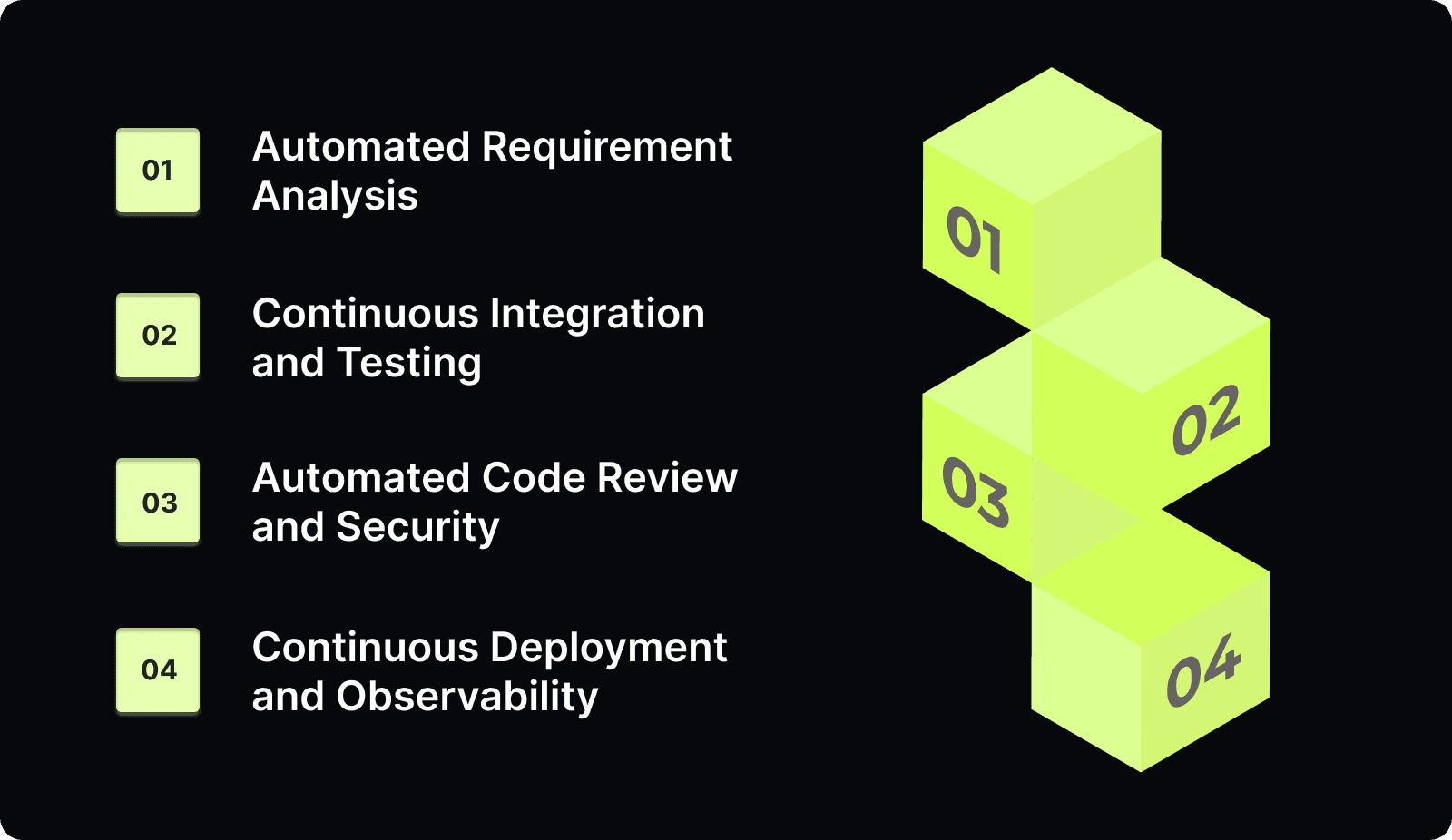
A complete automated lifecycle covers four distinct areas that move a feature from a vague idea to a monitored production asset.
Follow these steps to automate each critical phase of your development process:
Stage 1: Automated Requirement Analysis
Requirement analysis often fails because of vague tickets that lack technical context or clear acceptance criteria. AI can now bridge this gap by converting stakeholder requests into structured technical specifications and initial test cases.
This ensures your developers have everything they need to start working without constant back-and-forth clarification.
Auto-generate acceptance criteria based on initial product descriptions.
Link new feature requests to existing architectural documentation.
Identify potential technical conflicts with other active tickets.
Suggest initial API structures based on your current codebase.
Flag missing edge cases in the requirements before coding begins.
Stage 2: Continuous Integration and Testing
Continuous integration ensures that every commit is automatically built and tested against your primary branch. This stage provides the primary sanity check for your codebase by identifying breaking changes within minutes of a developer's push.
Automation here prevents the "integration hell" that happens when multiple developers merge conflicting logic.
Trigger unit tests automatically on every push to a feature branch.
Run integration tests in an environment that mirrors production.
Analyze code coverage to ensure new features are adequately tested.
Automate dependency updates to patch security vulnerabilities quickly.
Notify developers immediately in Slack when a build fails.
Stage 3: Automated Code Review and Security
Peer reviews are often the biggest bottleneck in the SDLC because they rely on busy humans to find time for feedback. Automation can handle the routine checks for style, security flaws, and anti-patterns before a human ever looks at the code.
This makes the final human review much faster and focused on high-level architectural logic.
Check for insecure coding patterns and exposed API keys automatically.
Suggest fixes for common performance bottlenecks in the IDE.
Validate that code follows your team's specific style guidelines.
Assign the most relevant reviewer based on historical file ownership.
Flag PRs that lack documentation or tests before they are reviewed.
Entelligence AI supports this stage by providing context-aware feedback directly in the IDE, catching architectural anti-patterns before they reach a human reviewer. Book a demo to see how this in-workflow intelligence removes the manual friction that typically stalls the development lifecycle.
Stage 4: Continuous Deployment and Observability
The final stage automates the path to production and monitors the health of the live application. Continuous deployment ensures that verified code is shipped to customers immediately without waiting for a manual release window.
Automated observability then tracks performance and errors to trigger rollbacks if a new release causes issues.
Deploy code to staging and production environments through automated pipelines.
Monitor error rates and latency spikes immediately after a merge.
Automate canary releases to test features on a small user group.
Trigger automatic rollbacks if production health metrics fall below a baseline.
Update your documentation and change logs automatically upon successful release.
Knowing the stages is the foundation, but the real challenge is building a repeatable implementation strategy.
Also read: How to Implement a Secure Software Development Life Cycle in 2026
How to Automate Your SDLC: A Step-by-Step Strategy
Implementing automation requires more than just buying tools; you need a strategy that targets your biggest bottlenecks first. This step-by-step manual will help you build a high-velocity workflow that grows with your team.
Use these specific steps to build your automation strategy:
Step 1: Auditing Your Current "Lead Time"
You must identify exactly where work stops moving by measuring the "Wait State" between development and production. Audit your last ten feature releases to see how long tickets sat in the "In Review" or "Testing" columns.
This data tells you where automation will provide the highest return on investment for your team.
Map your current workflow from ticket creation to production release.
Identify the stages that require manual approval or manual data entry.
Calculate the average time a ticket stays in each individual status.
Identify the most common reasons for code being rejected by QA.
Focus your first automation efforts on the stage with the longest wait.
Step 2: Implementing Automated Release Gates
Release gates are non-negotiable automated checks that prevent low-quality code from advancing to the next stage of the lifecycle. You should configure your CI/CD pipeline to block any merge that fails a security scan or drops your test coverage.
This creates a clear quality standard that developers must meet before they can distract their peers with a review.
Define the minimum test coverage percentage required for all new code.
Enable automated security scanning for every pull request in your repo.
Block merges if the build fails or if linter errors are present.
Require automated documentation updates for all public API changes.
Ensure every release gate provides a clear error message to the dev.
Step 3: Measuring Success (The ROI Formulas)
You need objective formulas to prove that your automation efforts are actually improving the engineering organization.
Automation Coverage: This tracks what percentage of your total repetitive tasks are now handled by software.
Automation Coverage = (Automated Tasks/ Total Manual Tasks) * 100
Lead Time for Changes: This is the most critical DORA metric for measuring your overall delivery speed.
Capture the timestamp when the first commit is made for a ticket.
Capture the timestamp when that ticket is successfully deployed to production.
Subtract the start time from the end time to find the lead time.
Average these durations over a thirty-day period to see your trend.
Step 4: Managing Complex Environments and Legacy Code
Automation is rarely perfect, and you must handle the "Flaky Test Trap" where tests fail due to environment issues rather than code bugs. If developers lose trust in the automation, they will start ignoring the release gates you have built.
Additionally, address the "Legacy Debt Problem" by automating new modules first while gradually adding tests to your older monolithic codebase.
Identify tests that fail inconsistently and move them to a separate suite.
Implement automatic retries for tests that are known to be flaky.
Use feature flags to decouple code deployment from the actual feature release.
Start your automation on greenfield projects to build internal momentum.
Communicate the "why" behind the automation to avoid developer pushback.
Once your strategy is in place, you must adopt industry best practices to ensure your automation remains maintainable.
Also read: Capacity Planning in Software Development: A Guide
Best Practices for SDLC Automation
Effective automation requires a culture of quality where every team member understands their role in the lifecycle.
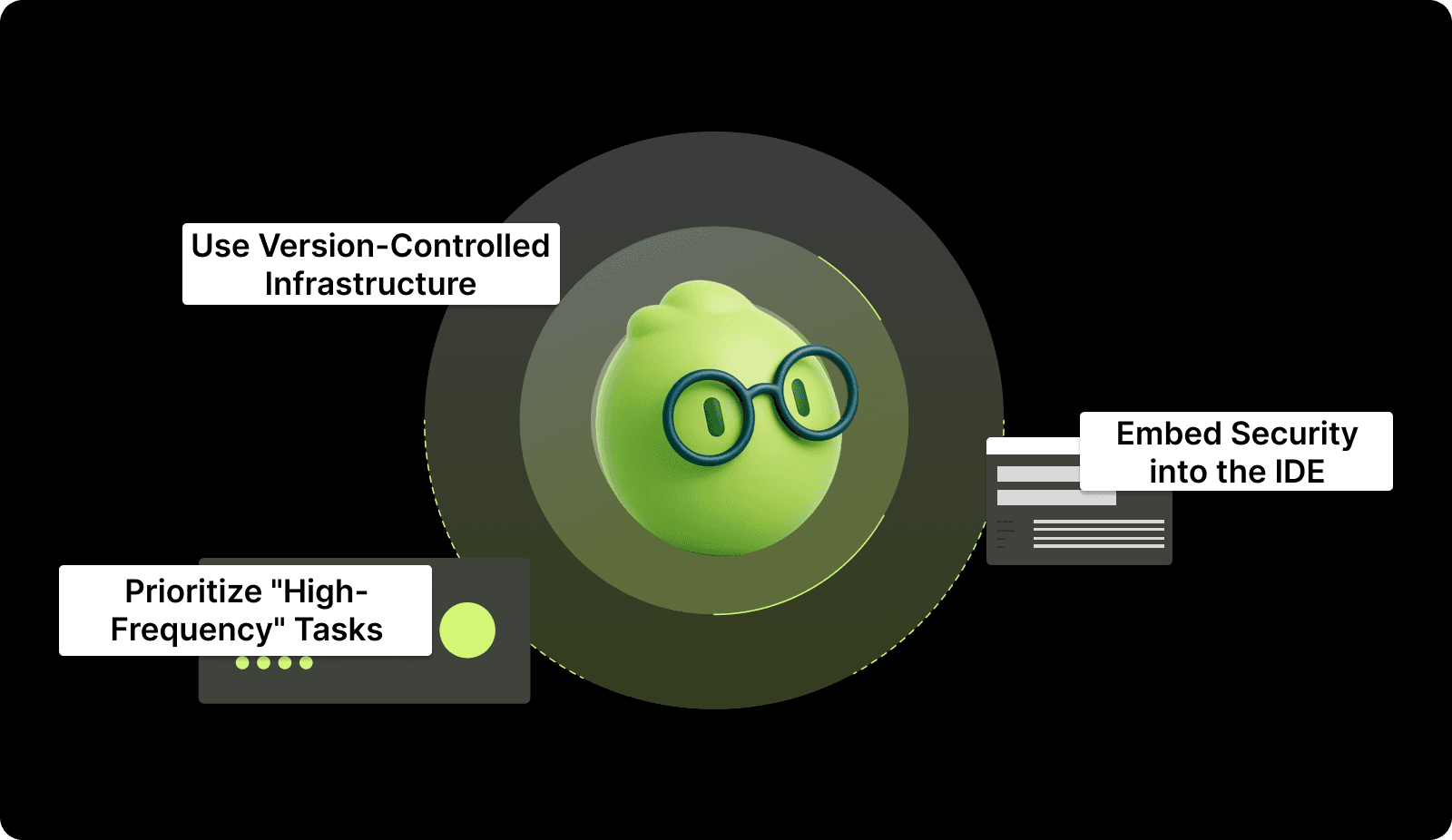
1. Prioritize "High-Frequency" Tasks
Focus on automating tasks that happen fifty times a day before you worry about complex tasks that happen once a month. Automating your code linting and documentation updates will save more total hours than automating a rare database migration.
This approach provides immediate value to the developers and helps them see the benefits of the new system.
Impact:
Provides an immediate reduction in daily developer frustration.
Demonstrates the value of automation to stakeholders very quickly.
Builds a foundation for more complex automation in the future.
2. Use Version-Controlled Infrastructure
You should treat your environment configurations exactly like your application code by using Infrastructure as Code (IaC) tools. This ensures that your testing and production environments are identical, which eliminates the "it works on my machine" problem.
Versioning your infrastructure allows you to roll back environment changes just as easily as you roll back code.
Impact:
Eliminates configuration drift between different development environments.
Allows you to rebuild your entire production stack in minutes.
Provides a clear audit trail for every change made to your servers.
3. Embed Security into the IDE
The most effective way to handle security is to shift it to the earliest possible stage of the development process. By providing security feedback directly in the developer's IDE, you stop vulnerabilities before they are ever committed to a branch.
This "Shift-Left" approach is much cheaper and faster than fixing security holes in a production environment.
Impact:
Reduces the total number of security vulnerabilities reaching production.
Educates developers on secure coding practices in real-time.
Mitigates the risk of 0-day vulnerabilities through continuous scanning.
Even with the best strategy, certain mistakes can turn your automation efforts into a liability.
Shift security to the first line of code. Fixing vulnerabilities in production is 10x more expensive than fixing them in development. With the Entelligence AI, security checks are embedded directly in your workflow, flagging risks the moment they are typed. Book a demo to learn more.
Common SDLC Automation Mistakes
Engineering teams often fail when they prioritize the technology of automation over the people and processes it supports.
1. Automating a Broken Process
Putting a robot on top of a messy or undefined workflow will only create a mess at a much faster rate. If your team does not agree on what "Done" means, automating the transition to "Done" will lead to a surge in bugs.
How to avoid:
Document your manual process thoroughly before you try to automate it.
Simplify your workflow by removing redundant statuses or approvals.
Ensure all team members are aligned on the new automated requirements.
2. Over-Automation
Creating too many automated alerts and checks can lead to "Dashboard Fatigue," where developers start ignoring all notifications. If a developer gets twenty Slack pings for every commit, they will eventually miss the one alert that actually matters.
How to avoid:
Only trigger alerts for critical build failures or security blockers.
Use a centralized dashboard rather than excessive chat notifications.
Review your alert volume weekly to prune low-value notifications.
3. Lack of "Human-in-the-loop" Logic
Automation is a companion, not a replacement for the high-level architectural oversight that only an experienced engineer can provide. Forgetting this leads to a codebase that passes all the "dumb" checks but has massive structural flaws.
How to avoid:
Keep human peer reviews mandatory for all major architectural changes.
Use AI to provide the context so humans can make decisions faster.
Schedule manual "Bug Bashes" to find issues automation might miss.
Solution: You can fix these mistakes by using AI to provide the context so humans can make faster, more informed decisions.
To achieve true end-to-end automation, you need a platform that unifies code quality with team performance.
Also read: 20 Proven DevOps Engineer OKR Examples
Entelligence AI: Unifying the Automated SDLC
Most automation tools are "dumb" pipes that move data without understanding the specific context of your internal APIs or standards. This leads to generic feedback that developers ignore and a lack of visibility for engineering leaders who need to see the big picture.
Fragmented tools create more noise than clarity, making it difficult to tell if your automation is actually improving your velocity.
Entelligence AI unifies the entire SDLC by linking daily code execution to high-level strategic clarity and team performance metrics. Our platform serves as a "Sage" that provides the wisdom your team needs to scale quality alongside speed.
Context-Aware Reviews: Automates the feedback loop within the IDE using your specific coding standards and architectural dependencies.
Automated Docs: Keeps your documentation and architecture diagrams in sync with every code change without manual developer effort.
Org-Wide Clarity: Provides a single dashboard to monitor the health of your automated pipelines and identify bottlenecks across all repos.
Entelligence AI bridges the gap between raw automation and the strategic engineering leadership required to build world-class products.
Also read: How to Improve MTTR: 7 Proven Strategies for Faster Incident Response

Conclusion
SDLC automation is the most effective way to improve your engineering speed while maintaining high-quality standards for your customers. By focusing on the 4 essential stages and measuring your ROI through lead time metrics, you can build a highly efficient development engine.
A successful automated lifecycle removes the manual overhead that leads to burnout and allows your team to focus on innovation.
Entelligence AI acts as the partner your engineering team needs to scale their productivity without losing strategic clarity. Our suite provides the context-aware insights required to turn your automated processes into a true competitive advantage.
Ready to gain total clarity? Book a demo with Entelligence AI today.
FAQs
Q. How much of my SDLC should be automated?
Aim for the 80/20 rule. Target automating the 20% of tasks that consume 80% of the manual, repetitive effort. This typically includes building, testing, linting, security scanning, and deployment. Strategic design discussions, architectural decisions, and complex problem-solving should remain human-led, augmented by AI context.
Q. What is the difference between DevOps and SDLC automation?
DevOps is a cultural and collaborative philosophy focusing on breaking down silos between development and operations teams. SDLC automation is the technical implementation of tools and practices that automate the workflows within that philosophy. DevOps provides the "why" for collaboration; SDLC automation provides the "how" for efficiency.
Q. How does AI change traditional SDLC automation?
Traditional automation is rule-based (e.g., "run these tests"). AI-powered automation is context-aware. It can understand the intent of code changes, predict impacts, generate intelligent summaries, and suggest fixes specific to your codebase. This moves automation from simple task execution to being an intelligent participant in the development process.
Q. Can small teams afford to automate their SDLC?
Yes, and they often benefit the most. The question isn't the cost of the tools (many have free tiers), but the "Cost of Manual Work." For a small team, every hour spent on manual deployment or fixing bugs from a lack of tests is an hour not spent building your product. Start with free, simple CI/CD and linters; the ROI in saved time and reduced errors is immediate.
Q. How do I measure the ROI of automation to stakeholders?
Use two concrete metrics: Lead Time for Changes (shows speed improvement) and Deployment Failure Rate (shows quality improvement). Frame it in business terms: "Automating our testing is reducing our average bug-fix cycle from 3 days to 4 hours, allowing the team to deliver Feature X two weeks earlier."
Engineering teams often face a bottleneck crisis where manual handoffs and fragmented tools stall production. You might lose hours every week to manual pull request reviews, status meetings, and document updates.
According to the Puppet State of DevOps Report, teams that prioritize automation and standardization through platform engineering report significantly higher productivity and security outcomes, with over 50% of organizations adopting it specifically to automate processes and reduce cognitive load on developers.
SDLC automation acts as the essential bridge between developer flow and organizational speed by removing manual friction points. When you automate the lifecycle, you allow your engineers to focus on building features while robots handle the overhead.
This transition requires a strategic approach to ensure your tools understand the technical context of your specific codebase. In this article, you will learn the frameworks and formulas needed to implement a high-performing automated lifecycle.
An Overview
Calculate Automation ROI: Use the ratio of automated tasks to manual tasks to identify where your team is losing time.
The 4 Core Stages: Master automation across requirement analysis, continuous integration, code reviews, and production observability.
Implement Release Gates: Use non-negotiable automated checks to block low-quality code from ever reaching your production environment.
Avoid "Automated Chaos": Focus on automating high-frequency tasks before complex edge cases to ensure maintainable system growth.
Context is King: Move beyond "dumb" pipelines by using AI that understands your internal APIs and architectural standards.
What is SDLC Automation?
SDLC automation is the integration of programmatic triggers and AI-driven checks across every phase of the software development lifecycle. It replaces manual intervention with software that manages task transitions, testing protocols, and documentation updates.
This approach ensures that your processes remain consistent regardless of which developer is handling the specific ticket. While CI/CD focuses on the technical pipeline of building and deploying code, SDLC automation covers the entire ecosystem.
This includes automating initial requirement gathering, security scanning, peer review assignments, and even retrospective data collection. You are not just moving code; you are automating the decisions and overhead that surround the code.
To implement this effectively, you must understand how automation provides a strategic advantage to your engineering organization.

Also read: Top 8 Software Development Lifecycle (SDLC) Tools Explained
Why SDLC Automation Matters?
Automating your lifecycle is no longer optional if you want to maintain a competitive shipping cadence in 2026. It provides a foundation for scaling your team without proportional increases in management overhead or technical debt.
These core benefits explain why leaders prioritize lifecycle automation:
1. Higher Developer Velocity
Automation removes the repetitive "to-do" list that usually interrupts a developer's concentration during the day. By automating linting, formatting, and documentation, you allow your engineers to stay in a state of flow for longer periods.
This leads to faster feature delivery and higher job satisfaction across your entire engineering squad.
2. Improved Production Stability
Human error is the leading cause of production incidents during manual deployments or manual configuration changes. Automated release gates ensure that every line of code meets your security and quality standards before it reaches customers.
This consistency reduces the frequency of emergency hotfixes and improves your overall system reliability.
3. Data-Driven Strategic Clarity
When your lifecycle is automated, every transition creates a digital footprint that leaders can use for informed decision-making. You no longer need to chase manual reports because the system provides real-time visibility into bottlenecks and team performance.
This clarity helps you allocate resources effectively and predict release dates with much higher accuracy.
Understanding these benefits is the first step toward transforming your development stages into an automated engine.
The 4 Essential Stages of SDLC Automation
A complete automated lifecycle covers four distinct areas that move a feature from a vague idea to a monitored production asset.

Follow these steps to automate each critical phase of your development process:
Stage 1: Automated Requirement Analysis
Requirement analysis often fails because of vague tickets that lack technical context or clear acceptance criteria. AI can now bridge this gap by converting stakeholder requests into structured technical specifications and initial test cases.
This ensures your developers have everything they need to start working without constant back-and-forth clarification.
Auto-generate acceptance criteria based on initial product descriptions.
Link new feature requests to existing architectural documentation.
Identify potential technical conflicts with other active tickets.
Suggest initial API structures based on your current codebase.
Flag missing edge cases in the requirements before coding begins.
Stage 2: Continuous Integration and Testing
Continuous integration ensures that every commit is automatically built and tested against your primary branch. This stage provides the primary sanity check for your codebase by identifying breaking changes within minutes of a developer's push.
Automation here prevents the "integration hell" that happens when multiple developers merge conflicting logic.
Trigger unit tests automatically on every push to a feature branch.
Run integration tests in an environment that mirrors production.
Analyze code coverage to ensure new features are adequately tested.
Automate dependency updates to patch security vulnerabilities quickly.
Notify developers immediately in Slack when a build fails.
Stage 3: Automated Code Review and Security
Peer reviews are often the biggest bottleneck in the SDLC because they rely on busy humans to find time for feedback. Automation can handle the routine checks for style, security flaws, and anti-patterns before a human ever looks at the code.
This makes the final human review much faster and focused on high-level architectural logic.
Check for insecure coding patterns and exposed API keys automatically.
Suggest fixes for common performance bottlenecks in the IDE.
Validate that code follows your team's specific style guidelines.
Assign the most relevant reviewer based on historical file ownership.
Flag PRs that lack documentation or tests before they are reviewed.
Entelligence AI supports this stage by providing context-aware feedback directly in the IDE, catching architectural anti-patterns before they reach a human reviewer. Book a demo to see how this in-workflow intelligence removes the manual friction that typically stalls the development lifecycle.
Stage 4: Continuous Deployment and Observability
The final stage automates the path to production and monitors the health of the live application. Continuous deployment ensures that verified code is shipped to customers immediately without waiting for a manual release window.
Automated observability then tracks performance and errors to trigger rollbacks if a new release causes issues.
Deploy code to staging and production environments through automated pipelines.
Monitor error rates and latency spikes immediately after a merge.
Automate canary releases to test features on a small user group.
Trigger automatic rollbacks if production health metrics fall below a baseline.
Update your documentation and change logs automatically upon successful release.
Knowing the stages is the foundation, but the real challenge is building a repeatable implementation strategy.
Also read: How to Implement a Secure Software Development Life Cycle in 2026
How to Automate Your SDLC: A Step-by-Step Strategy
Implementing automation requires more than just buying tools; you need a strategy that targets your biggest bottlenecks first. This step-by-step manual will help you build a high-velocity workflow that grows with your team.
Use these specific steps to build your automation strategy:
Step 1: Auditing Your Current "Lead Time"
You must identify exactly where work stops moving by measuring the "Wait State" between development and production. Audit your last ten feature releases to see how long tickets sat in the "In Review" or "Testing" columns.
This data tells you where automation will provide the highest return on investment for your team.
Map your current workflow from ticket creation to production release.
Identify the stages that require manual approval or manual data entry.
Calculate the average time a ticket stays in each individual status.
Identify the most common reasons for code being rejected by QA.
Focus your first automation efforts on the stage with the longest wait.
Step 2: Implementing Automated Release Gates
Release gates are non-negotiable automated checks that prevent low-quality code from advancing to the next stage of the lifecycle. You should configure your CI/CD pipeline to block any merge that fails a security scan or drops your test coverage.
This creates a clear quality standard that developers must meet before they can distract their peers with a review.
Define the minimum test coverage percentage required for all new code.
Enable automated security scanning for every pull request in your repo.
Block merges if the build fails or if linter errors are present.
Require automated documentation updates for all public API changes.
Ensure every release gate provides a clear error message to the dev.
Step 3: Measuring Success (The ROI Formulas)
You need objective formulas to prove that your automation efforts are actually improving the engineering organization.
Automation Coverage: This tracks what percentage of your total repetitive tasks are now handled by software.
Automation Coverage = (Automated Tasks/ Total Manual Tasks) * 100
Lead Time for Changes: This is the most critical DORA metric for measuring your overall delivery speed.
Capture the timestamp when the first commit is made for a ticket.
Capture the timestamp when that ticket is successfully deployed to production.
Subtract the start time from the end time to find the lead time.
Average these durations over a thirty-day period to see your trend.
Step 4: Managing Complex Environments and Legacy Code
Automation is rarely perfect, and you must handle the "Flaky Test Trap" where tests fail due to environment issues rather than code bugs. If developers lose trust in the automation, they will start ignoring the release gates you have built.
Additionally, address the "Legacy Debt Problem" by automating new modules first while gradually adding tests to your older monolithic codebase.
Identify tests that fail inconsistently and move them to a separate suite.
Implement automatic retries for tests that are known to be flaky.
Use feature flags to decouple code deployment from the actual feature release.
Start your automation on greenfield projects to build internal momentum.
Communicate the "why" behind the automation to avoid developer pushback.
Once your strategy is in place, you must adopt industry best practices to ensure your automation remains maintainable.
Also read: Capacity Planning in Software Development: A Guide
Best Practices for SDLC Automation
Effective automation requires a culture of quality where every team member understands their role in the lifecycle.

1. Prioritize "High-Frequency" Tasks
Focus on automating tasks that happen fifty times a day before you worry about complex tasks that happen once a month. Automating your code linting and documentation updates will save more total hours than automating a rare database migration.
This approach provides immediate value to the developers and helps them see the benefits of the new system.
Impact:
Provides an immediate reduction in daily developer frustration.
Demonstrates the value of automation to stakeholders very quickly.
Builds a foundation for more complex automation in the future.
2. Use Version-Controlled Infrastructure
You should treat your environment configurations exactly like your application code by using Infrastructure as Code (IaC) tools. This ensures that your testing and production environments are identical, which eliminates the "it works on my machine" problem.
Versioning your infrastructure allows you to roll back environment changes just as easily as you roll back code.
Impact:
Eliminates configuration drift between different development environments.
Allows you to rebuild your entire production stack in minutes.
Provides a clear audit trail for every change made to your servers.
3. Embed Security into the IDE
The most effective way to handle security is to shift it to the earliest possible stage of the development process. By providing security feedback directly in the developer's IDE, you stop vulnerabilities before they are ever committed to a branch.
This "Shift-Left" approach is much cheaper and faster than fixing security holes in a production environment.
Impact:
Reduces the total number of security vulnerabilities reaching production.
Educates developers on secure coding practices in real-time.
Mitigates the risk of 0-day vulnerabilities through continuous scanning.
Even with the best strategy, certain mistakes can turn your automation efforts into a liability.
Shift security to the first line of code. Fixing vulnerabilities in production is 10x more expensive than fixing them in development. With the Entelligence AI, security checks are embedded directly in your workflow, flagging risks the moment they are typed. Book a demo to learn more.
Common SDLC Automation Mistakes
Engineering teams often fail when they prioritize the technology of automation over the people and processes it supports.
1. Automating a Broken Process
Putting a robot on top of a messy or undefined workflow will only create a mess at a much faster rate. If your team does not agree on what "Done" means, automating the transition to "Done" will lead to a surge in bugs.
How to avoid:
Document your manual process thoroughly before you try to automate it.
Simplify your workflow by removing redundant statuses or approvals.
Ensure all team members are aligned on the new automated requirements.
2. Over-Automation
Creating too many automated alerts and checks can lead to "Dashboard Fatigue," where developers start ignoring all notifications. If a developer gets twenty Slack pings for every commit, they will eventually miss the one alert that actually matters.
How to avoid:
Only trigger alerts for critical build failures or security blockers.
Use a centralized dashboard rather than excessive chat notifications.
Review your alert volume weekly to prune low-value notifications.
3. Lack of "Human-in-the-loop" Logic
Automation is a companion, not a replacement for the high-level architectural oversight that only an experienced engineer can provide. Forgetting this leads to a codebase that passes all the "dumb" checks but has massive structural flaws.
How to avoid:
Keep human peer reviews mandatory for all major architectural changes.
Use AI to provide the context so humans can make decisions faster.
Schedule manual "Bug Bashes" to find issues automation might miss.
Solution: You can fix these mistakes by using AI to provide the context so humans can make faster, more informed decisions.
To achieve true end-to-end automation, you need a platform that unifies code quality with team performance.
Also read: 20 Proven DevOps Engineer OKR Examples
Entelligence AI: Unifying the Automated SDLC
Most automation tools are "dumb" pipes that move data without understanding the specific context of your internal APIs or standards. This leads to generic feedback that developers ignore and a lack of visibility for engineering leaders who need to see the big picture.
Fragmented tools create more noise than clarity, making it difficult to tell if your automation is actually improving your velocity.
Entelligence AI unifies the entire SDLC by linking daily code execution to high-level strategic clarity and team performance metrics. Our platform serves as a "Sage" that provides the wisdom your team needs to scale quality alongside speed.
Context-Aware Reviews: Automates the feedback loop within the IDE using your specific coding standards and architectural dependencies.
Automated Docs: Keeps your documentation and architecture diagrams in sync with every code change without manual developer effort.
Org-Wide Clarity: Provides a single dashboard to monitor the health of your automated pipelines and identify bottlenecks across all repos.
Entelligence AI bridges the gap between raw automation and the strategic engineering leadership required to build world-class products.
Also read: How to Improve MTTR: 7 Proven Strategies for Faster Incident Response

Conclusion
SDLC automation is the most effective way to improve your engineering speed while maintaining high-quality standards for your customers. By focusing on the 4 essential stages and measuring your ROI through lead time metrics, you can build a highly efficient development engine.
A successful automated lifecycle removes the manual overhead that leads to burnout and allows your team to focus on innovation.
Entelligence AI acts as the partner your engineering team needs to scale their productivity without losing strategic clarity. Our suite provides the context-aware insights required to turn your automated processes into a true competitive advantage.
Ready to gain total clarity? Book a demo with Entelligence AI today.
FAQs
Q. How much of my SDLC should be automated?
Aim for the 80/20 rule. Target automating the 20% of tasks that consume 80% of the manual, repetitive effort. This typically includes building, testing, linting, security scanning, and deployment. Strategic design discussions, architectural decisions, and complex problem-solving should remain human-led, augmented by AI context.
Q. What is the difference between DevOps and SDLC automation?
DevOps is a cultural and collaborative philosophy focusing on breaking down silos between development and operations teams. SDLC automation is the technical implementation of tools and practices that automate the workflows within that philosophy. DevOps provides the "why" for collaboration; SDLC automation provides the "how" for efficiency.
Q. How does AI change traditional SDLC automation?
Traditional automation is rule-based (e.g., "run these tests"). AI-powered automation is context-aware. It can understand the intent of code changes, predict impacts, generate intelligent summaries, and suggest fixes specific to your codebase. This moves automation from simple task execution to being an intelligent participant in the development process.
Q. Can small teams afford to automate their SDLC?
Yes, and they often benefit the most. The question isn't the cost of the tools (many have free tiers), but the "Cost of Manual Work." For a small team, every hour spent on manual deployment or fixing bugs from a lack of tests is an hour not spent building your product. Start with free, simple CI/CD and linters; the ROI in saved time and reduced errors is immediate.
Q. How do I measure the ROI of automation to stakeholders?
Use two concrete metrics: Lead Time for Changes (shows speed improvement) and Deployment Failure Rate (shows quality improvement). Frame it in business terms: "Automating our testing is reducing our average bug-fix cycle from 3 days to 4 hours, allowing the team to deliver Feature X two weeks earlier."
We raised $5M to run your Engineering team on Autopilot
Watch our launch video
Talk to Sales
Turn engineering signals into leadership decisions
Connect with our team to see how Entelliegnce helps engineering leaders with full visibility into sprint performance, Team insights & Product Delivery
Talk to Sales
Turn engineering signals into leadership decisions
Connect with our team to see how Entelliegnce helps engineering leaders with full visibility into sprint performance, Team insights & Product Delivery
Try Entelligence now